UiChemy — Figma Converter for Elementor, Gutenberg and Bricks
UiChemy — Figma Converter for Elementor, Gutenberg and Bricks
Description
UiChemy is the only Figma to WordPress plugin that converts your designs into real Elementor widgets, Gutenberg blocks, and Bricks elements.
Not HTML. Not code. Real, native, 100% editable page builder output. 50+ widget support, global style sync, responsive output manager, and trusted by 80,000+ designers worldwide.
Website | Pricing | Documentation | Roadmap | Facebook Community | Community Support | Premium Support | AI Chat (Instant Answers) | Video Tutorials | Figma Templates
See UiChemy in Action
1. How Does UiChemy Work? It’s Almost Too Simple
You designed a beautiful website in Figma. Now what?
Traditionally, you hand it off to a developer, wait days, go through rounds of “that’s not what I designed,” and still end up rebuilding half of it. UiChemy changes that entirely.
UiChemy reads your Figma design structure (frames, layers, Auto Layout, hierarchy) and converts it into real page builder widgets. Not static HTML. Not throwaway code. Actual Elementor containers, Gutenberg blocks, or Bricks sections you can click, edit, and customize inside WordPress, just like you built it there yourself.
4 Steps. Figma to Live WordPress Website.
- Design in Figma : Create your layout following the UiChemy Design Guidelines
- Run the Figma Plugin : Install the UiChemy Figma plugin and export your design
- Connect Your WordPress Site : Activate the UiChemy WordPress plugin and link your domain
- Hit Import : Your Figma design is now a fully editable WordPress page. Done.
No developer needed. No code generated. No waiting.
🔌 2. Figma to Elementor Converter
If you use Elementor, this is where UiChemy feels like magic. Your Figma layers become real Elementor widgets that you can drag, drop, and edit inside the Elementor editor. No custom HTML blocks. No CSS hacks.
✅ What You Get with Figma to Elementor
- 30+ Native Elementor Widgets Supported : Your Figma design maps to actual Elementor widgets, not code dumps
- Elementor v4 Atomic Elements Ready : Full support for the latest Elementor Editor v4 including global classes and variables
- Global Styles Sync : Typography, colors, and spacing from your Figma file sync directly to Elementor global settings
- The Plus Addons for Elementor : Extends your conversion with 30+ additional advanced widgets
- Works with Elementor Free & Pro : Use it with Elementor Free or Elementor Pro. If your design uses Pro widgets like contact forms, menus, or sliders, Pro is needed for those specific widgets
Figma Plugin: Figma to Elementor Plugin
🧱 3. Figma to Gutenberg Block Editor Converter
Prefer the default WordPress editor? UiChemy converts your Figma designs into native Gutenberg blocks with support for the most popular block builders. No lock-in. Use whichever block system you prefer.
✅ What You Get with Figma to Gutenberg
- Core WordPress Gutenberg Blocks : Converts to default WordPress blocks natively
- Spectra Blocks : Full compatibility with the Spectra block builder
- Kadence Blocks : Works with Kadence Blocks for advanced responsive layouts
- GenerateBlocks : Converts to GenerateBlocks elements for lightweight output
- Nexter Blocks : Extended tagging support using Nexter Blocks
- Clean Output Option : Disable custom CSS entirely for a code-free block export
Figma Plugin: Figma to Gutenberg Plugin
🧱 4. Figma to Bricks Builder Converter
Bricks Builder users, you are not left out. UiChemy converts Figma designs into native Bricks Builder elements with pixel-accurate precision.
✅ What You Get with Figma to Bricks
- Native Bricks Elements : Your Figma layers become real Bricks elements, not custom code
- Global Style Classes : Syncs Figma global styles to Bricks global classes
- Border, Border-Radius, Gap & Shadow : Precise design conversion for borders, gaps, and shadows
- Multiple Breakpoints for Boxed Width : Control responsive boxed width across multiple breakpoints
- Padding Sync : Padding values transfer directly from Figma to Bricks for uniform spacing
- Copy Paste Mode with Media : Paste converted designs into Bricks with full media import
Figma Plugin: Figma to Bricks Plugin
⚙️ 5. Why Designers Trust UiChemy Over Other Figma Converters
Most Figma to code tools give you messy HTML that no one can edit. UiChemy gives you a Figma to WordPress plugin experience that actually works in the real world. Here is what sets it apart:
🎨 Global Style Sync (Your Brand Stays Consistent)
- Typography Sync : Text styles from Figma transfer to WordPress so your fonts and sizes stay exact
- Color Variables Sync : Figma color variables map directly to your page builder’s design system
- Border Color Variables : Even border colors stay brand-consistent through variable mapping
📱 Responsive Design Conversion (No More Manual Breakpoint Work)
- Responsive Output Manager : Set responsive breakpoint values once and let UiChemy handle the rest
- Auto-Fetch Values : UiChemy automatically detects font sizes, padding, line height, and flex gap from your Figma file
- Manual Responsive Setup : Want full control? Override any responsive value per breakpoint
- Boxed Width Breakpoints : Multiple breakpoint support for Elementor and Bricks container widths
⚡ Conversion Power Tools
- 50+ Widget Support : UiChemy tags your design elements to the correct page builder widgets automatically
- WebP, AVIF & SVG Import : Modern image formats are imported and handled automatically
- One-Click Site Import : Push your entire Figma design directly to WordPress in one click
- Section-by-Section Export : Export individual sections for granular control and pixel-perfect accuracy
- JSON File Import : Download and import JSON templates as an offline alternative
- Multi-Site Connection : Manage multiple WordPress sites from one UiChemy plugin installation
- Disable Custom CSS : Export 100% clean native page builder output without any additional CSS
📦 6. 100+ Pre-Designed Figma Templates
Don’t want to start from scratch? Use any of our 100+ Figma Templates and sections, already optimized for UiChemy export. Pick a template, customize it in Figma, and convert it to a live WordPress website in minutes. It is the fastest way to go from idea to published website.
🔍 Our Other Products
🥇 The Plus Addons for Elementor — 120+ Elementor Widgets, Free Elementor Theme Builder & Templates
🥇 Nexter Blocks — 90+ Gutenberg Blocks, AI Website Builder, Popup Builder, Mega Menu, Form Builder & 1000+ Templates
🥇 Nexter Extension — 50+ Site Tools: Security, SMTP, Image Optimizer (WebP/AVIF), Theme Builder, Code Snippets, Performance
🥇 NexterWP Theme — Ultra-light, FSE-ready starter theme. Zero jQuery
🥇 WDesignKit — 1000+ Templates, Cloud Block Storage, Gutenberg & Elementor Builder
External Services
This plugin connects to the following external services:
UiChemy Cloud API : When you export a design from Figma, UiChemy communicates with its cloud API to process and convert your Figma design data into page builder compatible format. Design structure data (frames, layers, styles) is sent during export. No personal data is transmitted.
Privacy Policy | Terms of Use
Figma API : UiChemy’s Figma plugin reads your design data from Figma to generate the export. This requires the Figma plugin to access your currently open Figma file.
Figma Privacy Policy | Figma Terms
Installation
- Go to Plugins Add New in your WordPress dashboard
- Search for UiChemy and click Install
- Activate the plugin
- Go to the UiChemy settings page and connect your WordPress site using your Site URL and Security Token
- Install the UiChemy Figma Plugin for your page builder from the Figma Community :
- Open your Figma design, run the plugin, and export directly to your WordPress site
Screenshots
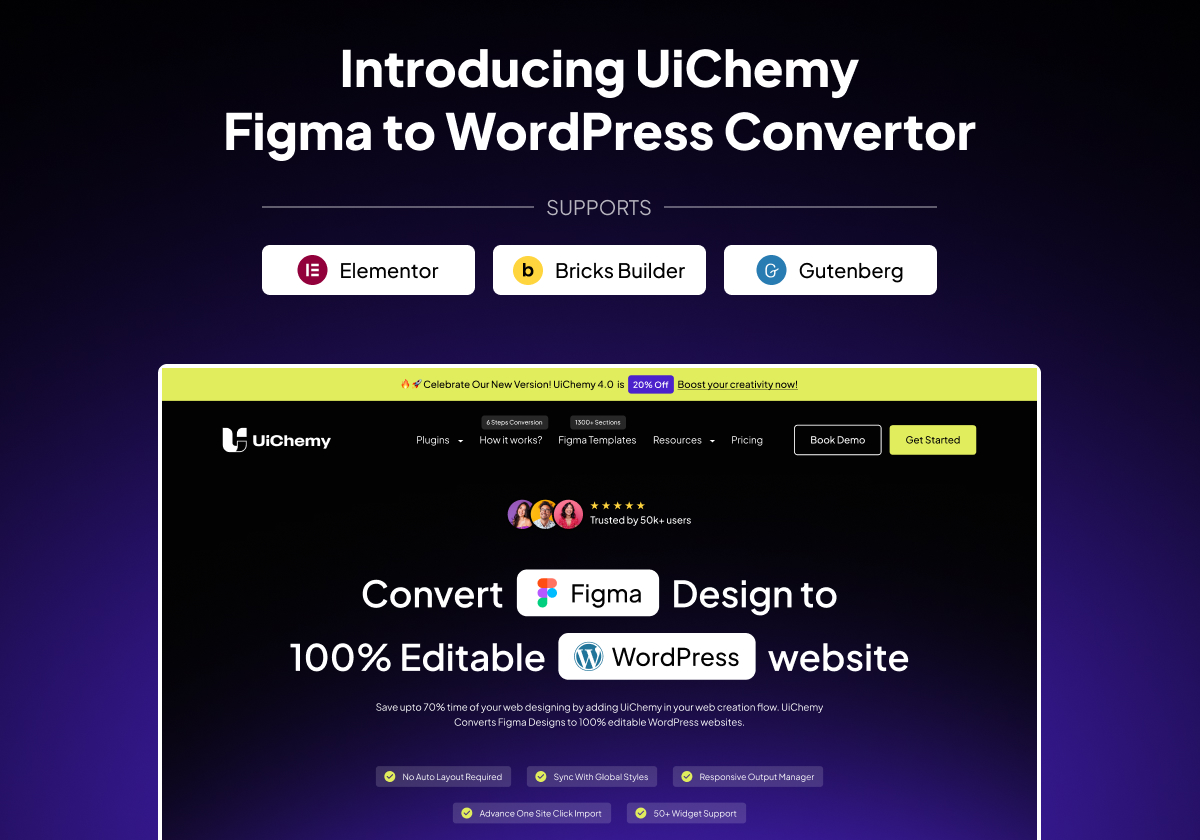
UiChemy Dashboard : Figma to WordPress Converter for Elementor, Gutenberg & Bricks
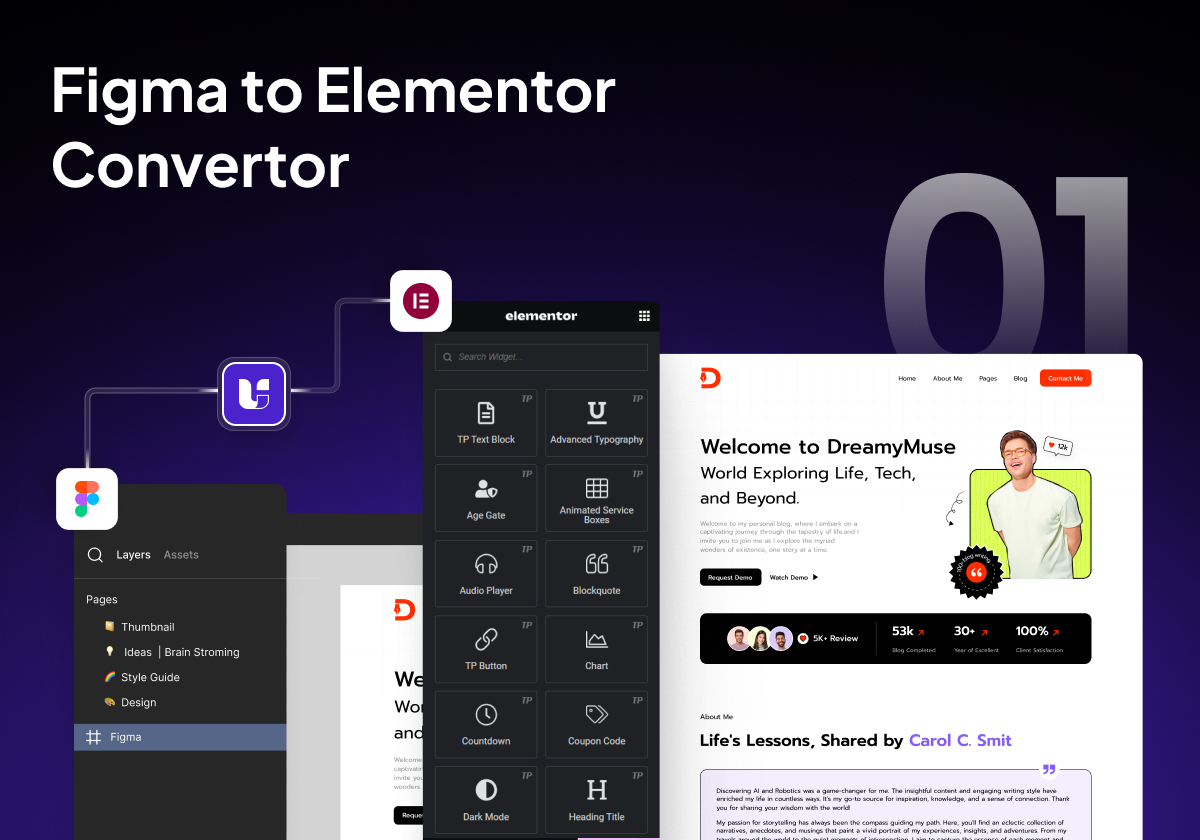
Figma to Elementor Converter : Convert Figma Designs to Editable Elementor Widgets
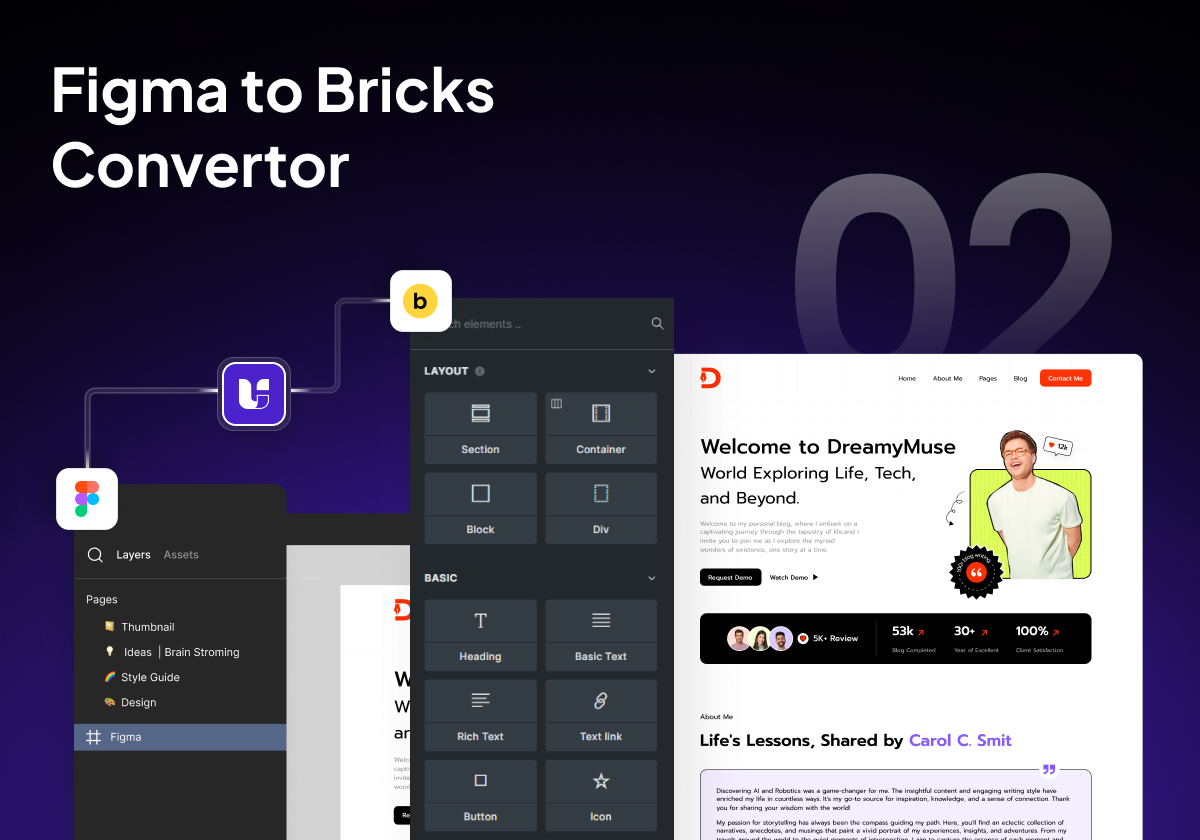
Figma to Bricks Builder Converter : Native Bricks Elements with Global Style Classes
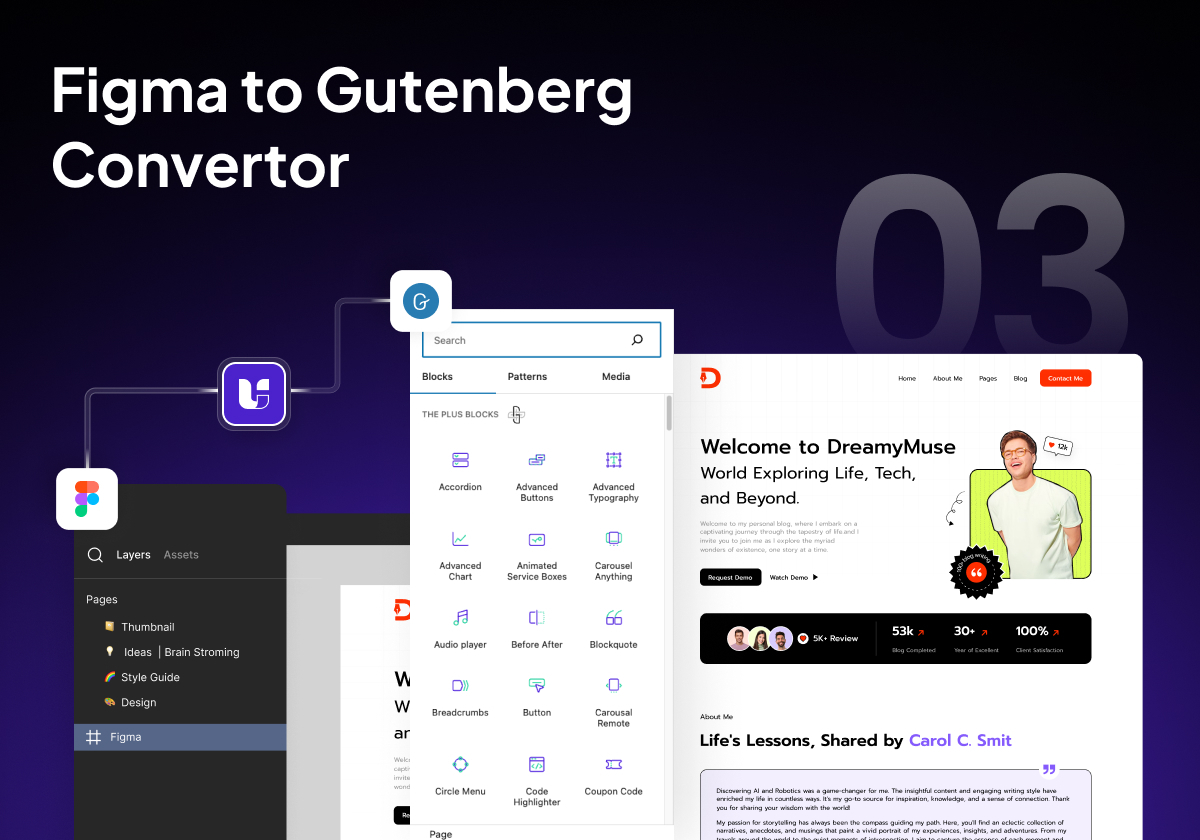
Figma to WordPress Gutenberg Converter : Default Blocks, Spectra, Kadence & GenerateBlocks
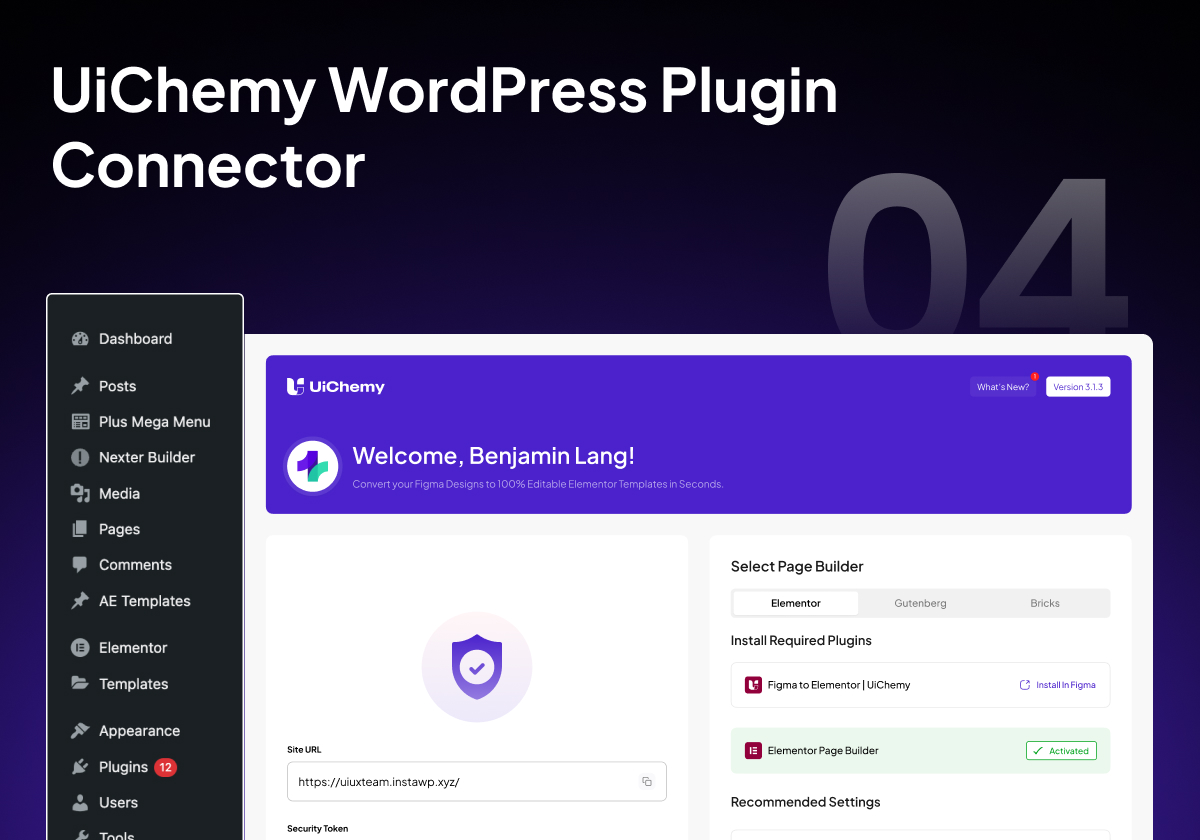
WordPress Plugin Connector : Connect Multiple WordPress Sites to Figma
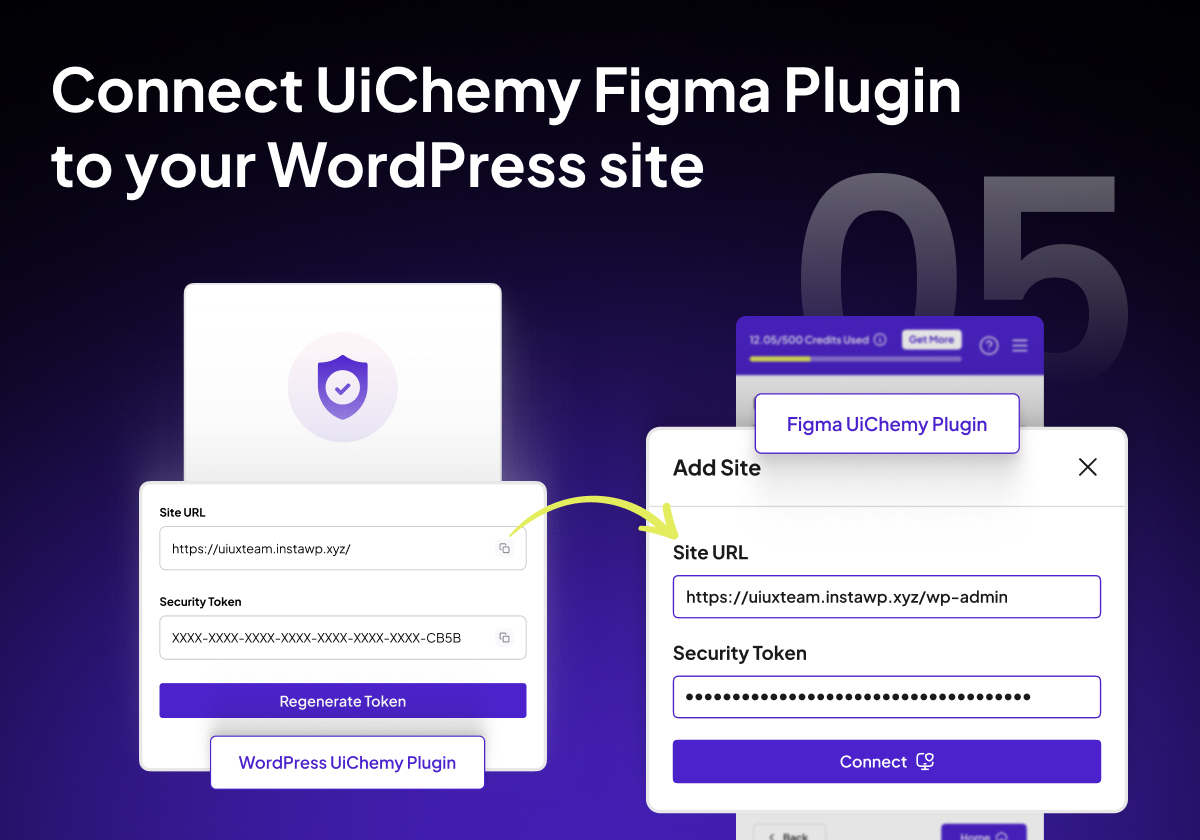
One-Click Site Import : Publish Figma Design Directly to WordPress Website
Faq
UiChemy connects your Figma design directly to your WordPress site. It reads the structure of your Figma file (frames, layers, Auto Layout, hierarchy) and converts each element into the matching page builder widget. So a Figma text layer becomes an Elementor Heading widget, a Figma image becomes an Image widget, and your frame structure becomes real Elementor containers, Gutenberg blocks, or Bricks sections. You export from Figma, hit import in WordPress, and your design is live. You can also download a JSON file for manual import if you prefer. There is no HTML code generated, no developer handoff needed, and no rebuilding from scratch.
Yes. Over 80,000 designers have used UiChemy to convert Figma designs to WordPress. It is not a concept or a beta experiment. UiChemy has been actively developed since December 2023, with monthly updates, full Elementor v4 (Atomic Elements) support, Gutenberg and Bricks Builder integration, and a dedicated support team. The output is 100% native page builder elements, fully editable, responsive, and production-ready. You can see real conversion results in the UiChemy demo video and hear from real users on the WordPress.org reviews tab.
UiChemy supports three WordPress page builders: Elementor (including the latest Elementor v4 with Atomic Elements and global classes), Gutenberg (with support for Spectra, Kadence Blocks, GenerateBlocks, and Nexter Blocks), and Bricks Builder (with global style classes, padding sync, and multi-breakpoint boxed width). Each page builder has its own dedicated UiChemy Figma plugin for optimized conversion.
Yes. UiChemy is one of the first Figma to Elementor converters to fully support Elementor Editor v4 and its new Atomic Elements structure. This means your Figma designs convert into Elementor’s latest architecture, including design system classes for spacing, typography, colors, and layout. If you are already using Elementor v4, UiChemy works seamlessly with it out of the box.
No coding knowledge is needed. UiChemy is built for designers, not developers. You design in Figma, export with the UiChemy Figma plugin, and import into WordPress. The entire process is visual and click-based. That said, knowing basic Figma concepts like frames, Auto Layout, and layer naming will help you get the best conversion accuracy. But you will never need to write a single line of code.
Auto Layout is highly recommended because it gives UiChemy the best information about spacing, alignment, and responsive behavior. With Auto Layout, your converted WordPress layouts will be more stable and require less manual responsive adjustment. However, UiChemy also works with absolute-positioned Figma designs, so you are not locked into one design approach. For best results, we recommend checking the UiChemy Design Guidelines.
Yes. UiChemy generates responsive layouts based on your Figma design structure. On top of that, UiChemy includes a Responsive Output Manager where you can set custom responsive values for font sizes, padding, line height, and flex gap across breakpoints. You can also use the Manual Responsive Setup for full per-breakpoint control. After import, you can further tweak responsive settings inside Elementor, Gutenberg, or Bricks. This means you get accurate responsive design from the start, not a desktop-only export that breaks on mobile.
Most Figma to HTML converters and Figma to code tools generate static HTML and CSS that cannot be edited in a page builder. You get code, not a website. UiChemy is fundamentally different because it converts Figma to website layouts using real page builder widgets (Elementor widgets, Gutenberg blocks, Bricks elements) that are 100% editable, draggable, and customizable inside WordPress. UiChemy also syncs global styles (typography, colors, variables) from Figma, supports 50+ page builder widgets, handles responsive conversion automatically, and lets you connect multiple WordPress sites. No code cleanup, no developer handoff, no starting over.
UiChemy works with Elementor Free. No Pro version is required for basic conversions. However, if your Figma design uses elements that map to Elementor Pro widgets (such as contact forms, navigation menus, or sliders), then Elementor Pro is needed for those specific widgets. UiChemy also supports additional widgets from The Plus Addons for Elementor if you want extended conversion options, but addons are completely optional.
UiChemy supports multiple Gutenberg-based block systems so you are never locked into one ecosystem. Currently supported: default WordPress Gutenberg blocks, Spectra blocks, Kadence Blocks, GenerateBlocks, and Nexter Blocks. You can pick whichever block builder you already use, and UiChemy will map your Figma designs into that system. You can also disable custom CSS entirely for a clean, native block export.
This usually comes down to Figma structure or WordPress environment settings, not the conversion itself. The most common reasons are: missing Auto Layout in Figma (which affects spacing and alignment), improper frame hierarchy (layers not nested correctly), overlapping or overflowing elements, masked images that are not flattened, and WordPress theme settings like content width, padding, or header/footer areas. UiChemy follows your Figma structure faithfully. If the structure is clean, the output will be accurate. Check the Design Guidelines for quick fixes.
Absolutely. Everything UiChemy imports is 100% editable inside your page builder. You can change text, swap images, adjust colors, move sections, add animations, or completely rework the layout. UiChemy produces native Elementor widgets, Gutenberg blocks, or Bricks elements. There are no locked templates, no iframes, no HTML blocks you cannot touch. The imported page is yours to customize however you want.
UiChemy is a premium WordPress plugin with flexible plans based on your usage and site needs. You can compare plans and pricing at UiChemy Pricing. Every plan comes with a 60-day money-back guarantee, so you can try UiChemy risk-free. If it does not save you time and deliver the accuracy you expect, you get a full refund.
Report any security issues directly through the Patchstack Vulnerability Disclosure Program.
Report a vulnerability
The UiChemy roadmap is public at roadmap.uichemy.com. You can submit feature requests, upvote ideas, and track upcoming releases. Community feature requests are reviewed and prioritized by the POSIMYTH development team with every release cycle.
UiChemy offers multiple ways to get help: community support on WordPress.org, design optimization support from the UiChemy team, live chat on the website, AI-powered instant answers at UiChemy Chat, comprehensive documentation with step-by-step guides, and video tutorials through UiChemy Academy. Premium subscribers also get priority helpdesk access at the POSIMYTH Helpdesk.
Yes. UiChemy supports multi-site connections directly from the plugin dashboard. You can connect and manage multiple WordPress domains from a single UiChemy installation, making it ideal for agencies and freelancers working across multiple client projects.
Reviews
Excellent Plugin & Outstanding Support!
By 
Really impressed with UiChemy! The plugin is smooth, easy to use, and has already saved me a lot of time in my workflow. The support team is also super responsive and helpful, Mohit got back to me quickly and gave a clear solution that worked right away.
It’s great to see developers who genuinely care about both their product and their users. Highly recommend this to anyone looking for a reliable and well-supported tool!
Very nifty plugin for Figma to Elementor Transfer
By 
Great features with even better support. Love what you guys build and support. Highly recommend both free and paid plugin.
Good
By 
This plugin is incredibly useful, and I highly recommend it! It handles about 70% of the design work and leaves the remaining 30% for us to fine-tune using Elementor, which is completely fine because it saves a tremendous amount of time in designing sections. I truly recommend this plugin, and I especially want to highlight their exceptional customer support. Mohit Ahuja, in particular, helped me with my Figma design, and his assistance was outstanding. I appreciate the customer support so much—it's truly one of the best parts of the experience. Great job, Mohit Ahuja, and the entire team! I would also suggest that the management consider recognizing Mohit Ahuja for his hard work.
Amazing plugin for designers
By 
Uichemy is amazing for figma designers
Congrats !
By 
Excellent plugin and incredible team, thanks a lot !
Game-Changing Plugin with Outstanding Support!
By 
Amazing plugin! UiChemy makes Figma to WordPress super easy and works perfectly. Their support team is so kind and helpful. Definitely a 10/10 – highly recommend!
Thanks and I highly recommend
By 
I had the pleasure of receiving assistance from Divyang Chaudhary from support UiChemy in solving serious issues during the migration process from Figma to WordPress. I received professional support, a lot of patience, and very courteous communication. 🙂 The problem was resolved. Thank you very much, and I highly recommend UiChemy. Zoja
Excellent support
By 
Had an update issue, and I sent a support request and had a response the same day, and it was fixed on my website within 2 days. Thanks for the quick response!
kind service!
By 
Excellent service! I encountered a problem, and they resolved it immediately without any hassle. I highly recommend both the app and their customer support!
It works!
By 
It worked to convert the design. Many thanks to the customer support team for all their help and assistance and for their endless patience
Changelog
View full changelog and upcoming features: roadmap.uichemy.com
4.7.3
26 Mar 2026
– Updated : readme.txt
4.7.2
24 Mar 2026
– Updated : Missing image asset
– Updated : readme.txt
4.7.1
19 Mar 2026
– Added : Color variable support in borders, improved gap and shadow controls
– Updated : Dashboard usability for RTL (Right-to-Left) users
– Fixed : GenerateBlocks and Kadence installation from the dashboard
– Fixed : Various bug fixes and performance improvements
4.7.0
6 Mar 2026
– Added : Elementor Atomic (v4) support with Global Classes & Variables
– Fixed : Various bug fixes and improvements
4.6.0
30 Jan 2026
– Added : Border, Border-Radius, Gap & Shadow support for Bricks
– Fixed : Various bug fixes and improvements
4.5.0
5 Jan 2026
– Fixed : SVG upload bug
– Fixed : Various bug fixes and improvements
4.4.3
23 Dec 2025
– Fixed : Warning log issue
4.4.2
12 Dec 2025
– Fixed : Minor bug with “Import as user” dropdown
– Compatibility : Updated WP compatibility
4.4.1
27 Nov 2025
– Updated : Default Elementor & Bricks boxed width
– Updated : UI improvements
4.4.0
25 Nov 2025
– Added : WEBP & AVIF image import support
– Fixed : Various bug fixes and improvements
4.3.0
17 Oct 2025
– Added : Multiple breakpoints for Boxed Width (Bricks)
– Fixed : Various bug fixes and improvements
4.2.0
16 Oct 2025
– Added : Spectra, Gutenberg Core, Kadence & GenerateBlocks support
– Added : Option to disable custom CSS for Elementor & Gutenberg
– Updated : UI improvements
– Fixed : Various bug fixes and improvements
4.1.2
20 Sep 2025
– Fixed : Bug fixes and improvement
4.1.1
13 Sep 2025
– Fixed : Bug fixes and improvement
4.1.0
29 Aug 2025
– Added : Breakpoints for boxed width of Elementor Containers
4.0.1
08 Aug 2025
– Security : Security updates
4.0.0
01 Aug 2025
– Updated : Major UI improvements
3.1.3
01 Aug 2025
– Updated : UI improvements
3.1.2
30 June 2025
– Fixed : Elementor global settings compatibility with latest Elementor version
– Fixed : Various bug fixes and improvements
3.1.1
17 June 2025
– Fixed : Various bug fixes and improvements
3.1.0
12 June 2025
– Updated : Plugin welcome UI
– Added : Bricks global style classes support
– Fixed : Media import in copy paste mode with Bricks
– Fixed : Bricks live import & page settings
– Fixed : Various bug fixes and improvements
3.0.2
28 May 2025
– Fixed : Live import with Nexter Theme Builder
3.0.1
28 Apr 2025
– Fixed : Onboarding toast message bug
3.0.0
4 Apr 2025
– Compatibility : Updated compatible WordPress version to 6.7.2
2.7.0
2 Apr 2025
– Added : API updates for Elementor container boxed width
– Updated : README
– Fixed : Various bug fixes and improvements
2.6.0
27 Dec 2024
– Updated : UiChemy paste button design for Gutenberg editor
– Added : UiChemy paste button for Bricks builder
– Added : Custom CSS for Elementor Editor
2.5.1
17 Aug 2024
– Updated : Live Import connection speed for Bricks & Gutenberg plugins
2.5.0
17 Aug 2024
– Added : Elementor Globals support for UiChemy plugin
– Fixed : Minor bug fixes
2.4.0
17 July 2024
– Added : Recommended settings for Bricks & Gutenberg
– Updated : Onboarding popup for Bricks & Gutenberg
– Fixed : Minor bug fixes
2.3.1
26 June 2024
– Fixed : Minor bug fixes and improvements
2.3.0
26 June 2024
– Updated : Added support for rest_route to reduce URL unreachable errors
2.2.0
13 June 2024
– Updated : Gutenberg image import functionality
– Fixed : Left menu UiChemy logo size
2.1.0
4 June 2024
– Added : Gutenberg & Bricks import for new and existing posts
– Fixed : Minor bug fixes and improvements
2.0.0
21 May 2024
– Added : Elementor import for new and existing posts
– Fixed : Minor bug fixes and improvements
1.2.2
21 March 2024
– Added : UiChemy Settings on-boarding process
– Fixed : Minor bug fixes and improvements
1.2.1
15 March 2024
– Fixed : Minor bug fixes and improvements
1.2.0
5 March 2024
– Fixed : Minor bug fixes and improvements
1.1.0
3 February 2024
– Updated : Design improvement
– Fixed : Minor bug fixes and improvements
1.0.0
28 December 2023
– Initial Release