Uji Countdown
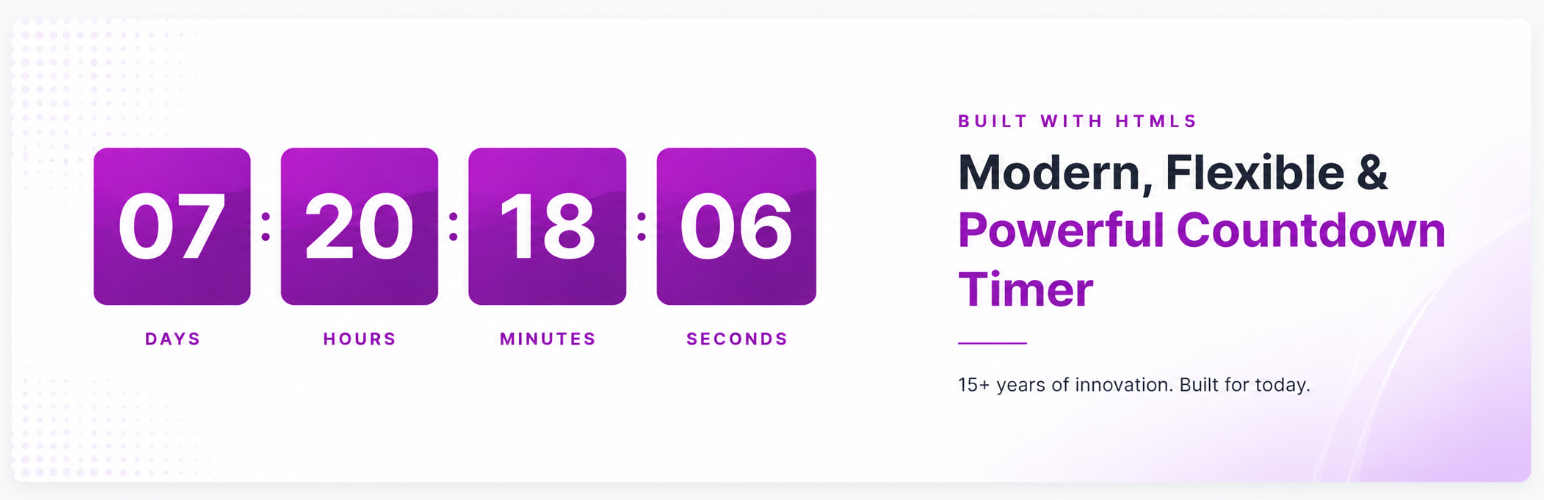
Uji Countdown
Description
Uji Countdown helps you add a clear, customizable countdown timer to WordPress without rebuilding your page layout. Use it for product launches, limited-time offers, webinars, events, maintenance notices, seasonal campaigns, and evergreen promotions.
Create a timer style once, then place it where you need it with the block, shortcode, widget area, or Elementor shortcode widget. You can control the timer labels, colors, font sizing, alignment, redirect behavior, and whether the countdown uses server time or visitor time.
The plugin is built for site owners who need a practical countdown timer that is easy to place, easy to style, and reliable across common WordPress workflows.
Key features
- Countdown block – add timers in the WordPress Block Editor.
- Shortcode support – place timers in posts, pages, widgets, templates, and builders.
- Elementor friendly – use the shortcode inside Elementor shortcode widgets.
- Recurring and repeat timers – useful for evergreen offers and repeating campaigns.
- Redesigned admin experience – cleaner timer style management, shortcode generation, settings, and preview panels.
- Custom timer styles – adjust colors, font sizes, labels, alignment, and display options.
- Simple style option – display clean countdown numbers without a colored box background.
- Optional number animation – animate changing digits for a smoother countdown effect.
- Server time option – keep the countdown consistent even if a visitor changes their device clock.
- Expiration actions – hide the timer or redirect visitors when the countdown ends.
- Performance improvements – production-ready minified assets and lighter admin/front-end loading.
- Translation-ready labels – customize year, month, week, day, hour, minute, and second text.
- Pro only: responsive layouts, multiple timers per page, circular timer add-on.
Common uses
- Sales countdowns and limited-time discounts.
- Product launches and coming-soon pages.
- Event, webinar, and conference timers.
- Evergreen marketing campaigns.
- Store announcements and seasonal promotions.
- Maintenance windows and scheduled notices.
Works with
- WordPress Block Editor.
- Classic shortcodes.
- Widget areas.
- Elementor shortcode widgets.
- Most themes that support standard WordPress content output.
Planned Improvements
Uji Countdown is being actively maintained again. Future updates will focus on better builder compatibility, more flexible timer layouts, improved style controls, and smoother setup for new users.
Support
Need help? Email info@wpmanage.com or open a topic on the support forum.
Installation
- Upload the
uji-countdownfolder to/wp-content/plugins/. - Activate the plugin via Plugins ▸ Installed Plugins.
- Go to Settings ▸ Countdown and create a countdown style.
- Add the timer with the Uji Countdown block or the
[ujicountdown id="123"]shortcode. - If you use Elementor, add the shortcode inside an Elementor Shortcode widget.
Faq
Yes. Add the timer shortcode inside Elementor’s Shortcode widget.
Yes. After creating a timer style, insert it with a shortcode such as [ujicountdown id="123"].
Yes, the Pro version supports multiple timers per post, page, or widget.
Enable Server Time to ensure the countdown is based on your server’s clock.
Yes. Recurring and repeat timer options are included for campaigns that reset on a schedule or on page load.
Yes. You can customize labels such as days, hours, minutes, and seconds from the plugin settings.
Reviews
Would be perfect but doesnt work with current wordpress
By 
unfortunate
Bug
By 
Not working with WordPress 5.5
By 
Version 2.1 works badly
By 
No longer works dont waste your time
By 
Works Great
By 
Doesn't work
By 
Fails to load timers
By 
Don't work properly with latest wordpress
By 
works great
By 
Changelog
3.0
- Major release with a redesigned admin interface for timer styles, shortcode generation, settings, and previews.
- Added a new simple countdown style option with transparent/no-background number display.
- Added an optional number animation setting for changing countdown digits.
- Improved live preview accuracy so admin previews better match front-end shortcode output.
- Improved shortcode generator UI, validation, and copy behavior.
- Improved settings UI, tooltips, date/time controls, notices, and action sections.
- Improved style list UI with clearer actions and better visual hierarchy.
- Improved compatibility with the active Pro plugin when premium features are enabled.
- Improved performance by formalizing the production build process and regenerating minified assets.
- Updated compatibility metadata for WordPress 7.0.
2.3.4
- Fixed shortcode loading inside Elementor widgets.
- Fixed a JavaScript conflict with Pixfort Core’s Elementor countdown widget.
2.3.3
- Fixed incompatibility with the latest WordPress and PHP versions.
- Updated bundled scripts to resolve deprecation warnings.
- Fixed an issue where deleting a timer style did not remove previously created styles.
2.3.2
- Add selected-style information in Block Editor.
- Added deprecation API to Block Editor.
2.3.1
- Data sanitisation & escaping.
- Added support for
wp_set_script_translations()in block themes.
2.3
- Security: fixed XSS vulnerability.
- Fixed minor Block Editor styles.
2.2
- New: shortcode generator compatible with all themes.
- Miscellaneous bug fixes.
2.1.3
- Compatibility fixes.
- Added redirect-URL information in blocks.
2.1.2
- Fixed redirect-URL encoding.
- Fixed redirect link when page expired.
2.1.1
- Restored missing styles when upgrading from 2.0.x.
- Fixed block issue when switching timer type.
- Subscription add-on fix.
- Recurring-time issue fix.
2.1
- Block Editor (Gutenberg) support.
- Extension support.
- Repeat Timer – refresh on page reload.
- Fixed special-character titles.
- Removed legacy subscriptions.
- Fixed Google Font links.
- Performance improvements.
2.0.6
- Fixed date-picker arrows (month switch).
- Fixed HTTPS URL redirection.
2.0.5
- Minor bug fixes.
- Fixed multisite uninstall routine.
2.0.4
- New: recurring time.
- Updated TinyMCE 4.x shortcode generator.
- Fixed URL redirection after expiry.
2.0.3
- New: email subscription.
- Unlimited campaigns for visitor sign-ups.
2.0.2
- Fixed activation conflict.
- Added option to choose server vs. visitor time (server default).
2.0.1
- Fixed style-selection issue.
2.0
- Complete code rebuild.
- New Admin Panel with Google Fonts integration.
- More timer customisation (colours, sizes, RTL, quick translation).
1.3
- Fixed WordPress 3.9 colour-picker conflict (jQuery 1.10+).
1.2
- Fixed WordPress 3.5 links bug and date-picker.
1.1
- Timer now uses server time for consistency across time zones.
- Fixed
p/brtag injection in some themes. - Moved scripts to separate files for cleaner code.
1.0
- Initial stable release.