Ultra Addons for Contact Form 7
Ultra Addons for Contact Form 7
Description
50+ Essential Addons for Contact Form 7 – Conditional Fields, Multi Step, Redirection, Columns, WooCommerce, Mailchimp & more
THE EASIEST AND BEST CONTACT FORM 7 ADDONS PLUGIN FOR WORDPRESS
👉 Official Demo Link: Click Here
👉 Explore Pro: Play with Backend Options
👉 Buy Pro Version: Click Here
👉 Get Support: Click Here
👉 Video Guide on YouTube
👉 Our Documentation
👉 Join Our Facebook Group
Equipped with over 50 essential features, Ultra Addons For Contact Form 7 is the must-have plugin to complement Contact Form 7. It significantly enhances the functionality of your website’s forms created using Contact Form 7. This All-in-One WordPress Contact Form plugin includes a wide range of options, from basic to advanced, catering to all the needs of your website’s contact forms. Such incredible features are what make this one of the best WordPress contact form plugins.
FREE ADDONS
- AI Form Generator
- Columns / Grid Layout
- Conditional Field
- Country List with Flag & Phone
- Database
- Digital Signature
- Dynamic Text Extension
- Form Styler
- Mailchimp Integration
- Multi-Step Form
- Webhook Integration
- Pre-populate fields
- PDF Generate
- Placeholder Styling
- Redirection (External / Thank You Page)
- Range Slider
- Star Rating Field
- Submission ID
- Spam Protection
- Telegram Integration
- WooCommerce Product Dropdown
PRO ADDONS
- Booking/Appointment Form
- Column (Custom Width)
- Conditional Field Pro
- Conditional Redirect
- Conversational Form
- Form Styler (Global)
- Frontend Post Submission (CF7 to Post Type / Blog)
- IP Geo Fields (Autocomplete Country, City, State, Zip Fields)
- Multi Step Form Pro
- Range Slider Pro
- Repeater Field
- Star Rating Field (Pro)
- WhatsApp integration and Form Tag Support
- WooCommerce Checkout
- WooCommerce Product Dropdown Pro
- Spam Protection (Pro)
- Database Pro (Pro)
- MailChimp Pro
- Form Submission Preview (Pro)
- Save and Continue Later (Pro)
- Weekly Email Summary (Pro)
- Email Piping (Pro)
- PDF Generate (Pro)
- Drag & Drop Multiple File Uploads
- Google reCAPTCHA Integration
- Google Sheets Integration
- Slack Integration
- Twilio Integration
- Prevent Duplicate Entries
- Salesforce Integration
- Webhook Integration Pro
How it works:
How to set up Conditional Fields for Contact Form 7
How to Style Contact Form 7 Forms without CSS/Coding
How to Use Contact Form 7 Fields With Columns / Grid
How to Connect Contact Form 7 with WooCommerce
Find more videos on our YouTube Channel
Free Version:
AI Form Generator | Contact Form 7 Templates
Quickly generate Contact Form 7 templates free using AI. Create custom, ready-to-use WordPress forms from text prompts in seconds.
Contact Form 7 Columns & Grid Layout
Build responsive Contact Form 7 column, 2 column, 3 column, and 4 column layouts without writing custom CSS.
Contact Form 7 Conditional Fields
Create smart forms using Conditional Fields for Contact Form 7 to show or hide fields dynamically based on user selections.
Contact Form 7 Country Dropdown with Flag & Phone
Add a Contact Form 7 phone number with country code featuring country flags and automated country codes.
Contact Form 7 Save to Database
Store and manage entries with the Contact Form 7 save to database addon. View and export form submissions as CSV.
Contact Form 7 Digital Signature
Add a Contact Form 7 digital signature field so users can draw and submit signatures directly on WordPress forms.
Contact Form 7 Dynamic Text & Hidden Fields
Auto-fill text and hidden fields using the Dynamic text Contact Form 7 addon with URL parameters, user info, or post metadata.
Form Styler | Contact Form 7 Style Customizer
Customize form appearance with the Contact Form 7 style customizer. Change fonts, colors, borders, and button styles without CSS.
Contact Form 7 Mailchimp Integration
Connect Mailchimp and Contact Form 7 to automatically subscribe form respondents to your Mailchimp email lists.
Contact Form 7 Multi Step Forms
Split long forms into manageable steps with the Multi step Form Contact Form 7 addon to boost conversions.
Contact Form 7 Webhook Integration
Send form submission data to external APIs, Zapier, Pabbly, and CRMs using Contact Form 7 webhook.
Pre-populate Fields for Contact Form 7
Auto-fill form inputs from URL parameters and pass values between pages with Pre-populate Fields for Contact Form 7.
Contact Form 7 PDF Generator
Generate PDF receipts from form entries automatically with the Contact Form 7 PDF Generator addon and email them to admins or users.
Contact Form 7 Placeholder Styler
Style placeholder text color, font, and size without coding via the Placeholder Styler for Contact Form 7.
Contact Form 7 Range Slider
Let users select numbers and ranges with interactive sliders using the Contact Form 7 Range Slider field.
Contact Form 7 Redirect after Submit
Redirect visitors to thank-you pages or external URLs with the Redirection for Contact Form 7 addon.
Contact Form 7 Star Rating Field
Collect user feedback, reviews, and ratings easily with the Star Rating fields for Contact Form 7 addon.
Contact Form 7 Unique Submission ID
Assign a tracking ID to every form entry with the UniqueID for Contact Form 7 addon for streamlined order/inquiry management.
Contact Form 7 Spam Protection
Block bot spam using arithmetic and image CAPTCHA with Spam Protection for Contact Form 7.
Contact Form 7 to Telegram
Get instant submission notifications sent straight to your channel with the Telegram for Contact Form 7 integration.
Contact Form 7 WooCommerce Product Dropdown
Display WooCommerce products inside form dropdowns with the WooCommerce Product Dropdown Field for quick inquiries.
More free addons are on the way. Stay tuned!
Pro Version
The Pro version includes all the features available in the free version. Plus:
Contact Form 7 Booking & Appointment Form
Add calendar scheduling and time slots with the Contact Form 7 Booking Form addon to manage appointments directly.
Custom Column Width for Contact Form 7
Set custom grid column widths (e.g. 12%/88%, 30%/70%) using Custom Columns & Grid for pixel-perfect layouts.
Contact Form 7 Conditional Fields Pro
Apply advanced conditional logic to sliders, country dropdowns, star ratings, and geolocation with Conditional Field Pro.
Contact Form 7 Conditional Redirect
Redirect users to specific landing pages or thank-you URLs based on their input selections with Conditional Redirect.
WordPress Conversational Form
Convert static forms into interactive, step-by-step chat flows using WordPress Conversational Forms.
Global Form Styler for Contact Form 7
Style and manage the design of all your site’s contact forms globally from one centralized panel with Global Form Styler.
Frontend Post & Custom Post Type Submission
Convert form submissions into blog posts or custom post types (CPTs) with categories, tags, and featured images via Contact Form 7 to Post.
IP Geolocation & Address Autocomplete for Contact Form 7
Automatically detect and autofill Country, City, State, and Zip fields with IP Geolocation for Contact Form 7.
Multi-Step Pro for Contact Form 7
Access premium pre-designed skins, custom navigation button text, and background images with Multi-Step Form Pro.
Range Slider Pro for Contact Form 7
Unlock advanced slider themes and multi-range handles with the Range Slider Pro addon.
Contact Form 7 Repeater Fields
Allow users to dynamically duplicate text fields, file uploads, checkboxes, and textareas with the Repeater Field for Contact Form 7.
Contact Form 7 Star Rating Field Pro
Choose from 5 custom rating styles or integrate any Font Awesome icon with Star Rating Pro.
Contact form 7 Whatsapp Integration + CF7 Tag Support
Send submitted form values directly to WhatsApp chat threads and pass dynamic CF7 tag data with WhatsApp for Contact Form 7.
Contact Form 7 WooCommerce Checkout / Auto Add to Cart
Automatically add selected products to the cart on form submit and redirect directly to checkout with WooCommerce Checkout Integration.
Choose Specific / Multiple / Categorize WooCommerce Product
Display products by ID, category, or allow multiple product selections inside dropdowns with WooCommerce Product Field Pro.
Contact Form 7 Product Grid View with Thumbnails
Display WooCommerce products in visual grid cards with images, pricing, and checkboxes using WooCommerce Product Grid View.
Contact Form 7 Spam Protection Pro
Prevent bot spam by setting submission rate limits and cooldown timers with Spam Protection Pro.
Contact Form 7 Database Pro
Advanced dashboard for filtering, organizing, searching, and managing saved form submissions with Database Pro.
Mailchimp Pro for Contact Form 7
Add GDPR consent acceptance checkboxes and map custom audience fields with Mailchimp Pro.
Contact Form 7 Submission Preview
Let visitors review, verify, and edit their submitted answers before final submission with Form Submission Preview.
Save Progress & Continue Later
Allow visitors to save partial form progress and resume filling later from any device with Save and Continue Later.
Weekly Email Summary Reports
Receive automatic weekly email digest reports summarizing submission counts with Weekly Email Summary.
Email Piping for Contact Form 7
Capture email replies directly into your WordPress dashboard and send email responses using Email Piping.
PDF Download on Submission for Contact Form 7
Enable visitors to download customized PDF receipts immediately upon form submission with PDF Generate Pro.
Drag & Drop Multi-File Upload for Contact Form 7
Allow visitors to drag and drop multiple files simultaneously with the modern Multi-File Upload field.
Google Sheets Integration for Contact Form 7
Automatically sync form submissions into Google Sheets spreadsheets in real-time with Google Sheets Integration.
Slack Notifications Integration for Contact Form 7
Receive instant form submission alerts and lead notifications inside Slack channels with Slack Integration.
Prevent Duplicate Submissions for Contact Form 7
Block accidental or spam duplicate form submissions based on specific fields or time windows with Prevent Duplicate Entries.
Twilio SMS & WhatsApp Alerts for Contact Form 7
Send instant SMS and WhatsApp text notifications to admins or customers on submission with Twilio Integration.
Salesforce CRM Integration for Contact Form 7
Sync contact form submissions, leads, contacts, and cases directly into Salesforce in real-time with Salesforce Integration.
Webhook Integration Pro for Contact Form 7
Send form data with conditional logic and custom payload headers to Zapier, Pabbly, Make, and external APIs with Webhook Pro.
More Pro addons are in development and will be available soon.
Join our Community to stay updated
Join our Facebook group to stay informed with the latest news and updates about Ultra Addons for Contact Form 7.
Our Support
We provide full support on the WordPress.org forums & Our Website. Check our Support Policy.
External services
This plugin connects to external services when enabled by the site administrator:
- Telegram Bot API (api.telegram.org): Validates bot tokens and transmits form submission messages to configured Telegram channels. Terms | Privacy
- Mailchimp API (api.mailchimp.com): Validates API keys, retrieves lists, and subscribes form respondents upon submission. Terms | Privacy
- Webhook Endpoints: Sends submitted form data via HTTP POST to administrator-configured URLs (e.g., Zapier, Pabbly, Make, custom APIs). Subject to destination policies (e.g., Zapier Privacy).
Our Plugins
- Ultimate Before After Image Slider & Gallery – BEAF
- Instantio – WooCommerce Quick Checkout | Floating Cart, Side Cart & Popup Cart
- Tourfic – Ultimate Hotel Booking, Travel Booking & Apartment Booking WordPress Plugin
- Hydra Booking – All in One Appointment Scheduling and Booking Calendar Solution
Our Themes
Credits
Icons source Iconfinder.
Installation
- Download and unzip the plugin. Upload the unzipped folder to the wp-contents/plugins folder of your WordPress installation.
- Activate the plugin from the WordPress Plugins administration page OR, Go to the WordPress admin panel, click ‘Plugins’ -> ‘Add new’. In the search input box, type ‘Ultra Addons for Contact form 7’.
- Install and activate the plugin.
- Go through the Quick Setup Wizard for the basic setup.
- Check our Documentation & YouTube videos for further instructions.
- Go to Plugin Settings (Dashboard -> CF7 Addons) and enable the addon you need.
Screenshots
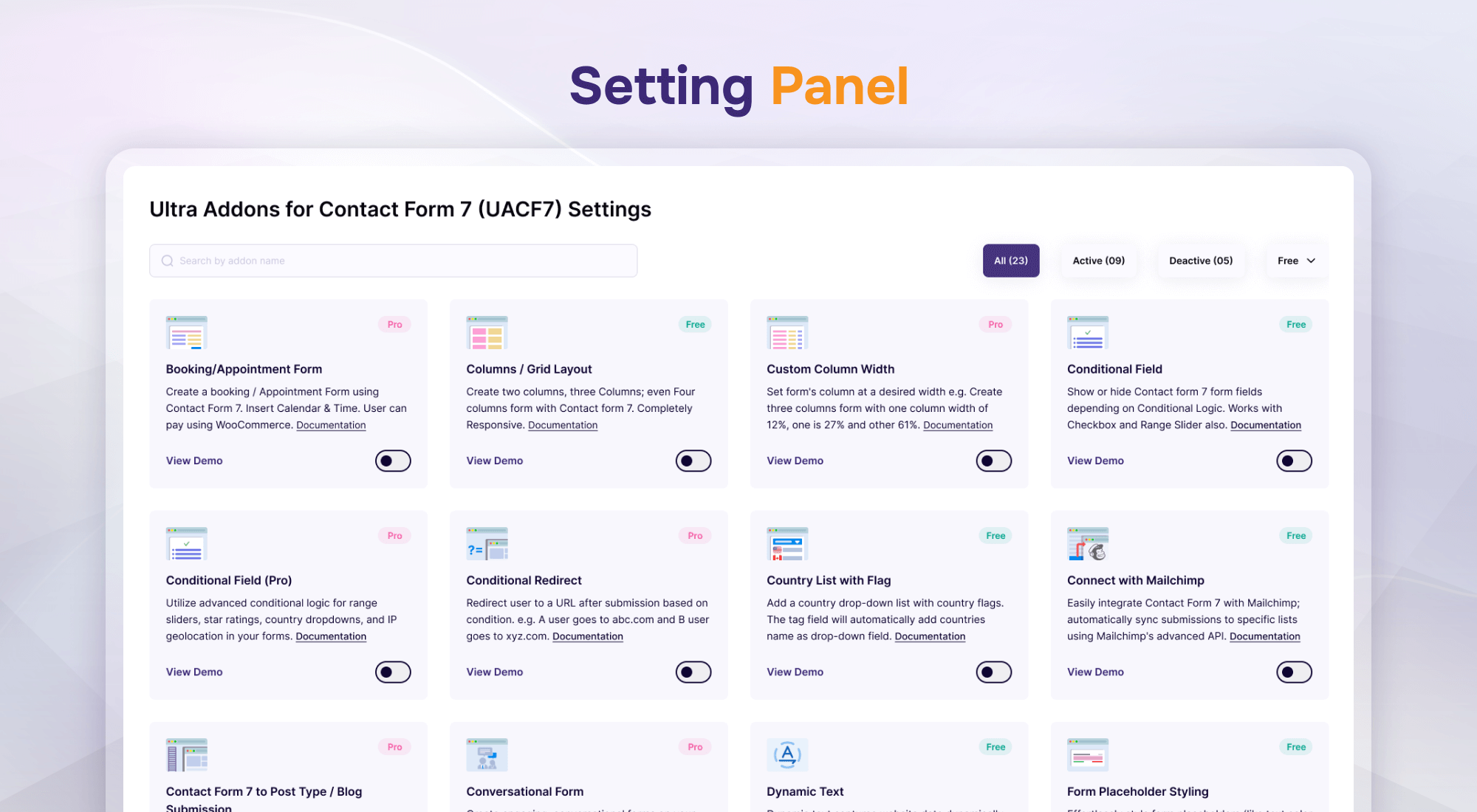
Settings Panel
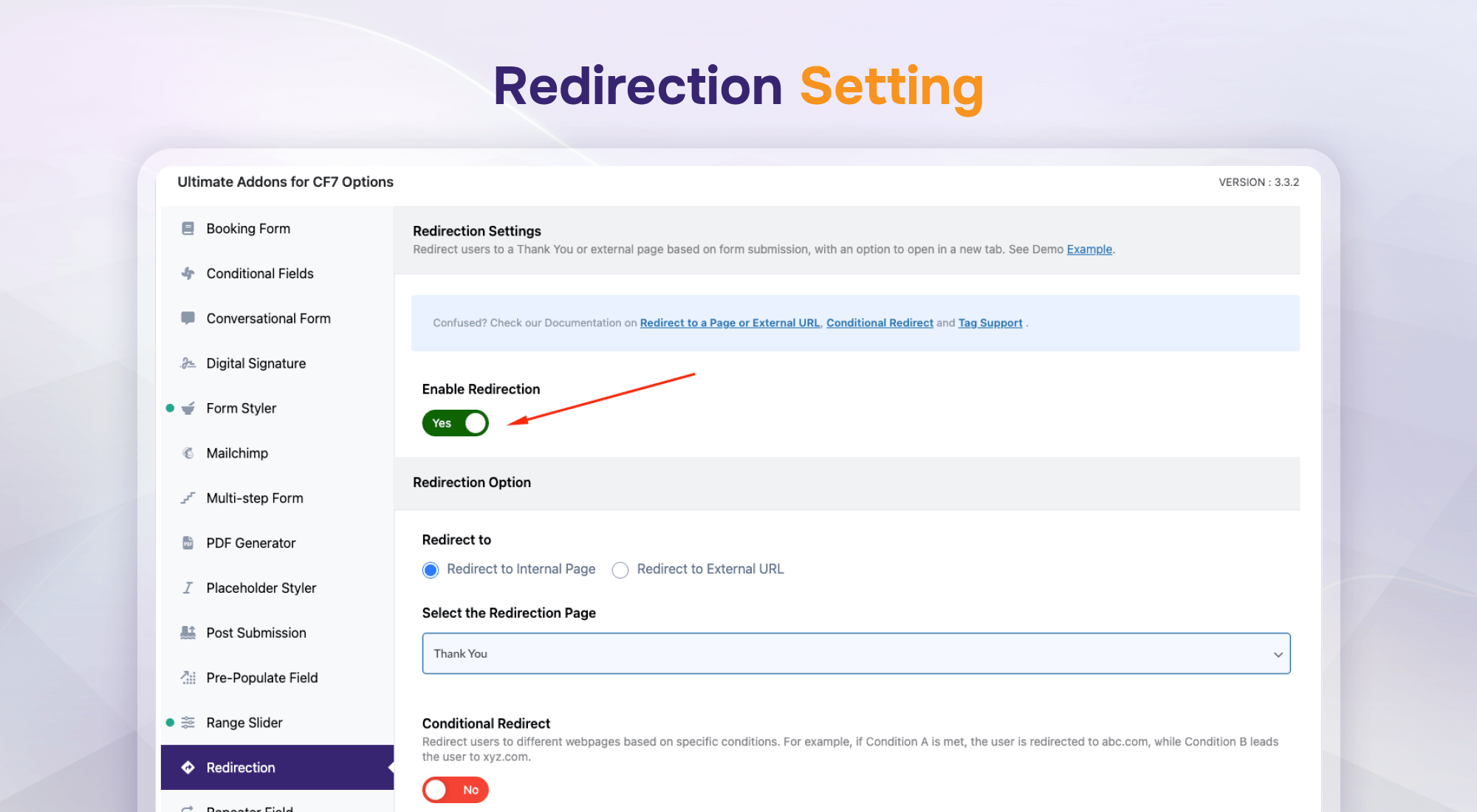
Redirection (Settings)
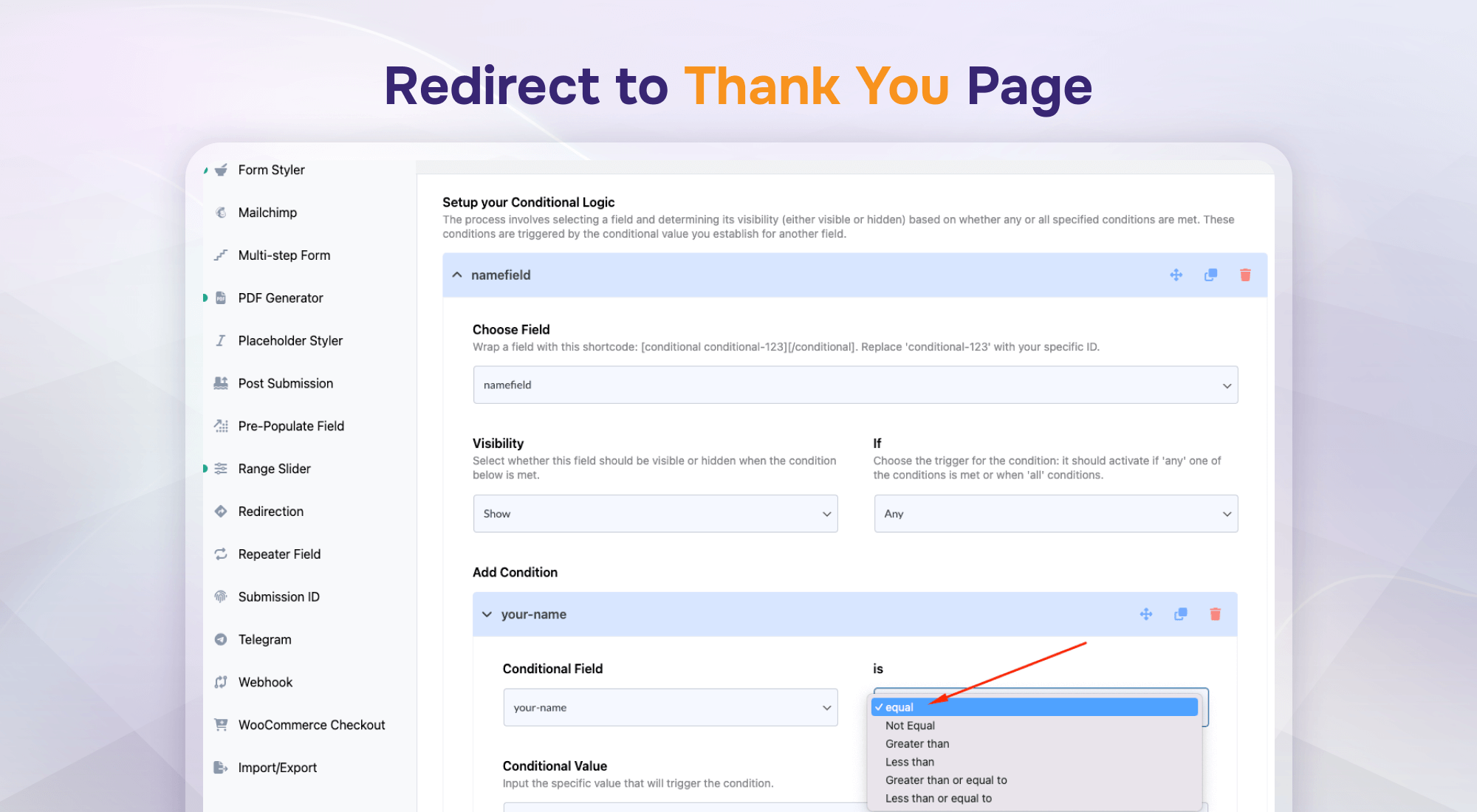
Redirect To Thank You Page
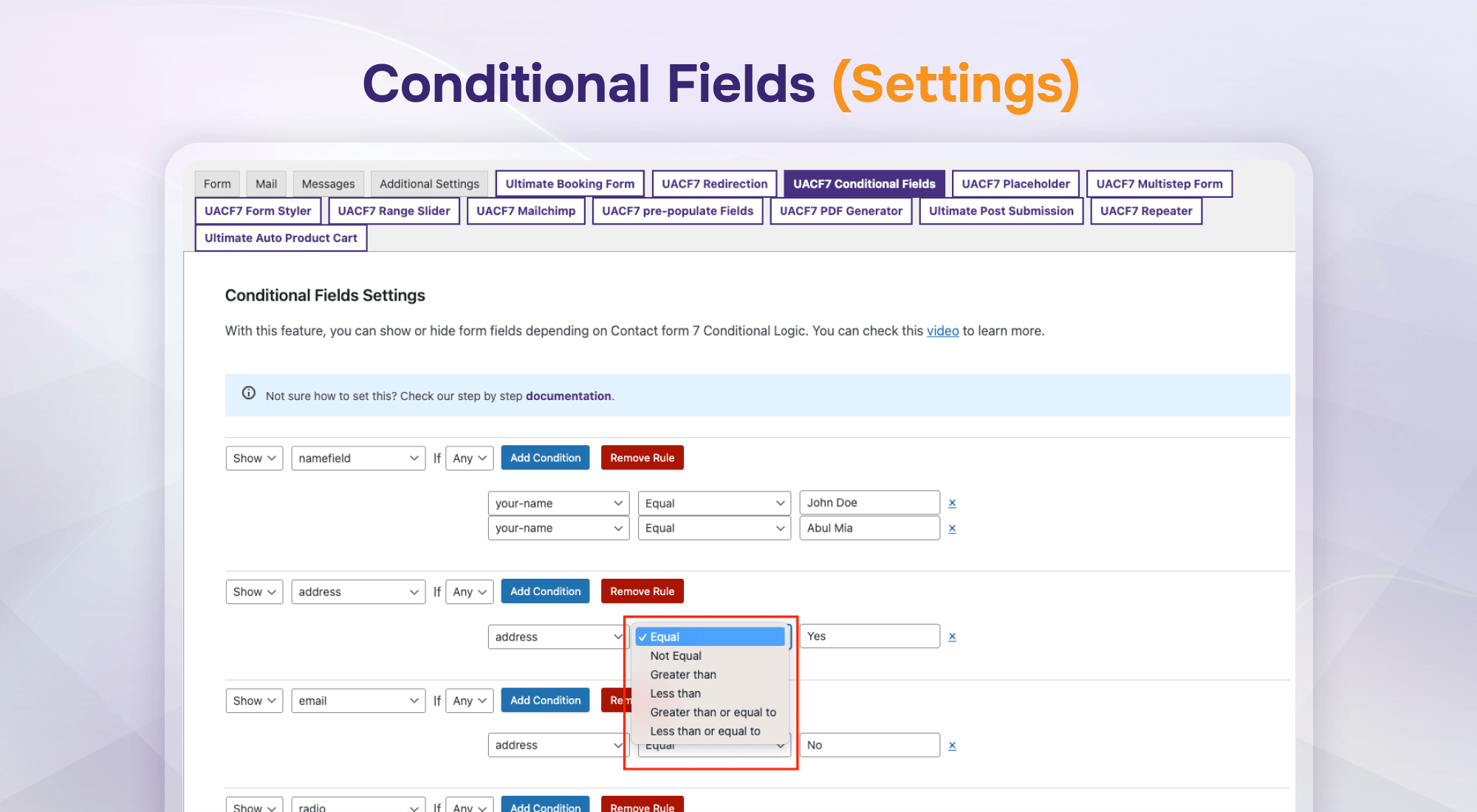
Conditional Field (Settings)
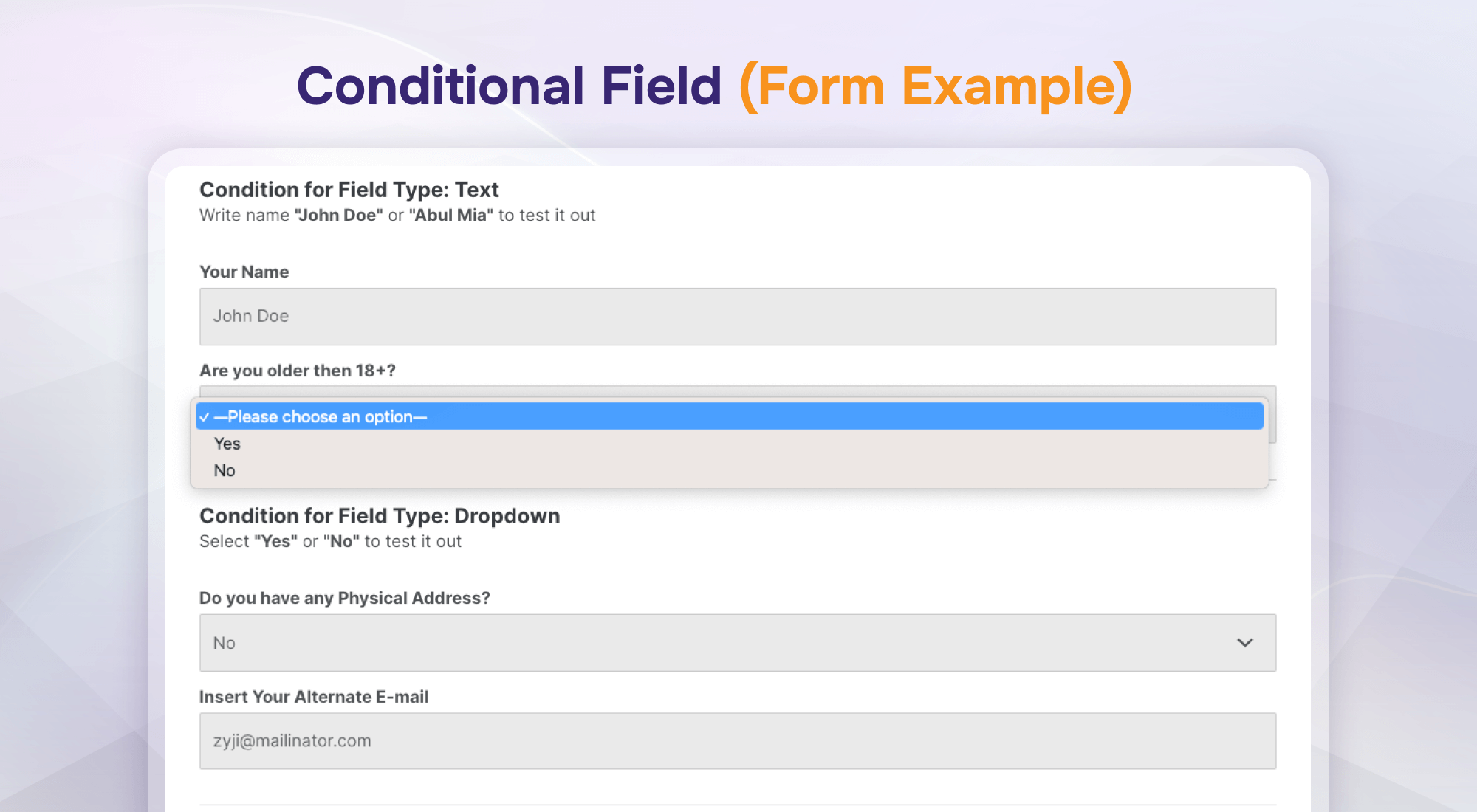
Conditional Field (Form Example)
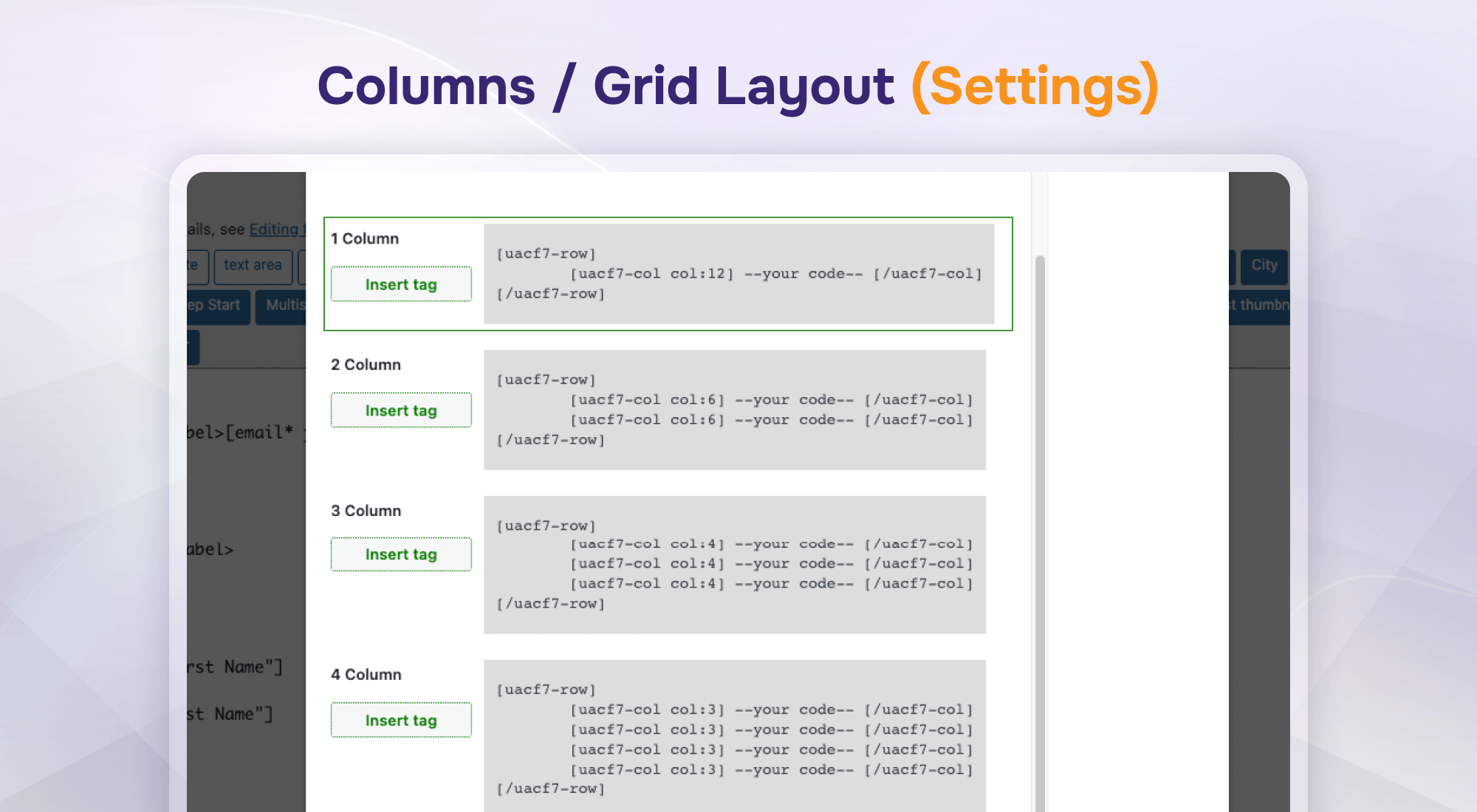
Columns / Grid Layout (Settings)
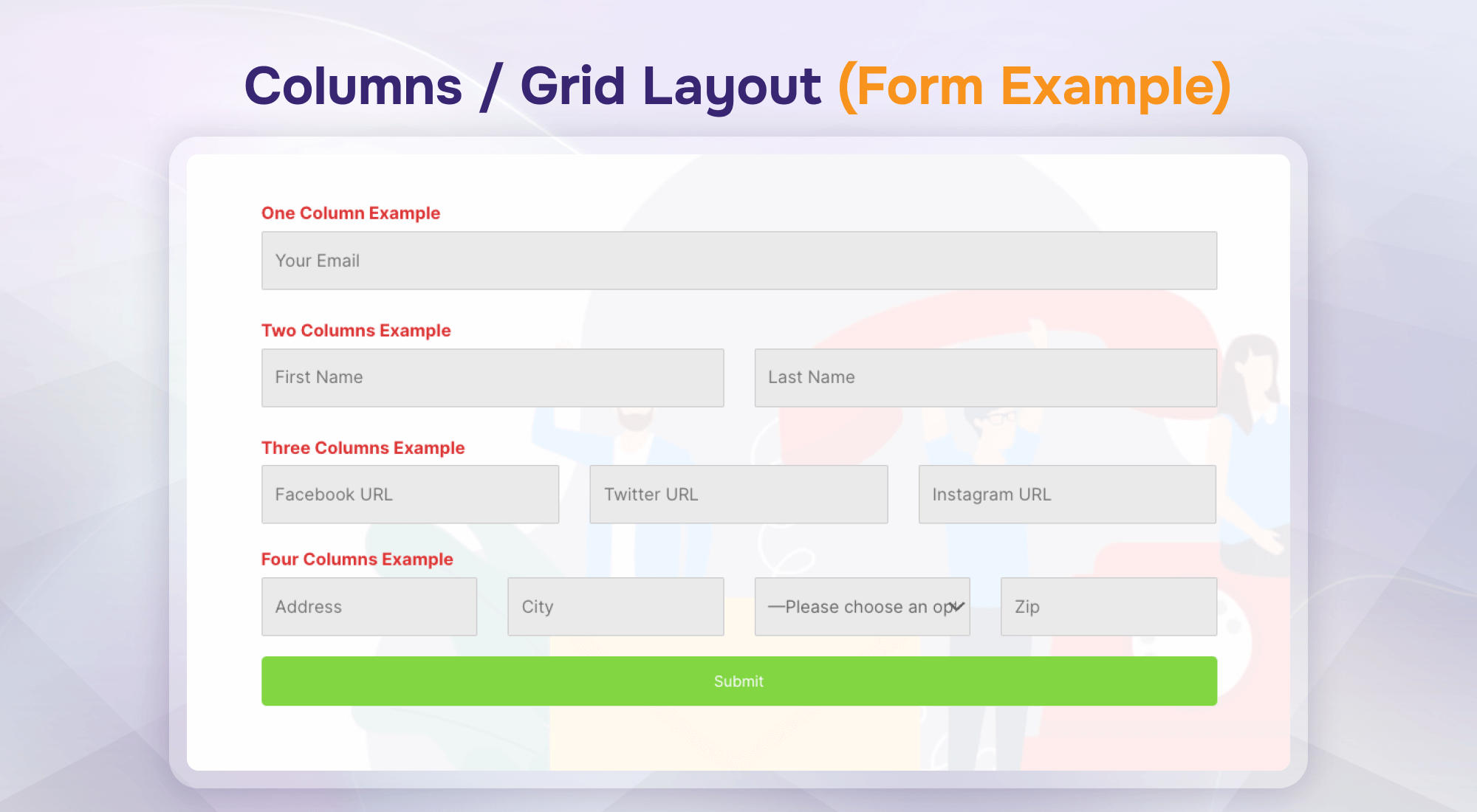
Columns / Grid Layout (Form Example)
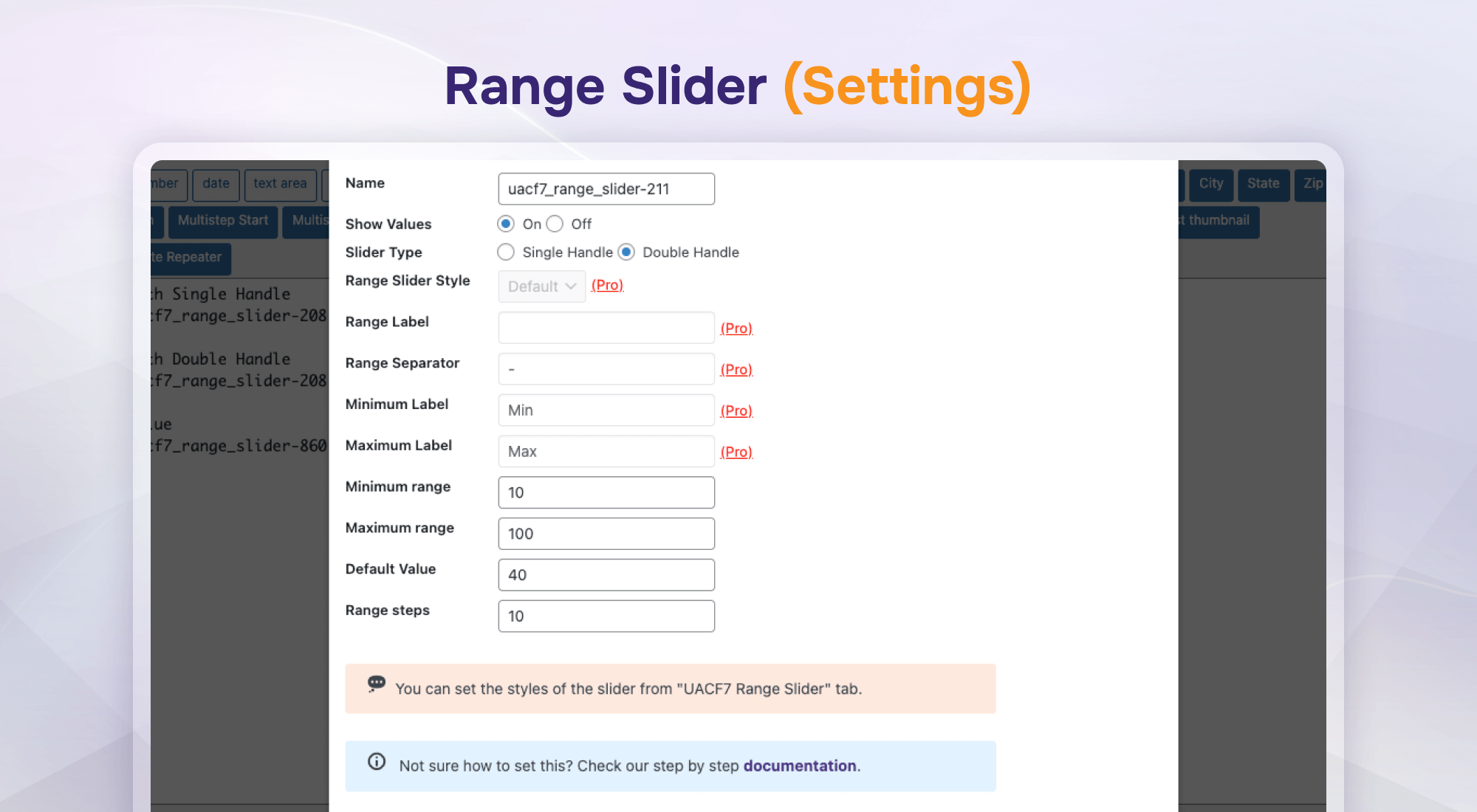
Range Slider (Settings)
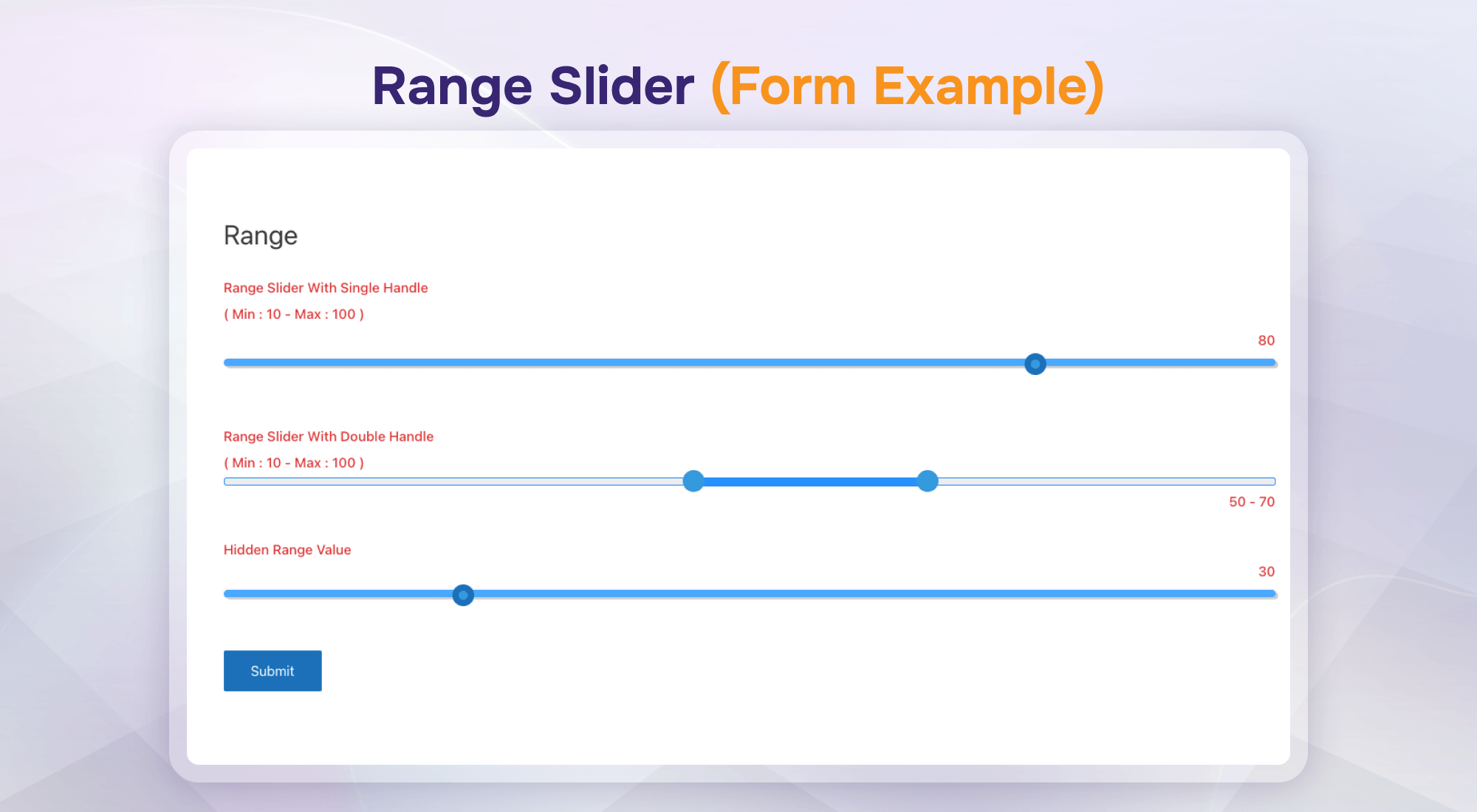
Range Slider (Form Example)
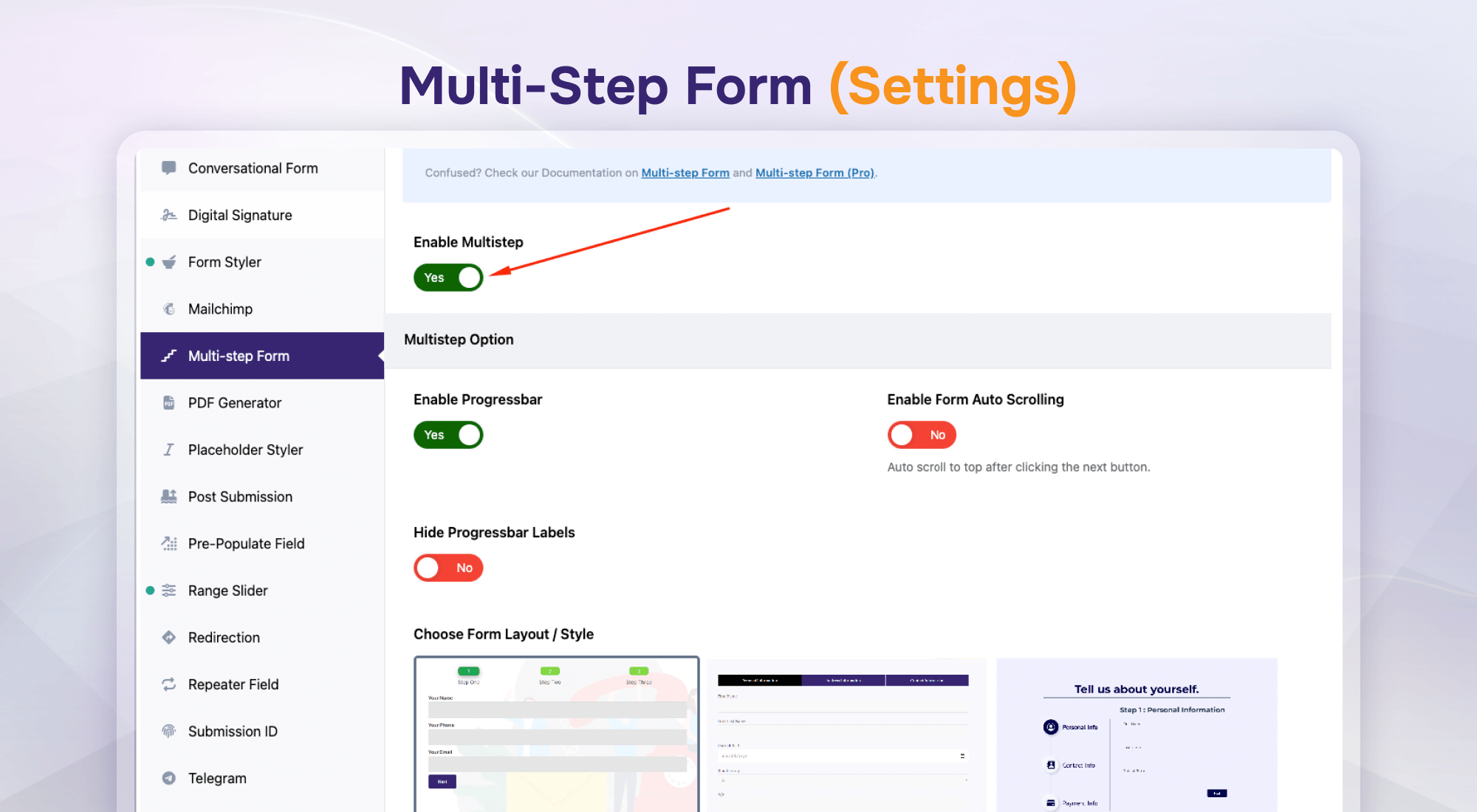
Multi-Step Form (Settings)
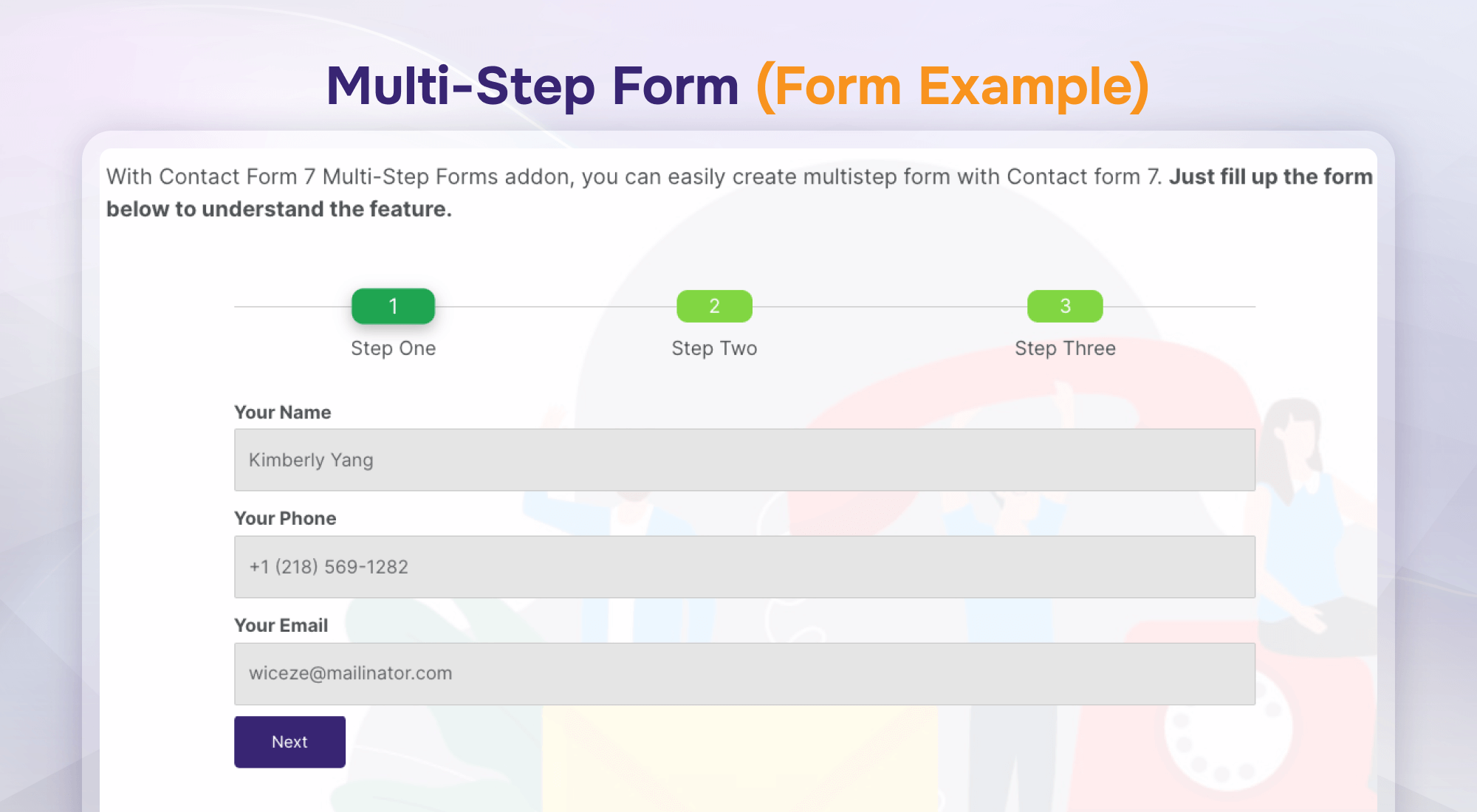
Multi-Step Form (Form Example)
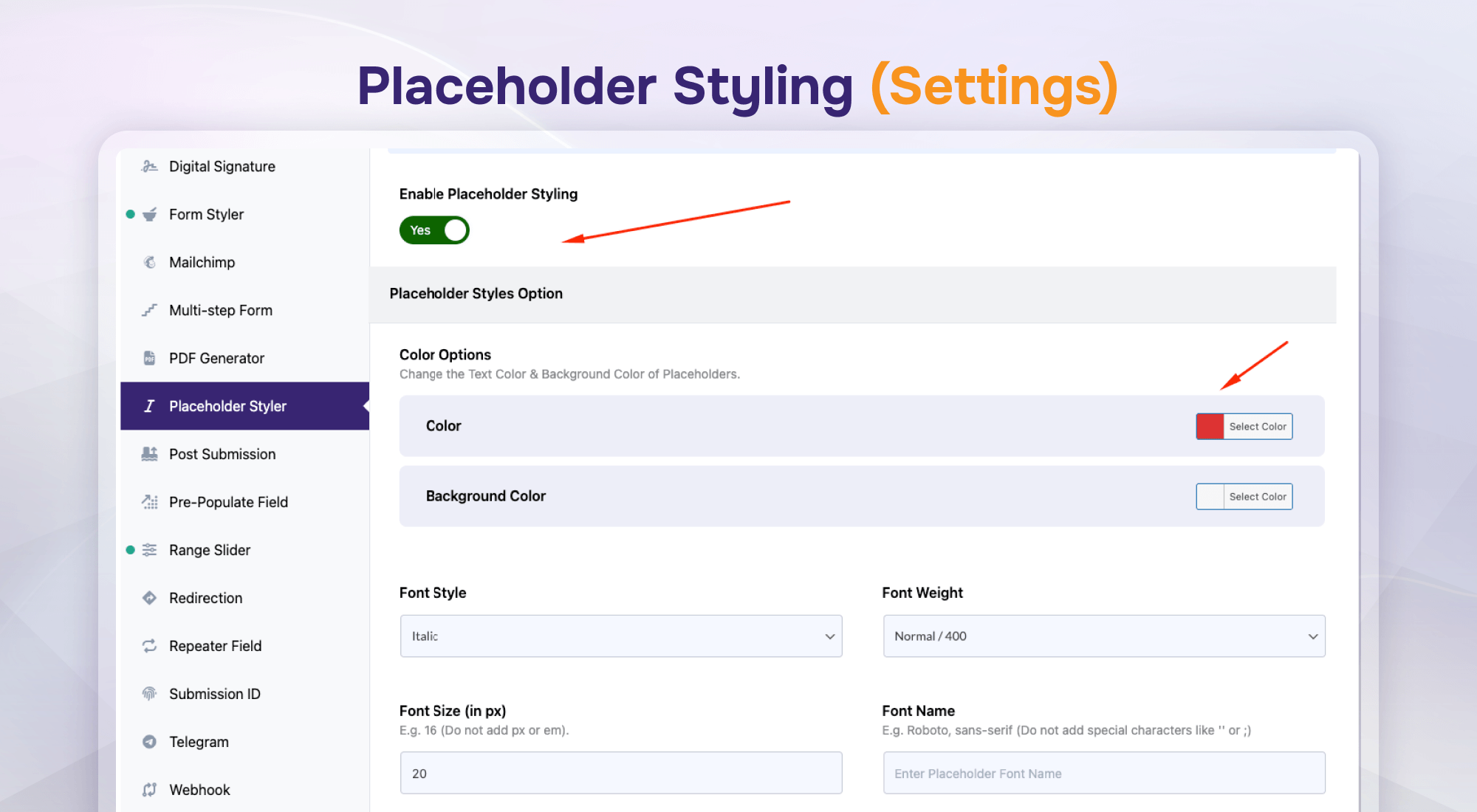
Placeholder Styling (Settings)
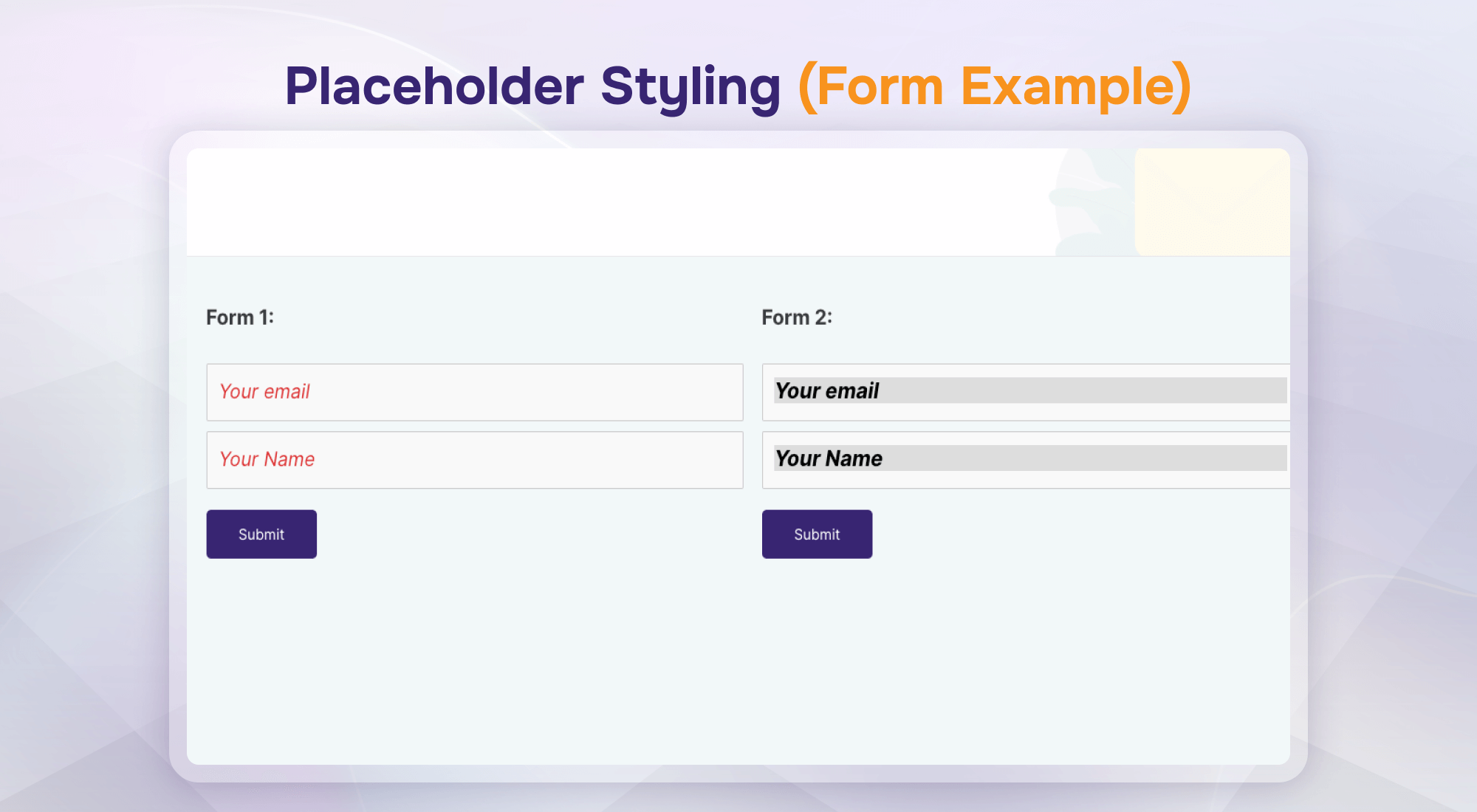
Placeholder Styling (Form Example)
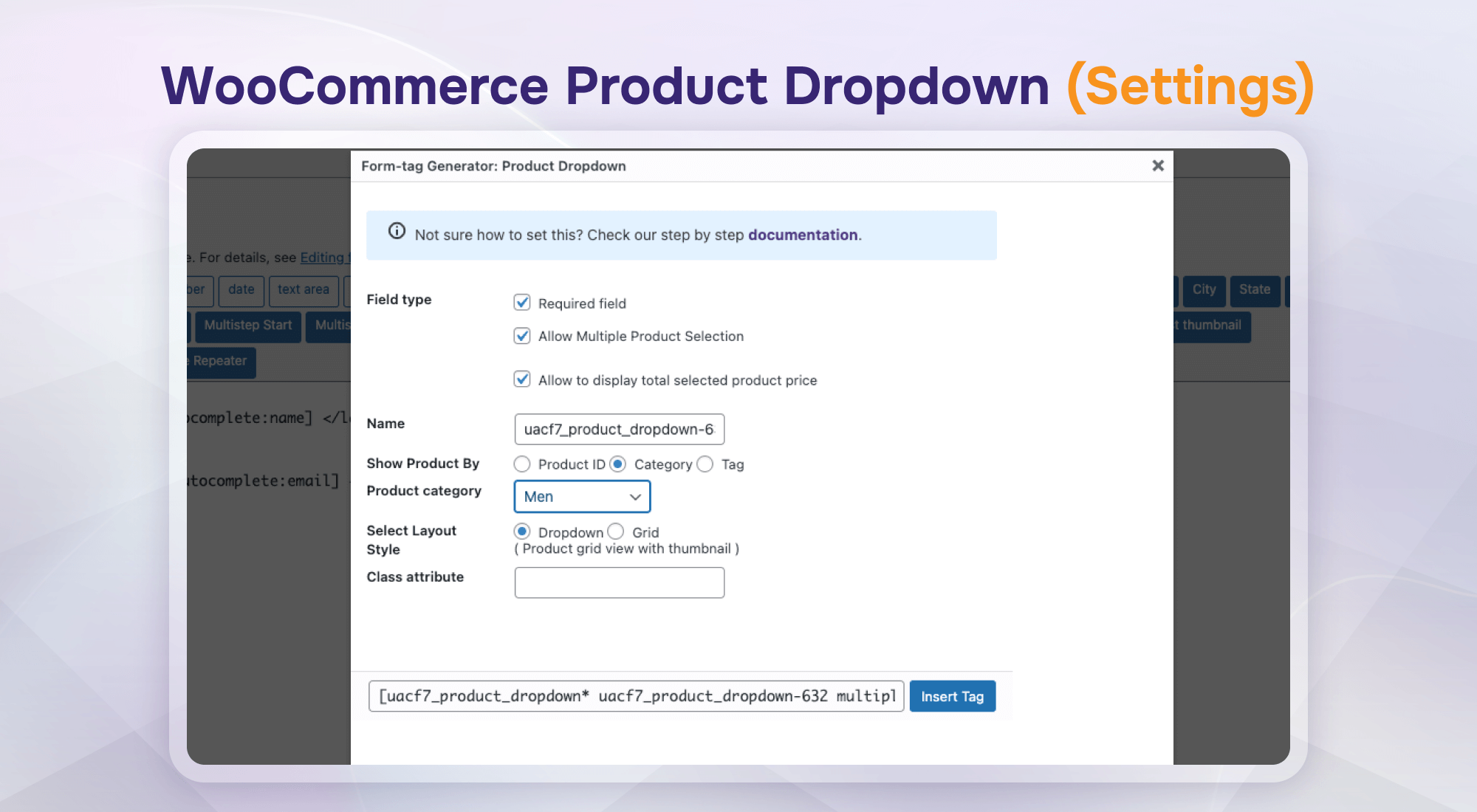
WooCommerce Product Dropdown (Settings)
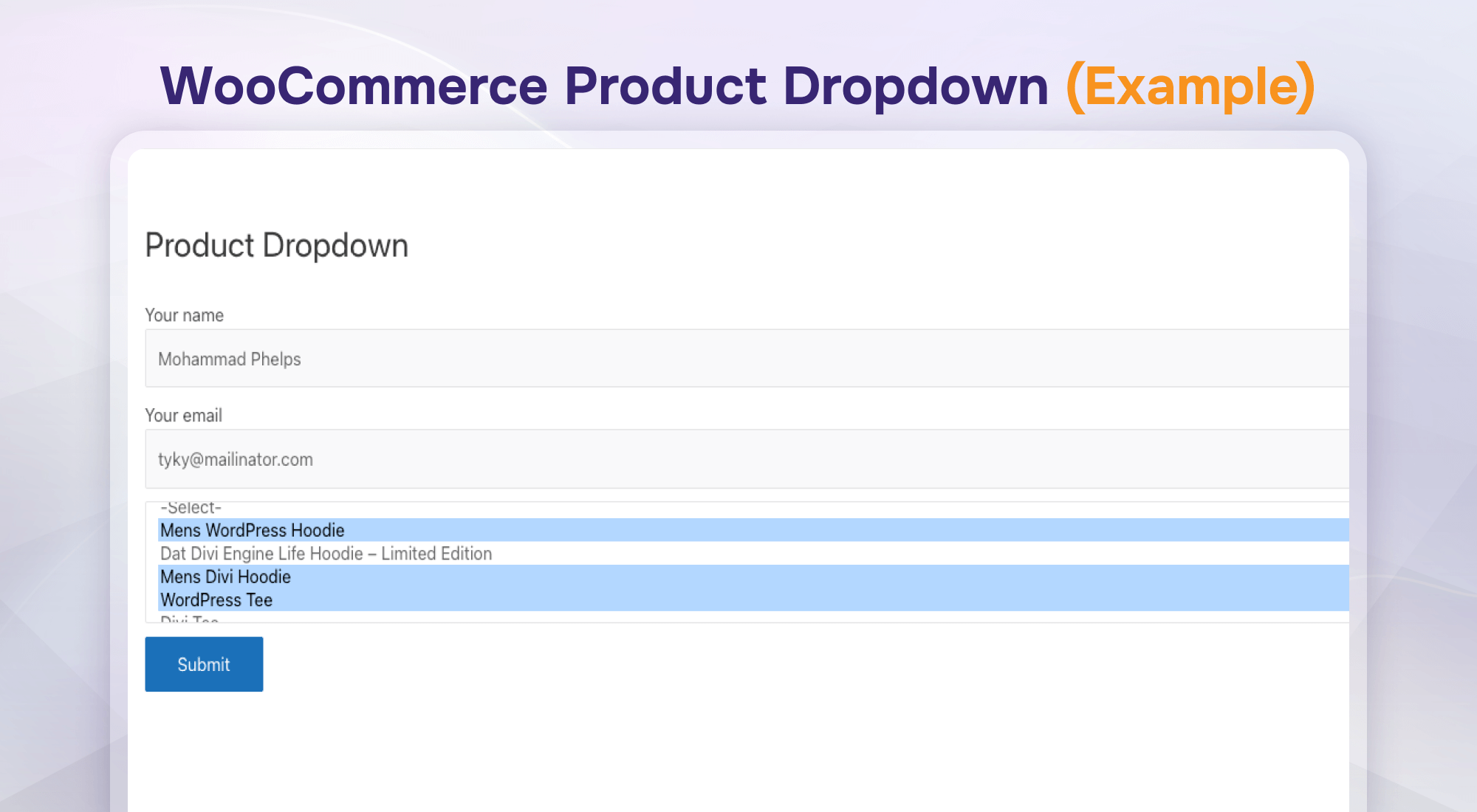
WooCommerce Product Dropdown (Form Example)
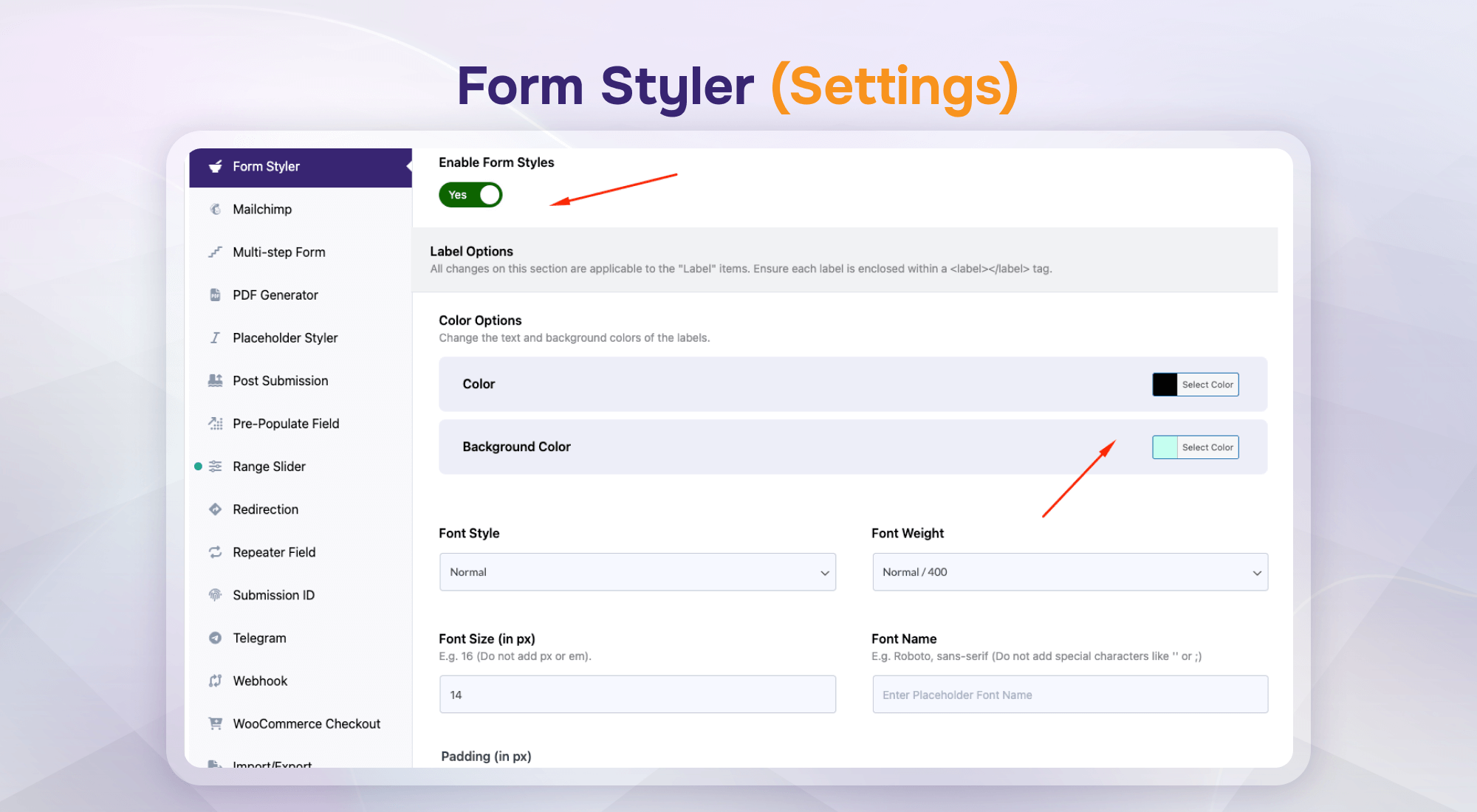
Form Styler (Settings)
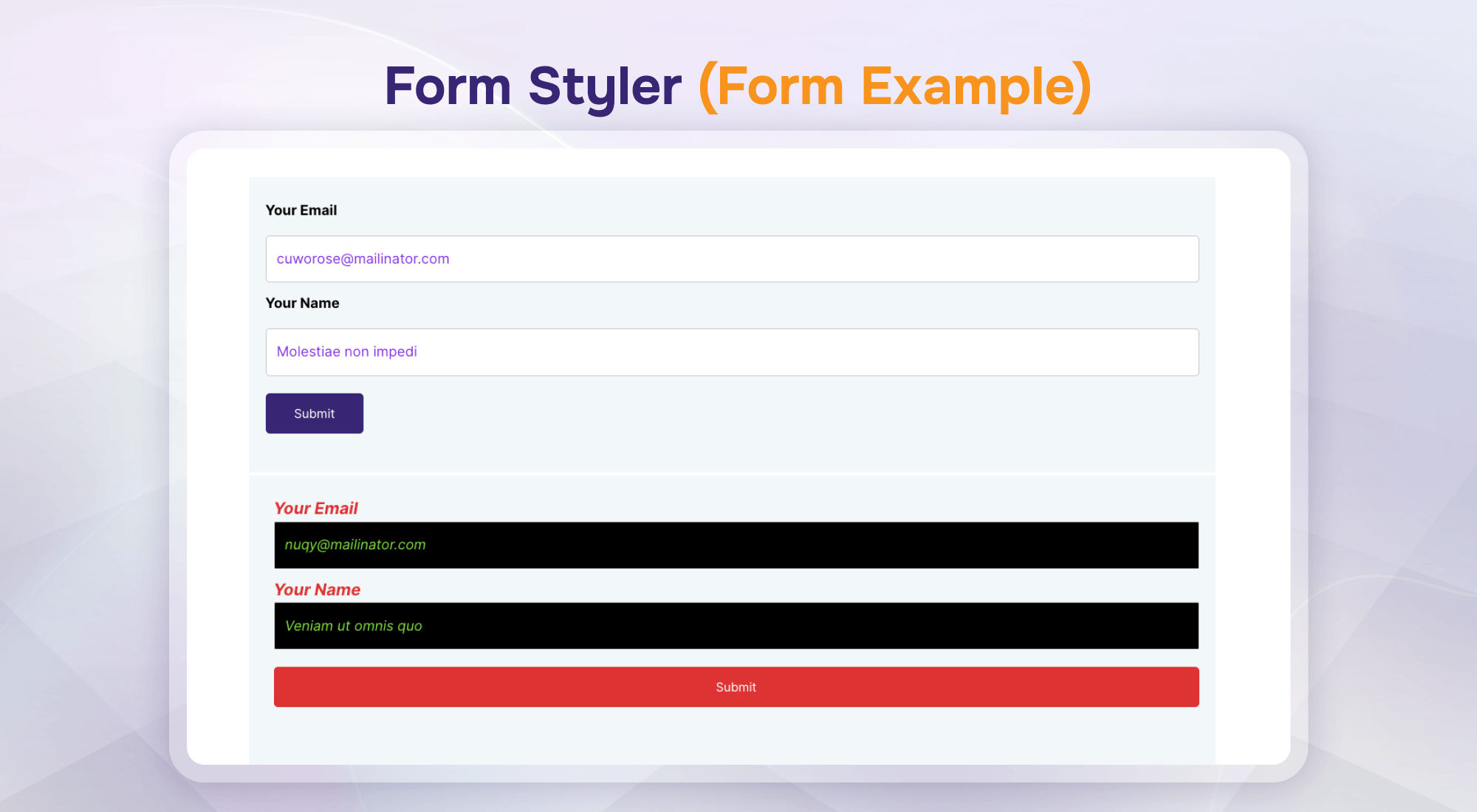
Form Styler (Form Example)
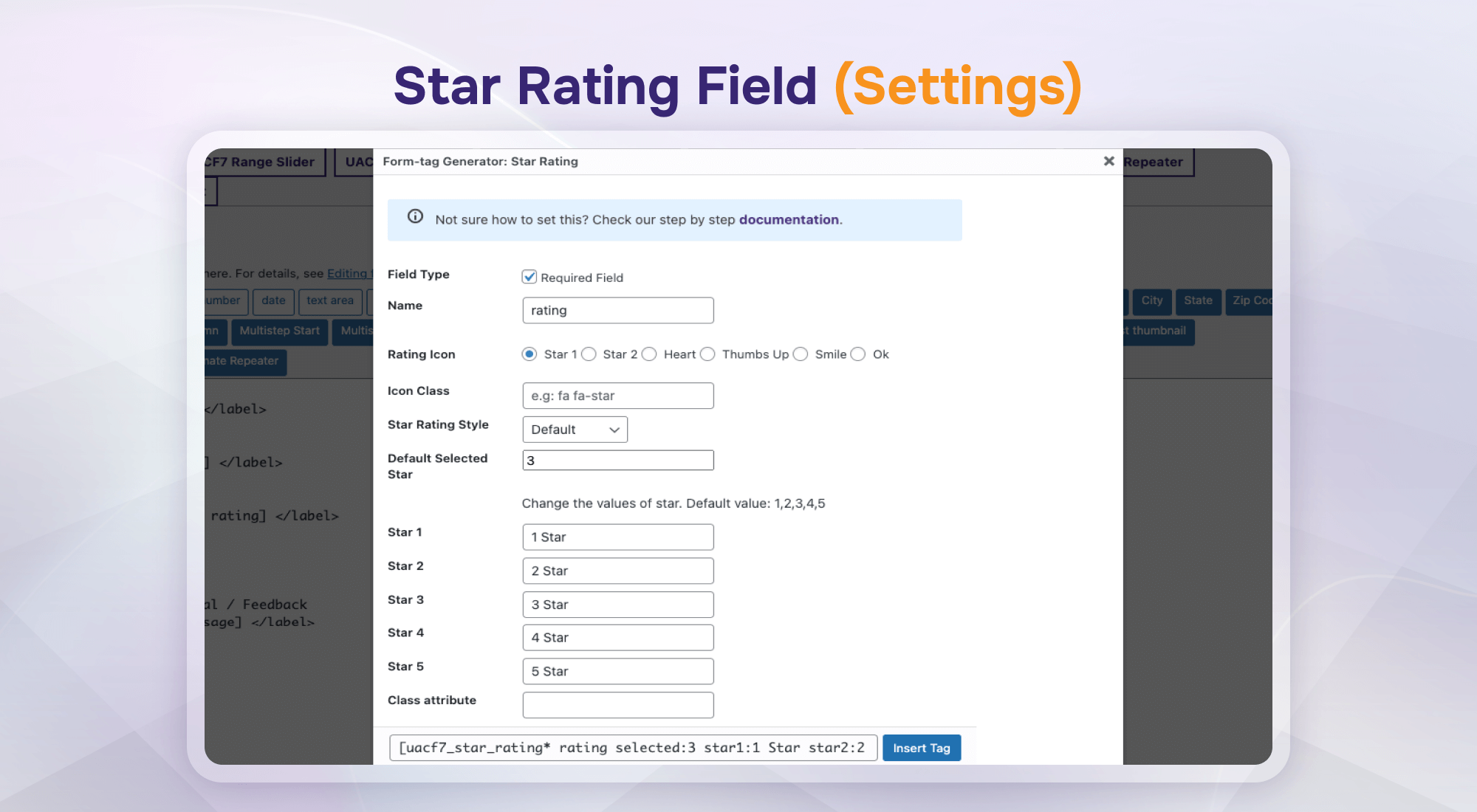
Star Rating Field (Settings)
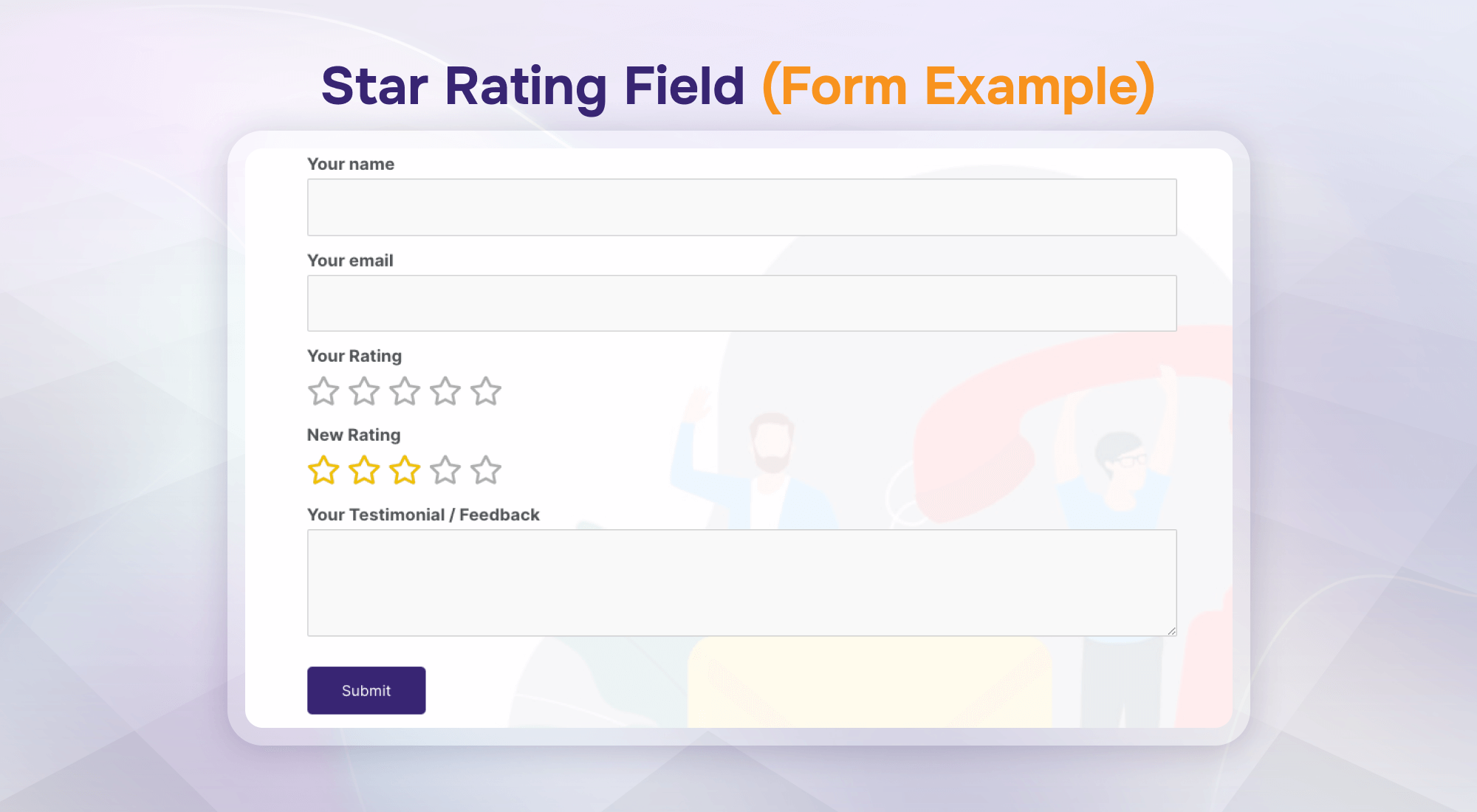
Star Rating Field (Form Example)
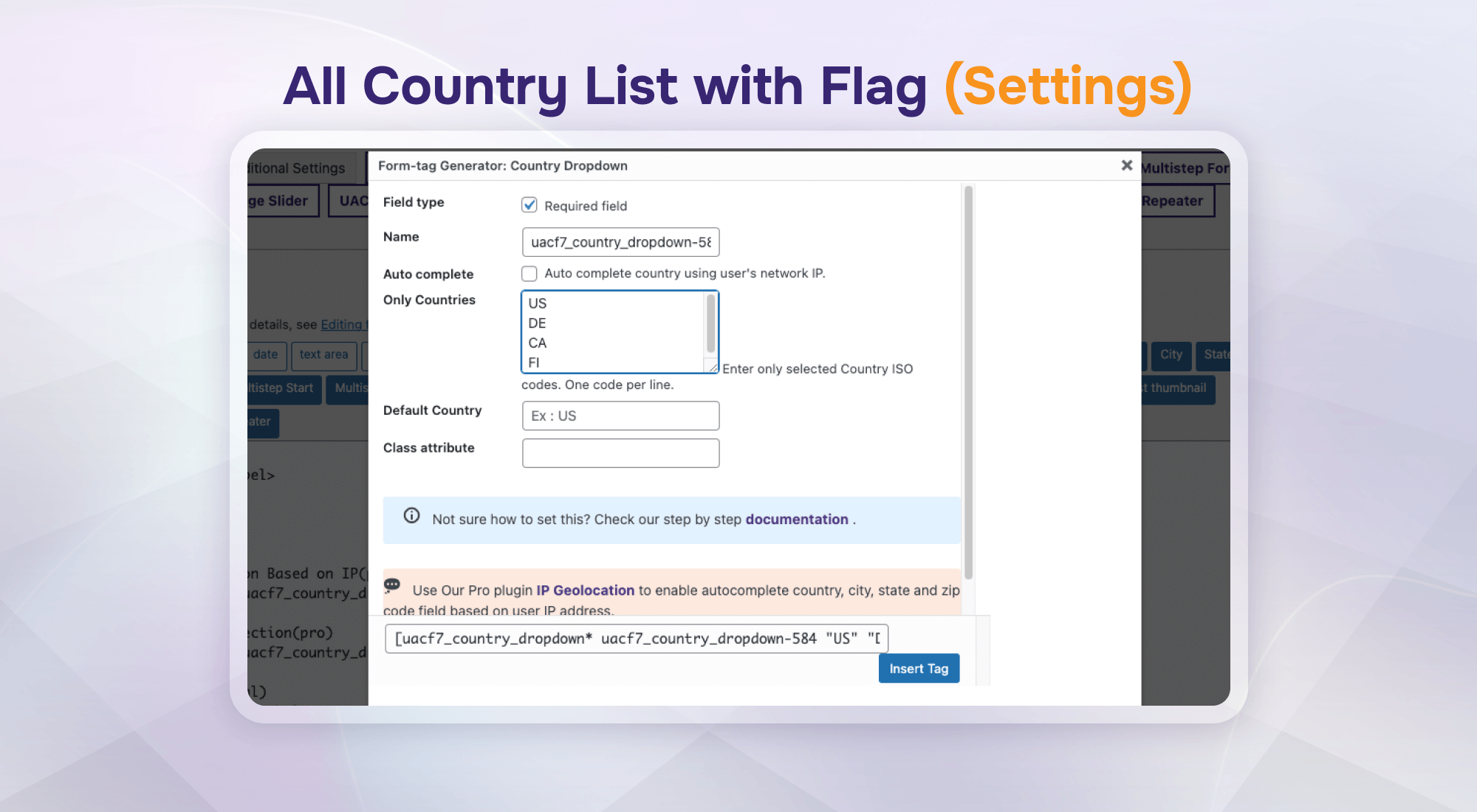
All Country List with Flag (Settings)
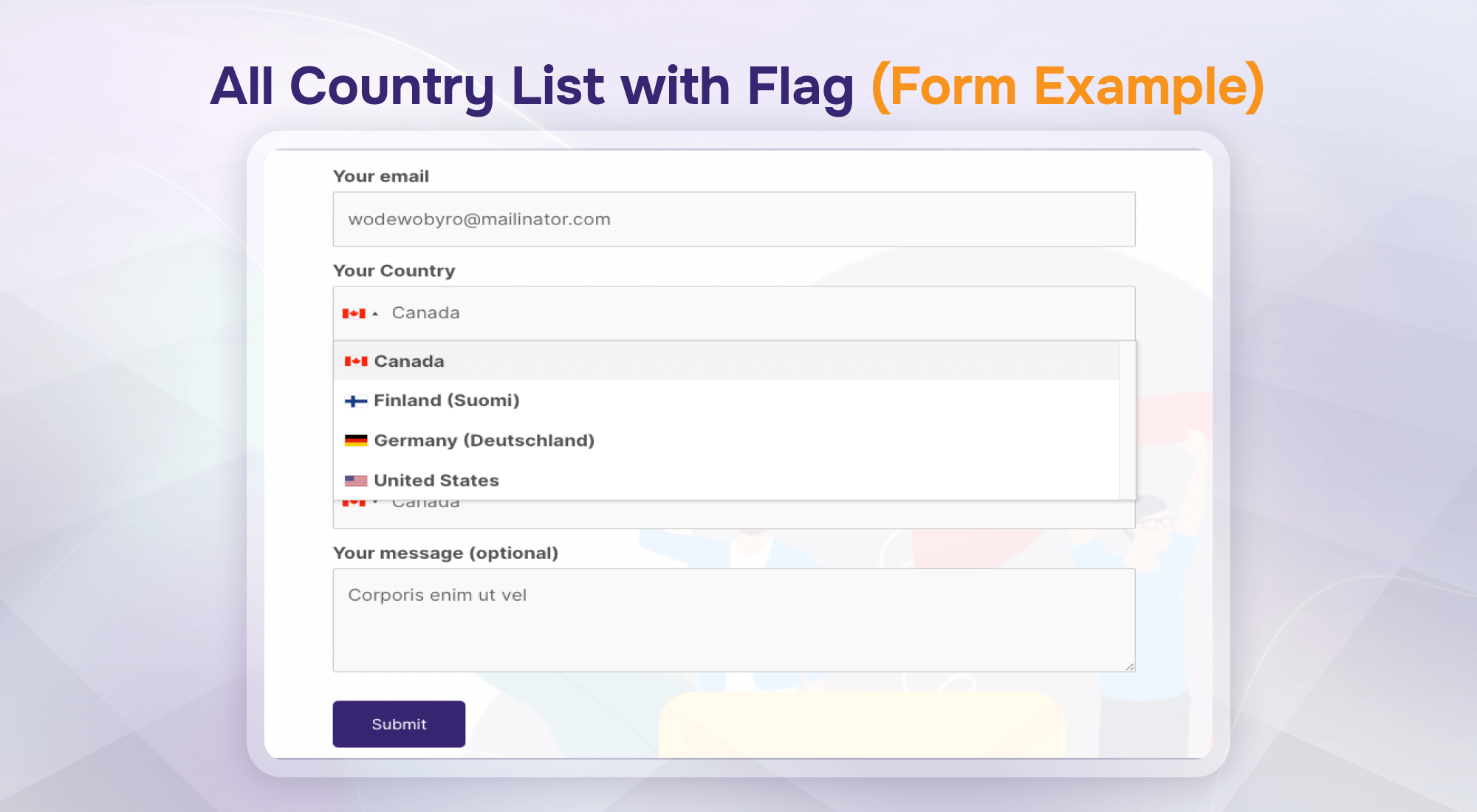
All Country List with Flag (Form Example)
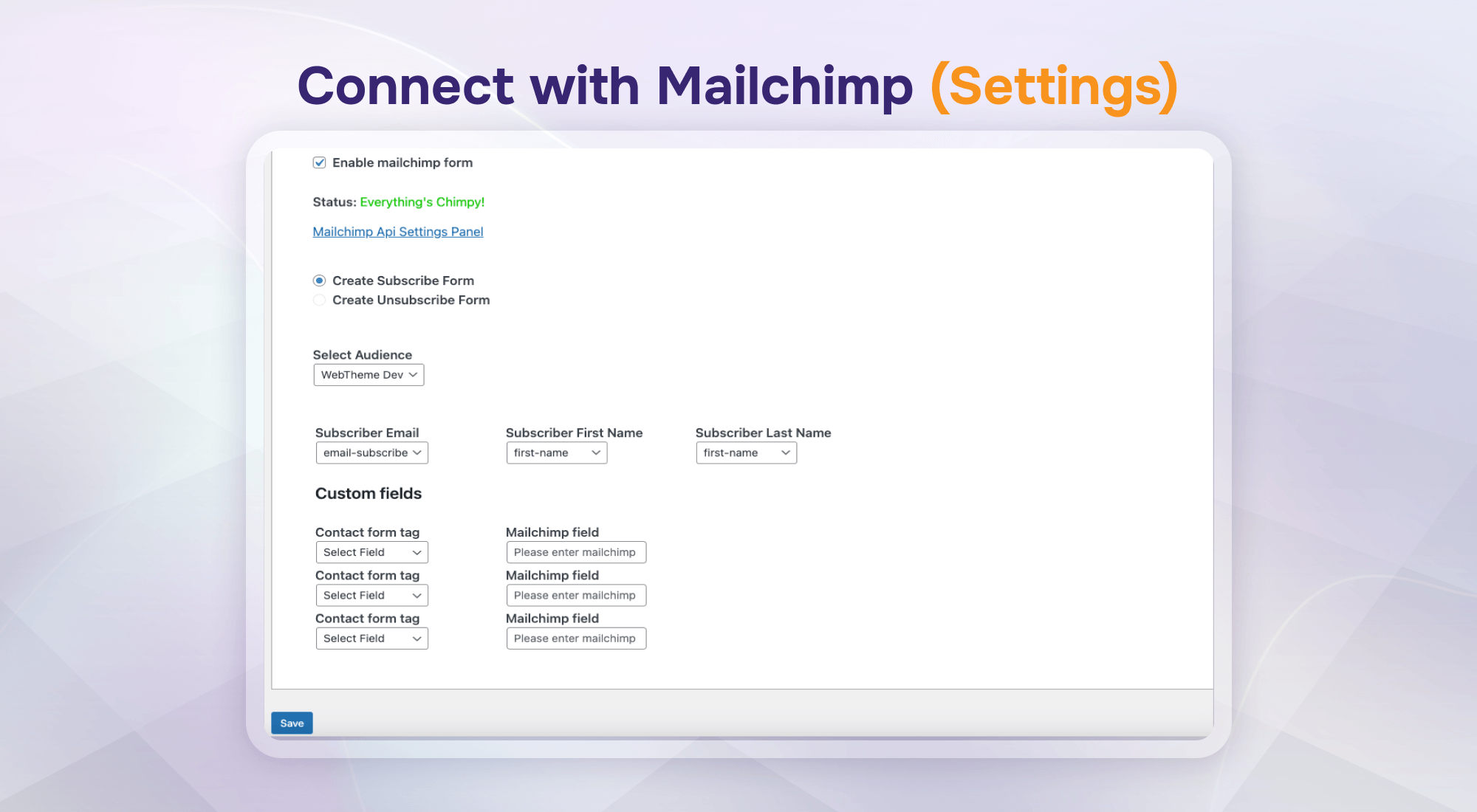
Connect with Mailchimp (Settings)
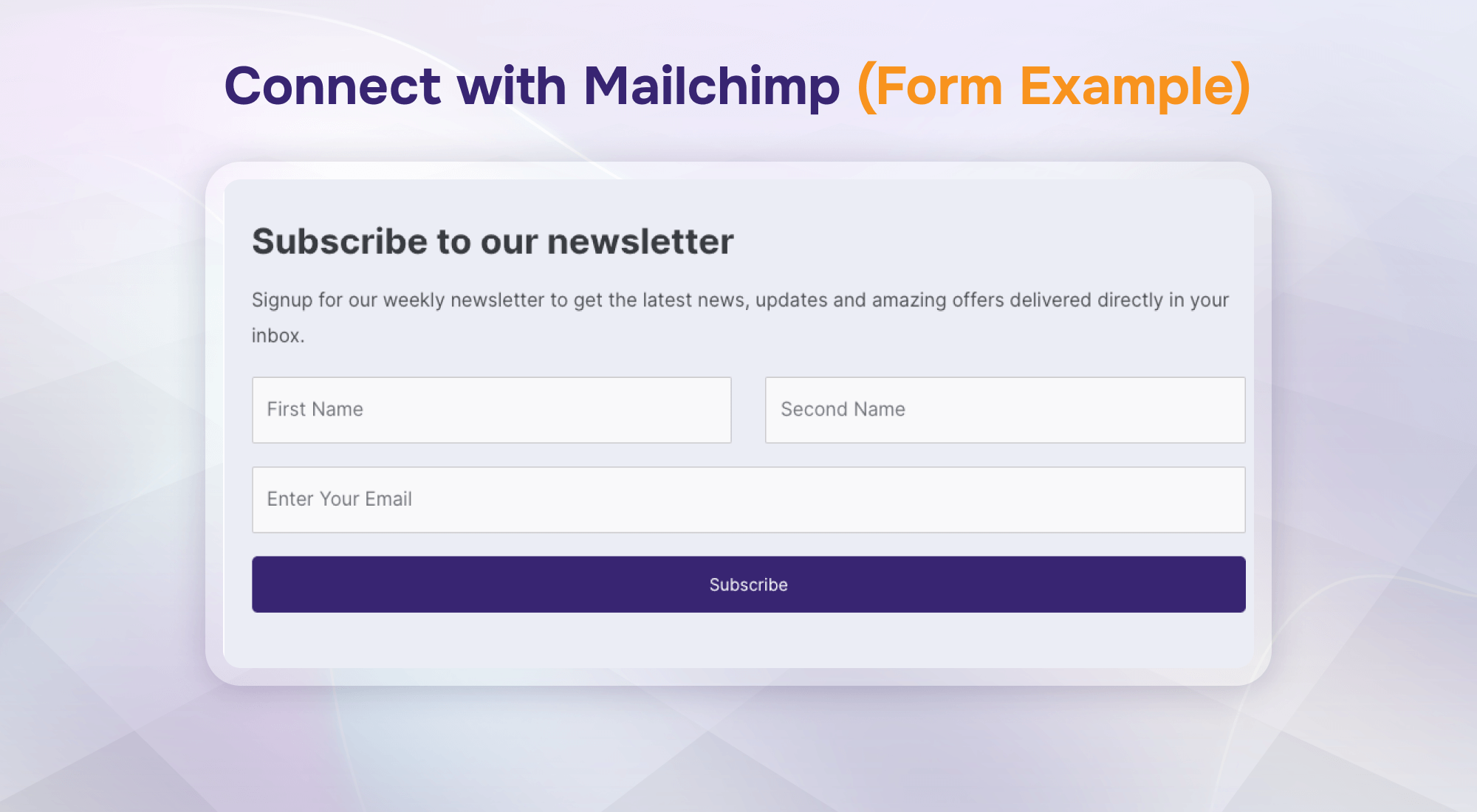
Connect with Mailchimp (Form Example)
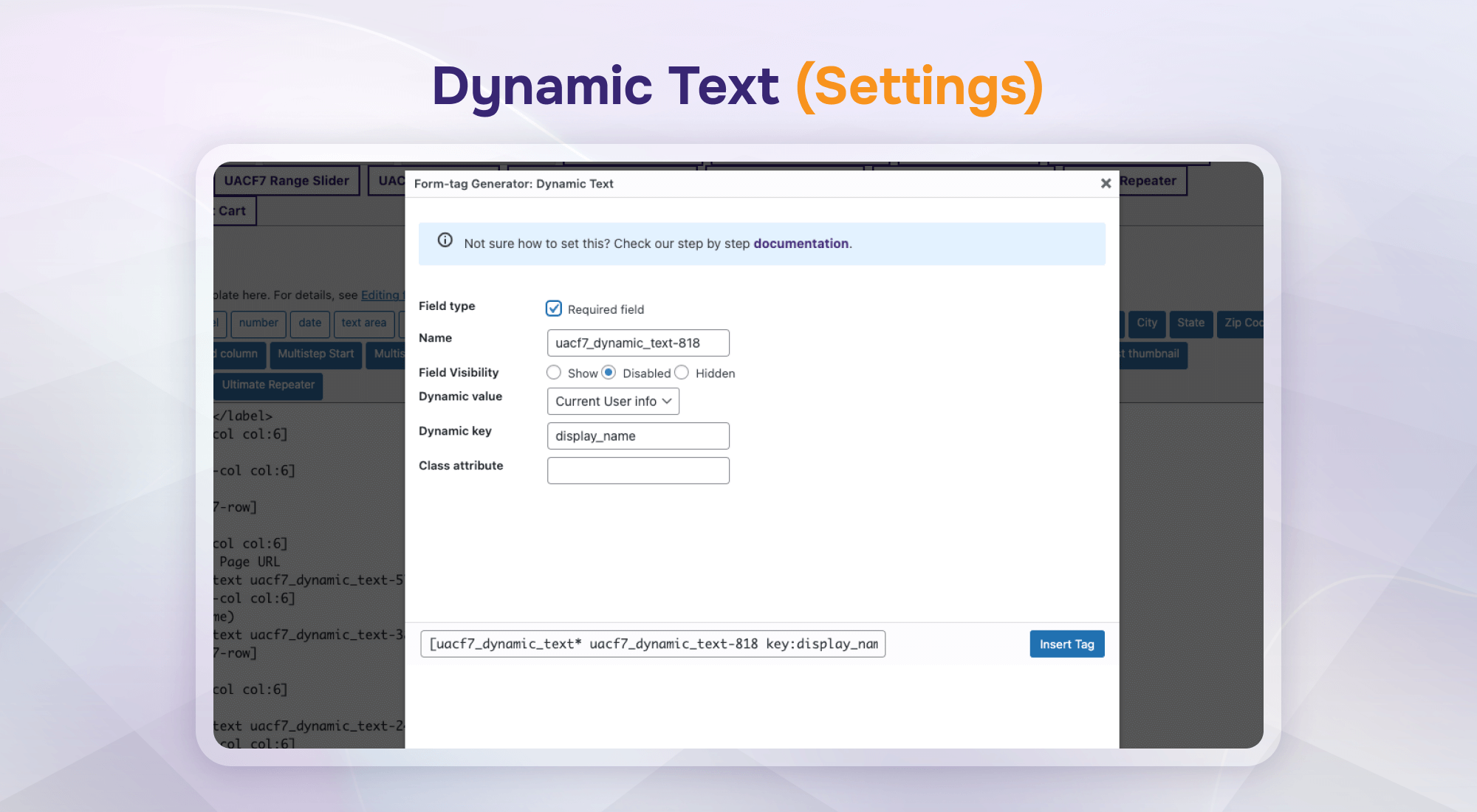
Dynamic Text (Settings)
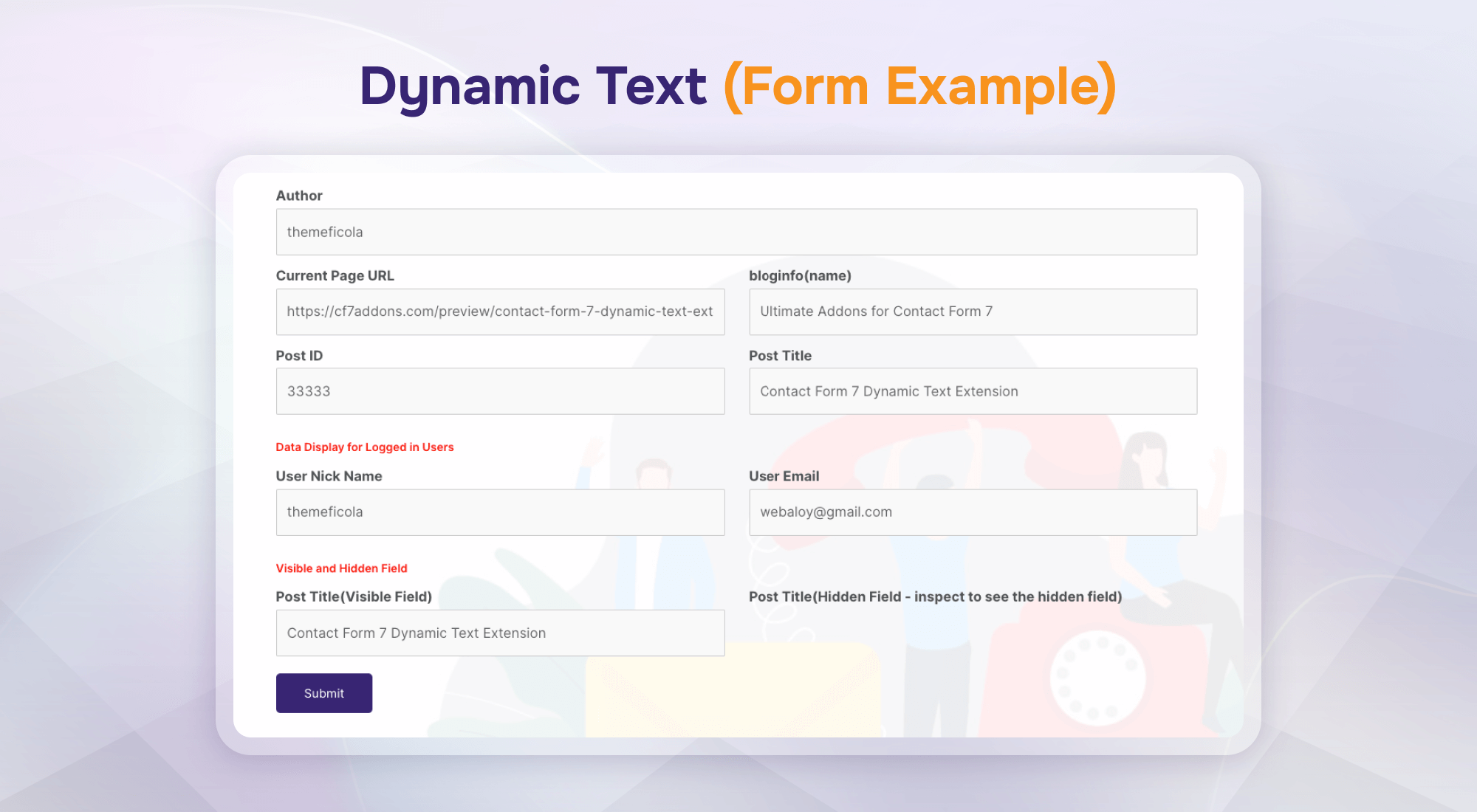
Dynamic Text (Form Example)
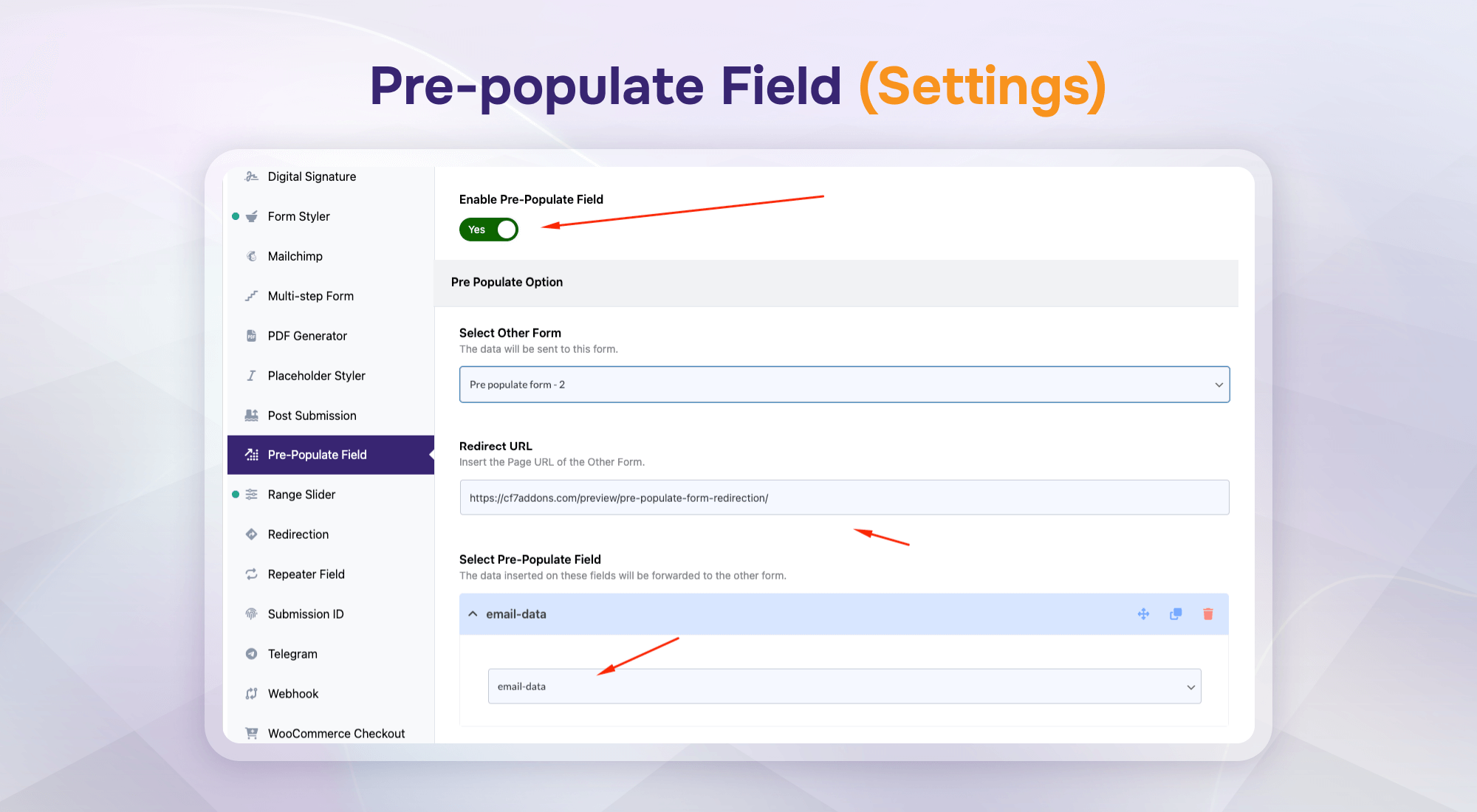
Pre-populate Field (Settings)
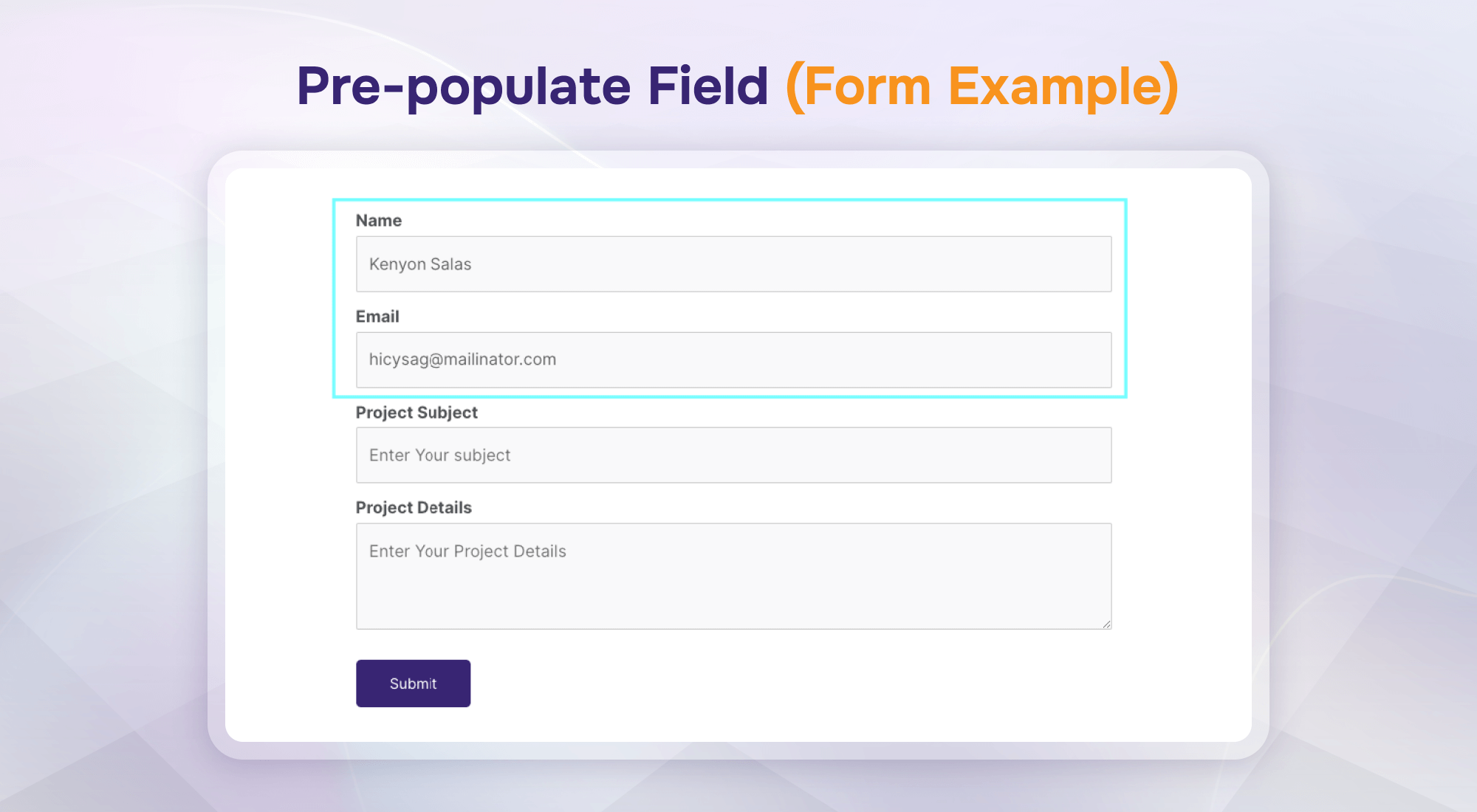
Pre-populate Field (Form Example)
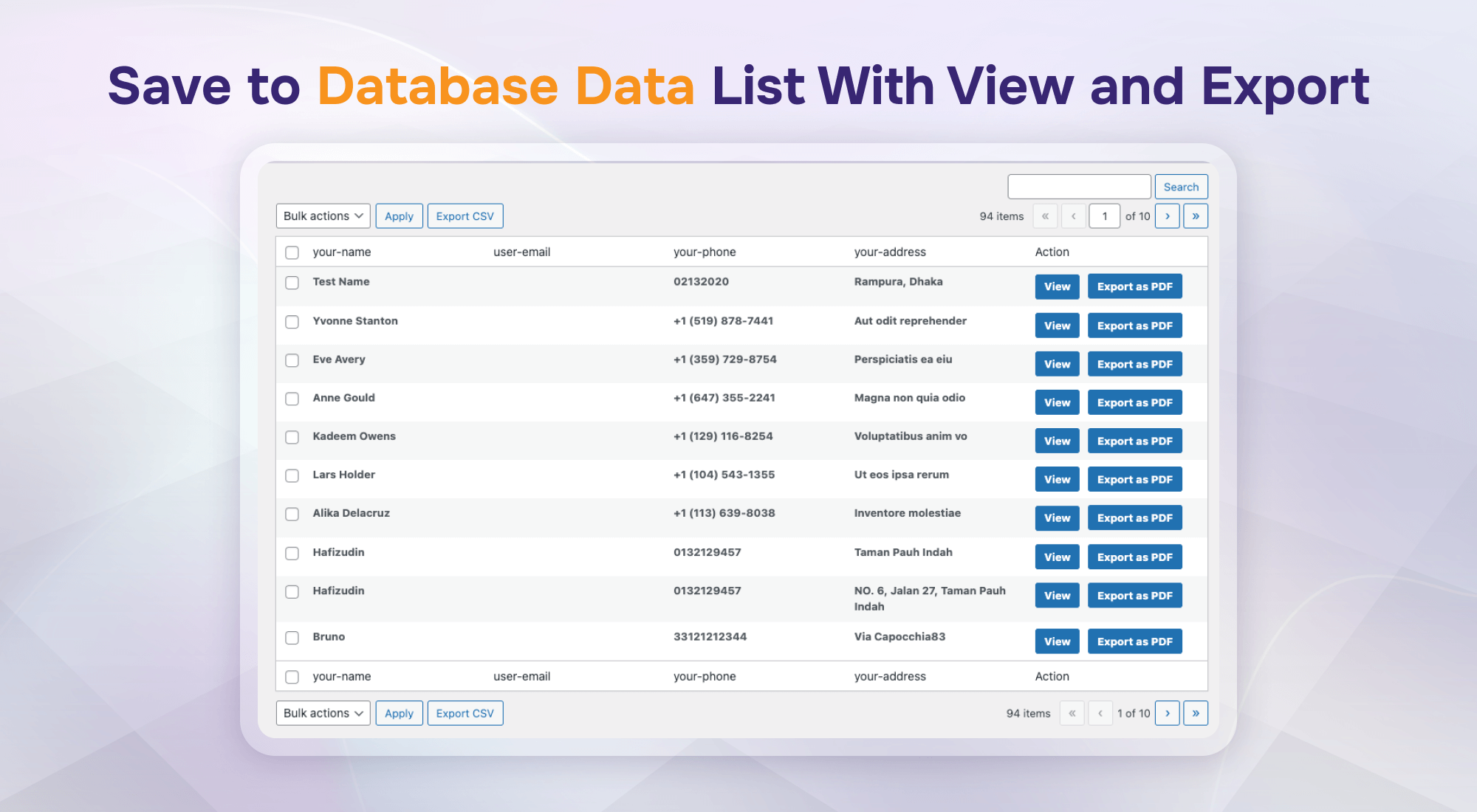
Save to Database Data List With View and Export
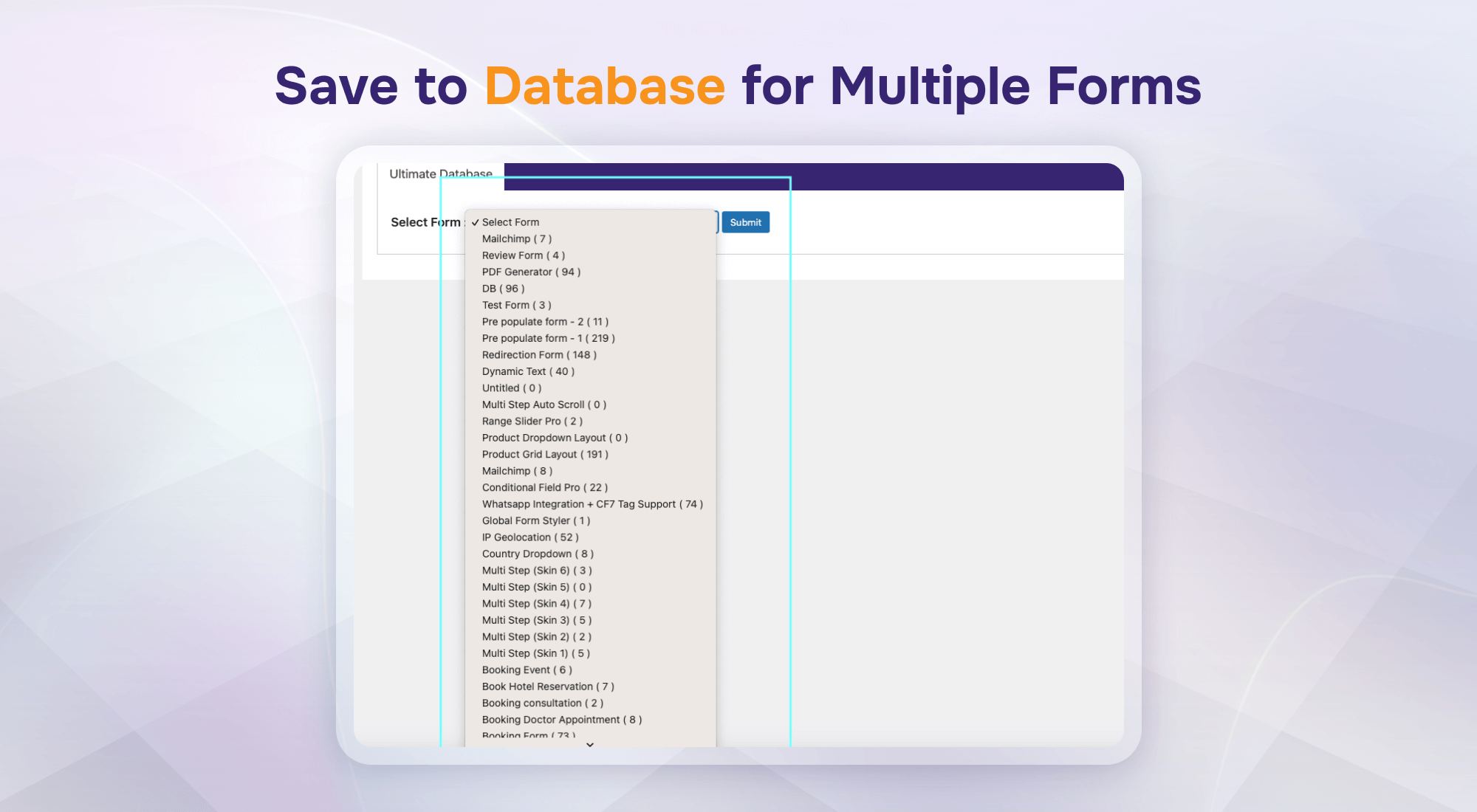
Save to Database for Multiple Forms
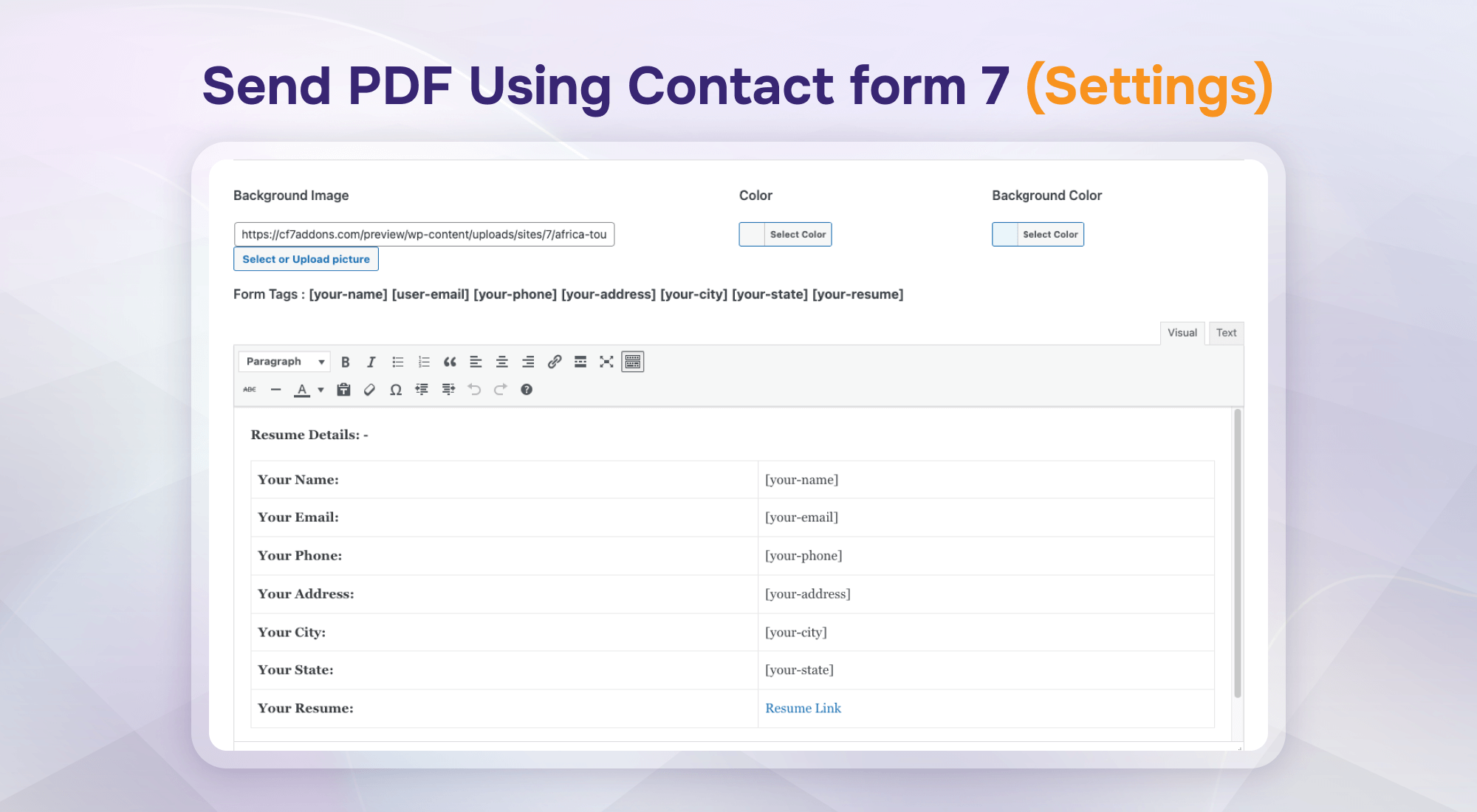
Send PDF Using Contact Form 7 (Settings)
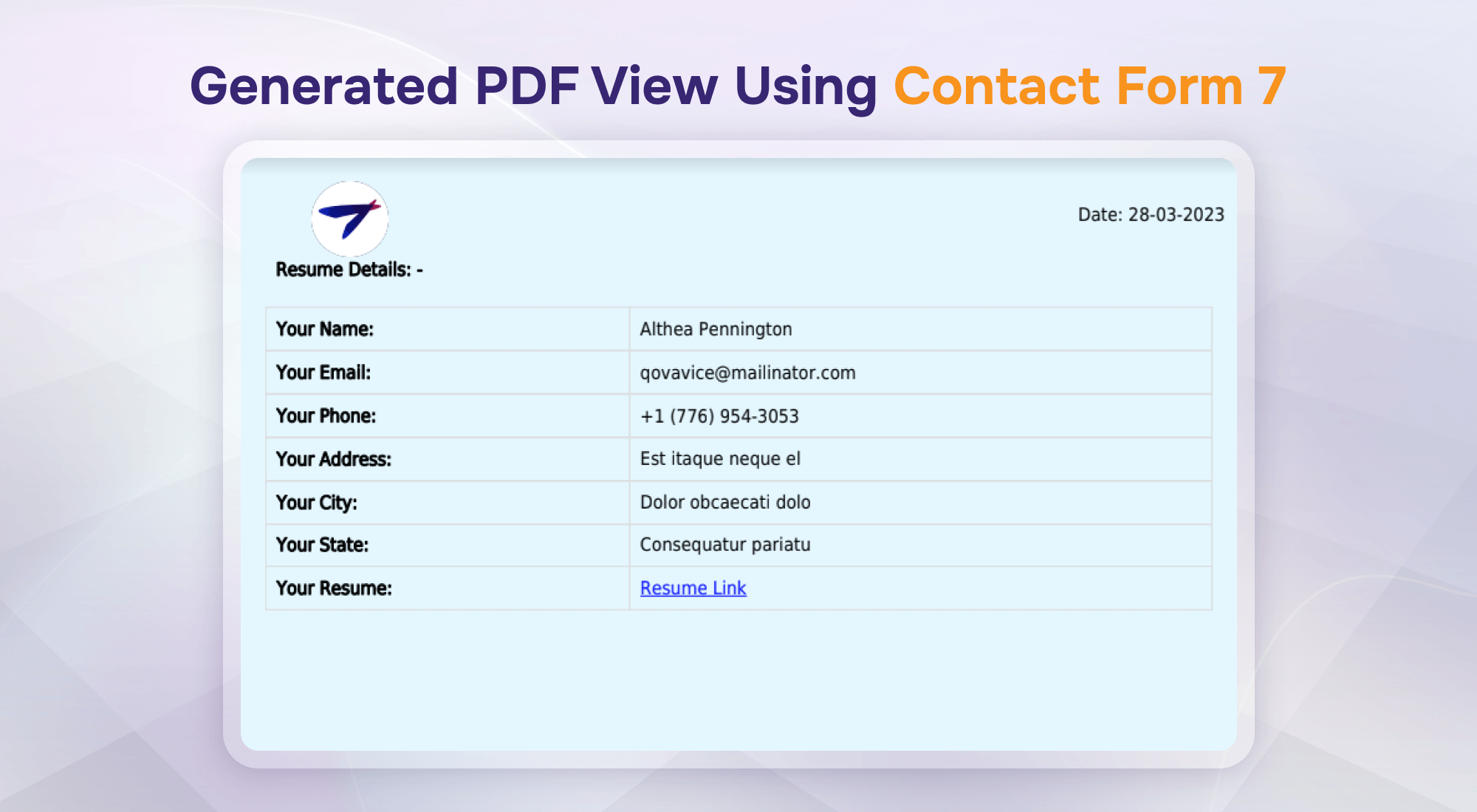
Generated PDF View Using Contact Form 7
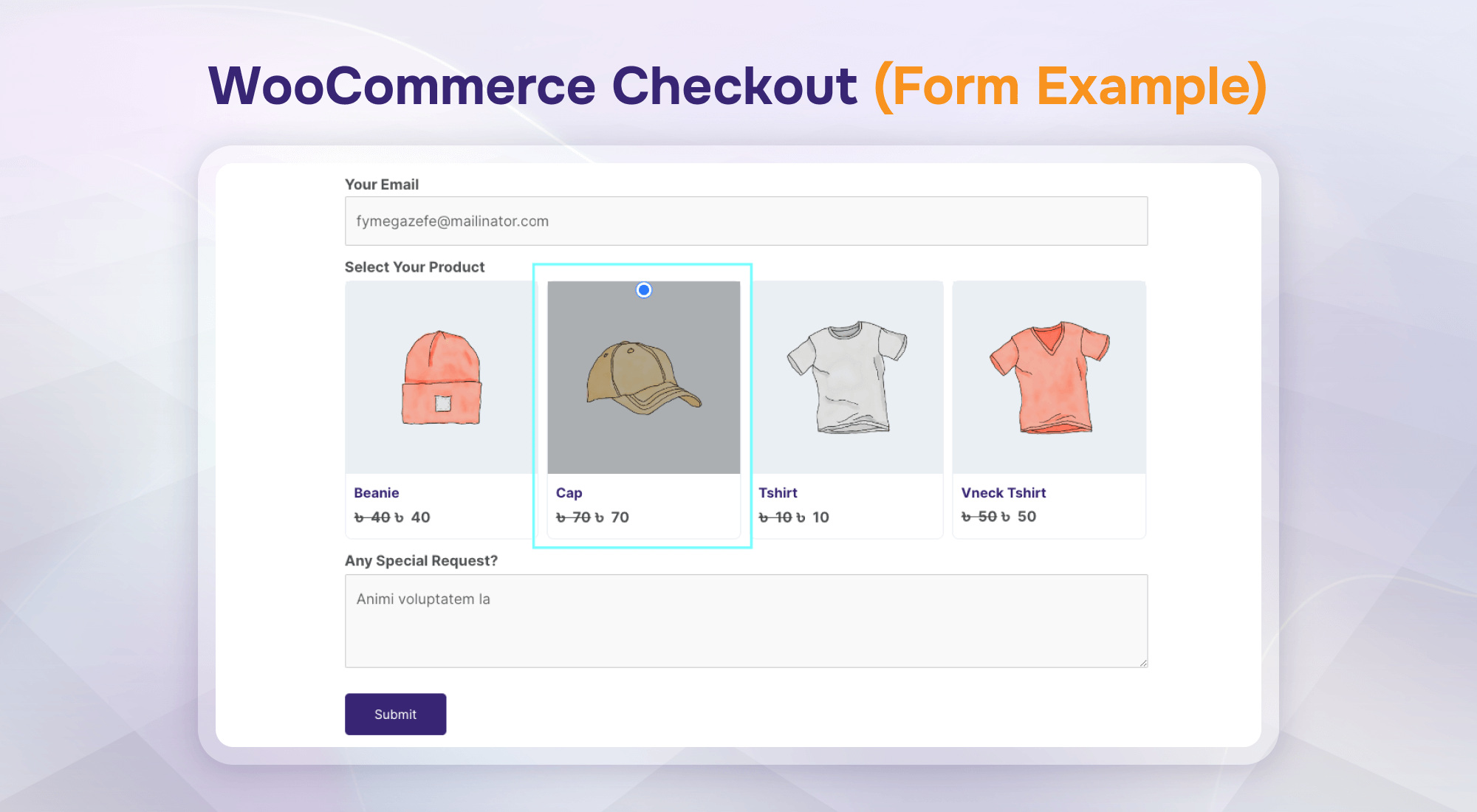
WooCommerce Checkout (Form Example)
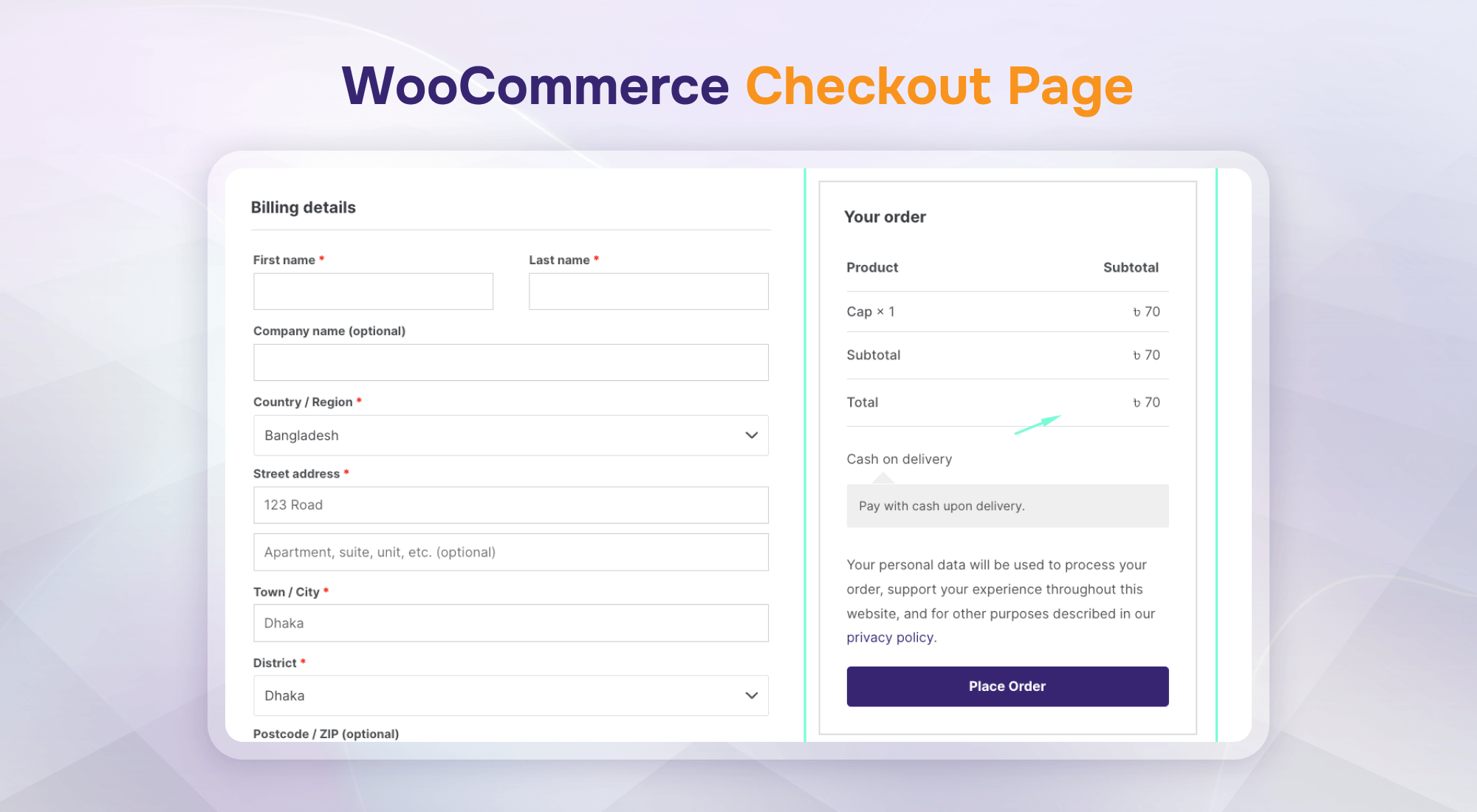
WooCommerce Checkout Page
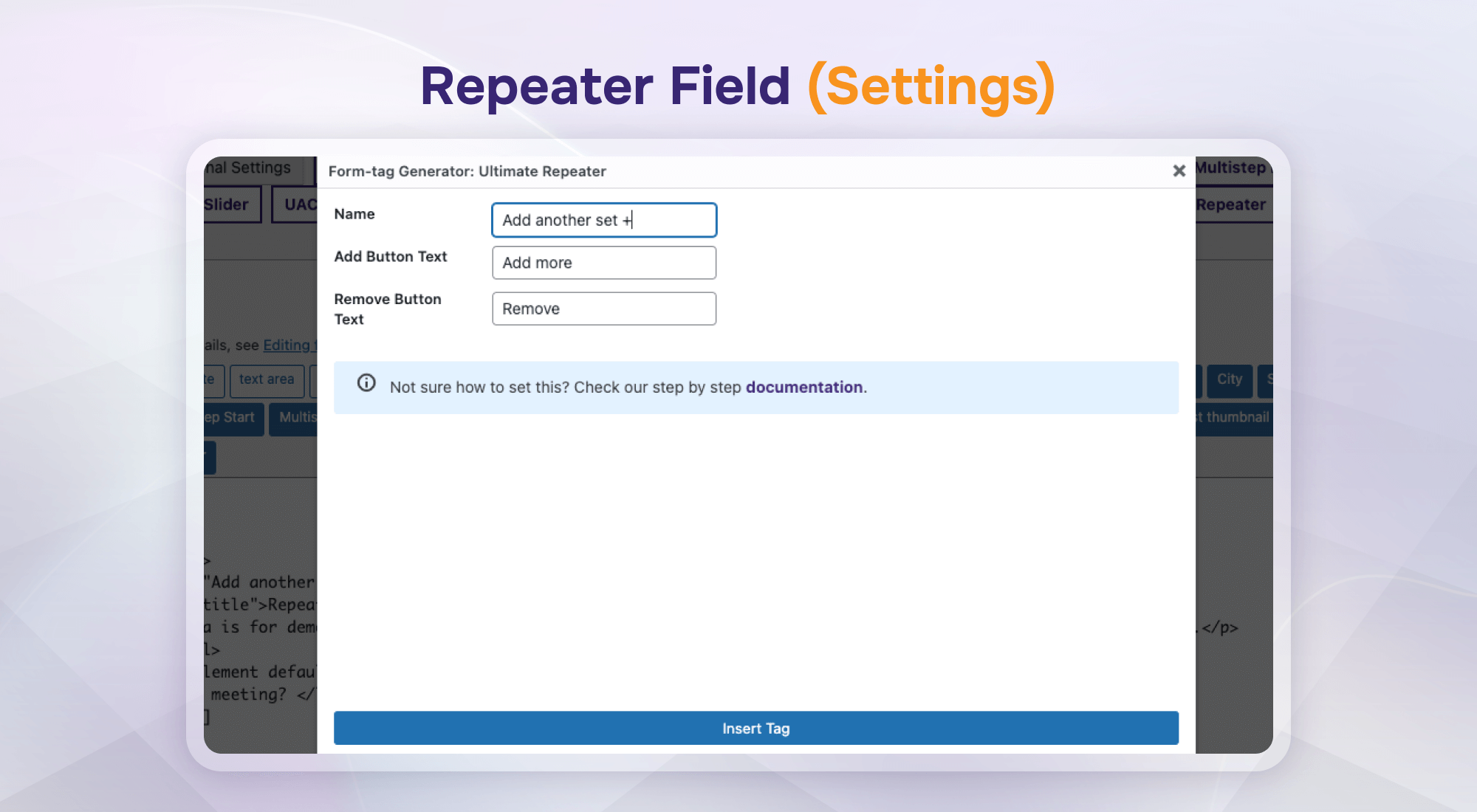
Repeater Field (Settings)
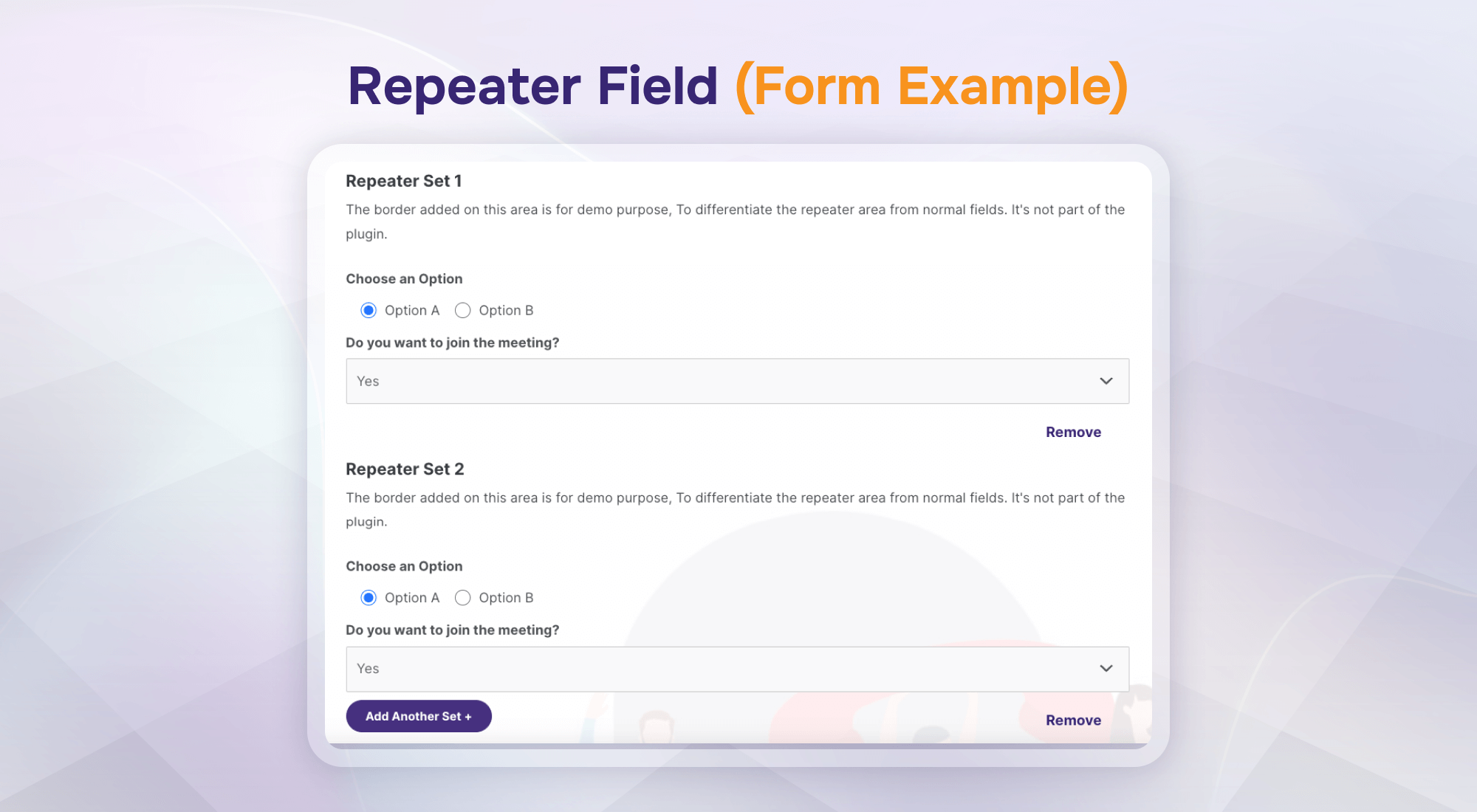
Repeater Field (Form Example)
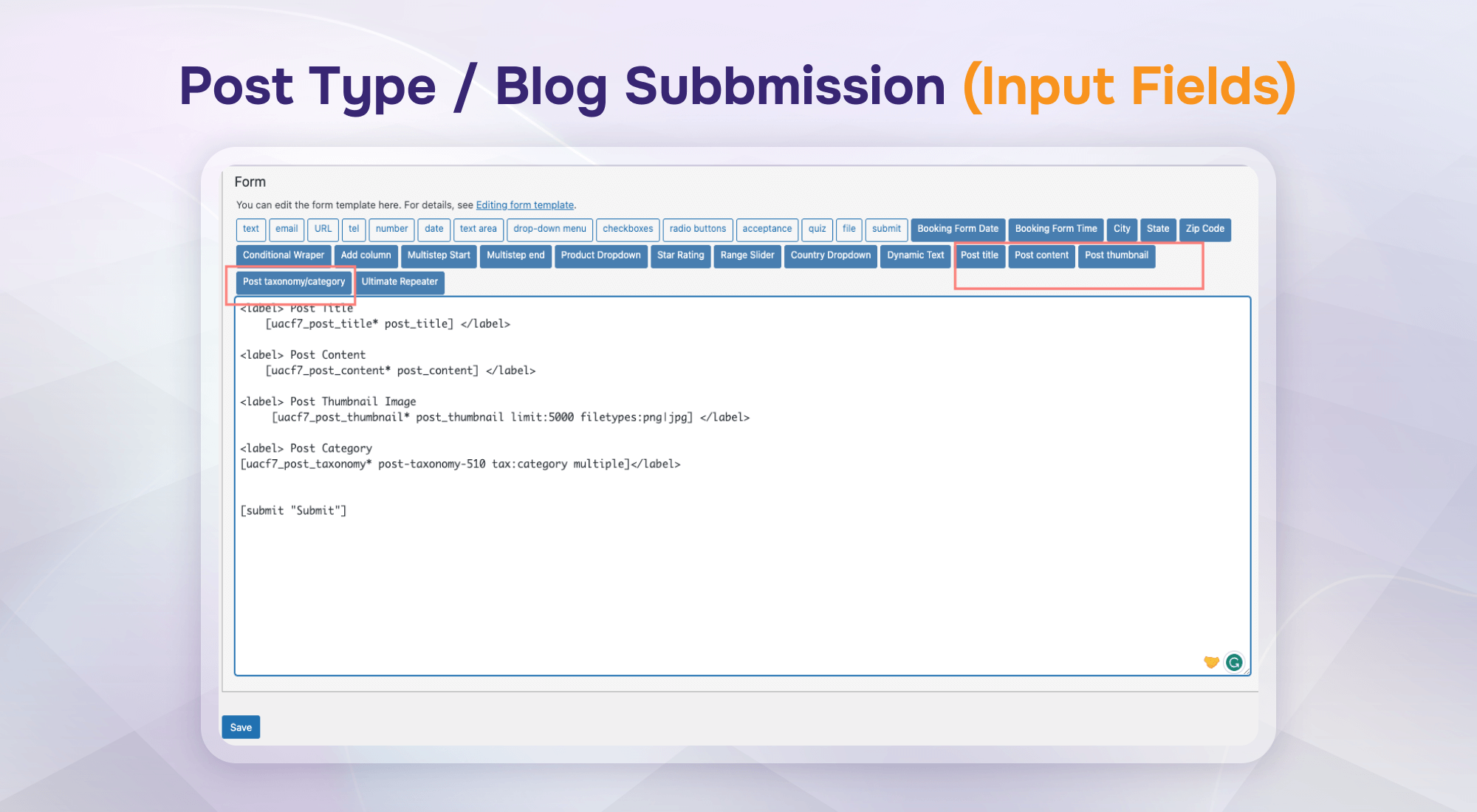
Post Type / Blog Submission (Input Fields)
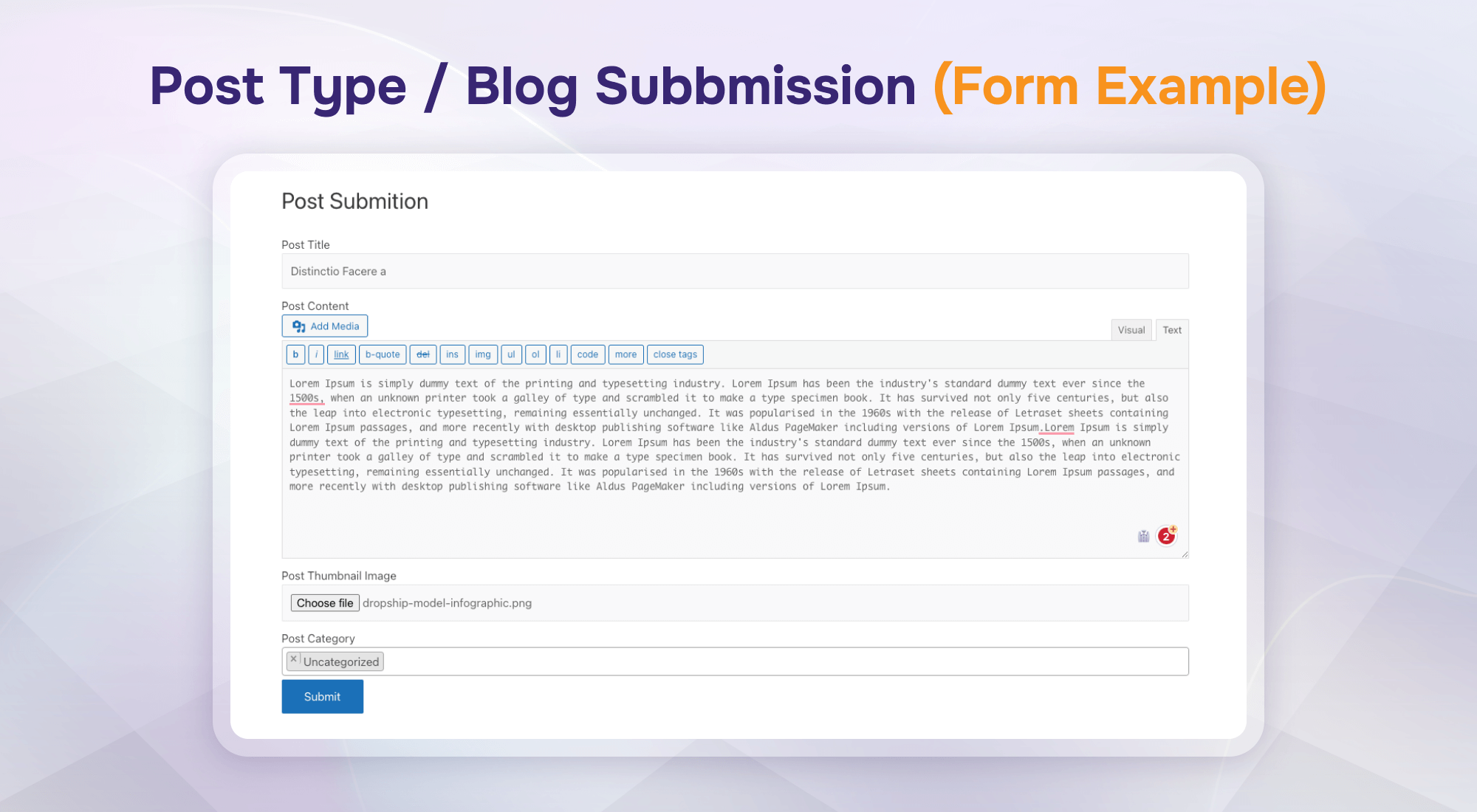
Post Type / Blog Submission (Form Example)
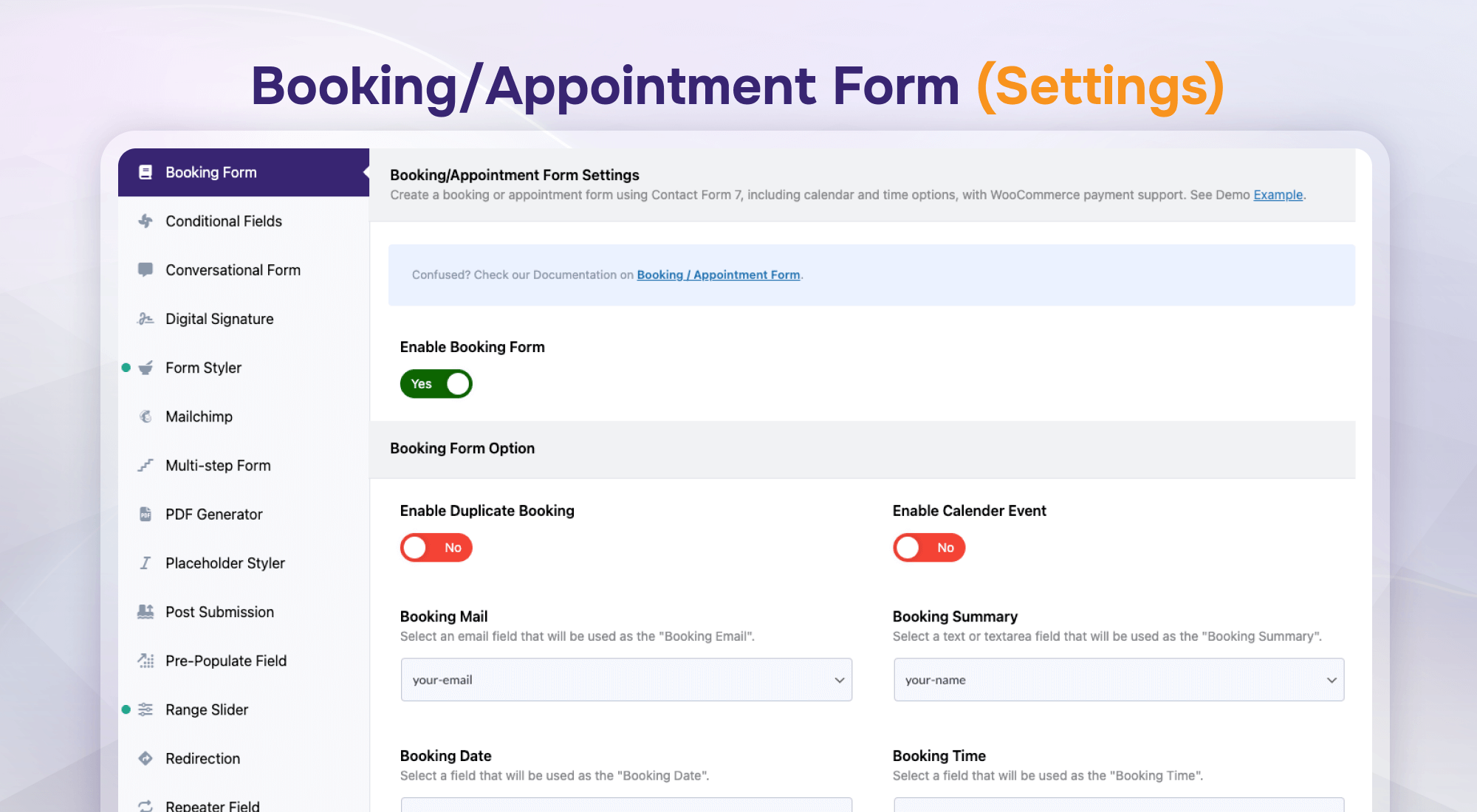
Booking/Appointment Form (Settings)
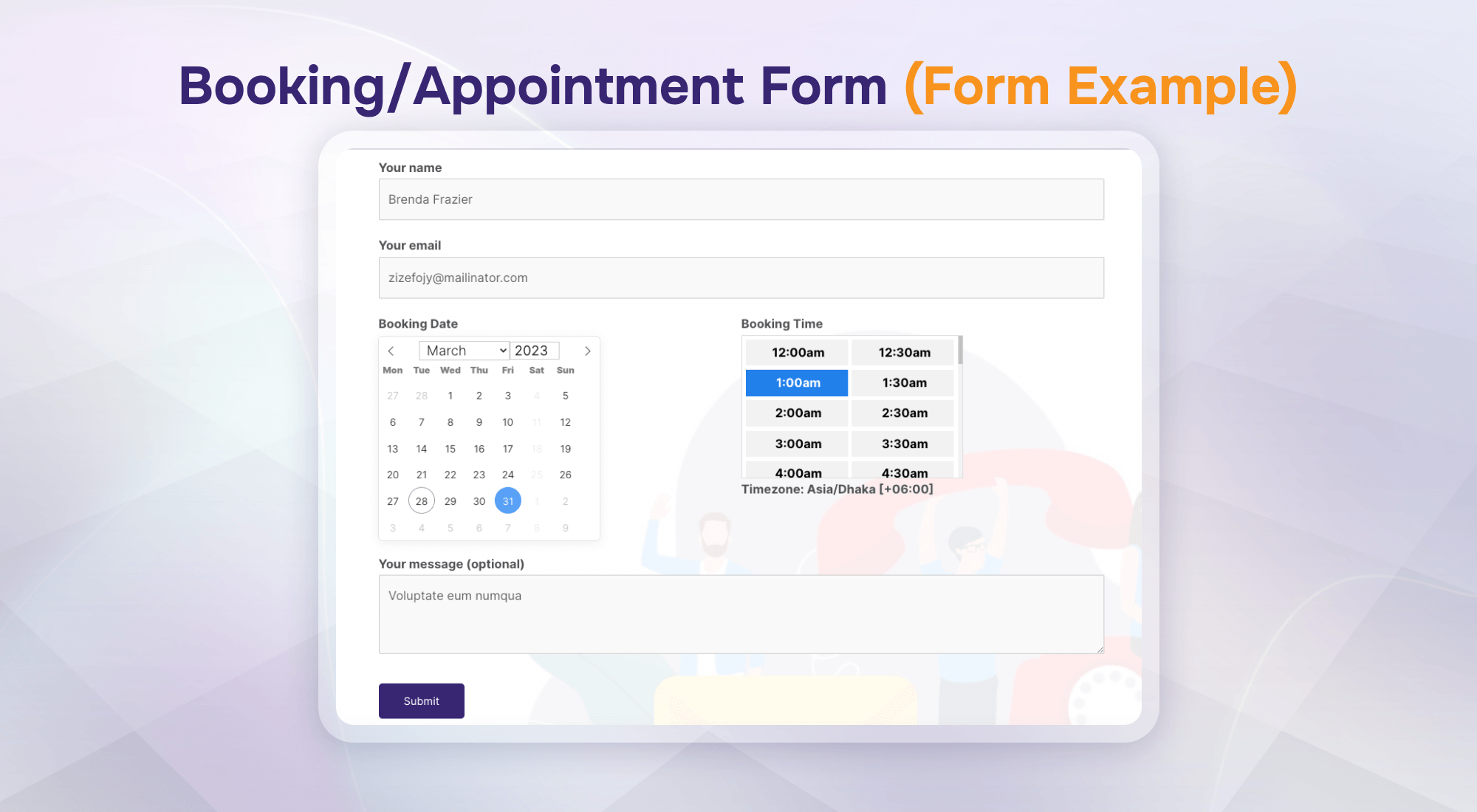
Booking/Appointment Form (Form Example)
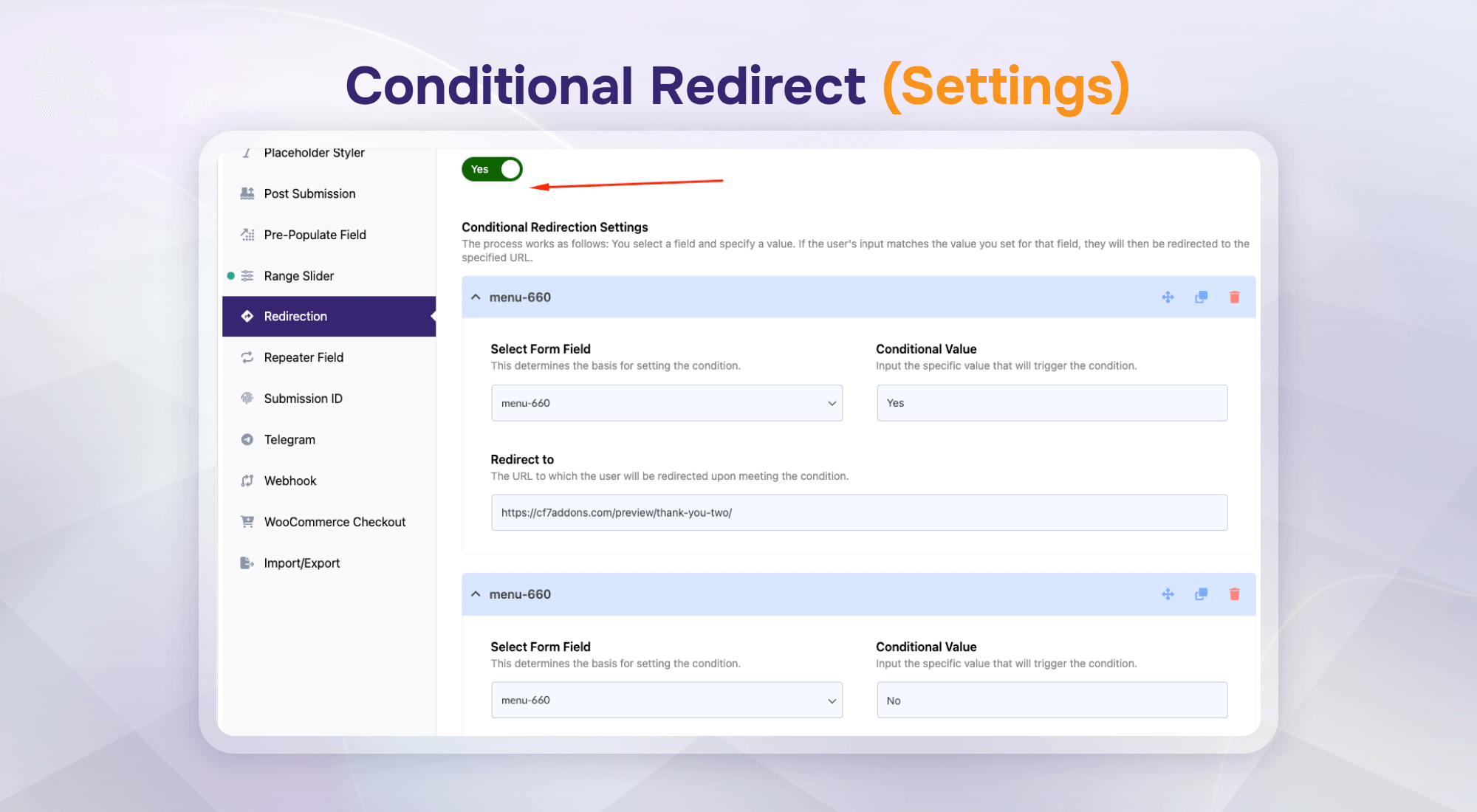
Conditional Redirect (Settings)
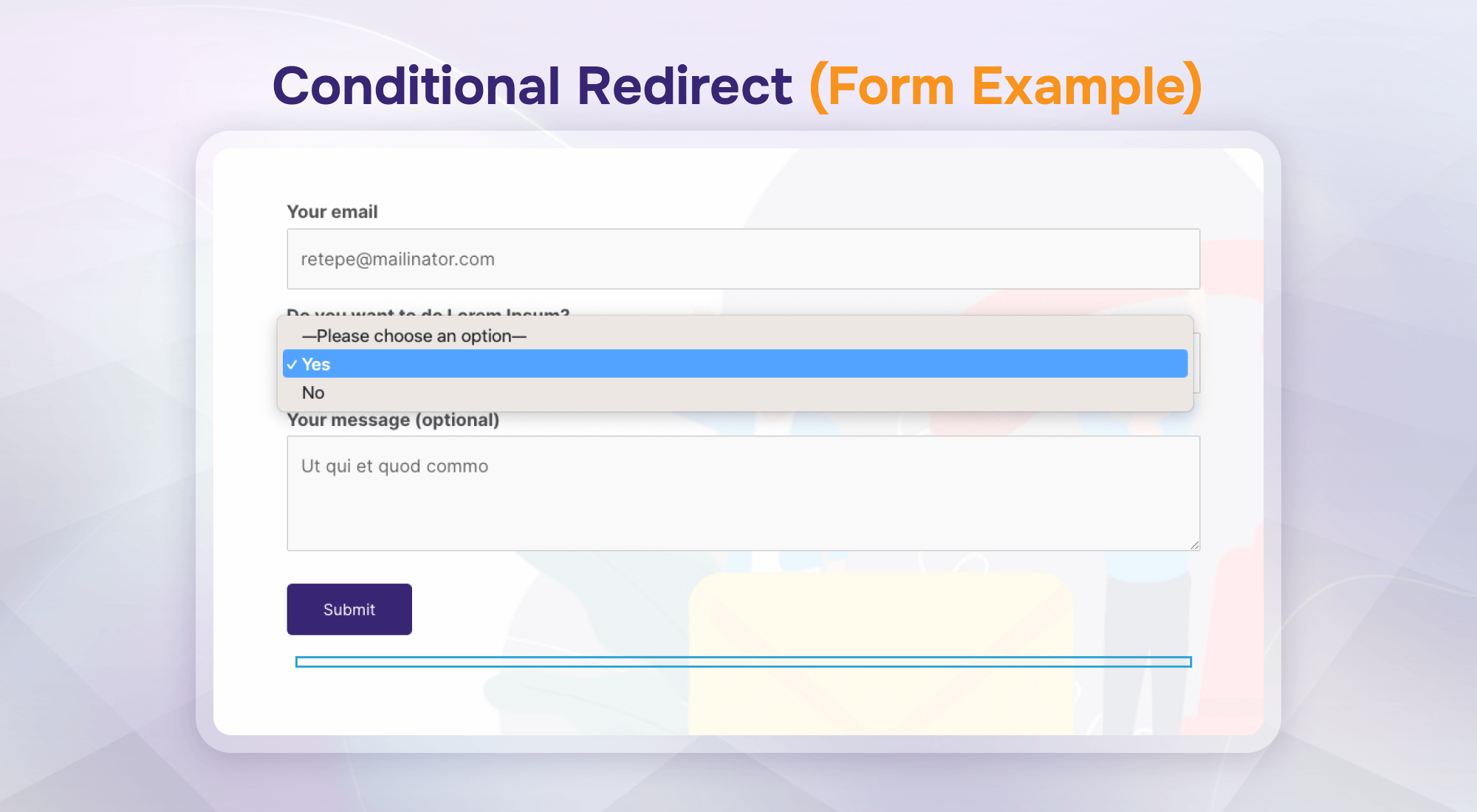
Conditional Redirect (Form Example)
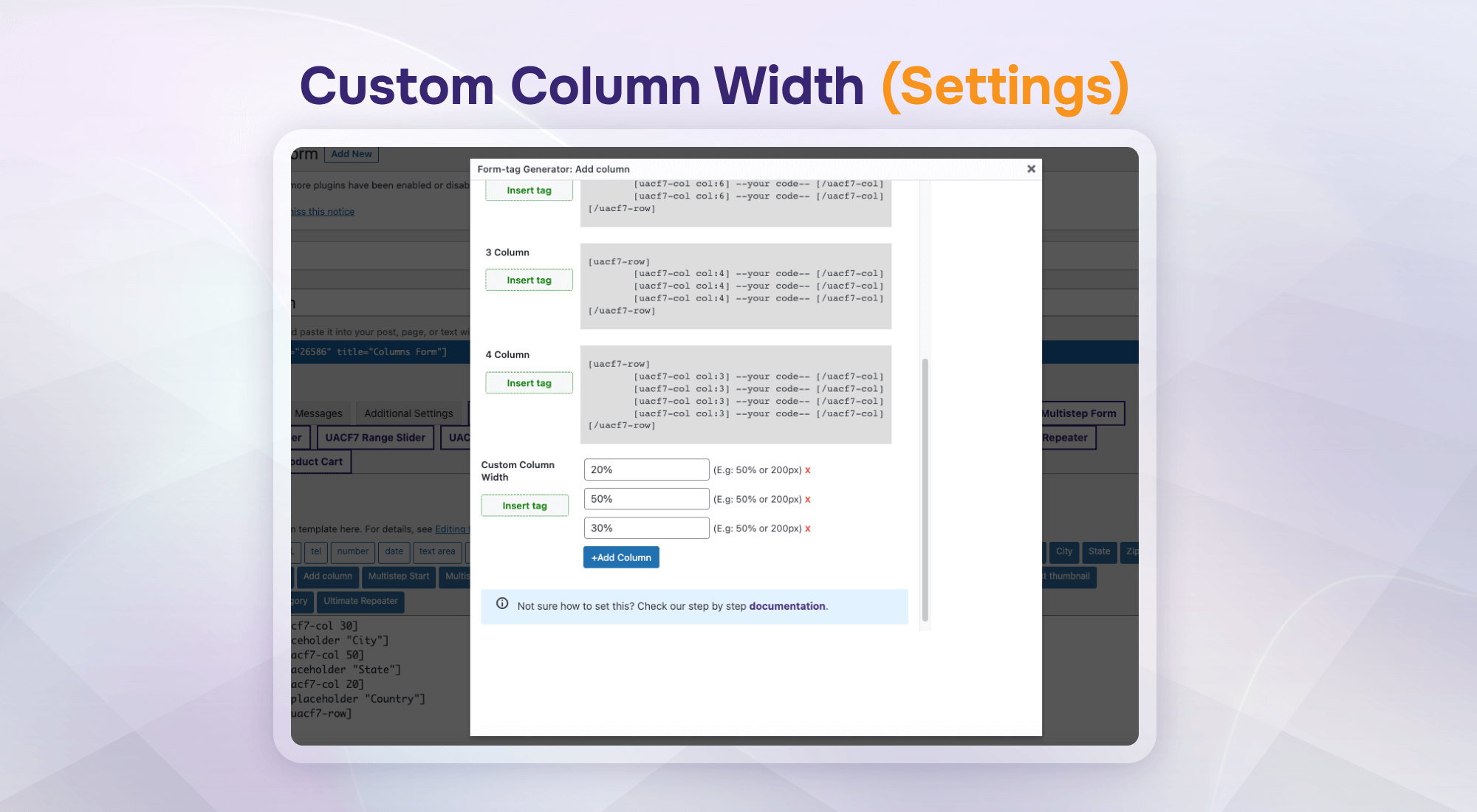
Custom Column Width (Settings)
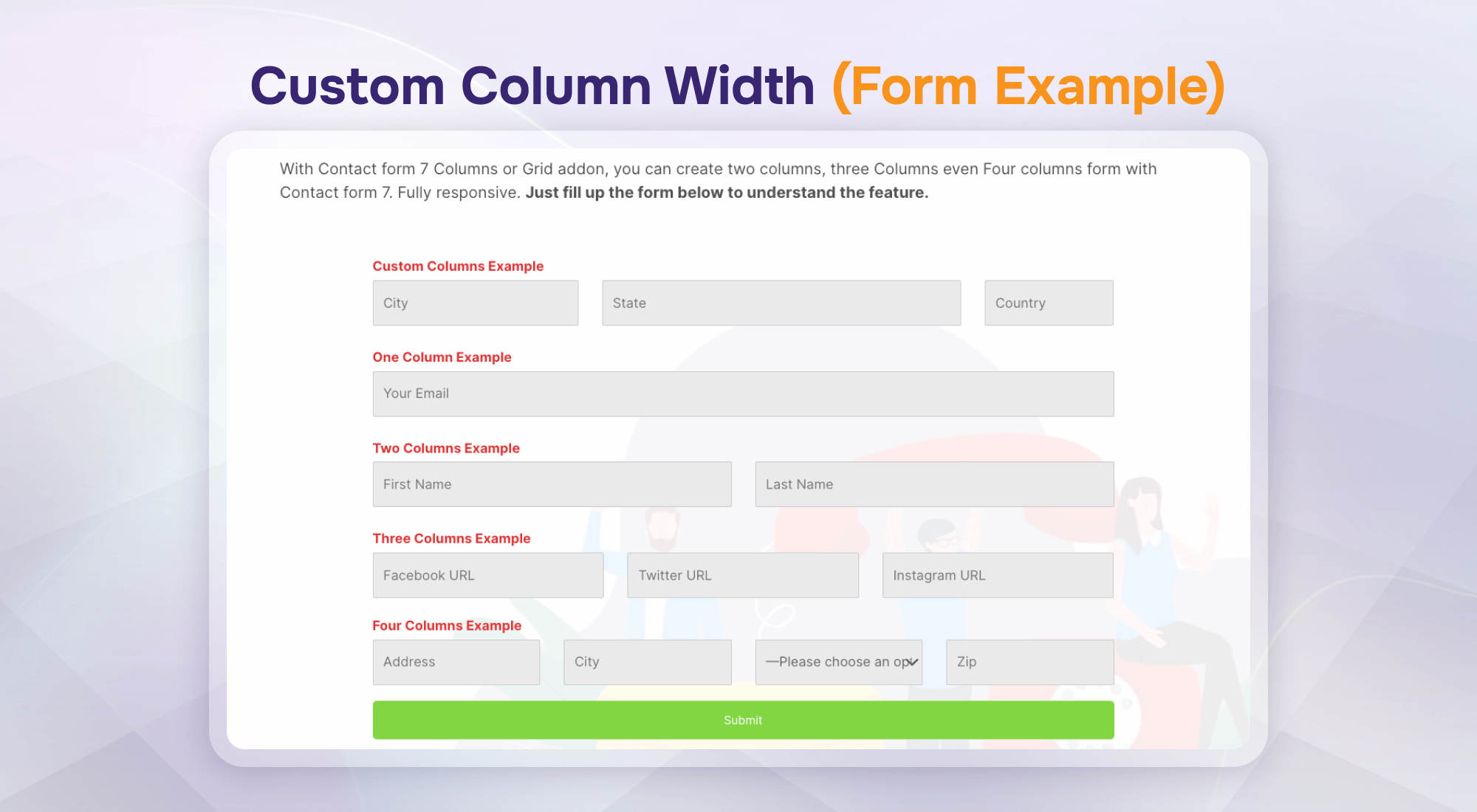
Custom Column Width (Form Example)
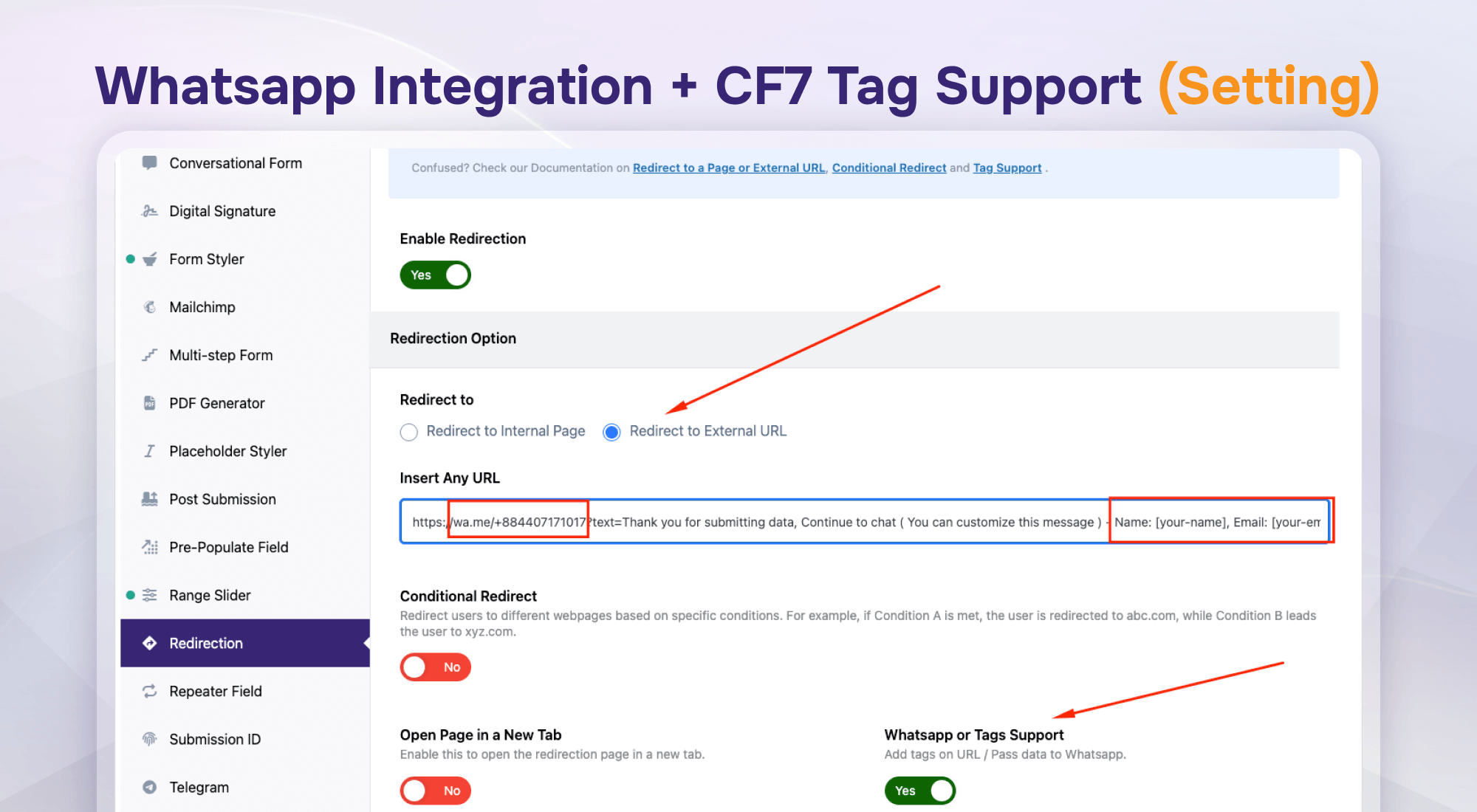
WhatsApp Integration + CF7 Tag Support (Settings)
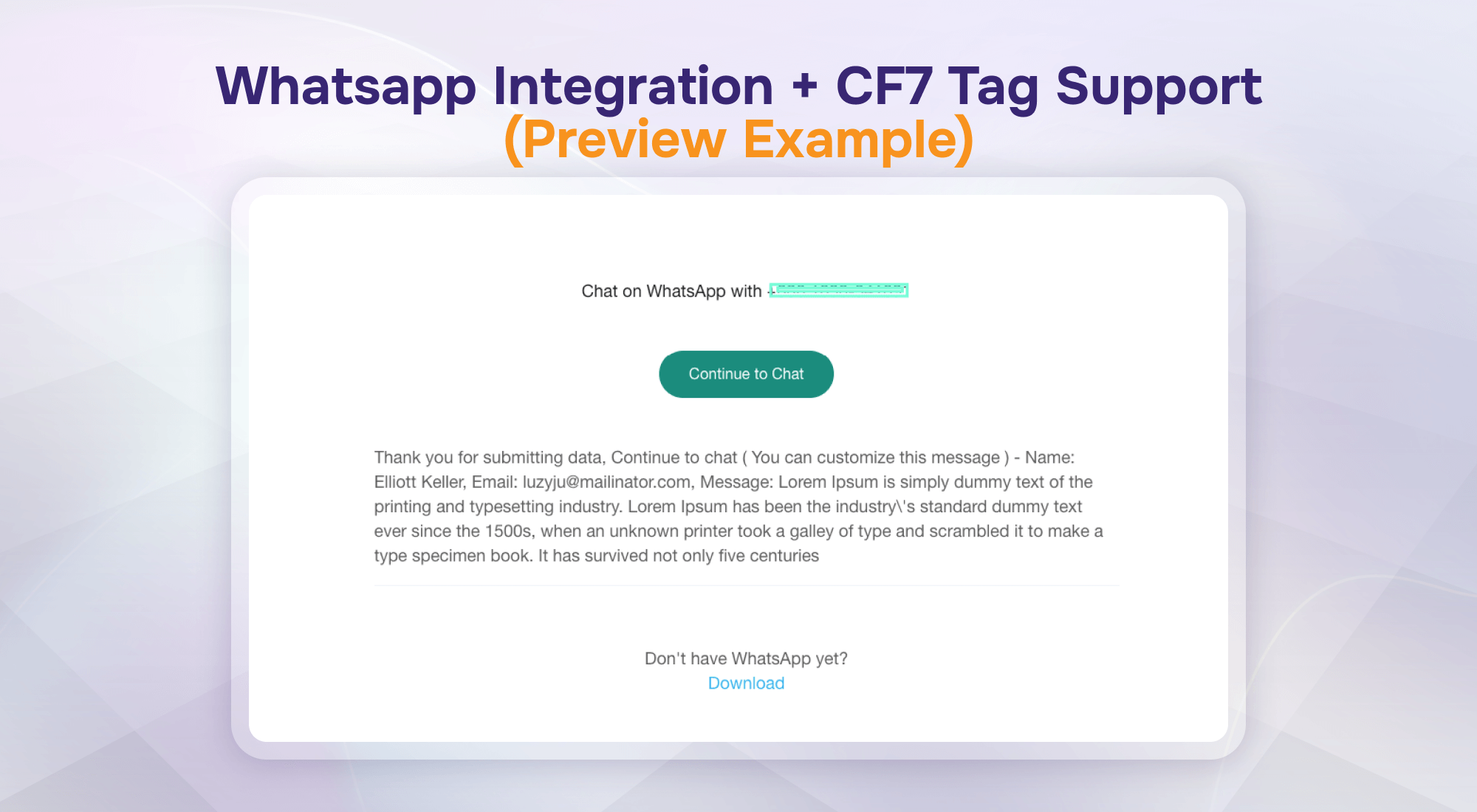
WhatsApp Integration + CF7 Tag Support (Preview Example)
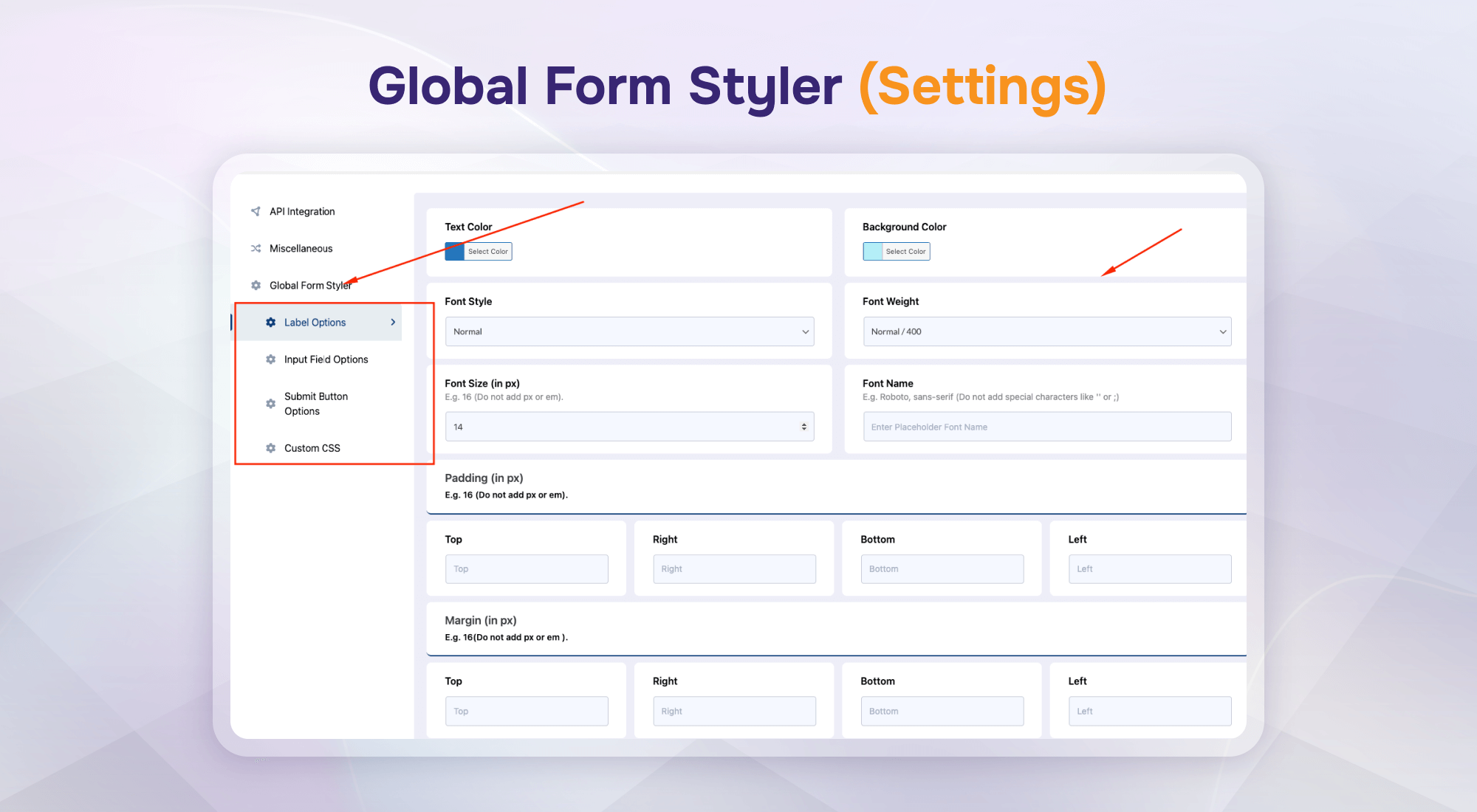
Global Form Styler (Settings)
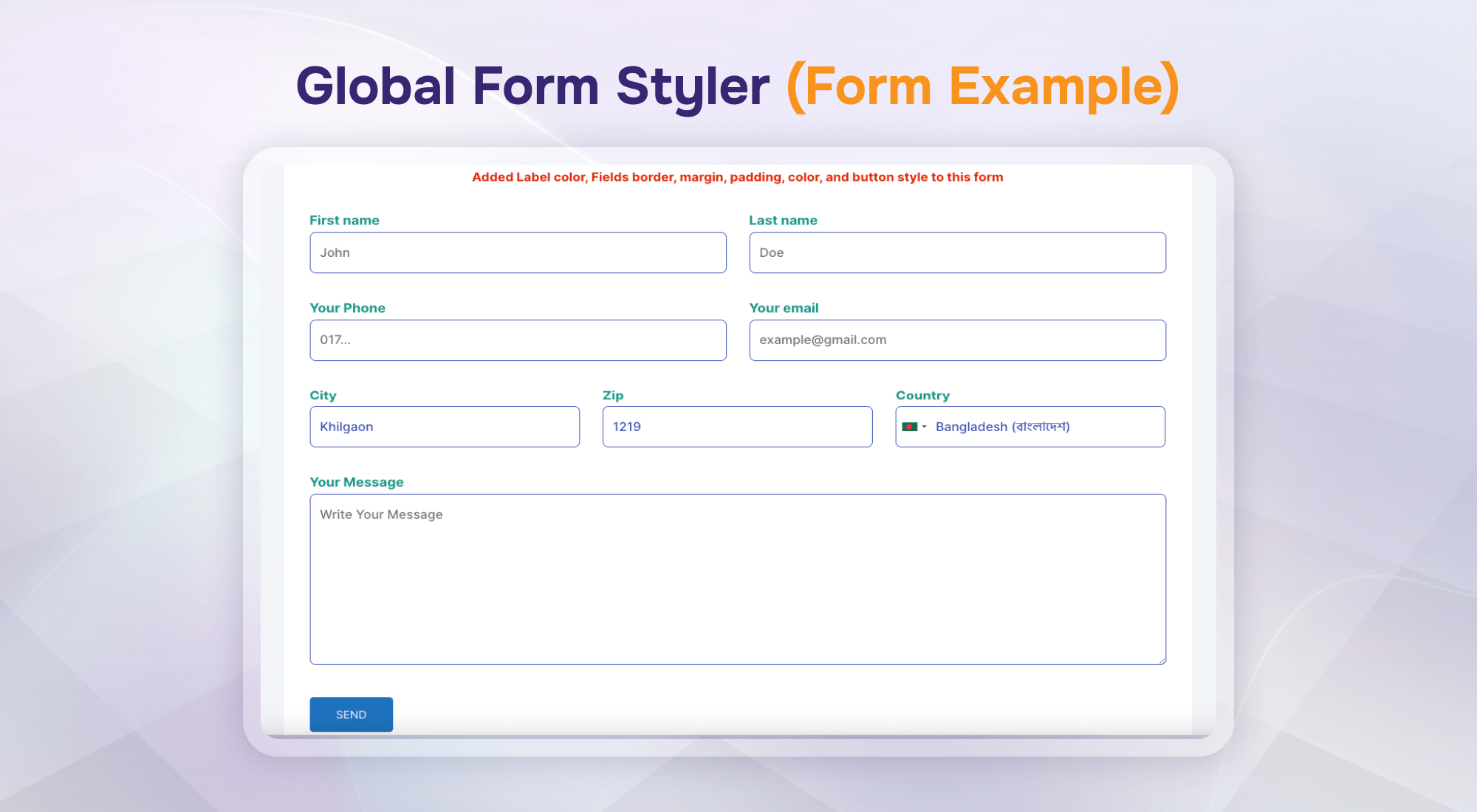
Global Form Styler (Form Example)
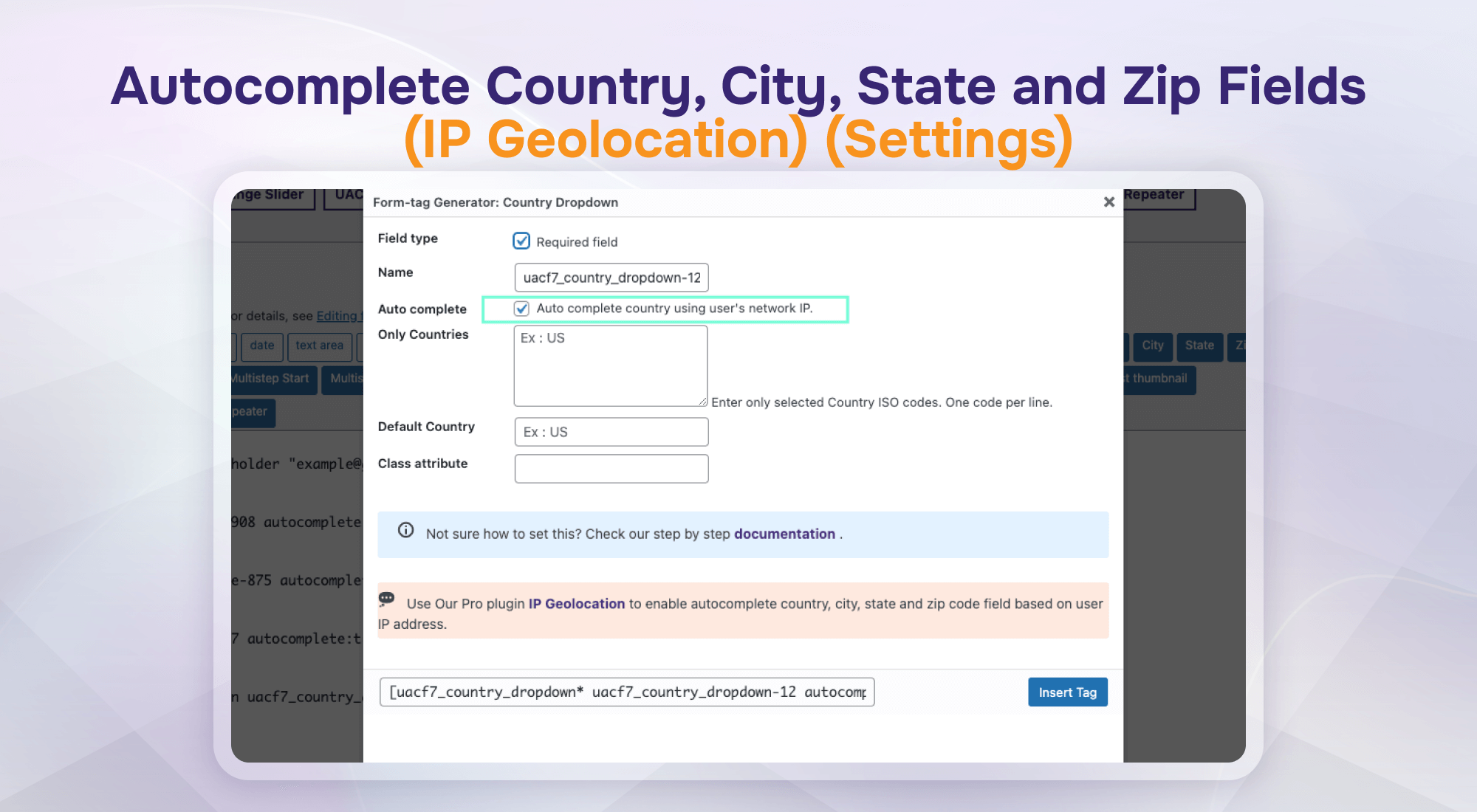
Autocomplete Country, City, State, and Zip Fields (IP Geolocation) (Settings)
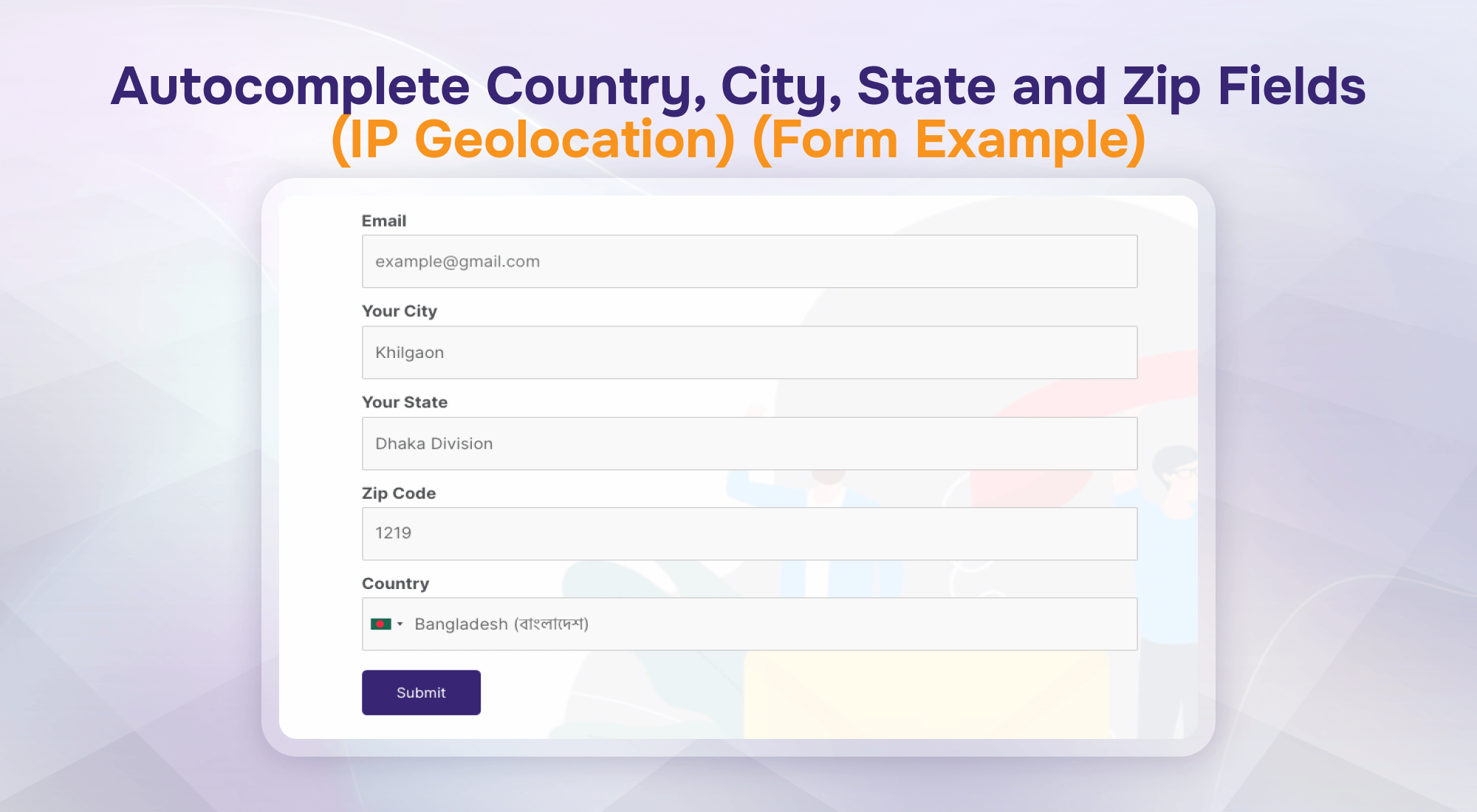
Autocomplete Country, City, State, and Zip Fields (IP Geolocation) (Form Example)
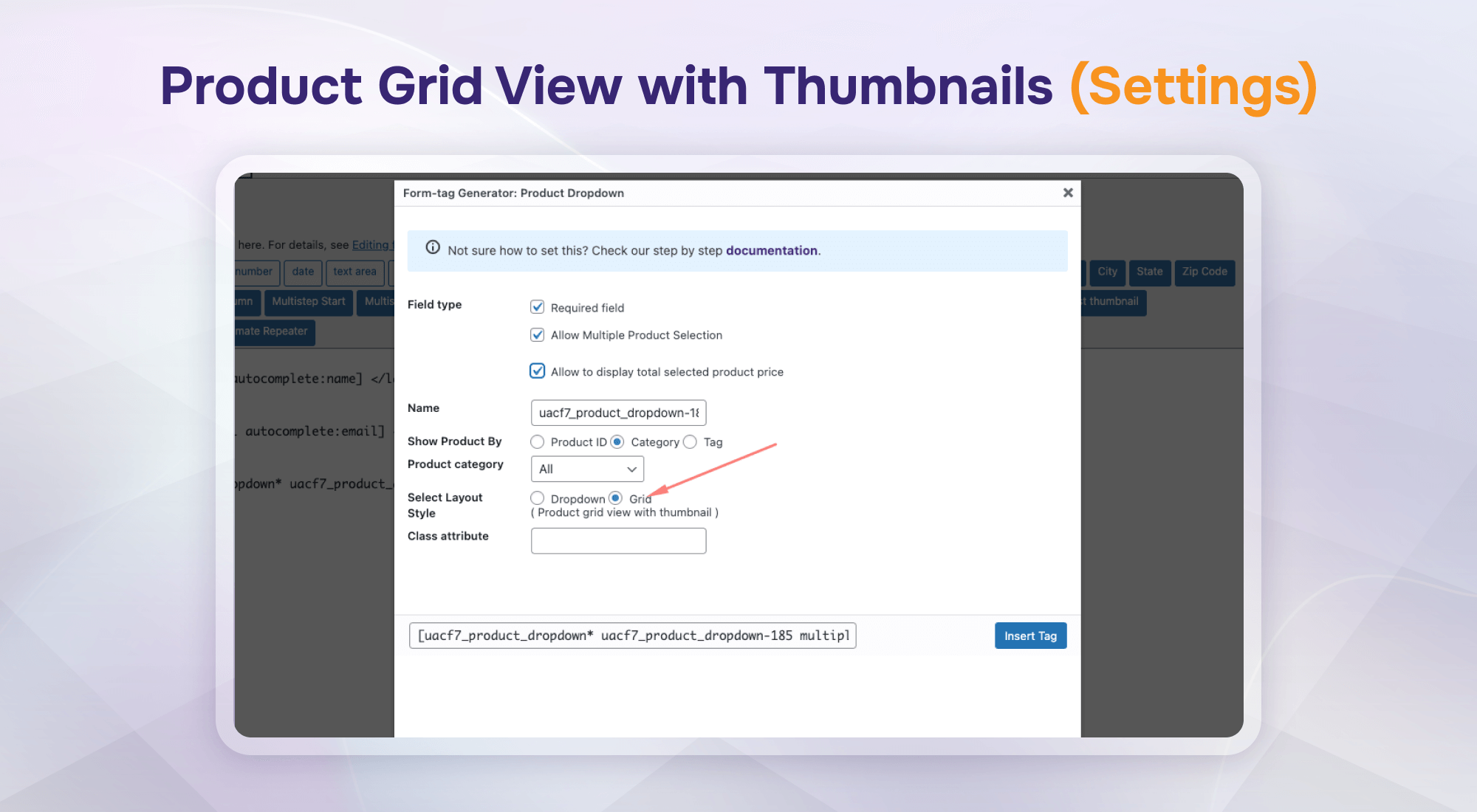
Product Grid View with Thumbnails (Settings)
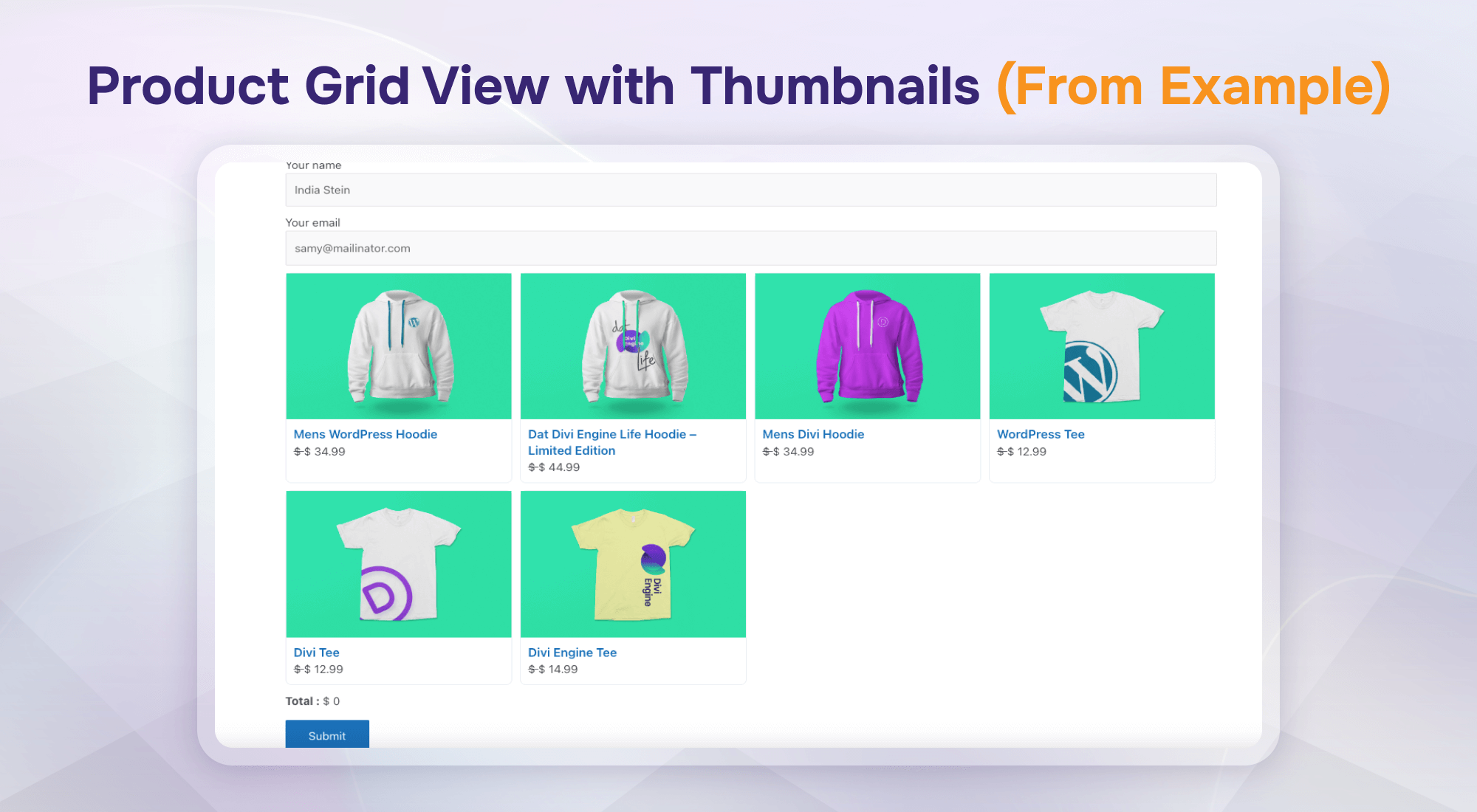
Product Grid View with Thumbnails (Form Example)
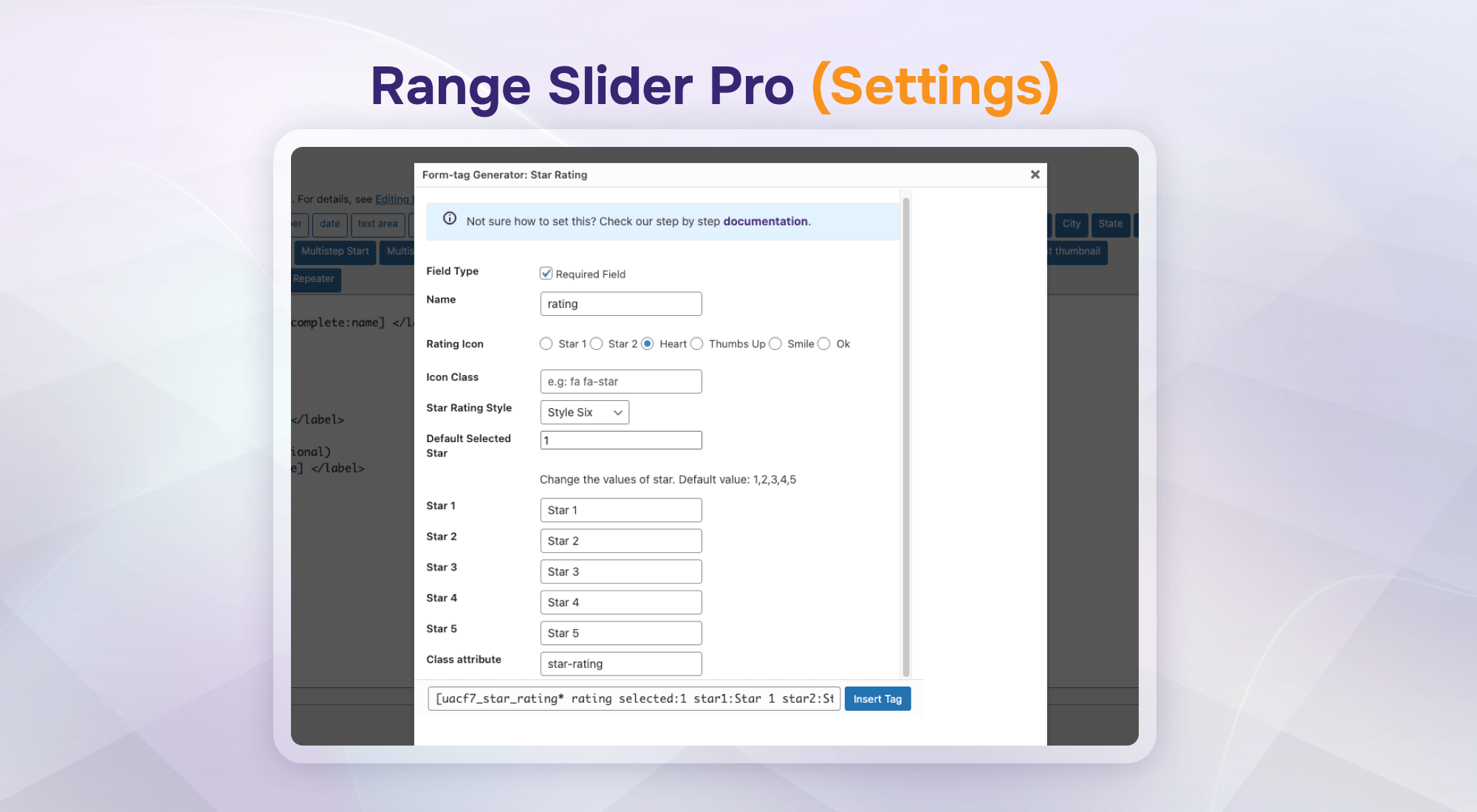
Range Slider Pro (Settings)
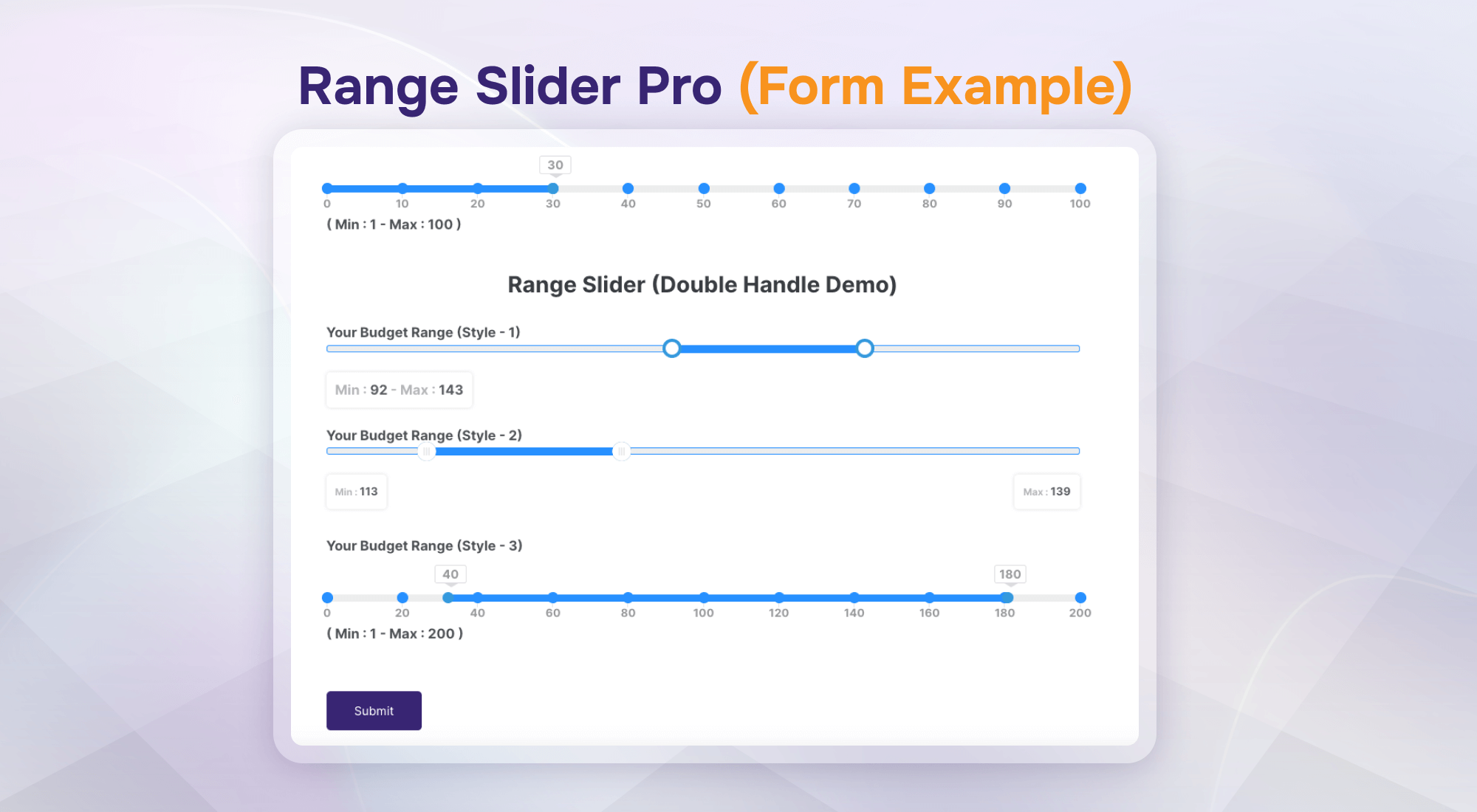
Range Slider Pro (Form Example)
Faq
Enable the Multi-Step Form addon to break long forms into sequential steps with progress indicators. Watch Video | Live Demo
Use the Conditional Field addon to dynamically show or hide fields and groups based on user selections. Live Demo
Enable the Redirection addon to send users to a thank you page, external link, or set conditional redirects based on inputs. Watch Video | Live Demo
Use the Columns / Grid Layout addon to arrange fields in responsive 2, 3, or custom-width column layouts without custom CSS.
The Database addon automatically stores all form inquiries inside your WordPress dashboard and lets you export entries as CSV. Live Demo
Enable the Country Dropdown addon to display country lists with flags, auto-detect country codes, and autocomplete address fields. Live Demo
Connect Contact Form 7 to Mailchimp API to auto-subscribe leads, or connect Telegram to receive instant form alerts in your channel. Mailchimp Demo | Telegram Demo
Simply activate the Repeater, Star Rating, or Range Slider addons from the plugin settings panel to add interactive input fields.
You can report security issues through the Patchstack Vulnerability Disclosure Program.
You can report security bugs through the Patchstack Vulnerability Disclosure Program. The Patchstack team helps validate, triage, and handle any security vulnerabilities. Report a security vulnerability.
Reviews
Great plugin and helpful support
By 
Plugin works great for redirection, conditional logic, country dropdown, etc. When there was an issue, the support team was lightning fast in fixing the bug and was easy to get in contact with.
Redirection works is well
By 
I use Redirection (External / Thank You Page) It saves time, adds modern styling options, and makes customization far easier without bloating the site.
Comprehensive plugin
By 
The plugun is excellent, very usefull, Thank you Team
Excellent
By 
Very nice. Thank You.
Works as it should
By 
nice addons
Very complete
By 
Complete, very easy to use and easy to set up according to your real needs. You can fine-tune the settings precisely. I recommend without hesitation.
Love it so far!
By 
Very easy and straight forward plugin with endless possibilities. Had a small issue (my own mistake), which was solved by support within 12 hours!
Perfect
By 
Work as expected. Very nice. Thank You.
Superbra plugin
By 
enkelt formulär till kontakt 7
nice
By 
Very nice! Works great. Easy to use!
Changelog
3.5.55 – 11/10/2026
- Fixed: Issues reported by Wordfence have been resolved.
- Improved: Enhanced overall plugin security.
3.5.54 – 07/10/2026
- Compatibility: Compatible with Contact Form 7 (v6.2)
- Stability: Improved overall system stability.
3.5.53 – 04/10/2026
- Improved: Renamed the Settings menu for better clarity.
- Fixed: Style Addon escaping issue has been resolved.
- Fixed: HTML escaping issue in the Text Editor when saving.
3.5.52 – 23/09/2026
- Improved: Vulnerability and overall system stability.
Old Changelog can be found here.
1.0.0 – 04/02/2021
- Initial stable release