Ultimate Watermark – Advanced Image Watermarking

Ultimate Watermark – Advanced Image Watermarking
Description
Ultimate Watermark is the most comprehensive WordPress image watermarking plugin available. This professional-grade solution automatically adds watermarks to images as they are uploaded to your WordPress media library, protecting your valuable content from unauthorized use.
🔒 Protect Your Images with Professional Watermarking
Built with both GD and ImageMagick support, Ultimate Watermark offers enterprise-level watermarking capabilities with extensive customization options. Whether you’re a photographer protecting your portfolio, an e-commerce store branding product images, or a content creator safeguarding your work, this plugin provides the tools you need.
🎯 Perfect for:
* Professional photographers and studios
* E-commerce websites and online stores
* Content creators and bloggers
* Corporate websites and portfolios
* Digital artists and designers
* Media companies and publishers
🎯 Key Features & Benefits
🖼️ Advanced Image Watermarking System
* Automatic Watermark Application – Watermarks are applied instantly when images are uploaded
* Bulk Watermark Operations – Process existing images in your media library with bulk actions
* Frontend Watermarking – Support for user-uploaded images on the frontend
* Multi-Size Targeting – Watermark specific image sizes (thumbnail, medium, large, custom)
* Custom Post Type Support – Apply watermarks only to specific post types
⚙️ Professional Configuration Options
* Watermark Image Management – Upload and manage multiple watermark images
* Flexible Size Control – Choose from Original size, Custom dimensions, or Scaled percentage (1-100%)
* Transparency Control – Adjust opacity from 0% (invisible) to 100% (fully visible)
* Quality Optimization – Configure output image quality (1-100%) for optimal file sizes
* Format Selection – Choose between Baseline or Progressive JPEG for better compatibility
📍 Precise Watermark Positioning
* 9-Position Grid System – Top/Middle/Bottom × Left/Center/Right alignment options
* Advanced Offset Controls – X and Y positioning with pixel or percentage units
* Professional Results – Pixel-perfect positioning for brand consistency
🛡️ Comprehensive Image Protection
* Right-Click Disable – Prevent image downloading through right-click
* Drag & Drop Prevention – Stop users from dragging images to their desktop
* User-Level Protection – Optional protection settings for logged-in users
* Enhanced Security – Multiple layers of image protection
💾 Smart Backup & Recovery System
* Automatic Backup Creation – Original images are safely backed up before watermarking
* Configurable Backup Quality – Set backup image quality to balance file size and preservation
* Safe Watermark Removal – Restore original images by removing watermarks
* Data Integrity – Maintain image quality and metadata throughout the process
🔧 Technical Excellence & Performance
* Dual Library Support – Works with both GD and ImageMagick for maximum compatibility
* Metadata Preservation – Maintains EXIF and IPTC data for professional workflows
* Memory Optimization – Efficient processing for large image libraries
* WordPress 6.4 Ready – Fully compatible with the latest WordPress version
* GPLv3 License – Open source with WordPress compatibility
🚀 Quick Setup
- Install & Activate the plugin
- Upload Watermark Image in Watermark Image settings
- Enable Automatic Watermarking in General Settings
- Select Target Image Sizes (avoid full size unless necessary)
- Configure Position & Settings as needed
📋 Detailed Features
General Settings
* Toggle automatic watermarking for new uploads
* Enable manual watermarking for media library
* Select specific image sizes for watermarking
* Target custom post types
* Enable frontend watermarking
Watermark Image Settings
* Upload and manage watermark images
* Size control: Original, Custom (X/Y pixels), or Scaled (1-100%)
* Transparency adjustment (0-100%)
* Output quality control (1-100%)
* Image format selection (Baseline/Progressive)
Position Settings
* 9-position alignment grid
* X and Y offset values
* Offset units (pixels or percentages)
* Precise positioning control
Protection & Backup
* Right-click disable option
* Drag and drop prevention
* Logged-in user protection toggle
* Automatic backup creation
* Backup quality settings
🎨 Use Cases
- Photography Websites: Protect professional images
- E-commerce: Brand product images
- Portfolio Sites: Add copyright protection
- Blogs: Prevent image theft
- Corporate Sites: Maintain brand consistency
🔧 Technical Requirements
- WordPress 5.0 or higher
- PHP GD extension OR ImageMagick
- Sufficient server memory for image processing
- Write permissions for upload directory
Installation
- Upload the
ultimate-watermarkfolder to the/wp-content/plugins/directory - Activate the plugin through the ‘Plugins’ menu in WordPress
- Navigate to ‘Watermark’ in your admin menu
- Configure your watermark settings
- Upload a watermark image and start protecting your images
Screenshots
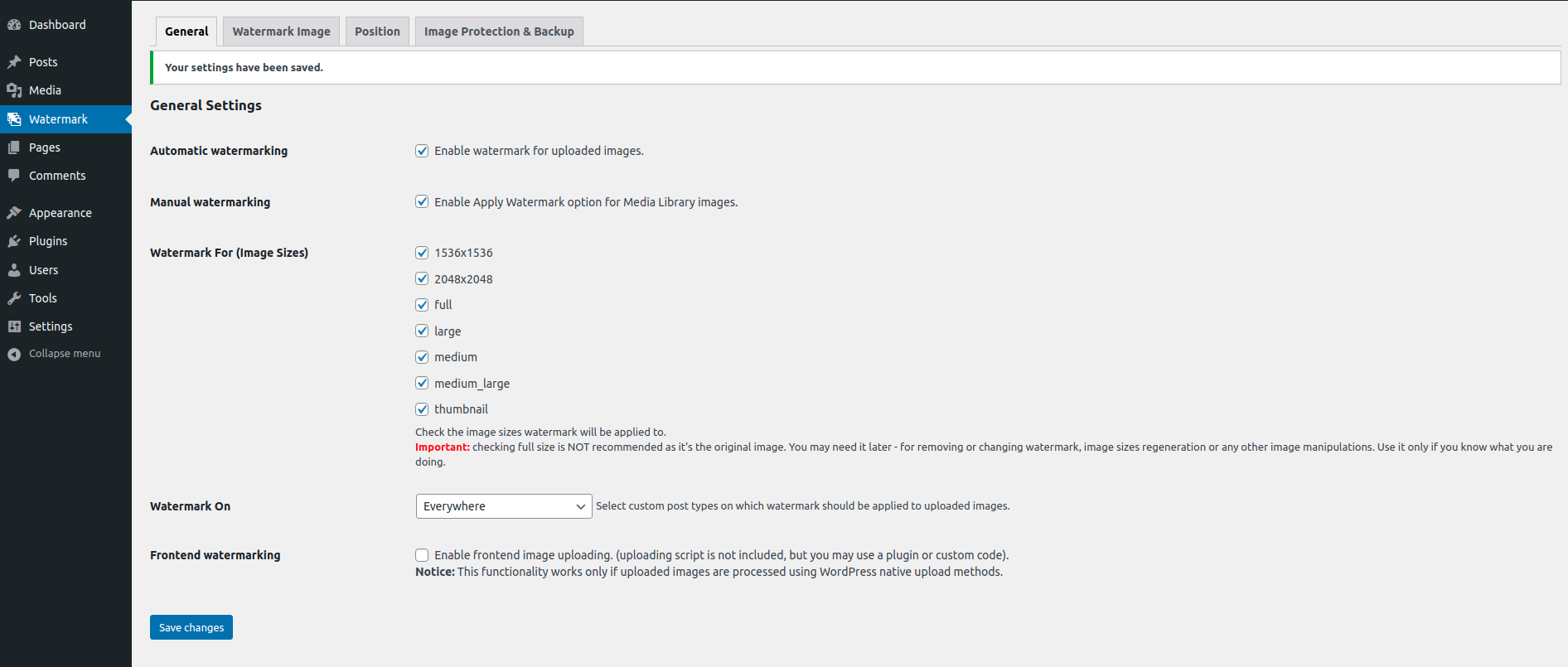
General Settings - Configure automatic and manual watermarking
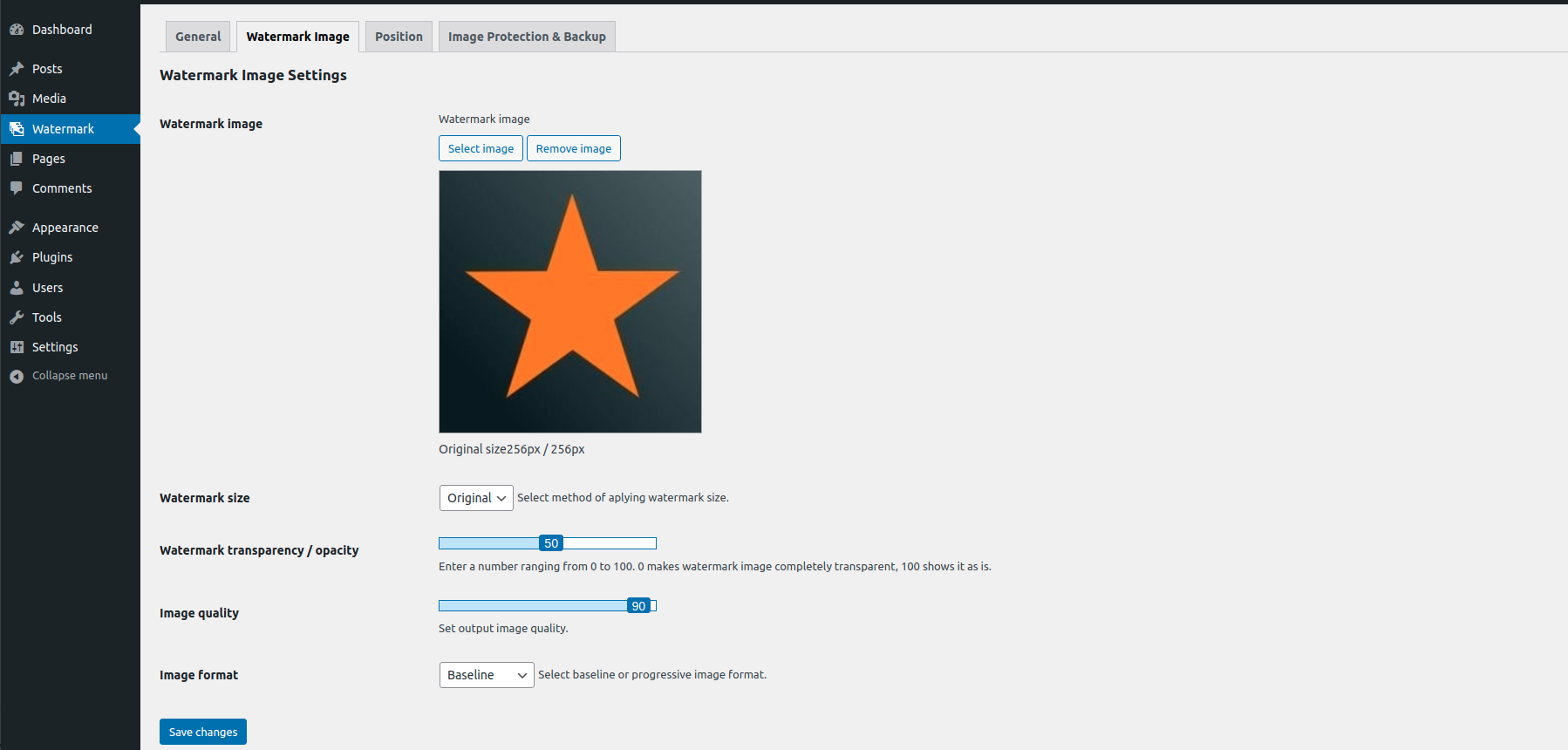
Watermark Image Settings - Upload and configure watermark appearance
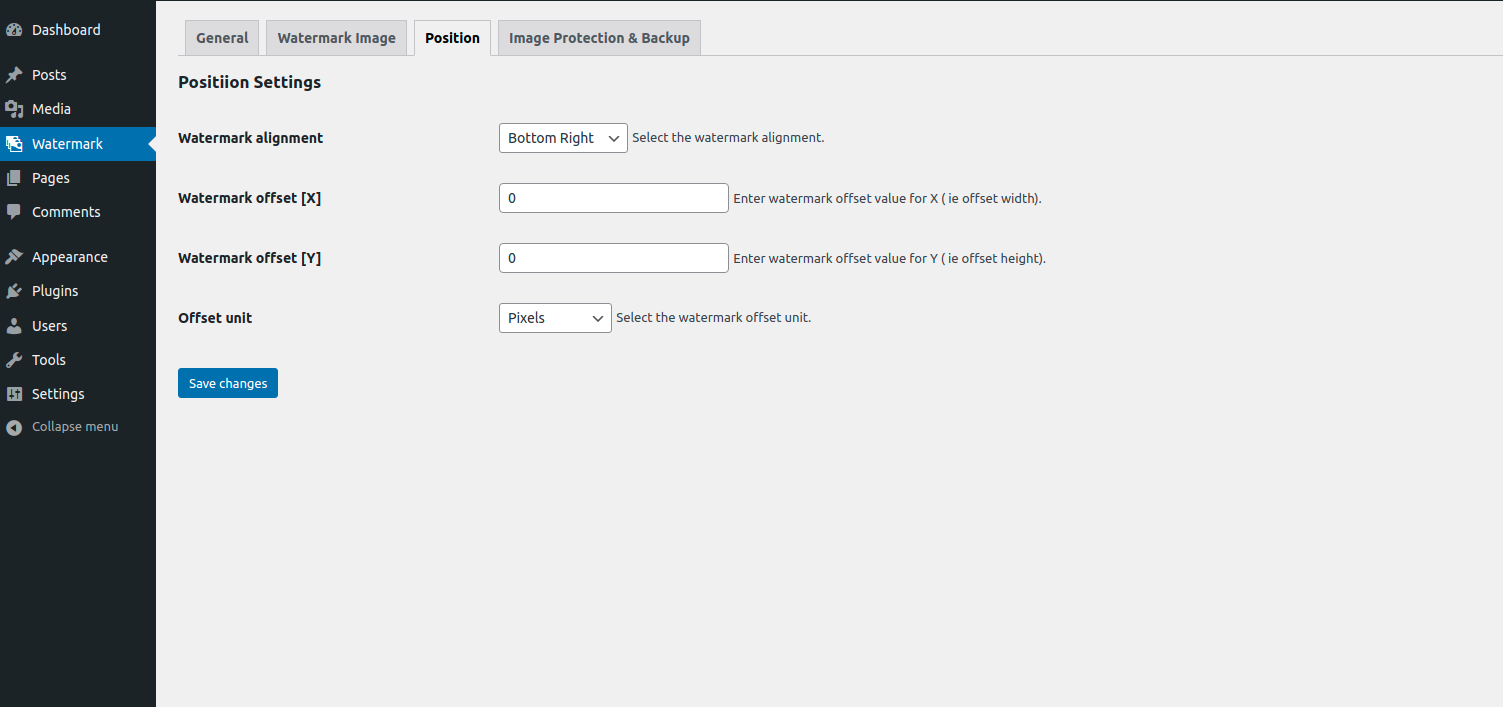
Position Settings - Precise watermark positioning controls
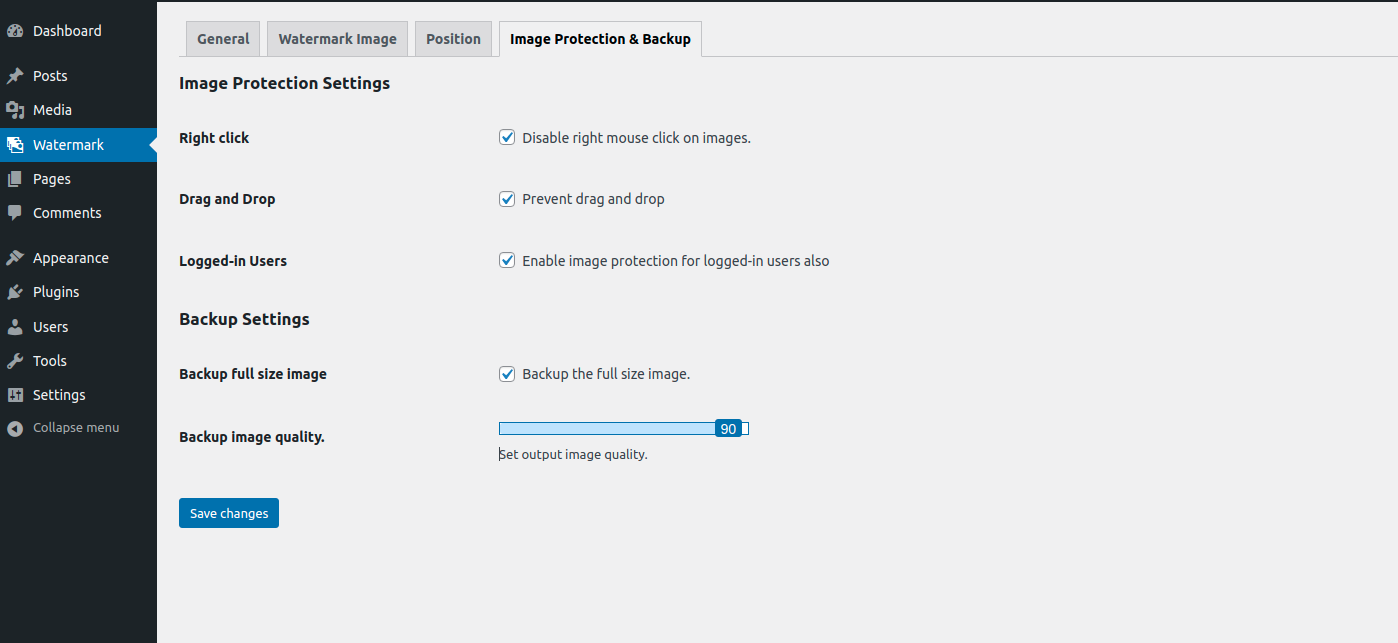
Image Protection & Backup - Security and backup options

Media Library Integration - Bulk watermark operations
Faq
Complete Setup Guide:
1. Install and Activate the plugin through WordPress admin
2. Navigate to Watermark Settings General Settings
3. Enable Automatic Watermarking for new image uploads
4. Enable Manual Watermarking for existing images in media library
5. Select Target Image Sizes (recommended: avoid full size unless backups are enabled)
6. Upload Watermark Image in Watermark Image settings
7. Configure Position & Settings for optimal results
Pro Tips:
* Always enable backups before watermarking full-size images
* Test with sample images before processing your entire library
* Use PNG watermarks with transparency for professional results
* Start with smaller image sizes to test your configuration
Yes! Ultimate Watermark provides powerful bulk watermarking capabilities:
* Enable “Manual Watermarking” in General Settings
* Use bulk actions in your Media Library
* Select multiple images and apply watermarks
* Process entire image libraries efficiently
Safe Watermark Removal Process:
* Ensure backup is enabled in Protection & Backup settings
* Use bulk actions in Media Library
* Select “Remove Watermark” action
* Plugin automatically restores original images from backup
* Maintains image quality and metadata
Supported Formats:
* Source Images: JPEG, PNG, GIF (all major formats)
* Watermark Images: PNG (recommended for transparency), JPEG
* Output Formats: Baseline or Progressive JPEG
* Quality Control: 1-100% configurable quality settings
Advanced Post Type Control:
* Select “Selected Custom Post Types” in General Settings
* Choose specific post types for watermarking
* Apply different watermark strategies per content type
* Perfect for e-commerce, portfolios, and multi-purpose sites
Full Compatibility:
* WordPress: 5.0+ (tested up to 6.4)
* PHP: 7.4+ recommended
* WooCommerce: 3.0+ compatible
* Multisite: Fully supported
* Mobile: Responsive admin interface
Technical Requirements:
* WordPress 5.0 or higher
* PHP GD extension OR ImageMagick
* Sufficient server memory for image processing
* Write permissions for upload directory
* Recommended: 256MB+ PHP memory limit
Multi-Layer Protection:
* Right-Click Disable – Prevents image downloading
* Drag & Drop Prevention – Stops desktop saving
* User-Level Controls – Optional protection for logged-in users
* Professional Watermarking – Visible copyright protection
* Metadata Preservation – Maintains image information
Complete Solution:
* This is the full-featured version with all capabilities
* GPLv3 licensed for WordPress compatibility
* No premium features or limitations
* Free for commercial and personal use
* Regular updates and improvements included
Reviews
Works great
By 
Everything is simple and nothing superfluous, just performs the proper functions
quality less
By 
I have tested all other watermark plugins. They are all the same and have a serious problem!
They use WordPress image compressor to watermark the original image.
In case they only need to watermark, not compress!
That is when WordPress does not compress the original image!
Especially the original image does not need to be compressed for watermarking.
Compressing only destroys the quality and increases the size of the images!
Anyway, can you give me a solution so that ultimate watermark doesn't do any compression? And just watermark?
Does not work with webp
By 
Useless for webp-files.
Automatic watermark on upload doesn't work
By 
Automatic watermark on upload doesn't work
It works excellent !
By 
Really thank you very much, it works without problems
it does't work
By 
It does' no't work. Waste of Time
Plugin does shit
By 
Does not work, support is as useless as the plugin itself.
Powerful great plugin!
By 
For the most part it meet our requirements, easy to use and powerful
5 Stars, But Please Update the Error Messages.
By 
透かしを失敗することがほぼ無い。PNGでも問題無し
By 
Changelog
1.1.1- 2025/10/06
- Fixed – capability check issue fixed
- Fixed – PHP Deprication warning fixed
1.1 – 2025/07/23
- Fixed – WordPress 6.9 compatibility verified
- Enhanced – Improved setting page design
1.0.11 – 2023/11/25
- Fixed – WordPress 6.4 compatibility verified
- Enhanced – Improved performance and stability
1.0.10 – 2023/02/04
- Fixed – Frontend watermark issue resolved
- Fixed – Watermark offset Y not working issue
- Added – Negative offset option for flexible positioning
1.0.9 – 2022/12/13
- Fixed – WordPress 6.1 compatibility issues
- Fixed – User-reported issues resolved
1.0.7 – 2022/04/07
- Fixed – Class not found issues resolved
- Enhanced – Code structure improvements
1.0.5 – 2022/02/01
- Updated – Complete code restructuring
- Fixed – Version compatibility issues
- Fixed – Remove watermark display issues
1.0.3 – 2020/04/04
- Fixed – Version compatibility verified
1.0.2 – 2019/04/14
- Fixed – Minor issues resolved
1.0.1 – 2019/02/19
- Fixed – Sanitization issues
- Fixed – Backup directory issues
1.0.0 – 2019/02/16
- Initial release with core watermarking features