Ultimate Member Custom Tab Builder Lite

Ultimate Member Custom Tab Builder Lite
Description
Use the Ultimate Member custom tab builder to add unlimited tabs with icons and slug. Add custom content or shortcodes to Ultimate Member profiles with just a few clicks.
Features
- Show tabs based on roles
- Change icons, slug and name from admin
- Language Localization ready
- Add Shortcodes – Add shortcodes to profiles and change attributes with short tags.
- Add custom content – Add iframes, text, images, shortcodes to profiles.
Pro Features
- Show tabs based on roles
- Change icons, slug and name from admin
- Language Localization ready
- Add Shortcodes – Add shortcodes to profiles and change attributes with short tags.
- Add custom content – Add iframes, text, images, shortcodes to profiles.
- Add Profile Form – Create multiple profile forms
-
Contact Form 7 Integration – Add Contact Form Shortcode to profiles and have emails sent to profile owner
-
Get UM Custom Tab Builder – Same as lite but with a few extras.
-
Ultimate Member Plugin Bundle – A bundle of all our plugins including UM Custom Tab Builder.
Installation
- Upload the plugin files to the
/wp-content/plugins/um-custom-tab-builder-litedirectory, or install the plugin through the WordPress plugins screen directly. - Activate the plugin through the ‘Plugins’ screen in WordPress
- Use the Events->Settings screen to configure the plugin
Screenshots
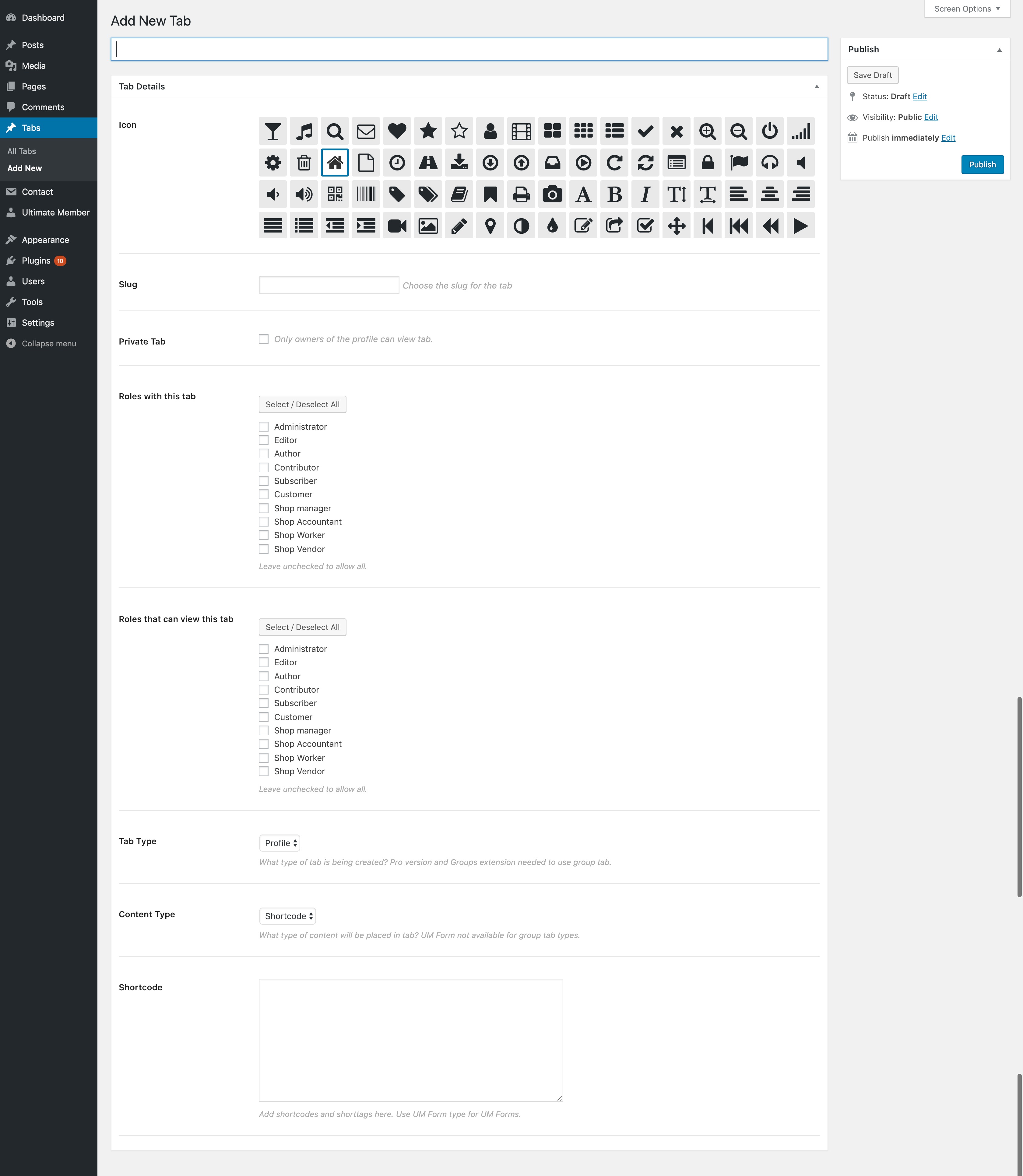
Form
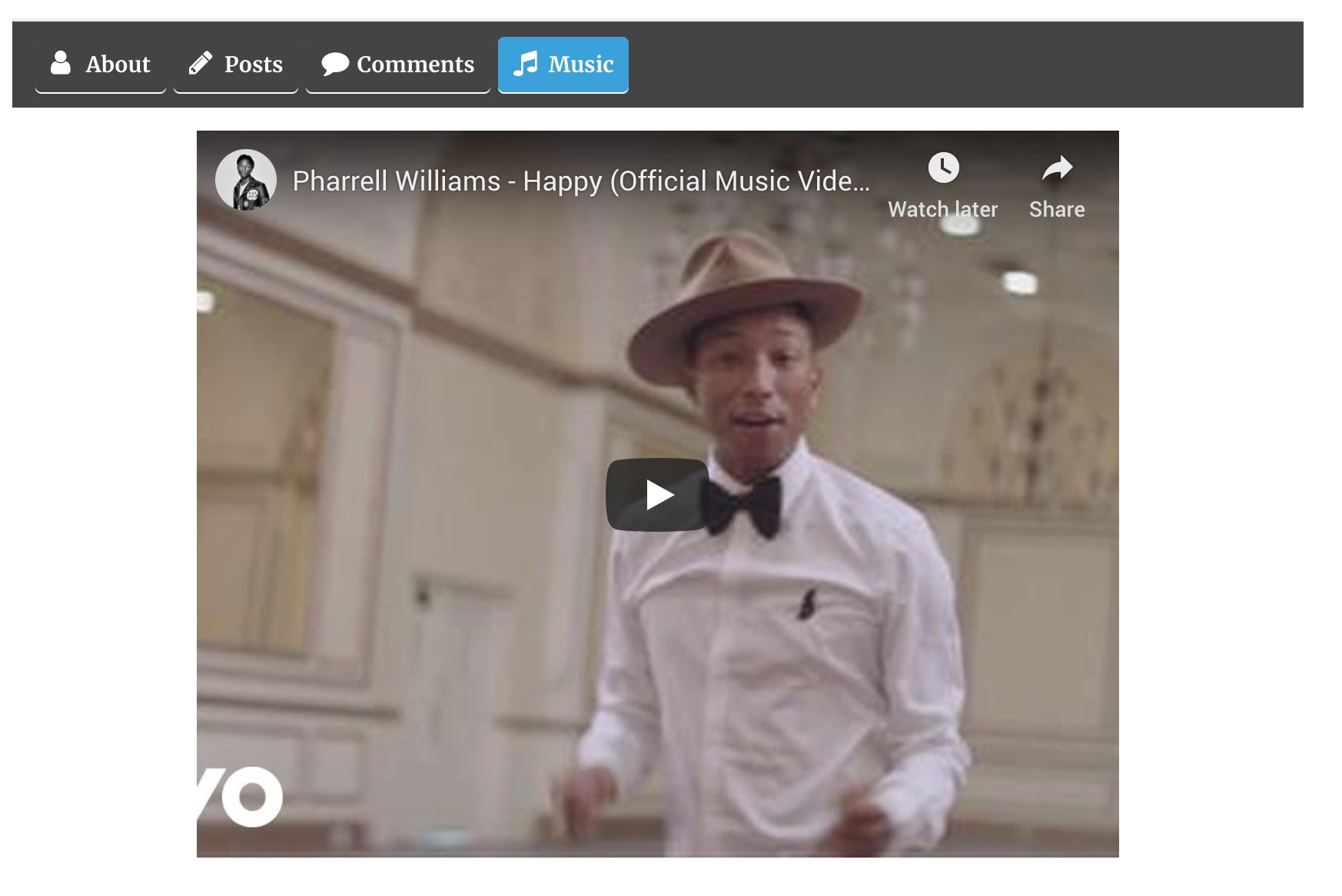
Tab example
Faq
This plugin requires Ultimate Member
Yes, it is free. This plugin is a stable plugin that will allow you to create unlimited tabs with no restrictions.
The paid version UM Custom Tab Builder has the ability to add profile forms by simply selecting the form. The paid version also integrates with Contact Form 7 to create a contact form on any Ultimate Member profile.
No, it does not. Only the paid version has the ability to add custom tabs to groups.
Yes, it was built to work with Ultimate Member version 2+
The files can be placed in wp-content/languages/plugins/ with the file name um-custom-tab-builder-lite-en_US.mo.
Reviews
Not working
By 
Hay que permitir la casilla desde el panel de ajustes de UM
By 
When activate, it reminds me something might be wrong. Sad to see this.
By 
Usefull =)
By 
No longer works
By 
simple but useful
By 
So far so good!
By 
Changelog
1.0.5
- Maintenance: Tested Compatibility with WordPress 6.6.1
- Maintenance: Cleaned up code
1.0.4.2
- Maintenance: Tested Compatibility with WordPress 6.4.2
- Maintenance: Cleaned up code
1.0.4.1
- Removed code not needed for plugin
1.0.4
- Maintenance: Tested Ultimate Member 2.5.4 and WordPress 6.1.1
- Fixed: Translations not available for all text
1.0.3
- Maintenance: Updated internal libraries
- Maintenance: Tested with Ultimate Member version
- Fixed: Tabs not displaying immediately
1.0.1
Tested
* Tested Ultimate Member version 2.1.6 and WordPress 5.4.2
Fixed
* Tabs not showing in Ultimate Member tab Settings
1.0.1
Notes
* Tested with WordPress 5.4.1 and Ultimate Member 2.1.5
* Investigated issue with “headers already sent”, no issue found.
Fixed
* Some strings not translating
1.0.0
- Plugin released into the wild