Unique Submissions for Elementor Forms

Unique Submissions for Elementor Forms
Description
The Elementor Unique Submissions Plugin ensures that users cannot submit duplicate form entries in Elementor Forms. This plugin allows you to specify which fields to check for uniqueness, providing a flexible and efficient way to manage submissions.
Features
- Enable or disable uniqueness per form
- Select specific fields to check for duplicate submissions
- Prevent duplicate form entries while ensuring smooth user experience
- Compatible with WordPress 5.0+ and Elementor Pro
Usage
- Open any Elementor form in the Elementor editor
- In the form settings, navigate to the “Unique Submissions” section
- Toggle the “Enable Unique Submissions” option to “Yes”
- Select the fields you want to use for uniqueness checks
- Save the form and publish it
How it works
- When a form is submitted, the plugin checks the specified fields for duplicate values
- If a duplicate is found, the submission is rejected with an error message
Installation
- Upload the plugin files to the
/wp-content/plugins/unique-submissions-for-elementor-formsdirectory, or install the plugin through the WordPress plugins screen directly - Activate the plugin through the ‘Plugins’ screen in WordPress
- Use the Settings->Unique Submissions screen to configure the plugin
Screenshots
Unique Submissions settings in Elementor form widget

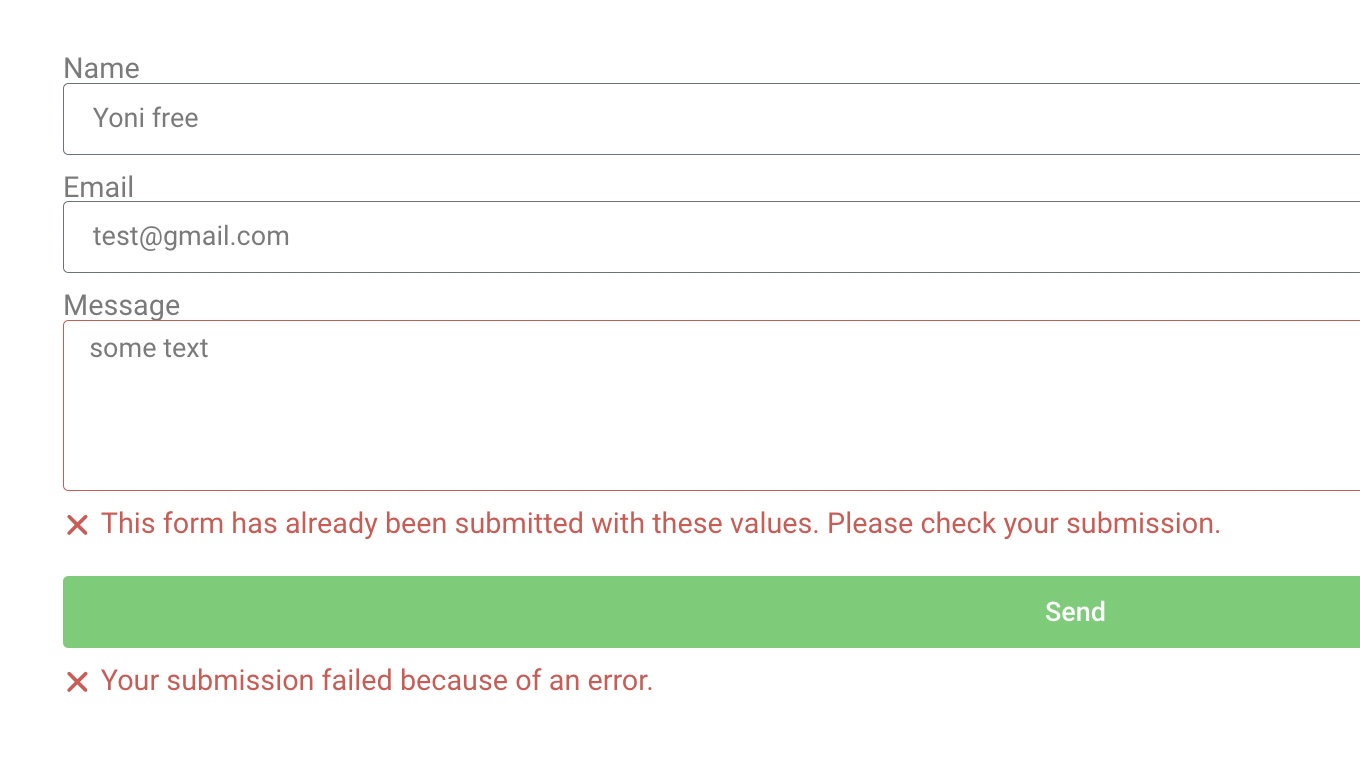
Error message when duplicate submission is detected
Faq
Yes, this plugin requires Elementor Pro since it depends on the Elementor Forms widget.
Yes, you can enable and configure unique submissions for each form individually.
If no fields are selected, the plugin will not perform any uniqueness checks for that form.
Yes, the plugin is GDPR compliant, and it doesn’t store any personal data, only hashed values for each submission.
Reviews
Veri nice but could be better.
By 
If there is this update here, it will deserve 5 stars.
Imagine the following scenario: 2 forms on the page. 1 is the newsletter at the footer of the page, where the user could put Name and E-mail. when submit, the form collects the submission. OK until there. Imagine a person enters on the site and uses this newsletter form. The plug-in will validate properly. Showing the message to the user: "This email is already in use" if so… Well. this is the current function of the plug-in.
But…
Imagine if I need to use it on contact form. So the SAME PERSON will need to use contact form in the future. And I have a checkbox field, where it says: "I'd like to receive updates, discounts, and information, promotions..." (or something like that). So the Idea is if this is ticked, the CONTACT form will collect submission, if not checked, it won't. But what if I also use this plug-in, to check if it's e-mail is unique (in order to "protect" submissions not to be duplicated? It will not let the user TO SEND THE FORM! Because as the e-mail had been already collected once in the past (on newsletter form), it will block the form to be sent...in this case, it shouldn't. The suggestion is to create an option where user choses between NOT SHOW any message to user, and DON'T COLLECT THE DUPLICATED SUBMISSION (in this case) but it MUST let the form to be sent (because it's a CONTACT FORM), not returning any error to the user, understand?
This will be a great function for this plug-in.
Thank you
Changelog
1.0.0
- Initial release
- Added support for field-based uniqueness checks
- Added form-specific settings
- Implemented duplicate submission prevention