Update Compass
Update Compass
Description
Update Compass is a decision-first WordPress admin plugin that helps you evaluate plugin and theme updates before installing them.
Instead of only showing that an update is available, Update Compass adds a local analysis layer and recommends what to do next based on version changes, compatibility metadata, changelog signals, and release timing.
It keeps the native WordPress update workflow. Updates are still performed through standard WordPress update mechanisms.
How It Works
WordPress already detects updates. Update Compass reads that data and adds decision guidance such as:
- Update Ready
- Stage & Test
- Watch & Wait
- Hold Off
- Needs Review
Each status includes a short explanation and next-step guidance. For higher-risk updates, users can open status details for deeper analysis and reminder scheduling.
Key Features
- Pre-update risk analysis for plugins and themes
- Clear status badges with explanations and next steps
- Version jump analysis (major, minor, patch deltas)
- WordPress compatibility checks (
requires/tested) - Changelog keyword detection (best effort)
- Changelog links (WordPress.org modal/external links when available)
- Reminder dates for monitoring and re-check workflows
- Bulk update selection with caution confirmation for non-ready updates
- Local-first workflow, no external account required
Who Is This For
- WordPress developers
- Agencies maintaining multiple sites
- Site owners managing complex plugin/theme stacks
- WooCommerce or multilingual sites where update risk is higher
Decision Logic (Summary)
Update Compass uses local rules to assess update risk, including:
- Version delta analysis (major/minor/patch jumps)
- WordPress compatibility metadata checks
- Changelog keyword signals (when changelog text is available)
- Release recency and stale-project checks
- Changelog availability (flags manual review when missing)
External Services
Update Compass is local-first and does not require an account.
To improve changelog-based reasoning, it may make server-side requests to publicly available changelog/metadata endpoints when available (for example WordPress.org plugin/theme metadata and changelog pages, or vendor-provided changelog URLs exposed in WordPress update data).
This is best-effort only and used to enrich analysis. Core update detection still relies on WordPress native update transients.
Installation
- Upload the plugin files to the
/wp-content/plugins/update-compassdirectory, or install through the WordPress plugins screen. - Activate the plugin through the Plugins screen in WordPress.
- Go to Dashboard > Update Compass.
- Refresh update data and review statuses before applying updates.
Screenshots

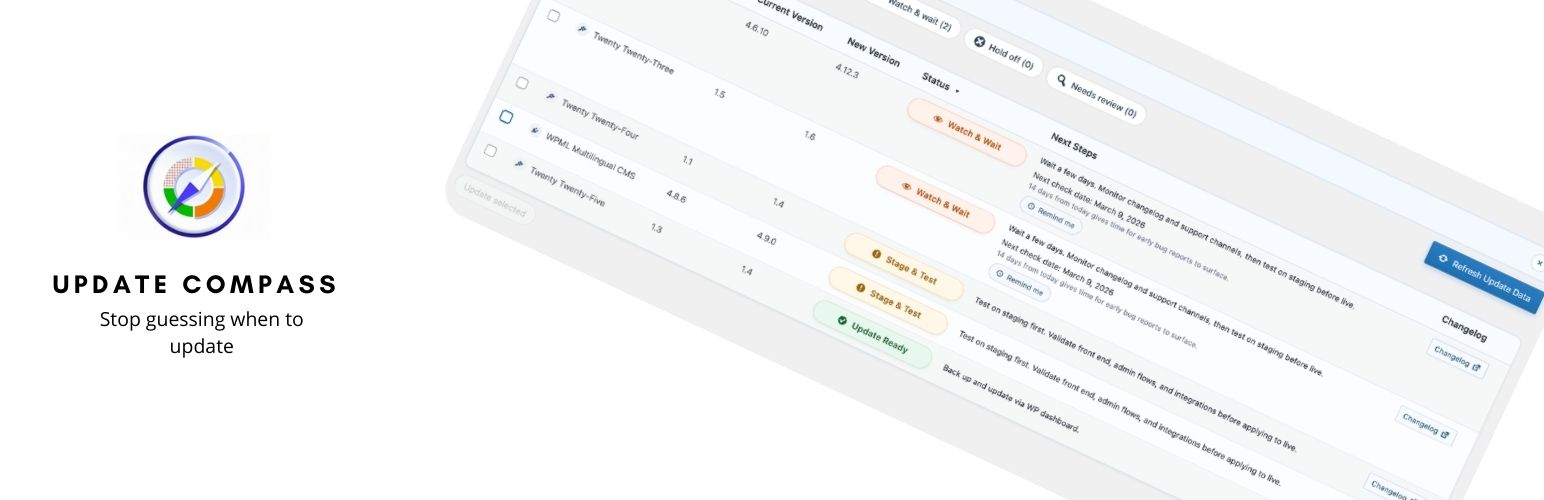
Update Compass dashboard with update status badges, filters, and next-step guidance

Status details modal with extended reasoning and monitoring checklist

Bulk update confirmation modal when non-ready updates are selected
Faq
No. Update Compass provides analysis and recommendations. Updates are still performed using standard WordPress update functionality.
No. It adds a decision layer and an admin screen for review. WordPress remains the source of truth for available updates and installation flow.
It uses native WordPress update data and may fetch public changelog metadata/pages (server-side) when available to improve reasoning.
Partially. If the updater provides changelog metadata or a usable changelog link, Update Compass can use it. Otherwise, it may classify the update as Needs Review.
Common triggers include major version changes, large minor version jumps (multiple skipped releases), compatibility warnings, or changelog signals suggesting breaking/compatibility-impacting behavior.
Yes. You can select items and use the built-in bulk update action. If selected items are not marked Update Ready, Update Compass asks for confirmation first.
Reviews
Changelog
1.0.0
- Initial public release.
- Added local-first update reader for plugins and themes.
- Added rule-based decision engine with five statuses.
- Added version delta, compatibility, changelog, and release-age checks.
- Added admin UI with filters, sorting, reminders, status details, and bulk update flow.