Update Plan Switcher

Update Plan Switcher
Description
Update Plan Switcher allows WooCommerce store owners to offer multiple update plans (such as Regular or Lifetime) with flexible pricing. Customers can select their preferred update plan directly from the product page before adding the product to the cart.
The selected update plan is carried through the shopping experience, displayed in the cart and checkout, and saved with the order for future reference.
Perfect for:
- GPL product sellers
- WordPress plugin marketplaces
- WordPress theme marketplaces
- Digital download stores
- Businesses offering multiple update plans
Key Features
- Create unlimited update plans.
- Use the product’s original price or define a custom price for each plan.
- Display the plan selector before or after the Add to Cart button.
- Restrict the switcher to selected WooCommerce product categories.
- Add custom badges such as “Recommended”, “Popular”, or “Best Value”.
- Responsive and modern frontend interface.
- Shortcode support to display the switcher anywhere.
- Order item metadata support.
- Translation ready.
- Lightweight and optimized for performance.
Everything is managed through a simple WordPress admin interface—no coding required.
Whether you sell WordPress plugins, themes, digital downloads, or GPL products, Update Plan Switcher provides an easy way to offer multiple update plans while keeping the purchasing experience simple for your customers.
Features
- Unlimited update plans.
- Regular pricing (uses the WooCommerce product price).
- Custom pricing for premium update plans.
- Category-based visibility.
- Position control (before or after Add to Cart).
- Custom badge support.
- Responsive frontend design.
- Shortcode support using
[ups_plan_switcher]. - Admin dashboard for managing plans.
- Order item metadata support.
- Developer friendly with WordPress hooks and filters.
- Translation ready.
- Lightweight and fast.
Installation
- Upload the plugin to the
/wp-content/plugins/directory or install it through the WordPress Plugin Directory. - Activate the plugin through the Plugins screen in WordPress.
- Navigate to WooCommerce Update Plan Switcher.
- Create one or more update plans.
- Configure the plugin settings.
- Open any supported WooCommerce product and your customers can immediately choose an update plan before adding the product to the cart.
Screenshots
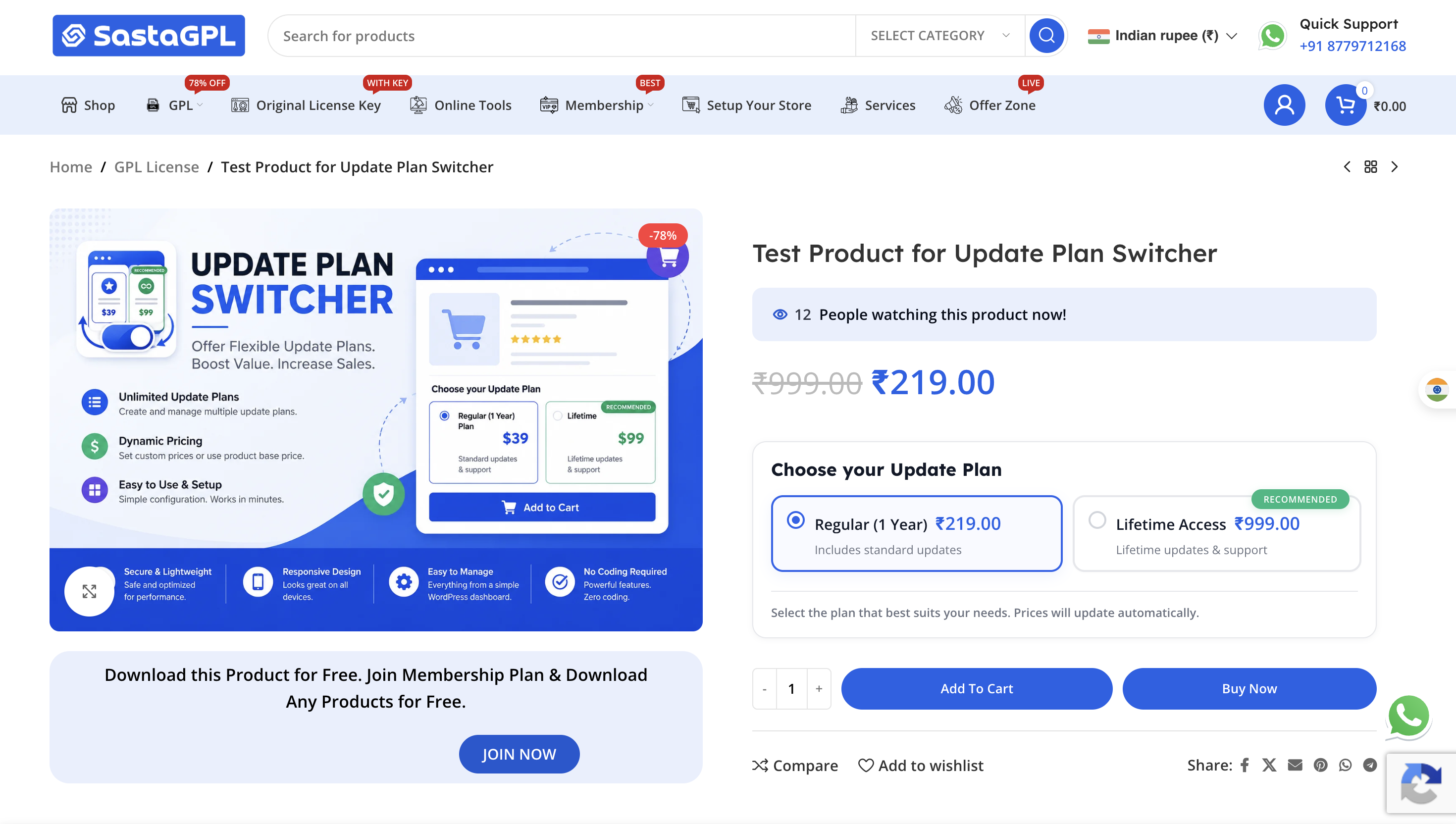
Frontend update plan selector.
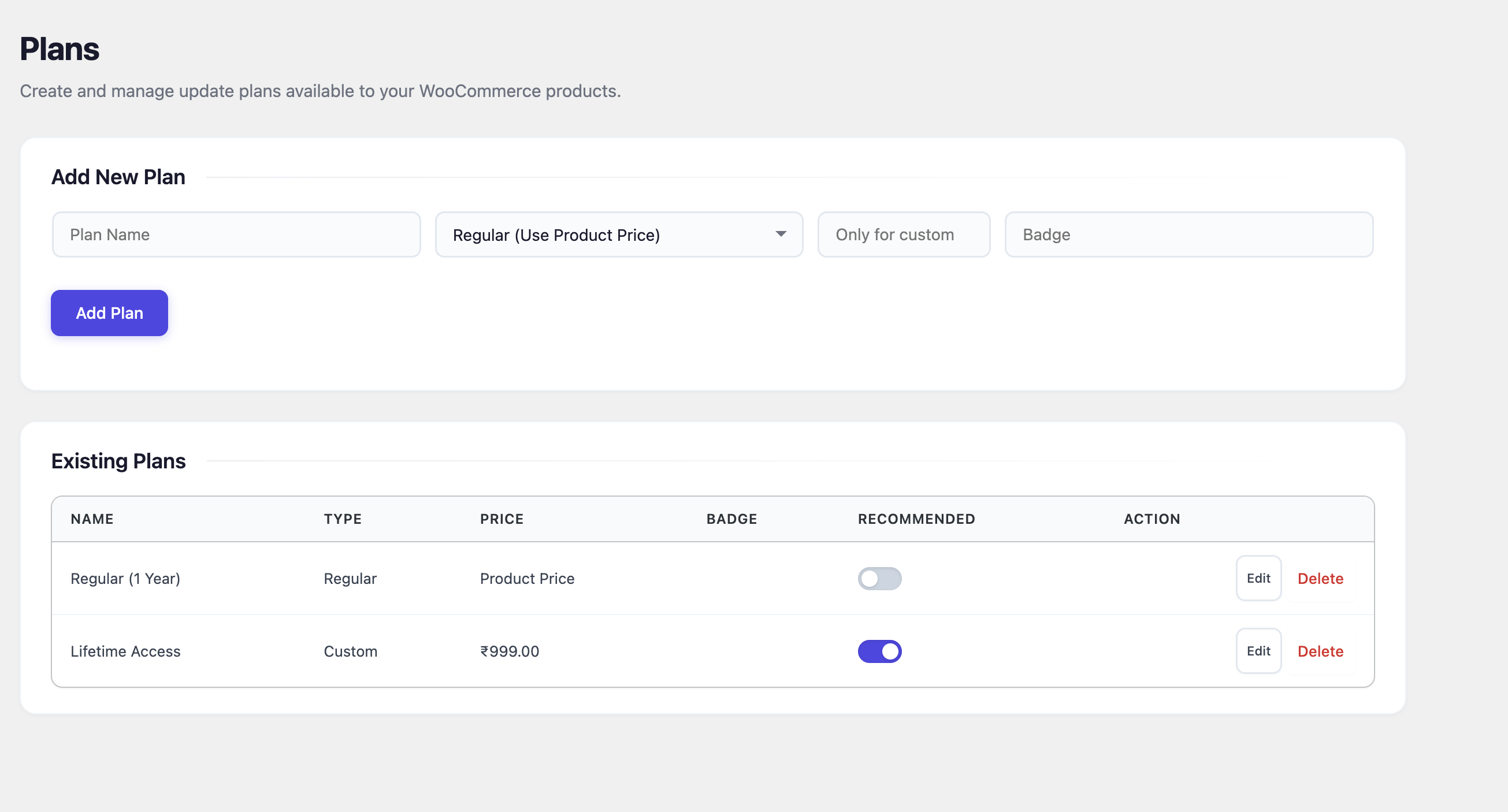
Update plan management dashboard.
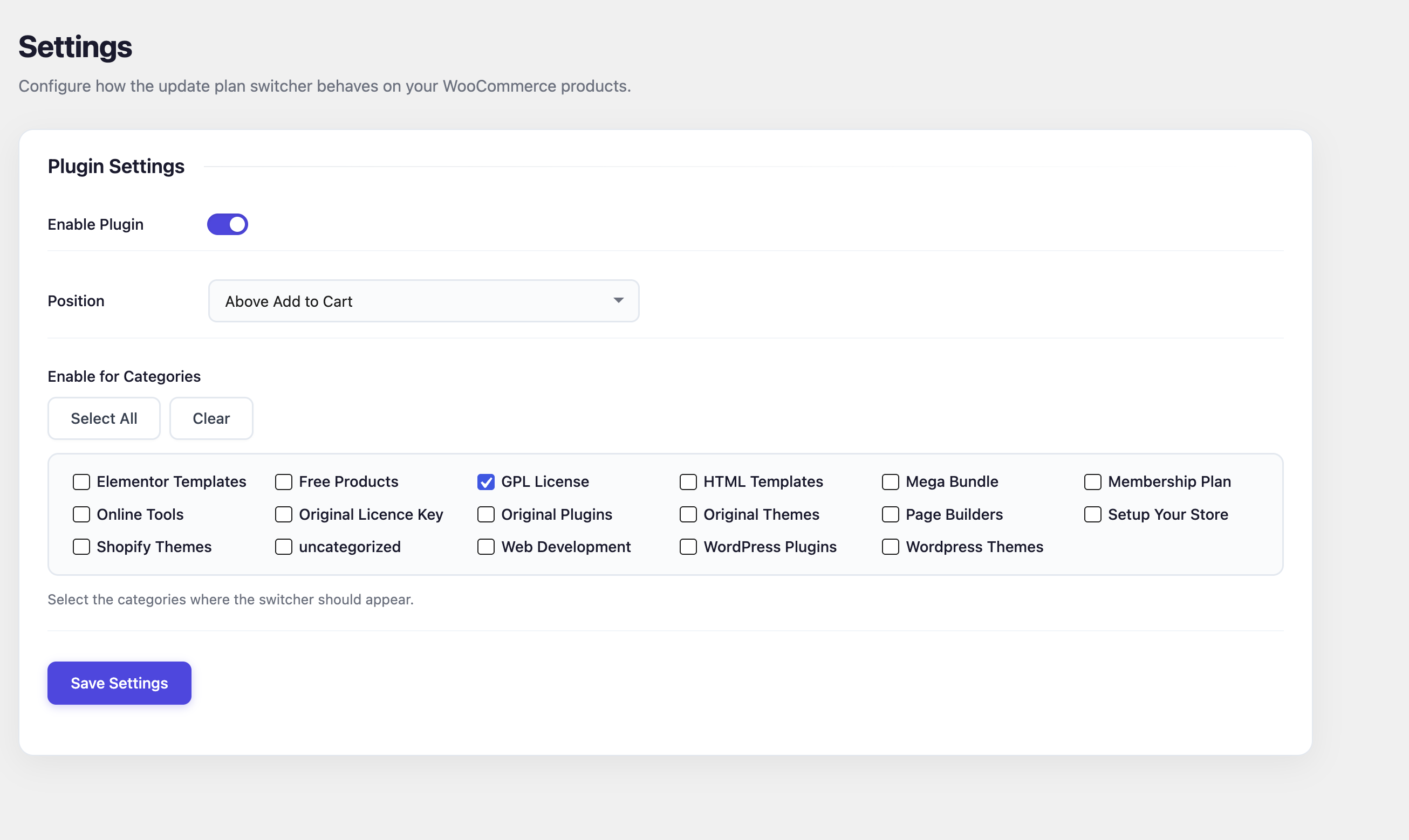
Plugin settings page.
Faq
Yes. The plugin uses standard WooCommerce hooks and is compatible with most modern WooCommerce themes.
Yes. There is no limit to the number of update plans you can create.
Yes. Simply create a Custom pricing plan and enter your lifetime price.
Yes. You can choose exactly which WooCommerce categories should display the update plan selector.
Yes. You can display it either before or after the Add to Cart button.
Yes. Each plan can have its own custom badge, such as “Recommended”, “Popular”, or “Best Value”.
Version 1.0.0 is designed for WooCommerce simple products. Support for additional product types may be added in future releases.
Yes. Selecting the Regular plan keeps the product’s existing WooCommerce price, including sale prices. Only Custom plans override the product price.
Yes. The plugin is fully translation ready and includes a POT file inside the languages directory.
Yes. The plugin includes developer hooks and filters such as:
ups_heading_textups_plan_description
No. Everything can be configured through the WordPress admin dashboard.
Reviews
Changelog
1.0.1
- Tested up to WordPress 7.1.
- No functional changes.
1.0.0
- Initial public release.
- Unlimited update plans.
- Regular and custom pricing.
- Category-based visibility.
- Position control (before or after Add to Cart).
- Custom badge support.
- Responsive frontend interface.
- Shortcode support.
- Admin management dashboard.
- Order item metadata support.
- Translation ready.
- Developer hooks and filters.
- Performance optimized.