User Access Shield
User Access Shield
Description
User Access Shield gives WordPress administrators precise control over user accounts. Instantly disable/enable access, terminate active sessions, and protect sensitive data while maintaining full compliance.
Key Features
– One-click user activation/deactivation
– Automatic session termination for disabled accounts
– Preserves user data during deactivation
– Prevents accidental admin account changes
– Lightweight design with minimal performance impact
Ideal For
– Membership or community websites
– Multi-author blogs and news platforms
– E-commerce stores managing vendors/customers
– Learning management systems (LMS)
Support
Email support: code@spiderdunia.com, info@meeratechnolabs.com
Response time: 24 hours
Installation
- Upload the
user-access-shieldfolder to/wp-content/plugins/ - Activate the plugin via Plugins > Installed Plugins
- Go to Users in your WordPress dashboard
- Toggle the status icon next to any user to manage access
For advanced configuration, see our documentation.
Screenshots
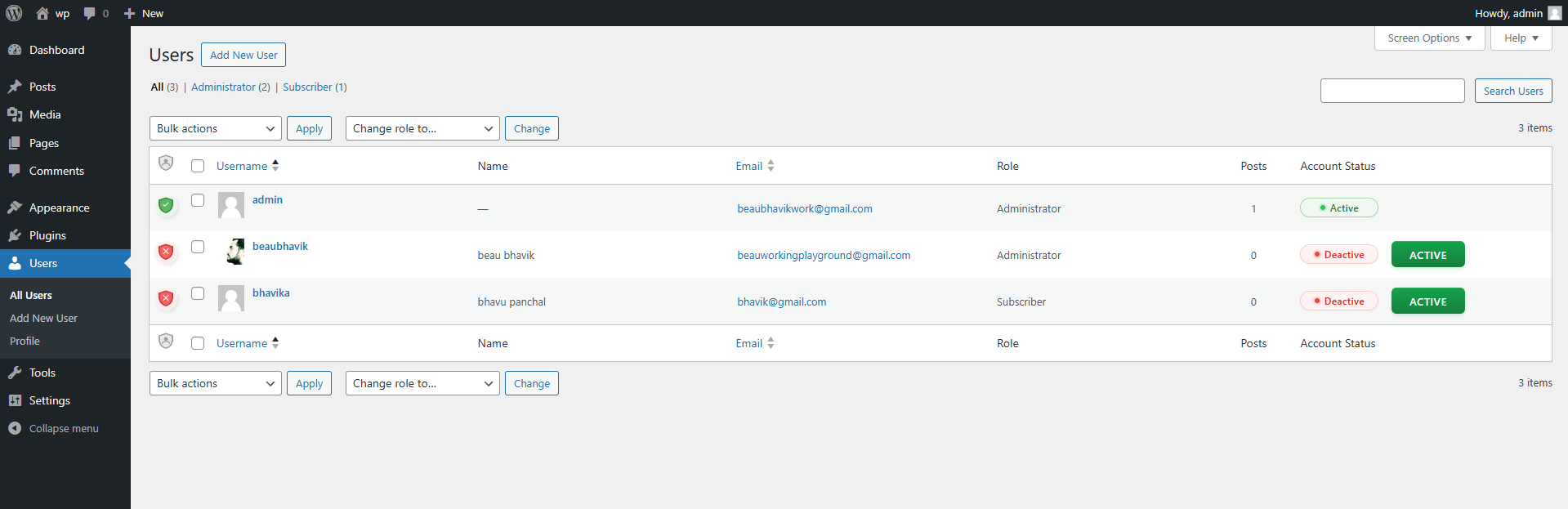
User management interface with status toggles

Login screen showing blocked account message
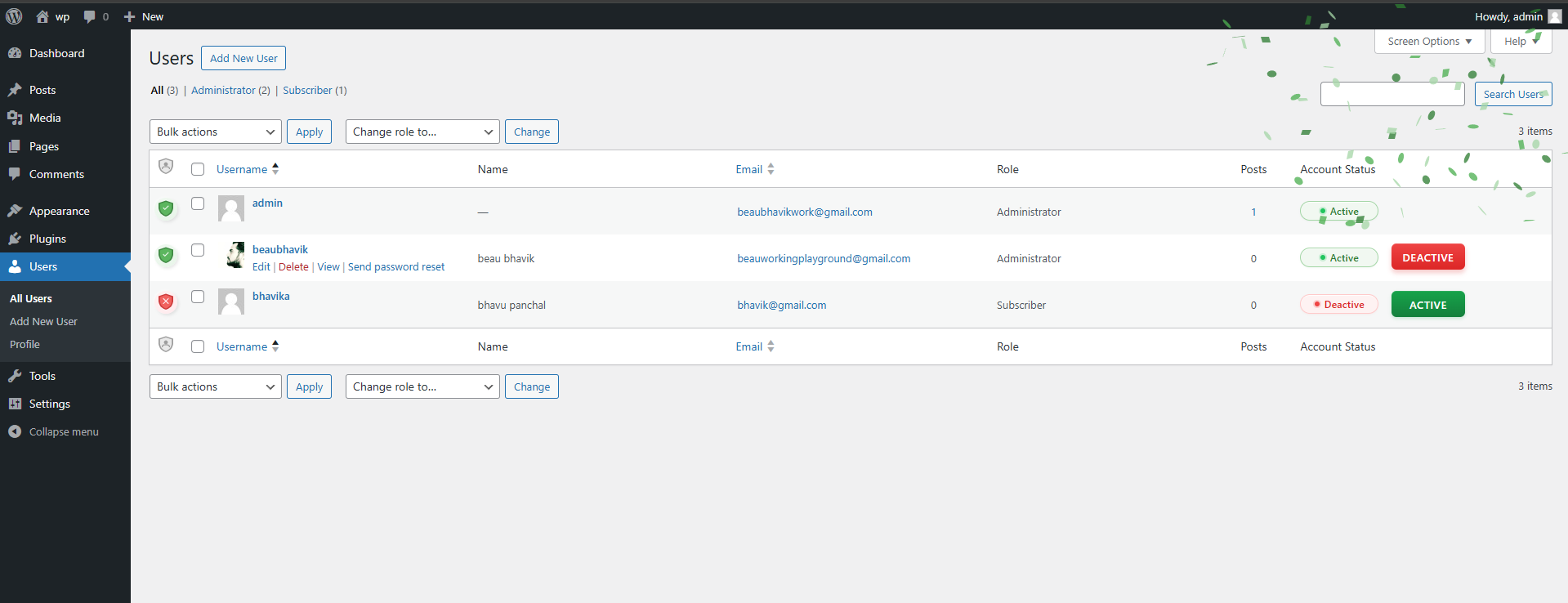
Session termination confirmation dialog
Faq
Disabled users are immediately logged out and blocked from logging in. Their content and data remain unchanged.
Yes. It uses WordPress core security standards and has no performance impact.
Yes. Click the “Activate” button next to their account to restore access instantly.
All posts, comments, and profile data are preserved. Only login access is restricted.
Reviews
Changelog
1.0.2
– Enhanced: Replaced confetti animation with a more professional processing animation
– Improved: Added clear “Activating” and “Deactivating” text during status changes
– Optimized: Reduced plugin size by removing unnecessary JavaScript libraries
– Enhanced: Better visual feedback during user status transitions
1.0.1
– Fixed: Incorrect email display in account disabled messages
1.0.0
– Initial release with core access management features