User Draft Notifier

User Draft Notifier
Description
With this plugin you can send email notification to those users who have saved a draft for more than defined days. You can also discard all user’s draft which is saved before defined period.
Installation
- Upload the “user-draft-notifier” folder into the “/wp-content/plugins/” directory or
Directly download “user-draft-notifier” from WordPress Directory. - Activate the plugin through the “Plugins” menu in WordPress
- See FAQ for usage
Screenshots
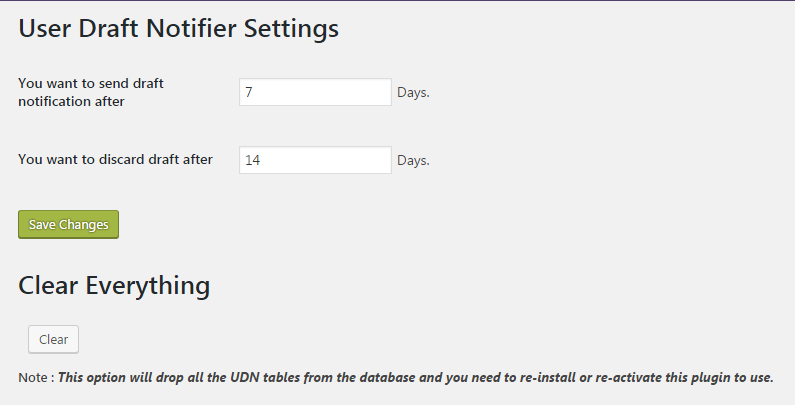
UDN Settings page.

UDN Notify UI page.

UDN Generated logs.
Faq
How does this works?
Visit the navigation in admin dashboard, you found a new box “user-draft-notifier”. 1. Click on “User Draft Notifier”->Setttings for the settings page. 2. Keep default values or you can change also.
3. Click on Save Changes.
Do I need to add any shortcode?
No, You don’t need to add any shortcode in your Website.
Reviews
Changelog
1.0
- 5 Sept 2016
- First release