User Meta Display

User Meta Display
Description
Ajax powered admin page to show, edit, add, and remove user meta. Choose dropdown list by User Login, ID, or Display Name.
You can select how the display list will show the users, by Display Name, User Login, or ID. Default is Display Name.
Refresh the current users meta being shown, or dropdown list by clicking on Refresh button.
This plugin will create a submenu “User Meta Display” item under the “Users” menu item in your wordpress installation.
User meta is generated via AJAX (doesn’t require page reload) and is protected using WordPress nonce to prevent unauthorized output of user meta.
Features
- Display all user meta via Ajax
- Edit user meta via Ajax
- Supports Adding/Updating meta with HTML
- Remove user meta via Ajax
- Add new user meta via Ajax
- Refresh user dropdown list via Ajax
- Refresh displayed user meta via Ajax
- Direct link from WP user list table to view user meta
Read more about User Meta Display.
Documentation
Documentation will be maintained on the GitHub Wiki here.
Contributing and reporting bugs
You can contribute code and localizations to this plugin via GitHub: https://github.com/tripflex/user-meta-display
Support
If you spot a bug, you can of course log it on Github
Or contact me at myles@smyl.es
Installation
Automatic installation
Install through WordPress, select activate.
Manual installation
The manual installation method involves downloading the plugin and uploading it to your webserver via your favourite FTP application.
- Download the plugin file to your computer and unzip it
- Using an FTP program, or your hosting control panel, upload the unzipped plugin folder to your WordPress installation’s
wp-content/plugins/directory. - Activate the plugin from the Plugins menu within the WordPress admin.
Screenshots
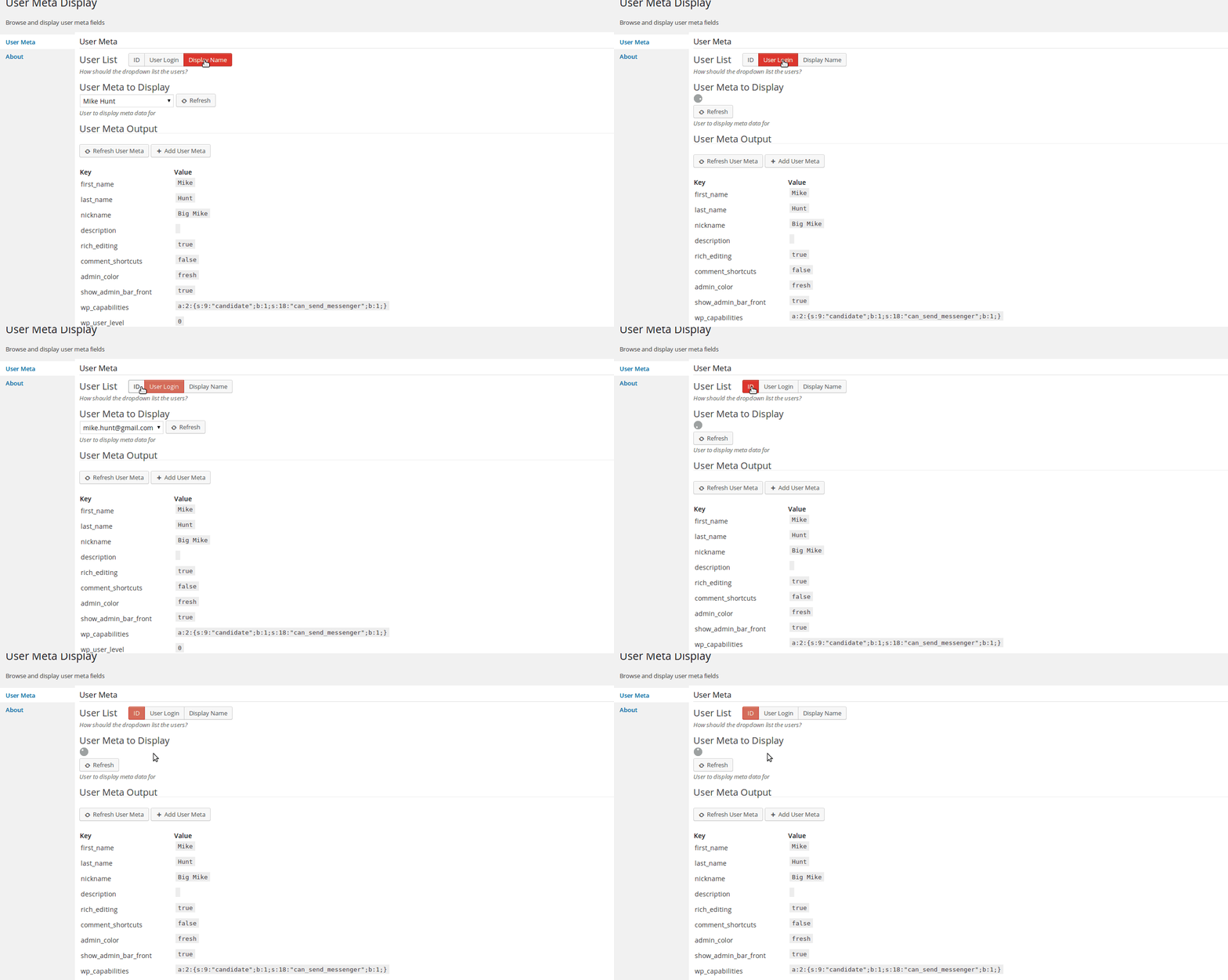
User List Dropdown Options
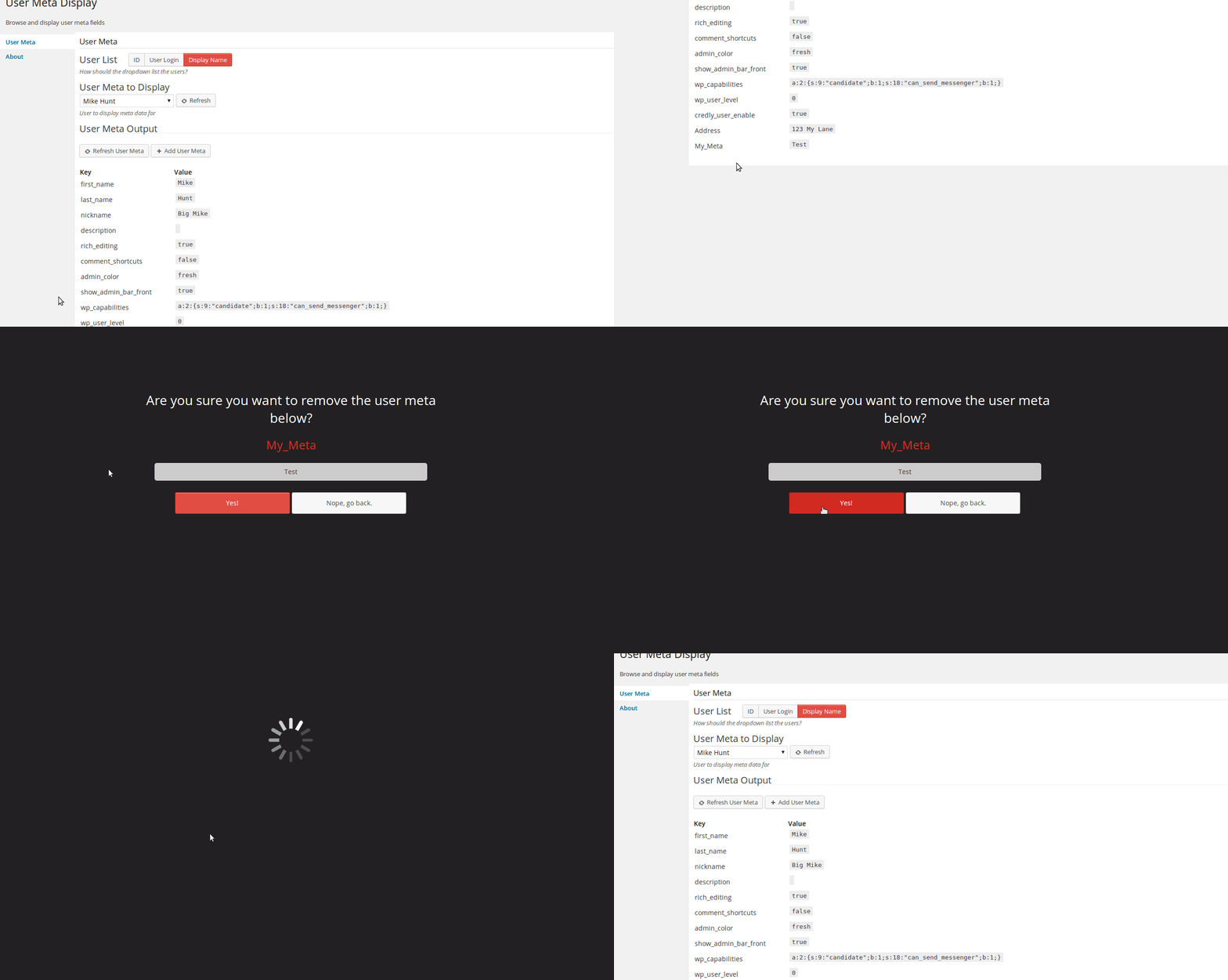
Removing Meta
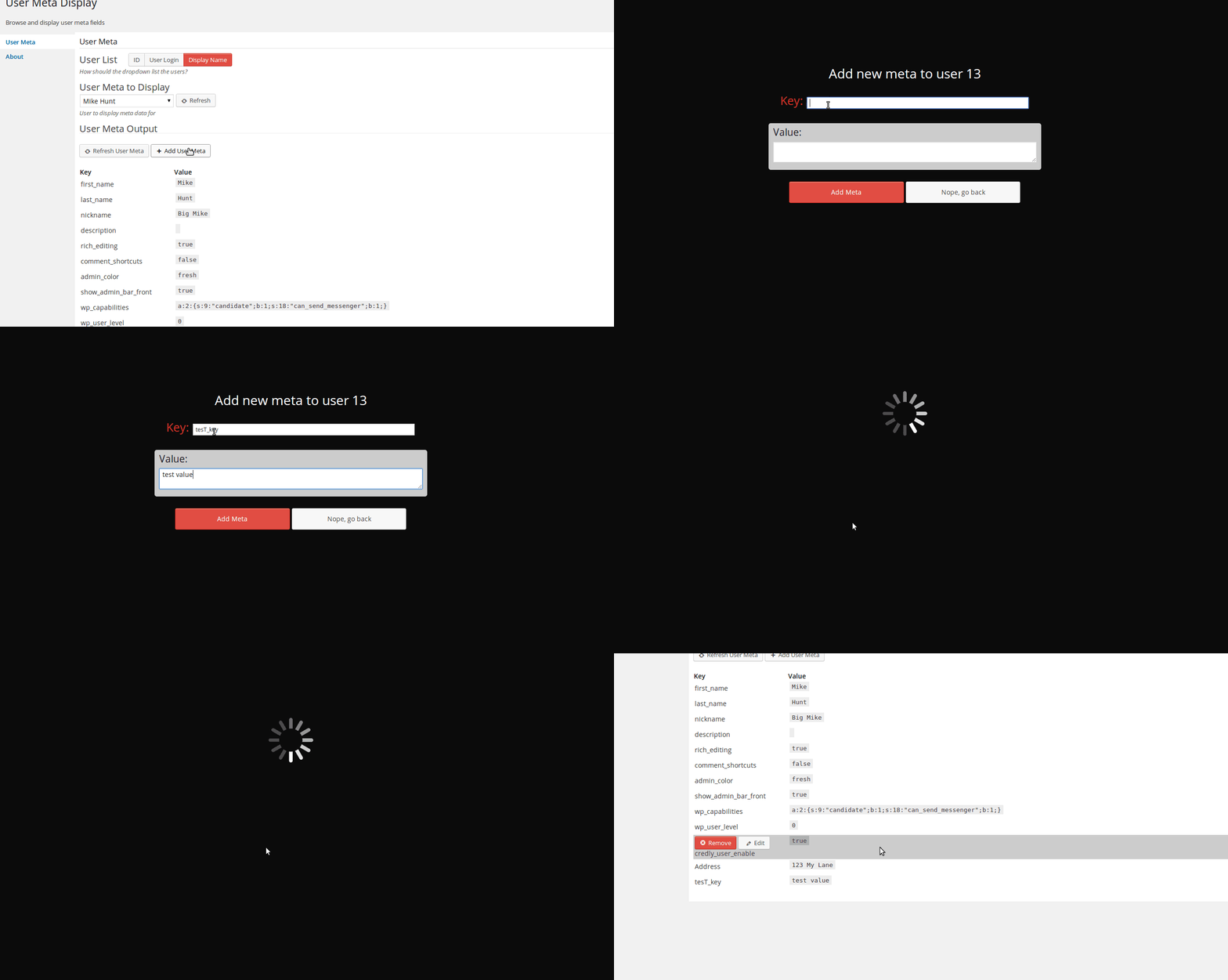
Adding New Meta
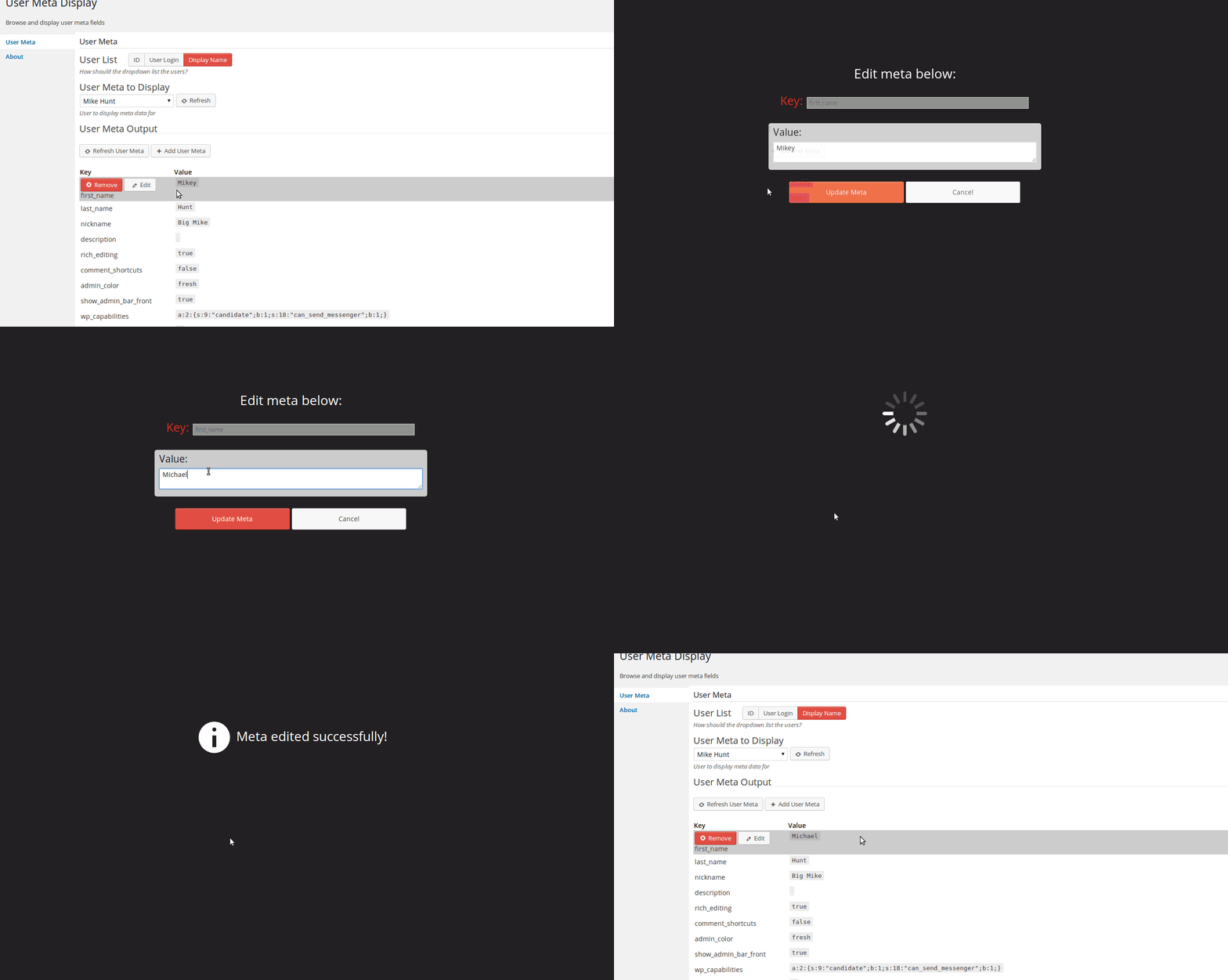
Editing Existing Meta
Reviews
Nice Plugin
By 
exatctly what I needed
By 
good job!
Great plugin
By 
Great plugin, this is what i needed.
Does exactly what it says!
By 
This plugin works exactly as described. If you need to vie and edit user meta, this is the only plugin to use!
Works as described
By 
Does exactly what I needed it to do, and isn't a massively restricted demo, unlike competing modules.
One small problem is it has dropdown lists to switch between users, which are unsorted and too long given the number of users my site has. Easily worked around because the main WordPress users search page gets a 'meta' link, so I can just use that to find my user.
Changelog
1.2.2
- June 4, 2014
- Fixed problem with updating meta with HTML
- Moved Add/Remove buttons to side of list table
- Fixed adding new meta with HTML
- Added alternating row colors
1.2.1
- May 24, 2014
- Fixed php warning when user_id is null
- Updated method of success or error for incorrect notification when debug is enabled
- Moved external JS inside php file and removed script reference
1.2.0
- May 19, 2014
- Added remove meta functionality
- Added edit meta functionality
- Added add new meta functionality
- Few misc bug fixes
1.2.0a
- May 11, 2014
- Added refresh button for currently displayed user meta
- Added refresh button for dropdown list of users
1.1.1
- March 25, 2014
- fix missing css files
1.1.0
- March 25, 2014
- Add Ajax loading
- Select user by ID, Display Name, or User Login
- Removed old non-used code
1.0.0
- March 17, 2014
- Initial Creation