User Register Date

User Register Date
Description
Add the registration date of each user in WordPress both in the user list and on the user profile page in the admin panel. This provides a quick and convenient way to see when users registered on your site.
How to Install
- Upload the
user-register-datefolder to the/wp-content/plugins/directory. - Activate the plugin through the ‘Plugins’ menu in WordPress.
License
This plugin is licensed under the GNU General Public License version 3 or later.
Installation
- Upload the
user-register-datefolder to the/wp-content/plugins/directory. - Activate the plugin through the ‘Plugins’ menu in WordPress.
Screenshots
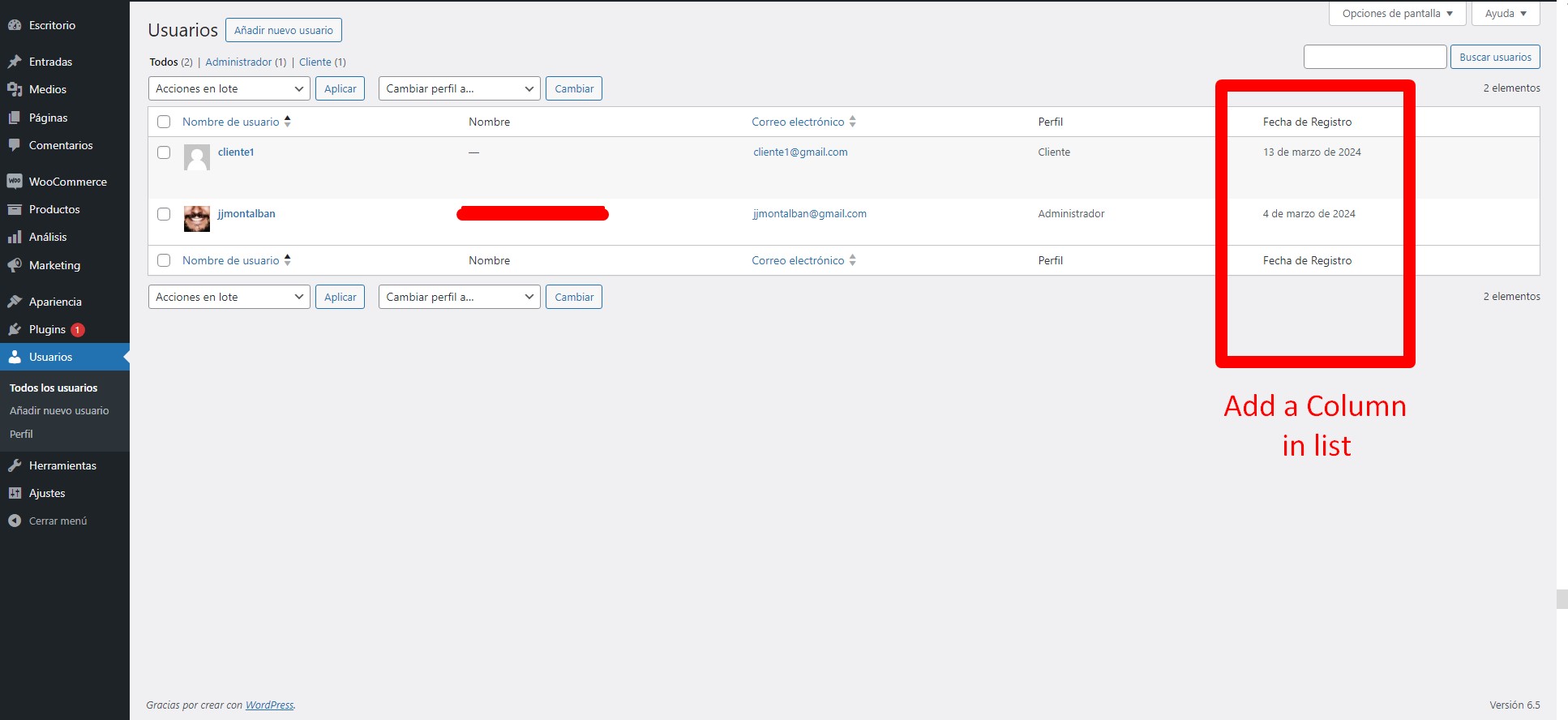
Example of the registration date column in the user list.
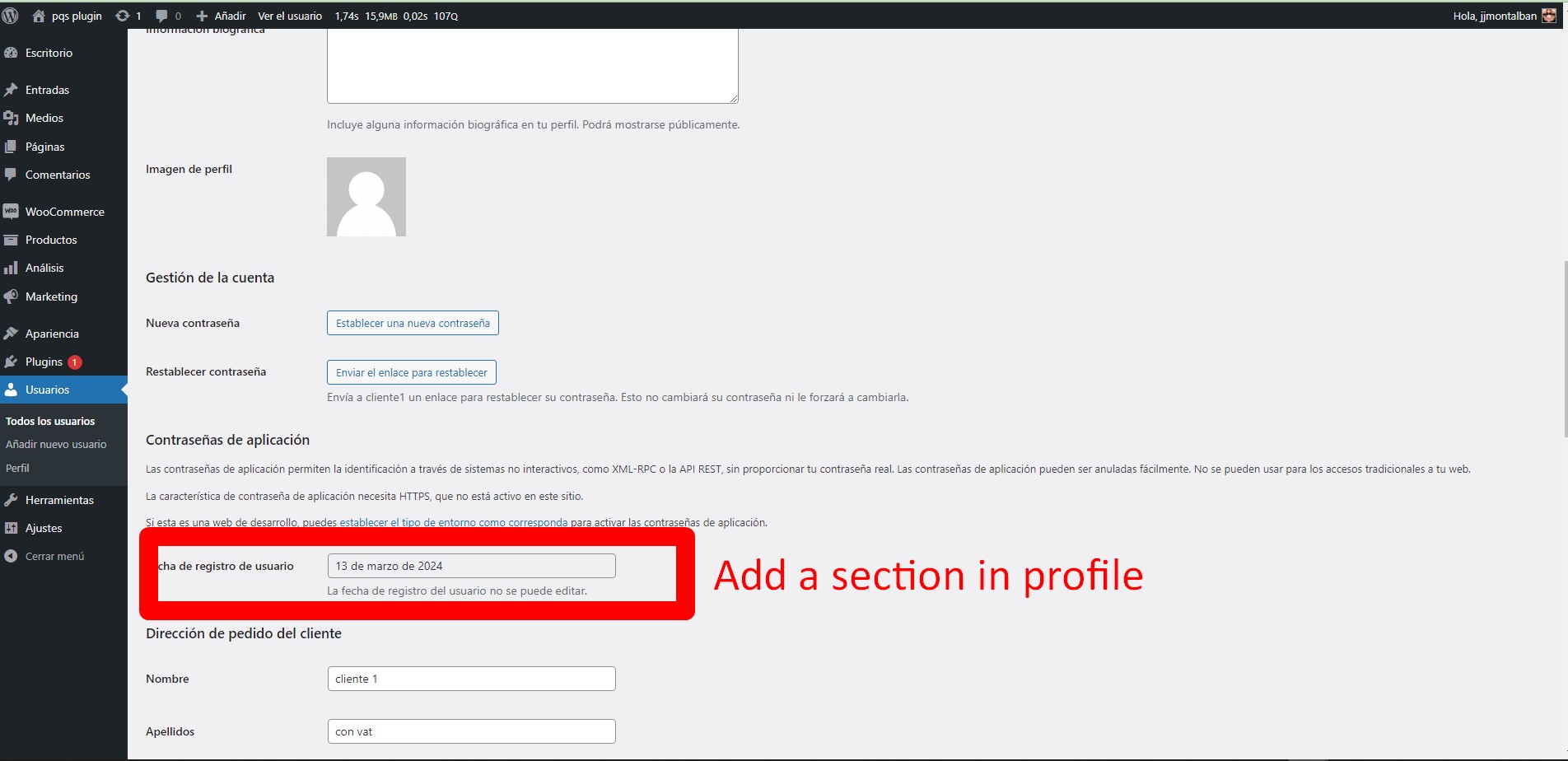
Registration date field on the user profile page.
Faq
You can change the format of the date and other date-related settings on the WordPress settings page.
Reviews
Changelog
2.0
- tested in 6.9
1.0
- Initial release of the plugin.