UTM Master

UTM Master
Description
UTM Master helps you capture and preserve UTM parameters in cookies for attribution and tracking. Features include:
- Auto-save UTM parameters (
utm_source,utm_medium, etc.) - Support for custom UTM parameters
- Append UTM to all site links and CTAs
- GDPR-compliant consent banner
- Shortcode to retrieve current and original UTM values
Installation
- Upload the plugin to the
/wp-content/plugins/directory. - Activate it from the ‘Plugins’ menu in WordPress.
- Configure settings from the UTM Master menu.
Screenshots
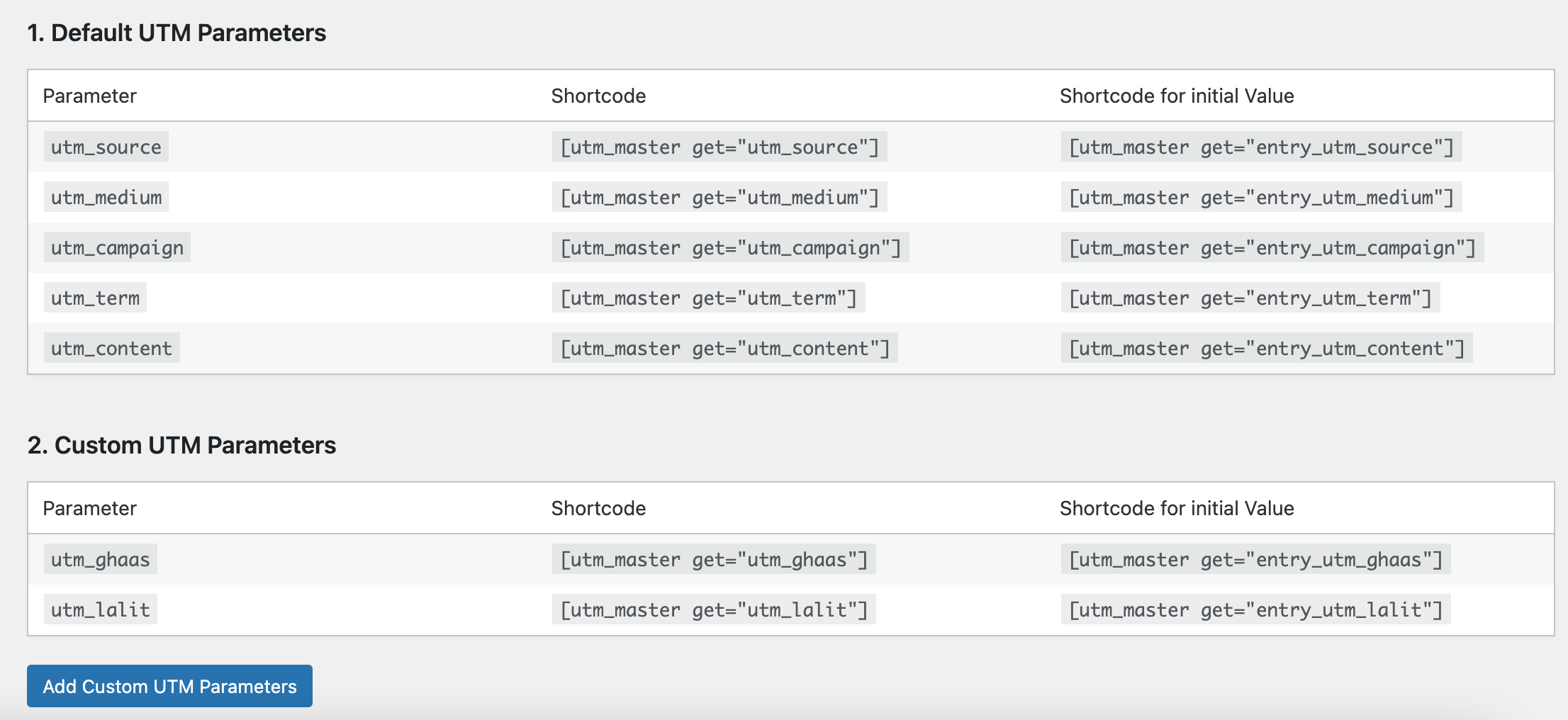
Table showing how to use shortcode.
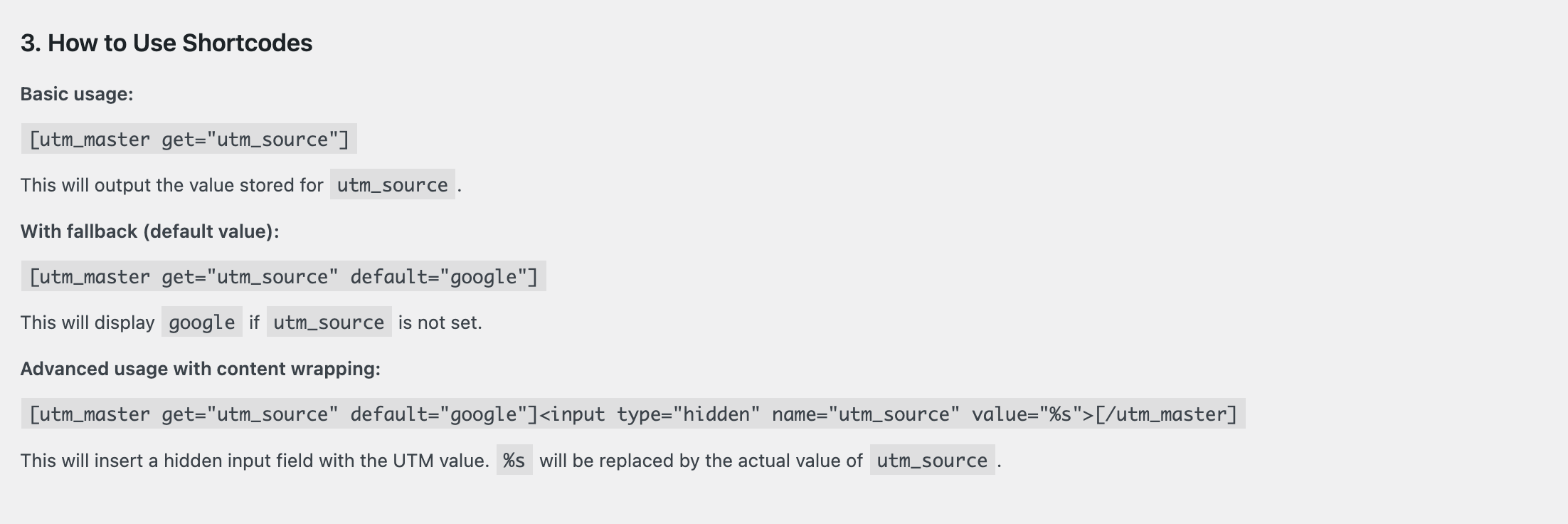
Table showing all active UTM parameters
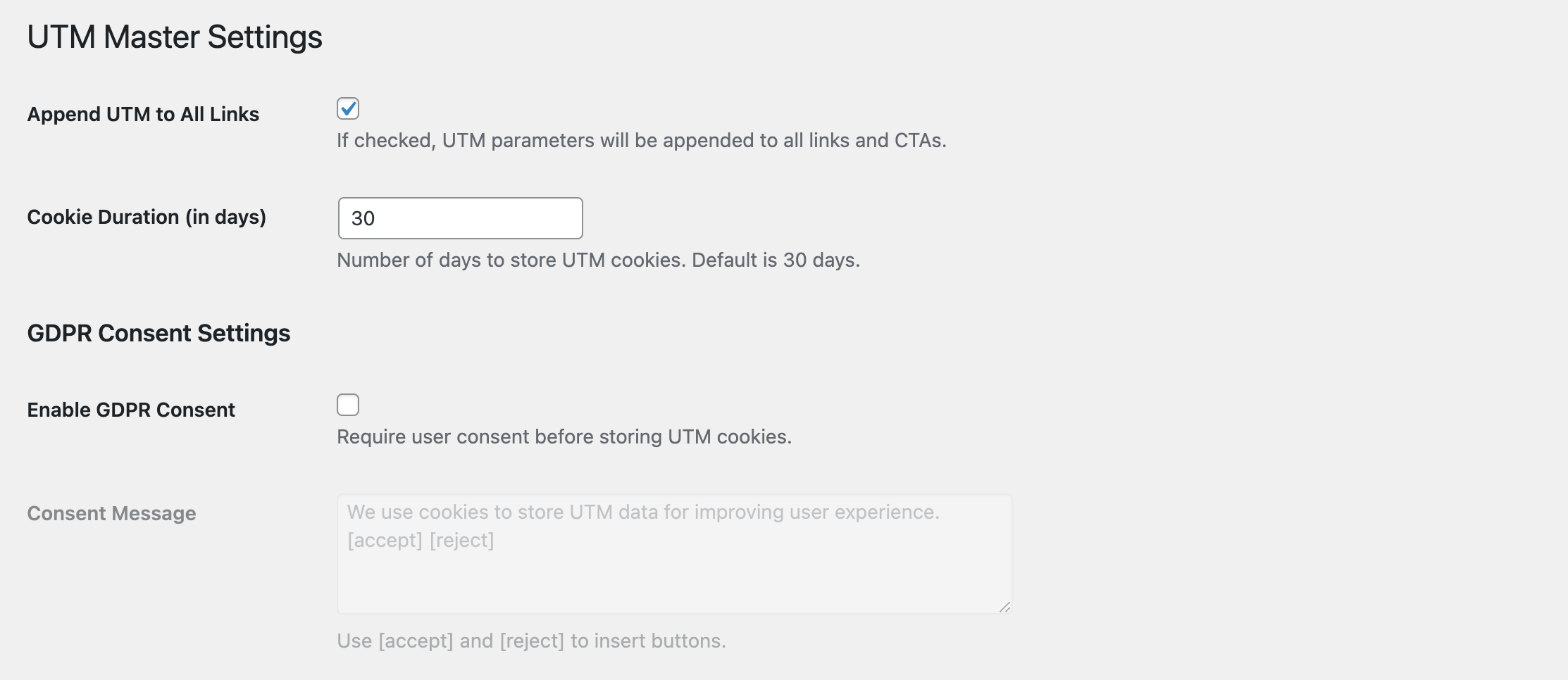
Settings page to configure cookie duration and GDPR.
Faq
Yes. Use [utm_master get="utm_source"]. You can also use entry_utm_source to show the first/original value.
Go to UTM Master Settings, and enter custom parameter names.
Reviews
Changelog
1.0
- Initial release.