Vachr Appointments – Online Booking System

Vachr Appointments – Online Booking System
Description
Turn your WordPress site into a 24/7 booking desk for doctors, private practices, hairdressers, barbers, massage therapists, beauty and wellness providers, and other appointment-based businesses. Clients choose a service, provider and available time online, while you manage schedules, reservations and customer records in one place.
Whether you work on your own or run a small team, Vachr Appointments helps cut down on booking calls and message exchanges. Set each provider’s availability, let clients book from your site, accept online or offline payments, and use the waiting list to offer newly freed appointments to interested customers.
External services
This plugin connects to external services only when the site owner enables and configures the related feature.
- Stripe: When a customer chooses Stripe for an online payment, the site sends Stripe the reservation description and ID, amount, currency, customer email address, and return URLs to create a hosted checkout session. The plugin also asks Stripe for the payment status when processing its webhook. Stripe’s Services Agreement and Privacy Policy apply.
- Mollie: When a customer chooses Mollie, the site sends Mollie the reservation description and ID, amount, currency, and redirect and webhook URLs to create a payment. The plugin retrieves that payment’s status from Mollie when processing its webhook. Mollie’s User Agreement and Privacy Statement apply.
- IMAP mailbox: If the site owner enables email payment import, the site connects to the IMAP server configured by the owner to read bank notification messages and match them to reservations. Mailbox credentials and message contents are sent only to that configured mail server; parsed message contents are not stored by the plugin.
Booking
- Public booking form via the
[vachr_appointment_form]shortcode or a block. - Each provider has their own working hours, calendar rules, photo, link and phone number.
- Services with their own duration and price; optional overtime surcharge per started 30-minute block.
- Restrict the form to a provider or service and override language or currency with shortcode attributes.
- Hovering a provider icon on the time slots shows a card with an enlarged photo and full name.
- Staff widget
[vachr_appointment_staff]for booking on behalf of customers, without CAPTCHA or online payment.
Payments
- Stripe and Mollie online payments with webhook verification.
- Bank transfer with a bank account per currency and payment instructions in every content language; QR payment codes for Czech (SPAYD), Slovak (PAY by square), Swiss (QR-bill) and other SEPA (EPC) accounts.
- Cash payments.
- Email payment import: match bank notification emails from an IMAP inbox to reservations by number, amount and currency, with a parser profile per bank.
Customers and reservations
- Customer records linked to reservations by email, with a searchable directory and contact cards.
- Upcoming reservations separated from appointment history; notes, contact windows and archiving.
- Optional country, street, phone and language fields, each of which can be made required.
- Typed custom fields with translated labels, descriptions and dropdown choices, assignable to each service.
Waiting list
- Customers can wait for taken times or for any time.
- When a time is freed they receive an email with a confirmation link; the first to confirm gets it.
- Notify one after another or all at once, with configurable confirmation time and entry lifetime.
Invoicing and email
- Printable receipts and proforma invoices with configurable numbering, supplier and tax details and document language.
- Reservation emails and receipts show the final price including surcharges.
Multilingual and multi-currency
- Translations: Czech, German, Spanish, French, Italian, Japanese, Dutch, Polish, Portuguese, Russian, Simplified Chinese, Slovak and Ukrainian. English is the source language.
- Multiple currencies with a base currency and configurable content languages.
Design and protection
- Appearance settings for accent and surface colors, corner radius and maximum width.
- Built-in CAPTCHA and consent handling on the public form.
- Data is stored in the plugin’s own
vachr_appointment_*tables.
Installation
- Upload the plugin to
/wp-content/plugins/vachr-appointmentsor install it from the Plugins screen. - Activate Vachr Appointments. Activation creates the plugin’s tables.
- Open Appointments Settings to set currencies, languages and payment methods.
- Create providers, working hours and services under the Appointments menu.
- Add
[vachr_appointment_form]to a page.
Screenshots
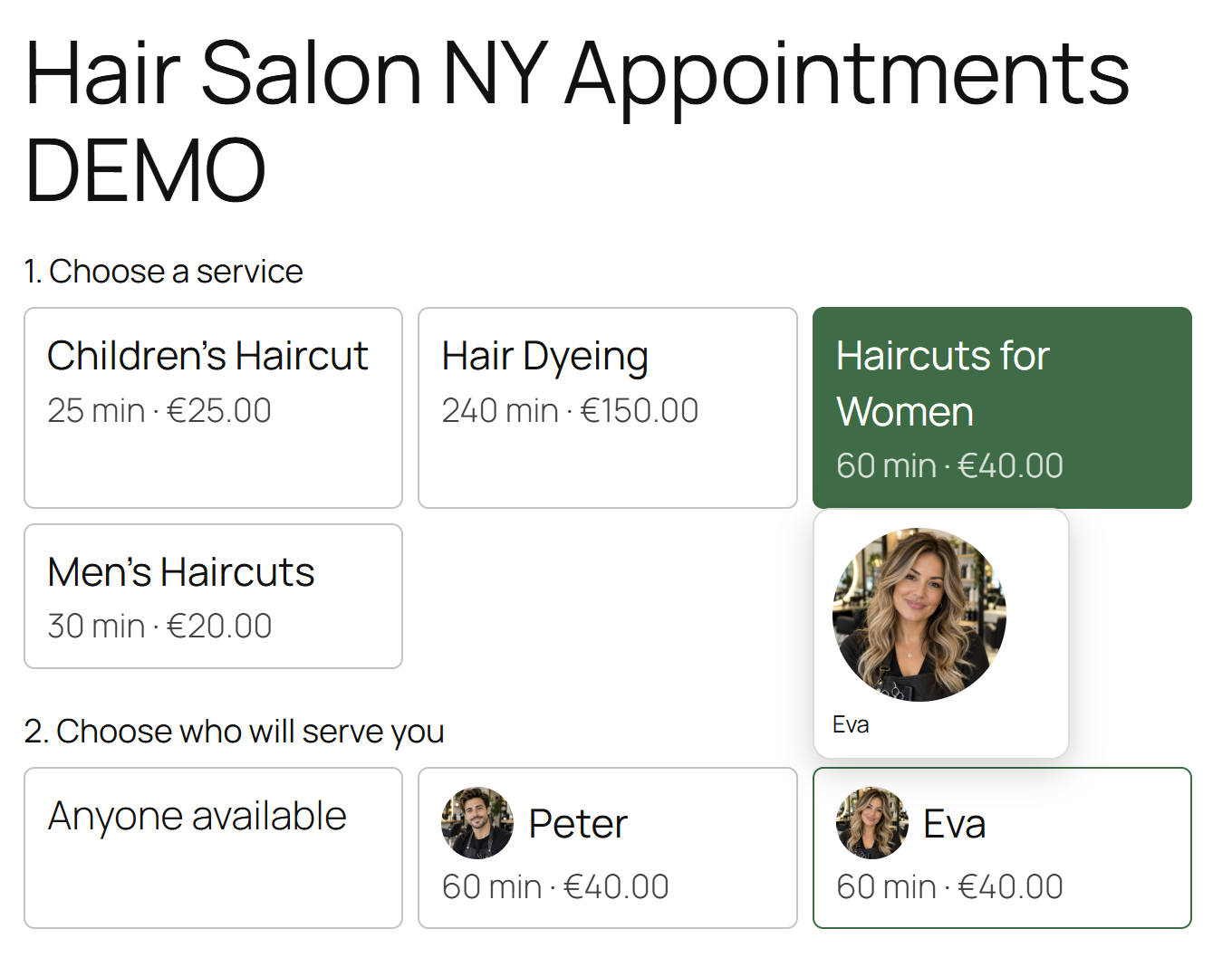
Customers choose a service and provider.
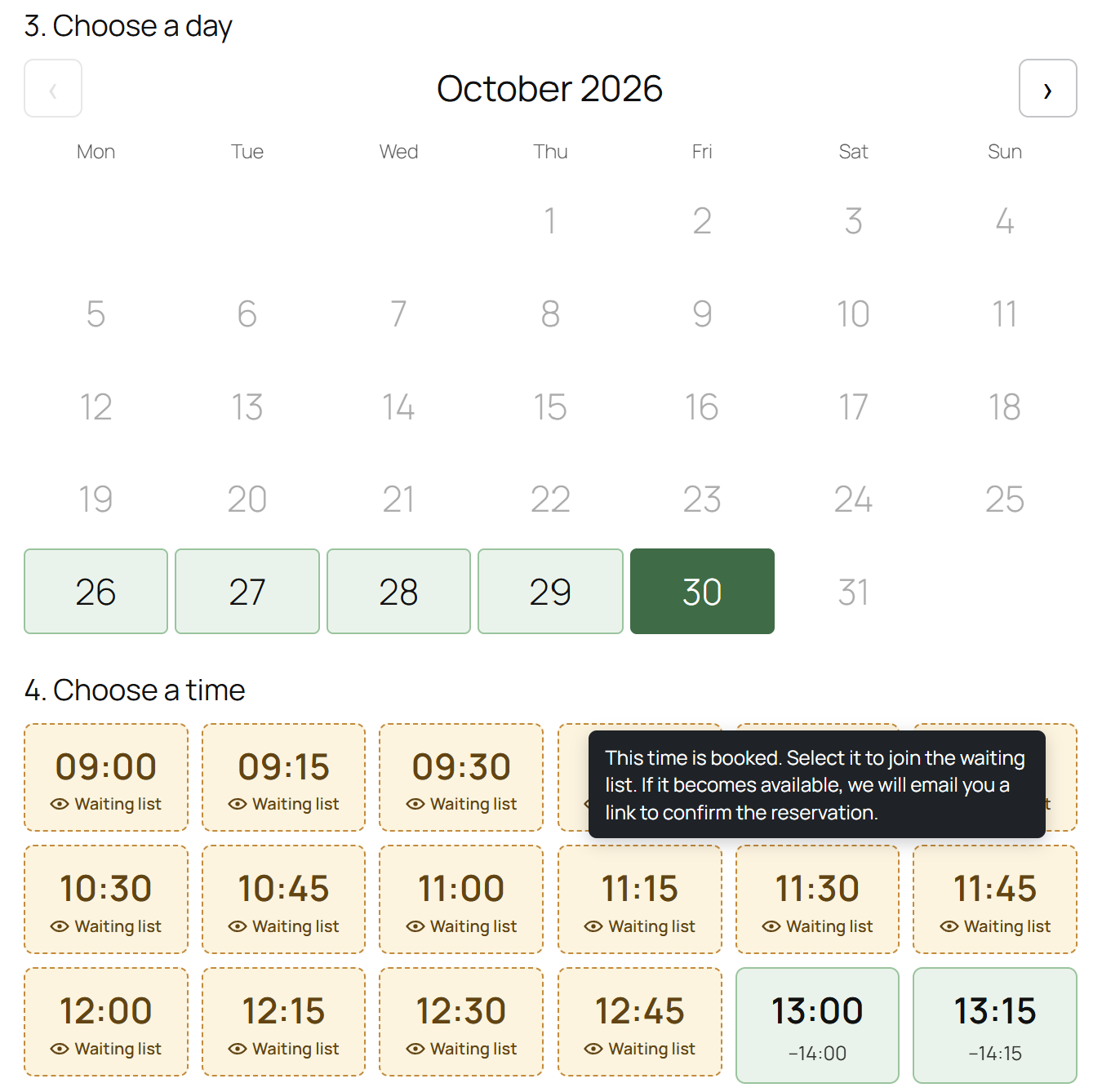
Customers choose an available date and time; taken times can be added to the waiting list.

Customer details, appointment summary and price, including an overtime surcharge when applicable.
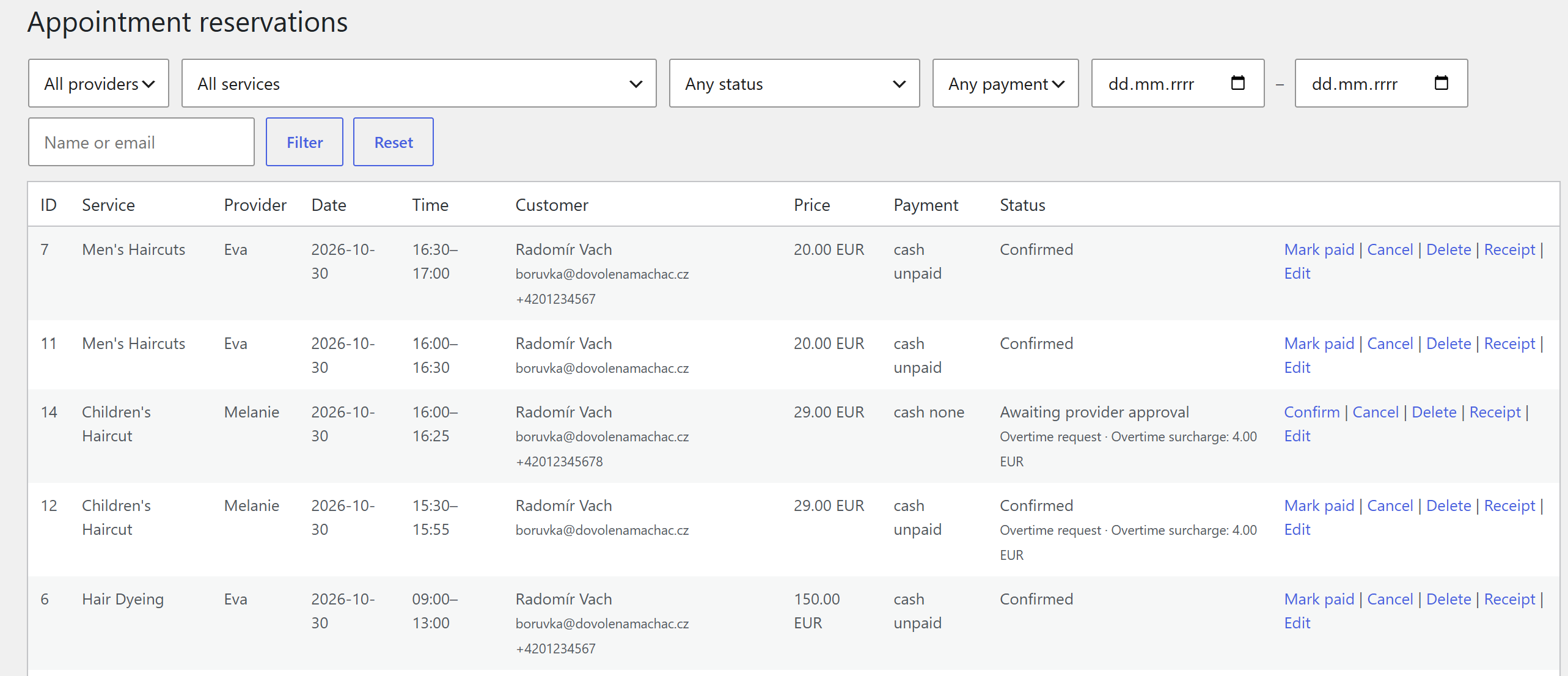
Manage and filter appointment reservations.
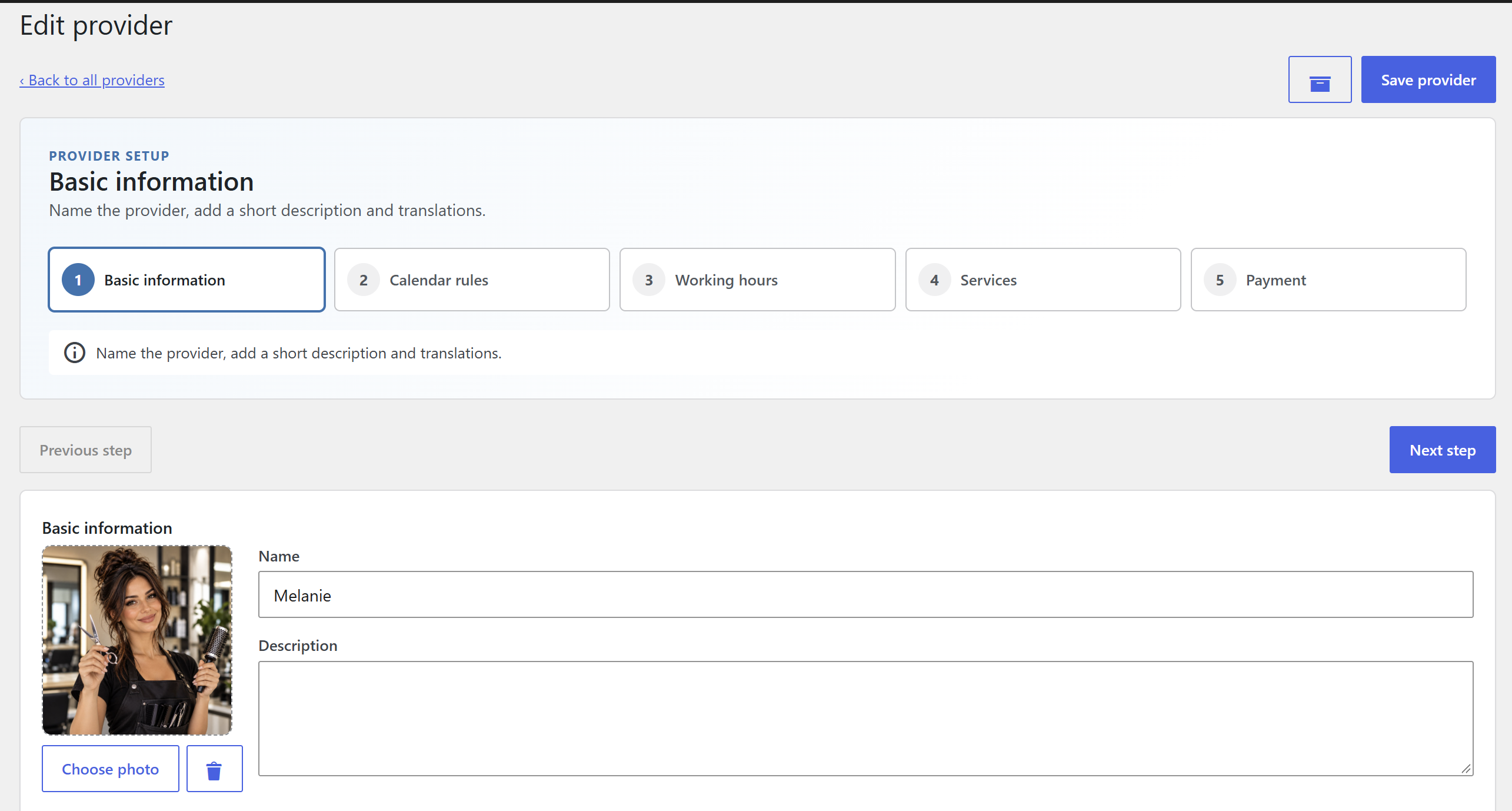
Set up a provider, including their profile and calendar rules.

Review waiting-list entries.
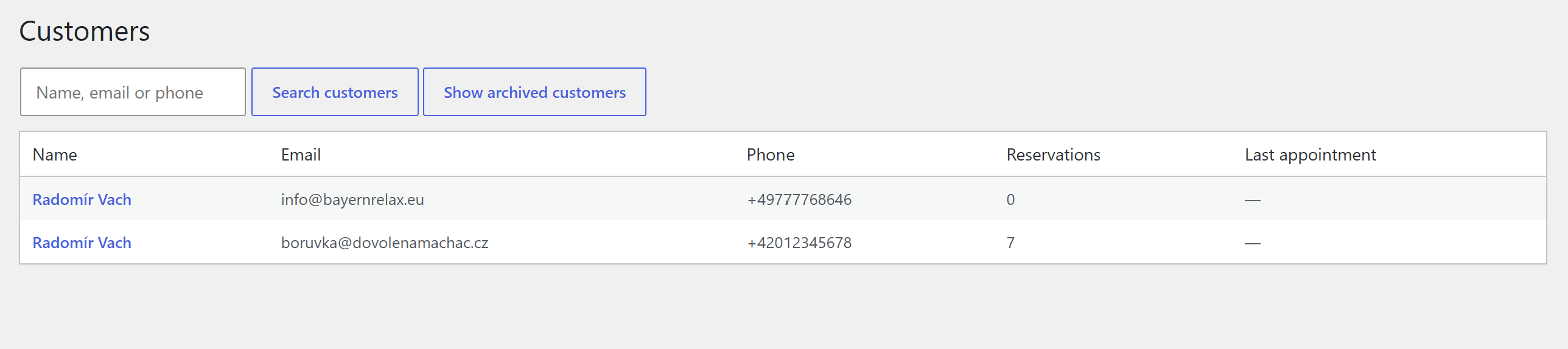
Search and manage customer records.
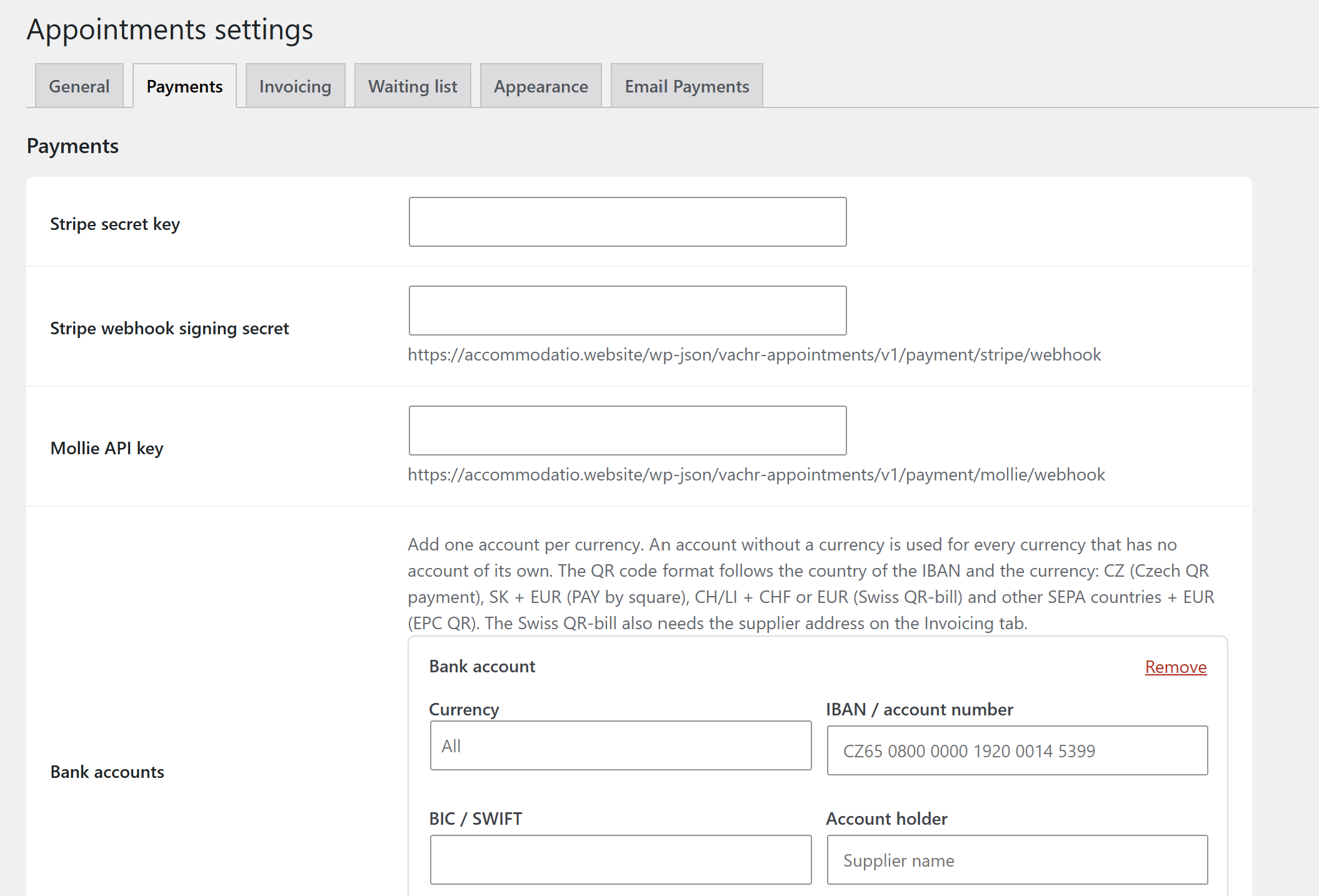
Configure payment methods and bank accounts by currency.
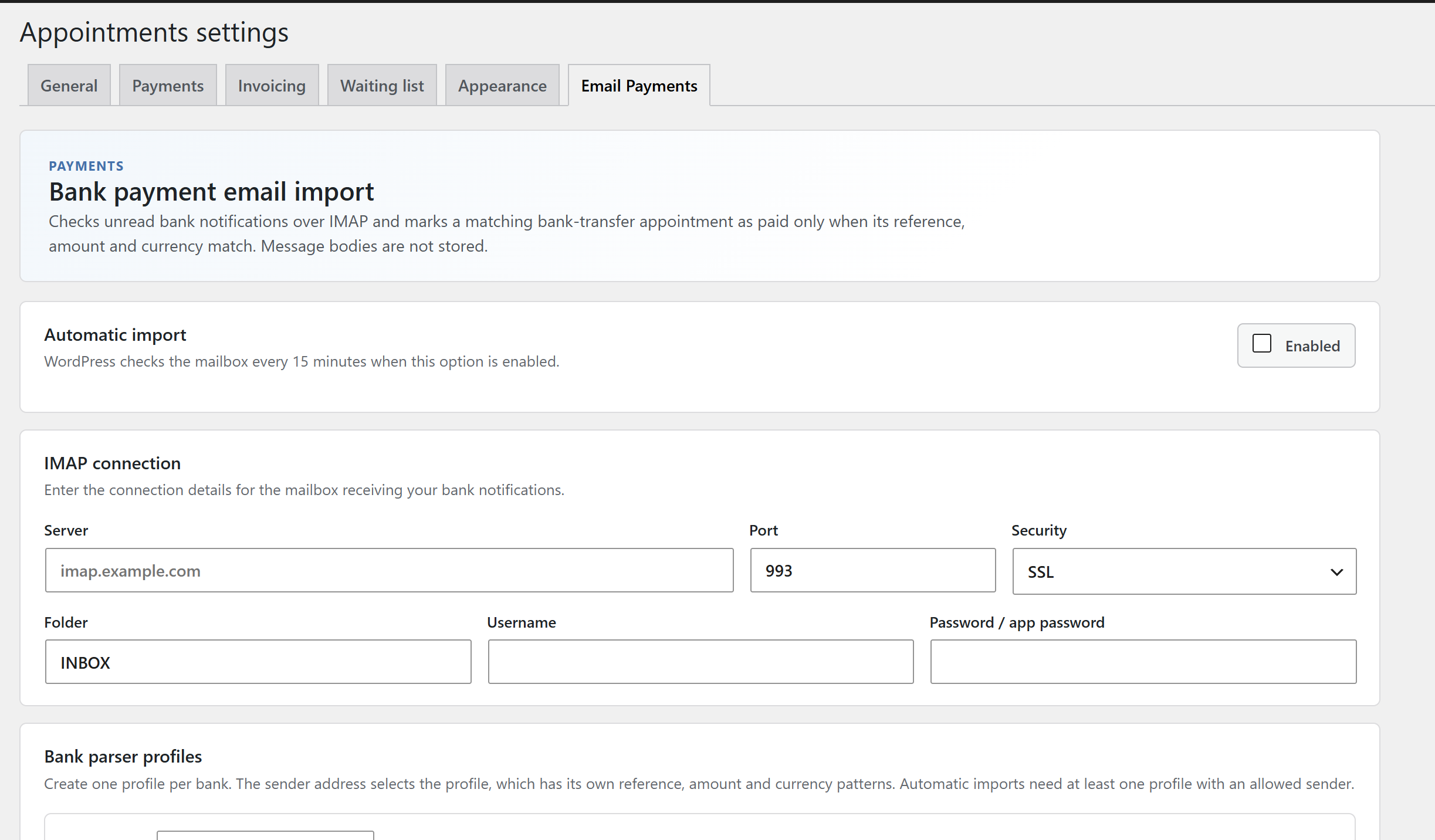
Configure IMAP email import for matching bank payments to reservations.
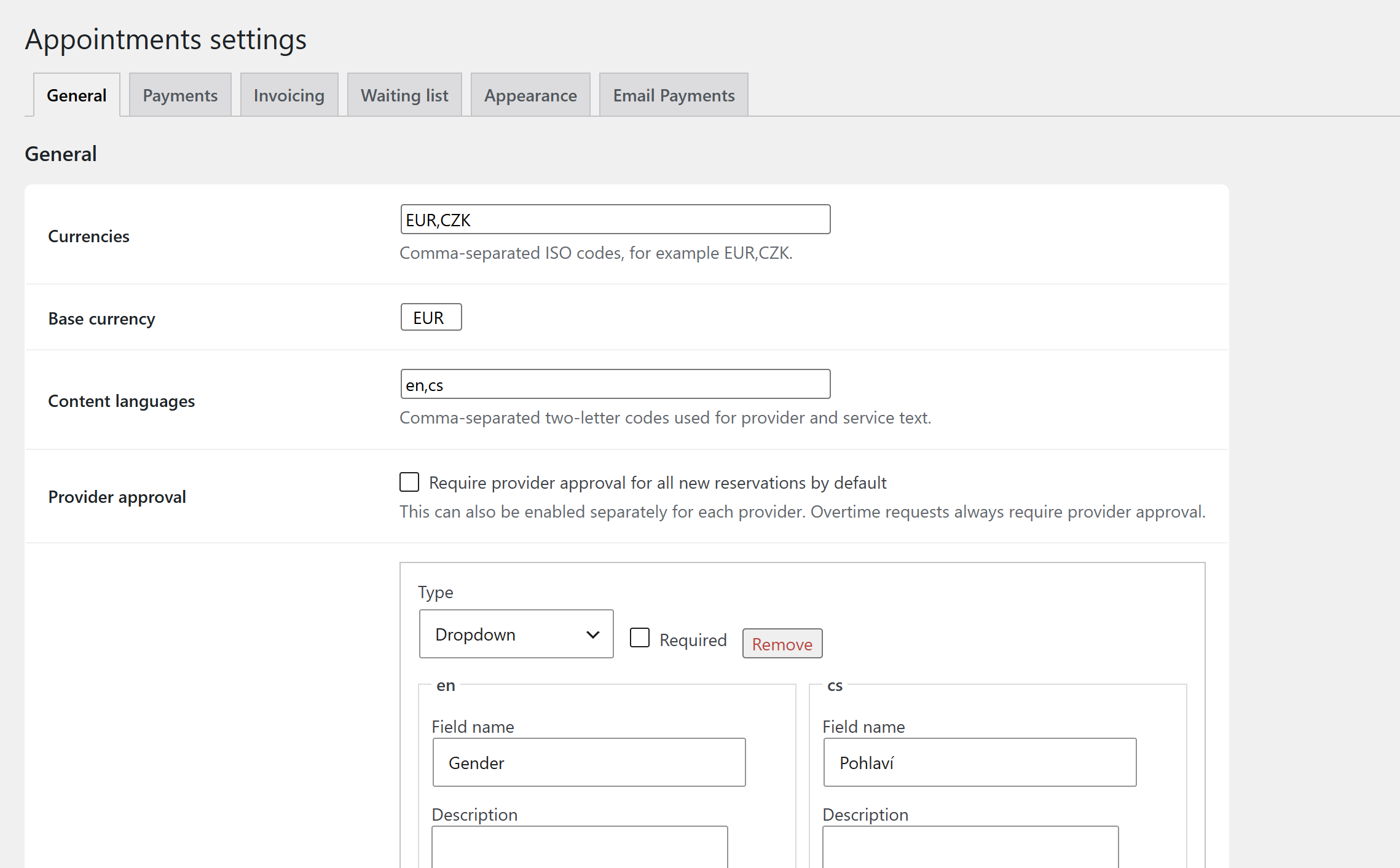
Configure currencies, provider approval and custom booking fields.
Faq
Add the shortcode [vachr_appointment_form] to a page. To restrict it, use for example [vachr_appointment_form provider="1" service="2" language="cs" currency="CZK"].
The Vachr Appointments block supports selecting multiple services and providers. Choose All to remove a restriction. Shortcodes also accept comma-separated IDs, for example [vachr_appointment_form provider="1,3" service="2,4"].
Yes. Put [vachr_appointment_staff] on a page. It is shown only to administrators and users with the Appointment staff role.
Yes. The confirmation email links to a private reservation page with the appointment details, payment status, bank transfer instructions with a QR code, online payment and the proforma invoice or receipt. Unpaid reservations can switch between the payment methods the provider offers.
Stripe, Mollie, bank transfer, cash and automatic matching of bank notification emails.
Reviews
Changelog
1.0.15
- Appearance settings: choose from eight ready-made themes (including two dark ones) and three designs, and fine-tune colors for the form, calendar days and available or occupied times, text, background, corner radius, width and font size.
- Live preview of the booking form (calendar, times, fields, summary) with a desktop and mobile view, updated as you change the settings.
1.0.14
- Reservations that need the provider’s approval (overtime or provider confirmation enabled) now send the customer an email right away, saying the reservation awaits confirmation or decline, with a link to the reservation page. The customer is emailed again once the provider decides.
- New customer reservation page: the confirmation email links to a private page with the appointment, status, price, payment (bank transfer with QR code, online payment or cash, changeable while unpaid) and the proforma invoice or receipt.
- Custom fields can be assigned to each service: tick the fields to show in the booking form of that service. Existing services keep showing all fields until saved.
- Bank transfers: add a bank account per currency (IBAN, BIC, account holder). An account without a currency is the default for currencies without their own account, and a bank transfer is offered only for currencies that have an account.
- Bank transfer instructions can be written separately for every content language, with placeholders such as {holder}, {iban}, {amount} and {reference}. When left empty they are generated from the account and translated.
- QR payment codes follow the country of the IBAN and the currency: Czech QR payment, Slovak PAY by square, Swiss QR-bill and EPC QR for other SEPA accounts. IBANs with an invalid check digit are reported and get no QR code.
- Email payment import: one parser profile per bank, selected by the sender address or domain, each with its own reference, amount and currency patterns. The previous single setting is converted to a profile automatically.
- Fixed the payment QR code not being drawn on the public pages and the receipt.
- Fixed saving one settings tab clearing the options of the other tabs (for example payment gateway keys and invoicing details).
- Fixed email translations falling back to the site language after a nested language switch.
1.0.13
- Each working-hours row can have an optional break (e.g. lunch); no reservation can overlap it.
1.0.11
- The Vachr Appointments block supports multiple services and providers, including filtered availability and waiting lists. Existing single selections remain supported; shortcodes accept comma-separated IDs.
- Providers can choose how paid overtime is booked: standard booking, filling from the earliest time with a configurable maximum gap, or charging for each unfilled started 30-minute overtime block before the appointment.
1.0.10
- Removed the unused license-key activation system. Appointment booking features no longer ask for a license key or contact a license server.
- Updated the plugin introduction to speak directly to doctors, salons, independent professionals and small service teams.
1.0.9
- Provider edit page: Save and Archive toolbar, step buttons and cleaner field layout with photo preview.
- Providers have a new optional phone number.
1.0.8
- Hover card with enlarged photo and full name for providers on time slots.
- Providers have a new optional link.
1.0.7
- Searchable country calling code, country and language fields.
- Phone, street, country and language can each be required.
1.0.6
- Customers can store a country, street and language; the booking form can ask for them.
1.0.5
- Waiting list for services, with its own settings and admin page.
1.0.4
- Customer records, directory, contact cards, notes, custom fields and reservation history.
1.0.3
- Optional overtime surcharge per currency and per started 30-minute block.