VARGAL – Additional Variation Gallery for WooCommerce
VARGAL – Additional Variation Gallery for WooCommerce
Description
Additional variation gallery for WooCommerce is a feature that allows store owners to display a custom set of images for each product variation—such as different colors, sizes, or styles. Instead of showing just one image per variation, it creates a full image gallery tailored to each option a customer selects.
This kind of plugin is essential for stores where visuals play a key role – fashion, beauty, furniture, electronics, and more.
Introducing VARGAL – Additional Variation Gallery for WooCommerce. Your all-in-one solution for building dedicated media galleries for product variations in WooCommerce. With VARGAL, you can:
– Upload and display multiple images and videos for each variation
– Enable image zoom on hover and lightbox viewing
– Choose transition effects (fade, slide, zoom) and enable autoplay
– Show thumbnails with advanced layout options (spacing, position, hover swap)
– Include the main product image or default gallery in variation galleries
– Customize loading icons with different styles and colors
– Migrate from other gallery plugins with ease
Preview
How to install and use the plugin
Important Notice:
-
Plugin works based on WooCommerce 7.x or higher, PHP 7.0+
-
It is released on WordPress.org and you can use plugin as free to build themes for sale.
FEATURES
► Dedicated Additional Variation Gallery:Highlight every variation with its own gallery. VARGAL allows you to go beyond WooCommerce’s single gallery system. With VARGAL, every variation of a product can have its own collection of media, including
-
Add multiple items at once – Save your time
-
Images and Videos: Upload both image and video files to your variation gallery. Give shoppers a full view of what each variation looks like in action.
-
Drag & Drop Sorting: Reorder gallery items easily by dragging and dropping them inside the upload interface—no coding or complex settings.
-
Use Product Image & Default Gallery: Optionally include the main product image and the default WooCommerce gallery in the variation gallery for a fuller visual presentation.
This is ideal for stores selling fashion, accessories, furniture, gadgets, or any product where visuals make the difference.
► Interactive Additional Variation Gallery Display: Create a more engaging and intuitive experience. VARGAL makes it easy for customers to interact with your product images and videos. You control how the gallery behaves and feels
-
Zoom on Hover: Let shoppers inspect products up close just by hovering over the image.
-
Transition Effects: Choose between fade, slide, or zoom transitions to control how the gallery switches images.
-
Autoplay Gallery: Automatically rotate through gallery images every few seconds. Useful for drawing attention to multiple angles without needing clicks.
-
Lightbox View: Allow customers to click and expand the gallery into a full-screen lightbox. You can enable or disable the lightbox icon trigger based on your design preference.
These features help increase engagement and make your product pages feel more premium.
► Thumbnails and Navigation in Additional Variation Gallery: Fast and user-friendly gallery browsing. For products with multiple gallery items, thumbnails offer a fast way to switch views. VARGAL gives you full control over how these thumbnails look and behave
-
Thumbnail Hover Swap: Instantly switch the main image just by hovering over a thumbnail—no clicks needed.
-
Thumbnail Slider: Display thumbnails in a scrollable slider, which is especially useful for smaller screens or when you have many images.
-
Gap and Spacing Control: Adjust the spacing between thumbnails and between the thumbnails and the main image for a clean layout.
-
Position Settings: Decide where thumbnails appear—top, bottom, left, or right—separately for desktop and mobile views.
Helps users find what they’re looking for quickly and encourages deeper browsing.
► Style and Loading Customization for additional variation gallery: Match the look and feel of your store. VARGAL – Additional Variation Gallery for WooCommerce includes styling options that let you personalize how the gallery looks and behaves as it loads
-
Custom Loading Icons: Choose from a variety of pre-designed loading animations including Dual Ring, Facebook styles, Ripple, Spinner, and more.
-
Color Picker: Set your icon color using an intuitive color wheel or hex value.
Little details like custom loaders can make your site feel more polished and professional.
► Gallery Migration Tool: Switch to VARGAL without losing your galleries. If you are already using another additional variation gallery plugin, VARGAL includes a built-in migration tool that lets you
-Import galleries from other plugins
-Replace your current VARGAL gallery content with the imported one
PREMIUM FEATURES
All features from the free version.
► Set video as product featured image/variation image:Use a video instead of an image as the main visual for a product or variation
► Set videos as product gallery
► Auto play video:Automatically plays the video when it loads, without requiring user interaction
► Auto-adjust the number of visible thumbnails to fit beautifully within the layout
► More gallery transition effects such as circle, mask, split, bubble, blur, rotate, and more
► More navigation position such as center left, center right, top left,…
► More navigation styles available, and you can design your own
► Show navigation dot
► You can design the lightbox
► Create beautiful thumbnails: The number of thumbnails will be automatically adjusted so their total size aligns with the slide gallery size
Documentation
Plugin Links
3rd party libraries & service
- We also suggest products that can be integrated with this plugin to enhance the WooCommerce site design by including images & links to some of our plugins from the following lists:
► VillaTheme’s suggested plugin, WP policy, VillaTheme policy
MAY BE YOU NEED
9MAIL – WordPress Email Templates Designer
Abandoned Cart Recovery for WooCommerce
Advanced Product Information for WooCommerce
AFFI – Affiliate Marketing for WooCommerce
ALD – Dropshipping and Fulfillment for AliExpress and WooCommerce
Boost Sales for WooCommerce – Set up Up-Sells & Cross-Sells Popups & Auto Apply Coupon
Bopo – WooCommerce Product Bundle Builder
Bulky – Bulk Edit Products for WooCommerce
Cart All In One For WooCommerce
Catna – Woo Name Your Price and Offers
Checkout Upsell Funnel for WooCommerce
ChinaDS – Tmall-Taobao Dropshipping for WooCommerce
Clear Autoptimize Cache Automatically
COMPE – WooCommerce Compare Products
Coreem – Coupon Reminder for WooCommerce
Customer Coupons for WooCommerce
DEPART – Deposit and Part payment for Woo
Email Template Customizer for WooCommerce
EPOW – Custom Product Options for WooCommerce
EXMAGE – WordPress Image Links
Faview – Virtual Reviews for WooCommerce
FEWC – Extra Checkout Fields For WooCommerce
Free Shipping Bar for WooCommerce
GIFT4U – Gift Cards All in One for Woo
HANDMADE – Dropshipping for Etsy and WooCommerce
HAPPY – Helpdesk Support Ticket System
LookBook for WooCommerce – Shoppable with Product Tags
Lucky Wheel for WooCommerce – Spin a Sale
Notification for WooCommerce | Boost Your Sales – Recent Sales Popup – Live Feed Sales – Upsells
Orders Tracking for WooCommerce
Pofily – WooCommerce Product Filters
Product Builder for WooCommerce – Custom PC Builder
Product Pre-Orders for WooCommerce
Product Size Chart For WooCommerce
Product Variations Swatches for WooCommerce
REDIS – WooCommerce Dynamic Pricing and Discounts
S2W – Import Shopify to WooCommerce
SUBRE – Product Subscription for WooCommerce – Recurring Payments
Suggestion Engine for WooCommerce
Thank You Page Customizer for WooCommerce – Increase Your Sales
TMDS – Dropshipping for TEMU and Woo
W2S – Migrate WooCommerce to Shopify
WebPOS – Point of Sale for WooCommerce
Installation
- Unzip the download package
- Upload
vargal-additional-variation-gallery-for-wooto the/wp-content/plugins/directory - Activate the plugin through the ‘Plugins’ menu in WordPress
Screenshots
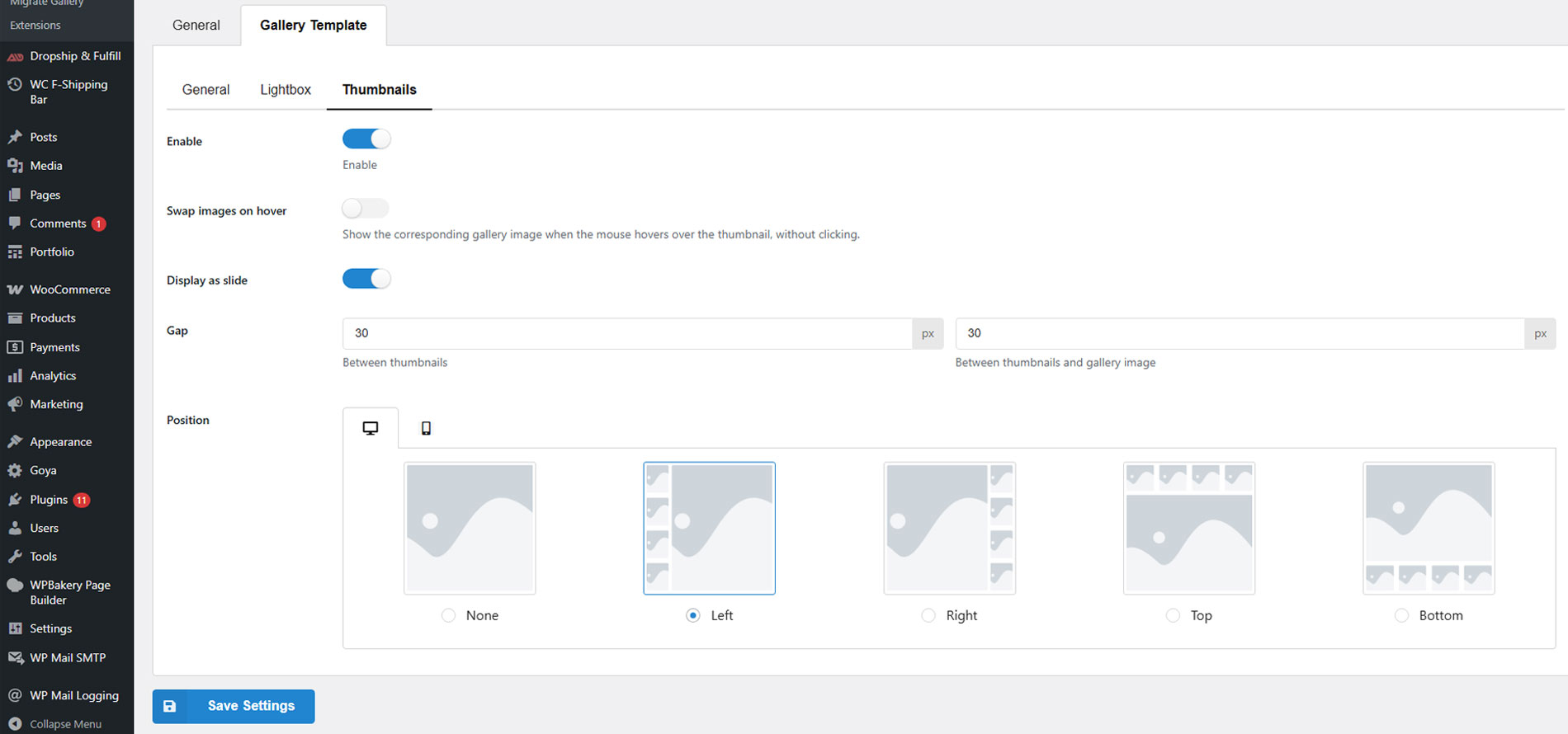
Setting gallery thumbnails
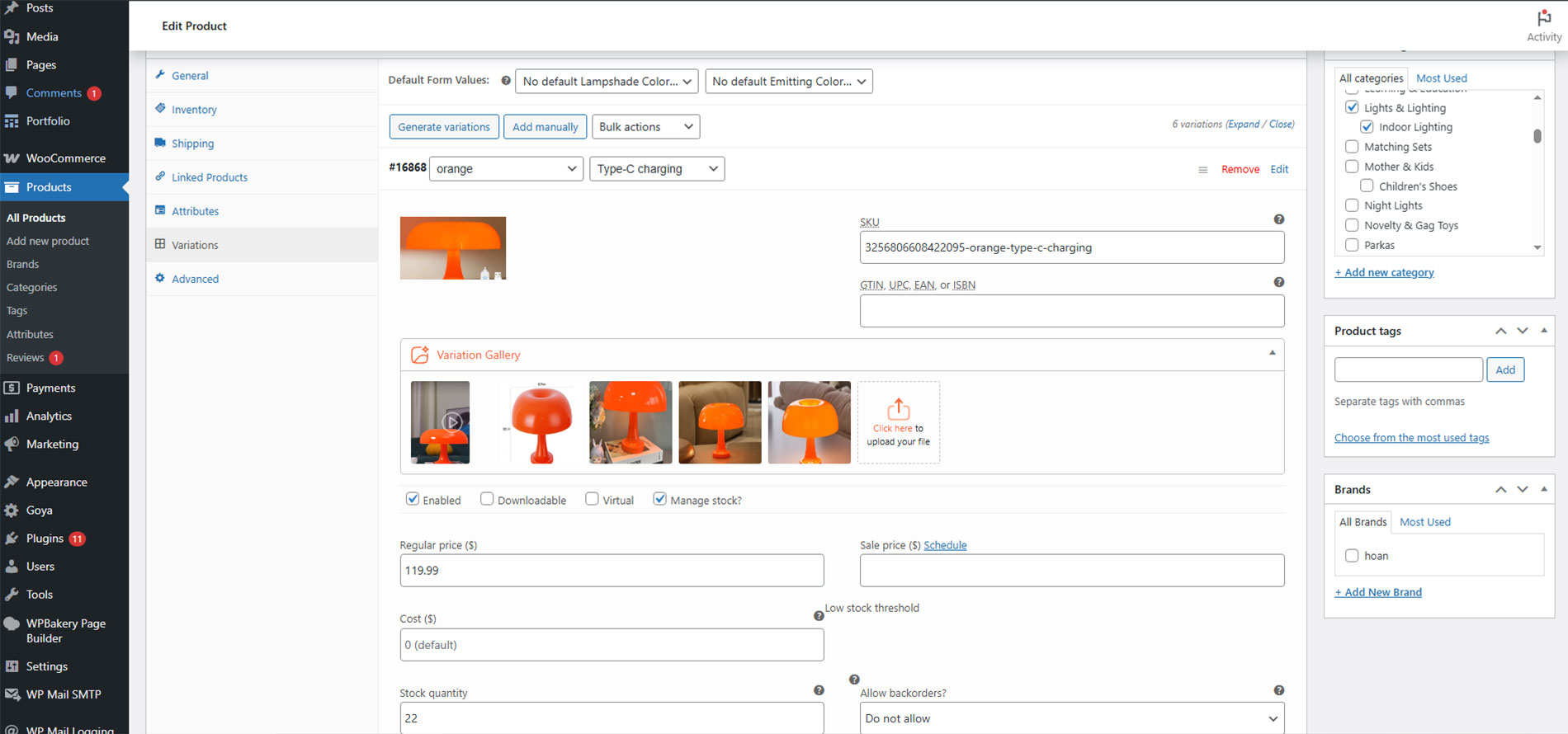
Setup variation gallery
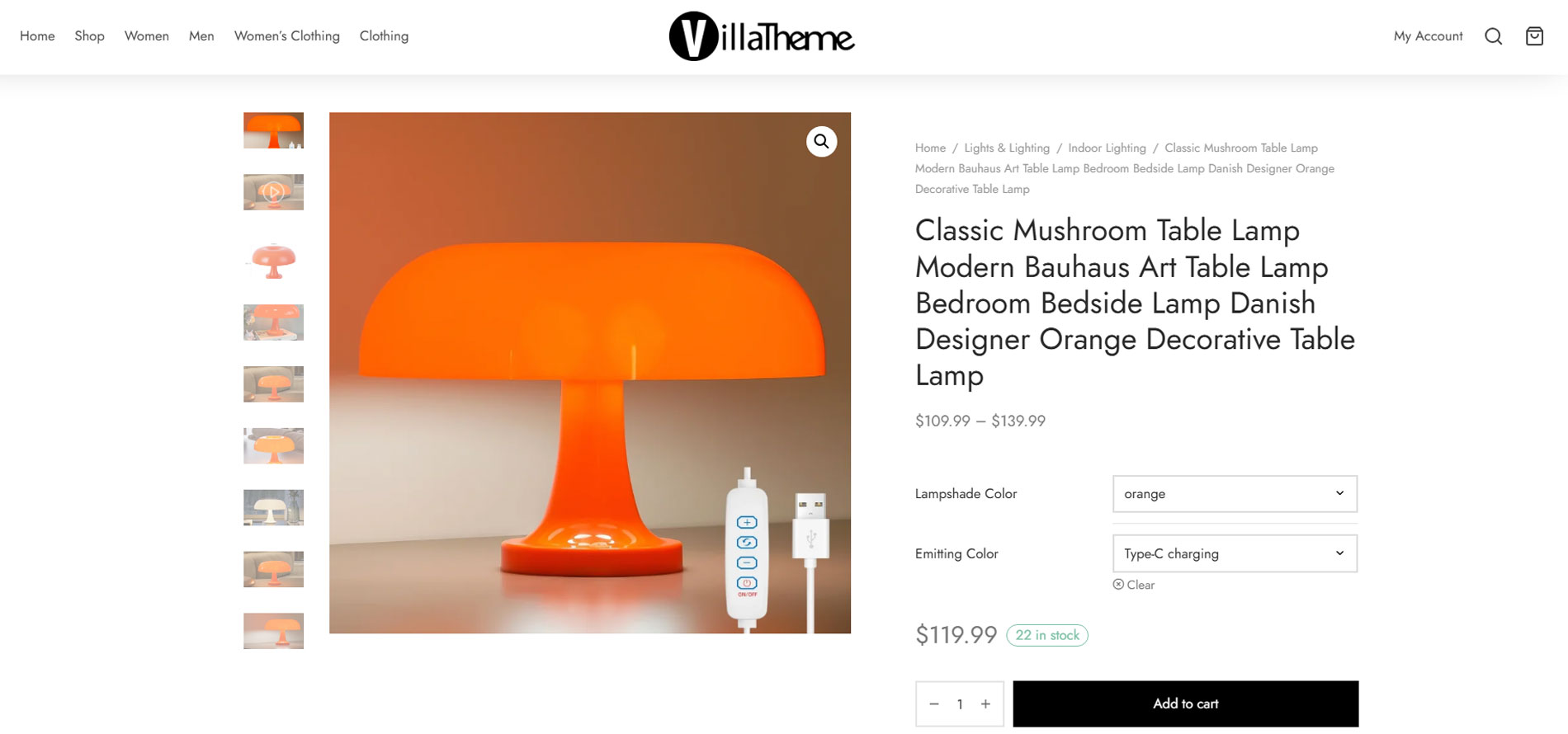
Show gallery with left thumbnails
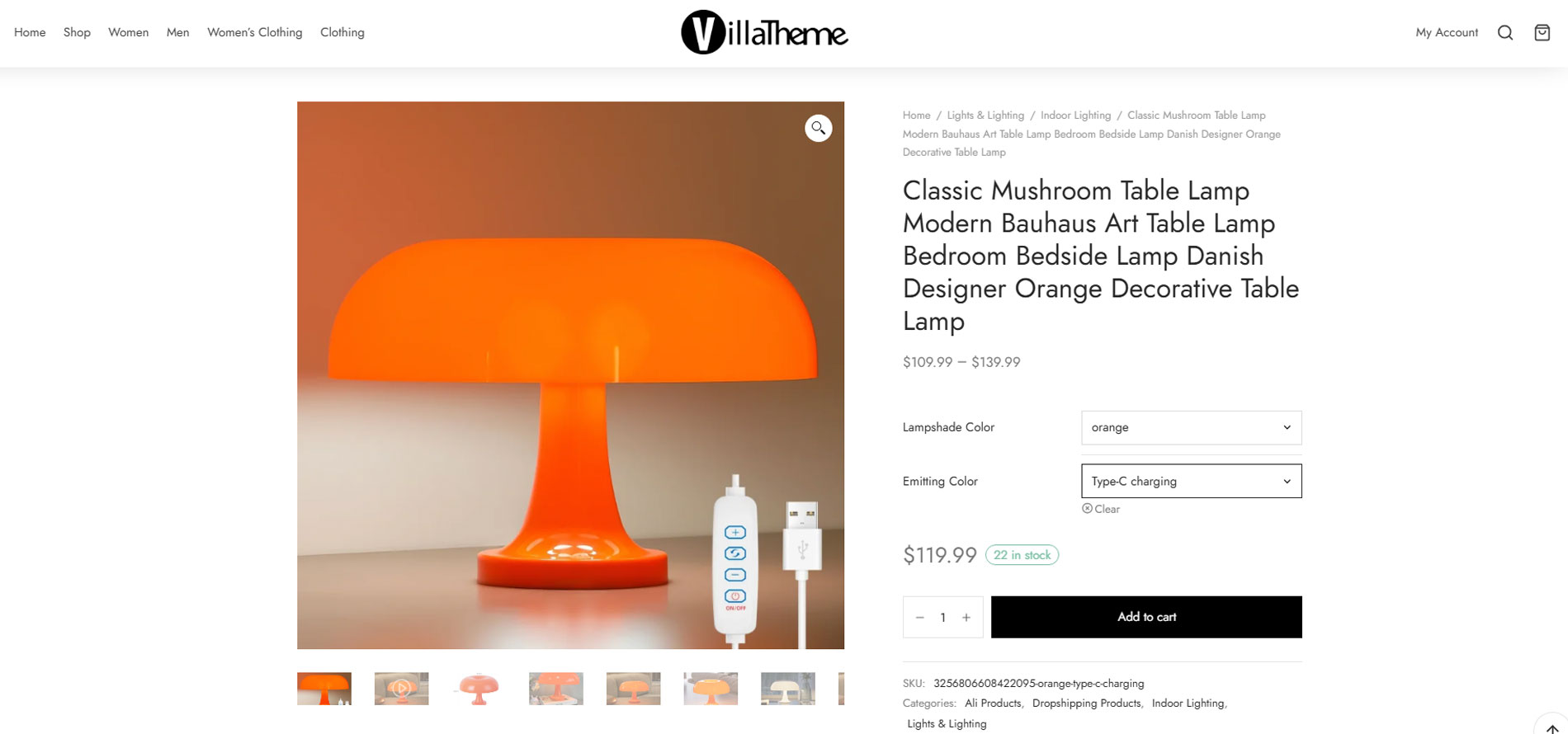
Show gallery with bottom thumbnails
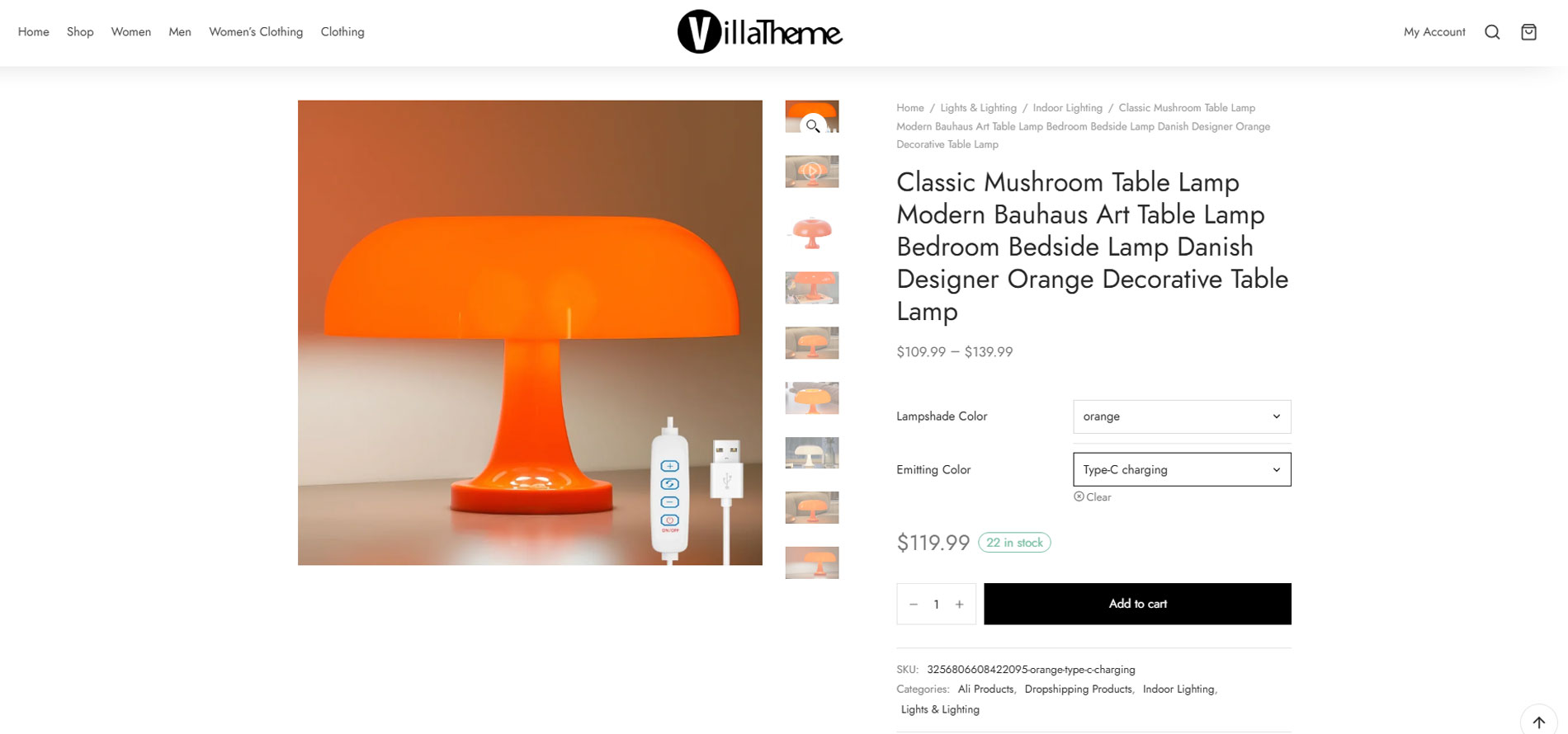
Show gallery with right thumbnails
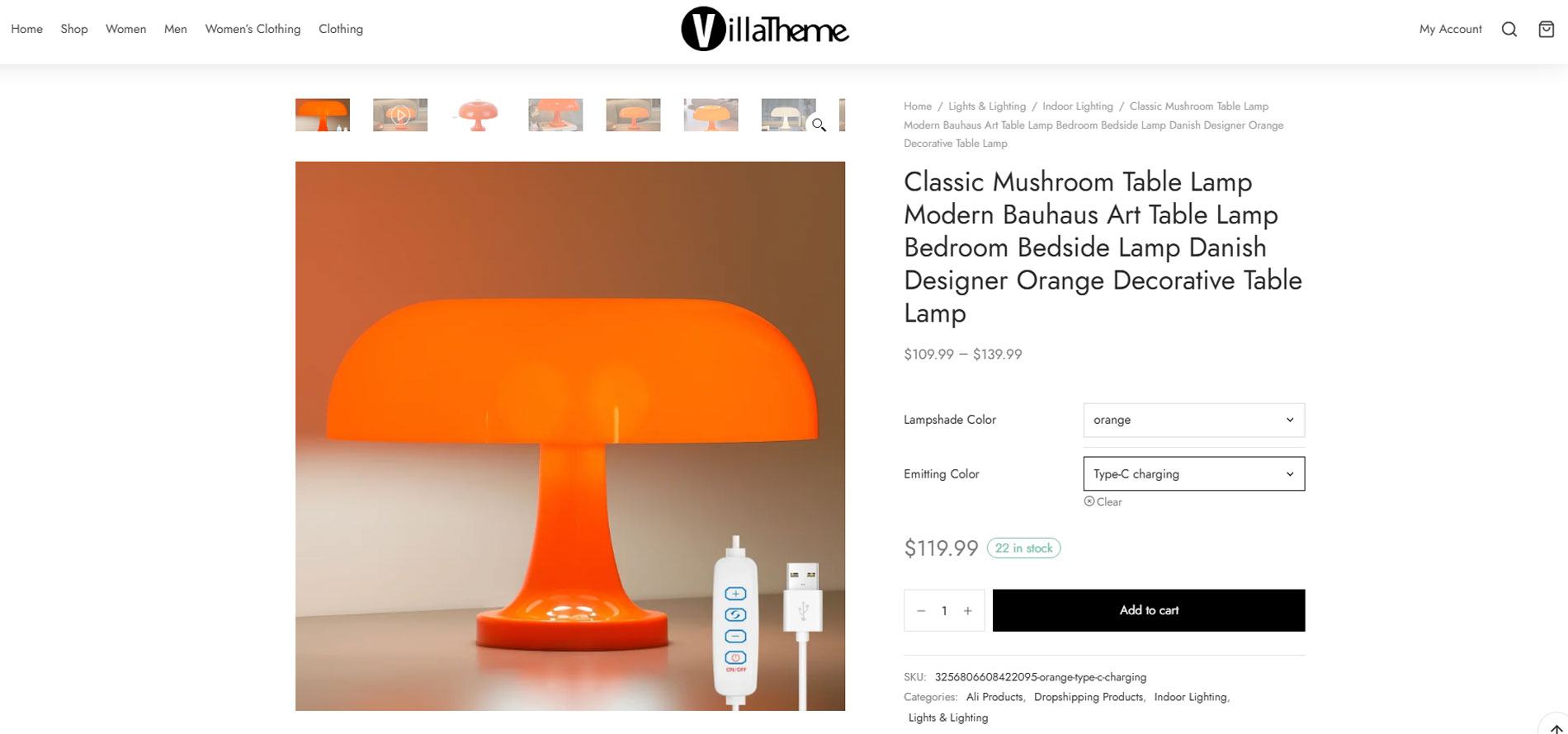
Show gallery with top thumbnails
Reviews
Changelog
/1.0.7 – 2025.11.15/
– Updated: Swipe through gallery items of the VARGAL template on mobile
– Updated: Option to show the image switch icon for the gallery on mobile
– Updated: Compatible with Bricks theme v:2.0.2
– Updated: Compatible with Blocksy theme
– Added: The ‘vargal_get_thumbnail_width’ filter for adjusting thumbnail width
/1.0.6 – 2025.09.18/
– Updated: Compatible with BULKY – Bulk Edit Products for WooCommerce
/1.0.5 – 2025.09.03/
-Updated: Link to pro version
/1.0.4 – 2025.07.24/
– Updated: VillaTheme support
/1.0.3 – 2025.06.10/
– Fixed: Errors from customers’ feedback
– Updated: Compatible with Flatsome theme – quick view
– Updated: Compatible with Goya theme – quick view
/1.0.2 – 2025.04.24/
– Updated: VillaTheme support
/1.0.1 – 2025.04.24/
– Updated: VillaTheme support
/**1.0.0 – 2025/
~ The first released