Vatdi AI Chat Agent
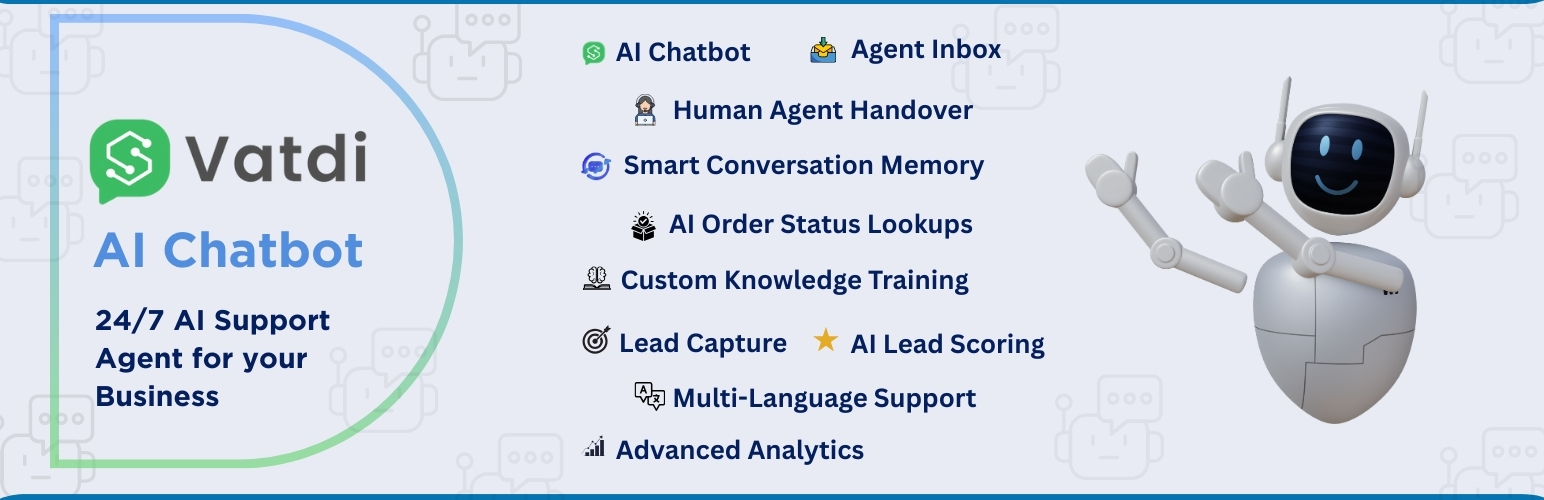
Vatdi AI Chat Agent
Description
Vatdi AI Chat Agent connects your WordPress website to an intelligent AI-powered chat system that provides 24/7 customer support based on your website content. The plugin automatically syncs your published content to create a comprehensive knowledge base, enabling the AI to answer customer questions accurately and contextually.
Key Features
- Automatic Content Sync: Automatically syncs your published posts, pages, products, and taxonomies to the AI knowledge base
- Real-Time Updates: Content changes are synced immediately when you publish or update content
- WooCommerce Integration: Full support for WooCommerce products, categories, and reviews
- Intelligent Responses: AI-powered chat that understands your content and provides accurate, contextual answers
- Easy Setup: One-click “Connect to Vatdi AI” button — no keys or codes needed
- No Coding Required: Works out of the box with automatic background syncing
- Secure & Private: All communication is encrypted via HTTPS, and only published content is synced
How It Works
- Install and activate the plugin
- Go to Vatdi AI Chat in your WordPress sidebar
- Click the “Connect to Vatdi AI” button — your site links automatically
- The plugin syncs your published content to the AI knowledge base
- Manage everything else (training, appearance, settings) from your Vatdi AI dashboard
Content Sync
The plugin automatically syncs:
* Published blog posts and articles
* Published static pages
* WooCommerce products (if WooCommerce is installed)
* Categories and tags
* Navigation menus
* Product reviews (WooCommerce)
Only published content is synced. Drafts, trashed, and private content are excluded. Content is synced in real-time when published or updated, with an additional hourly full sync to ensure everything stays up-to-date.
Support
For support, please visit vatdi.com/support or email support@vatdi.com
Privacy
This plugin syncs your published content to the Vatdi AI Chat Agent service to enable AI-powered customer support.
Data Collection:
* Only published content (posts, pages, products, categories, tags, menus) is synced
* No personal user data is collected or transmitted
* Store credentials are stored securely in WordPress options (encrypted)
* All communication with the Vatdi API is encrypted via HTTPS
Data Usage:
Synced content is used solely to power the AI chat agent’s knowledge base, enabling it to answer customer questions about your website content.
External Resources:
When the chat widget is enabled (which requires explicit action in plugin settings), an async widget loader script is loaded from vatdi.com. This loader script then handles CSS injection and widget initialization automatically. This is the core functionality of the service. The widget can be disabled at any time in the plugin settings, and disabling it does not affect content syncing.
For more information, see our Privacy Policy.
Installation
Automatic Installation
- Log in to your WordPress admin panel
- Navigate to Plugins Add New
- Search for “Vatdi AI Chat Agent”
- Click “Install Now” and then “Activate”
Manual Installation
- Download the plugin zip file
- Log in to your WordPress admin panel
- Navigate to Plugins Add New
- Click “Upload Plugin”
- Choose the zip file and click “Install Now”
- Click “Activate Plugin”
Configuration
- Go to Vatdi AI Chat in your WordPress sidebar
- Click the “Connect to Vatdi AI” button — no keys or codes needed
- Your site will be linked automatically and content sync begins
- Manage training, widget appearance, and all settings from your Vatdi AI dashboard
Faq
A free Vatdi account is created automatically when you click “Connect to Vatdi AI” in the plugin. You can also sign up at vatdi.com.
Only published content is synced. This includes published posts, pages, WooCommerce products, categories, tags, and menus. Drafts, trashed, and private content are not synced.
Content is synced in real-time when you publish or update content. Additionally, a full sync runs hourly via WP-Cron to ensure everything is up-to-date.
Yes! The plugin fully supports WooCommerce and automatically syncs products, categories, and reviews.
Yes. All communication with the Vatdi API is encrypted via HTTPS. Your Store Secret is stored securely in WordPress options and is never displayed in the frontend.
Yes, you can disable the chat widget in the plugin settings while still keeping content sync enabled.
When the chat widget is enabled by you in the plugin settings, the plugin loads an async widget loader script from vatdi.com. This loader script then handles CSS injection and widget initialization automatically. This is the core functionality of the service and only occurs when you explicitly enable the widget. The widget is not loaded if you disable it in settings, and content syncing works independently of the widget.
Reviews
10/10 Best AI Chatbot for WordPress
By 
Very Simple and Easy to use, Works like a charm, saved me a lot of time with support. Chat Response is too good 🙂
Easy to Use and Very Effective
By 
Simple setup, smooth integration, and great results. The AI chatbot works perfectly and has already saved us a lot of time on customer support. Highly recommended!
Changelog
1.1.4
- Updated data builder class with improvements and bug fixes
1.1.3
- WooCommerce: Coupons sync and real-time updates; products and coupons removed from knowledge base when deleted or trashed
- Content sync: Media/attachments, policy documents (refund, return, shipping, terms, privacy), store info and shipping zones
- Order status: REST endpoint for order lookup with email verification and shipment tracking support
- Admin: One-click Easy Connect, dashboard auto-login link refresh, improved connection status handling
- Data: ACF, Yoast SEO and RankMath support for posts, pages and products; taxonomy hierarchy paths; product attributes and variations
- Deactivation notifies Vatdi to mark store as disconnected
1.1.1
- Minor improvements and code updates
- Preparation for latest WordPress.org deployment
1.1.0
- Plugin updates and improvements
- Bug fixes and performance enhancements
- Version update for SVN deployment
1.0.2
- Plugin updates and improvements
- Bug fixes and performance enhancements
1.0.1
- Fixed plugin activation fatal error by ensuring all class files are properly loaded
- Updated REST API namespace to ‘ai-chat/v1’ to match backend expectations
- Updated REST API endpoints to use ‘/sync/’ prefix for better organization
- Added order status endpoint for WooCommerce order lookups
- Improved plugin structure and file organization
1.0.0
- Initial release
- Automatic content sync for posts, pages, and WooCommerce products
- Real-time sync on content updates
- Scheduled hourly full sync via WP-Cron
- Chat widget integration with async loader (WordPress-approved method)
- Professional admin interface with setup guide
- REST API endpoints for backend synchronization
- Support for WooCommerce products, categories, and reviews
- Secure credential storage and HTTPS communication