VC Countdown Timer

VC Countdown Timer
Description
VC Countdown Timer Displays a Countdown Timer in beautiful Circles in a page/post from Visual Composer Element or as a shortcode based on user’s input.
It can be used as a Custom shortcode if Visual Composer is not installed.
Installation
- Download “VC Countdown Timer” plugin
- Simply go to the Plugins page, then click on Add new and select the plugin’s .zip file which is “vc-countdown-timer.zip”.
- Alternatively you can extract the contents of the zip file directly to your wp-content/plugins/ folder
- Finally, activate the plugin.
Screenshots
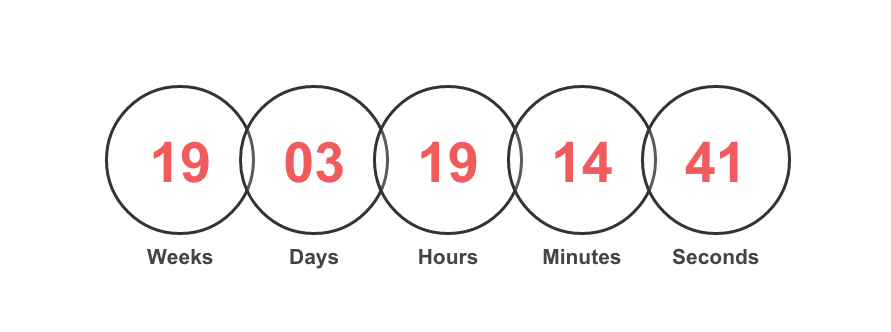
This screen shot description corresponds to screenshot-1.png . It's the front end of the plugin.
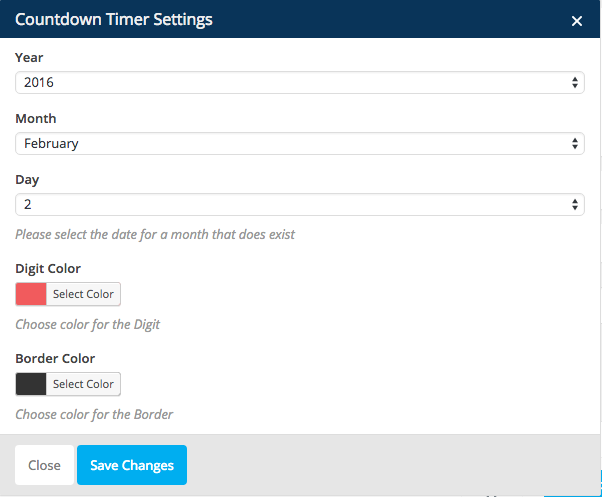
This screen shot description corresponds to screenshot-2.png . It's the backend from the Visual Composer Element.
Faq
Installation Instructions
- Download “VC Countdown Timer” plugin
- Simply go to the Plugins page, then click on Add new and select the plugin’s .zip file which is “vc-countdown-timer.zip”.
- Alternatively you can extract the contents of the zip file directly to your wp-content/plugins/ folder
- Finally, activate the plugin.
Does it require to Visual Composer being Installed ?
Not necessarily. You can use it as a custom Shortcode.
Is there any shortcode to use it in a page or post ?
Yes. Put the shortcode [ct_countdown year=”” month=”” day=”” digit_color=”” border_color=””] with these attributes as number of year, month and day.
For instance, [ct_countdown year=”2019″ month=”1″ day=”10″ digit_color=”red” border_color=”#000″]
You can either use color names or color hex codes for the color attributes.
Reviews
Breaks jQuery $
By 
Not much option
By 
Very basic and not easy to configure
Excellent
By 
Works beautifully, thank you.
Its a great plugin
By 
I just love this plugin. It helps me a lot. Thanks.
Awesome
By 
It's very easy to use.
Pretty helpful
By 
Neat and clean, easy to use!
WOAH! Great plugin
By 
I love your plugin, thank you so much. I recommend
Changelog
1.2
- Fixed some issues with jQuery noconflilct of WordPress.
- Improved the installation documentation for users.
1.1
- Couple of css changes for the title and numbers to align center.
1.0
- Initial release