VEO Multisite Plugin Manager

VEO Multisite Plugin Manager
Description
In a WordPress Multisite network, the Network Admin plugin list only tells you whether a plugin is network active. To know which sites use a plugin activated per site, you have to open every site.
VEO Multisite Plugin Manager adds that information to each row of Network Admin › Plugins:
- Active globally across the network when the plugin is network activated.
- Active on: followed by the sites where it is active, each one linking to that site’s plugin screen.
- Not active on any site when nobody uses it, so you can spot plugins that are safe to remove.
It only reads data: it never activates, deactivates or changes plugins, and it adds no settings, tables or options.
The list is shown only in the Network Admin and only to users who can manage network plugins (Super Admins). Site administrators never see which other sites exist in the network.
Installation
- In the Network Admin, go to Plugins › Add New Plugin and search for “VEO Multisite Plugin Manager”.
- Click Install Now and then Network Activate.
- Go to Network Admin › Plugins: each plugin now shows where it is active.
Screenshots
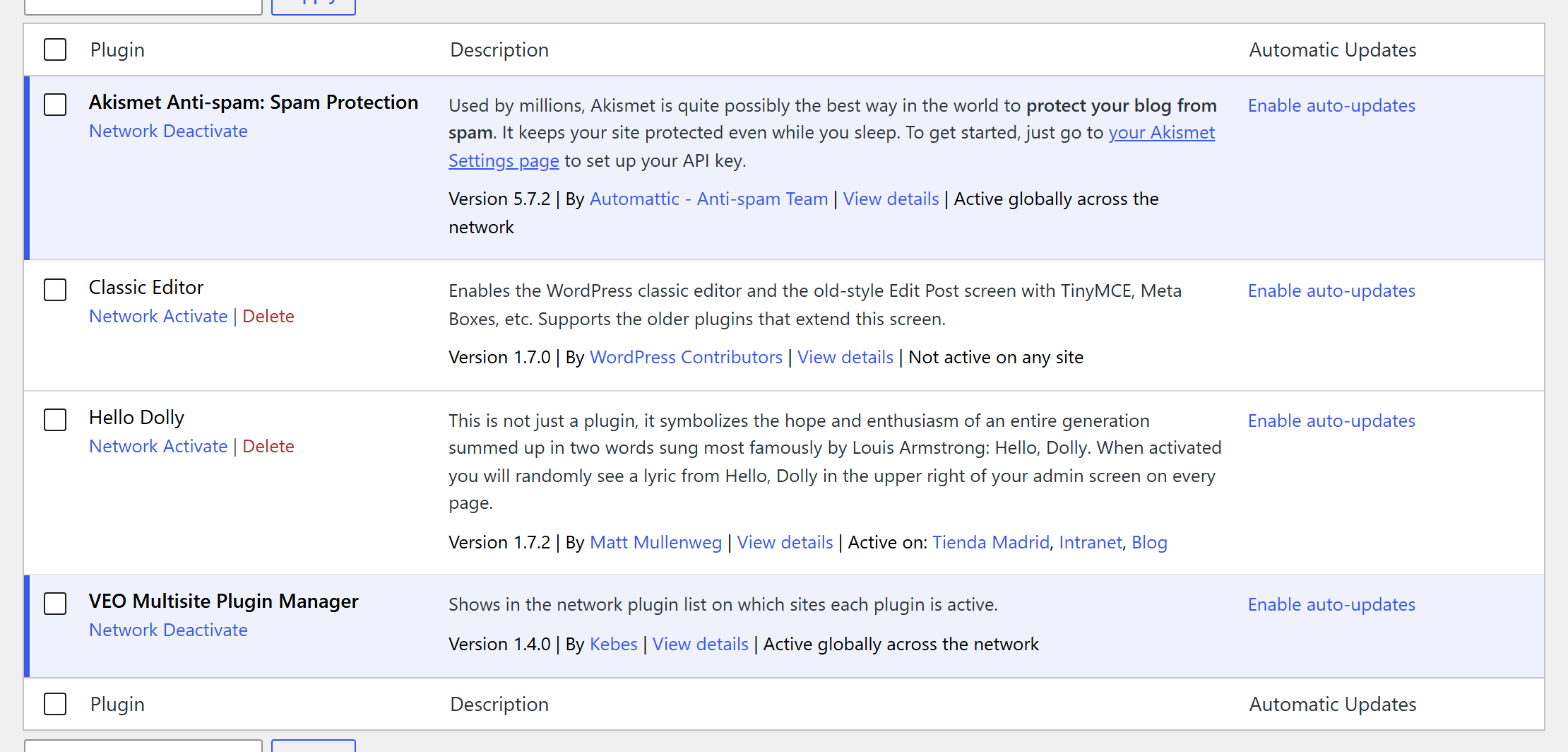
Network Admin › Plugins: each plugin shows whether it is network active, on which sites it is active, or that no site uses it.
Faq
No. It needs a Multisite network. On a single site it only shows a notice.
No. It only shows where each plugin is active. To change it, follow the link to the site and use its plugin screen.
Every site in the network, public or not, except archived, spam and deleted sites.
It reads the active plugins of each site once per page load, only on the Network Admin plugin screen. On networks with more than 10,000 sites it skips the check and says so.
They are always active everywhere, so the plugin adds nothing to their rows.
Reviews
Changelog
1.4.0
- Fixed: sites that are not public (private or hidden from search engines) were missing from the list.
- Fixed: sites without a title appeared as an empty link; they now show their address.
- Fixed: must-use plugins and drop-ins were reported as “Not active on any site”.
- Security: the list is now shown only in the Network Admin and only to Super Admins. Site administrators could see the names of other sites in the network.
- Performance: active plugins are read once per page instead of once per plugin and site.
- Performance: nothing is loaded on the front end.
- The “requires Multisite” notice on single-site installations now appears only on the Plugins screen.
- Tested with WordPress 7.1.
1.3.2
- Fixed issues related to repository compatibility and stability.
1.3.1
- Fixed issues related to repository compatibility and stability.
1.0
- Initial release.