Verse of the Day Widget for WP

Verse of the Day Widget for WP
Description
Verse of the Day Widget for WP puts a daily Bible verse on your WordPress site in under a minute. Each day a King James Version (KJV) verse is presented over an AI-generated static or animated background, giving visitors a fresh piece of scripture every time they arrive.
Every site running the plugin shows the same verse on the same date, so your readers share a true verse of the day with the rest of the network rather than seeing a random line of scripture. The daily selection is driven by your site’s own timezone setting, so the verse of the day rolls over at your local midnight.
The verses themselves are bundled inside the plugin, so nothing is fetched from an outside verse service. No account, no API key, no signup, no paid tier, and nothing about your visitors is collected or transmitted. That makes it a straightforward fit for church websites, ministry sites, devotional blogs, Christian schools, and any site that needs a daily scripture block without a privacy review attached.
Where most daily verse tools are English-only, this one translates the KJV text into over 100 languages. Rather than optimizing purely for modern readability the way a general translation service does, the translation step is prompted to preserve the formal phrasing and emphasis characteristic of the King James Version, so a Spanish, French, Tagalog, or Korean reader gets something closer in register to the English original.
Check out the live demos to see both layouts in action: Sidebar Demo | Header Demo
Three Ways To Place The Verse Of The Day
- Gutenberg blocks (block editor / site editor): Two native blocks, Verse of the Day Header and Verse of the Day Sidebar, appear under the Widgets category in the block inserter. Both are server-side rendered, so they work in block themes, full site editing templates, template parts, and patterns, not just inside post content.
- Classic widgets: A header widget and a compact sidebar widget are registered for any theme that still uses classic widget areas.
- Shortcodes:
[votd_header_widget]and[votd_sidebar_widget]drop the verse into any post, page, or page-builder text module.
Key Features:
- Daily Bible Verses: A KJV verse of the day, chosen from a curated scripture library bundled right inside the plugin. No external verse service, no API key, no rate limits. The library is expanded with each release.
- Gutenberg Block Editor Ready: Native blocks for both layouts, rendered server-side so the verse is present in the page HTML rather than painted in afterwards by JavaScript.
- Multilingual Scripture: Serve the daily verse in over 100 languages, translated to keep the formal tone of the King James Version. Translations are requested once per language per day and cached locally.
- Animated Backgrounds: Display the verse over AI-generated animated WebP scenery. Choose animated only, static only, or a mix of both.
- Extensive Background Library: Several animated backgrounds and more than 60 static images, all served in Google’s efficient WebP format.
- Font Customization: 18 professional fonts, including Roboto, Open Sans, Inter, Lato, Source Sans Pro, Raleway, Montserrat, Nunito, EB Garamond, Merriweather, Playfair Display, Lora, Crimson Text, Roboto Mono, Source Code Pro, Fira Code, Poppins, and Quicksand.
- Self-Hosted Fonts: One click in Settings downloads every font into the plugin’s own folder, so no font request ever leaves your server.
- Privacy Clean: No visitor data collected, no analytics, no cookies set by the plugin, no third-party calls at all when the language is English.
- Dual Layouts: A full-width layout for prominent header placement and a compact layout for sidebars and footers.
- Public Domain Text: The King James Version is public domain, so there is no licensing restriction on displaying the verse of the day on your site.
Third-Party Service
The daily Bible verses themselves are bundled locally inside the plugin (data/verses.json) and require no external service. When the verse language is set to English (the default), this plugin makes no network requests for verse content. (The only other possible external request is the Google Fonts CDN, and only until fonts are self-hosted — see “Third-Party Fonts & Licenses” below.)
When a language other than English is selected, the plugin uses one third-party service:
Verse of the Day Widget for WP Translation API
– Translates the day’s KJV verse into the selected language. The request is made server-side by your WordPress site (never by your visitors’ browsers), at most once per language per day, and the result is cached locally until midnight.
– Data Sent: The verse text and the selected language code. No personal data, visitor data, or site data is sent, collected, or stored.
– Access: https://www.freesmartphoneapps.com/verseoftheday/api/translate-verse/
– Privacy Policy: https://freesmartphoneapps.com/privacy-policy-votd/ (Updated 2025-05-21).
OpenAI API
– This API is used to translate the Bible verses into over 100 languages, ensuring a multilingual experience.
– Personal Data: The API does not collect or store any personal data.
– Access: The API is accessed at https://api.openai.com/v1.
– Privacy Policy: Refer to OpenAI’s privacy policy here: https://openai.com/privacy.
Third-Party Fonts & Licenses
This plugin offers 18 Google Fonts as font-family options. When downloaded via Settings > “Download & Self-Host All Fonts,” the actual font files are saved to this plugin’s own /fonts/ directory (one subfolder per font, each including a LICENSE.txt). Both licenses below permit free use, modification, and self-hosted redistribution:
- Apache License, Version 2.0 (Roboto, Roboto Mono) — http://www.apache.org/licenses/LICENSE-2.0
- SIL Open Font License, Version 1.1 (Open Sans, Inter, Lato, Source Sans Pro, Raleway, Montserrat, Nunito, EB Garamond, Merriweather, Playfair Display, Lora, Crimson Text, Source Code Pro, Fira Code, Poppins, Quicksand) — https://scripts.sil.org/OFL
Installation
- Install the Plugin: Install directly from the WordPress plugin screen by searching for Verse of the Day Widget for WP, or upload the plugin files to the
/wp-content/plugins/verse-of-the-day-widget-for-wpdirectory. - Activate the Plugin: Go to the ‘Plugins’ screen in WordPress and activate the plugin.
- Place the verse of the day. Pick whichever fits your theme:
- Block themes / Gutenberg block editor: Edit a page, template, or template part, open the block inserter, and add Verse of the Day Header or Verse of the Day Sidebar.
- Classic themes: Go to Appearance > Widgets and drag the header widget or the sidebar widget into a widget area.
- Anywhere else: Paste
[votd_header_widget]or[votd_sidebar_widget]into a post, page, or page-builder text module.
- Configure: Visit the plugin settings page to choose your language, background type (static, animated, or mixed), and font family.
Screenshots
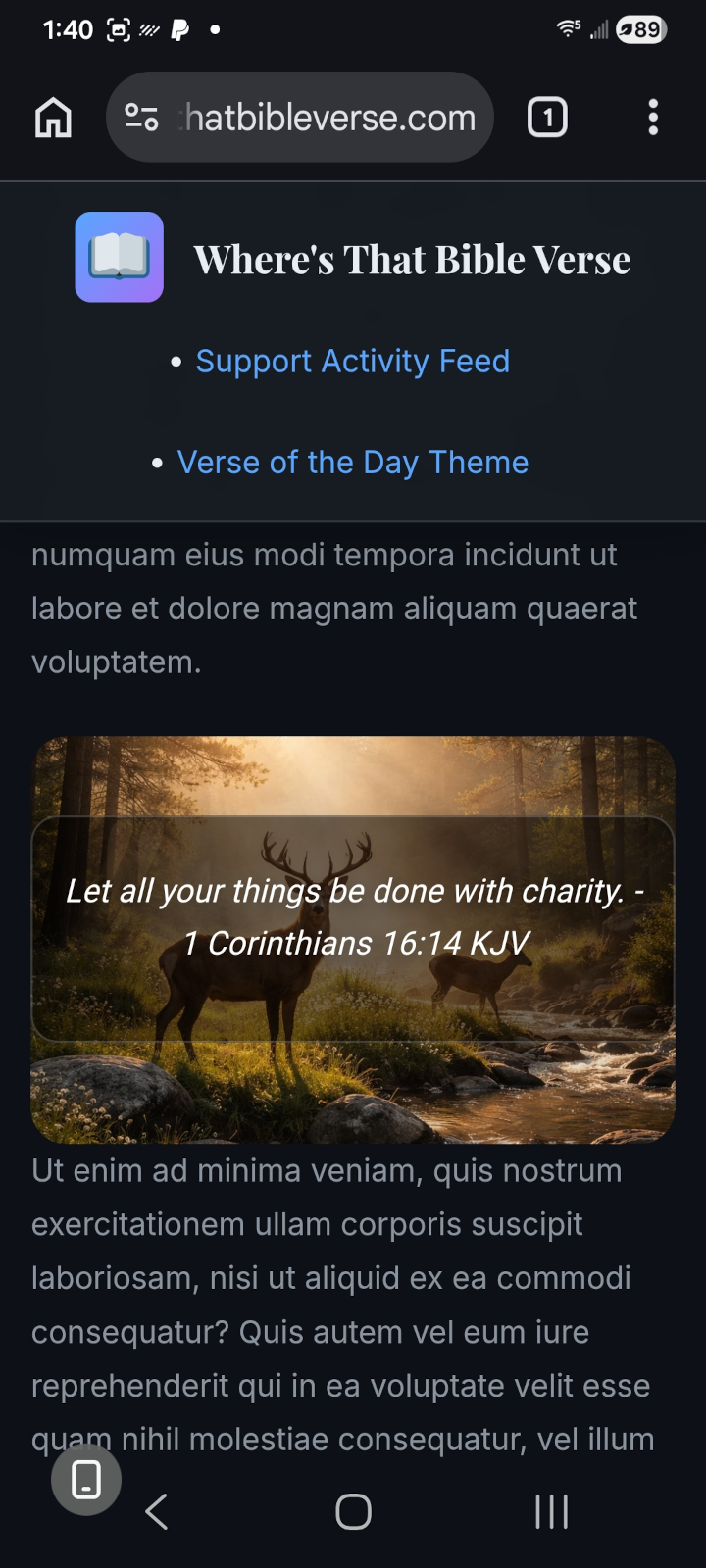
The verse of the day displayed on mobile, showing a short KJV verse over an AI-generated background.
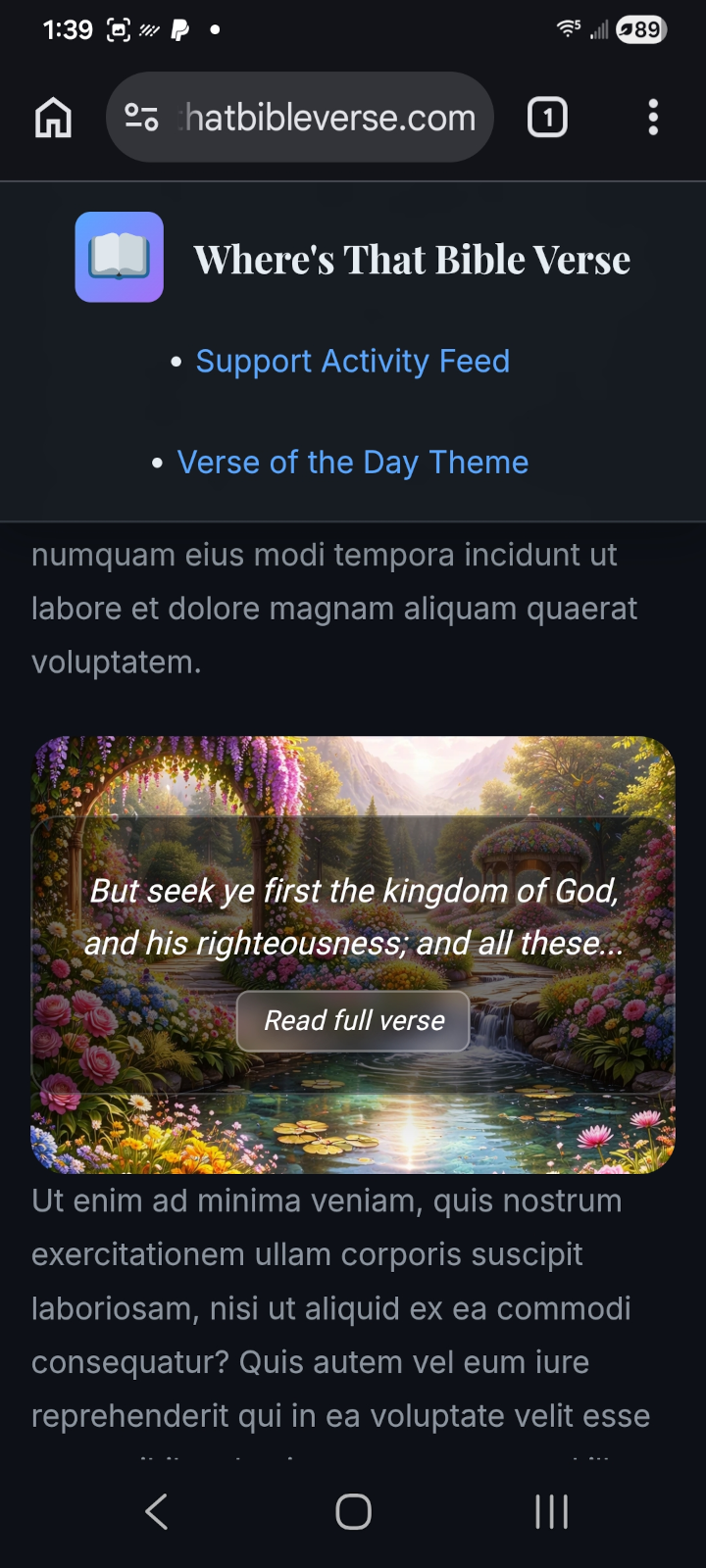
A longer KJV verse on mobile, truncated in the widget with the full passage available on tap.
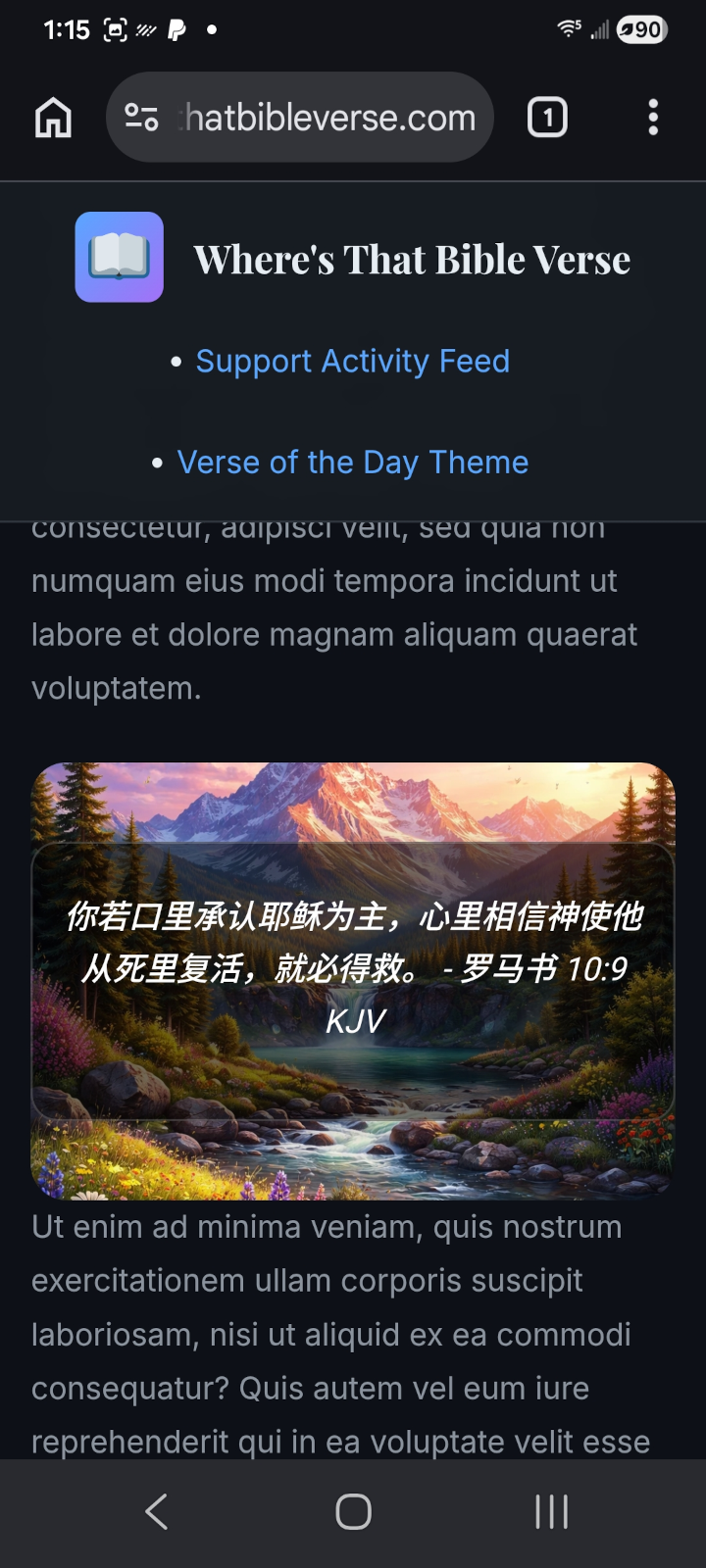
The daily verse shown in Chinese (Simplified), one of over 100 supported languages.

Plugin settings page showing the language selector for multilingual scripture.

Plugin settings page showing background type (static, animated, or mixed) and font family options.
Faq
Three ways, all interchangeable. Add the Verse of the Day Header or Verse of the Day Sidebar block in the Gutenberg block editor or site editor; drag the header or sidebar widget into a widget area under Appearance > Widgets; or paste the [votd_header_widget] or [votd_sidebar_widget] shortcode anywhere shortcodes run. The older [votd_verse_of_the_day_widget_for_wp] shortcode still works for existing installs, but new sites should use the two layout-specific shortcodes above.
Yes. Both layouts are registered as native Gutenberg blocks, Verse of the Day Header and Verse of the Day Sidebar, and render server-side, so they can be placed in posts, pages, reusable patterns, and full site editing templates and template parts. They appear under the Widgets category in the block inserter, or you can search the inserter for “verse,” “scripture,” or “devotional.” The blocks reuse the same output as the classic widgets and the shortcodes, so all three placement methods display the verse identically.
This matters on a block theme such as Twenty Twenty-Five, because block themes have no Appearance > Widgets screen at all. On those themes, use the blocks (or a Shortcode block) rather than the classic Widgets screen.
No. There is no account, no API key, no signup, and no connected service to configure. Install, activate, place the block, and the verse of the day appears.
Yes, entirely, under GPLv2 or later. There is no paid tier, no upsell, and no feature held back behind a license.
The King James Version (KJV), which is in the public domain. Translations into other languages are derived from the KJV English text rather than from a modern translation, which is why the phrasing reads more formally than most daily verse services.
Yes, over 100 languages are supported. Select your language on the plugin settings page and the daily verse is translated for you. The translation is fetched once per language per day and cached on your site until midnight.
No. No visitor data, personal data, or site data is collected, stored, or transmitted. When the language is set to English, the plugin makes no external requests for verse content at all, because the verses ship inside the plugin. See the Third-Party Service section below for the full data flow when a non-English language is selected.
It should not. The verse text is bundled locally rather than fetched over the network, backgrounds are served as WebP, translated verses are cached locally until midnight, and fonts can be self-hosted in one click so no external font request is made.
Yes, and that is deliberate. The selection is derived from the date rather than picked at random, so every site running the plugin displays the same verse on a given day. Your visitors see a genuine verse of the day rather than a random verse.
At midnight in your site’s own timezone, taken from Settings > General, not from whatever timezone your web host happens to run on.
Yes, and that is the most common use. The King James text is public domain, the plugin is GPL, nothing is tracked, and no external account is required, so there is nothing to clear with anyone before putting a daily scripture verse on a church homepage, sidebar, or footer.
It is designed to work with most WordPress themes, both classic and block themes. Because the shortcodes work anywhere shortcodes run, it also drops into page builders such as Elementor, Divi, and Beaver Builder through their shortcode or text modules. If you run into a conflict, please open a topic on the support forum so the team and community can help: Official Plugin Support Page
You can choose whether the widget uses static backgrounds, animated backgrounds, or a mix of the two, from the plugin settings page. The background library itself ships with the plugin and grows with each release.
Until you self-host them, the fonts you select are loaded from Google Fonts. Going to Settings and choosing “Download & Self-Host All Fonts” copies the font files into the plugin’s own /fonts/ directory, after which no font request leaves your server. See Third-Party Fonts & Licenses below.
Reviews
Best of Best
By 
WordPress is always helpful and easy to manage always best of the best!
Support for CSS Issue
By 
I had an issue with the plugin which made the site menu have a grey background, using the Divi 5.0 theme. Allen identified the problem and issued an update which fixed it. Great support, and also an excellent plugin!
Changelog
For the complete version history (all releases), see the readme.txt revision log: https://plugins.trac.wordpress.org/log/verse-of-the-day-widget-for-wp/trunk/readme.txt
8.9.11 – (2026-09-16)
- Fixed (Display): On themes that do not apply a site-wide “border-box” sizing rule, which includes block themes such as Twenty Twenty-Five, the verse panel was drawn wider than the background image it sits on. The panel was set to the full width of its container and then had its inner spacing added on top, so the extra width spilled past the right edge, where the background image cut it off. The verse ran across fewer, longer lines, and the end of each line and the right-hand spacing were hidden, while the left side looked normal. Themes such as Astra apply that sizing rule themselves, which is why the problem did not appear there. The widget now sets its own sizing instead of relying on the theme, so the verse wraps and centers the same way on every theme. This affected both the header and sidebar layouts, whether placed as a block, a classic widget, or a shortcode.
- Improved (Theme Compatibility): The plugin stylesheet no longer adds anything to the page’s root element. The widget’s color and shadow settings are now defined on the widget containers themselves, and the badge styles and the print rule that hides the “Read full verse” link now apply only inside the widgets. Your theme’s own styling is left entirely alone. No visible change to the widget.
- Improved (Documentation): The short description, feature list, installation steps, and FAQ now refer to the blocks as Gutenberg blocks, so site owners searching for Gutenberg support can find them. The FAQ entry on block themes also explains that block themes have no Appearance > Widgets screen, and that the blocks or a Shortcode block should be used there instead.
8.9.9 – (2026-09-13)
- Added (Block Editor): The two blocks are now documented and discoverable. “Verse of the Day Header” and “Verse of the Day Sidebar” can be searched for in the block inserter by terms such as “verse of the day,” “daily bible verse,” “scripture,” and “devotional,” and each block now carries a description explaining which layout it inserts. The blocks themselves are unchanged and still render server-side.
- Added (Plugin Requirements): The plugin now declares its minimum WordPress version (6.6) and minimum PHP version (7.4) in its main plugin file, so WordPress can warn you before an incompatible install or update rather than after. Sites already meeting those versions are unaffected.
- Added (Plugin Header): Declared the plugin’s text domain, plugin URI, and author URI in the main plugin file. Declaring the text domain explicitly keeps translated strings loading correctly rather than relying on WordPress inferring it from the folder name.
- Added (Update Notice): Releases now include an upgrade notice, so the one-line summary of what a release does is visible on your Plugins screen before you click update.
- Improved (Documentation): The Frequently Asked Questions section has been expanded from three entries to fourteen, covering block theme and full site editing support, page builder compatibility, whether an API key or account is needed, which translation is used, when the verse changes and in which timezone, what data is and is not sent, self-hosted fonts, and use on church and ministry sites.
- Improved (Documentation): Installation instructions now cover all three placement methods separately (block, classic widget, shortcode). The FAQ answer on displaying the verse now leads with the current
[votd_header_widget]and[votd_sidebar_widget]shortcodes; the legacy[votd_verse_of_the_day_widget_for_wp]shortcode continues to work and is still documented for existing installs. - Improved (Documentation): Screenshot captions rewritten to describe what each image shows, and the plugin description now states the licensing and privacy position plainly: the King James Version text is public domain, no account or API key is required, and the plugin sets no cookies and collects no visitor data.
8.9.8 – (2026-09-10)
- Release: Updated the stable tag from ‘trunk’ to ‘8.9.8’.
For older releases, see changelog.txt.