VidLive

VidLive
Description
VidLive allows you to embed your Facebook and YouTube Live videos onto your website automatically. No more updating your live embed code every time you go live. Just embed your VidLive widget once, and you are done.
Now you can use the official VidLive WordPress plugin to connect to your VidLive account and make it even easier to place your Facebook and YouTube Live videos just where you want them. Once connected, your widgets will be assigned a WordPress short code that can be placed almost anywhere on your website. If you don’t already have a VidLive account, go to VidLive.co to register.
If you don’t already have a VidLive account, go to VidLive.co to register.
Installation
- Search for VidLive through ‘Plugins > Add New’ interface.
- Find the plugin box of VidLive and click on the ‘Install Now’ button.
- Then activate the VidLive plugin.
- Click on the VidLive menu link.
- Enter your API key to connect to your VidLive account.
Screenshots
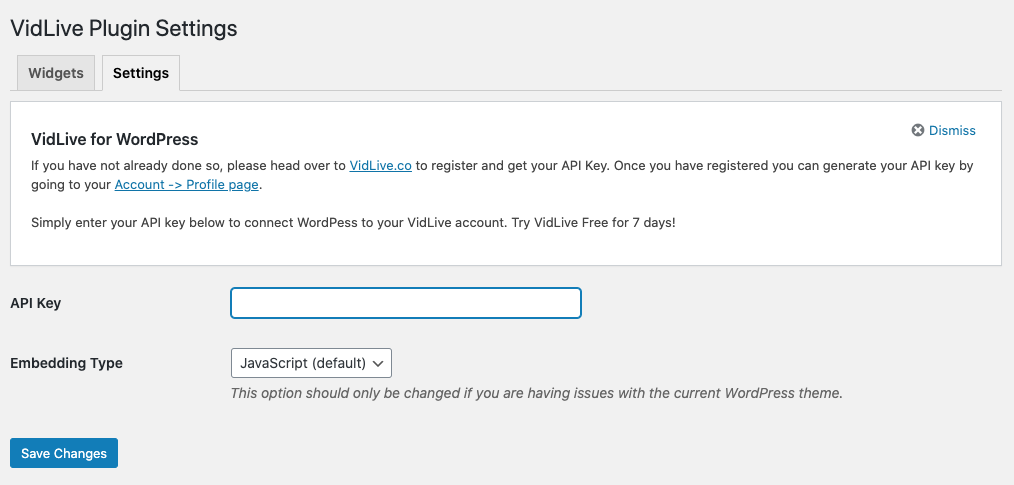
API Connection

Widget list and short codes
Reviews
Amazing facebook live wordpress plugin.
By 
Best plugin for place your Facebook videos on your website
By 
Changelog
1.0
- Initial release
1.1
- Added YouTube widget support