VidShop – Shoppable Videos for WooCommerce
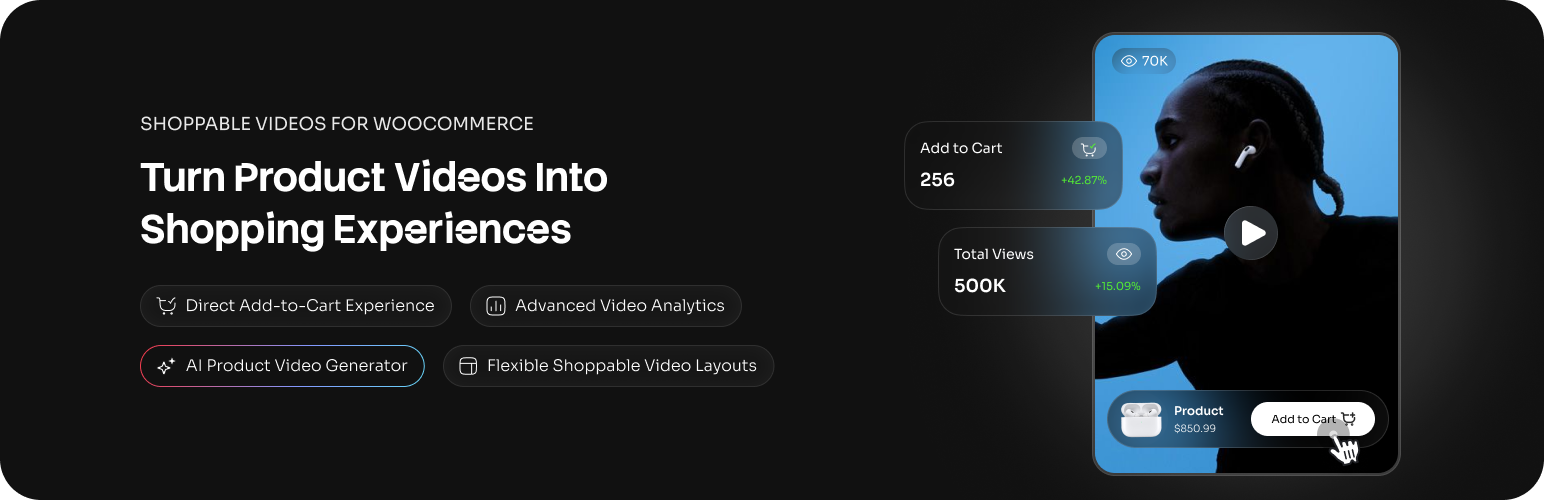
VidShop – Shoppable Videos for WooCommerce
Description
Shoppable videos for WooCommerce, TikTok-style
VidShop adds a swipeable product video gallery to your WooCommerce store — like a TikTok feed of your products. Customers swipe through videos, tap a product they like, and check out without leaving the player.
It fits any store that sells visual products: fashion, beauty, electronics, or home décor.
See it on a live store: Interactive Demo
Want more? Upgrade to VidShop Pro
What VidShop does
- Swipe between videos like a social feed, so browsing feels like an app instead of a product grid.
- Buy inside the video. The cart and checkout open right in the player.
- See what’s working: views, watch time, likes, and add-to-carts.
- Built for phones first, and it works on desktop with a mouse.
- No code to set up.
- Runs on the WooCommerce products you already have.
- No footage? Make a product video with AI from a product photo.
- Works with AI assistants like Claude over MCP, so you can ask for your analytics or publish a draft from a chat (details below).
Features
Video feeds
- Build a feed step by step — pick videos, layout, colors, and shopping behavior — with a live preview that shows exactly what shoppers will see
- Save it and embed it anywhere with one small shortcode:
[vidshop id="123"] - Edit a saved feed and every page using it updates — no shortcode changes
- Duplicate feeds, copy shortcodes, and manage everything from one screen
- Layouts: grid, carousel (video slider), inline (TikTok-style feed), and stories
Frontend
- Swipeable player
- Tappable product hotspots
- View counts and likes
- Cart and checkout inside the player
- Product variations
- Works on phones and desktops
Products
- Any number of products per video
- Variable products
- Live inventory sync
- One-tap add to cart
Analytics
- Views, total and unique
- Watch time, average and total
- Likes, total and unique
- Add-to-cart counts
- Product views
- Your top videos and products
Video management
- Publish, draft, or trash a video
- Upload from the Media Library or link a URL
- Link products to each video
- Bulk actions and quick edit
AI video generation
Generate shoppable videos with AI when you don’t have footage. Pick a WooCommerce product, choose a style, and VidShop builds a short vertical video from its image, then saves it to your library as a draft linked to that product. You review it and publish when it looks right.
- A built-in AI video generator turns a product photo into a short vertical video
- Choose a style template, or let Auto match one to the product
- Set the length and pick background music or silent
- Finished videos save to your library as drafts, linked to the product
- A progress banner tracks renders while you keep working
- Your first video is free with a WPCreatix account; VidShop Pro covers ongoing generation
Branding
- Colors that match your store
- Responsive layouts
- Works with touch and mouse
Setup in four steps
1. Add your video. Upload it or paste a URL, then set a thumbnail.
2. Connect products. Pick the WooCommerce products to link.
3. Build a video feed. Choose which videos to show, the layout, and the colors — with a live preview.
4. Go live. Paste the feed’s shortcode anywhere on your site.
Example shortcodes:
[vidshop id="123"]

[vsfw-videos videos="all" type="grid" color-schema="#1e40af"]

[vsfw-videos videos="123,456,789" type="carousel" color-schema="#e11d48"]

[vsfw-videos videos="all" type="inline" color-schema="#10b981"]

[vsfw-videos videos="all" type="stories" color-schema="#1e40af" autoplay="yes" loop="yes"]
Performance and compatibility
- Lazy loading and caching for speed
- Works with common caching and CDN plugins
- Mobile-first, responsive design
- Clean code with hooks for developers
- Translation-ready
Works with AI assistants like Claude and Cursor (MCP)
VidShop registers its admin operations with the WordPress Abilities API, which is part of WordPress core since 6.9. Add the free MCP Adapter plugin from the WordPress project and MCP clients that sign in with a WordPress Application Password (Claude Desktop, Claude Code, Cursor) can work with your store’s videos in plain English. Verified with Claude Code.
What an AI assistant can do:
- List your videos, with the products attached to each, and open one with its full product details
- Rename a video, swap its thumbnail, publish or unpublish it, and attach products
- Restore a video from the trash
- List your saved video feeds with their shortcodes; rename one, change its status or its display settings
- Read analytics: views, likes, watch time, add-to-carts, top videos and products, site-wide or per feed
- Check the AI connection: plan, credit balance, the credit price per video length, and what is rendering right now
- Read the plugin settings
Try prompts like:
“Which videos had the most add-to-carts this month?”
“Publish the draft video for the blue hoodie and attach the matching hat.”
“Give me the shortcode for the homepage feed.”
What it deliberately cannot do:
- Trash a video or start an AI render. Trashing destroys, and a render spends credits, so both are off MCP by default. If you want them, you expose them yourself with a few lines of code; the plugin never does it for you.
- Create a video, permanently delete one, empty the trash, create or delete a feed, connect the cloud account or change settings. None of these are offered to agents at all. They stay in wp-admin.
- Act as anyone but an administrator. Every operation checks the administrator capability, and a filter can require more than that, never less.
What you need: WordPress 6.9 or newer, the free MCP Adapter plugin (not bundled with VidShop and not required), and a WordPress Application Password for a dedicated admin user (Users > Profile > Application Passwords). On the same machine, WP-CLI works too. Nothing changes for sites that skip this: on older WordPress, or without the adapter, VidShop runs exactly as before.
Who it’s for
- Fashion and apparel: show clothes moving on a person
- Beauty and cosmetics: before-and-after and how-to-use clips
- Home and décor: products in a real room
- Electronics and tech: features and unboxing
- Lifestyle products: the kind of thing people buy after seeing it used
Installation
Quick Setup (Recommended)
- Install from Plugins > Add New (search “VidShop”)
- Activate and verify WooCommerce is active
- Configure basic settings (VidShop > Settings)
- Create your first video via VidShop > Add New
Manual Installation
- Upload the plugin ZIP to
/wp-content/plugins/vidshop-for-woocommerce/ - Activate via Plugins menu
- Configure in VidShop > Settings
Screenshots

Analytics Dashboard – Gain detailed insights into video performance

Video Management – Easily manage and edit videos

Video Creation Form – Simple and intuitive video setup

Video Feed Builder – Customize your video presentation with a live preview

Modern Video Player – Engaging swipe navigation and product integration

Interactive Product Shopping – Seamless product browsing

Mobile Experience – Optimized for mobile shopping

Live Cart & Checkout – Streamlined shopping process
Faq
No. Upload videos you already have, link products, and publish. Or let the AI generate one from a product photo.
Yes. The cart and checkout open inside the player.
Swiping is built for touch, but desktop visitors can navigate with the mouse.
Yes. Customers pick variations inside the video.
Anywhere shortcodes work: pages, posts, and widgets.
It shouldn’t. Videos lazy-load and the assets are kept small.
Yes. Connect a free WPCreatix account, pick a product, and VidShop generates a shoppable video from its image. Your first video is free; VidShop Pro covers ongoing generation.
Yes, on WordPress 6.9 or newer with the free MCP Adapter plugin from the WordPress project. The assistant can read your videos, feeds and analytics, and edit videos and feeds. Trashing a video and credit-spending AI generation are off by default, and every call needs an administrator Application Password. Without the adapter nothing changes.
Reviews
Nice addon
By 
This plugin adds a great touch to the project
Excellent plugin
By 
Excellent plugin! The setup was quick, the UI is clean, and the shoppable video experience feels smooth and modern. It adds a great social-commerce touch to WooCommerce. Looking forward to future updates.
Great shoppable video plugin for WooCommerce
By 
VidShop is a very useful plugin for anyone who wants to bring a TikTok-style shopping experience to their WooCommerce store. The idea is simple and powerful: customers can watch videos, interact with products, add items to the cart, and continue checkout without leaving the video experience.
I like that it works with existing WooCommerce products, supports different layouts like grid, carousel, inline, and stories, and includes useful analytics such as views, watch time, likes, and add-to-cart tracking. The AI video generation feature is also a strong addition, especially for stores that do not already have product videos.
Overall, VidShop is a modern, practical, and easy-to-use solution for visual products like fashion, beauty, electronics, home décor, and lifestyle items. It makes the store feel more engaging and mobile-friendly, and it can help improve product discovery and customer interaction.
Highly recommended for WooCommerce store owners who want to add a more interactive shopping experience.
Amazing
By 
This plugin has enabled me to take the online stores I build for my clients to another level.
Great and incredible plugin
By 
Great and incredible plugin
Great plugin
By 
Finally, a free shoppable plugin, thanks guys
Changelog
1.7.0 – AI Agent Access
- New: WordPress Abilities API support — AI agents and MCP clients can now read videos, storefronts and analytics, and update videos and storefronts, gated by manage_options.
1.6.1 – Price, Stock & Feed Accuracy
- Fixed: Prices in the video feed now match WooCommerce exactly. Stores that charge tax saw a different amount in the cart, because the feed read the raw product price instead of the one WooCommerce displays.
- Fixed: Cart amounts on zero-decimal currencies (Mexican peso set to 0 decimals, yen, won, Chilean peso) were shown 100 times too small.
- Fixed: Variable products showed their cheapest variation as an exact price. They now show the full price range, like the shop does.
- Fixed: Cart totals follow your “Display prices during cart and checkout” setting.
- New: Out-of-stock products are marked in the feed, and the Add to Cart button says so.
- New: The quantity selector stops at the stock you actually have, and shows “Only N left in stock”.
- Improved: A refused add-to-cart now shows WooCommerce’s own reason instead of a generic retry message.
- Fixed: A video feed built from hand-picked videos showed nothing if a tag filter had been set before switching to “specific videos”. Tags narrow your whole library, so they no longer apply to a hand-picked list — matching what the feed builder’s own preview already showed.
- Fixed: Video and product thumbnails no longer pick up a stray margin from the theme.
1.6.0 – Redesigned Dashboard
- New: A completely redesigned admin — new sidebar, new Videos table, and a new Analytics dashboard with charts, a conversion funnel, and per-feed performance.
- New: Upload and AI generation now run as guided step-by-step flows, with real upload progress and thumbnail frames picked from your own video.
- New: A Trash screen showing what was removed, by whom, and when — restore individually or empty it in one go.
- New: Sort your videos and feeds by view count.
- Improved: The video list now shows duration, source, author and linked products at a glance, with bulk selection.
- Improved: The feed builder’s live preview sits in a browser frame showing your own store’s address.
- Improved: Faster dashboards and feeds — the analytics tables are now indexed, and a page of videos is counted in one query instead of two per video.
1.5.1 – Discover More from WPCreatix
- New: A “More from WPCreatix” section that helps you find the other WPCreatix plugins, with one-click install and activate right from the VidShop admin.
- Improved: Refreshed the “Generate with AI” dashboard banner, which you can now dismiss.
1.5.0 – Video Feeds
- New: Video Feeds — save a video display once and embed it anywhere with a small shortcode like
[vidshop id="123"]. Edit the feed and every page using it updates. Your existing[vsfw-videos ...]shortcodes keep working unchanged. - New: A step-by-step feed builder with a real live preview (desktop, tablet, and mobile) replaces the old shortcode popup. The video picker now shows your library right away — browse and click instead of typing to search.
- New: A Video Feeds screen to edit, duplicate, and delete saved feeds, with a proper delete confirmation and one-click shortcode copy.
- Improved: After adding to cart, the cart now opens by default (configurable per feed) and the confirmation shows as a toast over the video instead of flashing away with the product panel.
1.4.1 – Cleaner Analytics Numbers
- Fixed: Average view time could show raw fractions like “1.99s” on the Analytics Dashboard and the per-video analytics page. Times now display as whole seconds, and the seconds part can no longer round up to “1m 60s”.
1.4.0 – Clearer AI Failure Messages
- New: When an AI render fails because the photo was rejected on safety grounds, the banner now tells you whether to tweak and retry or use a different photo. A genuine block (every model agreed the image isn’t usable) shows a distinct red banner that says so plainly, so you don’t burn time retrying the same image.
- Improved: The banner reads the typed failure reason straight from the cloud — image-format problems now show the exact thing to fix instead of a generic “couldn’t generate” line.
- Under the hood: the AI generations table gains two columns (
failure_code,failure_reason) so the typed reason can be stored and shown. Migration is automatic on update.
1.3.0 – AI Shoppable Video Generation
- New: Generate shoppable videos with AI — connect a free WPCreatix account (a free video to try) or VidShop Pro for more, pick a product, and VidShop turns its image into a ready-to-sell shoppable video.
- New: “Generate with AI” lives right where you create videos — on the Videos screen and as an option on Add New Video — plus a one-click entry point in the product editor.
- New: An app-wide progress banner tracks renders in the background and links you straight to each finished video.
- New: Finished AI videos are added to your library automatically, linked to the chosen product, and marked as AI-generated.
1.2.0 – Ordering, Price Formatting, Display Controls & Extensibility Hooks
- New: Added an extensibility layer: third-party add-ons can register PHP
apply_filters/do_actionand JS@wordpress/hooksfilters to extend admin surfaces, REST responses, and shortcodes without modifying plugin code. - New: JS filters for third-party admin UI extensions:
vsfw.admin.pages,vsfw.admin.home.widgets,vsfw.admin.pages.videoStats.body,vsfw.admin.shortcodeModal.generatedShortcode,vsfw.admin.pages.tags.body,vsfw.admin.videoForm.tagsSection,vsfw.admin.videosList.tagsFilter. - New: PHP filters and actions on
/vsfw/v1/videos:vsfw_video_list_query_params,vsfw_video_list_query,vsfw_video_response_data,vsfw_video_list_response,vsfw_video_saved. - New: PHP filters:
vsfw_video_shortcode_parsed_atts,vsfw_tags_filtering_enabled,vsfw_admin_localized_data,vsfw_frontend_localized_data. - New: Shortcode generator now supports drag-and-drop reordering for specific videos.
- New:
orderby(date, title, id, random) andorder(asc, desc) shortcode attributes for “all videos”. - New: Show / hide view count and like count, both as toggles in the shortcode generator and as
show-views/show-likesshortcode attributes. - New: Price formatting now mirrors WooCommerce — currency symbol position, thousands/decimal separators and decimal count are honored everywhere VidShop displays a price (product cards, modals, dashboard analytics).
- New: Price display settings page (VidShop Settings) lets you override WooCommerce’s defaults just for VidShop, with a one-click “Reset to WooCommerce defaults” button.
- New:
tags="..."/tags-operator="OR|AND"shortcode attributes; honored when an add-on plugin enables tag filtering by returningtruefrom thevsfw_tags_filtering_enabledfilter. - Improved: Admin bundle now depends on
wp-hooksso extensions can register JS filters reliably. - Improved: Settings REST endpoint now correctly persists
null-friendly defaults.
1.1.5 – Security Update
- Security: Added whitelist validation for fields parameter
- Security: Added integer sanitization for ids parameter
- Security: Implemented prepared statements for all raw SQL queries
- Security: Added column name validation in Query Builder
1.1.4 – Plugin URI Update
- Updated: Added proper Plugin URI for WordPress.org directory listing
1.1.3 – RTL Carousel Navigation Fix & Translations
- Fixed: Carousel navigation arrows now display correctly in RTL (Right-to-Left) languages – Arrow icons are properly mirrored for Arabic, Hebrew, and other RTL languages
- Improved: Better RTL support for horizontal and stories carousel layouts
- New: Added Arabic (ar) translation – Full plugin translation for Arabic-speaking users
- New: Added German (de_DE) translation – Full plugin translation for German-speaking users
- New: Added Brazilian Portuguese (pt_BR) translation – Full plugin translation for Brazilian Portuguese-speaking users
1.1.2 – WordPress 6.9 Compatibility & Aspect Ratio Fix
- New: WordPress 6.9 compatibility – Fully tested and compatible with the latest WordPress version
- Fixed: Videos Aspect Ratio Issue – Videos in grid and carousel layouts now maintain proper 9:16 aspect ratio on all screen sizes, preventing videos from appearing square on large screens
- Enhanced: Responsive video sizing – Better video proportions on desktop, tablet, and mobile devices with viewport-aware scaling
1.1.1 – Autoplay Fix for Grid and Carousel
- Fixed: Autoplay sequencing now properly advances to next video when current video ends in grid and carousel layouts
1.1.0 – Autoplay, Loop, and Stories Carousel
- New: Stories Carousel layout (stories-style interactive cards in a horizontal carousel)
- New: Autoplay and Loop options for all layouts (Grid, Carousel, Stories, Inline) – Automatically plays videos in sequence when modal is open, with option to restart from first video after the last ends
- New: Modal-aware video behavior – Videos loop on current video when product/cart modal is open, then resume sequencing when closed
- New: Custom URL redirect option for post-add-to-cart action – Redirect to any custom URL after adding product to cart, supports full URLs and relative paths with real-time validation
- New: Stories exclusive audio – Only one video unmuted at a time for better user experience
- New: Play on Hover for Stories (effective when autoplay=”no”)
- New: Auto-open product details for grid/carousel layouts – Automatically opens the first product in the video modal when modal is opened
- Improved: Modal interaction handling – Pauses video when modal opens, resumes on modal close
- Improved: Inline Carousel autoplay with sequenced playback and modal-aware looping behavior
- Improved: Modals render via portals with content scaling using –font-scale
- Improved: Product/cart modals in Stories open only for the current video
- Fixed: Video loading and playback consistency across all layouts
- Performance: Lazy-load current/adjacent slides with next-slide peek
- Performance: Optimized event listeners and state management
1.0.3 – Enhanced Product Interaction & Button Improvements
- New: Add to Cart Action option – Choose between showing product details modal or opening product page in new tab
- Fixed: Button sizing consistency – Improved button appearance across all themes and layouts
- Fixed: Cart modal button styling – Enhanced visual consistency for quantity and close buttons
- Fixed: Video controls button dimensions – Standardized sizing for better touch interaction
- Improved: Product card flexibility – Better control over customer shopping flow
- Enhanced: Theme compatibility – Buttons now maintain proper sizing regardless of theme CSS overrides
1.0.2 – Major Feature Update & Enhanced UX
- New: Carousel layout – Display videos in a beautiful horizontal scrolling carousel
- New: Inline layout (TikTok-style) – Vertical scrolling video feed for social media-like experience
- New: Custom color schema support – Full brand customization with unlimited color options
- New: Responsive customizations – Advanced responsive controls for different screen sizes
- New: Single video analytics – Detailed performance metrics for individual videos
- New: Play on hover option – Videos can automatically play when users hover over them
- Enhanced: Admin dashboard UX – Improved interface with better navigation and user experience
- Improved: Layout flexibility with multiple display options for different use cases
- Optimized: Performance improvements for better loading times across all layouts
1.0.1 – Enhanced Compatibility & User Experience
- Fixed: Dark mode browser compatibility issues – video controls, navigation, and close buttons now display consistently regardless of browser color scheme
- Fixed: Button sizing and padding issues – added protection against theme overrides to ensure consistent button appearance
- Enhanced: Admin interface icons for better visual clarity and user experience
- Improved: Theme compatibility – components now maintain consistent styling across all WordPress themes
1.0.0 – Initial Release
- Professional video management and seamless WooCommerce integration
- Detailed analytics dashboard with video and product insights
- Interactive frontend video shopping with mobile-first design
- Optimized for performance, security, and ease-of-use