Vigilo Monitor

Vigilo Monitor
Description
Vigilo Monitor is a lightweight, no-frills site-health monitor built for freelancers and agencies managing client WordPress sites. It watches the three things most likely to take a site down or offline without warning, and emails you before they do:
- Disk usage – percentage used, plus human-readable free/used/total space.
- PHP fatal errors – how many fatal errors were logged in the last 24 hours.
- SSL certificate expiry – how many days remain before the site’s SSL certificate expires.
Checks run automatically once a day via WP-Cron. If any check crosses the threshold you’ve configured, Vigilo Monitor emails your chosen recipient with the details. A dashboard widget also gives you an at-a-glance green/yellow/red status for all three checks, right on your WordPress dashboard.
Why Vigilo Monitor
Most free tools in the directory only cover one of these checks (disk space or nothing else). Vigilo Monitor combines disk, PHP-error, and SSL monitoring with both email alerting and a dashboard widget, in one lightweight plugin with no external services, no build step, and no dependencies.
Features
- Disk usage check with configurable alert threshold (default: 85%).
- PHP fatal-error count from your site’s own debug log (requires
WP_DEBUG_LOG), with a configurable threshold (default: 1). - SSL certificate expiry check with a configurable “days remaining” threshold (default: 14 days).
- Daily automatic checks via WP-Cron.
- Email alerts via
wp_mail()— no third-party email service required. - A “Vigilo Monitor” dashboard widget showing current status for each check.
- A “Run Check Now” button on the settings page so you don’t have to wait for the daily cron.
- Simple settings page under Settings Vigilo Monitor.
- Plain PHP. No build step, no JavaScript framework, no external dependencies.
What this plugin does not do
To keep it lightweight and focused, Vigilo Monitor deliberately does not include: Slack/webhook alerts, a multi-site dashboard, historical usage charts, or automatic remediation of any kind. It checks three things, and emails you when one of them needs attention.
Installation
- Upload the
vigilo-monitorfolder to the/wp-content/plugins/directory, or install the plugin directly through the WordPress admin under Plugins Add New. - Activate the plugin through the ‘Plugins’ menu in WordPress.
- Go to Settings Vigilo Monitor to configure your alert thresholds and recipient email.
- That’s it — the first check will run automatically within 24 hours, or click “Run Check Now” on the settings page to run one immediately.
Enabling the PHP fatal-error check
The PHP fatal-error check reads your site’s debug log, which WordPress only writes to when logging is enabled. Add this to your wp-config.php to enable it:
define( 'WP_DEBUG', true );
define( 'WP_DEBUG_LOG', true );
define( 'WP_DEBUG_DISPLAY', false );
If logging isn’t enabled, the dashboard widget and settings page will show this check as “unknown” rather than a false “0 errors”.
Screenshots
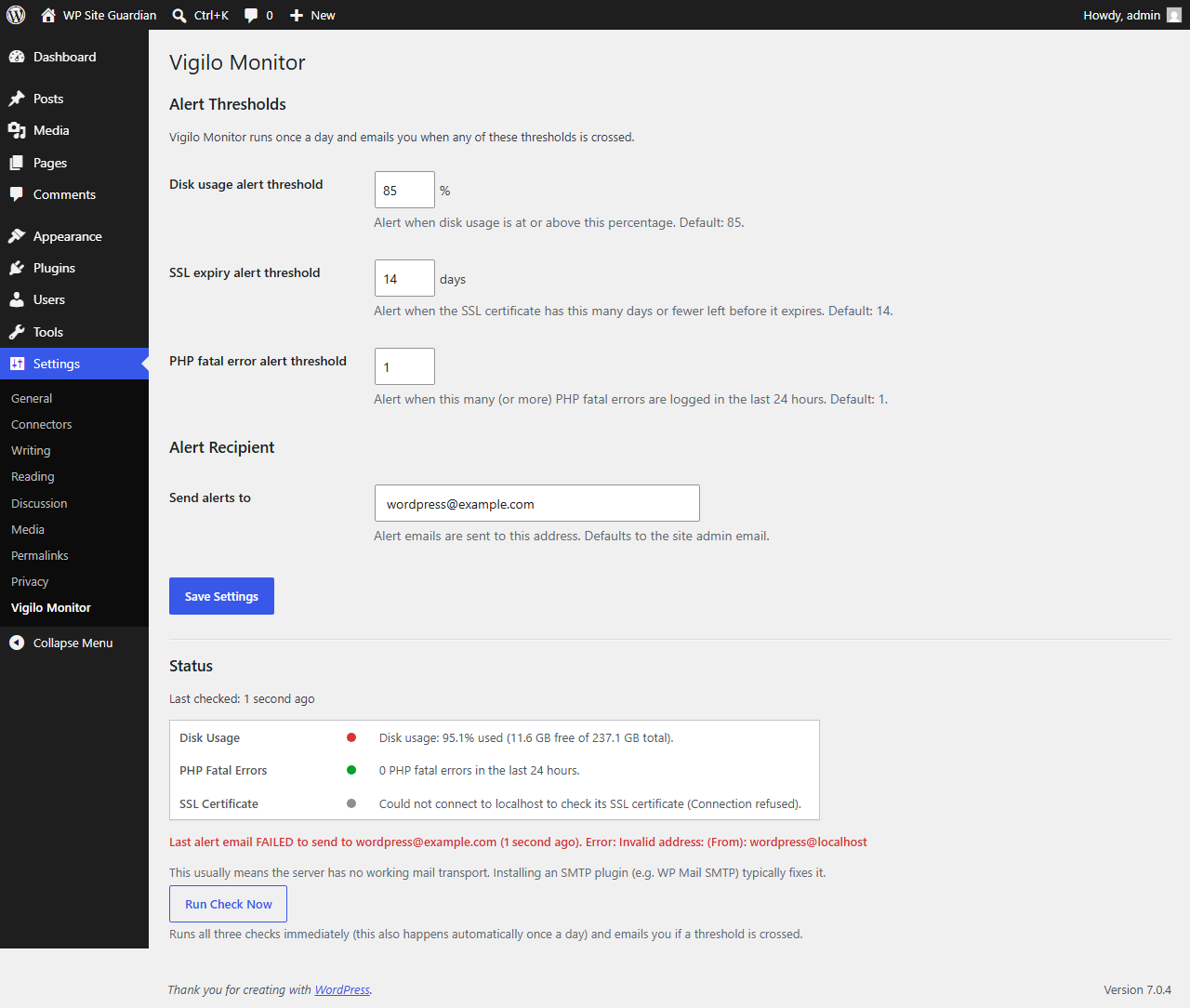
The Vigilo Monitor settings page — configure thresholds and the alert recipient.
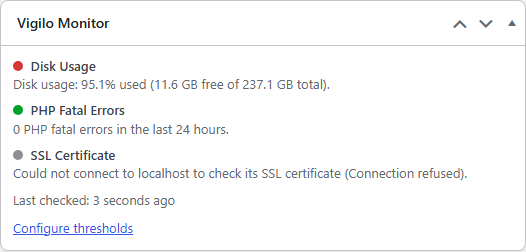
The Vigilo Monitor dashboard widget — at-a-glance green/yellow/red status.
Faq
No. All checks run entirely on your own server. No data is sent anywhere except the alert email, which goes to the recipient address you configure, sent via your site’s own wp_mail().
The SSL check connects to your site’s own hostname (as returned by home_url()) on port 443. If your site doesn’t serve HTTPS, or the check can’t reach it (firewall, local/staging environment, etc.), the status will show as “unknown” rather than a false alert.
WP_DEBUG_LOG isn’t enabled, so there’s no log for the plugin to read. See the Installation section above for how to enable it.
Once a day, via WP-Cron. You can also click “Run Check Now” on the settings page to check immediately.
Not in this version. Vigilo Monitor is deliberately scoped to email alerts only, to stay lightweight and dependency-free.
No, this version monitors one site at a time, installed per-site. A multi-site aggregated dashboard is a possible future product, not part of this plugin.
Reviews
Changelog
1.0.0
- Initial release: disk usage, PHP fatal-error, and SSL certificate expiry checks, daily WP-Cron scheduling, email alerts, dashboard widget, and settings page.