VIT Social
VIT Social
Description
Using VIT social plugin you can customize share buttons each post or page wise.
You have options to choose buttons and their order of display on each individual post or page.
Also you can customize shape, size, effects of buttons from settings panel.
You may want some pages with share buttons and don\’t want on specific pages.
Or you may want to display facebook share button first on a post while twitter first on other.
If so then this plugin is for you.
From setting page (Settings -> VIT Social) you can change appearance and share contents of buttons.
Keep shape of button either flat, rounded or circle. Also you can enable/disable zoom and rotate effect of buttons.
This plugin provides you with following 6 social networks with ease:
- Google Plus
- Instagram(link)
Installation
Installation of Social Media
- Upload \’VIT Social\’ to the \’/wp-content/plugins/\’ directory
- Activate the plugin through the \’Plugins\’ menu in WordPress
- Enjoy!
Screenshots

Plugin setting page

Post button selection and sorting
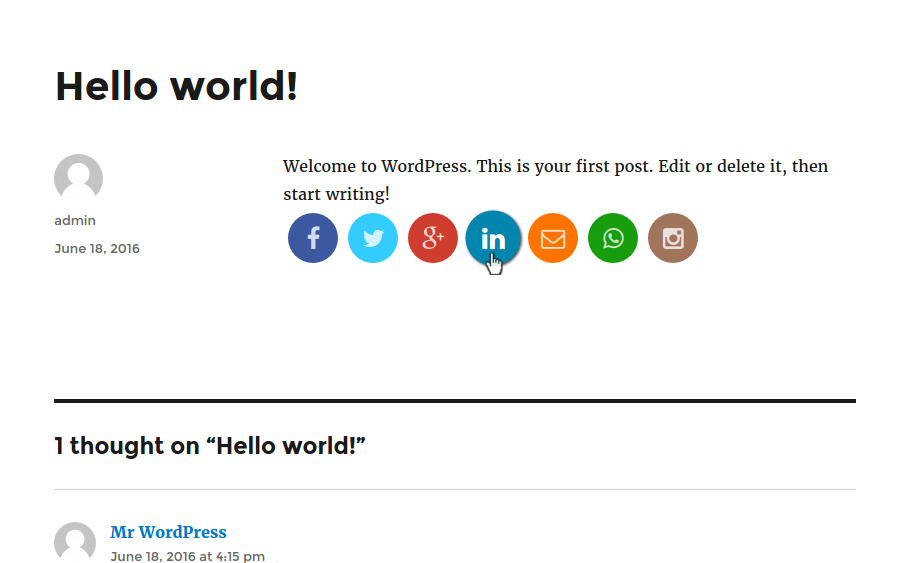
Page share buttons
Faq
What is VIT Social for?
- Custom share buttons which can be configured post wise i.e. for individual post or page.
Do I need to have any programming knowledge?
- No, I guess you need admin credentials only 😉
Why Instagram button is link to profile but not the share button?
- You cannot share media on Instagram using the API. See the docs
Can I modify plugin?
- Of course you can and your contributions are always welcome here to git.
Reviews
cool
By 
very nice plugin
Very good
By 
Very good plugin for post wise social sharing
Changelog
1.0.0
- Initial commit.