VALKO.PRO – Instant View for Telegram
VALKO.PRO – Instant View for Telegram
Description
VP Instant View for Telegram automatically generates a link for each entry to view in Instant View
I want to draw your attention to the fact that instant view links will work automatically after creating a template on the official site
Telegram Instant View
VP Instant View for Telegram is aviable in:
- Ukrainian
- English
- Russian
Installation
- Upload the
vp-telegram-instant-viewfolder to the/wp-content/pluginsdirectory - Activate the plugin through the ‘Plugins’ menu in WordPress
Screenshots
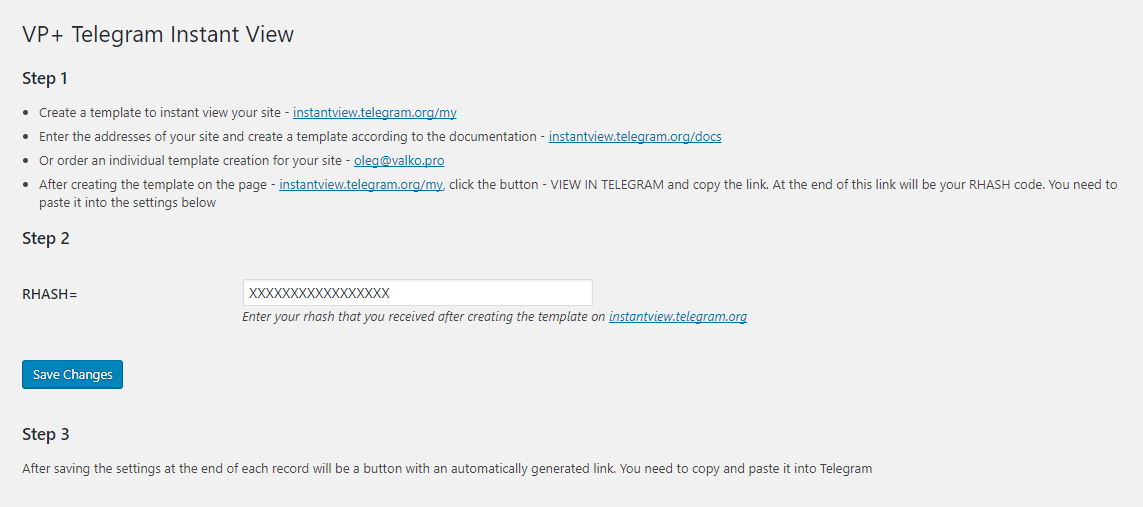
This is the administration page of this plugin.

The button is beautiful, isn't it?
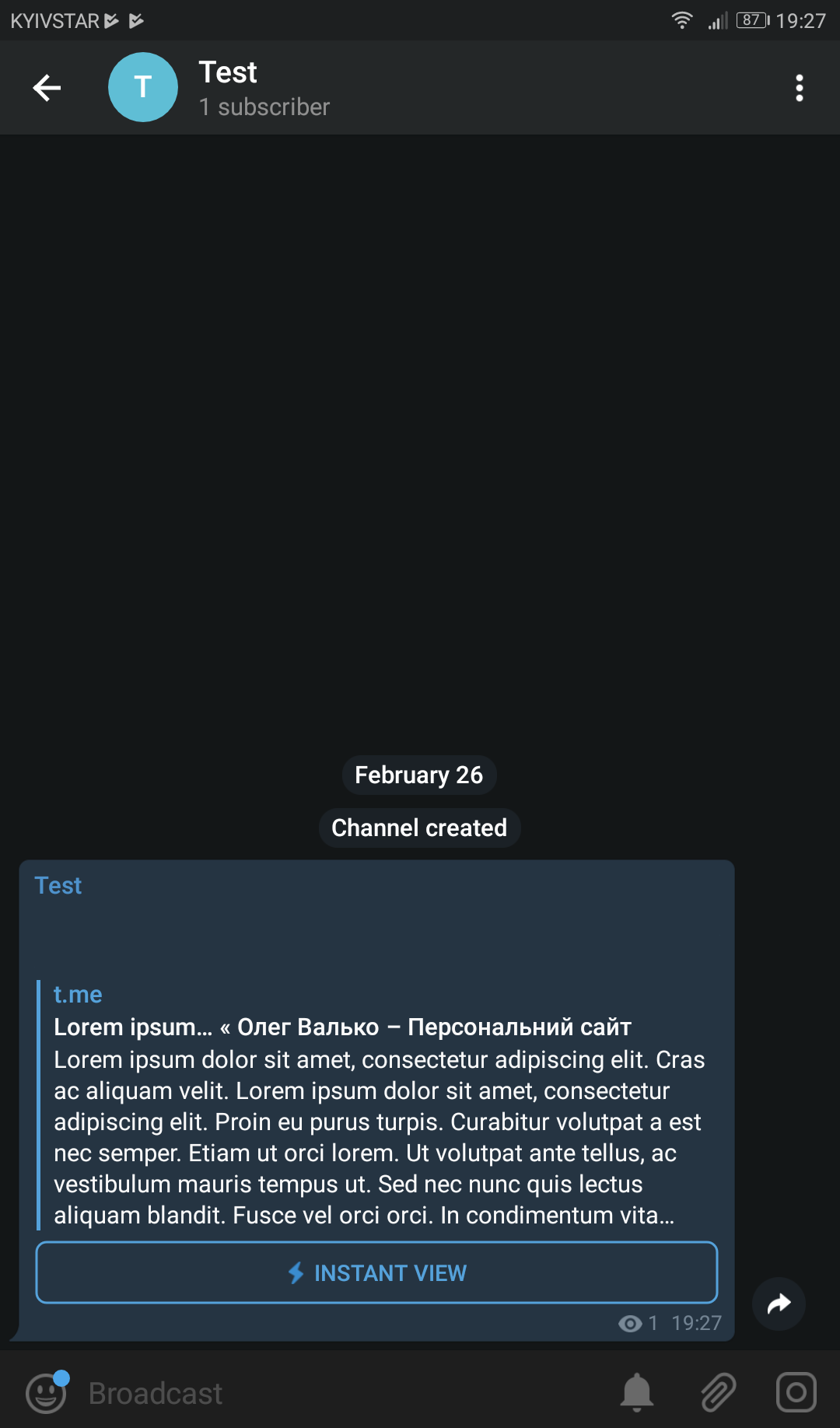
This is what your visitors will see.
Faq
- Create a template to instant view your site – instantview.telegram.org/my
- Enter the addresses of your site and create a template according to the documentation – instantview.telegram.org/docs
- After creating the template on the page – instantview.telegram.org/my, click the button – VIEW IN TELEGRAM and copy the link. At the end of this link will be your RHASH code. You need to paste it into the settings below
Contact us and we will definitely help you, or we will create it for you
Reviews
Excelente
By 
todavía estoy peleando con el código, es increíble que sea la única opción.
Gran trabajo
Супер!
By 
Спасибо за плагин, простое решение - но решает больную проблему
Спасибо
By 
Классный плагин, очень сильно помог
The developer is extremely helpful and amazing!
By 
For a beginner in this field, it was a struggle for me to develop the instant view templates for the company I worked for. Fortunately, I found this plugin and it led me to the developer himself, Mr Oleg Valko. Contacting him is my best decision as he was being totally helpful in guiding me. Thank you and I will not hesitate to donate for the development of this plugin.
Fantastic
By 
Now I can share posts of my site with my followers of Telegram like a journalist
Changelog
1.2.0
- Replace Telegram link to admin panel. (check screenshots)
- Add WPCS
1.1.2
- Change plugin name
- Remove link to my facebook page from readme.txt
1.1.1
- Updated support WordPress version
1.1
- Сode optimization
- Added filter for button design
1
- Release