vTables – Data Table Builder for CSV, Excel & JSON

vTables – Data Table Builder for CSV, Excel & JSON
Description
vTables is a table plugin for WordPress that turns CSV files, Excel spreadsheets (XLS, XLSX) and JSON data into clean, responsive data tables. Import a file or start from an empty grid, edit cells right in the WordPress admin like a spreadsheet, style the table, and embed it on any page or post with a shortcode.
Use it for price lists, product catalogs, event schedules, staff and member directories, sports results, comparison tables and any other data you keep in a spreadsheet.
Website | User Guide | FAQ
Features
- Import CSV, JSON, XLS and XLSX files (large files are uploaded in chunks and imported in the background).
- Build tables from scratch: set the number of columns and rows, then fill the cells in.
- Spreadsheet-like table editor: double-click any cell or header to edit it; add, rename and delete rows and columns from the right-click menu.
- Unlimited tables, and as many tables per page as you like.
- Shortcode embed:
[vtables id="1"]shows the table;[vtables id="1" row="2" column="email"]prints a single cell value inside your text. - Smart cells: image URLs become thumbnails, links become clickable,
<button href="…">Label</button>becomes a button, and basic HTML (links, images, line breaks) is rendered safely. - Style: colors for the title bar, header, body, pagination bar, links and buttons; dense and flat layouts; row/column separators; sticky header; table height and maximum width.
- Pagination for large tables: rows are loaded page by page from the database, so tables with many thousands of rows stay fast.
- Mobile friendly: tables use the width of the content area (with an optional maximum width), and wide tables scroll sideways on small screens.
- Export any table as CSV, JSON or XLSX.
- Works with the block editor, classic editor and page builders that accept shortcodes (Divi, Elementor, WPBakery, …).
- Translated into English, German, Spanish, French, Hindi, Italian, Norwegian, Portuguese, Russian, Swedish, Turkish and Chinese.
vTables Pro
vTables Pro is a separate, paid add-on that runs on top of this plugin and uses the same tables. It adds:
- Data sources: Google Sheets, external CSV/JSON URLs and WooCommerce product tables, with automatic sync.
- Visitor tools: search, sorting and row filters.
- Layout: column visibility, sticky first/last column, column widths, grouped headers, responsive card view, rows per page, custom CSS.
- More cell formats: video, PDF, audio, Google Maps, star rating, progress bar and JSON.
This plugin is fully functional on its own and never requires Pro.
Source code and third-party libraries
The admin screen and the embedded table are a Vue application. Its complete, unminified source ships with the plugin in the src/ folder, together with the build setup (package.json, quasar.config.js, scripts/). To rebuild: npm ci && npm run build (PHP dependencies: composer install --no-dev).
Bundled libraries, all GPL-compatible:
- Vue, Vue Router, Pinia, Vue I18n (MIT)
- Quasar Framework (MIT) and Material Icons (Apache License 2.0)
- Axios, Lodash, Papa Parse, VueUse, Vuelidate (MIT)
- SimpleXLSX and SimpleXLS by Sergey Shuchkin (MIT)
vTables does not track users and makes no requests to external services. The only external links in the admin are to vtables.pro, and they open only when you click them.
Installation
- In the WordPress admin go to Plugins Add New, search for vTables, and click Install Now, then Activate. (Or upload the
vtablesfolder to/wp-content/plugins/and activate it on the Plugins screen.) - Open vTables in the admin menu and click Add table.
- Choose Create to start from an empty grid, or Upload to import a CSV, JSON, XLS or XLSX file.
- Copy the table’s shortcode (for example
[vtables id="1"]) and paste it into any page or post.
Screenshots
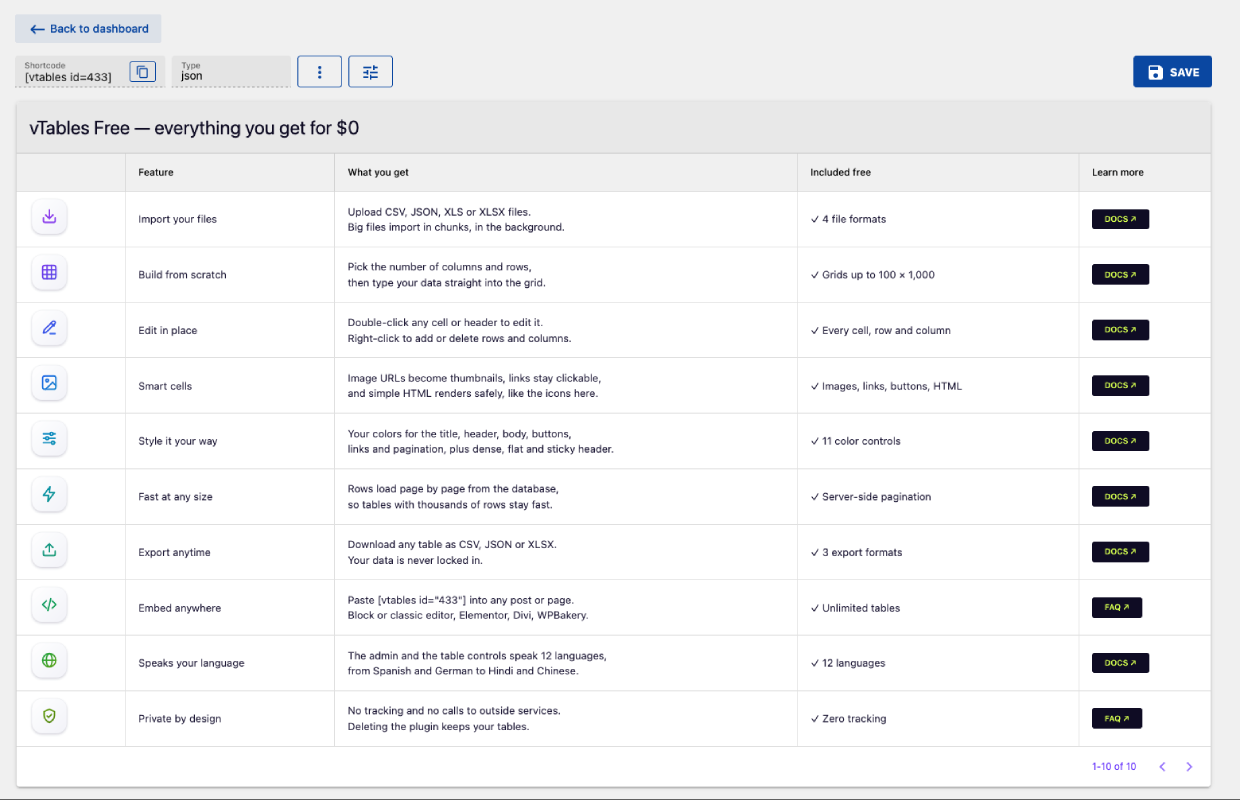
A data table built in vTables Free: image icons, links and buttons in cells, server-side pagination.
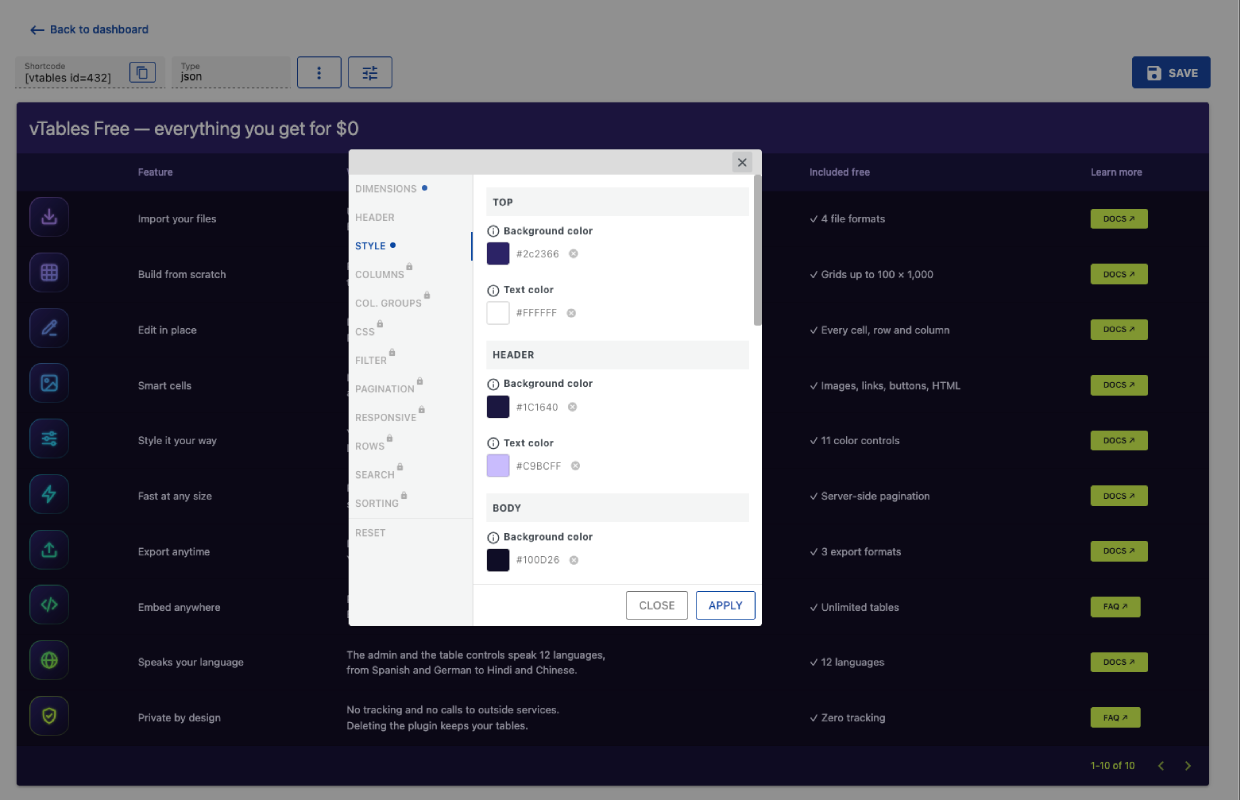
Table style settings: colors for the title bar, header and body; sections marked with a lock are vTables Pro.
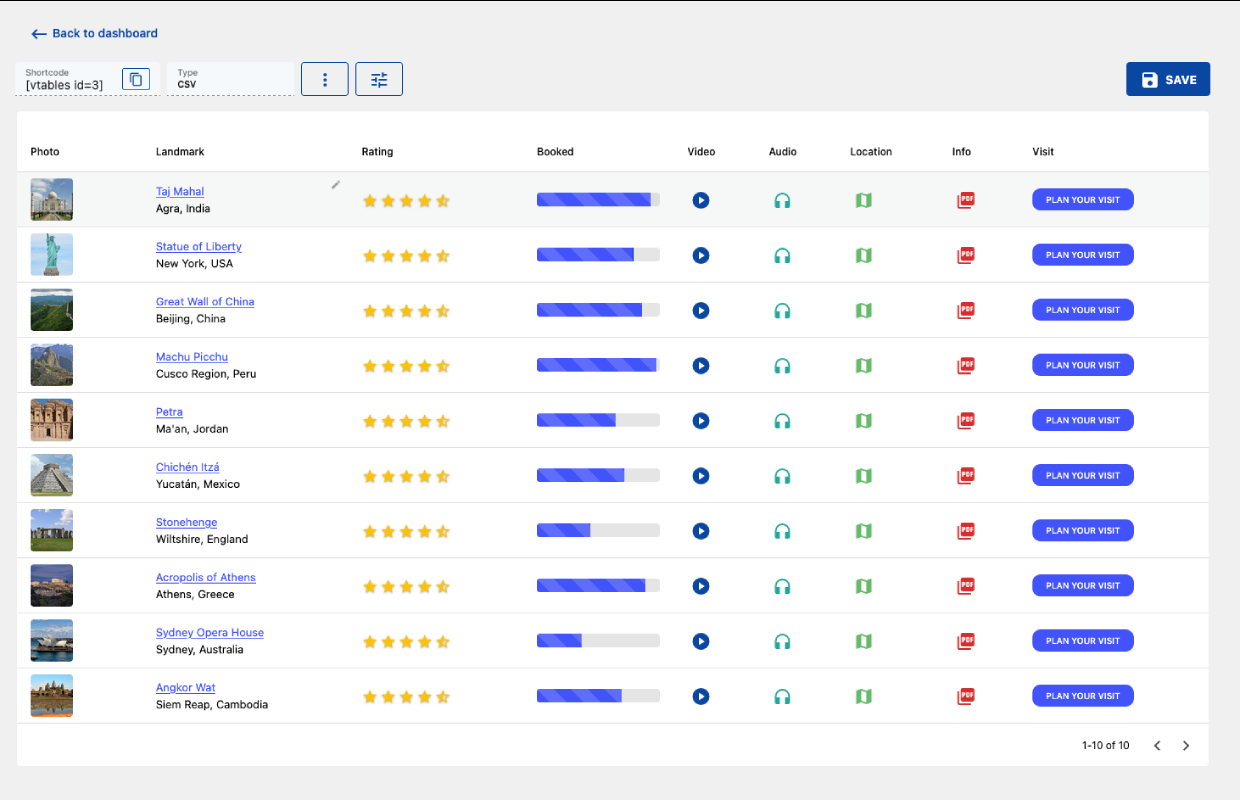
vTables Pro cell formats: star rating, progress bar, video, audio, map and PDF cells.
Faq
Open vTables Add table Upload and drop the CSV file in. The first row becomes the header, and the table is ready to embed with its shortcode. Large files are uploaded in chunks and imported in the background.
Upload the XLSX or XLS file the same way. Excel files are imported directly; the first row becomes the header.
Yes. Open Add table Create, choose the number of columns and rows, then double-click any cell to type in it.
Every table has a shortcode, shown in the table list and on the table’s page, like [vtables id="1"]. Paste it into a Shortcode block in the block editor (Gutenberg), directly into the classic editor, or into the shortcode or text element of your page builder (Elementor, Divi, WPBakery, …).
Add row and column: [vtables id="1" row="2" column="email"] prints the value of the email column in the second row. Column names are case-insensitive and spaces become underscores.
Yes. Paste an image URL (ending in .jpg, .png, .gif, .webp, .svg, …) to show a thumbnail — clicking it opens the full image — or any http(s) link to show a clickable link. For a button, use <button href="https://example.com">Buy now</button>.
Yes. A table takes the width of the content area (you can set a maximum width), and on narrow screens a wide table scrolls sideways so no column is cut off. A card layout for phones is available in vTables Pro.
Yes. Rows are stored in their own database table and loaded page by page, so the page stays fast however big the table is. Big files are imported in the background.
Open the table, click the ⋮ menu and choose Export CSV, JSON or XLSX.
Not in the free plugin. Search, sorting and row filters are part of vTables Pro.
Your tables, their data and their shortcodes keep working, and the update runs automatically in the background:
- Table rows are moved into a dedicated database table, a few tables at a time, so large tables load page by page.
- Some settings that were free in 0.2.x — search, sorting, sticky columns, custom CSS and rows per page — are now part of vTables Pro. Your saved values are kept untouched; they apply again if you install vTables Pro. Until then the table shows with the free options, and a one-time notice lists how many tables are affected.
- Columns you had hidden stay hidden.
Yes. The embedded table is served from its own URL (/vtables-embed/{id}/) that tells caching and optimisation plugins not to cache or rewrite it. If a page still shows old content after an update, clear your page cache once.
vTables Pro is an optional paid add-on. It needs this plugin to be active and works on the same tables, so you can install it at any time without re-creating anything — and if you remove it later, your file-based tables keep working here.
No. Deleting the plugin removes its settings, but keeps your tables, so reinstalling brings them back. To delete the tables as well, add define( 'VTABLES_REMOVE_ALL_DATA', true ); to wp-config.php before deleting the plugin (this is ignored while vTables Pro is installed, since it uses the same tables).
Sure — please use the contact form on vtables.pro.
Reviews
Great plugin!
By 
Exactly what I was looking for.
Changelog
0.3
- New admin and table viewer, with in-place editing of cells, headers, rows and columns.
- New: XLS and XLSX import; chunked background import for large files.
- New: tables are stored row by row and paged from the database; existing tables are migrated in the background.
- New: export as XLSX.
- New: the embedded table is served by WordPress (
/vtables-embed/{id}/) and opts out of page caching and script optimisation. - Security: all admin actions require a nonce and the
manage_optionscapability; the public endpoints only read single tables; SQL ordering is allowlisted; database errors are no longer shown to visitors; uploads in progress are stored in a protected folder. - Changed: search, sorting, sticky columns, custom CSS and rows per page are now vTables Pro features; saved values are kept.
- Removed: the
vtables/v1REST routes (replaced by admin-ajax actions).
0.2.1
- cache busting;
0.2
- fix: exact hashed filename from the built;
- fix: pro plugin path;
0.1.9
- Improved export functionality;
0.1.8
- Added JSON support;
- Minor UI updates;
0.1.7
- Fix user privileges.
0.1.6
- Update uploader UI.
- Update settings menu items.
- Update compatibility with PRO version (woocommerce product table).
0.1.5
- Update compatibility with PRO version (google sheets).
0.1.4
- Fix: empty esc_like throws an error.
0.1.3
- Fix: removed duplicated CSS files for tables, google sheets, spreadsheets.
0.1.2
- Extended shortcode attributes to get a value from specific cell of spreadsheet / table / sheet (google sheets).
- Removed separate shortcode to get a value from specific cell of spreadsheet / table / google sheet.
0.1.1
- Added a shortcode to get a value from specific cell of spreadsheet / table / google sheet.
0.1.0
- Initial Public Beta Release.