Vulnerable Plugin Checker
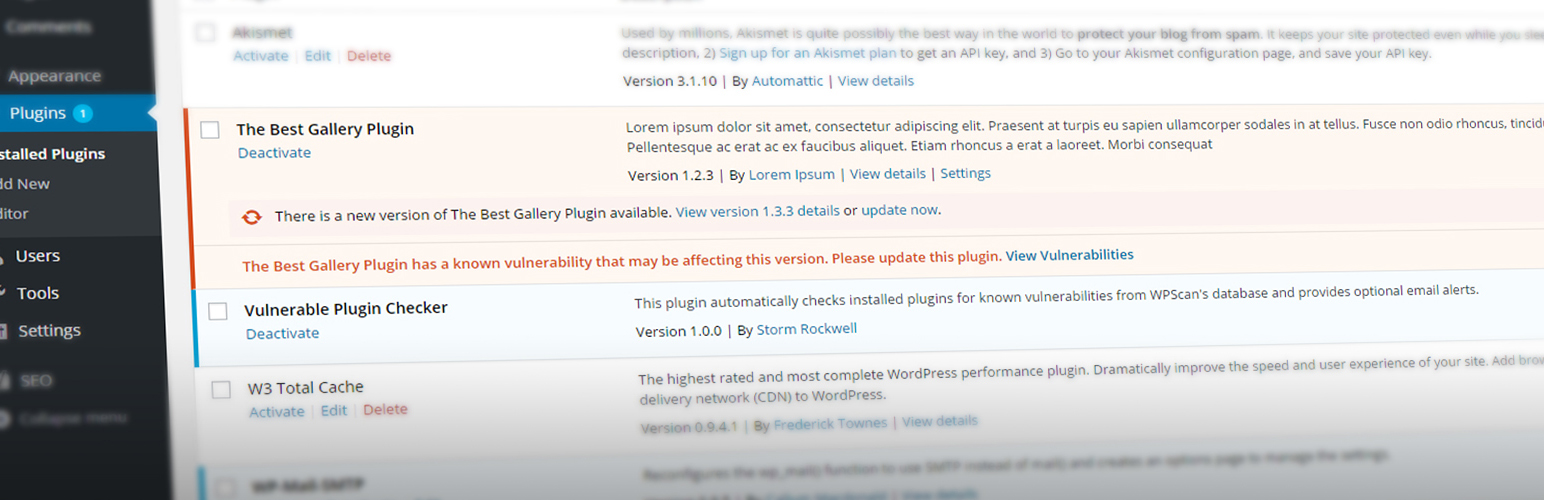
Vulnerable Plugin Checker
Description
This plugin automatically checks installed plugins for known vulnerabilities utilizing WPScan’s API and provides optional email alerts.
Features:
- Automatic vulnerability detection in plugins utilizing WPScan’s API
- Optional email alerts
- Utilizes WP Cron to check for new security updates twice a day
- Cached API results to decrease backend load time significantly
Installation
Installation & Activation
- Upload the folder “vulnerable-plugin-checker” to your WordPress Plugins Directory (typically “/wp-content/plugins/”)
- Activate the plugin on your Plugins Page.
- Suggestion: Install an SMTP plugin such as WP Mail SMTP to prevent potentially dropped emails
- Done!
Enable Email Updates
- After activating “Vulnerable Plugin Checker”, go to Settings > VPC Settings
- Check off “Allow Email Alerts” and enter your email in “Email Address”
- Click Save Changes
Screenshots

Backend display of the Plugins page (plugins.php)

Backend display of the VPC Settings page (Settings > VPC Settings)
Faq
Installation Instructions
Installation & Activation
- Upload the folder “vulnerable-plugin-checker” to your WordPress Plugins Directory (typically “/wp-content/plugins/”)
- Activate the plugin on your Plugins Page.
- Suggestion: Install an SMTP plugin such as WP Mail SMTP to prevent potentially dropped emails
- Done!
Enable Email Updates
- After activating “Vulnerable Plugin Checker”, go to Settings > VPC Settings
- Check off “Allow Email Alerts” and enter your email in “Email Address”
- Click Save Changes
Reviews
AVOID - NO LONGER KEPT UP-TO-DATE
By 
No way to get the information!
By 
Not ideal on WordPress multisite
By 
Awesome Plugin
By 
I love my plugin
By 
Great Plugin!
By 
Great plugin. Works just as expected with no additional setup needed
Great stuff
By 
Instantly works after activation, I didn't have to do anything else to set it up. Apparently my Visual Composer was vulnerable, wouldn't have found out otherwise.
Love it. Huge help on preventing hacks
By 
I just installed this plugin on few of my sites and I can immediately see some of the plugins that are vulnerable. This is going to be a huge help.
Changelog
0.3.12
- Fixed false positive by adding normalizing to the version number in case WPScan’s API adds .0 to the version number
0.3.11
- Now the plugins page only shows only vulnerabilities that affect the current plugin version (suggested by @gbotica)
- Fixed the Settings URL in multiple places (reported by @gbotica)
0.3.10
- Fixed bug where unpatched vulnerabilities were ignored (reported by @pluginvulnerabilities)
0.3.9
- Fixed notice appearing on PHP7+
0.3.8
- fixed bug where it wouldn’t display the saved email
0.3.7
- removed sslverify on wp_remote_get
0.3.6
- changed cURL to wp_remote_get
- added vulnerabilities on plugin page
- fixed issue with plugin not pulling from cache
0.3.5
- fixed readme error
0.3.4
- fixed minor email bug
0.3.2
- changed language
0.3
- Rewrote the plugin for better performance, readability, and more
- Dismissable error message in all back-end pages if there is a vulnerability
- Added SMTP suggestion to prevent dropped emails
- Removed success notice from plugin page if there are no vulnerabilities
- Fixed a few non-breaking bugs
- Added translatable text and translator comments. Translation help is welcome!
- Added todo.txt to see my plans for future updates.
0.2.4
- Fixed conflicts with Gravity Forms
0.2.3
- Added support for adding multiple email addresses
0.2.2
- Fixed issue where text display appeared on multiple backend pages
0.2
- Text display on the plugins page if there are no known vulnerabilities
- Runs a scan when a new plugin is activated
- Fixed issue when a plugin was deleted it would throw an error
0.1.4
- WP 4.5 Support
0.1.3
- Fixed issue when more than one plugin was found vulnerable on plugins.php