WAF Manager for Cloudflare
WAF Manager for Cloudflare
Description
This is the WordPress.org edition, and it contains the WAF Rules Builder only.
The full version, WP WAF Manager, adds DNS management, zone analytics, zone controls and cache purge, bot control, SSL monitoring, Cloudflare alerts and health checks, Turnstile widget management, Page Rules migration, IP access rules, security events, email routing, white-label client reports, and multi-account support. It is available free on GitHub, or from wpwafmanager.com for automatic updates and priority support. The full version is fully compatible with this edition and runs on the same site.
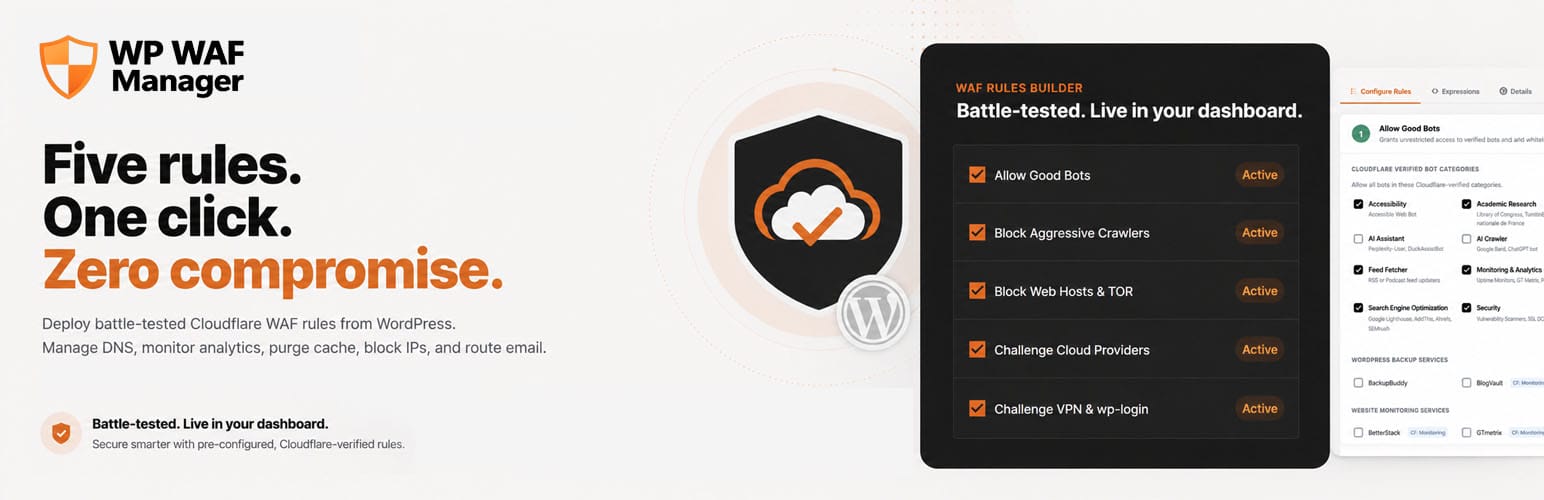
WAF Manager for Cloudflare deploys a proven set of Cloudflare WAF (Web Application Firewall) custom rules to your Cloudflare zones from your WordPress admin. You choose what each rule allows, blocks or challenges with checkboxes, and the plugin writes the Cloudflare expressions and deploys them in the correct order.
The five rules
Based on the open-source wafrules.com ruleset, updated to the October 21, 2026 release:
- Allow Good Bots (Skip). Allows every Cloudflare verified bot, or only the categories you pick, plus services matched by the IP lists they publish (ManageWP, WP Umbrella, ShortPixel, Patchstack and more), Let’s Encrypt, your own server IPs, an IP allowlist, custom user agents and custom Cloudflare expressions. It runs first so nothing below blocks legitimate traffic, while Cloudflare’s managed rules still protect it.
- Block Aggressive Crawlers & WordPress Paths (Block). Blocks aggressive crawlers and exploit scanners (SQLMap, Nikto, Masscan, Nmap), generic bot patterns, and sensitive WordPress paths (xmlrpc.php, wp-config, install.php, readme.html, license.txt) in any letter case.
- Block or Challenge Web Hosts / TOR & Exploit URIs. Blocks or challenges traffic from hosting and VPS networks (DigitalOcean, Linode, Vultr, Hetzner, OVH, Contabo and more) and TOR exit nodes, and blocks six groups of exploit URIs: time-delay and UNION SQL injection, file inclusion, legacy exploits, other CMS probes and XSS.
- Challenge Large Providers / Country (Managed Challenge). Challenges traffic from AWS, Google Cloud and Azure, and optionally visitors from outside the countries you select.
- Challenge VPN Connections & wp-login (Managed Challenge). Challenges known VPN providers and protects the WordPress login page.
Each rule can be switched on or off and fine-tuned without writing any Cloudflare syntax.
Builder features
- Live expressions: the Expressions tab shows the exact Cloudflare expression each rule will deploy, with its length against Cloudflare’s 4,096-character limit. A deploy stops with a clear message before sending a rule that is too long.
- Custom Allow Expressions: add your own Cloudflare rules language expressions to Rule 1 for cases the built-in allowlists don’t cover, such as webhook paths or Cloudflare managed IP lists.
- Deploy to one zone or many: pick any zones in your Cloudflare account and deploy to all of them at once.
- Keeps your own rules: deploying replaces only this plugin’s rules and keeps any other custom rules on the zone after them. A “Replace all custom rules” option clears the zone when you want a clean start.
- Zone Rules tab: see the custom rules currently live on any zone.
- Free plan compatible: when Cloudflare restricts a rule phase on your plan, the plugin removes it and retries so the deploy still succeeds.
- Export, import and reset: save your configuration as a JSON file, load it on another site, or reset everything to the defaults.
Settings
- Minimum role that can use the plugin (Administrator recommended)
- Allowlist of specific administrators who can access the plugin
- Keep or delete plugin data on uninstall (kept by default)
- Test Connection to check your Cloudflare credentials
Requirements
- WordPress 6.0 or later
- PHP 8.0 or later
- A Cloudflare account with at least one active zone
- An API Token with Zone > WAF > Edit and Zone > Zone > Read, or your account email and Global API Key
External services
This plugin connects to the Cloudflare API to read your zones and to create, read, and deploy WAF rules on your behalf. This service is required for the plugin to function: without a Cloudflare account and API credentials, the plugin has nothing to manage.
Requests are sent to the Cloudflare API at https://api.cloudflare.com only from your WordPress admin, and only when you take an action that requires it: verifying credentials, testing the connection, listing your zones, listing existing rules, or deploying rules.
The data sent consists of the Cloudflare credentials you enter (an API Token, or an account email plus Global API Key), the zone IDs you select, and the WAF rule definitions you build in the plugin. No data about your site’s visitors and no personal data about your WordPress users is sent. The plugin does not send data to any other third-party service.
Cloudflare is a third-party service operated by Cloudflare, Inc. By using this plugin to connect to Cloudflare, you are subject to their terms and policies:
- Terms of Service: https://www.cloudflare.com/terms/
- Privacy Policy: https://www.cloudflare.com/privacypolicy/
Trademarks
This plugin is independent and is not affiliated with, endorsed by, or sponsored by Cloudflare, Inc. Cloudflare is a registered trademark of Cloudflare, Inc., referenced here only to describe what this plugin is compatible with. No endorsement or affiliation is implied.
Installation
- In WordPress, go to Plugins > Add New, search for “WAF Manager for Cloudflare”, then install and activate it.
- Open WAF Manager in the admin sidebar.
- Enter your Cloudflare API Token and click Verify & Save.
- Review the five rules, click Save Settings, then Deploy Rules to Your Sites and choose your zones.
Creating your API Token
- Visit Cloudflare API Tokens.
- Click Create Token and start from a Custom Token.
- Add permissions: Zone > WAF > Edit and Zone > Zone > Read.
- Set Zone Resources to “All zones”, or to the zones you want to manage.
- Copy the token into the plugin and click Verify & Save.
Screenshots

Rule 1 (Allow Good Bots): allowlist IP addresses and CIDR ranges, custom user agents, and your own Custom Allow Expressions in the Cloudflare rules language.

Rule 2 (Block Aggressive Crawlers & WordPress Paths): block crawlers, exploit scanners, and sensitive WordPress paths with checkboxes.

Rules 3 and 4: block or challenge web hosting networks and TOR exit nodes, and challenge the large cloud providers.

Rule 5 (Challenge VPN Connections & wp-login): managed challenge for known VPN providers and the WordPress login page.
Faq
No. Deploying replaces only this plugin’s own rules (named “[CF WAF] …”) and keeps your other custom rules on the zone, placed after the plugin’s rules so Rule 1 still runs first. If you want a clean zone, tick “Replace all custom rules in the zone” before deploying; you will be asked to confirm. Managed rules, rate limiting rules and other Cloudflare settings are not changed either way.
The Cloudflare Free plan allows five custom rules in total, and this plugin uses five. If the zone already has rules of its own, either remove them in Cloudflare or deploy with “Replace all custom rules in the zone”.
Yes. When Cloudflare restricts a rule phase on your plan, the plugin removes it and retries so the deploy still succeeds.
No. Every rule is built from checkboxes, and the plugin writes the expressions for you. You can review them on the Expressions tab before deploying.
In Cloudflare, check Security > Analytics > Events to see which rule blocked it. Then allow it in Rule 1: turn on its bot category or service, or add its IP addresses (preferred, since user agents are easy to fake), user agent or a Custom Allow Expression, and deploy again.
Credentials are encrypted at rest using libsodium (sodium_crypto_secretbox), with a key derived from your site’s AUTH_KEY salt, so the key is unique to your site and is never stored in the database. Credentials are saved with autoload disabled and are never sent back to the browser. Use a scoped API Token with only the permissions listed above rather than your Global API Key.
The October 2026 ruleset no longer allows services by user agent, because a user agent is easy to fake. Services Cloudflare verifies are covered by “Allow every Cloudflare verified bot”, and services that publish their IP addresses have their own switch. Services that do neither, such as UpdraftPlus and BackupBuddy, were moved into Custom User Agents to Allow so nothing stops working, and a notice on the WAF Rules screen lists them.
Yes. Define them in wp-config.php and the plugin uses them read-only:
define( 'WPWAF_API_TOKEN', 'your-cloudflare-api-token' );
Or, with a Global API Key:
define( 'WPWAF_API_EMAIL', 'you@example.com' );
define( 'WPWAF_API_KEY', 'your-global-api-key' );
By default all plugin data is kept, which is safe for testing or temporary removal. To remove everything on delete, turn off “Keep data on uninstall” in Settings before deleting the plugin.
Reviews
Changelog
1.0.25
- Changed: all five WAF rules follow the October 21, 2026 wafrules.com release, with the new rule names. Saved settings and imported files are moved to the new layout automatically.
- Changed: Rule 1 can allow every Cloudflare verified bot with one switch, or only the categories you pick. A list under the switch shows which services each choice covers.
- Changed: Better Stack, EWWW and Easy IO, GoSweetSpot, Imagify, ManageWP, Patchstack, SEMrush Site Audit, ShortPixel and WP Umbrella are allowed by the IP addresses each service publishes instead of by user agent, which is easy to fake.
- Changed: Rule 1 no longer skips Cloudflare managed rules, so allowed traffic still gets Cloudflare’s emergency CVE protection.
- Changed: Rule 2 matches WordPress paths in any letter case. The SQL injection and path traversal patterns moved to Rule 3, which now blocks six groups of exploit URIs.
- Changed: user agents for services that are not verified bots and publish no IP list (such as UpdraftPlus and BackupBuddy) are moved into Custom User Agents to Allow, and a notice lists them.
- Added: deploying keeps your other custom rules on the zone, after the plugin’s rules. A “Replace all custom rules in the zone” option clears them when wanted.
- Added: each rule shows its length against Cloudflare’s 4,096-character limit, and a deploy stops before sending a rule that is too long.
- Added: Let’s Encrypt, Apple Messages and FlyingPress allowances and a Your server IPs box in Rule 1.
- Added: North Korea, Palestine and South Korea in the Rule 4 country list.
- Fixed: importing settings now runs through the server, converts older exports, and updates the screen straight away.
- Fixed: ticking every administrator under User Access now saves as “no restriction”, so administrators added later also get access.
1.0.24.1
- Fixed: a release packaging error. The 1.0.23 download from WordPress.org contained files from a different plugin, which caused a fatal error (“Class WMFC_Admin not found”) on activation or update. This release restores the correct files.
- Improved: if the plugin’s files are ever incomplete, it now pauses itself and shows an admin notice instead of stopping the whole site.
- Improved: the deploy screen now states that deploying replaces the existing custom WAF rules on the selected zones.
- Updated the readme.
1.0.24
- Fixed: the plugin now loads on PHP 8.0, the stated minimum. One class used a PHP 8.1 feature.
- Security: Cloudflare API tokens and keys are no longer sent back to the browser after saving or removing credentials. The browser only receives the account label and status.
- Security: zone and rule IDs are validated before they are used in a Cloudflare API request, and request paths that could point to a different endpoint are refused.
- Fixed: the WAF Rules header no longer extends past the right edge of the page, which caused a horizontal scrollbar on laptop screens.
- Fixed: mobile styles now apply on every screen. Each page’s own styles were overriding them.
- Fixed: bot category labels with “CF:” tags no longer overflow the screen on phones.
- Fixed: the Academic Research bot category now displays “Bibliothèque” correctly.
- Improved: consistent page width and gutters on all screens, with a wider WAF Rules layout on large monitors and a narrower reading width for Settings and About.
- Improved: the WAF Rules tabs fade at the right edge on small screens to show more tabs can be scrolled into view.
- Improved: clearer wording in labels and messages.
1.0.23
- Confirmed compatibility with WordPress 7.1.
1.0.22
- Added: Custom Allow Expressions in Rule 1. Add individual Cloudflare expressions that always skip all WAF rules, one per row, for example a webhook path (starts_with(http.request.uri.path, “/surecart/webhooks”)) or a Cloudflare managed IP list (ip.src in $services_ip_list). Each entry is added to Rule 1 as an OR condition, and parentheses are added automatically. Expressions must be valid Cloudflare syntax, or the deploy fails for that zone.
1.0.21
- Initial WordPress.org release.