WakeMetric – Uptime Monitoring, SSL & Domain Expiry Monitor

WakeMetric – Uptime Monitoring, SSL & Domain Expiry Monitor
Description
WakeMetric gives WordPress site owners and administrators continuous uptime monitoring, SSL certificate expiry alerts, and domain expiry monitoring — all visible inside your WordPress admin dashboard, connected in a single click, with no separate account or credit card required.
When your site goes offline, your SSL certificate lapses, or your domain registration approaches its renewal date, WakeMetric sends an email alert automatically. Monitoring runs externally from WakeMetric’s cloud infrastructure, so checks continue even if your server crashes or WordPress itself goes down.
Why External Monitoring Matters
Self-hosted monitoring plugins run on your own WordPress server. When that server crashes, runs out of memory, or encounters a fatal PHP error, the plugin cannot execute — and cannot send a downtime alert. WakeMetric checks your site from outside, from cloud edge servers, so you receive an alert the moment your visitors cannot reach your site.
Key Features — Free Community Plan
- Uptime Monitoring: External checks run every 15 minutes from global cloud nodes (Frankfurt, London, Virginia, Singapore, Tokyo). You receive an email alert when your site returns an error or becomes unreachable.
- SSL Certificate Expiry Alerts: WakeMetric reads your SSL/TLS certificate’s valid-to timestamp from our external infrastructure and sends advance email alerts at 30, 14, and 7 days before expiry — before visitors encounter browser security warnings.
- Domain Expiry Monitoring: Authoritative WHOIS and RDAP registry queries track your domain registration renewal date. You receive advance alerts before your domain enters a redemption period or expires.
- WordPress Dashboard Widget: A quick-glance widget on your main WordPress dashboard shows 30-day uptime percentage, current site status, response time, SSL certificate health, and domain expiry countdown.
- Response Time Tracking: HTTP response latency is measured in milliseconds during each check, helping you spot server performance changes before they affect your visitors.
- 1-Click Connect: Enter your alert email address and click Connect. WakeMetric creates your monitoring account and begins checks immediately — no registration form, no credit card, and no separate sign-up website.
- One-Click Disconnect: Stop monitoring at any time from the WakeMetric settings page. All locally stored plugin data — API keys, options, transients, and scheduled cron hooks — is permanently removed when you uninstall the plugin.
Who WakeMetric Is For
- WooCommerce and e-commerce stores — where every minute of undetected downtime can mean lost orders.
- Freelancers and agencies — monitor client sites without paying for individual SaaS monitoring subscriptions.
- Blogs and business websites — know immediately when visitors cannot reach your site instead of hearing about it hours later.
- Membership and subscription platforms — keep login portals and member areas available around the clock.
How It Works
- Install and activate the WakeMetric plugin.
- Enter or confirm your alert email address (pre-filled from your WordPress admin email).
- Click Connect WakeMetric — It’s Free.
WakeMetric sends your site URL, alert email, and site details securely to the WakeMetric platform, which sets up your monitor and begins external health checks. The WordPress plugin displays live status data retrieved from the WakeMetric API in your dashboard widget and settings page.
External Service
This plugin connects to and relies on the WakeMetric platform (https://wakemetrics.com) to perform uptime checks, SSL certificate inspection, domain expiry lookups, and to deliver email alerts. By connecting the plugin, you agree to the WakeMetric Terms of Service and Privacy Policy.
- Service website: https://wakemetrics.com
- Terms of Service: https://wakemetrics.com/terms
- Privacy Policy: https://wakemetrics.com/privacy
Privacy Policy
WakeMetric collects and transmits the following data to the WakeMetric platform (https://wakemetrics.com) solely to provide uptime monitoring, SSL certificate expiry alerts, and domain expiry monitoring services:
- Site URL — used to perform external HTTP health checks
- Site name — used in alert email notifications
- Alert email address — used only to send downtime and expiry alerts
- WordPress version, plugin version, PHP version — used for compatibility information
- Server locale
No personally identifiable visitor data, customer details, passwords, post content, or database contents are collected, processed, or stored.
Full Privacy Policy: https://wakemetrics.com/privacy
To stop all data transmission, click “Disconnect Site” on the WakeMetric settings page, or delete the plugin. All locally stored plugin data is permanently removed on uninstall.
Installation
Automatic Installation
- In your WordPress admin dashboard, go to Plugins Add New.
- Search for WakeMetric.
- Click Install Now, then click Activate.
- Navigate to WakeMetric in your admin menu.
- Enter your alert email address and click Connect WakeMetric — It’s Free.
Manual Installation
- Download the plugin ZIP file from the WordPress.org Plugin Directory.
- In your WordPress dashboard, go to Plugins Add New Upload Plugin.
- Select the downloaded ZIP file and click Install Now.
- Activate the plugin and complete the 1-click connect flow.
Screenshots
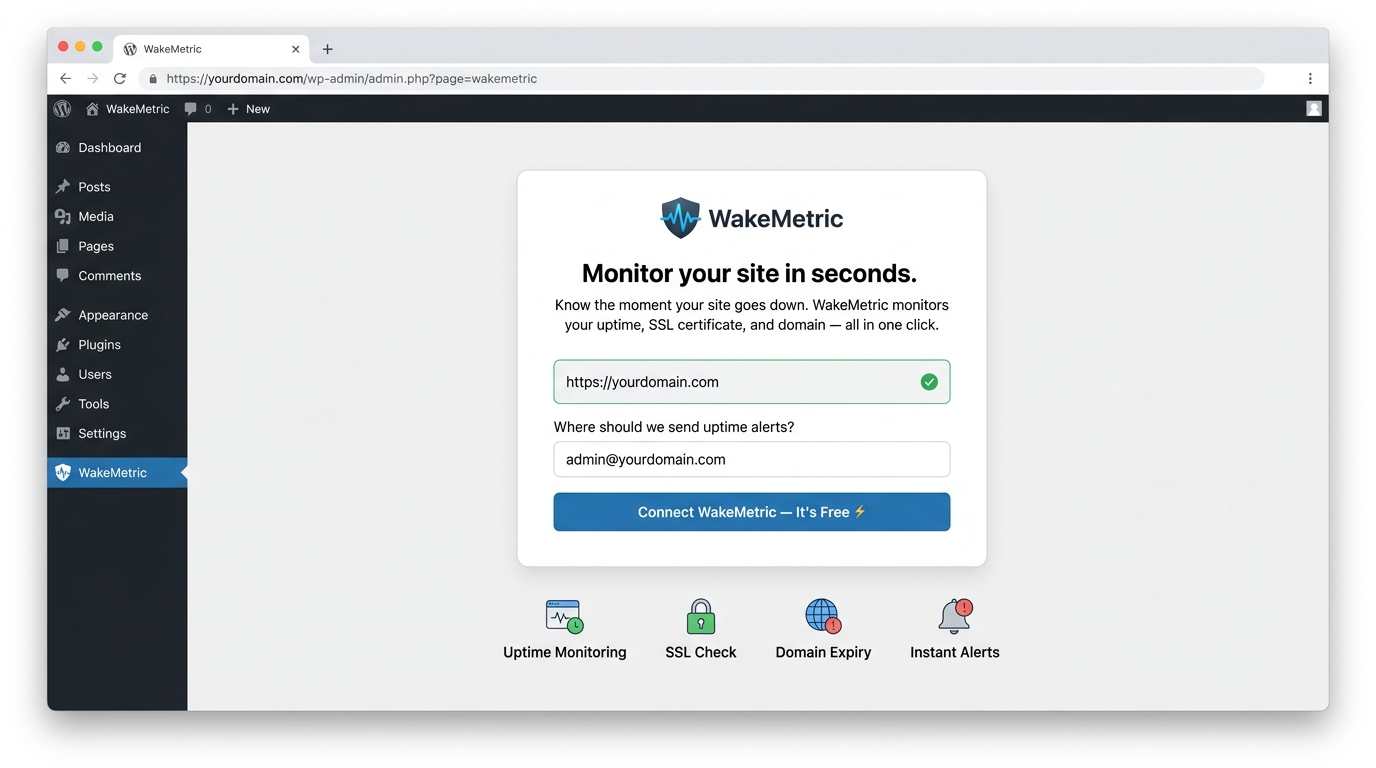
One-Click Onboarding — Connect your WordPress site to WakeMetric and activate uptime monitoring in seconds.
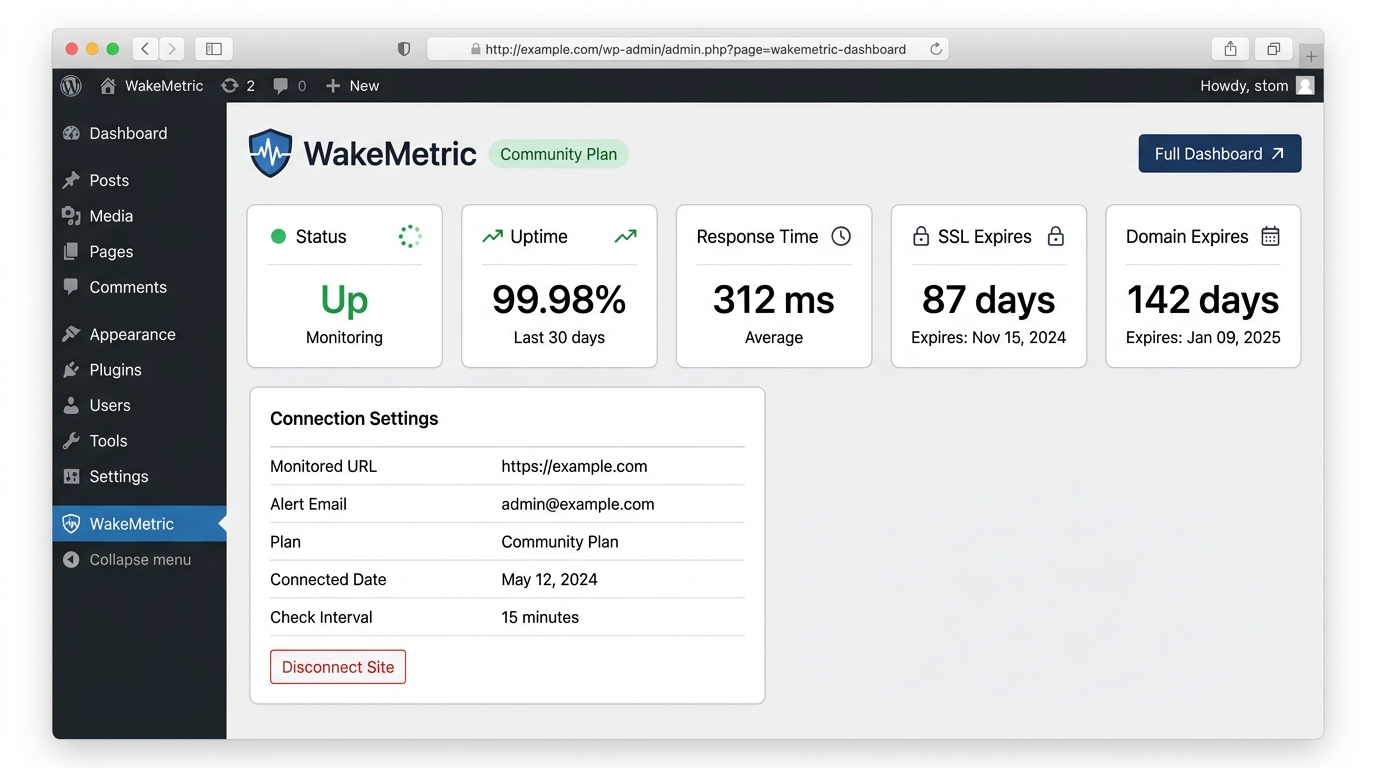
Connected Dashboard — View 30-day uptime percentage, response time, SSL certificate status, and domain expiry days remaining.
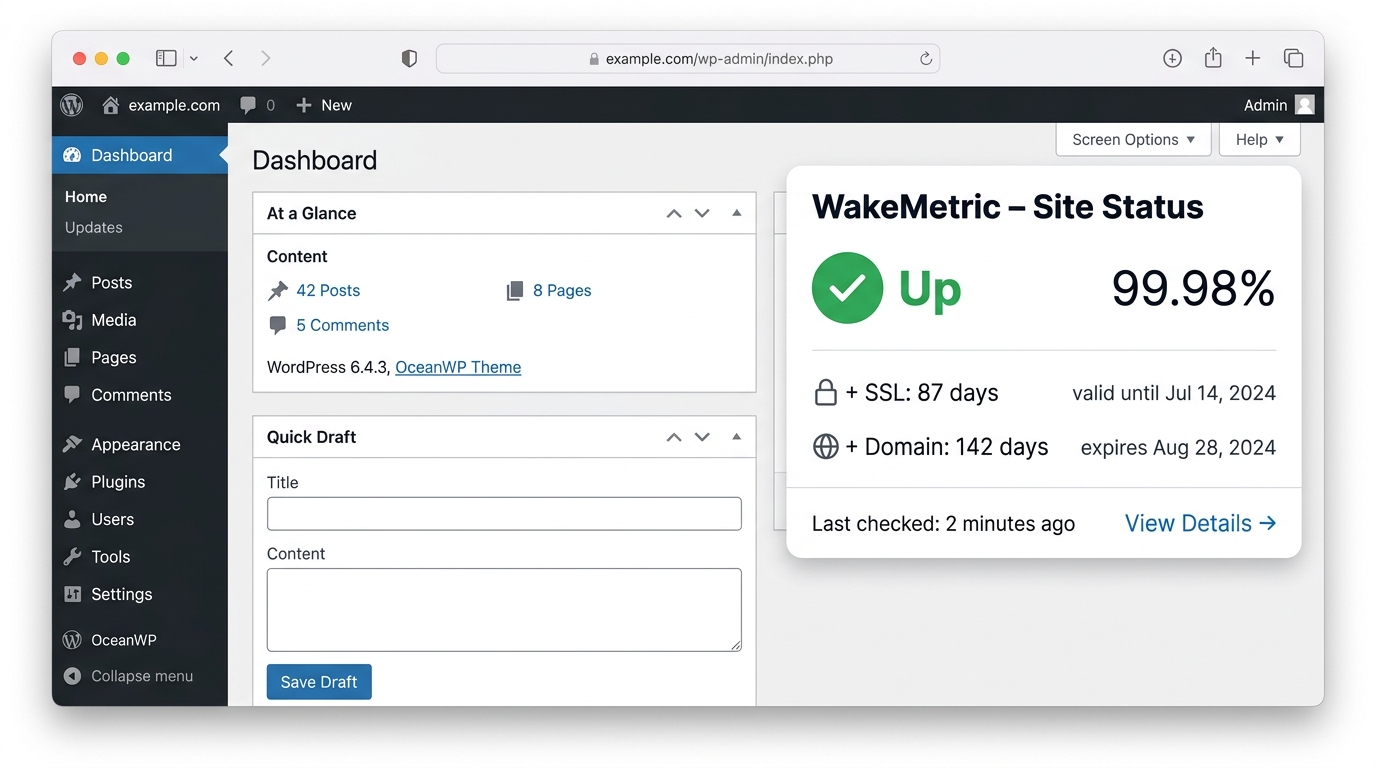
WordPress Dashboard Widget — A quick-glance site status summary directly on your WordPress admin dashboard.
Faq
WakeMetric monitors three things on the free Community Plan: website uptime (whether your site returns a successful HTTP response), SSL certificate expiry (how many days remain before your certificate expires), and domain expiry (how many days remain before your domain registration renewal date).
WakeMetric’s external cloud infrastructure checks your site’s HTTP response every 15 minutes from monitoring nodes in multiple global regions. If your site returns an error code or becomes unreachable, you receive an email alert. A follow-up email confirms when your site is back online.
Self-hosted monitoring plugins run on your WordPress hosting server. If your server crashes, runs out of memory, or encounters a fatal PHP error, the plugin cannot run and cannot send a downtime alert. WakeMetric checks your site from outside your server, so you are alerted even if your server is completely offline.
WakeMetric reads your SSL/TLS certificate’s expiry timestamp by connecting to your site from our cloud servers, the same way a visitor’s browser would. You receive advance email alerts at 30 days, 14 days, and 7 days before expiry, giving you time to renew before visitors see browser security warnings.
WakeMetric queries authoritative WHOIS and RDAP registries to identify your domain’s renewal date. You receive advance email alerts before your domain expires, enters a redemption period, or risks being released for re-registration.
Yes. The Community Plan includes 15-minute uptime checks, SSL certificate expiry alerts, domain expiry monitoring, and email alerts at no cost, with no trial period, no expiry date, and no credit card required.
No separate account registration is needed. You connect the plugin by entering your alert email address and clicking Connect. WakeMetric creates a monitoring account automatically using your site URL and email.
The plugin sends your site URL, site name, alert email address, WordPress version, plugin version, PHP version, and server locale. This information is used only to set up and operate your monitor and send alert emails. WakeMetric does not collect, store, or transmit passwords, database credentials, post content, customer data, or personal information about your visitors.
No. All uptime checks, SSL inspections, and domain lookups are performed externally by WakeMetric’s cloud infrastructure. The plugin makes lightweight API requests to fetch your current monitoring status when you view the dashboard, using a local cache to minimise API calls.
Click Disconnect Site on the WakeMetric settings page to stop monitoring at any time. When you delete or uninstall the plugin from WordPress, all locally stored data — API keys, options, transients, and scheduled tasks — is permanently removed from your database.
WakeMetric currently supports single-site installations. Network-wide multisite activation is planned for a future release.
WakeMetric requires WordPress 6.4 or higher and PHP 7.4 or higher. It has been tested up to PHP 8.4 and WordPress 7.1.
Reviews
Changelog
1.0.4
- Fix: Isolated 3rd-party admin notices and update warnings from invading the WakeMetric onboarding and settings headers.
- Improvement: Added standard WordPress wp-header-end anchor marker and suppressed unrelated external plugin notices on WakeMetric screens for clean layout visibility.
1.0.3
- Feature: Added an adaptive, dismissible admin notice across wp-admin with a 1-click connect action to streamline onboarding on live sites.
- Feature: Added automatic detection for localhost, loopback, private IPv4/IPv6 ranges, and local development domains (.local, .test, .internal) with clear guidance on external monitoring requirements.
- Improvement: Added a dedicated local environment warning banner on the onboarding settings screen with pre-flight validation to prevent connection errors on local staging/sandbox sites.
- Improvement: Authenticated AJAX dismissal persistence per administrator via user meta, with automatic notice restoration if the site is disconnected.
1.0.2
- Improved readme copy with sharper keyword targeting for uptime monitoring, SSL certificate expiry alerts, and domain expiry monitoring.
- Added upsell links for Community plan users on the connected dashboard page (sync bar + features card footer).
- Fixed: WordPress.org external service disclosure now correctly appears in the Description section.
- Minor copy improvements: removed overstatements, softened guarantee language, expanded FAQ with pre-install questions.
1.0.1
- Official WordPress.org release.
- 1-click connect flow — no account registration required.
- External uptime monitoring at 15-minute intervals.
- SSL certificate expiry alerts at 30, 14, and 7 days before expiry.
- Domain expiry monitoring via WHOIS and RDAP registries.
- WordPress admin dashboard widget with live status display.
- Instant email alerts on verified downtime.
- PHP 7.4 through PHP 8.4 and WordPress 6.4 through 7.1 compatibility.