Wazzuno Visitor Traffic & Funnel Analytics
Wazzuno Visitor Traffic & Funnel Analytics
Description
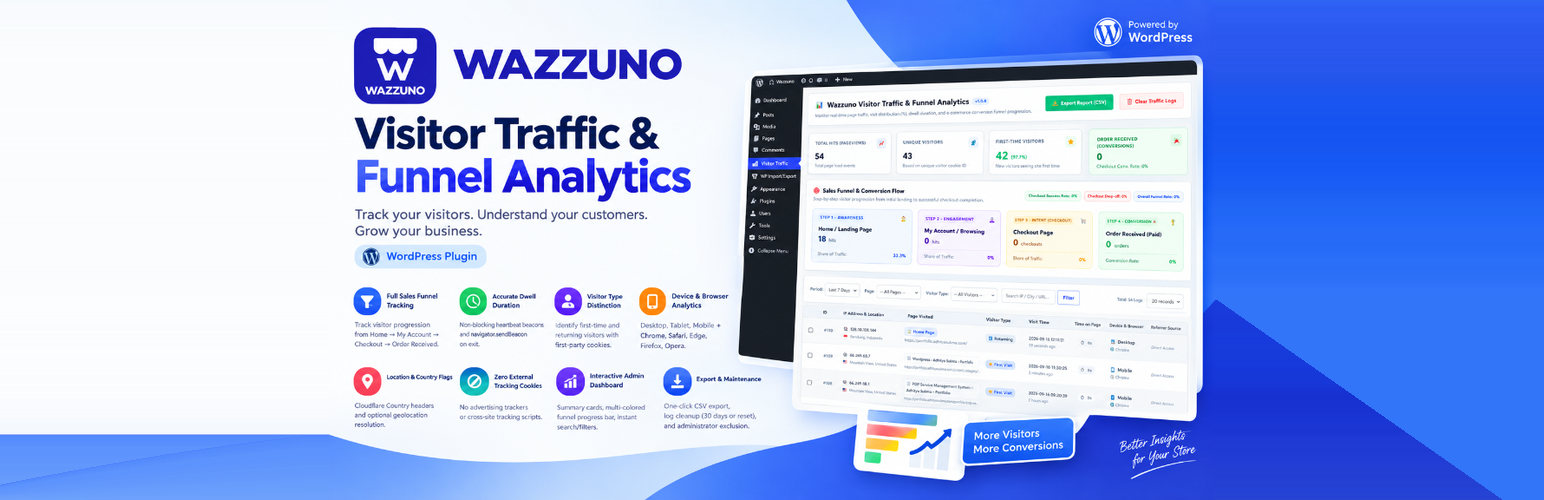
Wazzuno Visitor Traffic & Funnel Analytics is a lightweight, privacy-focused WordPress analytics plugin designed to track genuine visitor traffic, time on page (dwell duration), and e-commerce sales funnel conversions without bloated third-party trackers or heavy external scripts.
🚀 Key Features
- Full Sales Funnel Tracking: Step-by-step visitor progression from Home Page (
/), My Account (/my-account/), Checkout (/checkout/), to Order Received (/order-received/). - Accurate Dwell Duration: Tracks active time on page using non-blocking heartbeat beacons and
navigator.sendBeaconupon exit. - Visitor Type Distinction: Distinguishes first-time visitors from returning visitors using first-party session cookies.
- Device & Browser Analytics: Categorizes visits across Desktop, Tablet, Mobile, and popular browsers (Chrome, Safari, Edge, Firefox, Opera).
- Location & Country Flags: Native support for Cloudflare Country headers and optional geolocation resolution.
- Zero External Tracking Cookies: No advertising trackers or cross-site tracking scripts.
- Interactive Admin Dashboard: Responsive summary metric cards, visual multi-colored funnel progress bar, and instant search/filters.
- Export & Maintenance: One-click CSV export, log retention cleanup (purge logs older than 30 days or complete reset), and administrator traffic exclusion.
External Services
This plugin can optionally connect to a 3rd-party geolocation service to resolve visitor IP addresses into country and city names:
* Service Provider: IP-API (https://ip-api.com)
* Purpose: Resolving visitor IP addresses to country code, country name, and city name for displaying traffic geography in the dashboard.
* Data Transmitted: Visitor IP address.
* Terms of Service: https://ip-api.com/docs/legal/terms
* Privacy Policy: https://ip-api.com/docs/legal/privacy
* Control: This service is optional. If Cloudflare is used, country detection is retrieved directly from server headers without connecting to any external service. You can also disable external IP geolocation lookup in the plugin settings.
Installation
- Upload the
wazzuno-wp-visitor-trafficfolder to the/wp-content/plugins/directory, or install the ZIP file via Plugins > Add New > Upload Plugin in WordPress admin. - Activate the plugin through the Plugins menu in WordPress.
- Access the analytics dashboard by clicking on the Visitor Traffic menu in the WordPress sidebar.
- (Optional) Adjust your privacy preferences in the dashboard settings to exclude administrator visits from tracking.
Screenshots

Executive metrics cards, report export, and visitor traffic summary.

Sales Funnel & Conversion Flow showing step-by-step progression and distribution bar.

Visitor traffic logs table, filter controls, and tracker privacy settings.
Faq
No. The visitor tracking script is extremely lightweight (less than 2KB) and executes asynchronously with non-blocking fetch and beacon APIs.
Yes! General page visits, home page views, first-time vs. returning visitors, device analytics, and dwell duration work on any WordPress website. If WooCommerce is installed, e-commerce checkout and order conversion metrics are automatically tracked.
Tracking is done on your own WordPress server and database. No analytics data is shared with or sold to advertising networks. Site owners can also exclude administrator traffic.
Reviews
Changelog
1.0.0
- Initial release.
- Real-time visitor logging with UUID and session persistence.
- Sales funnel conversion progression for WooCommerce.
- Non-blocking beacon for dwell time tracking.
- CSV report export and bulk log management.