Disable Sales for WooCommerce
Disable Sales for WooCommerce
Description
Going on holiday, closing over Christmas and New Year, doing a stock-take, selling only in season or taking orders only during opening hours? Disable Sales for WooCommerce closes the shop for the period you choose and opens it again by itself – no need to set products out of stock or switch the shop to maintenance mode.
Closed over Christmas? Set 24 December to 1 January once, tick “Repeat” and your shop closes and reopens on its own every year. Customers can still browse, they just cannot order – and they see when you are back.
- Pick a first and a last closed day; both are included, the shop reopens the day after.
- Repeat the same period every year (also across New Year, e.g. 20 December to 6 January) – or use it for seasonal selling, e.g. Christmas trees only from late November to Christmas Eve.
- Close the shop every day between two times, e.g. 22:00 to 06:00 or outside your delivery hours; closing hours may cross midnight.
- While closed, no product can be added to the cart and existing carts cannot be checked out.
- Customers see a WooCommerce-style notice on the cart and checkout – or on every page, if you want.
- Write your own notice texts, with
[date_from]/[date_to]for the dates and[time_from]/[time_to]for the daily hours. - Works with the classic cart and checkout and with the cart and checkout blocks; compatible with high-performance order storage (HPOS).
- Dates and times use your shop’s timezone, date and time format.
Settings: WooCommerce Settings Disable Sales.
Disable Sales Pro
Need more than one period? The Disable Sales Pro add-on adds a weekly schedule with the public holidays of 14 EU countries, several planned closures, orders during a pause with a shipping date, closing only selected products, categories or delivery countries, an access link for wholesale and regular customers, and a banner with a countdown.
This plugin is maintained by Regelkit, makers of EU compliance plugins for WooCommerce.
Installation
- Install from the WordPress plugin directory or upload
wc-disable-salesto/wp-content/plugins/. - Activate the plugin through the Plugins menu.
- Go to WooCommerce Settings Disable Sales, enable the plugin and set the dates and/or the daily closing hours.
Screenshots
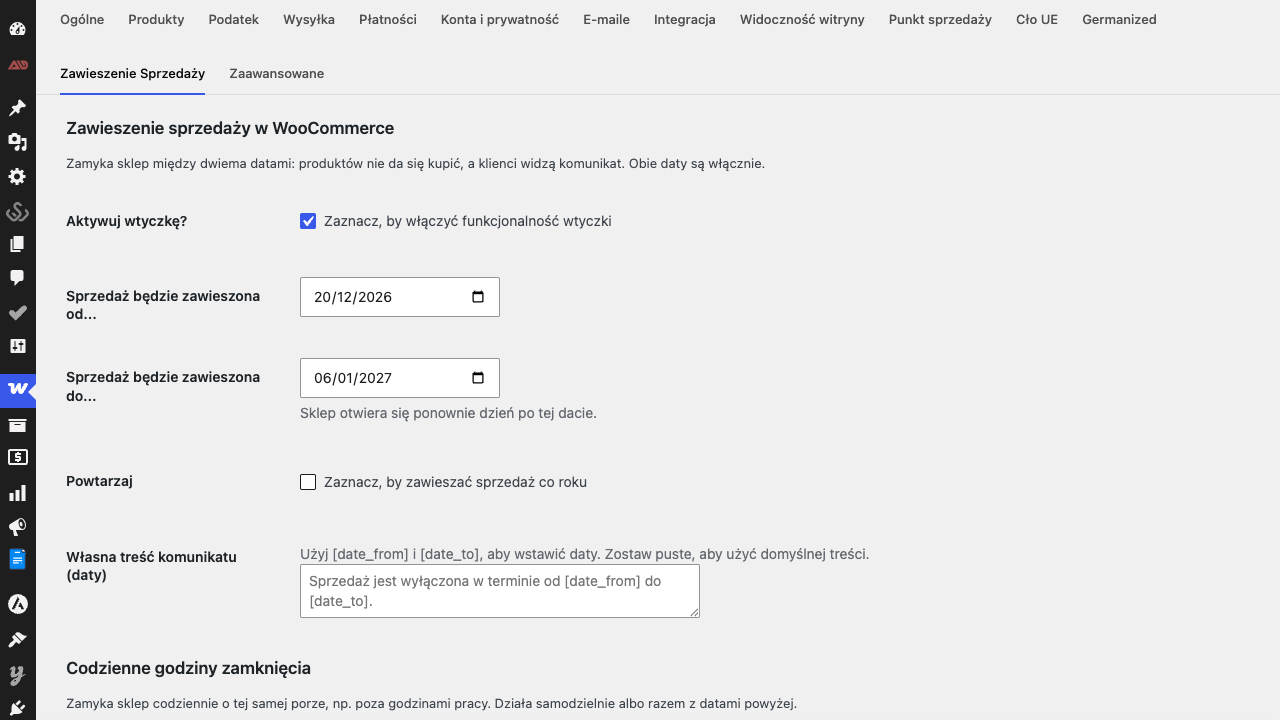
Settings under WooCommerce → Settings → Disable Sales
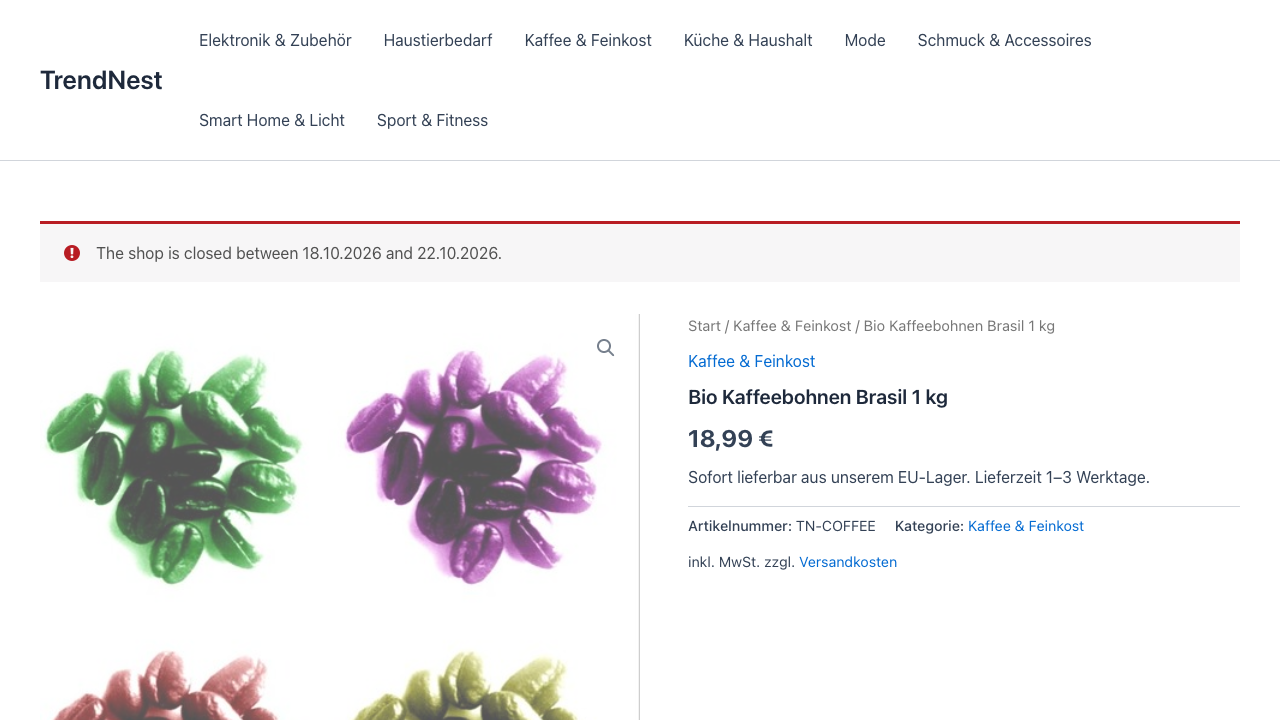
The notice customers see while the shop is closed
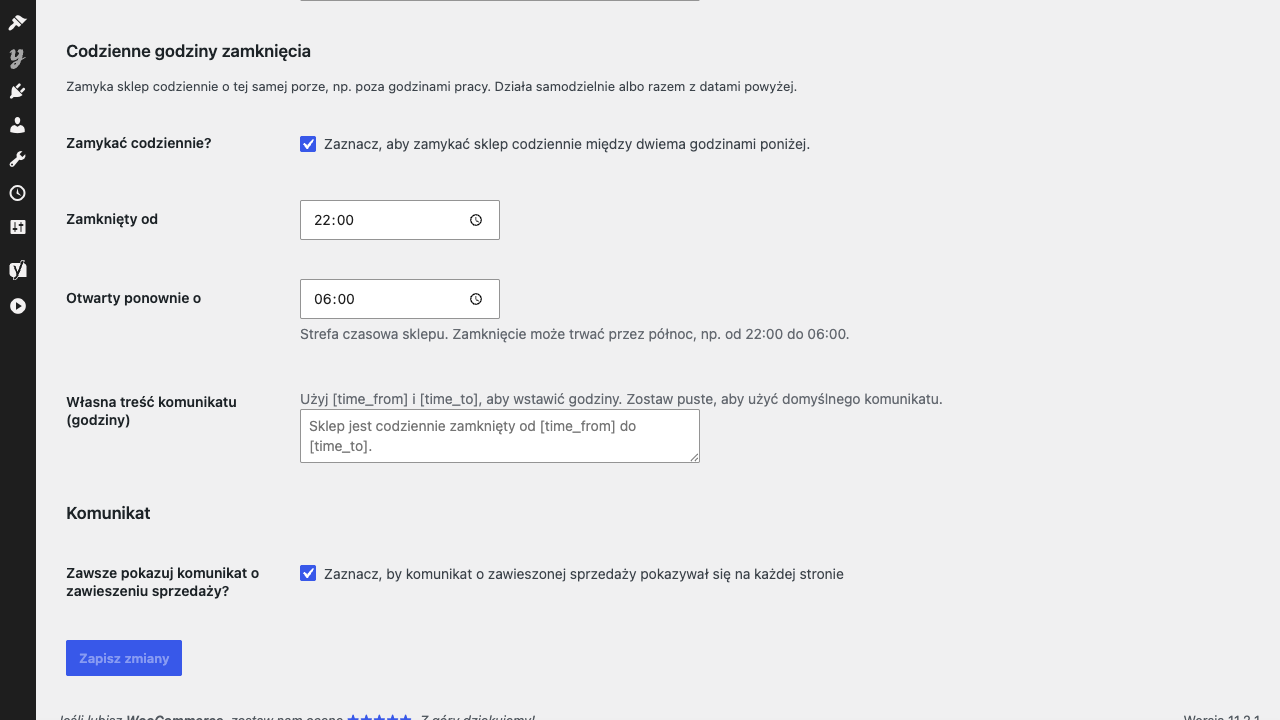
Daily closing hours, e.g. 22:00 to 06:00
Faq
Yes. If you close the shop until 15 August, customers can buy again on 16 August at midnight (shop timezone).
Products show as not purchasable (no add-to-cart button), and the cart and checkout show a notice with your dates. With “Always show notice” the notice appears on every page of the shop.
Yes. With the block-based cart and checkout the closed shop is reported as a cart error, which prevents checkout.
Yes, tick “Repeat”. The same days are used every year, including periods that cross New Year.
Yes. Tick “Close every day” and set the closing and reopening time, e.g. 22:00 and 06:00. The shop timezone is used. Daily hours work on their own or together with the closing dates.
Choose the first and the last closed day, e.g. 24 December and 1 January, and tick “Repeat”. The period may cross New Year; the shop reopens on 2 January and does the same every year. Write your own notice, e.g. “We are on holiday until [date_to] – orders are possible again from 2 January.”
Yes. Close the shop for the rest of the year and tick “Repeat”: for Christmas trees sold from 25 November to 24 December, close it from 25 December to 24 November.
No. Only new purchases are blocked; orders, subscriptions and the admin area work as usual.
Reviews
Changelog
1.2.1
- After two weeks of use the settings page asks once for a review on WordPress.org (with “Maybe later” and “Don’t ask again”). It never appears anywhere else.
- The new texts are translated into all bundled languages.
1.2.0
- New: daily closing hours – close the shop every day between two times (also across midnight), with its own notice text using [time_from] and [time_to].
1.1.0
- Tested with WordPress 7.1 and WooCommerce 11.2; declares compatibility with HPOS and the cart/checkout blocks.
- Block cart and checkout: the closed shop is reported as a cart error.
- Fixed: the notice was not shown on the classic cart and checkout.
- The “until” date is now included (the shop reopens the day after); dates use the shop’s timezone and date format.
- Yearly repeats that cross New Year are handled correctly.
- German translation; Polish translation completed.
- All strings translatable and escaped; licence is GPL-2.0-or-later in the plugin header and readme.
- Unit tests for the closing periods.
1.0.8
- Add load_plugin_textdomain hook
1.0.7
- Do not use variable as textdomain
- Cleanup languages
1.0.6
- Add translations.
1.0.5
- Fix plugin versions.
1.0.4
- Add plugin icon.
1.0.3
- Fix screenshots in readme.
1.0.2
- Renamed the plugin.
1.0.1
- Add screenshots.
1.0.0
- Created a working plugin.