Nomba Payment Gateway for WooCommerce
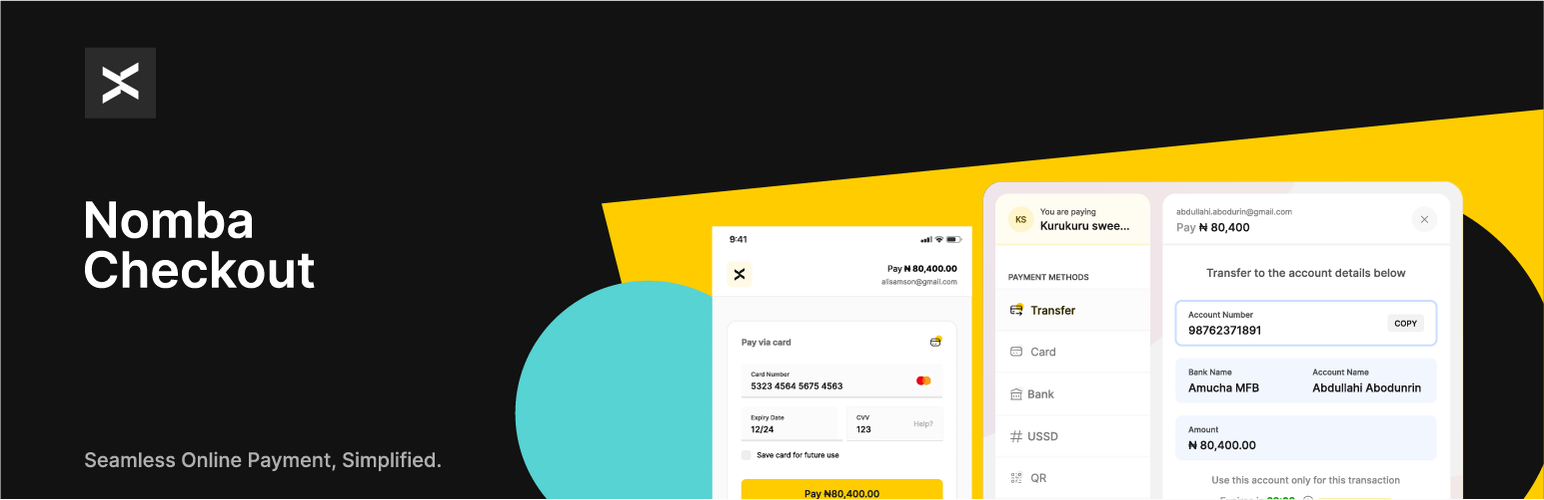
Nomba Payment Gateway for WooCommerce
Description
Nomba simplifies the process for Nigerian businesses to securely accept payments from various channels, both locally and internationally. By integrating Nomba into your WooCommerce store website, you empower your customers to pay conveniently using a range of methods:
- Credit/Debit Cards: Visa, Mastercard, Verve, American Express
- Bank transfer
- QR code
- USSD
- And more options on the horizon including Apple and Google Pay!
Nomba Payment Gateway for WooCommerce plugin allows you to receive payment on your WooCommerce store via Nomba’s API.
Why Choose Nomba?
- Swift Setup: Begin receiving payments in as little as 10 minutes after signing up. Simply create an account and obtain your API keys
- Transparent Pricing: Enjoy straightforward rates of 1.4%, capped at N1,800 for local transactions, and 3.9% for international card payments.
- Hassle-Free Dispute Management: Access our Automated Dispute Manager at no additional cost.
- Comprehensive Analytics: Gain valuable insights through our intuitive dashboard.
- Responsive Support: Our empathetic customer service team is available 24/7 to assist you.
- Ongoing Enhancements: Benefit from free updates as we roll out new features and payment options.
- Robust APIs: Access clearly documented APIs to tailor your payment experiences to your specific needs.
- Volume Discount: Volume discounts available for merchants with 50m+ in monthly volumes
Note
This plugin is meant to be used by merchants in Nigeria.
Plugin Features
- Accept payment via Visa, Mastercard, Verve, American Express, Bank transfer, QR code & USSD
- Recurring payment using WooCommerce Subscriptions plugin
- Refund payments directly from the order details page
WooCommerce Subscriptions Integration
-
If a customer pays for a subscription using a Mastercard, Visa, Verve card, their subscription will renew automatically throughout the duration of the subscription. If an automatic renewal fail their subscription will be put on-hold, and they will have to log in to their account to renew the subscription.
-
For customers paying with USSD, Bank Transfer, QR code, their subscription can’t be renewed automatically, once a payment is due their subscription will be on-hold. The customer will have to log in to their account to manually renew their subscription.
-
If a subscription has a free trial and no signup-fee, automatic renewal is not possible for the first payment because the initial order total will be 0, after the free trial the subscription will be put on-hold. The customer will have to log in to their account to renew their subscription. If a Mastercard, Visa, Verve is used to renew the subscription subsequent renewals will be automatic throughout the duration of the subscription.
Suggestions / Feature Request
Got an idea or a feature request? Feel free to reach out to us at integrations@nomba.com.
Let’s make payment processing simpler and more efficient together with Nomba!
Privacy
When Complete Migration runs with the account-manager-notification checkbox selected, the plugin makes one authenticated POST to Nomba’s /v1/integrations/migration-complete endpoint containing your account id, the completion timestamp, the plugin version, and a source: woocommerce-plugin marker. No customer data is sent. The Health Check feature exchanges your Nomba credentials with Nomba’s authentication endpoint to verify connectivity.
Installation
- Go to WordPress Admin > Plugins > Add New from the left-hand menu
- In the search box type Nomba WooCommerce Payment Gateway
- Click on Install now when you see Nomba WooCommerce Payment Gateway to install the plugin
- After installation, activate the plugin.
Nomba Setup and Configuration
- Go to WooCommerce > Settings and click on the Payments tab
- You’ll see Nomba listed along with your other payment methods. Click to view the plugin settings page
- On the next screen, configure the plugin. There is a selection of options on the screen. Read what each one does below.
- Enable/Disable – Check this checkbox to Enable Nomba on your store’s checkout
- Title – This will represent Nomba on your list of Payment options during checkout. It guides users to know which option to select to pay with Nomba. Title is set to “Accept Secure Payment via Nomba” by default, but you can change it to suit your needs.
- Description – This controls the message that appears under the payment fields on the checkout page. Use this space to give more details to customers about what Nomba is and what payment methods they can use with it.
- Test Mode – Check this to enable test mode. When selected, the fields in step five will say “Test” instead of “Live.” Test mode enables you to test payments before going live. The orders process with test payment methods, no money is involved so there is no risk. You can uncheck this when your store is ready to accept real payments.
- API Keys – The next six text boxes are for your Nomba API keys, which you can get from your Nomba merchant Dashboard.
- Click on Save Changes to update the settings.
To account for poor network connections, which can sometimes affect order status updates after a transaction, we strongly recommend that you set a Webhook URL on your Nomba merchant dashboard. This way, whenever a transaction is complete on your store, we’ll send a notification to the Webhook URL, which will update the order and mark it as paid. You can set this up by using the URL in red at the top of the Settings page. Just copy the URL and save it as your webhook URL on your Nomba dashboard under Settings > Webhooks tab.
If you do not find Nomba on the Payment method options, please go through the settings again and ensure that:
- You’ve checked the “Enable/Disable” checkbox
- You’ve entered your API Keys in the appropriate field
- Your store currency is set to NGN
- You’ve clicked on Save Changes during setup
Screenshots

Nomba displayed as a payment method on the WooCommerce payment methods page

Nomba WooCommerce payment gateway settings page
Faq
- A Nomba merchant account—use an existing account or create an account here
- WooCommerce plugin installed and activated on your WordPress site.
- A valid SSL Certificate
-
If a customer pays for a subscription using a Mastercard, Visa, Verve card, their subscription will renew automatically throughout the duration of the subscription. If an automatic renewal fail their subscription will be put on-hold, and they will have to log in to their account to renew the subscription.
-
For customers paying with USSD, Bank Transfer, QR code, their subscription can’t be renewed automatically, once a payment is due their subscription will be on-hold. The customer will have to log in to their account to manually renew their subscription.
-
If a subscription has a free trial and no signup-fee, automatic renewal is not possible for the first payment because the initial order total will be 0, after the free trial the subscription will be put on-hold. The customer will have to log in to their account to renew their subscription. If a Mastercard, Visa, Verve is used to renew the subscription subsequent renewals will be automatic throughout the duration of the subscription.
The plugin communicates with Nomba to process payments. Beyond the payment requests themselves, when SwitchFast is in use it sends a small amount of operational metadata to Nomba so we can support your migration and detect service issues. This data contains no customer or shopper information — only your Nomba account identifiers and aggregate operational figures:
- On checkout (when SwitchFast is active): the plugin version and current SwitchFast state travel in the order metadata of the create-order request that is already sent to Nomba. No extra request is made.
- On key events: a small, rate-limited notification is sent to Nomba when the safety net trips (breaker open, dual outage, fallback used) or when you complete or roll back a migration, so we can spot issues affecting your checkout.
- Daily operational heartbeat (opt-in only): if you enable the “Account officer updates” toggle on the SwitchFast dashboard, the plugin sends a once-daily summary — your readiness score and per-gateway transaction counts and success rates — to your Nomba account officer. This is off by default, contains no customer data, and can be turned off at any time.
See Nomba’s Privacy Policy for how Nomba handles this data.
Reviews
Great Plugin!
By 
Great Plugin.
Lovely Plugin
By 
Running e-commerce sites is easier with the right tools and Nomba’s WooCommerce plugin has been a solid choice for me. It supports multiple payment giving my customers flexibility at checkout.
Excellent Plugin but now sucks
By 
One of the best woo-commerce payment gateway for Nigerian merchants until recently it stopped working. I contacted their support and they ignored me. DON'T BOTHER USING
Simple to use
By 
it is fast and easy to use and also very reliable. I highly recommend it
Reliably fast and functional
By 
This checkout serves my business well with 0 payment downtime. I love it and thanks for the By now pay later feature it improves sales for me.
Best payment woocommerce plugin in the market!
By 
Honestly, this plugin is a game-changer! It's so easy to integrate, and the setup is straightforward—no headaches at all. Payments go through smoothly, and the variety of options (cards, bank transfers, USSD, QR) make it so convenient for all of our customers.
Please endeavour to try it out.
One of the best
By 
Nomba is one of the best payment gateway for WP. Its very easy to integrate.
Seamless integration
By 
I recently started using the Nomba WordPress payment plugin, and I must say, the integration process was incredibly seamless. Connecting the plugin to my Nomba account was straightforward and hassle-free. Within minutes, I was up and running, ready to accept payments on my website.
One of the standout features for me is how consistently I get credited. Transactions are processed smoothly, and funds reflect in my account without any delays. The plugin also supports both local and international card payments during checkout, which is one of the biggest needs for any e-commerce website.
I reached out to their support team while setting up my account, and they were swift in guiding me and providing clarity. Their responsiveness made the entire process even smoother.
Great plugin serving all my needs
By 
I use Nomba's woo-commerce plugin in a couple of my e-commerce websites. Asides from supporting multiple payment methods such as card (local and international), bank transfer, QR and USSD, their support is amazing. Helping to resolve issues at the speed of light.
Give Nomba a try.
Changelog
1.2.0
- Added passive SwitchFast telemetry so Nomba gains operational visibility without merchants forwarding logs. The plugin version rides along in the create-order request’s order metadata for fleet-wide version visibility, and the current SwitchFast state is added when SwitchFast is actively bucketing checkout (no new request, no shopper data).
- Added an optional daily operational heartbeat to your Nomba account officer (readiness score and per-gateway success rates), controlled by the new “Account officer updates” toggle on the SwitchFast dashboard. Off by default; no customer data is shared; you can turn it off at any time.
- Added non-blocking, rate-limited event pings for high-value moments — breaker tripped, dual outage, fallback used, and migration completed/rolled back. Pings are fire-and-forget, so a slow or unreachable telemetry endpoint never affects checkout latency.
- The account-manager notification on Complete Migration is now delivered via the same non-blocking path, so completing migration no longer blocks the admin request on a network round-trip.
1.1.1
- Fix redirect callback marking a paid order as failed when it raced the payment_success webhook.
1.1.0
- Introducing SwitchFast: an optional migration toolkit that activates only when another supported payment gateway is installed alongside Nomba. Fully backward compatible — nothing changes for stores without a second gateway.
- Added comparison mode: an admin dashboard at WooCommerce > SwitchFast buckets customers between the two gateways and compares transaction counts and success rates.
- Added a circuit-breaker that temporarily routes checkout through the merchant’s other configured gateway if Nomba hits a burst of infrastructure failures, and restores routing automatically when the next call succeeds.
- Added a synchronous Health Check button that verifies Nomba credentials and connectivity without moving any money.
- Added an email anomaly alert (rate-limited 1/24h) and an urgent dual-outage alert when no gateway is reachable.
- Added a Readiness Score (0–100) on the SwitchFast dashboard that summarises whether your store is ready to complete migration.
- Added the Complete Migration button. When you are ready to make Nomba your only checkout gateway, you can switch over in one click with a 7-day rollback window.
- Added a weekly operational digest email (Monday 09:00 site time) summarising per-gateway transaction counts and success rates from the previous 14 days.
- Added a one-shot readiness alert email when your store’s score first crosses 90/100.
- Added an optional notification to your Nomba account manager when you complete migration; the consent toggle is on the Complete Migration confirmation dialog.
- Added a cron heartbeat indicator on the dashboard so you can spot lagging WP cron.
- Added a renewal flag (
_nomba_migration_is_renewal) for subscription renewal orders so they are excluded from comparison stats. - Fairer success rates: failures Nomba classifies as customer input errors (wrong PIN, expired card) are excluded from Nomba’s comparison figures, as explained on the comparison panel. Your other gateway does not report this distinction, so its rate includes all failures.
1.0.9 – July 20, 2026
- Add a background reconciliation sweep that settles Nomba orders left in “pending” when the customer failed a payment then abandoned the hosted checkout (so the browser never returned and no webhook arrived). The sweep verifies each stale pending order against Nomba and marks it paid or failed, using the same order-processing lock as the live callback so it stays idempotent, and confirms the fetched transaction belongs to the order before settling it.
1.0.8 – July 20, 2026
- Fix fatal error in the redirect callback when a payment fails with a malformed order reference: the failure path now guards against a missing order before updating status, matching the success path
- Fix refunds silently failing with no message: the refund handler now null-checks the Nomba response and returns an explicit error when the gateway does not confirm the refund
- Fix empty “Nomba” heading on the gateway settings screen (translation string was not echoed)
- Fix free-trial subscription detection passing an order object where an order ID is expected
- Fix a possible fatal error when a saved card token is malformed: token parsing now validates its structure before use, in both one-off and subscription-renewal payments
1.0.7 – April 22, 2026
- Fix order wedging on crashed mid-update: callback now acquires the processing lock before checking order status, and uses the transaction ID as the completion signal so a subsequent request can complete an order whose prior request died after flipping status to “processing”
- Fix webhook giving up on HTTP 404 when fetching transaction details: the transaction fetch now retries on 404, treating it as a transient backend read-after-write lag rather than a permanent failure
- Add a short delay before the webhook fetches the transaction to reduce read-after-write races with the Nomba backend
1.0.6 – April 17, 2026
- Add comprehensive logging for webhook and redirect callback payment flows
- Add order notes indicating whether payment was confirmed via webhook or redirect callback
- Add retry logic with configurable attempts for transaction verification API calls
- Add atomic order processing lock to prevent race conditions from concurrent requests
- Add stale lock detection with 60-second TTL for automatic recovery
- Fix transaction lookup using proper query parameters instead of request body on GET requests
- Fix token cache expiration bug that could cache expired tokens indefinitely
- Fix wc_add_notice() call in webhook context where no customer session exists
- Fix WC()->cart->empty_cart() call in webhook context where no cart session exists
- Improve error handling with categorised HTTP status responses (retryable vs permanent failures)
- Improve webhook reliability by returning 400 on transient failures to trigger redelivery
- Reduce API timeout from 60s to 30s to prevent PHP execution timeouts
- Add 401 token refresh handling without consuming retry attempts
- WordPress 6.9 compatibility
- WooCommerce 10.7 compatibility
1.0.5 – November 8, 2025
- Add support for GBP & EUR payment
- Add options to pass order details to Nomba
- WooCommerce 10.3 compatibility
1.0.4 – September 18, 2025
- Update Nomba payment method image displayed on the checkout page
- Add support for partial refund from the order details page
- WooCommerce 10.2 compatibility
1.0.3 – September 15, 2025
- Refund order payments directly from the order details page
1.0.2 – March 3, 2025
- Add option to autocomplete order after successful payment
1.0.1 – January 3, 2025
- Add support for USD payment
- Pass X-Nomba-Integration header when creating a Nomba checkout order
1.0.0 – March 27, 2024
- First release