WC Speed Repair

WC Speed Repair
Description
WooCommerce is powerful but it loads dozens of scripts and styles even when they are re not needed, which can slow your site down.
This plugin gives you an instant performance boost by letting you disable unnecessary WooCommerce frontend assets on non WooCommerce pages.
Features
– One-click toggles for each WooCommerce asset JS and CSS
– Grouped by functionality: Core Scripts, Cart, Block Styles, General Styles
– Savings Test Tool per URL
– Custom WooCommerce handle entry for global disable
– Front end WooCommerce Assets menu
– Per page list of script assets loading with disable option
– Per page list of style assets loading with disable option
– Meta box for custom handle input per page disable rules
– Select All and Deselect All buttons to quickly apply optimizations
By reducing what loads on non-commerce pages, your site becomes leaner and faster especially for blog, landing, or informational pages.
How It Works
Only WooCommerce pages (like shop, cart, checkout, and product pages) truly need WooCommerce assets.
So this plugin:
– Lets you turn off WooCommerce assets on non-WooCommerce pages
– Automatically preserves functionality where needed (e.g. checkout/cart)
– Saves bandwidth, server load, and improves core Web Vitals
There’s no need to write any code or modify theme files.
Installation
Install via WP Admin
- Go to Plugins > Add New
- Click Upload Plugin and select the
.zipfile - Click Install Now, then Activate
Install via FTP
- Upload the extracted plugin folder to
/wp-content/plugins/ - Activate it from your Plugins page
Screenshots
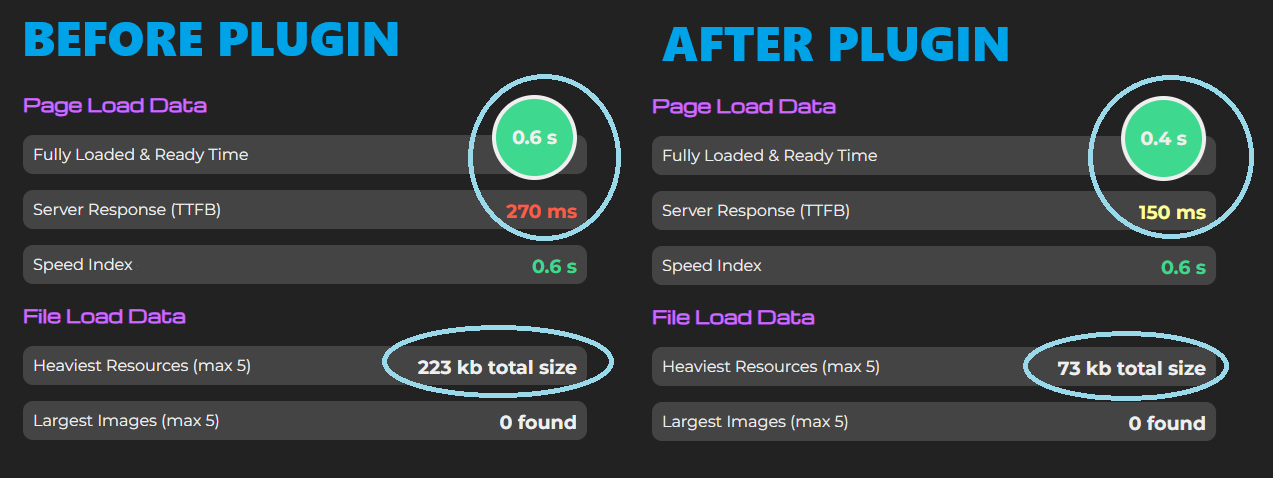
Performance gains shown with plugin use
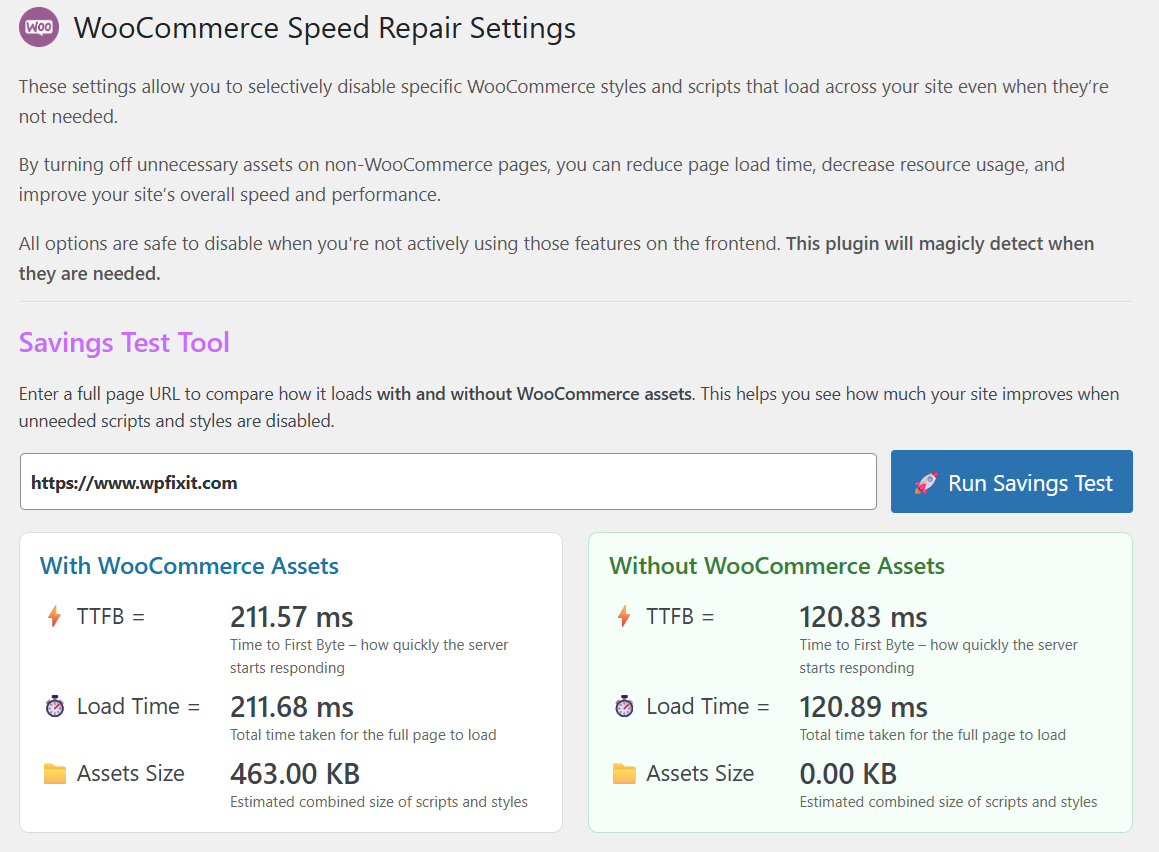
Savings Test Tool
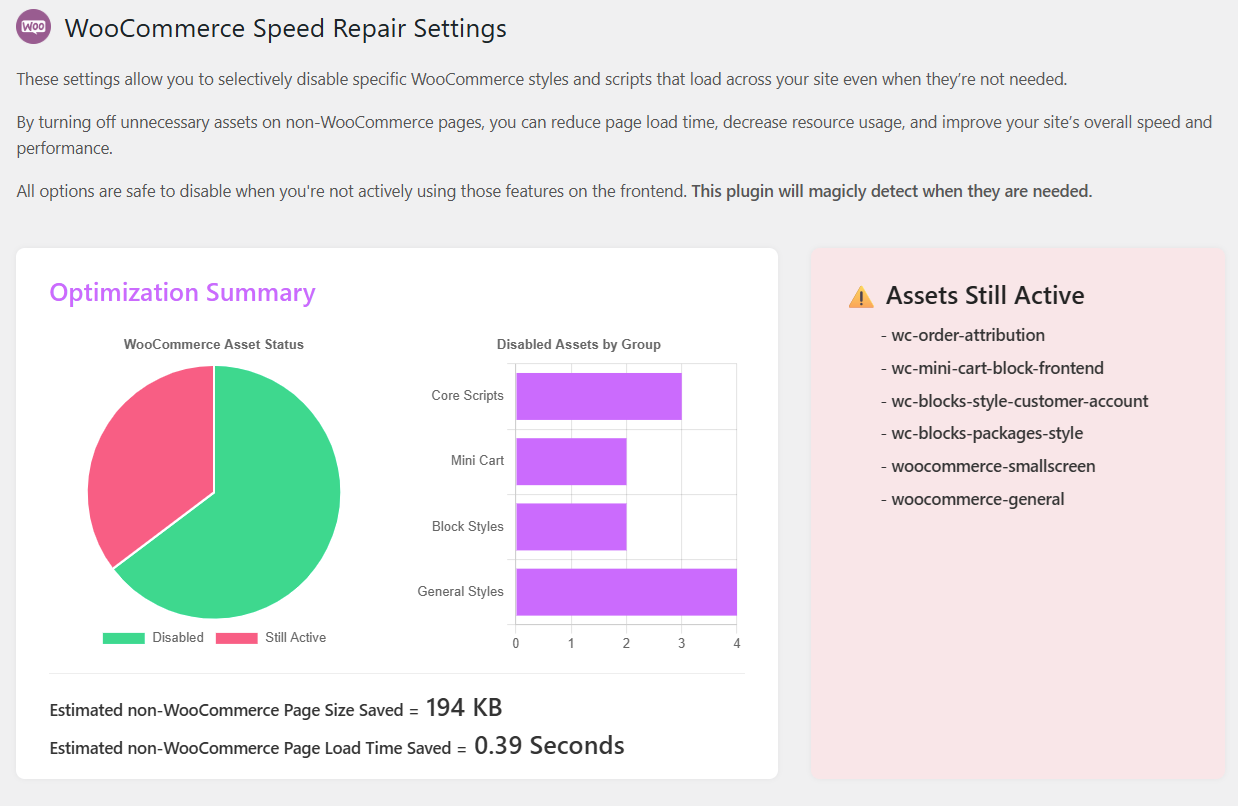
Optimization Summary and Estimated Savings snapshot
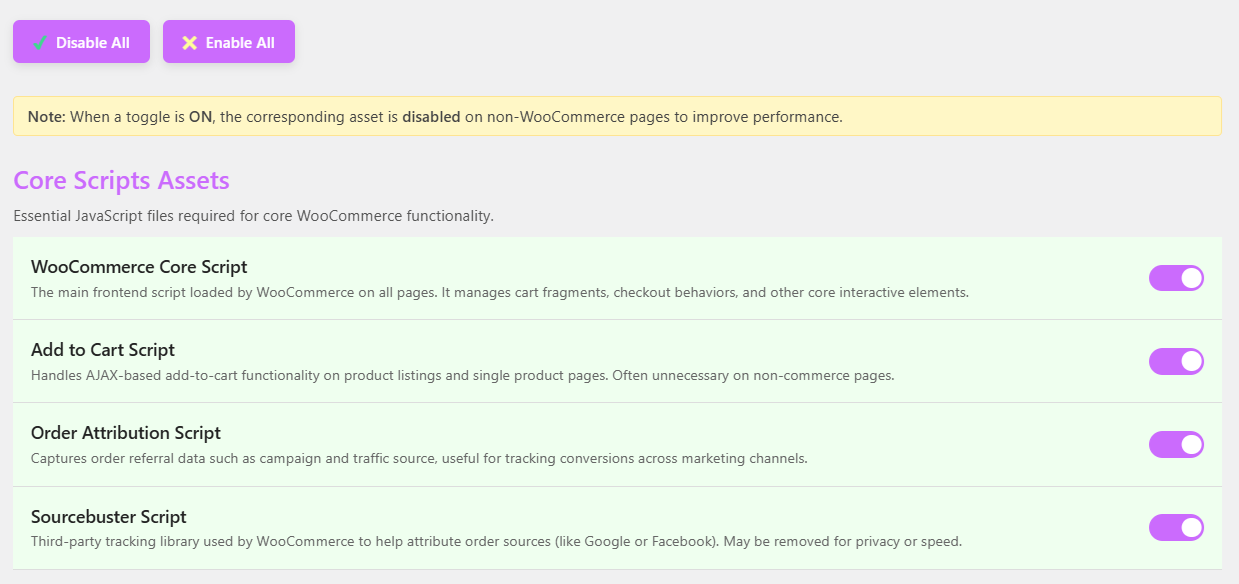
Admin UI with toggle switches
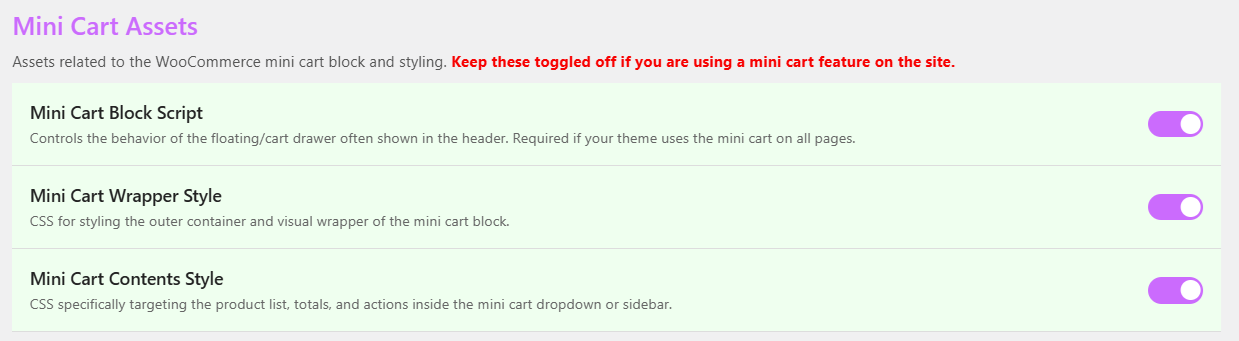
Admin UI with toggle switches
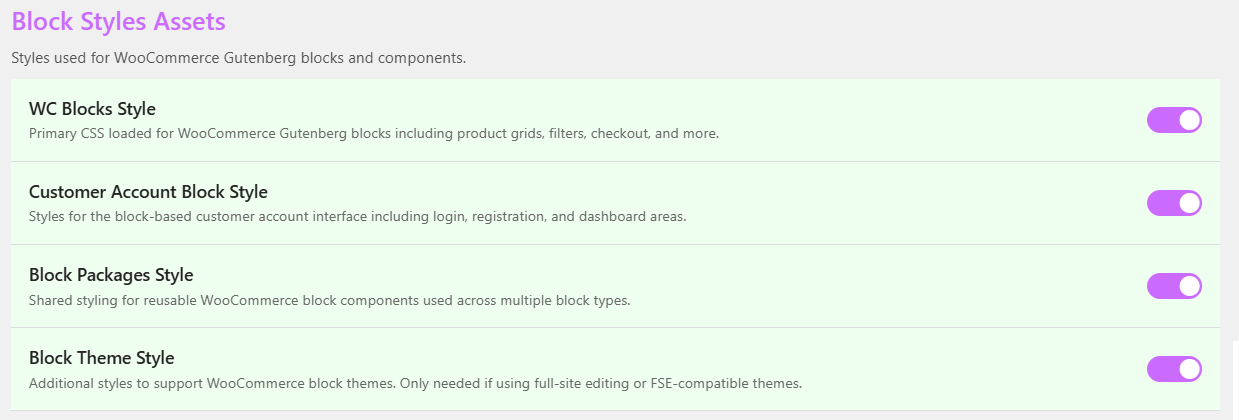
Admin UI with toggle switches
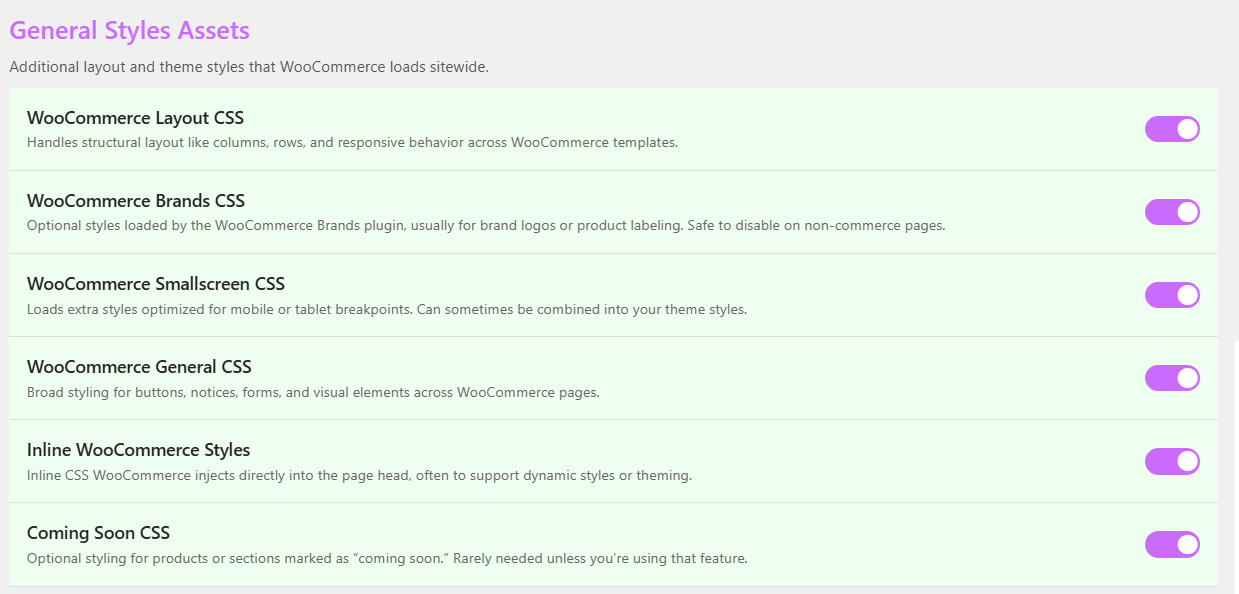
Admin UI with toggle switches
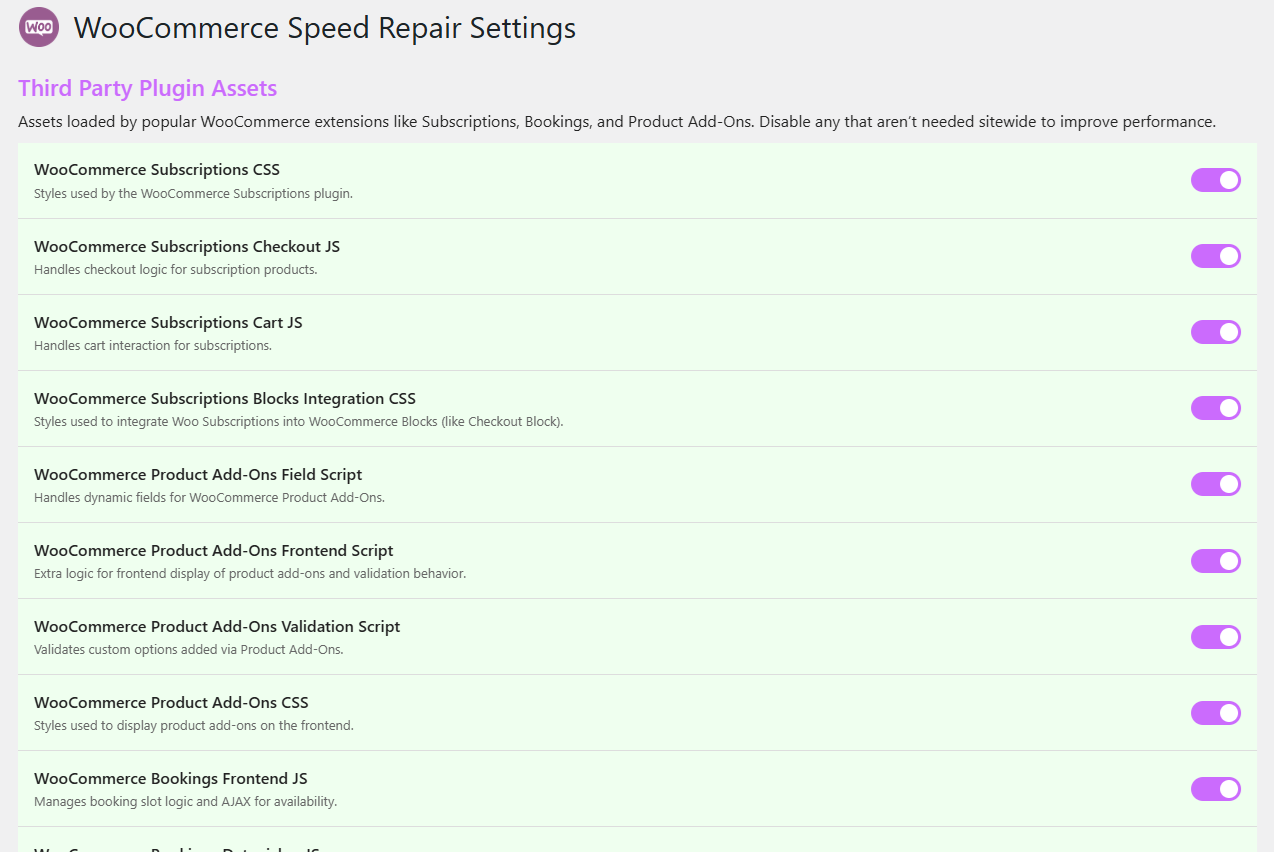
Admin UI with toggle switches
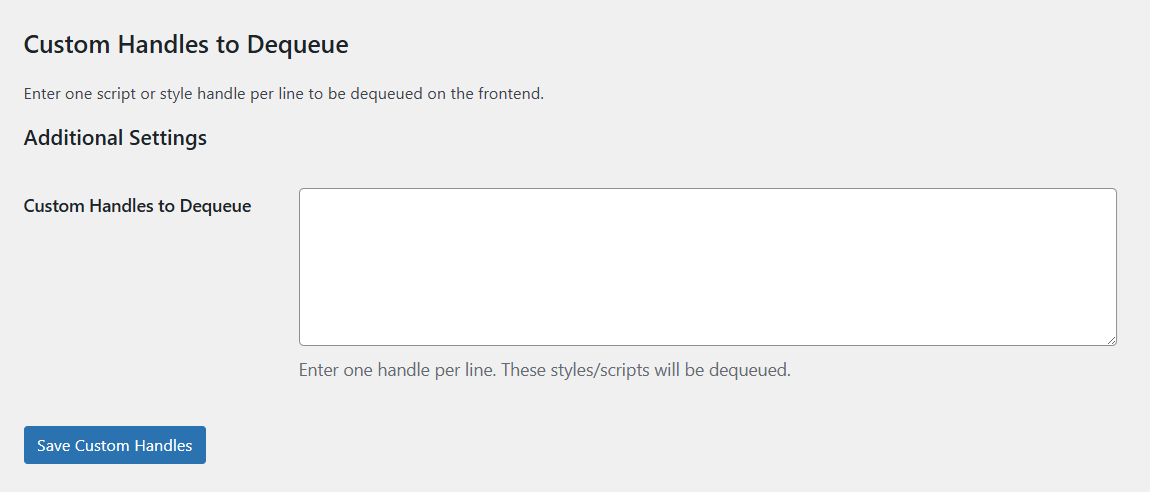
Custom WooCommerce handle entry for global disable
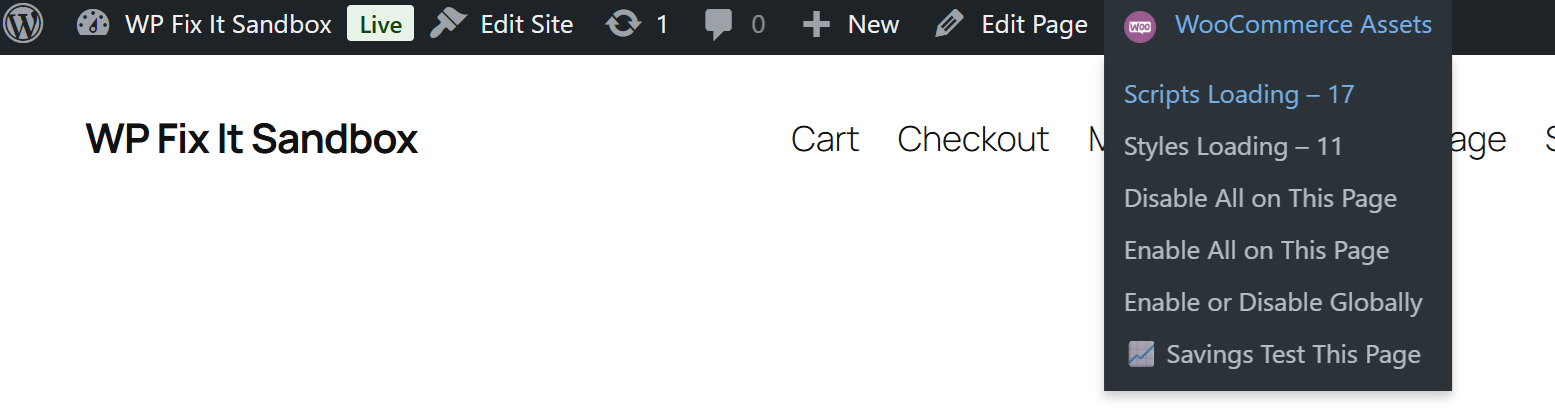
Front end WooCommerce Assets menu
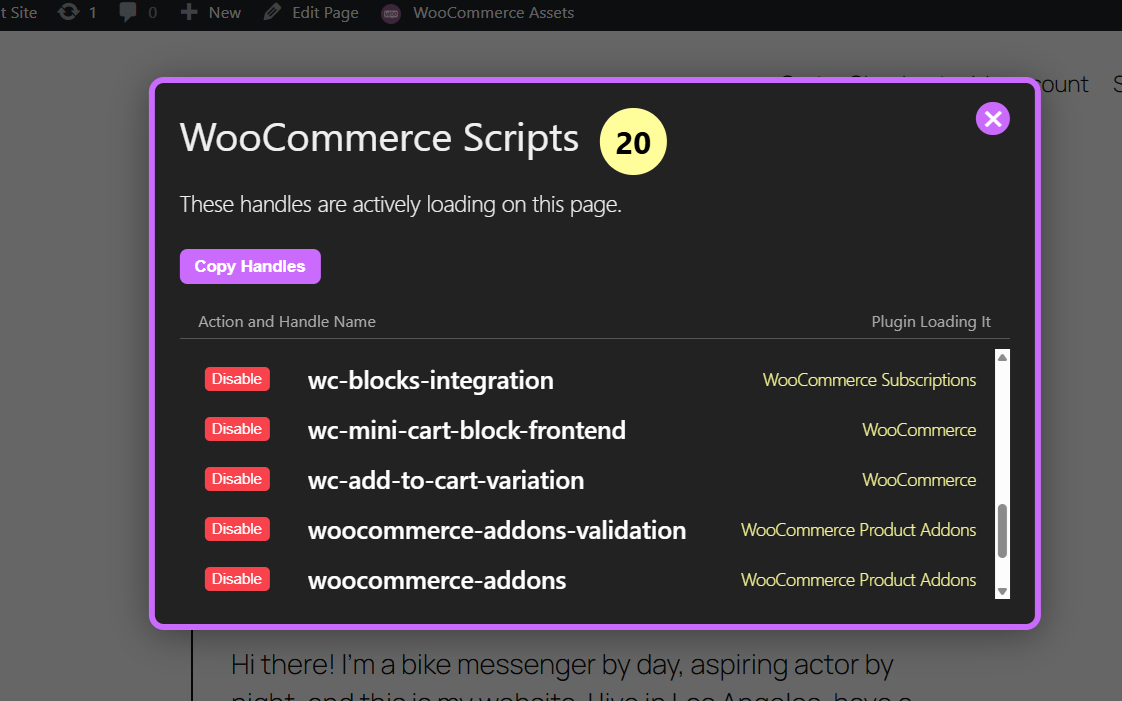
Per page list of script assets loading with disable option
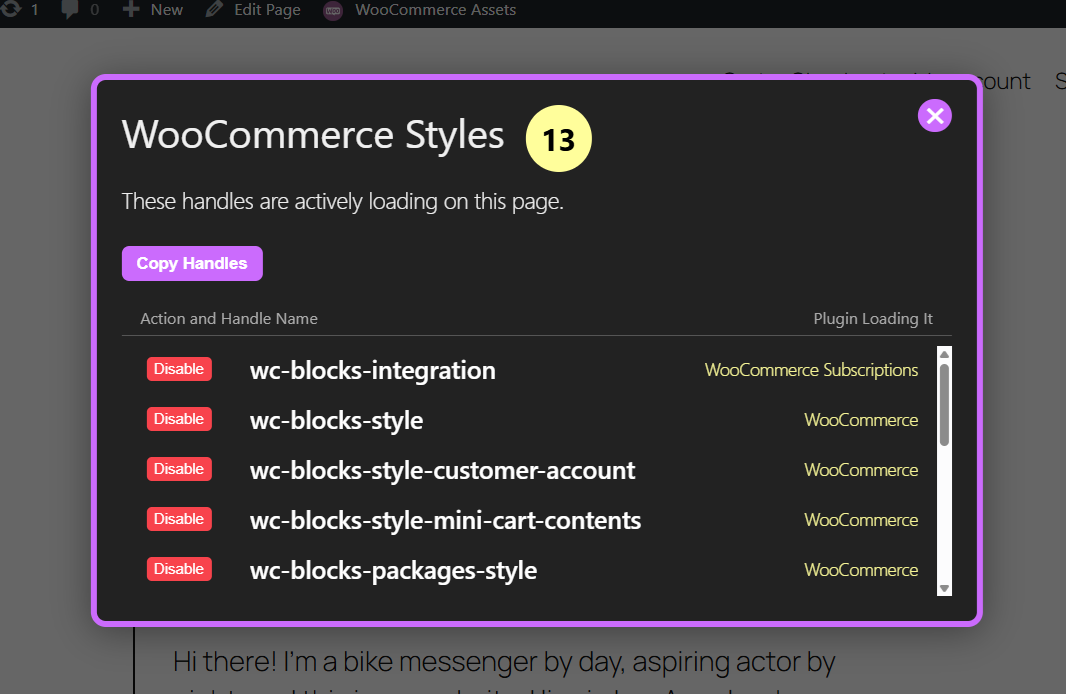
Per page list of style assets loading with disable option
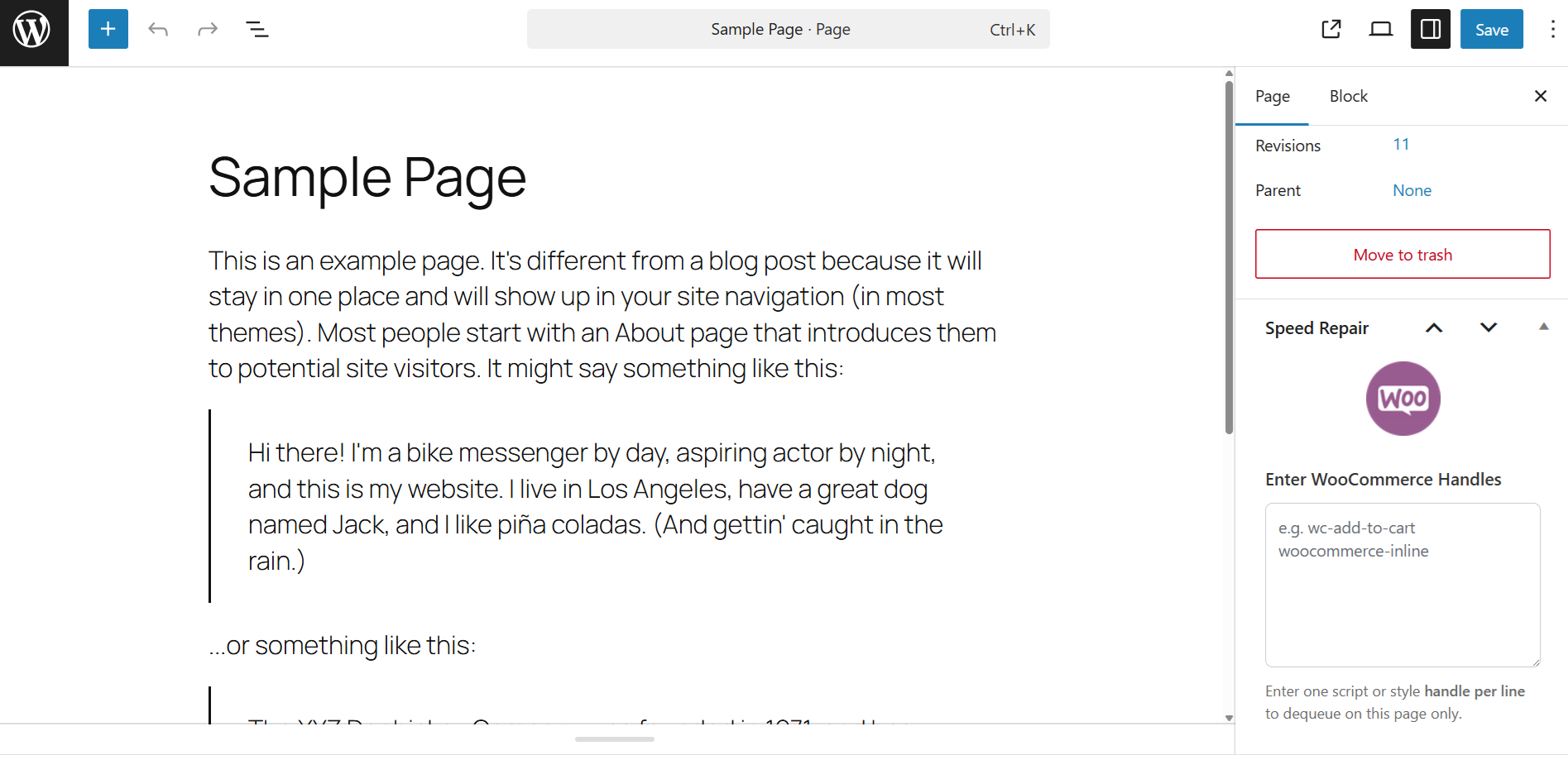
Meta box for custom handle input per page disable rules
Faq
Yes, It works with any theme that uses standard WooCommerce scripts and styles.
Yes, visit WooCommerce then Woo Speed Repair to turn off assets you don’t need.
Some assets are safe to disable if you’re not using that WooCommerce feature sitewide. For example, if you don’t use the mini cart, you can safely disable its styles and scripts on non WooCommerce pages.
Yes, just toggle the switch again to re-enable the asset.
Reviews
The Secret Weapon That Supercharged My WooCommerce Store!
By 
I rarely write reviews, but Speed Repair has completely transformed my WooCommerce site and I can't stay quiet about it. After months of battling sluggish performance, endless loading times, and increasingly frustrated customers, I finally stumbled across this gem of a plugin. And let me tell you: it’s not just good it’s essential.
From the moment I activated Speed Repair, I noticed a tangible difference. Pages that once crawled now load in a flash. The backend feels snappier, and the frontend is clearly benefiting too. This plugin does exactly what it promises: it stops WooCommerce from draining your site’s speed like a sieve. The performance improvements were not only noticeable to me, but I started receiving positive comments from regular customers about how much faster everything felt.
What sets this plugin apart is its surgical precision. It doesn’t throw a bunch of generic optimizations at your site and hope for the best. Instead, it focuses on WooCommerce-specific bottlenecks things that are often overlooked or buried deep in Woo’s complex processes. It handles things like reducing unnecessary background queries, optimizing cart fragments, and other Woo internals that typical caching plugins can’t fix.
I’ve used popular optimization suites before some paid and some free but Speed Repair found and fixed performance issues none of those tools even identified. I didn’t have to touch a single line of code, and I didn’t have to fiddle with endless configuration settings. It’s the definition of install-and-go, and it works with other optimization plugins rather than against them.
The developer clearly understands WooCommerce on a deep level. The code is lean, the updates are meaningful, and the support (when I reached out with a compatibility question) was fast and thoughtful. In a WordPress ecosystem full of bloated tools and overhyped promises, this plugin is refreshingly honest and effective.
If you're running a WooCommerce store and your performance isn't where you want it to be, do yourself (and your customers) a favor: install Speed Repair. It’s lightweight, laser-focused, and shockingly effective. It’s not just another plugin it’s a must-have performance fix.
Five stars, all day long. Bravo!
Nice job
By 
Great little plugin
By 
No noticeable improvement
By 
Does nothing on woo pages
By 
Only removed one stylesheet
By 
Causes issues with cart button and count
By 
Horrible Service
By 
Brilliant!
By 
Activation crashed
By 
Changelog
4.5
- Released: July 8, 2025
- Adjusted name
4.4
- Released: June 12, 2025
- Added Savings Test Tool
- Added inigration with WooCommerce Subscriptions, WooCommerce Bookings amd WooCommerce Product Add Ons extensions
- Added Custom WooCommerce handle entry for global disable
- Added Front end WooCommerce Assets menu
- Added Per page list of script assets loading with disable option
- Added Per page list of style assets loading with disable option
- Added Meta box for custom handle input per page disable rules
4.3
- Released: June 10, 2025
- Added Optimization Summary and Estimated Savings snapshot
4.2
- Released: June 10, 2025
- Added option to disable Brands CSS
4.1
- Released: June 10, 2025
- Corrected some UI elements
4.0
- Released: June 9, 2025
- Complete redesign with toggle-based UI
- AJAX saving and toast confirmations
- Added “Select All” / “Deselect All” controls
- Cleaned up legacy codebase
- Improved WooCommerce 6.8 compatibility
2.5
- Released: June 1, 2025
- Adjusted to work with WordPress 6.8 release
2.2
- Released: November 14, 2023
- Adjusted to work with WordPress 6.4 release
2.0
- Released: January 19, 2022
- Prepared plugin for WordPress 6.0
1.3
- Released: January 21, 2020
- Updated for newer WP core
1.2
- Released: November 21, 2017
- Maintenance update
1.0
- Released: September 30, 2015
- First release