WC Vendors – WooCommerce Multivendor, WooCommerce Marketplace, Product Vendors
WC Vendors – WooCommerce Multivendor, WooCommerce Marketplace, Product Vendors
Description
WC Vendors – WooCommerce Multi Vendor Plugin
🏆 #1 WooCommerce multi vendor plugin for turning your WooCommerce store into a thriving marketplace. Trusted by over 8,000 stores.
The WC Vendors Marketplace plugin is the easiest way to create your multivendor marketplace and earn commission from every sale.
Create A WooCommerce Marketplace
You can use WC Vendors to create all sorts of marketplaces such as:
- Physical Good Marketplaces (like Amazon, Etsy, Ebay)
- Digital Product Marketplaces (like Shutterstock, Envato)
- Services & Booking Marketplaces (like TripAdvisor, Airbnb)
- Subscription Marketplaces (like CrateJoy, Birchbox)
- 2nd Hand Goods Marketplaces (like Ebay, Facebook Marketplace)
Learn more about WC Vendors: Visit WC Vendors Website
Key WooCommerce Multi-vendor Features (Free Plugin):
- Easy & fast setup wizard (get up and running quick)
- New WooCommerce Vendor user role
- Register users and allow them to upgrade to become a Vendor
- Vendors (aka your sellers) get their own store and unique URL
- Set commission rate for sales (the % of revenue you share with Vendors)
- Handles simple, variable, and digital products
- Integrates with most themes
- Basic frontend dashboard for sales and orders reports
- Vendors can mark orders shipped
- WordPress Admin for publishing products
- Export orders
- Customizable templates
Pro and add-on features available:
- Add fees to commissions
- Set fixed or fixed + fee commissions
- Charge vendors commission per vendor or even per product
- Create membership plans for Vendors
- Sell subscription products
- Allow Vendors to sell bookings (eg. service marketplaces)
- Add auctions capabilities
- Pay Vendors commissions automatically with Stripe (and other compatible gateways)
- Store SEO compatibility
- Vendor vacation mode
- Vendor opening hours
- Let Vendors add store notices on their Vendor page
- Full front-end management of products
- Full front-end management of orders
- Self-managed Vendor coupons
- Advanced shipping management
- Vendor product reviews
- … And LOADS more advanced WooCommerce marketplace features!
Want see more Pro features? Click here to view the Pro version + addons
FAST & EASY TO USE – THE BEST WOOCOMMERCE MULTI VENDOR PLUGIN
WC Vendors marketplace comes with a setup wizard to guide you through the initial setup of your marketplace. This gets you up and running quickly, ready to earn.
Best Supported Marketplace Plugin
We pride ourselves on providing prompt, quality support as well as high quality secure, robust code. We release regular updates for smooth operation of your marketplace business. We focus on including the best eCommerce features for our users based on WooCommerce and best eCommerce practices.
Grow With No Restrictions – Create A Thriving Multi-Seller Marketplace
With WC Vendors you can be assured that there are no restrictions on the number of vendors or products your marketplace can create. Scale your multi-vendor marketplace to the moon!
Your marketplace will allow your vendors to sell a range of different products including:
- Physical products
- Digital and Downloadable products
- Variable products
- Subscription products with our WC Vendors WooCommerce Subscriptions addon
- Booking products with our WC Vendors WooCommerce Bookings addon
- Auctions with our WC Vendors Simple Auctions addon
Here’s some more marketplace ideas!
- A physical goods marketplace (just like Amazon, Etsy)
- A downloads marketplace selling music, photos, video and other digital media (just like Shutterstock, Envato)
- A booking marketplace to sell cooking classes (just like TripAdvisor, Airbnb)
- A 2nd hand auction site (just like eBay, Gumtree)
Multiple ways to earn money with your multivendor marketplace
WC Vendors Marketplace has an advanced WooCommerce commissions system that allows you to set commissions for a variety of situations
Marketplace Vendor Commission Options
- Percentage
- Percentage + fee (Pro)
- Fixed (Pro)
- Fixed + fee (Pro)
- Sales by vendor (Pro)
- Sales by Product (Pro)
- Product Price (Pro)
Knowledge Base: Read more about how our WooCommerce commissions work
Create Vendor membership plans for your marketplace
WC Vendors Membership addon allows you to create and sell membership plans to your vendors. Setting different limits for your vendors on what products they can sell.
Features include:
- Create as many plans as you like
- Plan based commissions
- Set limits on products, categories, files and storage
- Easy to use subscription system for your vendors
- With the use of WooCommerce Subscriptions, you can setup a membership marketplace today!
Create your a multi-vendor membership site
Control your marketplace
You are able to control how products are published, vendor registration be it manual or automatic, what product types the vendors can post and customer information the vendors can see.
With WC Vendors Pro you have even finer grained control. You have total control of the product edit forms including what fields are visible and what are required for vendors. By providing a complete frontend dashboard for your vendors you can allow them to manage their storefronts while you can focus on sales and marketing.
Customize Your WooCommerce Vendors Store Easily
Now you can design the look of your store with multiple options available. There are several vendor specific shortcodes available for admins to utilise around their site. For vendor store fronts there are 10 great widgets available in WC Vendors Pro. You can place these in any widget enabled area within your theme and are restricted to the vendor store fronts. This is a great way to choose which features you’d like your vendors store fronts to have.
Knowledge Base: Learn more about Pro widgets
Developer Friendly, Loads Of Compatible 3rd Party Plugins
We encourage 3rd party developers to work with us to create great extensions that work with our products. We keep an updated list of compatible plugins on our website as well as here. If you’ve built a plugin for WC Vendors products, please be sure to let us know!
Shipping
- Epeken All Kurir Plugin for WooCommerce
- Marketship
- Multi-Carrier Shipping Plugin for WooCommerce
- Table Rate Shipping for WC Vendors
- WooCommerce FedEx Shipping Plugin with Print Label
- WooCommerce UPS Shipping Plugin with Print Label
- … And many more!
Payment Gateways
Compatible with over 100+ payment gateways to take payments from your customers. You can use any payment gateway that is compatible with WooCommerce to receive payments. If you want to also pay your vendors through your marketplace, then you can use our compatible vendor payment gateways.
Vendor Payment Gateways
Pay your vendors their WooCommerce commissions with these gateways and payment solutions
- Stripe Connect Commissions & Gateway (Official WC Vendors Addon)
- Payouts for WC Vendors
- MangoPay for WooCommerce
- Escrow for WooCommerce
- Mollie Connect for WC Vendors
- Square Payment Gateway for WCVendors
MultiVendor Features
WooCommerce Vendor Stores
- Sellers get their own store and unique URL
- Store fronts can be customized through templates
- Multiple store front styles (Pro feature)
- 10 great pro widgets for store fronts (pro feature)
- Vendor store notices to advertise coupons or sales (Pro Feature)
- Vendor vacation mode (Pro Feature)
- Vendor social media profiles (Pro Feature)
- Vendor Store SEO (Pro feature)
- Store Opening hours (Pro Feature)
WooCommerce Vendors Dashboard
- Basic frontend dashboard for sales and orders reports
- Vendors can mark orders shipped
- WordPress Admin for publishing products
- Export orders
- Complete frontend dashboard with no WordPress admin access for vendors (Pro feature)
- Complete product, order, coupon management (Pro Feature)
- Add tracking numbers to orders (Pro Feature)
- Print shipping labels (Pro Feature)
Flexible WooCommerce Commissions options
- Percentage based commission split between the admin and the seller
- Set commission rates at the product, vendor or global level
- Fixed, fee, tiered commissions based on sales of products, vendor or price, product category commissions (Pro Feature)
- Sell vendor memberships (Paid Add On)
Product Management
- Vendors can manage their products from the WordPress Admin
- Manage all product types and their options from the frontend dashboard (Pro Feature)
- Manage and create attributes, variations (Pro Feature)
- Manage shipping at the product level (Pro Feature)
- Customers can review products. Vendors cannot modify these reviews (Pro Feature)
Vendor Discount Management (Pro Feature)
- Vendors can create and manage their coupons
- Vendors can set the limits, expiry of coupons
Shipping management (Pro Feature)
- Shipping can be set at the product, vendor or global level
- Vendors can set their shipping policies
- Table rate shipping options
- Flat rate shipping options
Advanced Options to control every aspect of your marketplace (Pro Feature)
- Admins can manage their vendors and applications
- Vendor earning reports
- Automatic plugin updates and support
- Setup wizard for easy configuration of advanced features
- Advanced Form management
- Three different product form templates available (Standard, Simple and Downloadable)
- Make any field required
- Hide any field or section from the vendors
- And much much more..
Found a bug?
Reach out to our team, we love hearing from our development partners.
Installation
- Download and install from WordPress.org via Plugins -> Add New on your dashboard.
- Launch the setup wizard and follow the setup screens.
- All settings are available under WC Vendors -> Settings on the backend of your site.
- Configure your email notifications under WooCommerce -> Settings -> Emails screen,
- View Commissions under WC Vendors -> Commissions and WooCommerce -> Reports -> WC Vendors screens.
- Vendors and pending vendors are available on the WordPress -> Users screen.
Screenshots
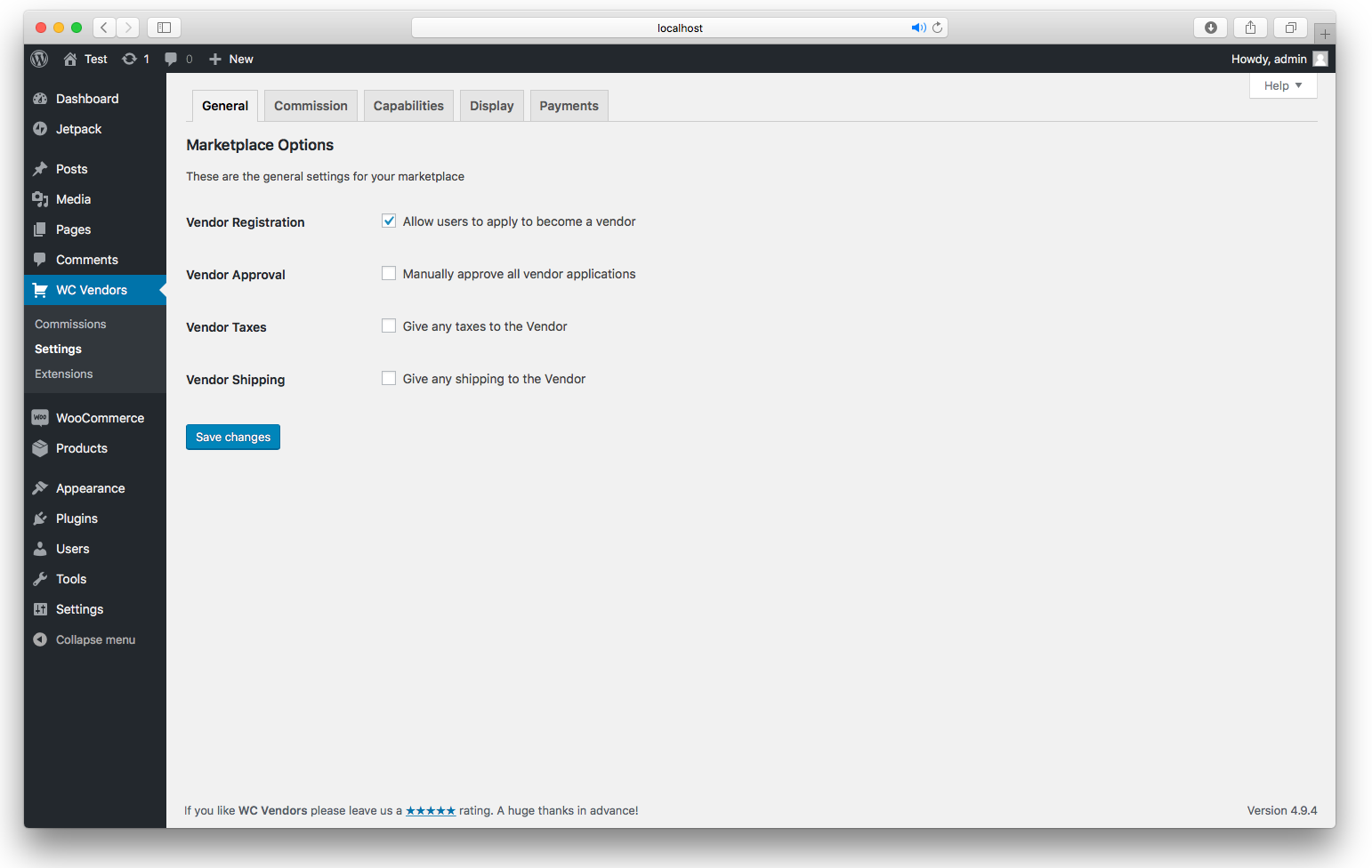
General Options - Configure your general marketplace settings here
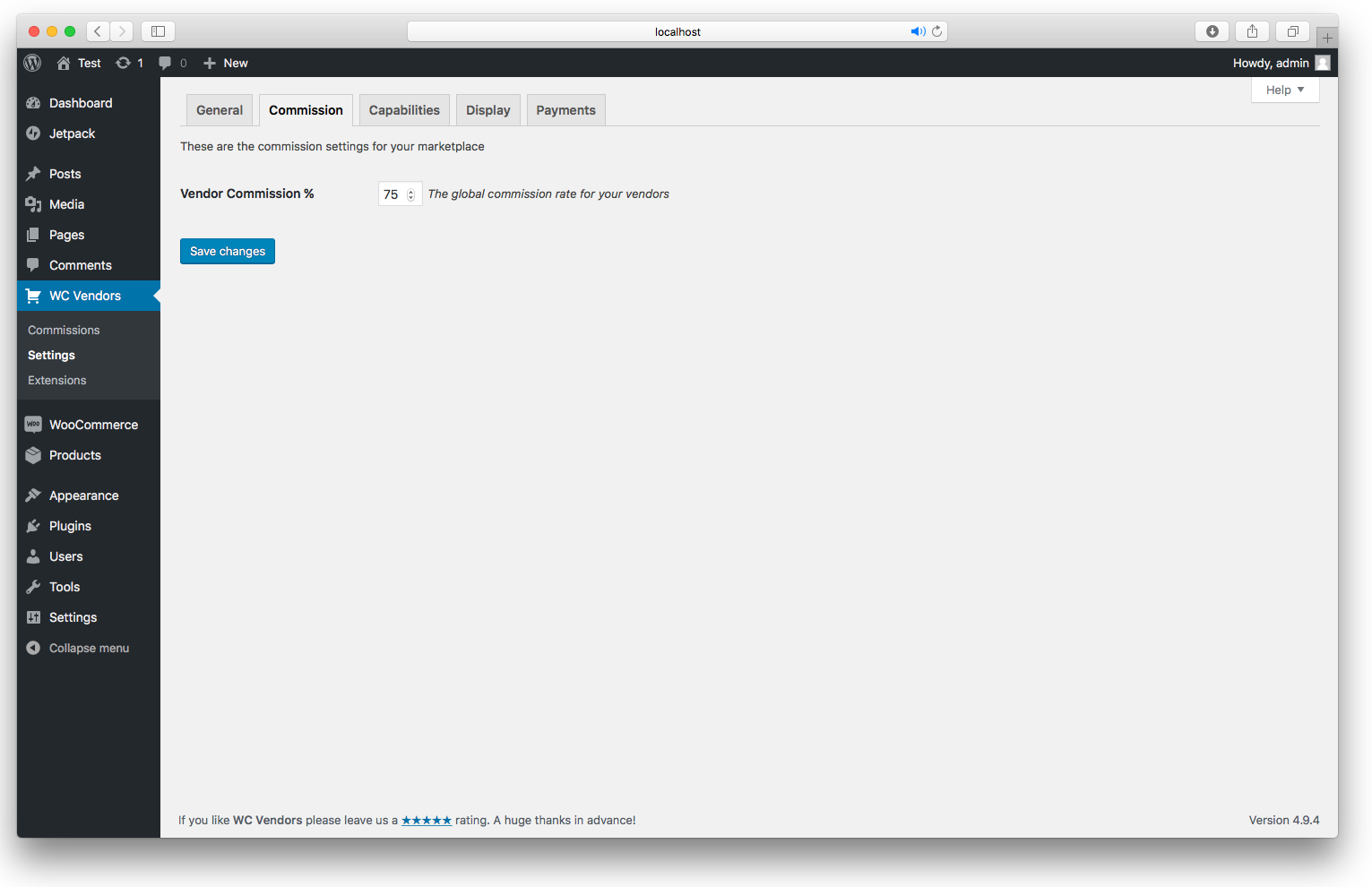
Commission Option - Set your percentage commission here
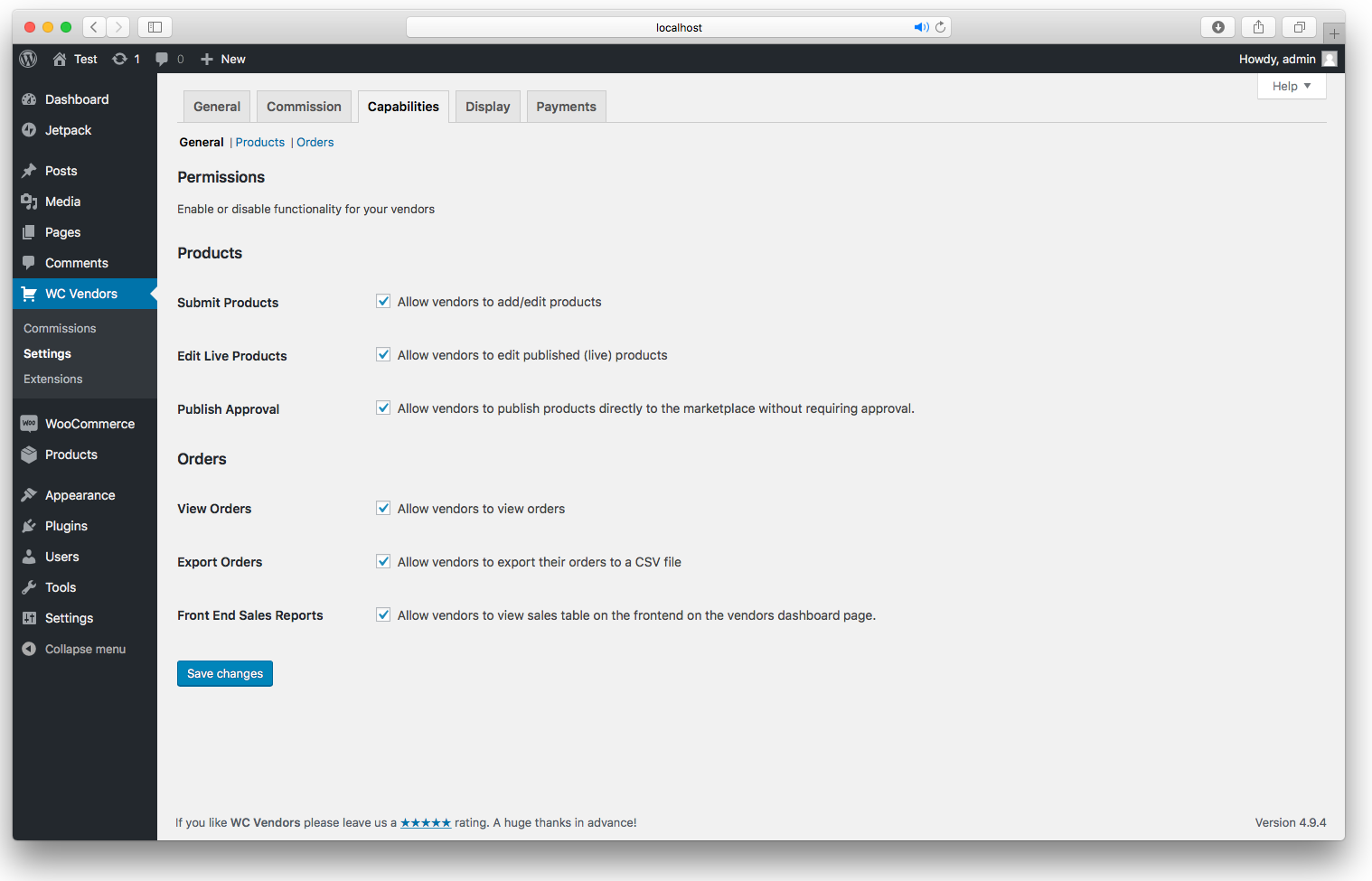
Capabilities General - Product and order functionality
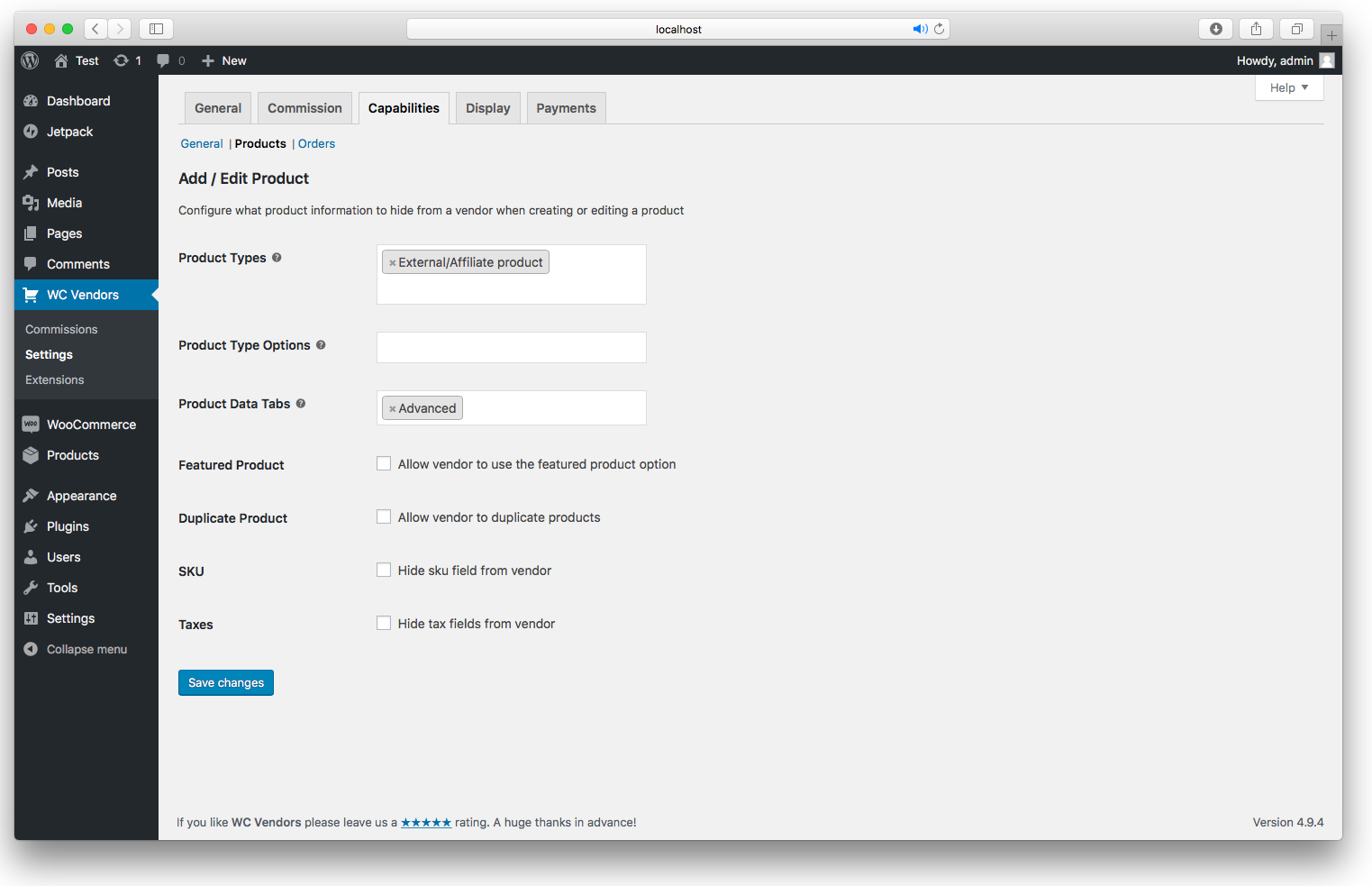
Capabilities Product - Configure what to hide from the vendor on the product edit screen
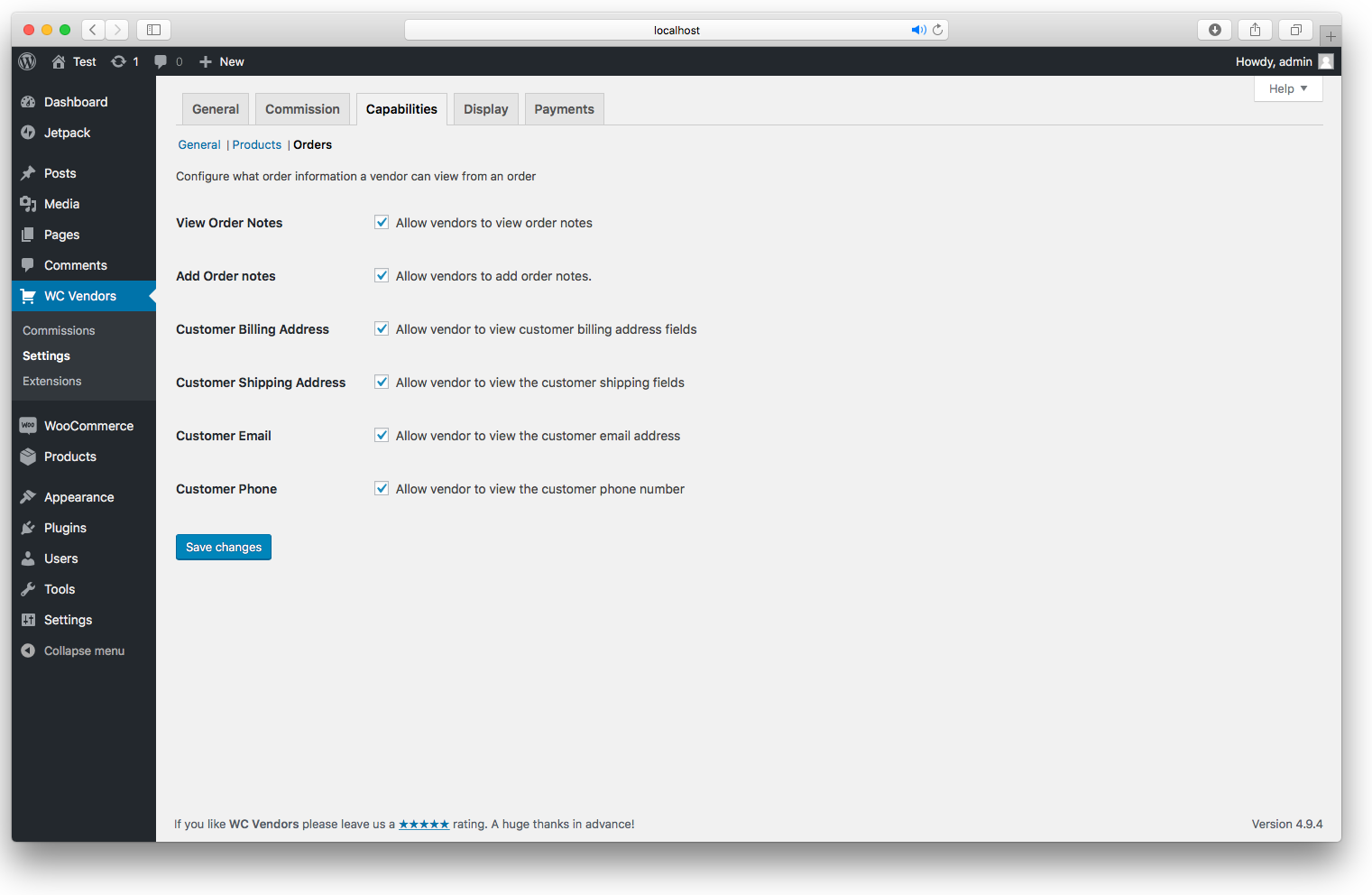
Capabilities Order - Configure what the vendors can do with their orders

Display Options - Set the pages used for WC Vendors
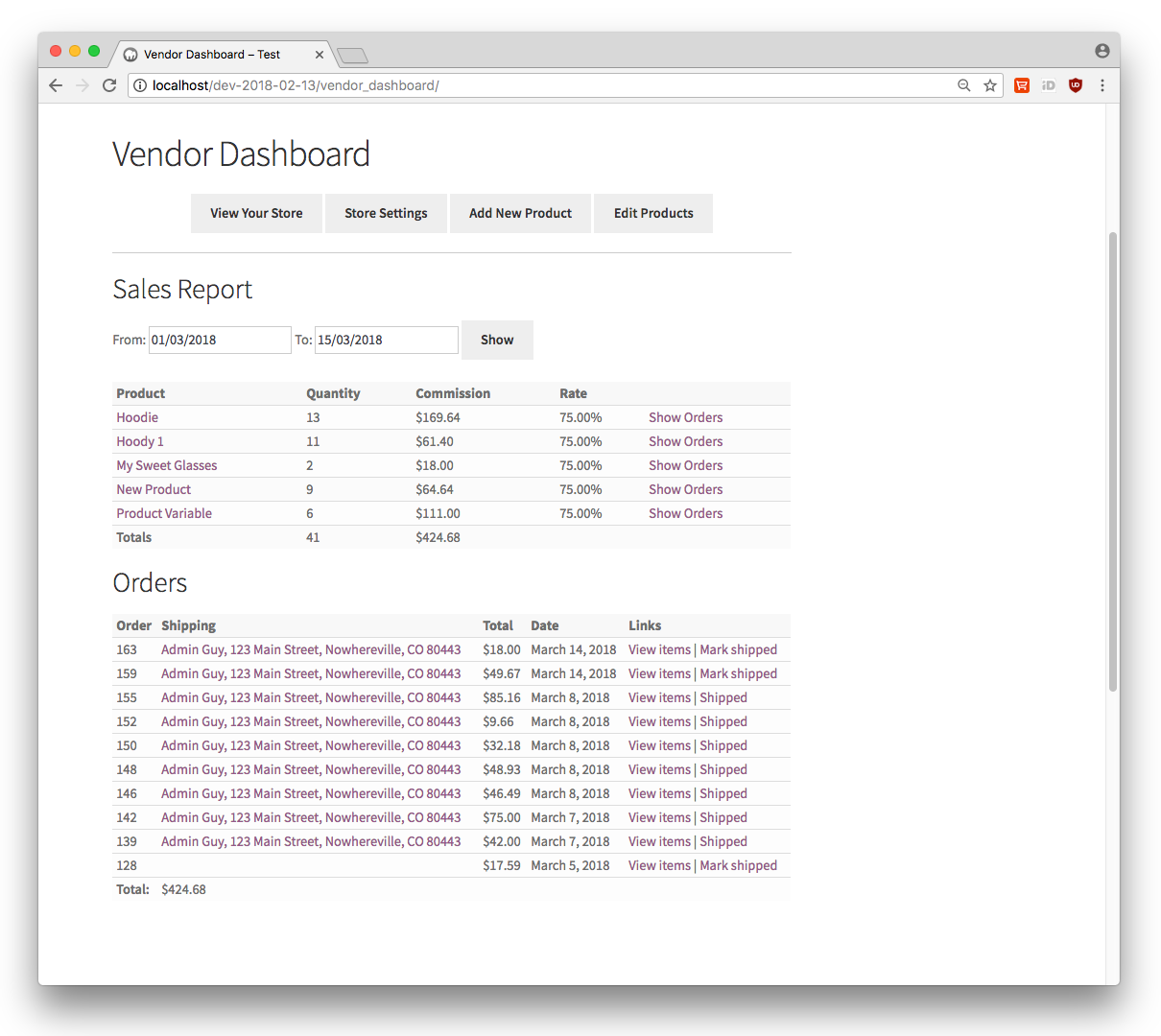
Vendor dashboard
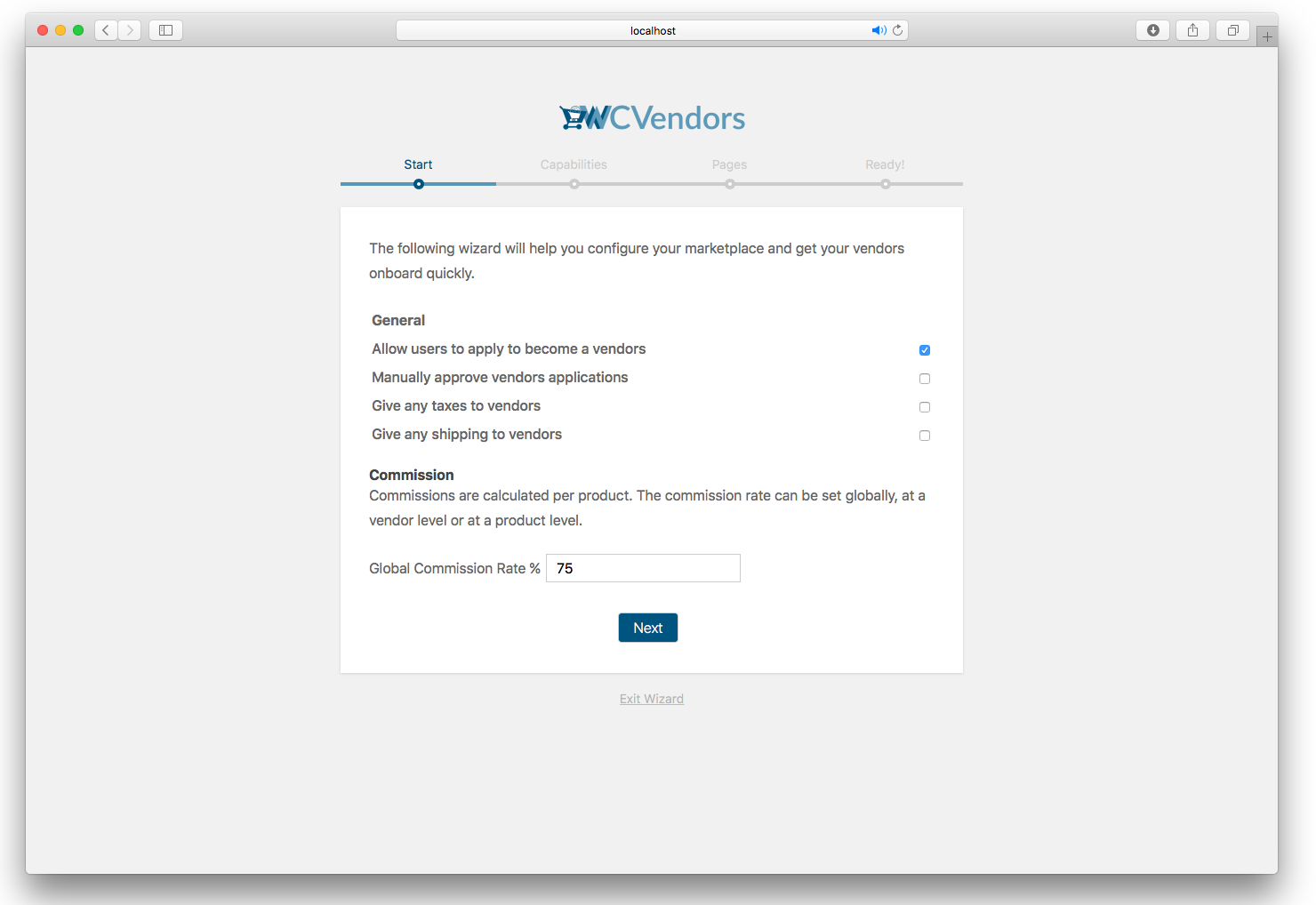
Setup Wizard General options
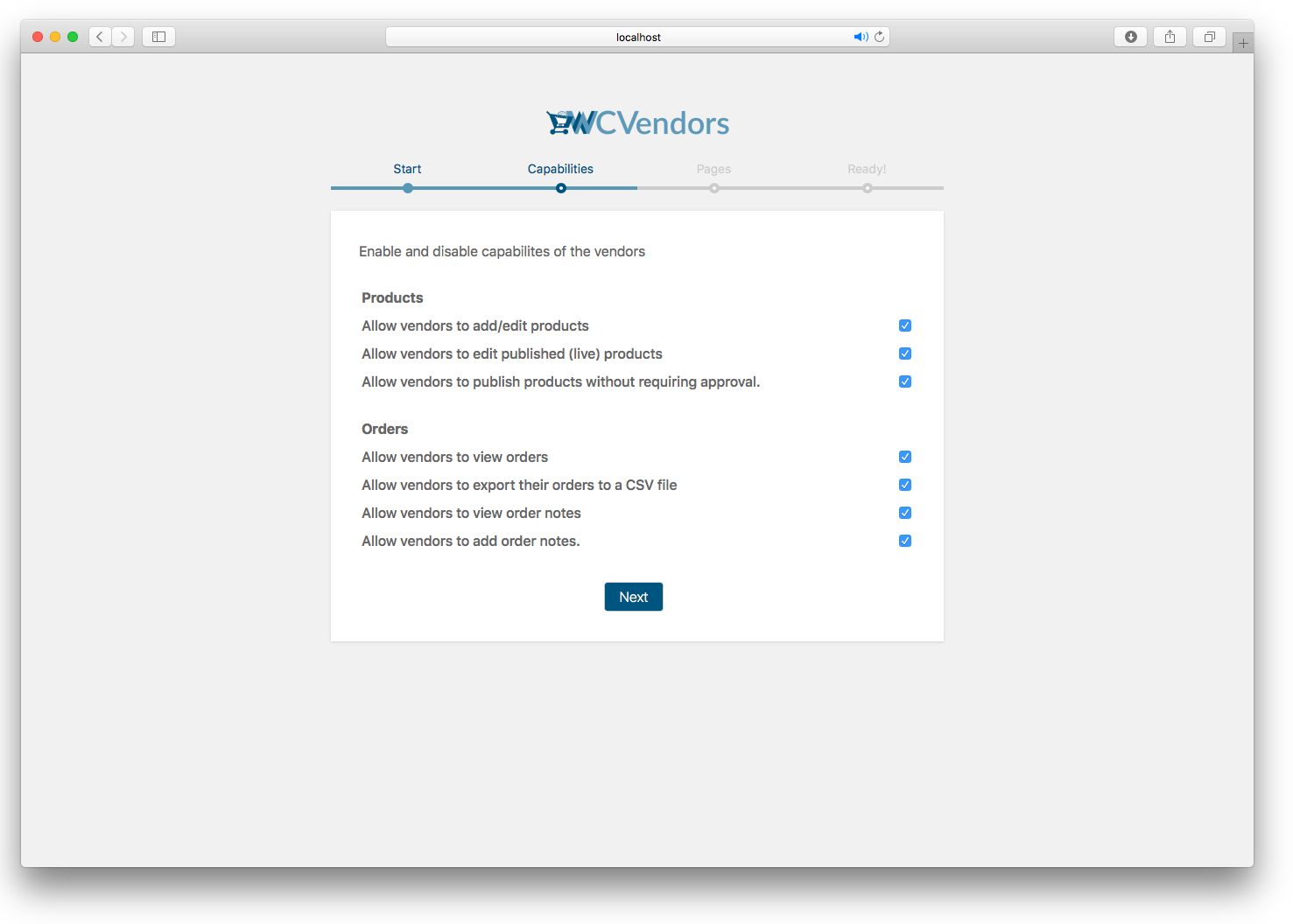
Setup Wizard Capabilities
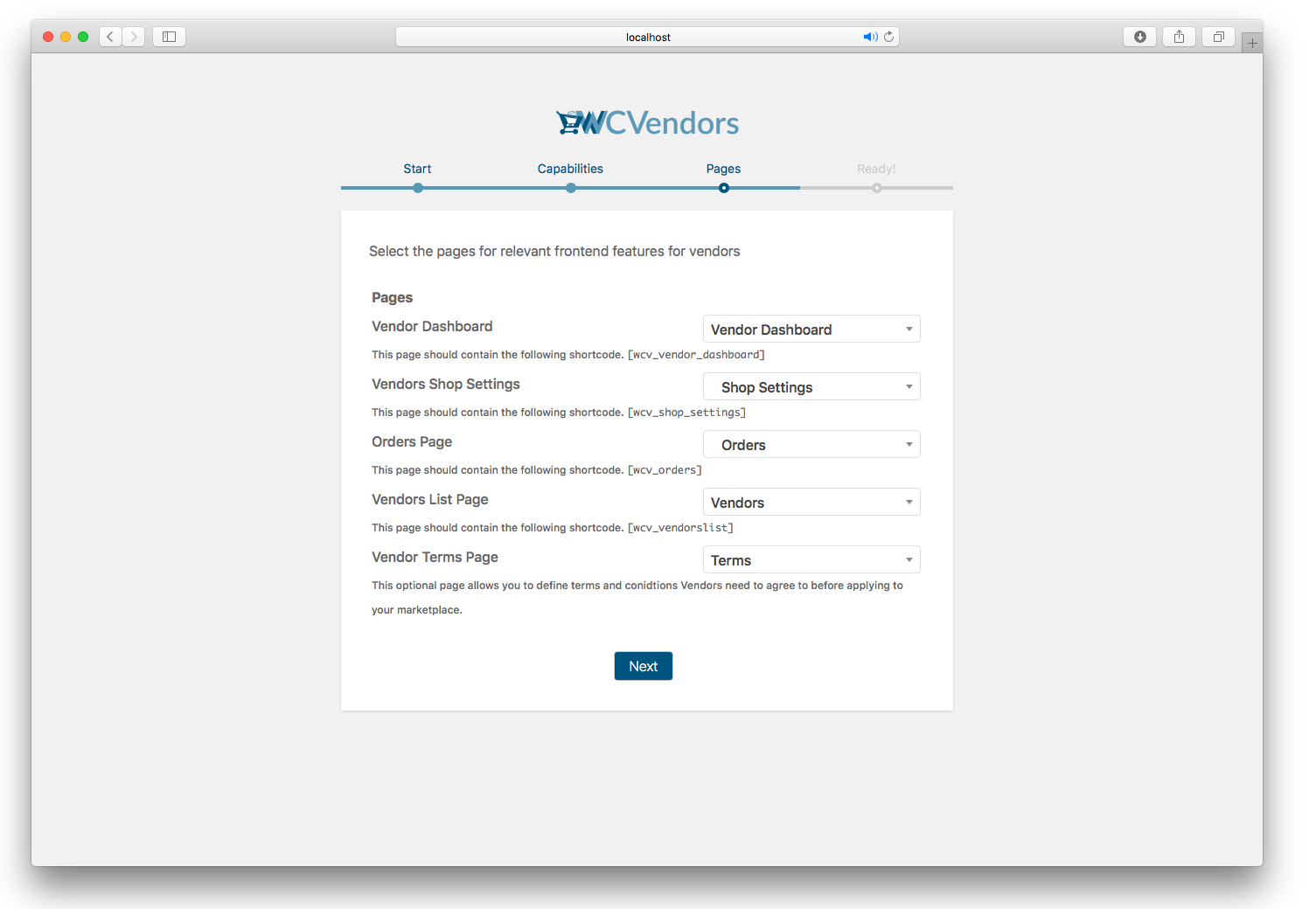
Setup Wizard Pages
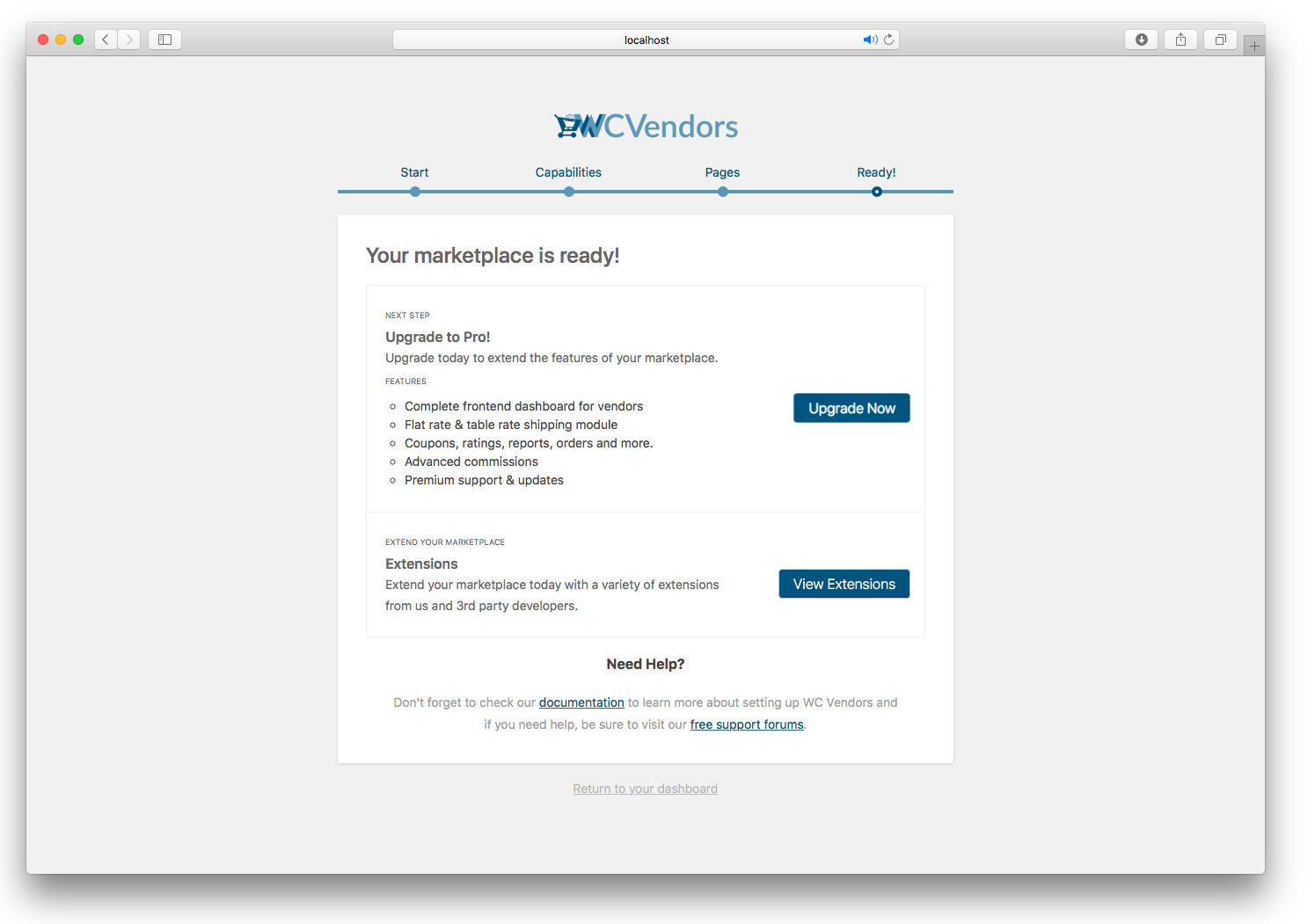
Setup Wizard complete
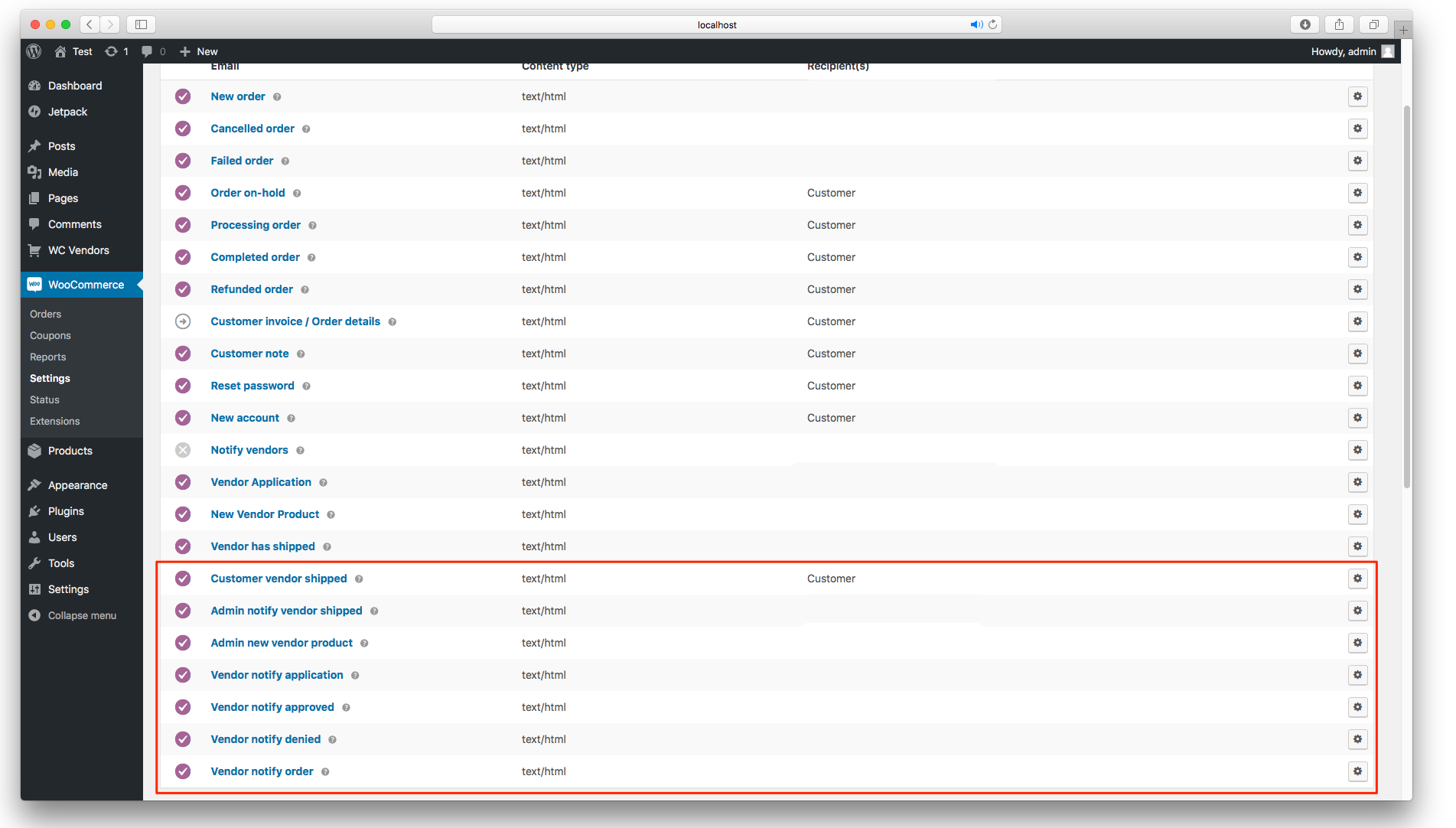
Email notifications for admins, customers and vendors
Faq
All WooCommerce payment gateways are supported. You can read more about difference between payment gateways and vendor payouts here
You can use any theme that is 100% WooCommerce compatible. We have a list of free and paid themes on our website that are known to work with our plugins.
Yes, you can easily assign product taxes to a vendor’s commission so that they are provided with all taxes.
Our plugins are fully translatable so you can translate into which ever language you choose using applications like POEdit or the free Loco Translate plugin.
All our development is performed on the latest versions of WooCommerce, WordPress and PHP. Rest assured all our code is tested at the absolute latest versions. We require a minimum of WooCommerce 4.0 to function correctly.
You can post a support question on the support tab – https://wordpress.org/support/plugin/wc-vendors
Also be sure to visit our documentation https://docs.wcvendors.com/
WC Vendors Marketplace does not work with multisite WordPress. There are no plans to support this.
You can report security bugs through the Patchstack Vulnerability Disclosure Program. The Patchstack team helps validate, triage and handle any security vulnerabilities. Report a security vulnerability.
Reviews
Excellent Marketplace Plugin and Great Support
By 
I’ve been using WC Vendors to build a marketplace that connects all users. The plugin has been very helpful in allowing us to create a multi-vendor marketplace and manage vendors, bookings, and commissions through WooCommerce.
What I appreciate most is the responsive and helpful support team. They took the time to understand our requirements and, importantly, made an improvement based on our feedback. That level of responsiveness is extremely valuable when you’re building a growing marketplace.
WC Vendors has provided us with a strong foundation for our marketplace, and the continued improvements and support give us confidence as we grow.
Highly recommended for anyone building a WooCommerce multi-vendor marketplace!
Great plugin and wonderful support
By 
After reviewing multiple marketplace plugins, I decided to use WC Vendors and love it. The tutorial videos to set it up are easy to follow and the result is exactly what we needed. One feature that makes a huge difference is the ability to offer Instant Payout with Stripe Connect, love it.
We also offer PayPal payout and ran into something that wasn't working as expected. WC Vendors support team was very helpful, reactive, tested it on their end, we eventually gave them access to our site and they fixed it.
We can't expect everything to be working well all the time, tech is complex and issues arise. However having a reactive support team IS what makes a difference.
Thank you for a great plugin and a great support team.
Resolve
By 
É um plugin que resolve rápido as questões relacionadas a market place
Le support au TOP
By 
Je viens d'acheter le WC Vendors, le service commercial super, pris contact avec le support pour résoudre certains problèmes (petite erreur de ma part) le support m'a aidé à tout corrigé. Très réactif et professionnel, Tout est super !
good job
By 
good jobe
great product and support
By 
The software was perfect for my project. Tech support was pleasant, quick, and awesome. Highly recommended.
Just getting started but so far support is great
By 
Although I do not have the site up yet, the support has been very good. I am very impressed with the AI support agent. I have used it qutie a bit to evaluate the product and determine if it fit my needs. No that I am begging the process it has been very benificial in answering questions and providing guidance.
excellent support
By 
The support service is super fast and has always found solutions to my needs.
Excellent Support
By 
Customer service has been TOP notch! They are very responsive and knowledgeable. I've had the pleasure of working with a handful of reps, all great, but Karla is hands down phenomenal! Thank you
Cool
By 
Cool
Changelog
Version 2.7.2.1 – 28th August 2026
- Bug Fix: Cross-vendor variation and arbitrary post modification via IDOR in save_variations (reported by Usama Arshad via WPScan)
- Bug Fix: CSRF on vendor mark shipped and unshipped order actions (reported by Usama Arshad via WPScan)
- Bug Fix: Cross-vendor order shipment status change via IDOR in the [wcv_orders] shortcode (reported by Bhaveshkumar Parmar via WPScan)
Version 2.7.2 – 17th August 2026
- Feature: Add Show All Menu Items setting to control the vendor dashboard navigation
- Feature: Add per-vendor label overrides for the Vendor term
- Improvement: Centralise customer info capability checks into one shared helper
- Bug Fix: Fatal TypeError when the hidden product types option is not a list
- Bug Fix: Deactivated vendors could still reach the vendor dashboard on the current plugin path
- Bug Fix: Vendor Stripe disconnect link was not nonce-signed
- Bug Fix: Critical error on vendor product image upload when the upload fails on PHP 8.1+
- Bug Fix: Invalid SQL, wrong HPOS table and missing rollback in sub-order cleanup
- Bug Fix: Update Required admin notice rendered its HTML tags as literal text
Version 2.7.1 – 30th July 2026
- Improvement: Add Total Refunded Sales row and calculate vendor commission on net sales
- Improvement: Optimize vendor ID lookup and vendors shortcode query performance
- Bug Fix: Authenticated SQL injection via the status parameter in the vendors REST endpoint (CVE-2026-15351)
- Bug Fix: Vendor order search ignored customer info capability settings
- Bug Fix: Fatal error on PHP 8 from static WCV_Shipping hook callbacks
- Bug Fix: Incorrect StoreAgent brand name and AI Moderate capability label
- Bug Fix: Reversed commissions included in Gross Sales Report totals
- Bug Fix: wcvendors_table_before_{id} now fires as an action to match wcvendors_table_after_{id}
Version 2.7.0 – 16th June 2026
- Feature: Add a Trash Bin for vendors to restore or permanently delete their own products
- Bug Fix: Incorrect plural vendor label on the “When a Vendor Is Set to Pending” setting
- Bug Fix: Calculation errors and crash risk in get_vendor_dues_from_order
- Bug Fix: Inactive vendor store page accessible via URL
- Bug Fix: “Security check failed” error on the WC Vendors reports tab
- Bug Fix: Fatal error on null result in count_products_status
- Bug Fix: Fatal error on wp-login.php registration when a vendor terms page is set
- Bug Fix: Fatal error when wp_enqueue_scripts fires in an admin context
- Bug Fix: Variation with a custom attribute is not saved
- Bug Fix: Refunded orders leak onto the vendor dashboard when “Show reversed orders” is disabled
Version 2.6.9 – 30th April 2026
- Feature: Add setting to auto-unpublish vendor products when role changes to Pending Vendor
- Improvement: Register a dedicated sidebar widget area for the WC Vendors single store page
- Improvement: Add bulk approve and deny actions for pending vendors
- Improvement: Show payment method on the order details page
- Improvement: Retain vendor status filter selection after page refresh
- Improvement: Add option for one row per order or one row per line item for the order CSV export
- Improvement: Add option to rename the Vendor Dashboard label
- Bug Fix: Fix missing borders in vendor order email
- Bug Fix: Persist product filters across pagination
- Bug Fix: Fix featured product setting not being enforced and missing in Vendor Dashboard
- Bug Fix: Refunded orders shown on vendor orders dashboard when “Show reversed orders” setting is disabled
Version 2.6.8 – 31st March 2026
- Improvement: Replace strpos() with str_contains() across the codebase
- Improvement: Redesign the submenu for the Vendor Dashboard settings page
- Improvement: Add product quantity as a separate column in the Orders CSV file exported from the Vendor Dashboard
- Improvement: Show sale price and sale badge on the Vendor Dashboard product table
- Improvement: Update display description in settings to show new [wcv_pro_vendorslist] shortcode
- Bug Fix: Incorrect negative percentage displayed when current value is higher than last month
- Bug Fix: Call to undefined function format_commission_rate during update routine
- Bug Fix: Quick Edit option displays incorrect vendor name
- Bug Fix: Attribute value field missing for non-select/text attribute types
Version 2.6.7 – 10th March 2026
- Feature: Scheduled automated emails to vendors when a product is out of stock
- Improvement: Remove cart and checkout blocks notice
- Improvement: Make the menu bar sticky and add a scroll to top button
- Improvement: WC cart/checkout blocks compatibility
- Bug Fix: Vendors cannot create new tags
- Bug Fix: Allow HTML in vendor shop description, stripping HTML content
- Bug Fix: Empty categories do not appear in product add/edit form for checklist category display
- Bug Fix: Date filter timezone mismatch on vendor dashboard
Version 2.6.6 – 10th February 2026
- Feature: AI-powered product moderation and review system
- Bug Fix: Cannot close the new vendor setup wizard
- Bug Fix: Vendor shop name can be empty in backend, causing broken vendor link
- Bug Fix: Vendor product auto-published despite publish approval being disabled due to Trusted Vendor feature
- Bug Fix: Missing validation for date range on vendor reports page
- Bug Fix: Vendors can still edit products when allow vendors to add/edit products is disabled
- Bug Fix: SKU and taxes still show on variable product when Hide SKU & Taxes feature for vendors is enabled
- Bug Fix: Commission field does not accept decimal value when comma is used as decimal separator in WooCommerce
- Bug Fix: Adding tracking number does not override previous unshipped status message
- Bug Fix: Cross-sell and up-sell products not saving in vendor dashboard
- Bug Fix: Issues with vendor registration, approval, and denial emails
Version 2.6.5 – 17th December 2025
- Feature: Introduce hooks for WC Vendors signup.
- Improvement: Add a “This Month” filter option and set it as the default for the WC Vendors admin dashboard reports.
- Bug Fix: Resolve code quality issues found during plugin checks.
Version 2.6.4.1 – 3rd December 2025
- Bug Fix: Fatal error while deactivating WooCommerce immediately
- Bug Fix: Security issues
- Security Fix: Prevent unauthorized vendor order access