Gutenberg Login Page Customizer – Custom Login, Login URL and Limit Attempts

Gutenberg Login Page Customizer – Custom Login, Login URL and Limit Attempts
Description
Gutenberg Login Page Customizer is a custom login page builder for WordPress. Design your login, registration and lost password screens in the Gutenberg block editor, start from a ready-made login template, and publish. No code, no page builder, no Customizer panel. It also protects the login with a custom login URL, a hidden wp-login.php and limit login attempts.
WordPress still runs every sign-in. The plugin places the real WordPress login form inside your design, so redirects, validation, two-factor, social login and other login plugins keep working.
Custom login page designer for the block editor
- Design the login screen like any page. Create a “Login Design” with blocks, then choose which one is live.
- Ready-made login page templates. Split screen, photo background, glass card, gradient border, stepped sign-in, tabbed log in and sign up, and more. Import one and edit it.
- Login Form block. Places the native WordPress login form. Control width, padding, radius, background, text and button colours from the sidebar.
- Login Form (stepped) and Login Form (advanced) blocks for multi-step sign-in and custom field layouts.
- Register, Lost Password, Tabs and Text blocks to build a full account area, such as a Log in and Create account switcher.
- One design for every screen. Applies to login, registration, password reset and related wp-login.php screens.
- Match your theme. Optionally load your active theme’s stylesheet so fonts and colours fit your site.
- Replace the default WordPress login look with your own layout, images, headings and branding.
Custom login URL and login security
- Custom login URL. Move the login page to your own address, for example /my-login, and hide wp-login.php. Password reset and registration links and emails follow.
- Limit login attempts. Lock out an IP address after too many failed sign-ins to slow down brute force password guessing. Choose the number of attempts and the lockout time.
- Works behind Cloudflare and proxies. Read the visitor’s real IP from the header your proxy sends.
- Allow list. Never lock out the IP addresses you trust.
- Lockout log. See which IP addresses are locked and the last username each tried, and unlock them in one click.
Safe by design
- Uses the native WordPress login form, not a replacement, so authentication stays in WordPress core.
- If the selected design is deleted, the standard WordPress login screen is shown.
- If a design has no login form block, the native form appears at the bottom of the page so nobody is locked out.
- Draft and private designs can be selected, so you can work before you go live.
- An emergency switch in wp-config.php turns the custom URL and lockouts off if you get locked out.
Who is it for?
Site owners, agencies and developers who want a branded WordPress login page built with Gutenberg, without a separate page builder, and who want to change the default login URL and limit login attempts in the same plugin.
Installation
- Upload the plugin to
/wp-content/plugins/webangon-login-customiser, or install it from the Plugins screen. - Activate it, then open Login in the admin menu.
- On the Designs tab, choose a template or click New design.
- Make sure the design contains the Login Form block, then publish it.
- Select the design on the Login screen tab and turn customisation on.
- Optional: open the Security tab to set a custom login URL and limit login attempts. Bookmark the new address before you sign out.
Screenshots
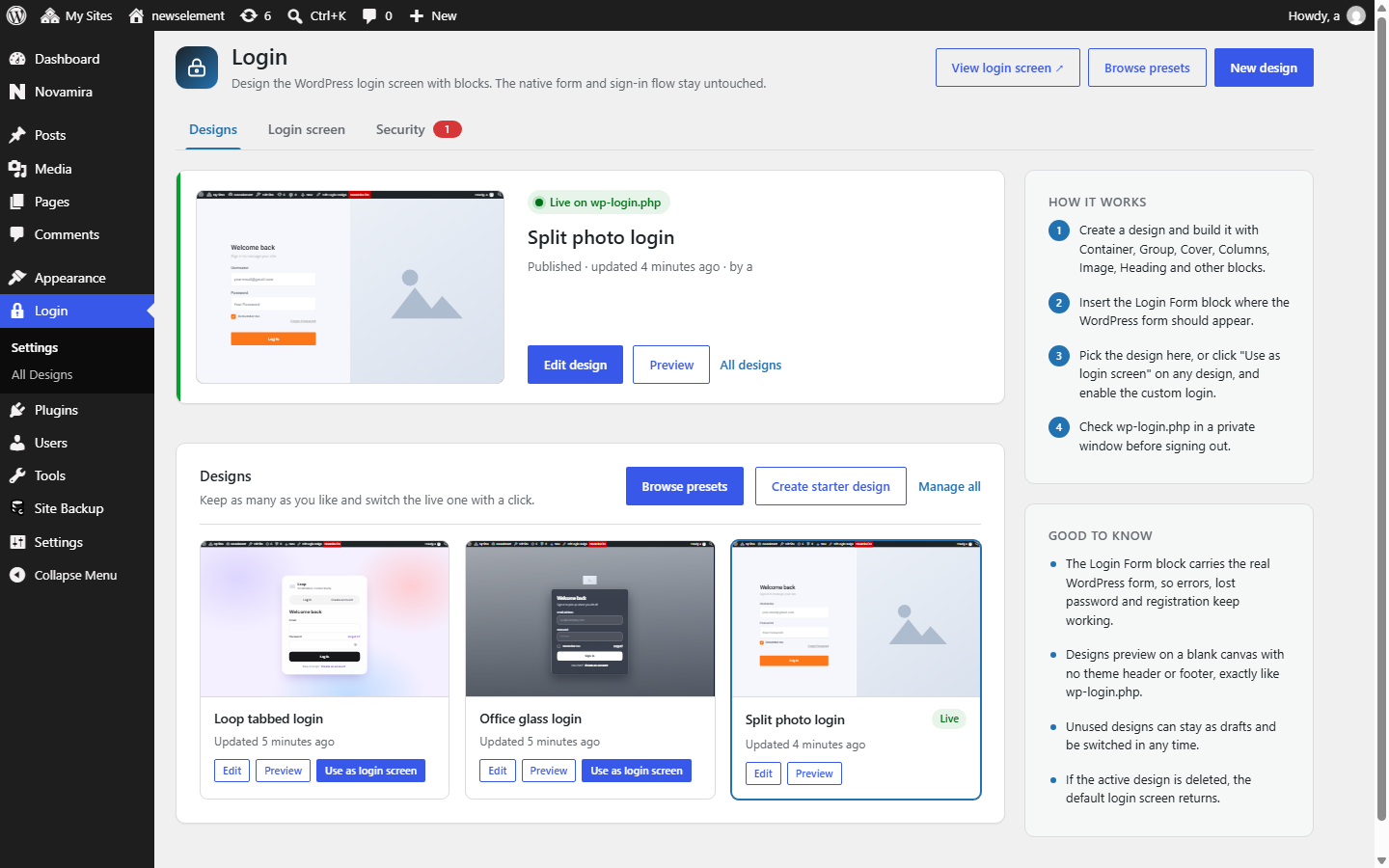
Designs tab: choose a ready-made template or start a new design.
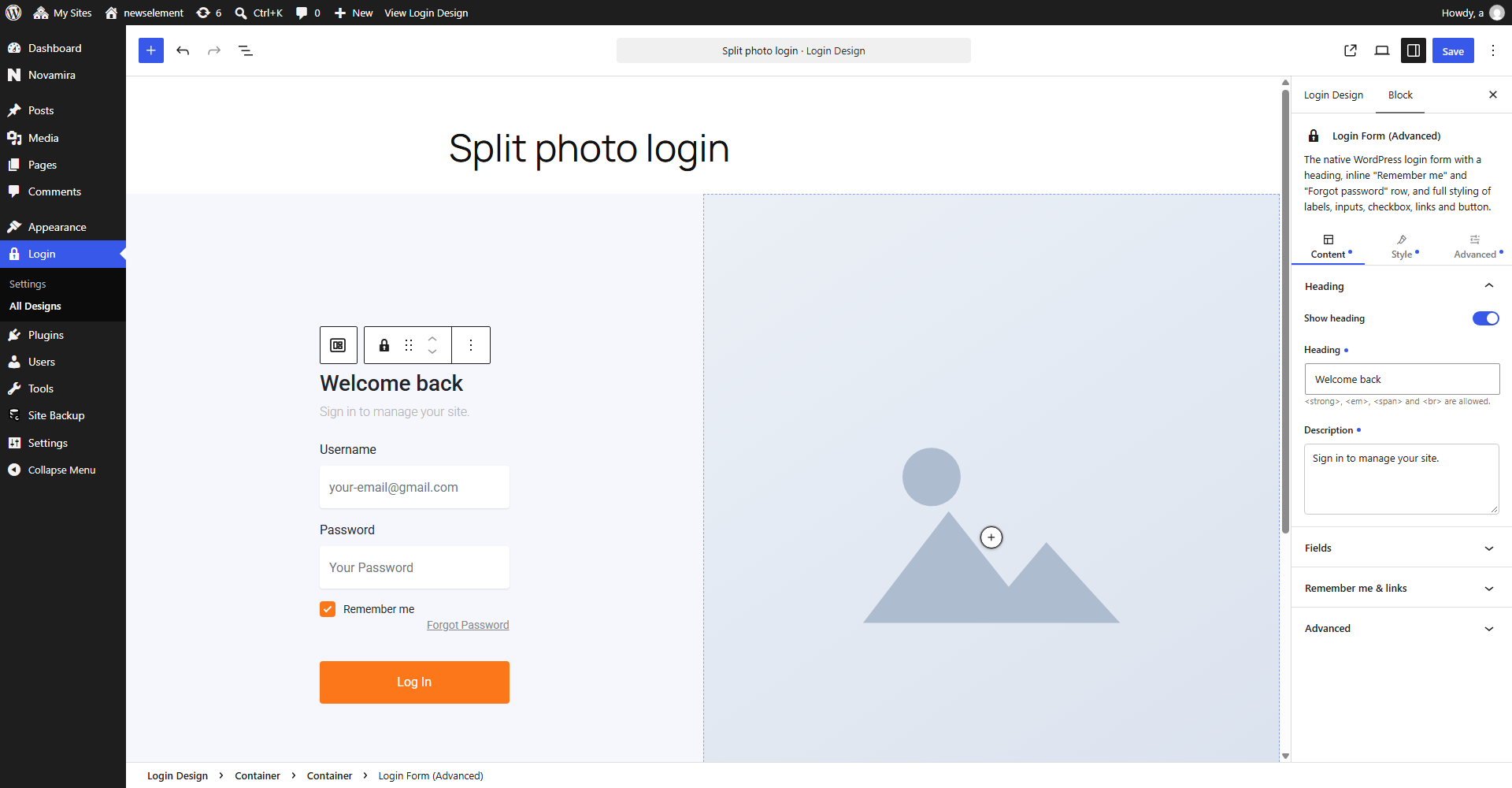
Block editor with the Login Form block and its style controls.
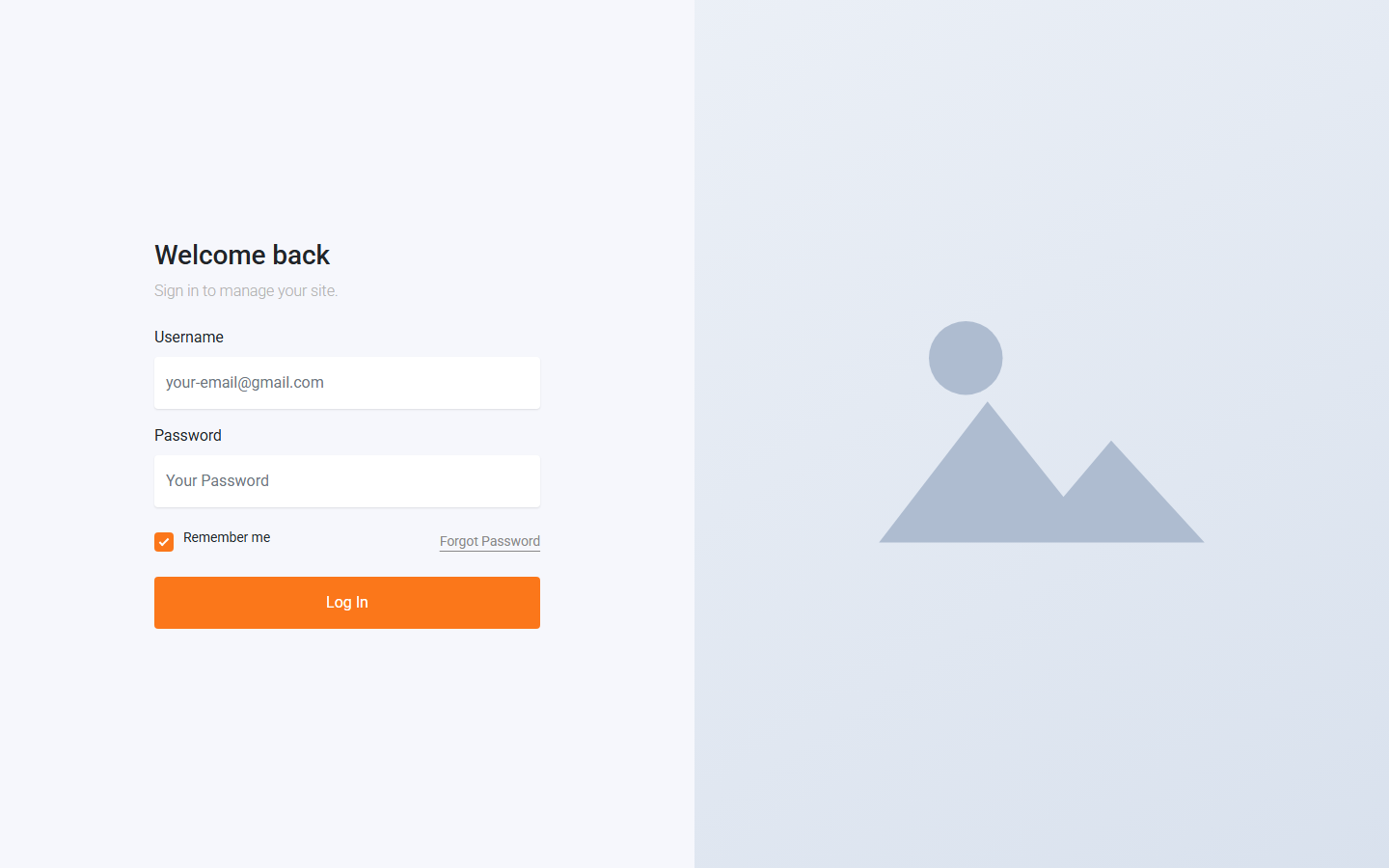
A split-screen login page built with blocks.
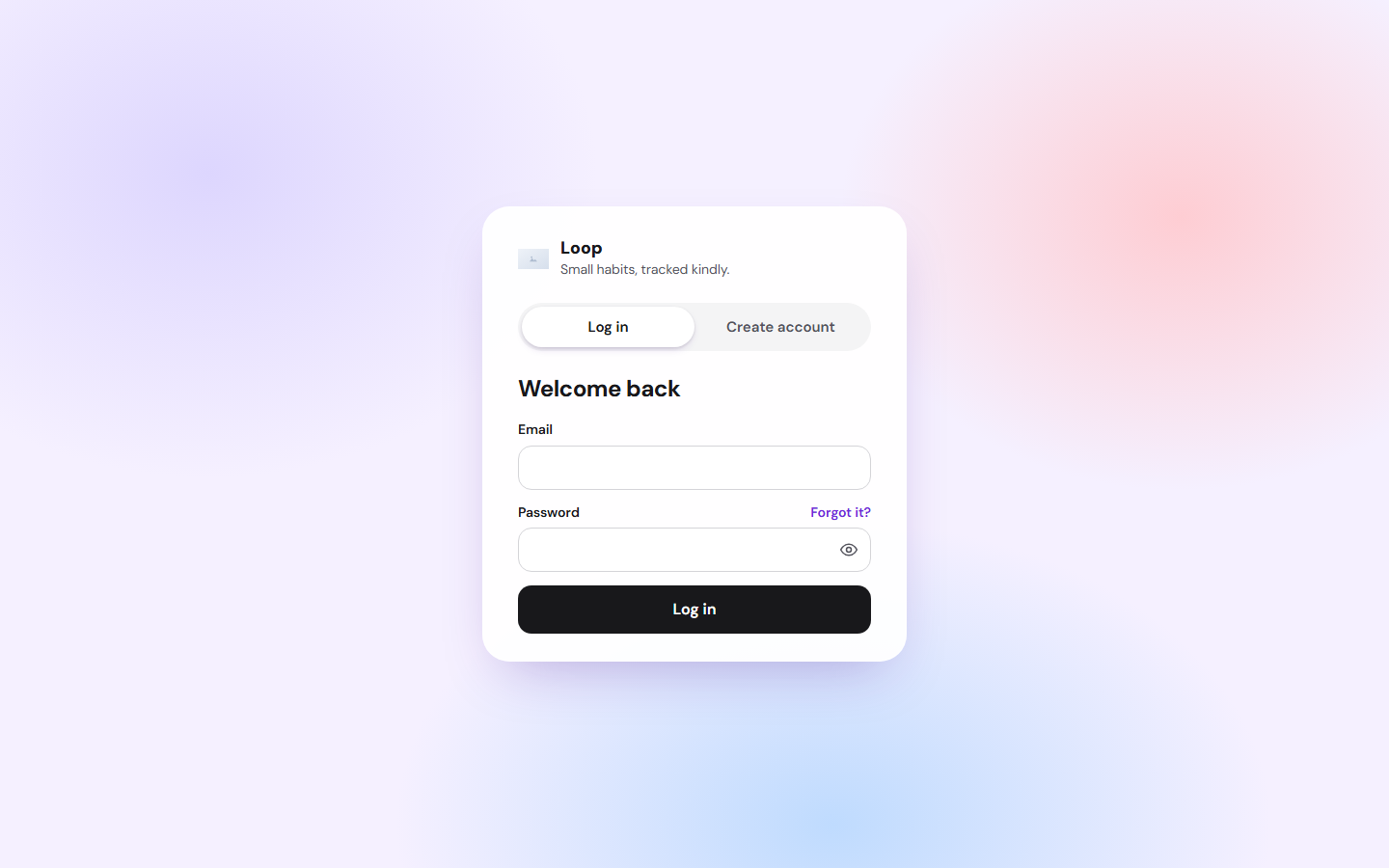
A tabbed Log in and Create account design.
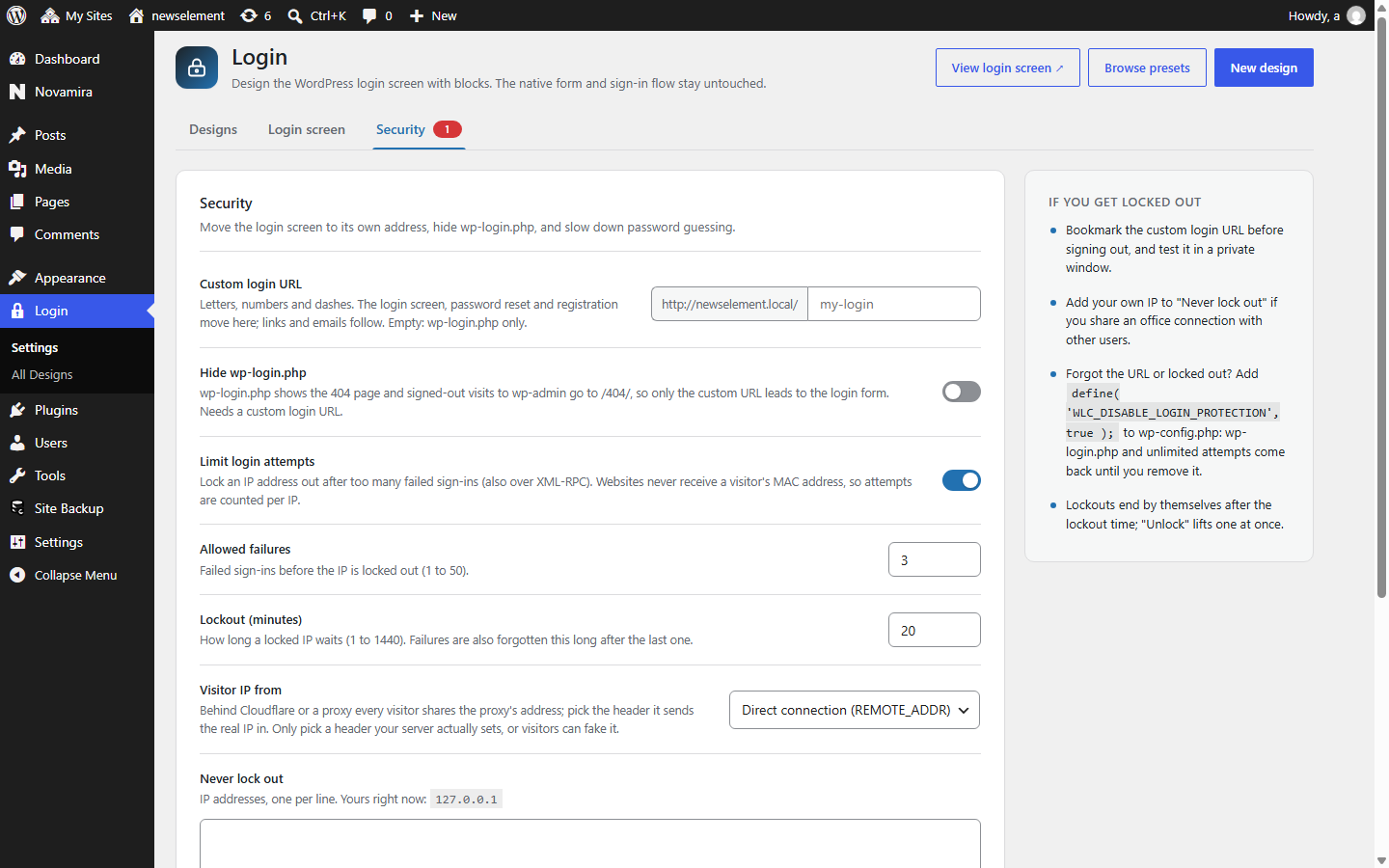
Security tab: custom login URL and login attempt limits.
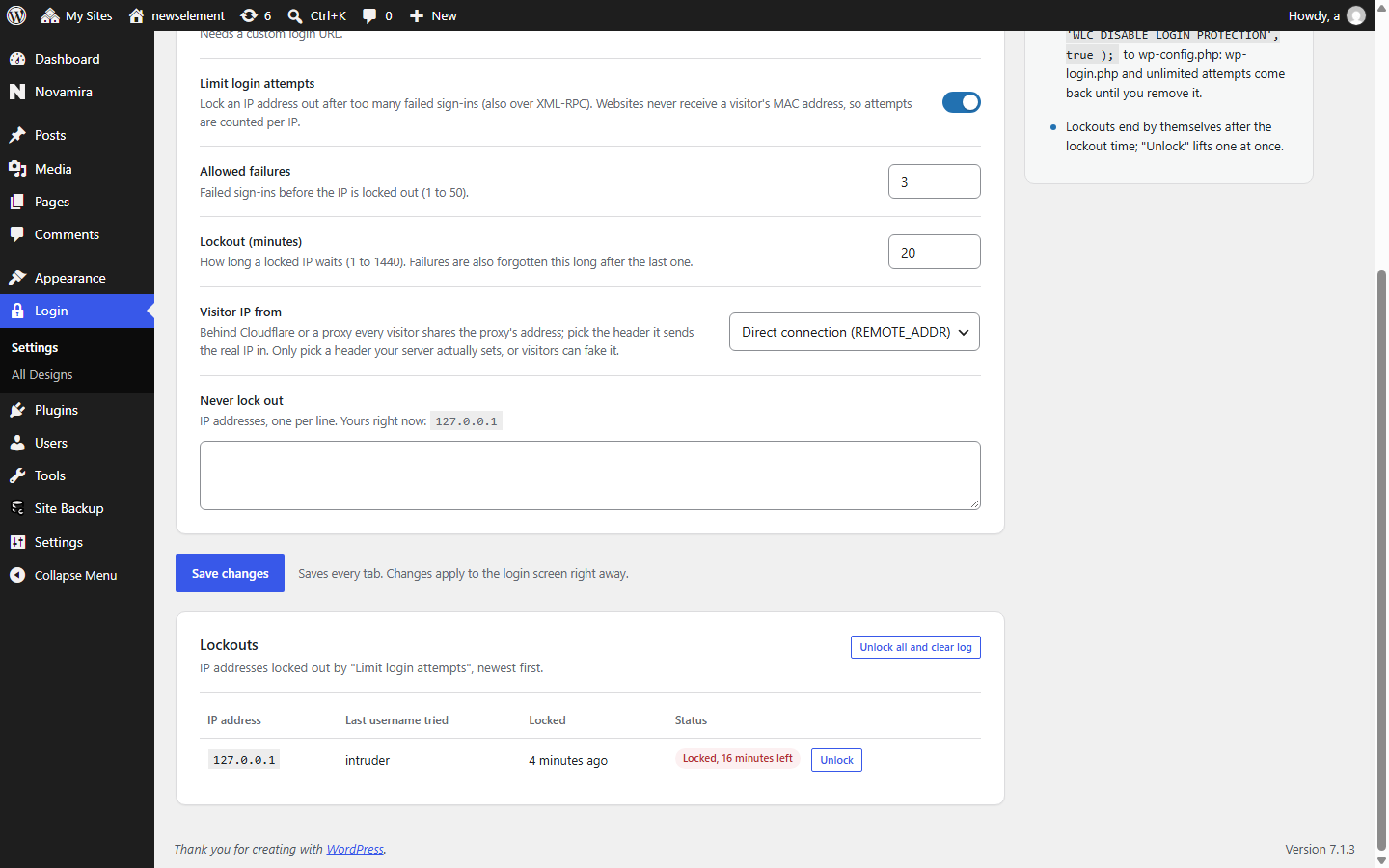
Lockouts list with locked IP addresses.
Faq
No. The Login Form block places the native form inside your design. Authentication, validation, redirects and hooks from other plugins still run through WordPress core.
The native form is placed in a fallback container at the bottom of the active design, so people can still sign in. The settings screen shows a warning until you add the block.
The standard WordPress login screen is used again.
Yes. The design applies to login, registration, lost password and the other wp-login.php screens. Register and Lost Password blocks let you place those forms in your own layout.
Yes. On the Security tab, enter a slug such as my-login. The login, password reset and registration screens move there and wp-login.php is hidden. Pretty permalinks are required. Bookmark the new address before you sign out.
On the Security tab, set a custom login URL, then turn on “Hide wp-login.php”. Visitors who open wp-login.php or wp-admin while signed out see the 404 page instead of the login form.
Open Login in the admin menu, import a template or click New design, and build the page with blocks in the Gutenberg editor. Add the Login Form block where the form should appear, publish, and select the design as your login screen.
It helps. Limit login attempts locks out an IP address after repeated failed sign-ins, and a custom login URL keeps bots away from the default wp-login.php address. It is not a firewall, so use it alongside strong passwords and, if you like, two-factor authentication.
Add define( 'WLC_DISABLE_LOGIN_PROTECTION', true ); to wp-config.php. Your settings are kept but not applied, so wp-login.php works again.
After the number of failed sign-ins you choose, that IP address is locked out for the number of minutes you choose. Addresses on your allow list are never locked out.
Yes. Choose the header your proxy uses to send the real visitor IP. Only pick a header your server actually sets.
Yes. Turn on the option to load the active theme’s stylesheet.
Yes. Draft and private designs can be selected.
No. The design only loads on the login screens, not on your public pages.
They run on the native form and hooks, which this plugin leaves untouched, so they normally keep working. Test your own setup before going live.
Reviews
Changelog
1.0.1
- New Tabs block for Log in and Create account switchers, with a sliding indicator and slide or fade animation.
- New ready-made templates.
- Notices from other plugins are hidden on the settings screen.
- Cleaner template cards.
- Fixed a false “Login Form block missing” warning for designs that use the Advanced or Stepped login form.
1.0.0
- Initial release.