Webified Weather

Webified Weather
Description
Webified Weather is a flexible and theme-aware WordPress plugin that fetches weather data from the National Weather Service (NWS) and displays:
- Current conditions (icon, temperature, wind, humidity, pressure)
- Forecast data (multi-day)
- Custom icon sets (flat, monochrome, night mode)
- Admin settings for latitude, longitude, and icon style
- Shortcode-based display for easy integration
- Smart icon mapping with prioritized phrase matching
The plugin is designed for maintainers and end-users alike, with a focus on clarity, reliability, and visual harmony.
External Services
Data comes from the National Weather Service (weather.gov) API and is used for presenting current and forecast weather within the 50 U.S. states and its territories. The NWS typically updates its data once every hour. In some cases, information about your location when viewing the weather data may be sent to weather.gov in order to provide current and forecast data for your location.
For more information about the data, its terms of use and privacy policy, visit https://www.weather.gov/privacy and https://www.weather.gov/disclaimer.
Features
- Fetches live weather and forecast data from weather.gov
- Displays current icon, temperature (°F), wind speed (mph), direction, humidity, and pressure (inHg)
- Shows multi-day forecast
- Supports custom icon sets (day/night aware)
- Smart icon mapping with prioritized phrase matching and fallback logic
- Admin settings page for location and style with input sanitization
- Shortcode for flexible placement and override
- Theme-aware layout and styling
- Dynamic detection of icon folders in
assets/icons/ - Includes a stylesheet,
webified-style.css, which you can modify or override in your theme
Shortcode
Basic usage:
[webified_weather]
Advanced usage (override settings):
[webified_weather lat=”40.7128″ lon=”-74.0060″ style=”flat”]
Credits
Developed by Ben Winton.
Installation
- Upload the plugin folder to
/wp-content/plugins/ - Activate the plugin through the WordPress admin
- Go to Settings > Webified Weather to configure location and icon style
- Use the shortcode
[webified_weather]in any post or page
Screenshots
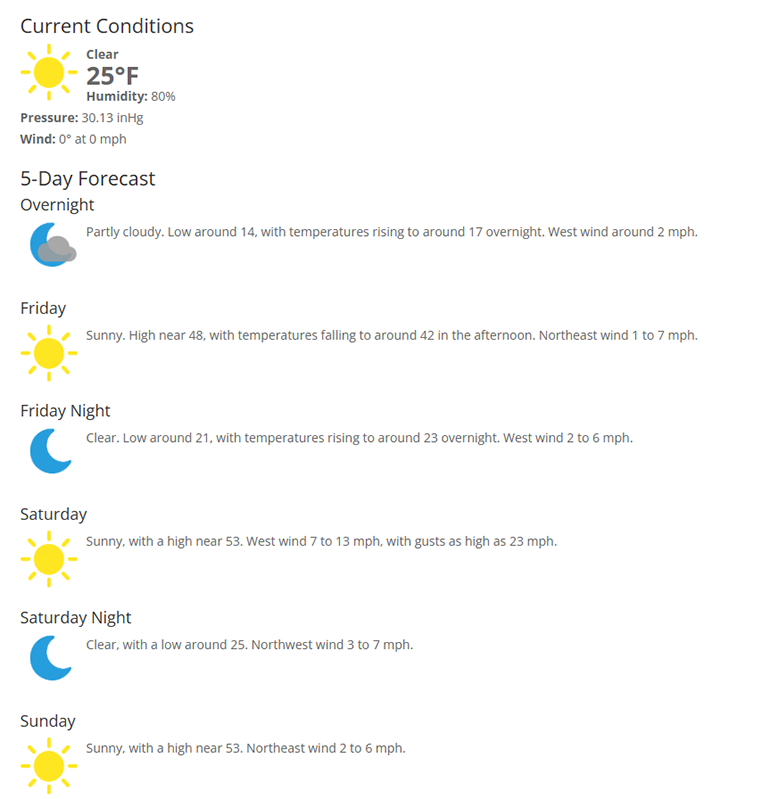
Weather display using shortcode with flat icons
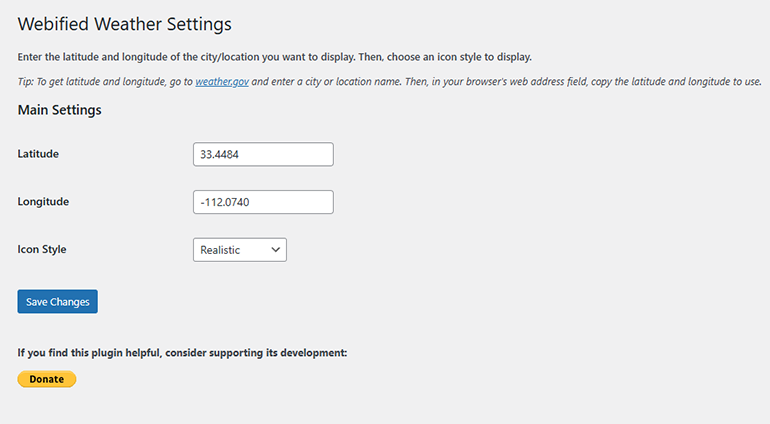
Admin settings page for location and icon style
Faq
The plugin uses the National Weather Service API (https://api.weather.gov) for both current and forecast conditions.
Yes! Upload your icon set to assets/icons/your-style-name/ and select it in the admin settings or via shortcode.
Current conditions are cached for 30 minutes. Forecast data is cached for 1 hour.
Yes! You can use night-aware icon sets and the plugin will automatically switch based on time of day.
Yes! All settings are sanitized, and the plugin passes automated validation checks.
Reviews
Changelog
2.6
- Added screenshots to plugins page via readme.txt.
2.5
- Minor cosmetic and bug fixes.
2.4
- Minor cosmetic and bug fixes.
- Update readme.txt to remove collapsible menus from features.
2.3
- Minor cosmetic and bug fixes.
2.2
- Updated contributors
- Added details in readme.txt of External Services used.
2.1
- Renamed plugin to Webified Weather
- Improved icon matching with prioritized phrase logic
- Converted pressure to inHg and wind speed to mph
- Added sanitization for all admin settings
- Enabled dynamic icon folder detection
- Improved shortcode override support
- Passed WordPress.org Plugin Check
2.0
- Added admin settings page
- Improved icon mapping and fallback logic
- Added support for night mode icons
- Enhanced forecast layout with collapsible sections
1.0
- Initial release with current and forecast display