Webyx for Gutenberg – Fullpage Fullscreen Scrolling Websites

Webyx for Gutenberg – Fullpage Fullscreen Scrolling Websites
Description
The first and most powerful plugin to create awesome fullpage fullscreen vertical and horizontal scrolling websites effortlessly on WordPress.
💡 WHAT YOU CAN DO
Webyx for Gutenberg is a plugin for WordPress that allows you to create amazing fullpage fullscreen scrollable websites quickly and easily.
If you want to see and try something made with Webyx, go to our DEMO website!
💎 WEBYX PRO FOR GUTENBERG
With the PRO version you will also be able to create landing, single or multi page websites, manually shape the view appearance you want to show.
⚠️ IMPORTANT NOTE: after having installed the PRO version you can convert directly from the FREE version to the PRO version.
🚀 TRY WEBYX FREE FOR ELEMENTOR
Are you also Elementor users and enthusiasts?
We have the version of Webyx explicitly built for Elementor.
Download and try the Webyx Free for Elementor version of our dedicated plugin!
🎁 WebyxUI: join our Exclusive BETA!
We are thrilled to announce the upcoming launch of our new product, WebyxUI.
We would like to offer you an exclusive opportunity to be among the firsts to experience it: we are opening 20 spots for BETA testers for FREE!
By joining our BETA program, you will get early and FREE access to WebyxUI and have the chance to provide feedback that will help shape the final version.
🎁 FEATURES OF THE FREE VERSION
- Sections
- Slides
- Slide content position
- Panel style
- Template design
- Continuous horizontal
- Animation easings and speeds
- Navigation arrows
- Navigation bullets
- Navigation mouse wheel
- Navigation keyboard
- Fullscreen button
- Lockable horizontal swipe
- Loading splash screen
- Mobile settings
- Custom CSS
- WordPress Full Site Editing Theme compatibility
- Built-in responsive menu
- Responsive
- Touch support
- Clean and minimized code
- Compatible with all modern browsers
- No jQuery
- Easy to use with hundreds of configurable options
- …and much more
🏆 FEATURES OF THE PRO VERSION ONLY
- View design
- Customizable header with menu
- Anchors
- Scrolling content
- Continuous vertical
- Horizontal animation
- Horizontal scrolling
- Horizontal scrolling smooth animation and duration
- Card style
- Parallax effect
- Navigation Drag and Move (BETA)
- Indipendent animation types on X and Y axes
- Fade and toggle animations
- Normal scrolling website
- Slide height autofill
- Lockable vertical movement
- Mobile movement threshold
- Switchable foregrounds for each Slide background
- Different backgrounds for each device type
- Background audio
- Background video
- Event hooks
- Visible or hidden Slides on the fly
- Automatic updates management
- Rollback to previous versions
- …and much more
📖 QUICK USER’S GUIDE
For a more complete documentation visit our website at Webyx.
How to add the block in Gutenberg
- Create a new page or go to the page you would like to add the block.
- Enable Webyx Template page or Custom Template page.
- Find Webyx for Gutenberg block on the Gutenberg blocks and add it to the page.
IMPORTANT: you can add only one Webyx for Gutenberg block as the only root element of the page.
You should not add any other block to the page at the same level of the Webyx for Gutenberg block. - Inside the root level Webyx for Gutenberg block you must only add Section blocks that will contain exclusively Slide blocks.
IMPORTANT: remember to give different titles to Sections and Slides inside the same Section to allow a correct functioning of Navigation Bullets. - Create your layout inside every single Slide.
⚠️ IMPORTANT: Sometimes with the update of Gutenberg, WordPress or other third party plugins, Webyx for Gutenberg block might generate this error: “Webyx for Gutenberg block contains unexpected or invalid content”.
If you see this error instead of the Webyx for Gutenberg block use “attempt block recovery” button.
Do NOT use “Convert to classic block” option. We may introduce major changes that fix bugs or simply add new features which could lead to an attempt block recovery.
Check your pages after each update.
Enable Webyx template
- Click on the Page tab in the right side of Gutenberg editor.
- In pages attributes find the Template select and choose webyx.
- In Appearance > Menus create your new menu and enable in Menu Settings > Display location: Webyx Menu.
Important note: Webyx for Gutenberg template provides a responsive, scrollable, multi-level, with logo custom menu (Webyx Menu) that could be created with the WordPress Menus internal management.
Webyx For Gutenberg Plugin Settings
To customize general plugin settings just go to Settings > Webyx Plugin Settings.
- Hide WP admin top bar: hide WP admin top bar in Webyx pages preview.
- Enable Webyx menu: enable Webyx menu “Display location” in Appearance/Menus/Menu structure/Menu settings.
Languages
- English
- Italian
Documentation and Support
- For documentation visit our website at Webyx.
🔧 INSTALLATION
Minimum Requirements
- WordPress 5.7 or greater
- PHP version 7.2 or greater
- MySQL version 5.0 or greater
Installation
To install Webyx for Gutenberg is very easy:
- Install using the WordPress built-in Plugin installer, or Extract the zip file and drop the contents in the
wp-content/plugins/directory of your WordPress installation. - Activate the plugin through the ‘Plugins’ menu in WordPress.
From now on you will be able to access and use Webyx for Gutenberg!
Uninstalling
To uninstall Webyx for Gutenberg you just need to:
- Deactivate the plugin via the ‘Plugins’ menu in WordPress.
- Choose the ‘Delete plugin’ action you can find in the same menu.
Screenshots
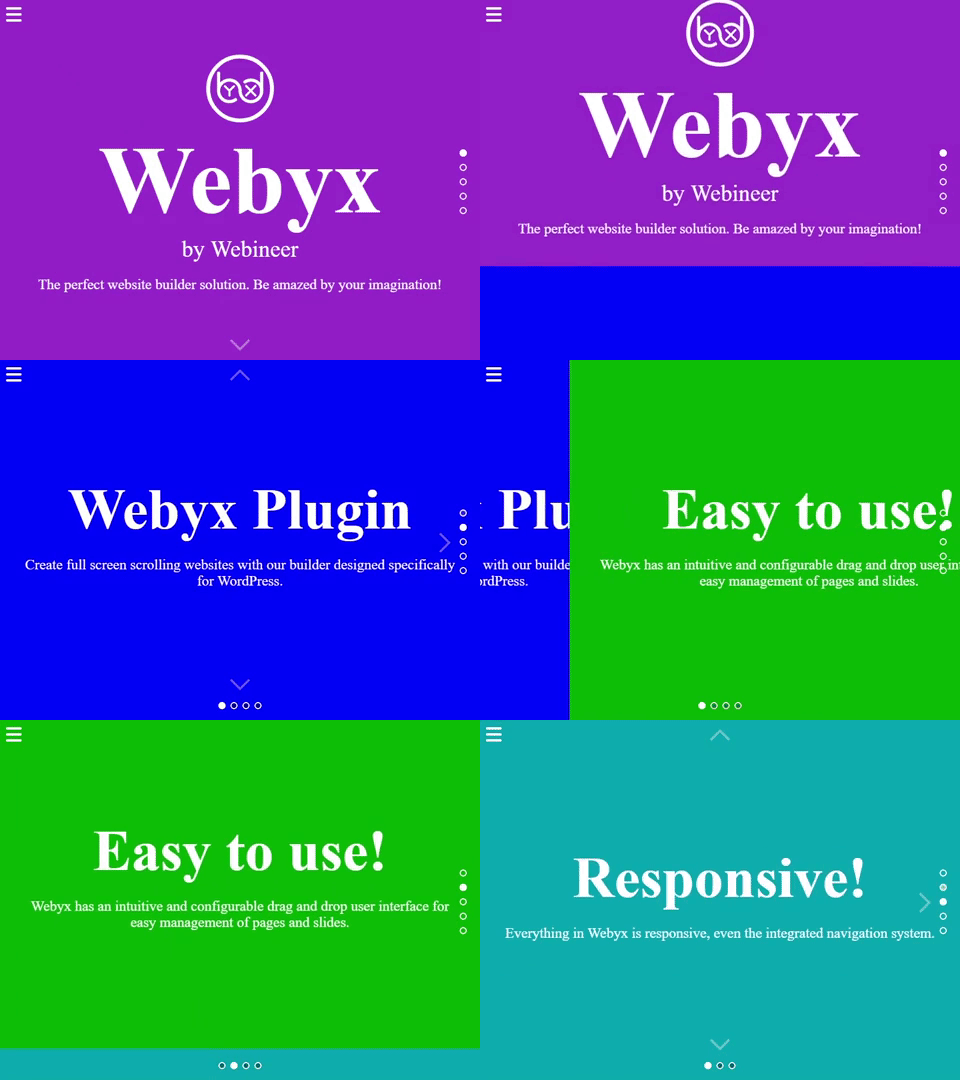
Webyx creating amazing fullscreen websites in WordPress with Gutenberg editor's modular approach
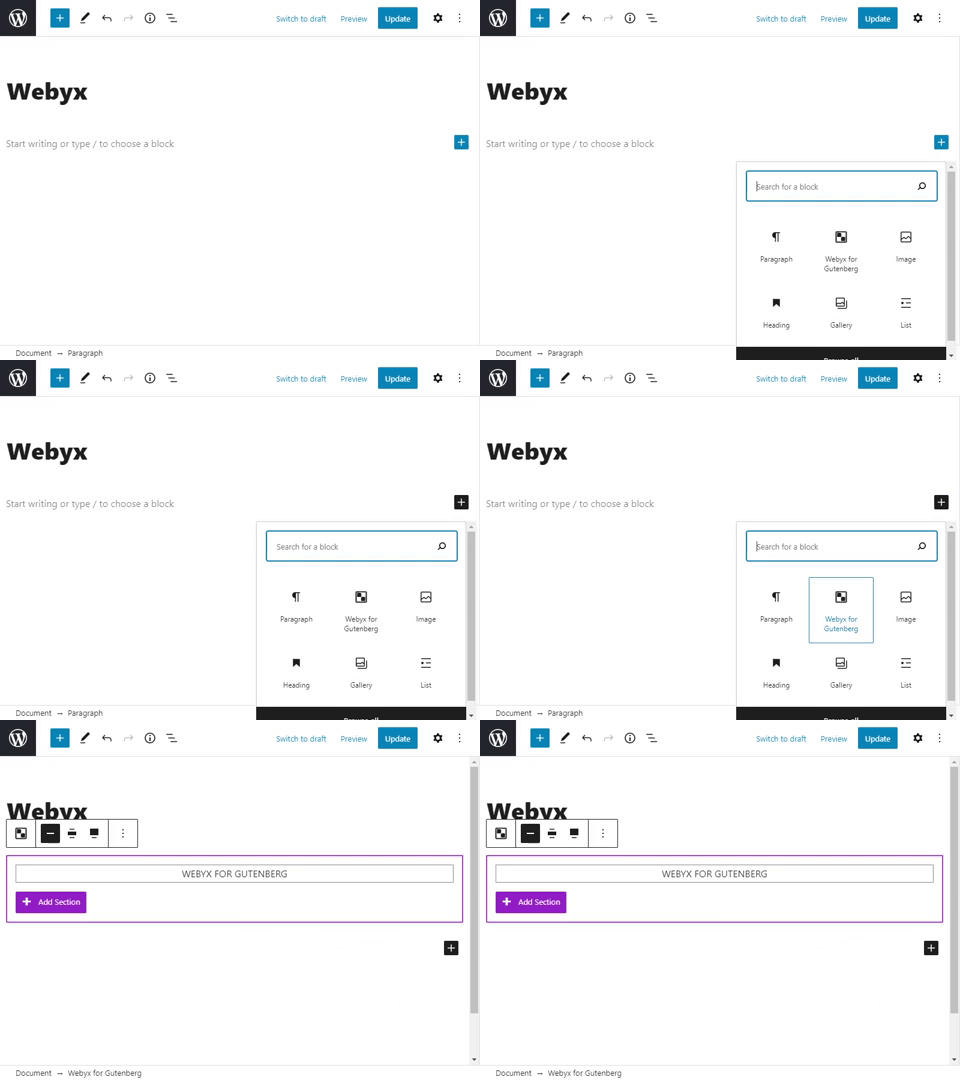
Add Webyx starting block
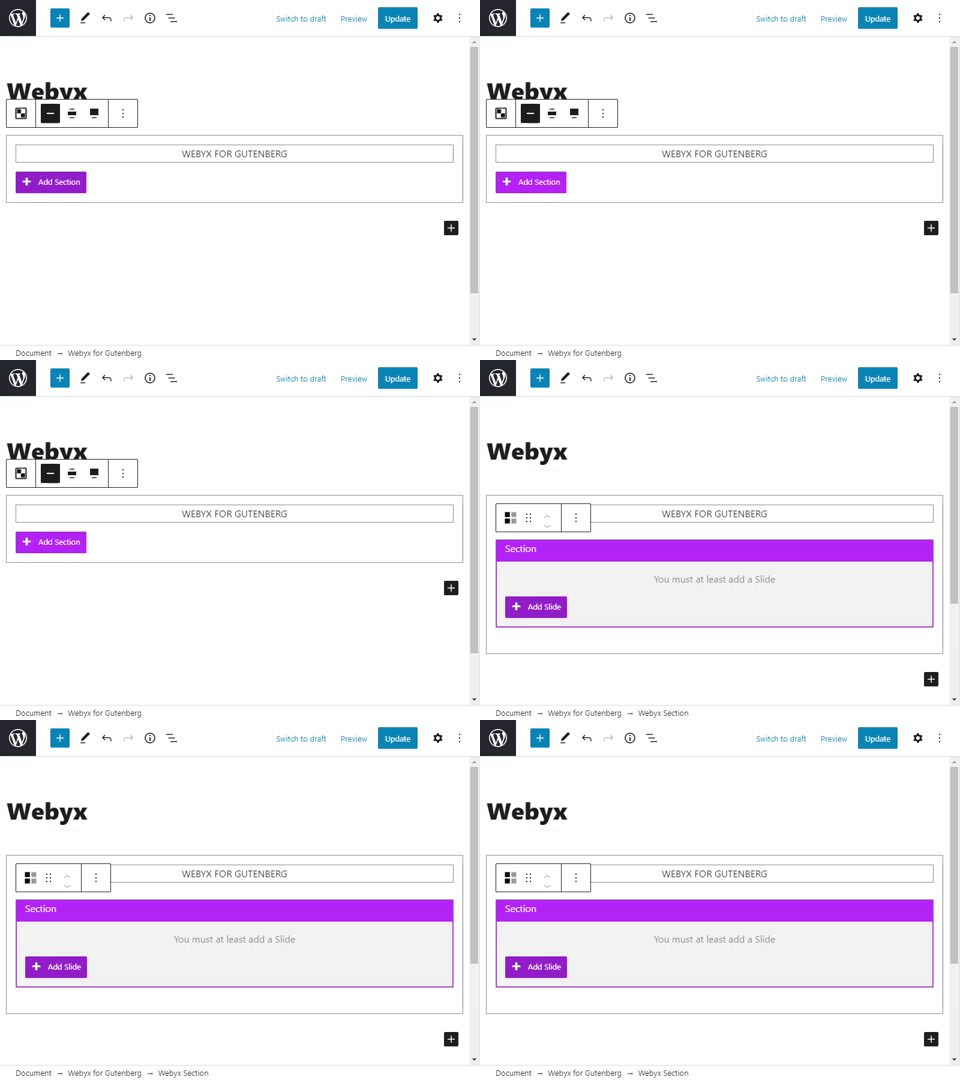
Add Webyx Section block
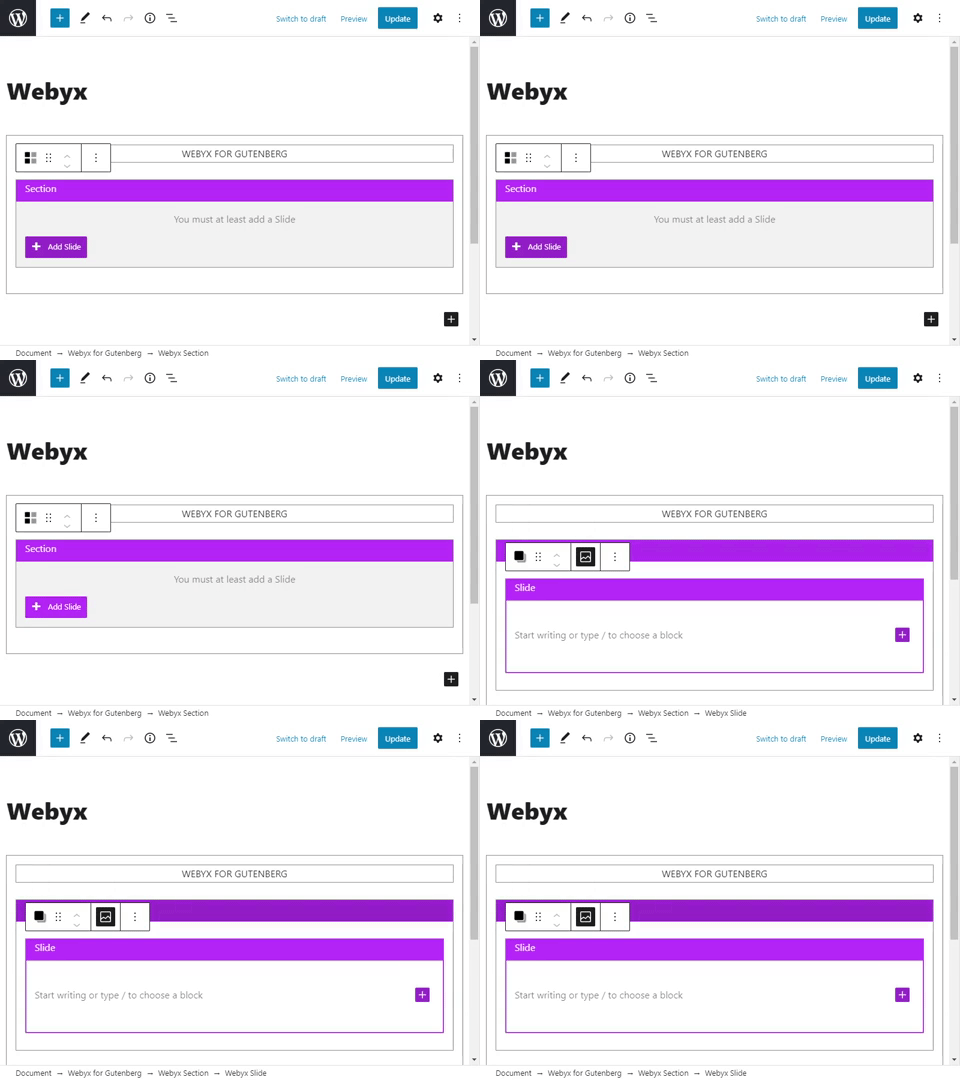
Add Webyx Slide block
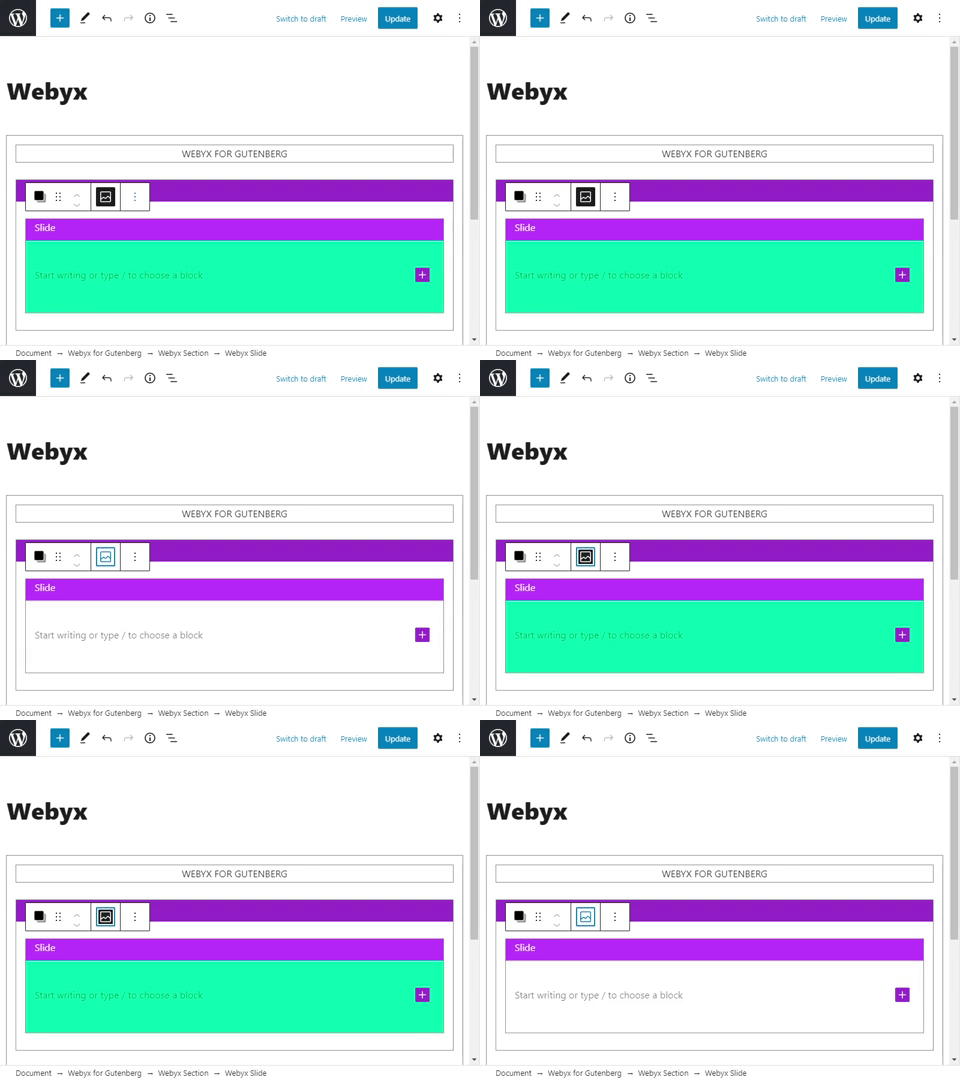
Hide/show background colour/image
Faq
A. You should try and use Webyx if you feel like creating a smooth and engaging fullpage and fullscreen website.
A. Yes, Slides are container elements in which you can add anything inside.
A. No, Sections are container elements that can have only Slides. If you want to add some content you should put it inside a Slide.
A. Yes, you can create as many pages as you need.
A. No, you can add only one Webyx for Gutenberg block.
A. Check that you have selected the webyx template in page attributes of the Page tab.
A. Yes, but to see the header and footer correctly you might need to know CSS and JavaScript to change the behaviour of the page (Template Design)
A. Yes, it is supported on all modern browsers.
A. You should have at least a 5.7 WordPress version and Gutenberg should be active on the WordPress website.
A. For any request please contact us using the appropriate form.
Reviews
Fantastic plugin!
By 
I love this plugin! It's compatible with all other plugins I have on my project and it helped me build a great website with no need nor experience in hard coding.
I used the free version for my client, but for myself I have bought the pro because I was curious to explore all the features it offered.
A big shout out for the support because they helped me out better understanding the plugin itself and what I was doing wrong.
Good job!
The Best Tool for Fullscreen Website Experiences
By 
We are using free version of webyx. It is a fantastic plugin, easy to setup.
I highly recommend
thank you.
Before purchasing the lifetime license, you should understand the following.
By 
Before purchasing the lifetime license, you should understand the following. This license is indeed for life, but its updates are not. In fact, once you acquire the license, your plugin will update to new versions during the first year. After that first year, your plugin will stop receiving updates to the new version, which will lead to compatibility issues like the one I experienced, as both the loading of my WordPress admin area and the website itself had slowed down drastically, forcing me to deactivate the plugin. So, after one year of purchasing my lifetime license, I could no longer use it. To me, this feels like a complete scam.
Amazing plugin and even more amazing team!
By 
If you're looking to create a Fullpage / Fullscreen Scrolling Website, Webyx is just perfect. It's powerful, flexible, and works beautifully.
But what really makes the difference is the team behind it — super friendly, incredibly responsive, and always ready to help. They quickly fixed a small issue I had and kept me updated the whole way.
Highly recommend both the plugin and the people who make it. Keep up the great work! 🙌
working great!
By 
They’ve hit a niche with this little plugin, and it’s working very well. The support is also excellent — even for the free version. Thank you!
Fantastic!!!
By 
I have used Webyx in one of my projects and it was fun to work with. It is perfect for a single page website, and in my case it was super easy to set the flow... it really took, content excluded, like 10 minutes.I really love snapping movements and thanks to this "Power Point" style, it feels amazing!On a note, I recommend to set your mind on putting content that fits well in a 100vw and 100vh otherwise just think differently and spread it on multiple slides. The system is ment to work on a full screen/ full page viewport and not in a classic (and boring) long vertical scrolling way.I definitely recommend it.
Problem solved
By 
Thanks for replying!
After hours of explorations I noticed that I've messed up with the structure of group.
Needs pro for doing things
By 
Everything is locked in place. Should rename to lite
Great Plugin!
By 
I have the PRO version now. Very nice toolkit!
Great Webyx software for vert. & horiz. scrolling!
By 
I spent several weeks now with finding a plugin/theme for vertical & horizontal scrolling / fullpane. Webyx is really the best: Installation is fast, all works like promised - the plugin is maintained - and with "Webyx subscription for elementor Pro" it's even better! 👌🏼 Christian A. from Germany
Changelog
1.6.13
- Fix: Horizontal bullets with Horizontal Swipe Lock
1.6.12
- Fix: Prevent overscroll on mobile
- Fix: Prevent block on load complete
1.6.11
- New: Added option to show/hide PRO features
- Fix: Improved gesture movement on Apple magic devices. Thanks to https://profiles.wordpress.org/antho7813/ for the helpful suggestion.
1.6.10
- New: Added continuous horizontal navigation
1.6.9
- New: Added horizontal swipe lock
1.6.8
- New: Added 31 easing types
- Tweak: Full screen button offset increased from 100 to 5000 pixels
1.6.7.3
- Tweak: Arrows custom offset increased from 100 to 5000 pixels
- Tweak: Updated readme
1.6.7.2
- Tweak: Updated readme with new 💥Video tutorial to create fullscreen scrollable website in Twenty Twenty-Four block theme with Full Site Editing
- Fix: Added condition for custom logo in to the wrapper
1.6.7.1
- New: 💥Added compatibility for WordPress Full Site Editing Theme
- Fix: Global scope variable for integrated menu
1.6.7
- New: 💥Added ‘Convert block to Webyx Pro’ button in the Gutenberg block option navbar (it will be only visible if you have installed the Webyx Pro plugin)
- Tweak: Updated readme
1.6.6
- Tweak: Updated readme
- Fix: Navigation arrows vertical (mouseenter onload event)
- Fix: Gutenberg range component layout on WordPress panel editor
1.6.5
- Tweak: Updated readme
- Tweak: Updated links to Webyx documentation
- Fix: Fixed the malfunction on get custom logo
1.6.4
- Tweak: Links to Webyx website updated
1.6.3
- Fix: Minor issues
1.6.2
- Tweak: Unlocked internal use for any third-party blocks (i.e. Kadence, etc.)
- Tweak: Improved the insertion of menu scripts inside the header template
- Fix: Default value of Slide content position correctly set to “middle”
- Fix: No more double vertical scrolling on trackpad
- Fix: Fixed the malfunction on the reviews admin panel, now it disappears after the selection
1.6.1
- Fix: Admin header hook filter was throwing an unexpected error
- Fix: Removed cumulative layout shift (CLS) as reported on Pagespeed insight or Lighthouse. Thanks @kiggundu for reporting on support forum: webyx causing cumulative layout shift
1.6.0
- New: 💥Added force desktop mode on mobile devices
- New: Improved loading splash screen features
1.5.0
- New: 💥Added margin and padding in the Slide’s wrapper content
- Tweak: The title label has been changed to name in Slides and Sections
- Tweak: Minor changes to interface layout
1.4.2
- Fix: Adjusted the overflow of Sections and Slides boxes to the container in Gutenberg’s Editor
1.4.1
- Tweak: Added info texts on every option
- Tweak: Minor changes to interface layout
1.4.0
- New: Save hide/show Slide background in the editor
- New: Enable/disable Slide background
- New: Enable/disable Slide content management position
- New: Added media file name where applicable and check icon
- New: Added custom splash screen option
- Fix: Removed P tag type selection in both Sections and Slides
1.3.0
- Tweak: Improved block edit layout
- New: Webyx Plugin Settings admin page
- New: Hide/show WP admin top bar
- New: Enable/disable Webyx menu
1.2.0
- Tweak: 💥Improved Webyx menu management and layout (scrollable, multi-level, responsive, website logo)
- Tweak: Added opacity to Arrows
- Tweak: Added opacity to Bullets
- Tweak: introduced range for Slide Easings speed with more granular values
- Tweak: introduced range for Mobile Devices Easings speed with more granular values
- Tweak: Added opacity to Loading Splash Screen background colour and spinner colour
- New: Arrows light colour
- New: Bullets and Tooltips light colour
- New: Bullets tooltips background area colour
- New: Fullscreen Button background area colour
- New: Mouse Wheel Icon colour and background area colour
- New: Mouse Wheel Icon fixed (can be always visible)
1.1.0
- Tweak: Added new tab for navigation mouse wheel
- Tweak: Added info text on some options
- Tweak: Added AceEditor for custom CSS/JS
- Tweak: 💥Improved interface for managing options
- Tweak: Minimized bullets wrapper area
- New: Section/Slide tag type parameter
- New: Wrapper Slide content with user’s custom CSS class name
- New: 💥Slide horizontal continuous
- New: Hide scrollbar
- New: Arrows custom offset for desktop/mobile
- New: Arrows dimension area, background area and area colour
- New: Bullets custom offset for desktop/mobile
- New: Bullets background area and area colour
- New: Bullets tooltips text colour
- New: Navigation keyboard
- New: Fullscreen button dimension thickness
- New: Fullscreen button custom offset for desktop
1.0.2
- New: Added navigation arrows that can be switched on/off
- New: Added navigation arrows can now be vanishing
1.0.1
- New: 💥Added template Design
- New: 💥Added navigation bullets
- Tweak: Improved webyx menu management
- Tweak: Improved block edit layout
1.0.0
- Initial Public Release