Well Web Notify
Well Web Notify
Description
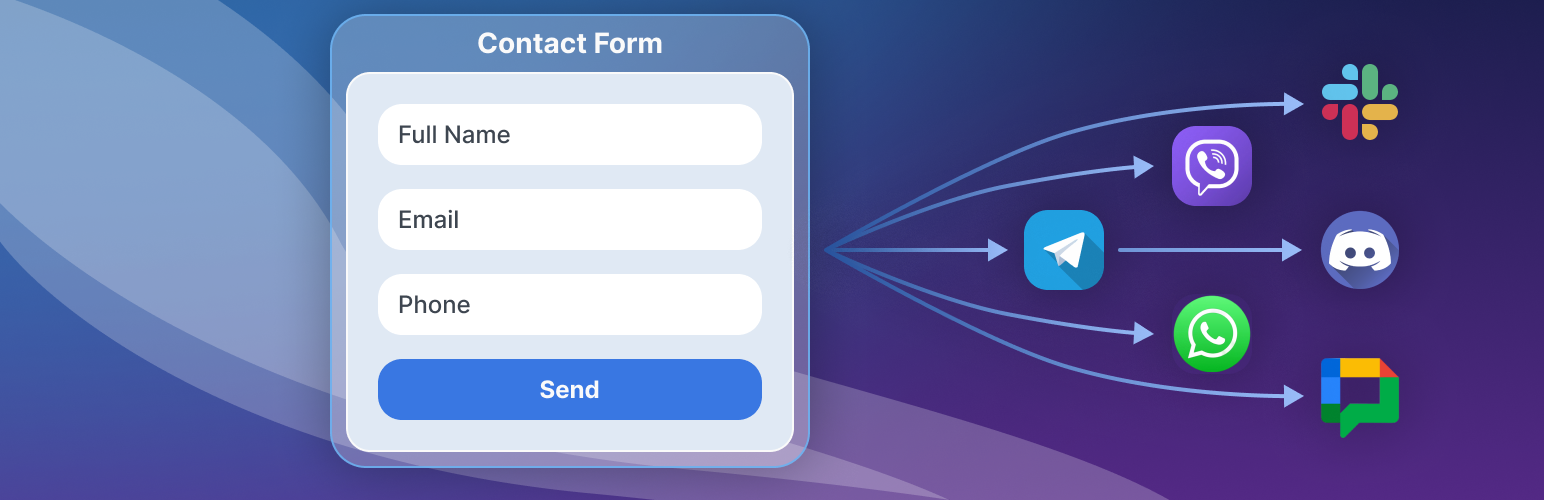
Well Web Notify sends instant notifications to Telegram, Slack, Discord, and Google Chat whenever someone submits a form or places a WooCommerce order on your WordPress site.
Supported form plugins (auto-detected):
- Contact Form 7
- WPForms
- Gravity Forms
- Ninja Forms
- Jetpack Contact Form
- WooCommerce orders
Features:
- Telegram notifications via Bot API — unlimited, no quotas
- Slack notifications via Incoming Webhooks
- Discord notifications via webhooks
- Google Chat notifications via space webhooks
- Auto-detects installed form plugins — no per-form configuration needed
- WooCommerce order notifications with configurable events (new order, processing, completed, cancelled, refunded, failed)
- Phone numbers in submissions get clickable contact links (Call, WhatsApp, Telegram, Viber)
- Notification log with filtering and pagination
- Daily bot health check verifies your Telegram bot is working
- Lightweight — no bloat, no external CSS/JS dependencies
Need Viber or WhatsApp?
Contact us at support@wellweb.marketing to set up Viber or WhatsApp notifications.
External Services
This plugin connects to the following external services:
Telegram Bot API
When you configure a Telegram bot token and chat ID, the plugin sends notification messages via the Telegram Bot API at https://api.telegram.org/. This happens whenever a form is submitted, a WooCommerce order event occurs, or a daily health check runs.
Slack API
When you configure a Slack Incoming Webhook URL, the plugin sends notification messages to your Slack workspace via https://hooks.slack.com/.
Discord API
When you configure a Discord Webhook URL, the plugin sends notification messages to your Discord server via https://discord.com/api/webhooks/.
Google Chat API
When you configure a Google Chat Webhook URL, the plugin sends notification messages to your Google Chat space via https://chat.googleapis.com/.
Installation
- Upload the
well-web-notifyfolder to/wp-content/plugins/ - Activate the plugin through the Plugins menu
- Go to Well Web > Notify in the admin menu
- Configure your channels — Telegram, Slack, Discord, or Google Chat
- Click “Test” to verify each connection
Screenshots

Channels — connect Telegram, Slack, Discord, and Google Chat, and test each one

Delivery log — a seven-day summary, filterable by channel and result
Faq
No. The free plugin sends unlimited notifications across all four channels with no quotas or monthly caps.
No. The plugin auto-detects supported form plugins and captures all submissions automatically.
Contact us at support@wellweb.marketing to set up Viber or WhatsApp channels.
Yes. Enable WooCommerce order notifications under Sources and choose which order events trigger a notification.
Well Web Notify has its own item in the left-hand menu, with three screens: Channels (where notifications go), Sources (what triggers them) and Log (what was sent).
Fixed in 1.0.6. Jetpack fires several signals per submission carrying different amounts of data, and earlier versions sent whichever arrived first. The plugin now waits for the end of the request and sends the most complete one.
Reviews
Changelog
1.0.6
- Fixed: Jetpack submissions sometimes arrived with only one field. The plugin now collects every signal Jetpack fires for a submission and sends the most complete one, once
- Fixed: a field is no longer repeated twice in the same message
- Fixed:
Entry title,Entry permalinkandFeedback idare no longer listed as form fields — the page the form sits on is a link at the foot of the message instead - Changed: field labels are cleaned up — Jetpack’s
3_numbering is removed and Contact Form 7’syour-namebecomesYour name - Changed: messages say which form they came from, not just which site
- Changed: Akismet-flagged spam no longer produces a notification
- Changed: the plugin has its own admin menu with two screens — Settings (Channels, Sources, Message on one page, with an index that follows the scroll) and Activity (the delivery log)
- Changed: the admin was rebuilt on the same design system as Well Web SEO; every existing link still works
- Changed: the channels are one list with every switch and button in a column, and each row says what it is doing
- Fixed: a channel’s on/off switch could not be clicked at all
- Changed: the Sources section leads with the form plugins you have; the rest are one line
- Changed: the country dialling code moved to Message, and shows a worked example that updates as you type
- Added: a seven-day summary above the delivery log, and a warning on Settings when notifications have been failing
- Added: a “Saved” confirmation, and the “More from Well Web” cards are back
- Fixed: the admin script no longer rewrites the WordPress sidebar menu in the browser
- Removed: an unused AJAX endpoint that could write the plugin’s options
1.0.5
- Fixed: Jetpack form submissions now reliably reach all channels on Jetpack 15+ — the integration listens on the surviving
grunion_after_message_senthook (Jetpack 15 droppedgrunion_pre_message_sentand stamps_feedback_extra_fieldsempty on the Forms-block path) - Changed: per-request dedupe now claims the dispatch slot only at the moment of send, so an early-arriving empty meta write can no longer block a later hook with the real payload
1.0.4
- Tested and confirmed compatible with WordPress 7.0
- Admin UI refreshed for the new WordPress 7.0 “Modern” admin theme — accent colors now follow the active admin color scheme instead of a fixed blue
- Settings cards and tabs now use rounded corners to match the Modern admin look
1.0.3
- Notification header now shows the site domain instead of the site title for cleaner chat previews
- Daily health-check message reworded to clearly explain what is being verified
- Optional review prompt on the plugin’s own admin pages, shown only after the plugin has been in active use
1.0.2
- Added plugin banners, icons, and screenshots for WordPress.org listing
- Updated screenshots section to match provided assets
1.0.1
- Renamed plugin file from index.php to well-web-notify.php for WordPress.org compliance
- Updated text domain and admin slugs to well-web-notify
- Fixed dashboard widget styles loading on dashboard screen
1.0.0
- Initial public release on wordpress.org
- Telegram, Slack, Discord, and Google Chat notifications
- Auto-detects popular form plugins — no per-form configuration
- WooCommerce order notifications with configurable events
- Notification log with filtering and pagination
- Daily bot health check with email alerts
- Setup guides for all channels in admin UI