Wicked Invoicing

Wicked Invoicing
Description
Wicked Invoicing lets you create and manage invoices right inside WordPress.
Use it as a lightweight billing system for freelancers, agencies, and small businesses who want to keep everything in one place without needing a separate invoicing SaaS.
Features in the free version
- Create invoices from the WordPress admin
- Add line items with descriptions, quantity, and rate
- Automatic totals (subtotal, tax, total)
- Set due dates and invoice status (draft, pending, paid, etc.)
- Store client name and email on the invoice
- Public invoice view (share a link with your client)
- Works with any theme
Upgrade to Wicked Invoicing Pro (sold separately)
The Pro add-on (installed separately) is built to add more automation and licensing features on top of the free plugin, such as:
- Advanced product-based billing and license keys
- Secure product downloads for customers after payment
- License verification and API integration for your own plugins/themes
- Automatic update delivery for licensed plugins
You can learn more about the Pro add-on at:
https://wickedinvoicing.com
This readme describes the free plugin that will be hosted on WordPress.org. Pro features only apply if you install the separate Pro add-on.
Installation
- Download the plugin zip or install from the Plugins Add New screen in your WordPress dashboard.
- Activate Wicked Invoicing through the “Plugins” menu in WordPress.
- A new Wicked Invoicing menu will appear in your admin sidebar.
- Go to Wicked Invoicing Invoices to create your first invoice.
- Fill in your client’s details, add line items, and save or send.
If you later purchase Wicked Invoicing Pro, you’ll upload and activate the Pro plugin separately. The free and Pro plugins work together.
Screenshots
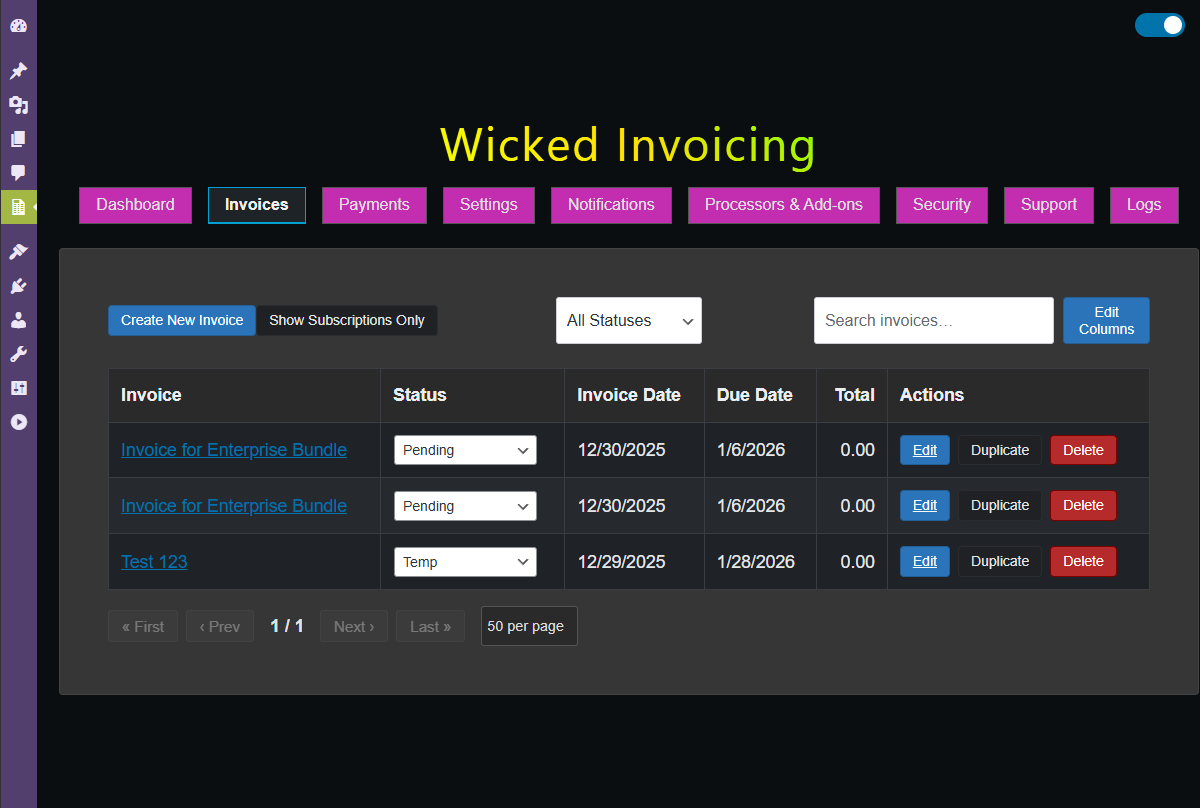
Invoice list screen in the WordPress admin.
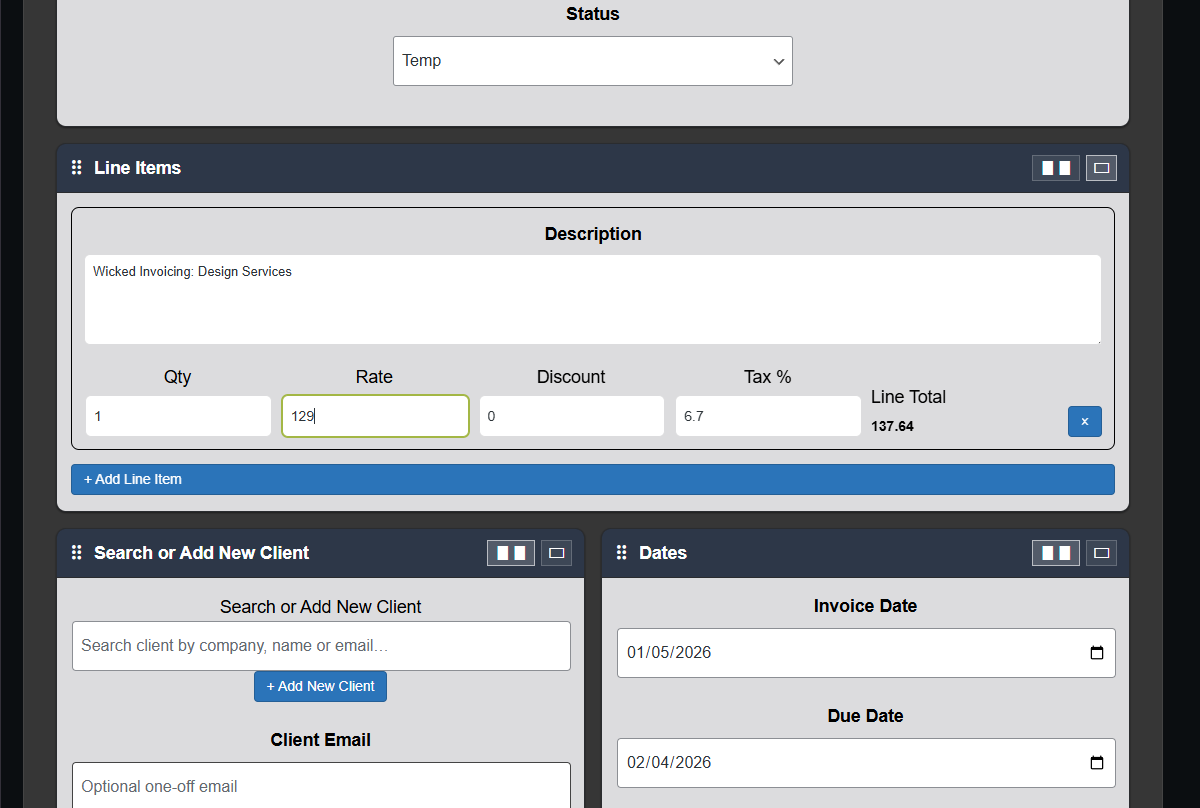
Invoice edit screen with line items and totals.
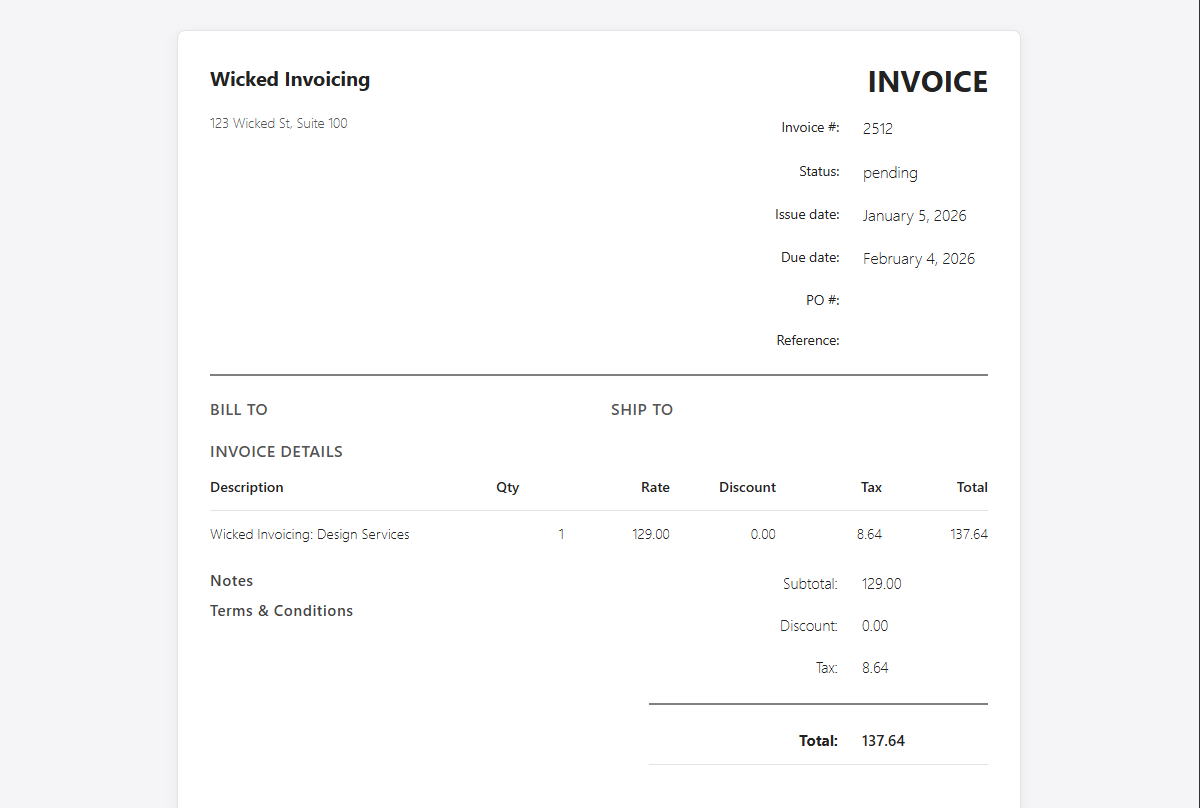
Public-facing invoice view for your clients.
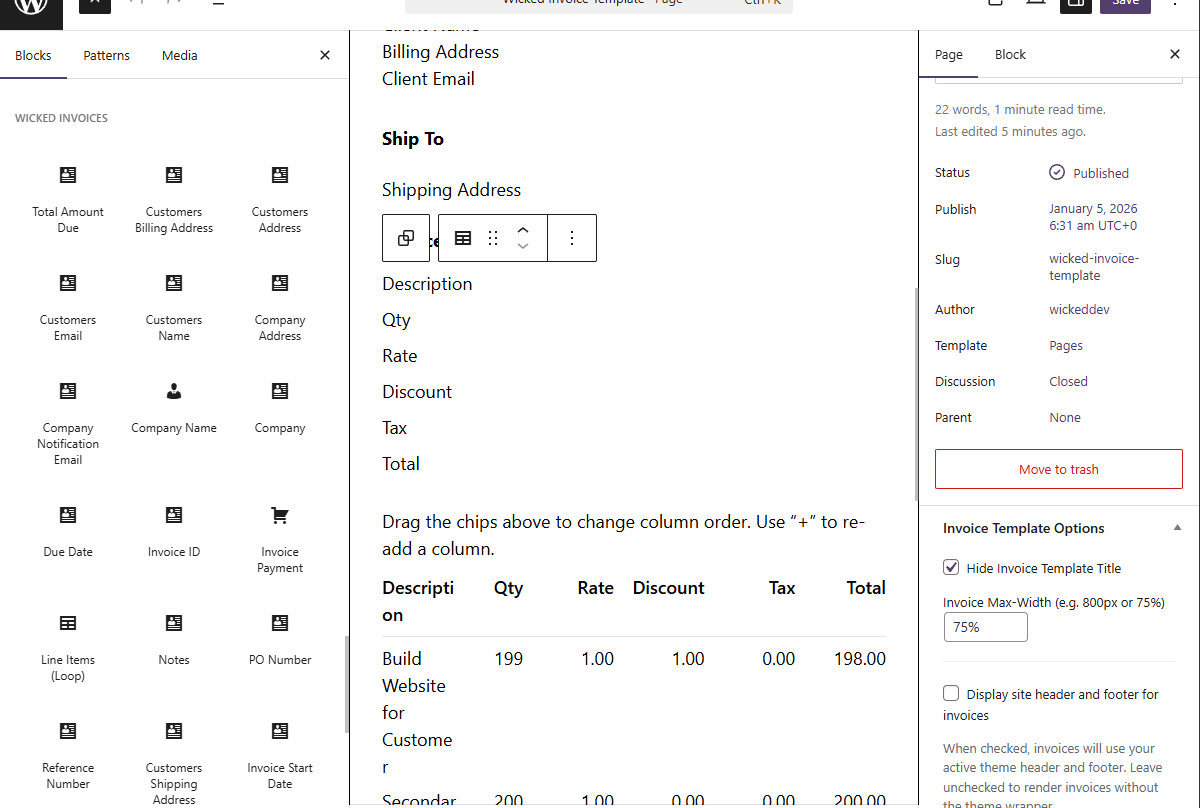
Default Invoice block editor template.
Faq
No. The free plugin works on its own and lets you create and manage invoices from your WordPress site.
If you install the Pro add-on, it will unlock additional features, but it is not required for basic invoicing.
For general questions, documentation, and support links, visit:
https://wickedinvoicing.com
You can also use the WordPress.org support forum for this plugin.
Yes. You can install the free version on as many client sites as you like.
The Pro add-on is licensed per purchase; each Pro license key is managed by your Wicked Invoicing account and validated against your own license API.
By default, invoices are stored in WordPress and can be viewed via a secure link. You can share that link with your client, and/or configure your own email templates or notifications (depending on how you set up your theme and plugins).
If you build or already have email integrations, you can use those alongside Wicked Invoicing.
Wicked Invoicing is designed to be theme-agnostic. Invoices use regular WordPress pages/templates, so it should work with most themes and page builders out of the box.
The plugin stores client data (name, email, invoice details) inside your WordPress database. As the site owner, you are responsible for configuring your site, privacy policy, and any required consent to comply with local laws (including GDPR).
The full source code (including the admin UI source and build tooling) is maintained here:
https://github.com/Wicked-Invoicing/wickedinvoicing-wordpress
Admin UI source lives in /views/admin and production build output is in /views/admin/build.
Reviews
Changelog
1.0.0
- Initial public release on WordPress.org.