WinaltChat for WooCommerce
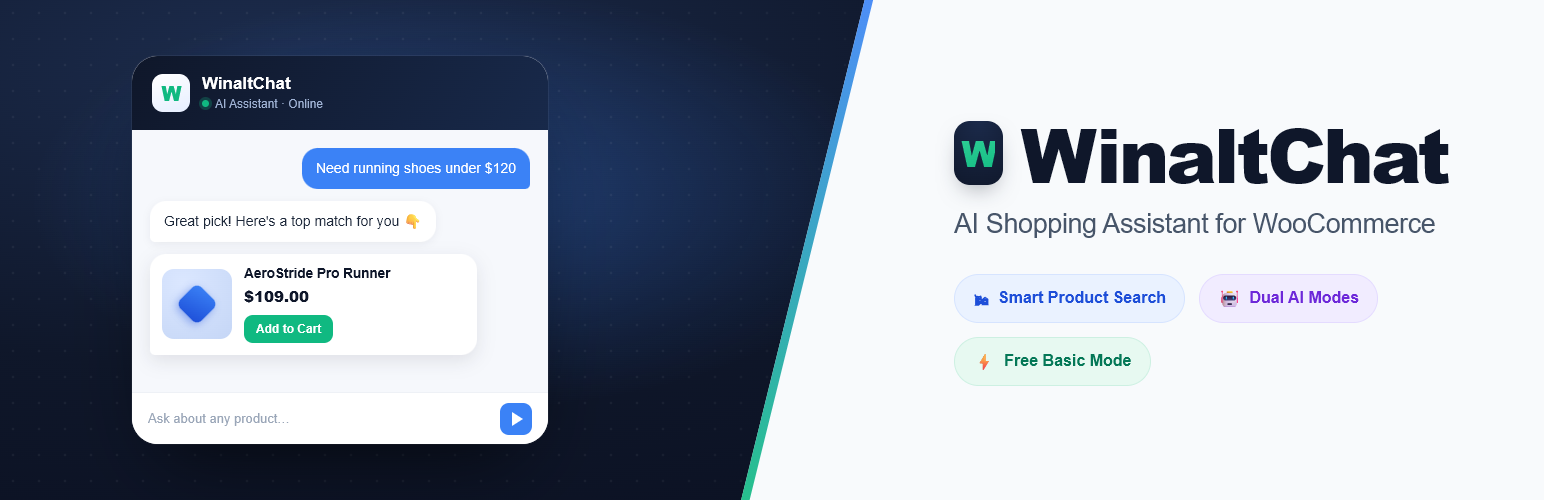
WinaltChat for WooCommerce
Description
WinaltChat adds a fast, intelligent chat widget to your
WooCommerce store. Customers can search your product catalogue,
get instant answers about shipping and returns, and — when they
need a real person — connect to your support team through a built-in
live chat system, all without leaving your store.
AI Shopping Assistant
- Dual AI Modes — Use your own API key from Groq — LLaMA
(Free Tier), ChatGPT (OpenAI), Claude (Anthropic), or Gemini
(Google) for full conversational AI. No key? The built-in
Basic AI mode runs entirely on your server with zero external
calls and zero ongoing cost. - Smart Product Search — Intent-aware search across your
WooCommerce catalogue. Handles typos, synonyms, multilingual and mixed-language
queries, and follow-up questions naturally. - Product Comparisons — Customers can ask “which is better, the Sony or the
Samsung?” and get a clear side-by-side comparison
with prices and key specs from your own catalogue. - Store Knowledge Base — Reads your shipping, returns, contact,
and about pages to answer policy questions accurately and
dynamically — no hardcoded answers that break for other stores. - Conversation Context — Remembers context within a session so
follow-up questions (“does it come in blue?”) work naturally. - Amazon Affiliate Fallback — When a product is out of stock,
optionally suggest an Amazon affiliate link so you still earn a
commission.
Live Human Chat
- Human Handoff — When a customer types phrases like “I want
to talk to a human”, “customer service”, “live agent”, or dozens
of natural variants, the plugin detects the request and connects
them to a real person on your team. - Admin Live Chats Dashboard — A dedicated Live Chats screen
in your WordPress admin shows all active, waiting, and closed
conversations in a two-panel interface. Every handoff request is
queued here as soon as it happens — keep the tab open to also show
as instantly online to visitors and connect in real time. - Visitor Name Prompt — Before connecting, the visitor is
optionally asked for their name. If skipped, they are identified
as “Visitor #ID” so you can tell conversations apart. - Full Conversation Context for Agents — When a customer is
handed off, the admin sees the complete prior AI conversation so
there is no need to ask “how can I help?” twice. - Visitor Presence Dot — A green dot shows the visitor is
active. It turns grey within 30 seconds if they close the tab. - Two-Tier Timeout — If your team does not respond within
90 seconds, the visitor sees a friendly patience message. After
5 minutes of no reply, the chat gracefully falls back to the AI
assistant with an optional email capture. - Intelligent Offline Handling — When no admin is online the AI
keeps helping, and the handoff request is still queued in the
background so it’s waiting in your Live Chats list whenever you
next check — no need to have caught it live. Visitors can also
optionally leave their email for a follow-up; leads appear with a
dedicated Leads section and unread badge. - Session Management — Close chats when resolved, or delete
them permanently. Closed and lead sessions stay visible in
their own sections until manually removed. - Zero External Dependencies — Live chat runs entirely within
your WordPress site using secure AJAX polling over the REST API.
No Pusher, no third-party service, no extra cost. - Email Notifications — Get an email when a customer starts a
live chat or leaves their contact details while you are offline.
Privacy & Security
- All live chat data is stored in your own WordPress database.
Nothing is sent to an external service. - Session tokens are 32-character cryptographically random strings
— not sequential IDs — so sessions cannot be enumerated. - All endpoints enforce nonces, capability checks, input
sanitization, output escaping, and rate limiting. - Message content is sanitized server-side, and rich chat HTML
(product cards, links, images) is additionally sanitized
client-side via a bundled copy of DOMPurify before being
rendered — see “Bundled Libraries” below.
Bundled Libraries
- DOMPurify 3.1.6 — client-side HTML sanitizer, used to safely
render rich chat content (product cards, links, images).
Vendored locally atassets/js/vendor/purify.min.js; not loaded
from a CDN. © Cure53 and other contributors. Dual-licensed under
the Apache License 2.0 and Mozilla Public License 2.0, both
GPL-compatible. github.com/cure53/DOMPurify
Requirements
- WordPress 6.2 or later
- WooCommerce 7.0 or later (must be installed and active)
- PHP 7.4 or later
- An API key from Groq, OpenAI, Anthropic, or Google (optional —
Basic AI and Live Chat both work without one)
Support
- Support Forum: wordpress.org/support/plugin/winaltchat-for-woocommerce
- Email: support@winalttechnologies.com
We aim to respond to all support requests within 48 hours.
External Services
This plugin connects to third-party AI providers only when you
configure an external AI mode and enter your own API key. In Basic
AI mode and during live human chat, no external AI service is used.
AI Providers (optional — only when an API key is configured)
Customer messages, recent conversation context, and relevant store
and product context are sent to the AI provider you select so it
can generate a response. No data is sent to these providers when
using Basic AI mode.
- Groq — groq.com | Privacy Policy | Terms of Service
- OpenAI — openai.com | Privacy Policy | Terms of Use
- Anthropic Claude — anthropic.com | Privacy Policy | Terms of Service
- Google Gemini — ai.google.dev | Privacy Policy | Terms of Service
Amazon Associate Program (optional — only when a tag is configured)
When the Amazon fallback is enabled and no matching product is
found in your store, the plugin generates an Amazon search link
with your Associate tag. No customer data is transmitted to Amazon
by the plugin — the link simply directs the visitor’s browser.
- Amazon — amazon.com | Privacy Notice
Deactivation Feedback (sent on deactivation — full survey response, or a bare anonymous count if skipped)
When you deactivate this plugin, an optional short survey asks why.
If you respond, your site URL, the plugin/WordPress/PHP version, and
whatever you entered in the survey are sent to Winalt Technologies to
help improve the plugin. If you skip the survey instead, a bare
deactivation count (just the plugin version — no site URL, WordPress
version, or PHP version) is still sent so skipped deactivations aren’t
invisible in aggregate. No personal data is collected beyond this
unless you choose to type it into the free-text field yourself.
- Winalt Technologies — aisalesmanchatpro.com | Privacy Policy
Anonymous Usage Tracking (optional — off by default, only sent if you click “Allow”)
On first use, a notice asks permission to send anonymous “still
active” pings to help us understand real-world installs. Nothing is
sent unless you click “Allow” — you can also decline, or change your
choice later from the plugin’s General Settings tab. When enabled,
your site URL and the plugin/WordPress/PHP version are sent to Winalt
Technologies once immediately and then roughly once a day for as long
as it stays enabled. No personal or customer data is ever included.
- Winalt Technologies — aisalesmanchatpro.com | Privacy Policy
Support Contact Form (optional — only sent if you use “Contact us directly”)
The settings page includes a “Contact us directly” form. If you use it,
your message and the plugin version are sent to Winalt Technologies so
we can respond; your email address is included only if you choose to
enter one. Nothing is sent unless you submit this form yourself.
- Winalt Technologies — aisalesmanchatpro.com | Privacy Policy
Basic AI Pattern Sync (automatic — runs roughly once a day, plus once shortly after activation)
Basic AI mode periodically pulls an updated set of intents, patterns,
and responses from Winalt Technologies so its built-in conversational
replies can improve and cover more languages over time. Only your
site’s detected language and the version number of the pattern set
you already have cached are sent — nothing else. Your customer
messages, conversation content, and product data are never sent as
part of this sync, and never leave your site for this feature. If the
sync ever fails (network error, timeout, or Winalt Technologies is
unreachable), Basic AI mode silently keeps using whatever it already
has cached, or its original built-in patterns if it has never synced
successfully — nothing breaks and no data is lost.
- Winalt Technologies — aisalesmanchatpro.com | Privacy Policy
Installation
- Upload the
winaltchat-for-woocommercefolder to
/wp-content/plugins/, or install directly via the WordPress
Plugins screen. - Activate the plugin through the Plugins screen in WordPress.
- Make sure WooCommerce is installed and active.
- Navigate to WinaltChat Settings in the WordPress admin.
- AI Mode (optional): Choose your preferred AI provider and
enter your API key, or leave blank to use the built-in Basic AI
mode at zero cost. - Live Human Chat (optional): Scroll to the Live Human Chat
section, enable the toggle, set a notification email and agent
display name. A Live Chats item will appear in the sidebar. - Every handoff request is queued to this screen even when you’re
away, so you’ll never miss one — keep the tab open while you work
if you’d also like to appear instantly online and connect live. - Customise the chat appearance under the Chat Appearance tab.
Screenshots

General Settings — configure your AI provider, API key, and core preferences.

Chat Appearance — customize colors, icons, welcome message, and branding to match your store.

Live Chat Management — the admin console for handling active conversations and agents.

AI Conversation — the assistant answering a customer's question live on the storefront.

Product Recommendations — the AI surfacing matching products in real time during a chat.

Knowledge Base Mapping — configure which store pages (Shipping, Returns, About) the AI reads from.
Faq
No. The built-in Basic AI mode handles product search, comparisons,
policy questions, and conversation without any API key or external
service. Real AI mode (Groq, OpenAI, Claude, Gemini) is optional
and improves response quality for complex queries.
No. It runs entirely within your WordPress site using the WordPress
REST API. No Pusher, no LiveChat subscription, no third-party
accounts needed.
Every handoff request is queued in the Live Chats screen the moment
it happens, so you’ll see it whenever you next check — no need to
have been watching at the time. You’ll also get an email at your
configured notify address, and a browser notification fires in the
tab itself (if you grant notification permission) when it’s open.
Keep the tab open while you work to additionally show as instantly
online, so a visitor connects to you live instead of waiting.
The AI assistant keeps helping the customer seamlessly. A message
explains the team is unavailable, and the customer is offered an
optional email field so you can follow up. No dead ends.
At 90 seconds of no response, the visitor sees a friendly
“thanks for your patience” message. At 5 minutes, the chat
gracefully returns to AI mode with an email capture option. Both
thresholds are configurable in the Live Human Chat settings.
Currently any admin with the manage_options capability can see and
reply to all live chats. Multi-agent role management is planned for
a future release.
Deleting the plugin via the WordPress Plugins screen automatically
removes all WinaltChat settings, options, and live chat database
tables from your site.
Yes. The chat widget is injected into the page footer and uses its
own scoped CSS so it does not conflict with theme styles.
The AI chat widget loads asynchronously and does not block page
rendering. Live chat polling only runs while an active live session
is in progress — normal AI chat and idle pages make zero polling
requests.
Reviews
A practical AI assistant for WooCommerce
By 
Most AI solutions expect you to configure APIs and pay before you've even tested them. WinaltChat takes the opposite approach, which I think more products should adopt. Being able to install it, see how it performs with your own catalogue, and then decide whether to upgrade is a much better experience. Nice balance between simplicity and useful features.
Changelog
1.41.0
- New: “Agent Joined” Text is now admin-customizable (Chat Labels & Messages Live Human Chat) — the “joined the chat” text shown after the agent’s name when a live session connects was the one Live Human Chat string never wired into the localized
liveChat.stringspayload, so it stayed 100% hardcoded English even after v1.40.0’s pass over the rest of that section (its Chinese-conversation override from v1.40.1 still applies on top of whatever text is configured here).
1.40.2
- Fix: Several Chat Labels & Messages fields (Email Prompt Text, Email Field Placeholder, Email Submitted Thank-You Text, and any other field in that section) could get permanently stuck showing an empty, uneditable-looking field — unselectable/uncopyable ghost placeholder text with nothing actually there to edit. Root cause:
get_option()‘s fallback default only ever applies when an option row doesn’t exist in the DB at all; once a save had ever written an empty string for one of these fields, every later admin page load got that stored''back instead of the hardcoded default — even though the frontend and the save handler both already treat an empty value as “not customized, use the default.” The admin form’s own rendering was the one place not applying that same fallback. Now it does: any of these fields with a blank stored value renders with the real, editable default text pre-filled, exactly like a field that was never touched.
1.40.1
- Fix: v1.40.0 made the Live Human Chat name-prompt/placeholder text admin-customizable, but that only changes the SITE’s default (still WP-locale-bound) — a Chinese-language conversation on an English-locale site still got the English default, since the client-side form is rendered before any per-message language signal reaches it. Added a client-side CJK check (
isChineseConversation()in chat-live.js, checking the visitor’s own typed messages, not the site locale) so the name prompt/placeholder switch to Chinese mid-conversation when the visitor is writing in Chinese, same as the server-side cart-query fix in v1.40.0. - Fix: ” joined the chat” (shown when a live agent connects) had the identical site-locale-bound issue — now uses the same Chinese-conversation detection.
1.40.0
- Fix: Live Human Chat’s name-prompt and name-placeholder text were 100% hardcoded English strings never wired into the localized
liveChat.stringspayload — the only two survivors after last round’s pass over emailPrompt/emailPlaceholder/emailThanks. On a non-English site these showed up as stray English sentences inside an otherwise all-Chinese (or other-language) handoff conversation. Now admin-customizable (Name Prompt Text / Name Field Placeholder, under Chat Labels & Messages Live Human Chat) with the same fallback text as before, exactly like the other Live Human Chat strings. - Fix: A cart-contents question asked in Chinese (“我的购物车里有什么?”) returned a fully English reply — product names, “Subtotal: $X”, the works — because handle_cart_query()’s response text is built with
__(), which translates by the SITE’s configured WordPress locale, not by the individual visitor’s message language. Added a narrow, additive CJK detector (is_chinese_message()) so a Chinese-language cart question now gets a Chinese-language answer (contents, empty-cart, and unavailable-cart replies) regardless of site locale, without changing behavior for any other language. - Note: order-status and other dynamically-built Basic AI replies remain locale-bound (site WP locale, not per-message language) — this fix is scoped to Live Human Chat’s two prompt strings and cart-query replies, the specific regressions confirmed this round.
1.39.0
- New: Human-handoff, order-status, and cart-contents detection now also check the admin-managed pattern dataset synced from aisalesmanchatpro.com (Winalt_Pattern_Sync::find_response(), scoped to each intent) before falling back to hardcoded regex — patterns for additional languages can be added from that site’s panel with no plugin update, once get_intent_for_routing() actually reaches them (previously these three intents were only checked deep inside the full Basic AI pipeline, which non-passthrough intents like these skip straight past).
- New: Real AI now has a language-agnostic human-handoff fallback — if a customer’s message is a genuine request to speak with a human, in a language neither the regex nor synced patterns cover yet, the model is instructed to reply with a sentinel token that gets converted into the same Live Human Chat flow (name prompt, connect/skip, timeout) instead of a generic text reply.
1.38.0
- Fix: The Real AI system prompt told the model to literally say “[store email]” as a fallback contact address instead of a real one — it now gets the site’s actual admin email (or the CONTACT DETAILS block, if present) instead of an ambiguous placeholder.
- Fix: Human-handoff phrase detection (“我想和真人客服说话”, “请帮我转接人工客服”, etc.) had no Chinese matching at all, so it fell through to a generic Contact Us response instead of the working Live Human Chat flow — added Chinese phrase matching alongside the existing English detection.
- Fix: Order-status detection (“我的订单在哪”, “订单状态”, etc.) and cart-contents detection (“购物车里有什么”, etc.) also had no Chinese matching — added it, and routed cart-contents questions in any language to Basic AI’s real WooCommerce session read instead of Real AI’s guesswork, which had been hallucinating (e.g. claiming a guest needs to log in to view their cart, which isn’t true for WooCommerce).
- Fix: Strengthened the system prompt against fabricating products not in STORE INVENTORY — vague/browse queries (“cheap electronics”, “gift ideas”) were producing invented product names and prices instead of real [product_id=ID] cards.
- New: Added 3 more customizable Live Human Chat strings (Chat Labels & Messages card): “Email Prompt Text”, “Email Field Placeholder”, and “Email Submitted Thank-You Text” — previously hardcoded, these were the last hardcoded strings in the handoff flow.
1.37.0
- New: Added 3 more customizable Live Human Chat strings (Chat Labels & Messages card): “Connecting Text”, “Waiting-for-Agent Text” (shown after 90s if no agent has joined), and “Email Dismissed Acknowledgement Text” — previously hardcoded.
- Improve: Removed the Dev Mode field hint entirely (General Settings tab).
- Improve: Renamed the Dev Mode audience option “Everyone on WordPress” to “All WordPress Users”.
1.36.1
- Improve: Dev Mode (General Settings tab) is now a toggle plus a 2-option audience dropdown (“Only Admin” / “Everyone on WordPress”) instead of a single 3-option select — off by default, same as before.
- Improve: Shortened the Dev Mode and Widget Offset field hints.
- Improve: Split “Chat Window Controls” (header icon tooltips, End Chat dialog) out of the Chat Labels & Messages card into its own card.
1.36.0
- New: Added a “Chat Window Controls” subsection to Chat Labels & Messages (Chat Appearance tab) — the minimize/download/end-chat header icon tooltips and the entire “End this chat?” confirmation dialog (title, description, “Keep Chat” and “End Chat” buttons) are now admin-customizable, matching every other chat-widget string. These were previously hardcoded and not exposed anywhere in settings.
1.35.1
- Improve: Replaced the “Widget Position” Bottom Right/Bottom Left dropdown (Chat Appearance tab) with precise “Horizontal Offset (X axis)” and “Vertical Offset (Y axis)” pixel fields, so the chat icon can be nudged anywhere near its default corner instead of only flipping to the opposite one. Both default to 20px, matching where the icon already sits — no visual change until adjusted.
1.35.0
- New: “Dev Mode” setting (General Settings tab). Lets an admin test a change on the live site without every visitor seeing it — set “Who can see the chat widget” to Administrators Only or Any Logged-In User to hide it from anonymous customers. Defaults to “Everyone (live)” so this update never silently hides the widget on an already-live site; switch it back once testing is done.
1.34.0
- New: “Widget Position” setting (Chat Appearance tab, Floating Bubble mode). If a site already has its own fixed element in the bottom-right corner — a “back to top” button, another chat widget, etc. — the WinaltChat launcher, chat window, and welcome popup can now be moved to the bottom-left instead so the two don’t overlap. Bottom-right stays the default.
1.33.1
- Fix: The AI-health attention banner had no way to dismiss it, so it stayed on screen even after saving a new API key. Added a “×” dismiss button — it hides the banner for the current incident, but a subsequent Real AI failure brings it back automatically so a still-broken key can’t go unnoticed.
- Fix: Moved the bot/agent avatar back to the top corner of the message card (next to a sharp top-left bubble corner instead of a rounded one) — the bottom-aligned layout from the previous release didn’t read as clearly as the original top alignment.
1.33.0
- New: AI provider health monitoring. When the Real AI API starts failing (exhausted credit/quota, invalid key, outage, etc.) for 2 consecutive messages, the admin email gets a one-time “AI replies are failing” notification with the error code, and a red attention banner appears at the top of the WinaltChat settings screen until it’s resolved. Once the AI answers successfully again, a follow-up “AI replies are working again” email is sent automatically and the banner clears — no more emails until the next new incident.
1.32.9
- Fix: The typing-indicator dots were larger than the surrounding chat text; shrunk to match the rest of the chat card’s proportions.
- Fix: A non-Latin-script message (Chinese, Traditional Chinese, etc.) makes an extra API call to translate product-search keywords before the main reply call — on a provider with a tight per-minute request quota, the two calls landing back-to-back could trip the same rate-limit window and silently drop the real reply to a generic English “could you clarify?” fallback, most visible on comparison questions and Traditional Chinese script. Added a single short retry when the main reply call itself hits a rate limit, giving the window a moment to clear before falling back.
1.32.8
- Improve: The bot/agent avatar next to each assistant message now aligns with the bottom of its message card instead of the top, so it stays level with the reply itself even when a card grows tall (product cards, feedback buttons, etc).
1.32.7
- Fix: Reverted the previous release’s download-chat icon flip — the arrow was already correct, the earlier feedback was actually about the bot avatar icon’s rounded corner, not this arrow.
1.32.6
- Fix: The chat header’s download-chat icon was a downward arrow into a tray, which read as pointing away from the assistant above it. Flipped to an upward arrow so it points up toward the bot/title bar; the button still downloads the chat transcript.
1.32.5
- Fix: The newly-animated typing indicator was missing the bot avatar icon every real assistant message shows, and rendered wider/misaligned as a result — it was missing the avatar span and column wrapper real messages use to indent the bubble. Now matches a real assistant message’s layout exactly.
1.32.4
- Fix: The “assistant is replying” indicator rendered as static “…” text with no motion, even though a fully-built pulsing 3-dot animation already existed in the CSS but was never wired up. It now shows the animated dots, so customers can see a reply is actively being generated instead of a flat, static ellipsis.
1.32.3
- Improve: The extra AI call that translates a non-Latin-script message into English search keywords is now cached for 10 minutes per exact message text. Re-asking the same non-English question repeatedly (e.g. during testing) no longer doubles the API calls made to the AI provider each time — likely contributor to intermittent rate-limit-driven failures/truncated responses seen on repeated identical Chinese queries.
1.32.2
- Improve: Removed the arrow from the default “View Product” button/link label (was “View Product ”).
1.32.1
- Fix (high priority): When the Real AI call itself failed and the plugin fell back to Basic AI, any message Basic AI couldn’t classify — a cart question, a discount question, an off-topic question, a human-handoff request, or any non-English message — got its entire raw text echoed back inside an English “we don’t currently carry [X] at [Store]” template, as if the whole sentence were a searched-for product name. That template is now only used when the message actually looks like a product request; everything else uses Basic AI’s own response instead.
1.32.0
- Add: New “Chat Labels & Messages” card on the Chat Appearance tab makes the privacy notice text, the Privacy Policy link text, the “View Product”/”Add to Cart”/”Select Options” product-card button labels, and eight Live Human Chat handoff strings (Connect, Skip, email Send/No thanks, “checking for availability”, “chat has ended”, invalid-email error, and the “Delivered” read-receipt label) all editable, matching the existing Quick Reply Buttons pattern — leave a field blank to keep the default.
- Fix: The privacy notice text and Privacy Policy link text were already localized in
cfg.stringsbut chat-ui.js rendered hardcoded literal English instead of reading them — now wired up correctly (and both are admin-editable as of this version). - Fix: The Download/Minimize/End Chat buttons’ hover tooltips (
titleattribute) were hardcoded English regardless of site language, while their (visually hidden)aria-labelwas already correctly localized — tooltips now show the same, correctly localized text.
1.31.0
- Fix (high priority): Real AI mode would falsely claim a real, in-stock product wasn’t sold when asked about in a non-Latin-script language (e.g. Chinese) — the same question in English correctly found the product. Cause: keyword extraction for the catalog search used PHP’s str_word_count(), which has no Unicode support and returns nothing for non-Latin text, so the product search silently came up empty and the AI was handed an unrelated 8-item alphabetical sample instead of the real match. Now, when local extraction finds nothing for a message containing non-ASCII characters, one small extra call to the configured Real AI provider translates it into English search keywords first, so the catalog search can find the right product regardless of the customer’s language.
1.30.7
- Fix (critical): Real AI mode could silently never actually run, even with a valid, connectivity-tested API key.
should_use_basic_ai()gated every live chat request behind a hardcoded key-prefix/length guess (e.g. Gemini keys must start with “AIza”) that had nothing to do with whether the key actually works — a key in a format that guess didn’t recognize sent every single message to Basic AI instead, while the admin screen still showed “Running: ” the whole time. Removed that local format gate; a stored key now always gets a real API call, exactly like “Test Key” already does, with the existing graceful Basic-AI fallback still covering an actual API failure.
1.30.6
- Fix: On mobile, scrolling down left a dead ~46px gap above the sticky WinaltChat header. WordPress core switches its own admin bar from fixed to absolute positioning at the same 782px breakpoint, so it scrolls away with the page — our header was still reserving space to sit below it as if it were still pinned. Now sticks flush at the top on mobile.
1.30.5
- Improve: The support footer’s “Chat with us on WhatsApp” link now uses a real WhatsApp icon instead of a generic phone emoji.
- Fix: On mobile, the “Upgrade to Pro” badge was wrapping onto its own line below the tabs instead of staying next to the WinaltChat logo. It now stays inline with the logo on the first row, with the tabs on their own row below.
1.30.4
- Improve: Added an explicit instruction to the AI system prompt so Real AI mode always replies in the same language the customer writes in (e.g. Chinese in, Chinese out), regardless of what language the prompt or store’s knowledge base is written in — previously this relied on the model’s own default behavior rather than being guaranteed.
1.30.3
- Fix: The “Basic AI Pattern Sync” card had an odd, oversized gap above its “Last synced…” line — it was a bare
<p>with no CSS of its own, so the browser’s default ~16px paragraph margin was the only spacing it had. Moved “Sync Now” above the status line and gave the line a proper, deliberate 10px top margin matching the rest of the design.
1.30.2
- Improve: The API key field now locks (read-only) as soon as a key is saved, so it can’t be accidentally typed/pasted over — Show, Test Key, and Remove remain fully usable. It unlocks again after Remove, ready for a new key.
1.30.1
- Improve: Switched OpenAI from
gpt-4otogpt-4o-miniand Groq fromopenai/gpt-oss-120btoopenai/gpt-oss-20b— lighter, cheaper, faster models that are plenty capable for store chat support. Claude (claude-haiku-4-5, already Anthropic’s lightest tier) and Gemini (gemini-3.6-flash, already Google’s fast/light tier) were already on light models and are unchanged.
1.30.0
- Add: Each AI provider card on the General Settings tab now shows the exact model it uses for live chat (e.g.
gemini-3.6-flash,openai/gpt-oss-120b), in small monospace text under the Free tier/Paid badge — so a store owner can see at a glance what’s actually running without digging through code.
1.29.11
- Fix: Groq deprecated
llama-3.3-70b-versatile(June 2026) for free/developer-tier keys shortly after we switched to it, so Groq connections kept failing with a 404. Switched toopenai/gpt-oss-120b, Groq’s own recommended replacement. - Fix: Live Preview’s header was rendering ~28px taller than intended —
min-heightwasn’t set toborder-box, so the 14px top+bottom padding was adding on top of it instead of being included in it. Now sized correctly. - Fix: The “Ask about products…” preview input was losing its rounded-pill shape to WP core’s own
input[type="text"]styling, which technically outranks a plain class selector in specificity. Prefixed the rule with#winalt-admin-root(the same fix already used for the color picker) so it reliably wins.
1.29.10
- Fix: The Groq API key test request used a retired model (
llama-3.1-8b-instant), causing a 404 “model does not exist” error when adding a Groq key even though the key itself was valid. Updated the test to usellama-3.3-70b-versatile— the same model actually used for live chat. - Improve: Live Preview’s chat body area is now taller (110px to 140px minimum) to match the header’s own recent height increase, so the header no longer looks oversized relative to the rest of the widget.
1.29.9
- Fix: Nudged the Live Preview’s download icon up by 1px inside its circle — it’s geometrically centered in its own viewBox, but the solid tray shape at the bottom made it visually read as sitting slightly too low.
- Improve: Increased the Live Preview header’s height and the size/opacity of its “Powered by AI” subtitle text (9px to 10.5px, .9 to full opacity) so it’s no longer a blurry smudge at the widget’s small scale.
1.29.8
- Improve: Live Preview’s assistant message now shows the same circular bot avatar the real chat widget displays beside every AI reply — it was missing from the preview entirely, so the preview couldn’t be compared 1:1 against the live widget. Uses the same icon and background colour (the theme colour) as the real widget’s avatar, and updates live as you change the theme colour.
1.29.7
- Fix: The “Don’t have a key? Get a [Provider] API key” hint no longer stays visible after a key is successfully added — it was referencing a CSS class (
winaltchat-key-help-text) that didn’t actually exist on the element, so the JS that was supposed to hide it silently did nothing. Also now hidden on initial page load for a provider that already has a key saved. - Improve: Live Preview’s minimize and close header buttons now use the same SVG icons as the real chat widget (a horizontal line and an X) instead of plain text glyphs, matching the download button which already used a real icon.
1.29.6
- Fix: Updated the hardcoded Gemini model from
gemini-2.5-flashtogemini-3.6-flash— Google retired 2.5-flash for new users, so connecting a Gemini API key was failing with a 404 “model no longer available” error.
1.29.5
- Fix: The “Need help with the WinaltChat plugin?” footer card now uses square corners instead of rounded ones, since it sits flush against the bottom of the page and rounded corners made it look like a floating panel rather than a footer.
- Fix: Evened out the spacing above the Quick Reply Buttons card on the Chat Appearance tab — it previously had more gap above it (30px) than every other card-to-card gap on the page (18px), caused by the Typography/Engagement row’s internal field-spacing margin stacking on top of the next card’s own top margin.
1.29.4
- Fix: Removed the ~65px of bottom padding WordPress core reserves on the admin page body for its own footer text — since WinaltChat already clears that text on its own screens, the reserved space was left over as a bare gap below the “Need help with the WinaltChat plugin?” footer even after the footer itself was pinned to the bottom of the page.
1.29.3
- Improve: On a settings tab short enough to leave empty space below the page content, the “Need help with the WinaltChat plugin?” footer now sits flush against the bottom of the browser window instead of leaving a block of bare background beneath it. No change on a tab tall enough to scroll — the footer stays right after the content, same as before.
1.29.2
- Improve: WinaltChat’s own admin screens no longer show any generic WordPress admin footer text (“Thank you for creating with WordPress.” / “Version X.X”) — the plugin’s own “Need help with the WinaltChat plugin?” support section already covers that role there. Every other wp-admin screen is unaffected.
1.29.1
- Improve: The Live Preview panel on Chat Appearance now shows the Header Subtitle and Input Placeholder text, and a Quick Reply Buttons preview row, updating live as you type — matching how every other appearance field already previews.
- Fix: The Quick Reply Buttons card had a slightly larger top margin (20px) than every other card on the page (16px), an inconsistency now corrected.
1.29.0
- New: The chat header subtitle (“Powered by AI”) and the input box placeholder text (“Ask about products…”) are now customizable from the Chat Appearance tab, alongside the Quick Reply Buttons added in v1.28.0.
- Improve: The Quick Reply Buttons list is now a compact, collapsible accordion (one line per button, click to expand) instead of a long stacked list of fields.
- Fix: WinaltChat’s own admin screens now show plugin-branded footer text instead of the generic “Thank you for creating with WordPress.” message.
1.28.0
- New: Quick Reply Buttons customization — the chat starter chips shown above the input (e.g. “Popular products,” “Shipping,” “Browse all products”) can now be edited on the Chat Appearance tab, both the button label and the question it sends when clicked, without a code change or translation file. Existing stores keep the original English text until an owner actively edits a field.
1.27.11
- Fix: Google fully retired the “gemini-2.0-flash” model. Updated every hardcoded reference (the default Gemini model used for chat, and the Gemini API key test request) to “gemini-2.5-flash”.
- Fix: Every live chat notification email (new message, new lead, customer waiting) linked to “admin.php?page=winalt-live-chats” — an outdated page slug from before the admin dashboard was consolidated into tabs — breaking the “Open Live Chats” link in every notification email a store owner receives. Updated all three notification functions to the correct current slug, “winaltchat”.
1.27.10
- Fix: A rambling preamble joined to the real question with NO punctuation at all (not even a comma or ellipsis — one continuous run-on sentence, e.g. “hey so I was walking through the mall thinking about getting into fitness do you have any adjustable dumbbells”) still produced a garbled search term with the actual product missing, after three prior fixes (v1.27.4, v1.27.8, v1.27.9) each only covered a message that had some specific separator present. Keyword extraction now finds the real question by its own opening phrase (“do you”, “is there”, etc.) wherever it falls in the message, instead of requiring a specific punctuation mark to isolate it — replacing the narrower comma-specific fallback with one that covers the comma case, the no-separator case, and everything in between.
1.27.9
- Fix: The rambling-preamble fix in v1.27.4 only recognized an ellipsis typed as three-or-more literal ASCII periods (“…”). Phone keyboards and browsers routinely autocorrect that into the single real Unicode ellipsis character (“…”) instead — a message using that character (e.g. “Hey so I was walking through the mall… do you have any adjustable dumbbells?”) still fell straight through as one clause and produced a garbled search term with the actual product missing, exactly as if the earlier fix didn’t exist. Keyword extraction now also recognizes the real ellipsis character as a clause boundary, not just three literal dots.
1.27.8
- Fix: v1.27.4’s fix for a rambling preamble before the real question only covered the case where a sentence-ending punctuation mark (./!/?) separated the two — a preamble joined to the question by a comma alone (e.g. “hey so I was walking through the mall thinking about getting into fitness, do you have any adjustable dumbbells?”) still produced a garbled search term (“fitnes hey so walking through mall”) with the actual product missing from the search entirely. Keyword extraction now also recognizes a comma directly followed by a question-opening phrase (“do you”, “is there”, etc.) as a clause boundary, isolating the real question the same way sentence punctuation already did.
- Fix: A word ending in a double “s” (“fitness”, “business”, “glass”) was being mangled by the plural-stemming logic into a nonsense stem (“fitness” “fitnes”) that matched nothing in the catalog — the same class of bug “wireless” was already hand-fixed for, now fixed generally for any double-s word instead of one at a time.
1.27.7
- Fix: “this is too expensive, do you have a gaming headset?” correctly found and searched for the Gaming Headset, but the sales-tactics layer then unconditionally overwrote that correct, product-specific answer with generic “About the Price” objection boilerplate (including the unverified claim “Great reviews from other customers”, shown even for a product with zero reviews) purely because the message also contained “expensive”. Objection handling is now skipped whenever the same message also explicitly asks about a product — it was only ever meant for a bare complaint continuing a conversation about a product already shown (e.g. “that’s too expensive” with no new product asked for in the same breath).
1.27.6
- Fix: v1.27.5’s fix for the “Can I buy 50 yoga mats at once? Do you have that many in stock?” combo only addressed part of the bug — a purchase question immediately followed by a stock-check question (“Do you have it/that many in stock?”) could still fall to the generic “which product?” fallback, or (for messages like “Can I buy a Countertop Dishwasher? Do you have it in stock?”) get misrouted into a color/variant-availability response instead. Two separate causes: the stock-check phrasing was being misclassified as a color/size “variant” question, stealing the message before purchase-intent handling ever ran; and the purchase flow’s own product lookup matched the extracted product name as one exact phrase instead of matching each word individually, so a plural query like “yoga mats” never matched a singular title like “Yoga Mat with Carrying Strap”.
- Fix: General two-question messages (e.g. “Do you have any dishwashers? How much do they cost?”) were already unaffected by the above and remain unaffected.
1.27.5
- Fix: A two-question message like “Can I buy 50 yoga mats at once? Do you have that many in stock?” fell through to a generic “which product would you like?” fallback — the trailing stock-availability question left leftover words merged into the product name query. The whole trailing question is now recognized and stripped as a unit.
- Fix: A long, rambling message before the real question (e.g. “Hey so I was walking through the mall yesterday… do you have any adjustable dumbbells?”) could show the shopper a garbled, nonsensical search term. Product-name extraction now isolates the final sentence/clause of a multi-sentence message instead of pulling keywords from the entire raw text — a more general fix than continuing to list individual filler words as they turn up.
- Fix: A variant/color/size question that named its own product (“Does the Yoga Mat with Carrying Strap come in different colors?”) ignored the named product entirely and only ever looked at prior conversation history, sometimes answering about a stale, unrelated product or falling back to “which product are you asking about?” despite one being named. The message itself is now checked first.
1.27.4
- Fix: “thanks, one more thing – do you have any yoga mats?” was still incorrectly reported as unavailable on stores where “Yoga” (or similar) is an actual product category/tag — v1.27.3’s fix only covered one of two places a message’s keywords get extracted; this store’s real catalog hit the other one, which was still missing “thanks”/”one”/”more”/”thing” from its own separate stopword list. Also fixed a related, more general issue found in the same pass: a standalone hyphen in a message (e.g. “…thing – do you…”) was tokenized as its own one-character keyword and could leak into any search, not just this one.
1.27.3
- Fix: Re-testing v1.27.2’s fix found “do you have any yoga mats?”-style questions (with “any”) wrongly reported a real, in-stock product as unavailable — the word “any” survived into the extracted search keywords, and since a match requires every keyword to be found, nothing matched. “any” is now stripped, along with a couple of other filler words (“one”, “thing”, “else”) in a related fallback path that could leak into the same user-facing message in other phrasings.
1.27.2
- Fix: A message combining small talk or a …