WishOwl Wishlist for WooCommerce
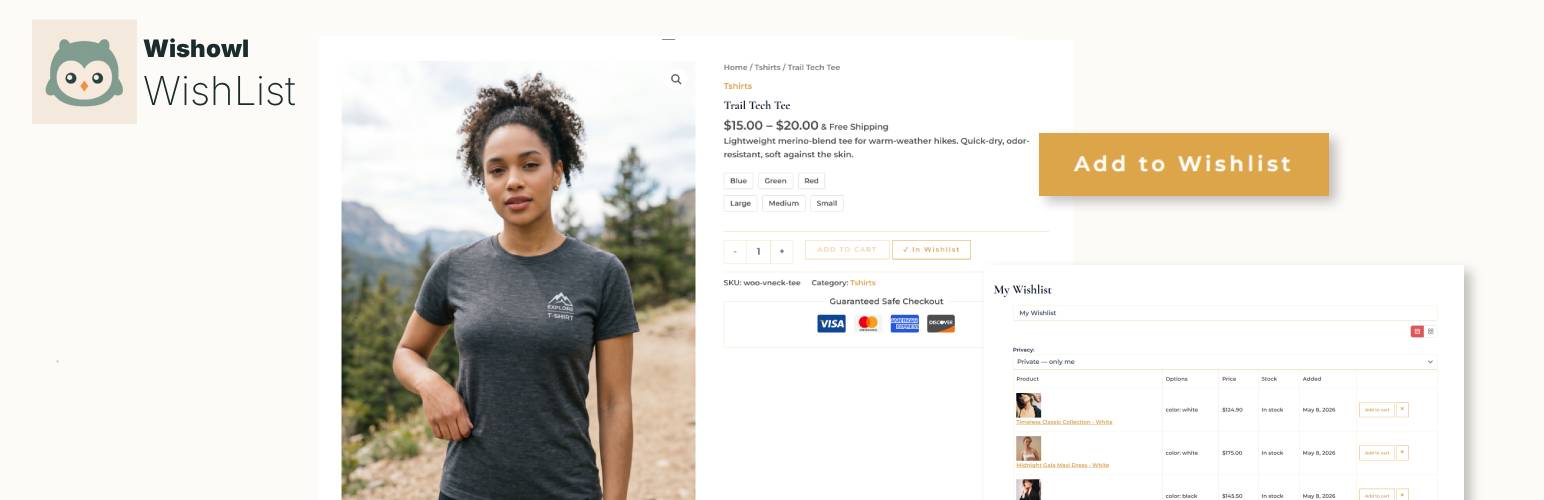
WishOwl Wishlist for WooCommerce
Description
WishOwl Wishlist for WooCommerce is a free, no-upsell wishlist plugin for WooCommerce stores. Most “free” wishlist plugins gate the features people actually need (guest wishlists, multiple lists, price tracking, shareable links) behind a paid tier. We don’t. Every feature listed below works in the free version, forever.
Built for store owners who want a clean, fast, theme-friendly wishlist that just works — without the upsell prompts, dashboard ads, or “premium” modal that pops up the moment a customer tries to share their list.
Why another wishlist plugin?
WishOwl makes a universal wishlist app — a mobile + web product where customers save items from any store (Amazon, Etsy, your store, anywhere) into one place, share with friends and family, and coordinate gifts. We built this WooCommerce plugin because store owners kept asking for a real wishlist that didn’t paywall the basics. Using the WordPress plugin doesn’t require any WishOwl account or external service — it’s fully self-contained.
Features
- Add to Wishlist button on product pages and shop loops, with configurable position (before / after Add to Cart, floating heart, or shop-loop only).
- Guest wishlists — works without an account. Stored in a cookie, persisted server-side, expires after a configurable interval.
- Multiple wishlists per user — let logged-in customers create lists like “Birthday”, “Christmas”, “Wedding”.
- Shareable wishlist links with three privacy modes: Private, Shared (link-only), or Public (discoverable).
- Share-token rotation — owners can rotate the share link to instantly invalidate the old one.
- Variable product support — wishlist a specific size or color, not just the parent product.
- Price tracking — store the price when an item is added; surface a price-drop badge when the item later goes on sale.
- Email notifications (optional, off by default) — alert customers when a wishlisted item drops in price, comes back in stock, or goes on sale. Per-customer frequency cap, one-click unsubscribe, and a double-opt-in (verify-by-email) field for guests so no address gets emailed without the owner’s confirmation.
- Sidebar widget in three flavors: classic widget, Gutenberg block, and
[wishowl_wishlist_widget]shortcode. - Wishlist page shortcode
[wishowl_wishlist]with table or grid layout. - Theme-friendly — minimal CSS that inherits theme colors and typography. Tested on Storefront, Astra, Hello Elementor, GeneratePress, Twenty Twenty-Four.
- HPOS-compatible — declares compatibility with WooCommerce’s High-Performance Order Storage.
- Translations-ready — text domain
wishowl-wishlist-for-woocommerce, includes.pot. - GDPR-compliant — integrates with WordPress’s Personal Data Export and Erasure tools.
- No premium tier, no upsells, no dashboard ads.
Settings
Everything is configurable under WooCommerce Wishlist:
- General: button label, button position, wishlist page, guest wishlists on/off, guest expiry (30/90/180 days).
- Display: toggle every column on the wishlist table independently — variations, price, “price at add” comparison, stock status, date added. Switch between table and grid layouts.
- Privacy: default privacy mode for new wishlists, allow public mode (yes/no), allow indexing of public wishlists by search engines (default off).
- Price tracking: enable/disable, cron frequency (hourly / 6-hourly / daily), snapshot retention (30/60/90 days).
- Notifications: master switch (off by default), per-trigger toggles (price drop / back in stock / on sale), frequency cap (daily / weekly / monthly), guest opt-in, and a “send test email” button. Sender name and address are inherited from your site’s existing mail configuration (WooCommerce Settings Emails, or a plugin like WP Mail SMTP) so notification emails match the rest of your store’s branding.
Shortcodes
[wishowl_wishlist]— the full wishlist page (auto-created on activation).[wishowl_wishlist_widget]— compact widget for sidebars or any block area.[wishowl_button]— manual placement of the Add to Wishlist button (auto-detects current product, or passproduct_id="123").
Theme overrides
Place a copy of any template from public/views/ in your-theme/wishowl-wishlist/ to override.
About WishOwl
WishOwl is built by the team at wishowl.app, makers of a universal wishlist app for iOS, Android, and the web. Customers can save items from any site into one wishlist, share with friends and family, and coordinate gifts. The mobile app complements your store’s wishlist — it doesn’t replace it. Learn more at wishowl.app/woocommerce.
Many of your customers already keep a personal wishlist app for saving gift ideas across the web. If you’re curious how those consumer apps compare — and where a store-native wishlist like this plugin fits alongside them — we keep a guide to the best wishlist apps comparing Giftster, Elfster, MyRegistry, Babylist, and more.
Installation
- In your WordPress admin, go to Plugins Add New and search for “WishOwl Wishlist”. Click Install Now, then Activate.
- Visit WooCommerce Wishlist and review the settings.
- The plugin auto-creates a wishlist page at
/wishlist. To use a different page, paste the[wishowl_wishlist]shortcode into any page and pick it under WooCommerce Wishlist General.
Manual install:
- Download the
.zipfrom this listing. - Upload to
wp-content/plugins/and unzip, or upload via Plugins Add New Upload Plugin. - Activate.
Screenshots

The Add to Wishlist button on a product page.

The full wishlist with multiple items, price-drop badges, and remove buttons.

The shareable wishlist view that recipients see.

Settings page — General tab.

Settings page — Privacy tab.

Sidebar widget with thumbnails and item count.
Faq
Yes. Every feature listed in the description works in the free version. There is no premium tier, no add-ons, and no upsells inside the plugin. WishOwl makes its money from a separate consumer mobile app, not from selling plugin features.
Yes. The plugin is fully self-contained. It stores all data in your own database. No API calls to WishOwl, no external dependencies. There’s an optional “Powered by WishOwl” link to wishowl.app that you can turn on in WooCommerce Wishlist General. It’s off by default — nothing is shown on the public site unless you explicitly enable it.
Yes. Guest wishlists are stored in a cookie + custom database table and persist for 30, 90, or 180 days (configurable). When a guest later registers and logs in, their items are automatically merged into their account.
Yes. Customers can wishlist a specific variation, and the wishlist table shows the chosen attributes.
Drop the WishOwl Wishlist widget into any sidebar via Appearance Widgets, or insert the WishOwl Wishlist Widget block in the block editor, or use the [wishowl_wishlist_widget] shortcode anywhere shortcodes work (Elementor, theme builders, etc.).
A WordPress cron job runs at your configured frequency (hourly, 6-hourly, or daily) and records a price snapshot for every product currently in a non-expired wishlist. When a customer views their wishlist, items whose current price is lower than the price-at-add show a “Price drop” badge. The same cron run powers the optional email notifications (see below).
Only if you turn them on. Email notifications are off by default. Under WooCommerce Wishlist Notifications you can enable any combination of three triggers — price drop, back in stock, and on sale — for items customers have wishlisted. Emails go to logged-in customers at their account address; guests can opt in with an email field on the wishlist page (also off by default), and that opt-in is double-confirmed — the address must click a verification link before any notification email is sent. A per-customer/item/trigger frequency cap (daily, weekly, or monthly) prevents repeat emails, and every email includes a one-click unsubscribe link plus a List-Unsubscribe header. There is a “send test email” button to verify your store’s mail delivery before enabling.
Yes. The plugin declares compatibility with WooCommerce’s HPOS, the modern custom-tables order storage system.
Both. The shortcodes work inside Elementor templates, and the widget ships as a native Gutenberg block.
Each wishlist has one of three privacy modes:
- Private: only you can view. No share URL exists.
- Shared: a long, unguessable token URL works for anyone with the link, but search engines are told not to index.
- Public: same URL, plus the page is allowed to be indexed if the store admin has opted in.
You can rotate the share link at any time, which invalidates the old URL.
The plugin is translation-ready. Full WPML / Polylang compatibility hooks are planned for v1.1.
A migration tool is not included in v1.0. It’s on the post-launch roadmap if there’s demand. In the meantime, both the YITH and WishOwl tables can coexist while you transition.
Copy any file from wp-content/plugins/wishowl-wishlist/public/views/ into your-theme/wishowl-wishlist/ (preserving the filename). The plugin will load your theme’s copy instead of its bundled template.
Four custom tables: {prefix}wishowl_wishlists, {prefix}wishowl_wishlist_items, {prefix}wishowl_price_snapshots, {prefix}wishowl_email_log. All scoped to your own database. The plugin integrates with WP’s Personal Data Export and Erasure tools so customers can request a copy or deletion via Tools Export / Erase Personal Data.
Yes. On full uninstall (delete, not deactivate), all four tables and the plugin options are removed. Deactivating preserves data so you can reactivate without loss.
Reviews
Changelog
1.1.0
- New: optional email notifications for wishlisted items — price drop, back in stock, and on sale. Off by default; enable per trigger under WooCommerce Wishlist Notifications.
- New: per-customer/item/trigger frequency cap (daily / weekly / monthly) to prevent repeat emails.
- New: one-click unsubscribe (link +
List-Unsubscribeheader) honored for guests and logged-in customers. - New: guest opt-in email field on the wishlist page (off by default), so guests can receive notifications too. The opt-in is double-confirmed — guests must click a verification link before any notification email is sent, preventing anyone from subscribing addresses they don’t own.
- New: “send test email” button to verify mail delivery before going live.
- Internal: schema migration adds guest-notification columns to the wishlists table; runs automatically on upgrade (no reactivation needed).
1.0.2
- Compatibility: tested against WordPress 7.0.
- Hardening: inline SVG icons are now escaped through
wp_kses()with an explicit SVG allowlist instead of relying on a phpcs annotation. - Hardening:
find_item()query rewritten so the prepared statement is passed directly to$wpdb->get_row(). - i18n: added
translators:comments to all strings containing placeholders. - i18n: removed the manual
load_plugin_textdomain()call — WordPress.org loads the plugin’s translations automatically.
1.0.1
- Compliance: text domain renamed to
wishowl-wishlist-for-woocommerceto match the plugin slug. - Compliance: all inline
<style>and<script>blocks moved to the WordPress enqueue API (wp_add_inline_style()/wp_add_inline_script()). - Compliance: added the
Requires Plugins: woocommerceheader. - Compliance: “Powered by WishOwl” link on the wishlist page is now opt-in (off by default).
- UX: Design tab ships with sensible “secondary action” padding defaults (0.5em / 1em) so the wishlist button reads as complementary to Add to Cart on opinionated themes. Disable the Override checkboxes to fall back to the theme’s native padding.
- UX: Design-tab live preview card is now resizable (drag handle at the bottom) and minimizable. Preferences persist across visits via localStorage.
- Tested against WordPress 6.9.
1.0.0
- Initial release: add/remove buttons, full wishlist page, sidebar widget (classic + block + shortcode), guest wishlists, multiple wishlists per user, privacy modes with share-token rotation, variable product support, price tracking, GDPR personal-data export + erasure, HPOS compatibility.