wizScriber – Video Scribing Banner Ads

wizScriber – Video Scribing Banner Ads
Description
Installation
-
Download and unzip the current version of the wizScriber plugin.
-
Transfer the entire ‘wizscriber’ directory to your ‘/wp-content/plugins/’ directory.
-
Activate the plugin through the ‘Plugins’ menu in WordPress.
-
Just go to wizScriber section on the left and start using it.
How Do I Use It? Specify your settings and just copy [wizScribe] and paste in the page or post you want it to appear.
Screenshots
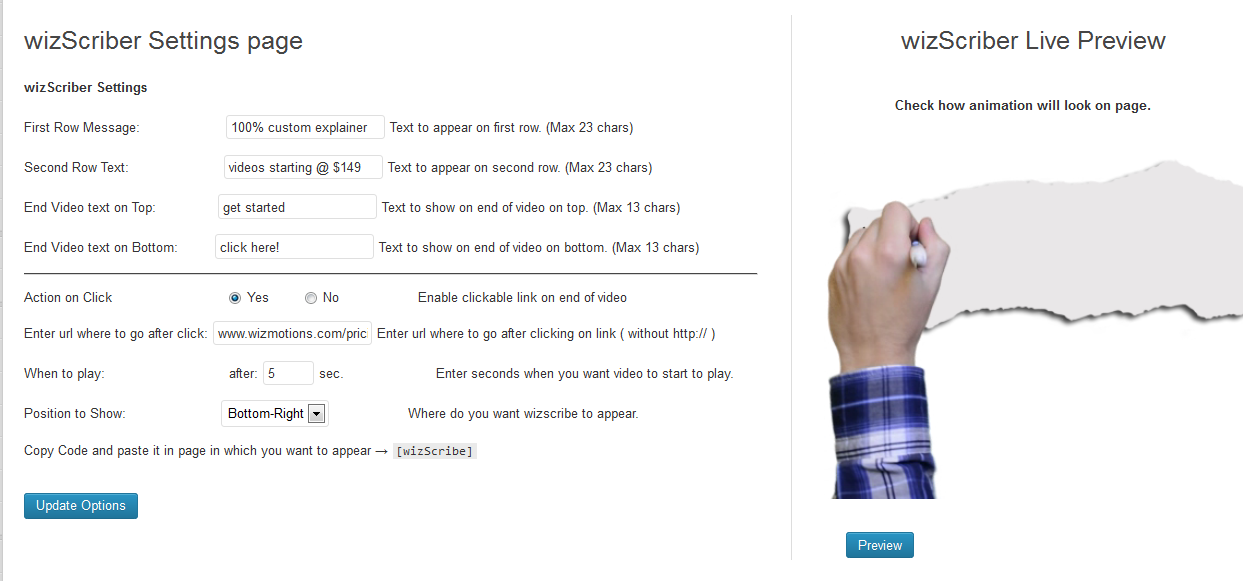
Plugin Settings with Preview

wizScriber in action (Knocking to grab attention)
Reviews


Changelog
1.24
- Added 2 new templates
- Fix shaky fonts and make the letters appear more natural
- Control how often a visitor would see the ad.
- Fixed major bugs
1.21
- Added delay between message slides
- Fixed positioning of the text
1.2
- Ability to create multiple campaigns and copy/paste shortcodes on posts and pages.
- Add unlimited advertising messages/slides.
- Major bug fixes
1.0.1
Fixing bugs
1.0
wizScriber Plugin is now launched