Additional Fees For WooCommerce Checkout (Free)

Additional Fees For WooCommerce Checkout (Free)
Description
Formerly known as WooCommerce additional Fees On Checkout,allows to create required or non-required multiple fees on checkout page to apply an fixed or percentage cost upon cart total quantity, Individual product, Cart total amount, Product category, Product type. This plugin supports WooCommerce Block Checkout.
Introduction
Want to charge extra cost for additonal services? or Handling fees?
In one words, Additional Fees For WooCommerce Checkout plugin makes it very simple.
It supports WooCommerce Block Checkout.
Additional Fees For WooCommerce Checkout plugin built to integrate seamlessly with WordPress WooCommerce, that gives store owners complete control to adjust Labels, amount, percentage or fixed price calculation etc.
Compatible with 99% of all leading woocommerce theme layouts including OceanWP, Astra, Zoa, Tesseract, Avada, BeTheme, FlatSome, Enfold and many more themes.
Play the settings from, WooCommerce > Additional Fees.
DEMO
Features at a glance
- Supports WooCommerce block checkout.
- Enable/Disable the fee/cost.
- Add custom label for checkout page.
- Add custom label for order history, billing details etc.
- Applicable amount type
— Fixed
— Percentage. - Add amount.( support decimal amount )
- Auto checked / auto-applied fee/cost.
- Conditions to apply amount.
— Each individual Product basis.
— Based on Cart Total Amount Basis(Max/Min).
— Based on Number of Product available in Cart(Max/Min). - Set your fee to include TAX amount.
- Set your fee to include Shipping charges.
- Woocommerce additional fees amount details available at order details page at admin end as well as customer My Account end.
- Set your fee to charge the amount multiplied by the product quantity by using ‘Multiplied By Product Quantity’ from ‘Apply Condition’ dropdown.
- Set your fee to charge the amount for one time by using ‘One Time Only’ from ‘Apply Condition’ dropdown.
- Option to Auto-checked/Auto-applied the fees at checkout page.
- Add unlimited number of woocommerce additional fee/cost for checkout page.
- Add CSS.
To Know more please visit Additional Fees For WooCommerce Checkout
Keep in mind, the amount you set is always effected only on cart subtotal at checkout page.
N.B: Please activate WooCommerce before you activate Additional Fees For WooCommerce Checkout plugin, and both Free and Premium version will not activate at the same time. Please deactivate one version before you going to activate another version.
Not all the features are avaiable at the free version, to get the full features please check it out Pro version @ 19 USD.
Let’s check it out.
Installation
Minimum Requirements
- WooCommerce 2.6 requires WordPress 4.4+
Automatic installation
Automatic installation is the easiest option as WordPress handles the file transfers itself and you don’t need to leave your web browser. To do an automatic install of WooCommerce, log in to your WordPress dashboard, navigate to the Plugins menu and click Add New.
In the search field type “Additional Fees For WooCommerce Checkout” and click Search Plugins. Once you’ve found our plugin.You can install it by simply clicking “Install Now”.
And activate it.
*Keep In Mind, Before activating “WooCommerce Additional Fees On Checkout” activate “WooCommerce”
Manual installation
The manual installation method involves downloading our plugin and uploading it to your webserver via your favourite FTP application. The WordPress codex contains instructions on how to do this here.
- Upload the plugin files to the
/wp-content/plugins/directory, or install the plugin through the WordPress plugins screen directly. - Activate the plugin through the ‘Plugins’ screen in WordPress
- Goto WooCommerce->Additional Fees, and play with settings.
Screenshots
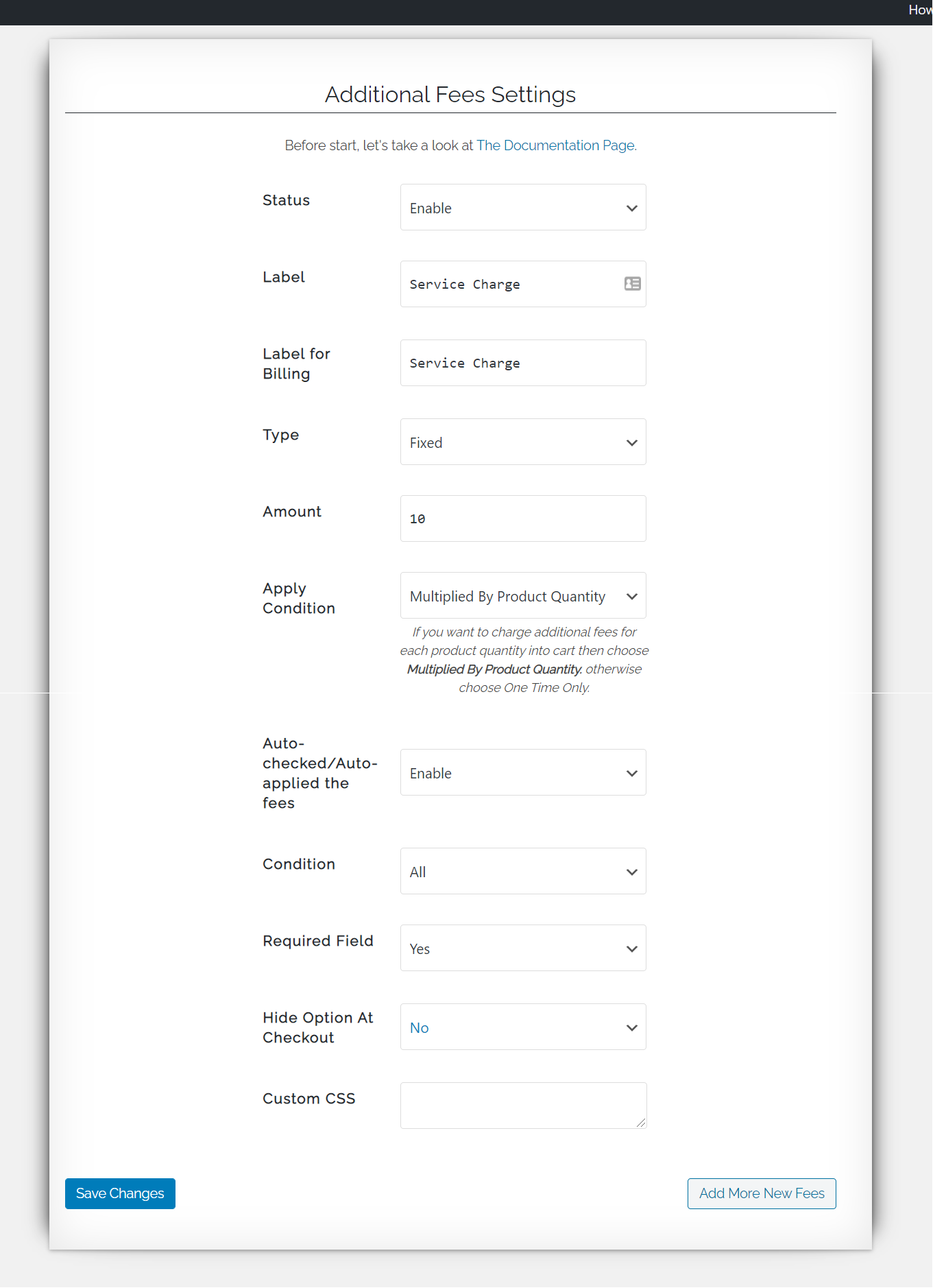
screenshot-1, SingleFees Settings 1
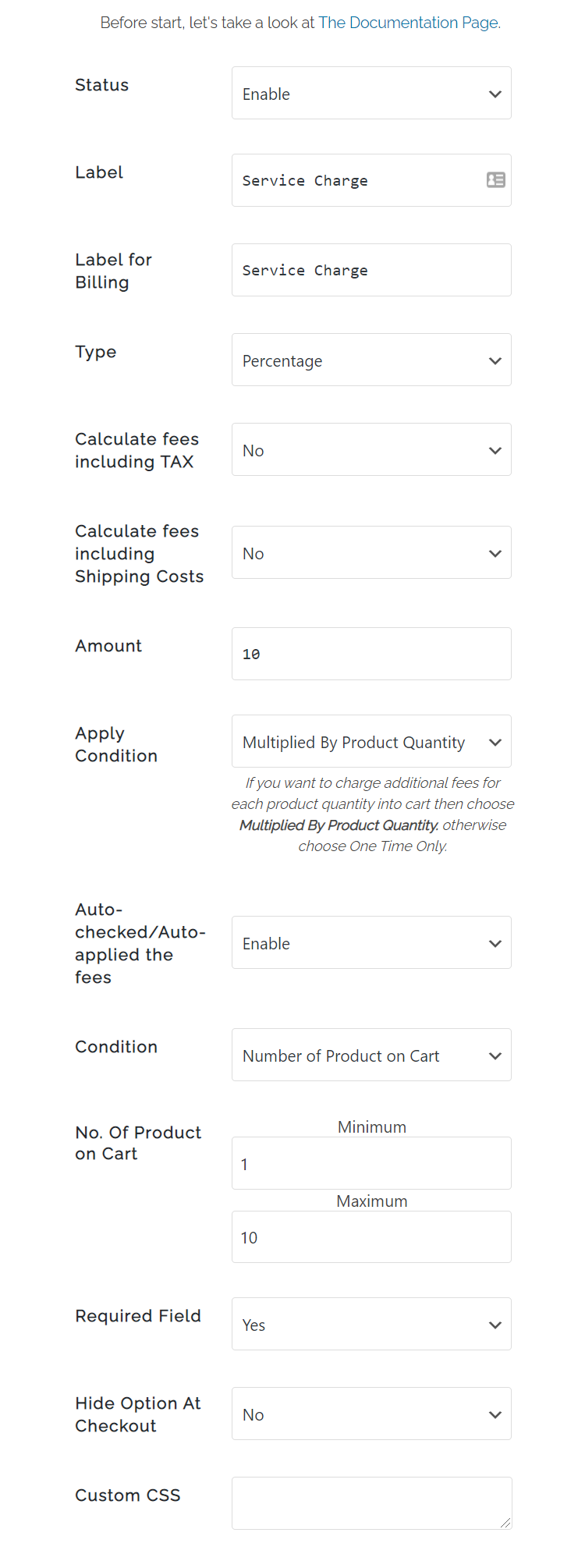
screenshot-2, SingleFees Settings 1
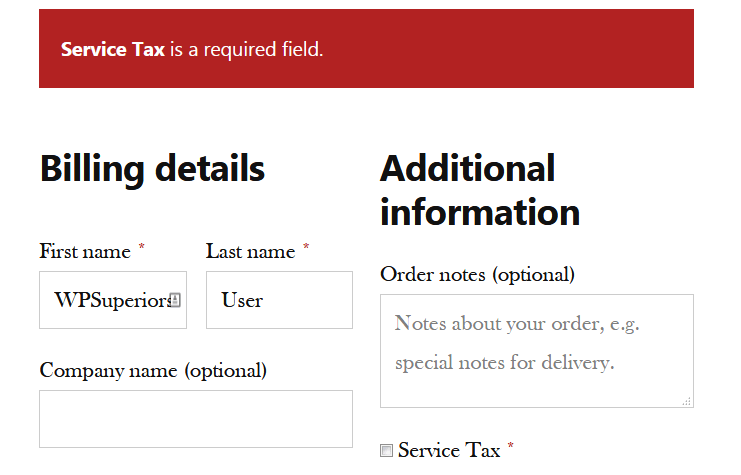
screenshot-3, SingleFees Validation CheckoutPage
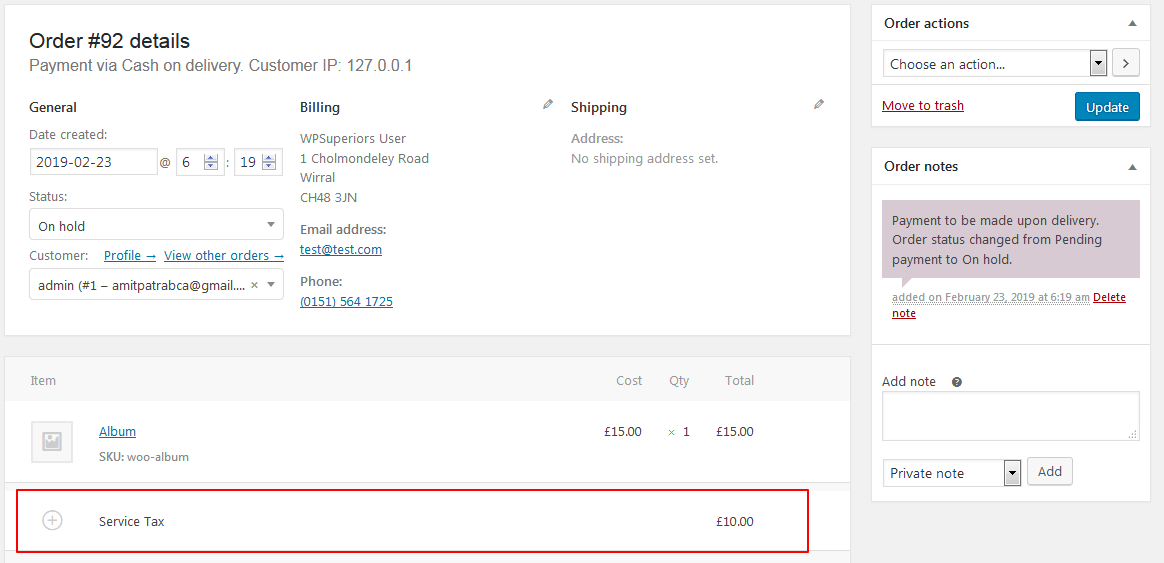
screenshot-4, SingleFees Admin Order
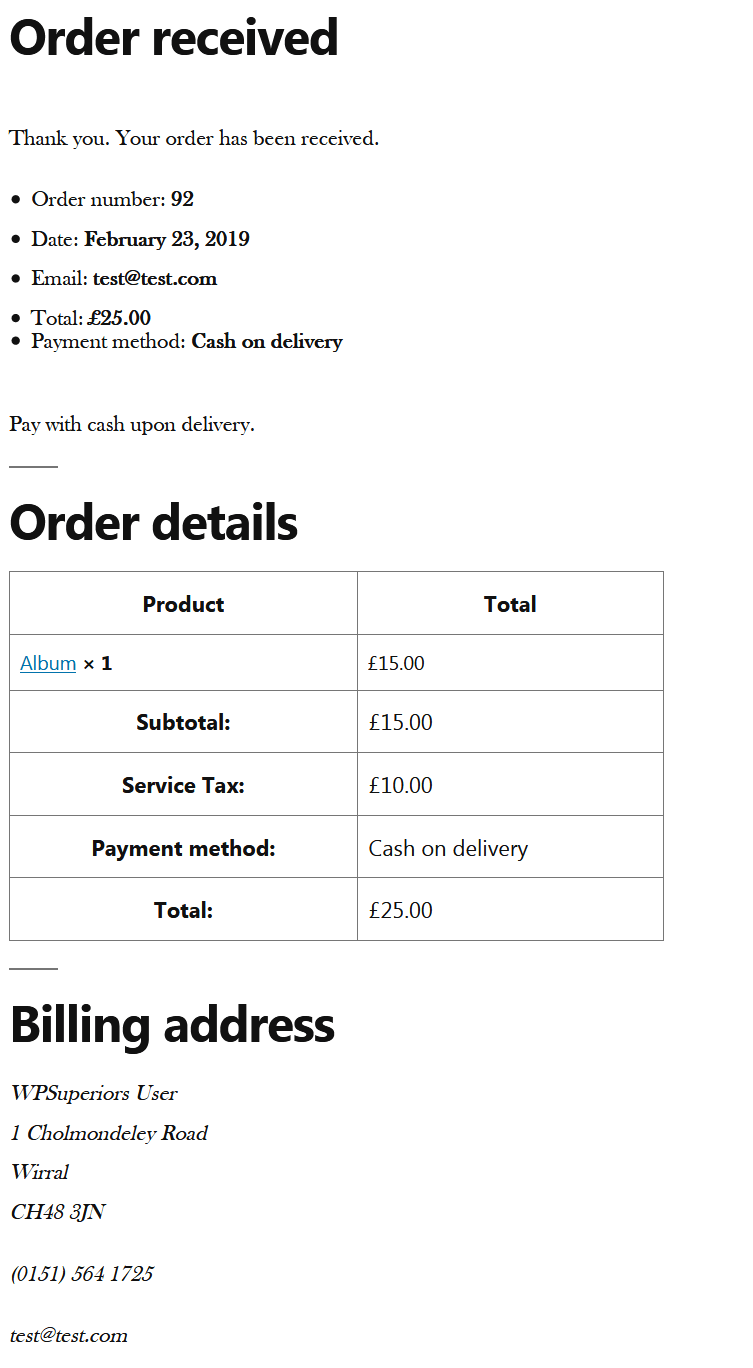
screenshot-5, SingleFess Checkout Complete
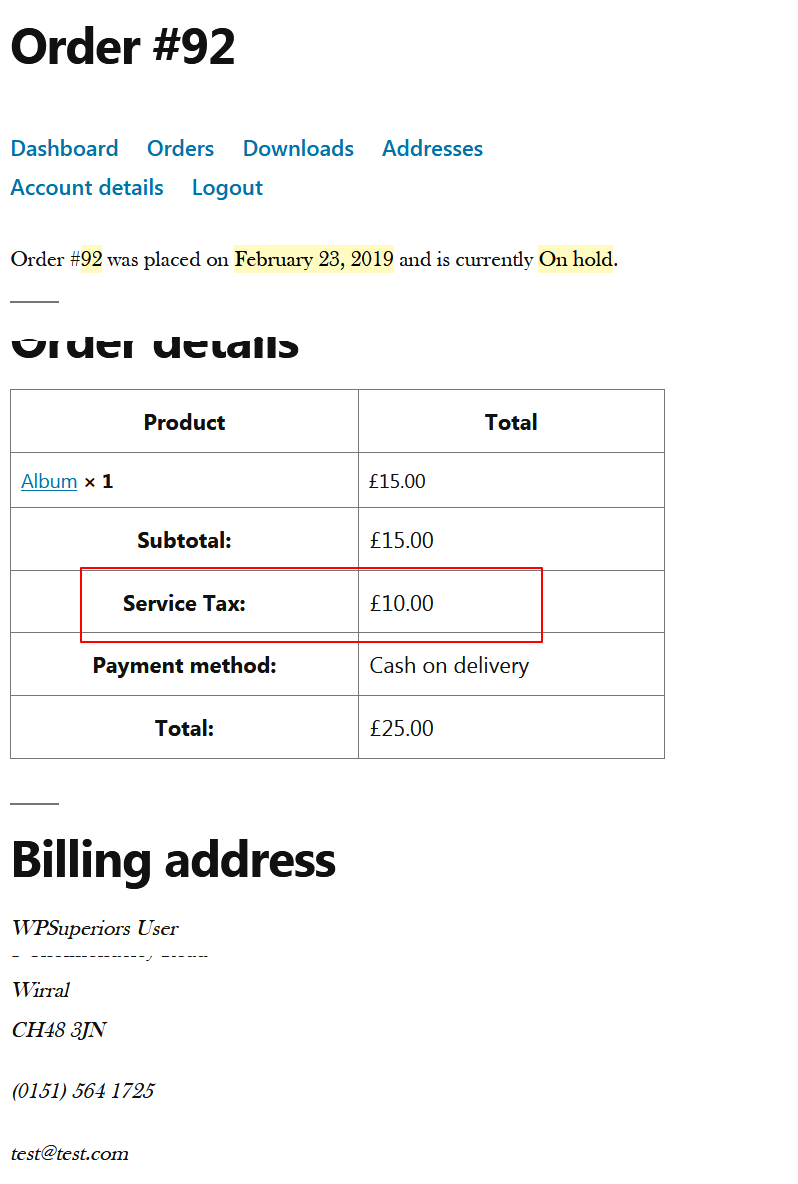
screenshot-6, SingleFess MyAccount OrderDetails
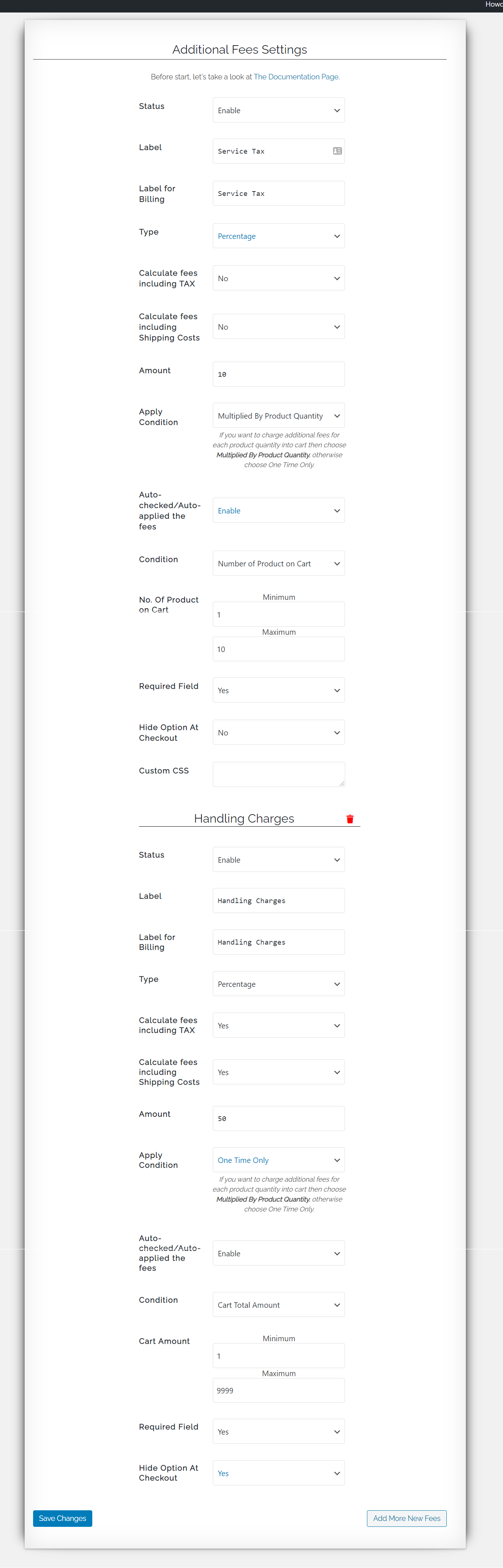
screenshot-7, MultipleFees Settings
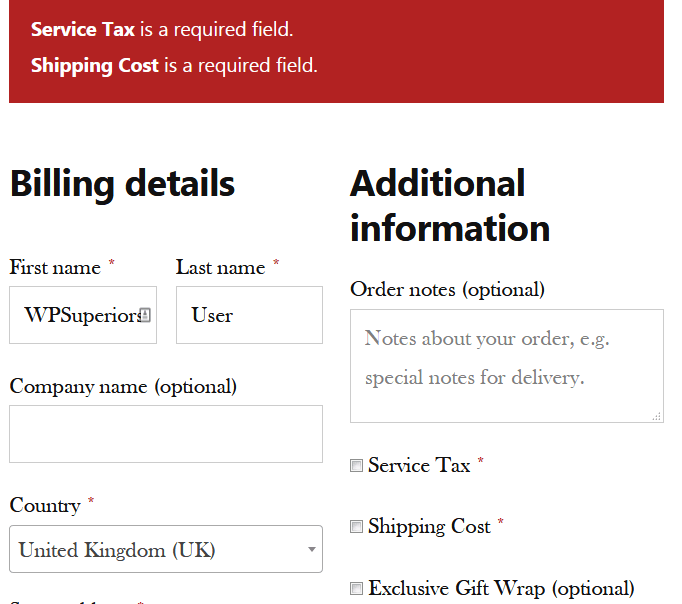
screenshot-8, MultipleFees Validation CheckoutPage
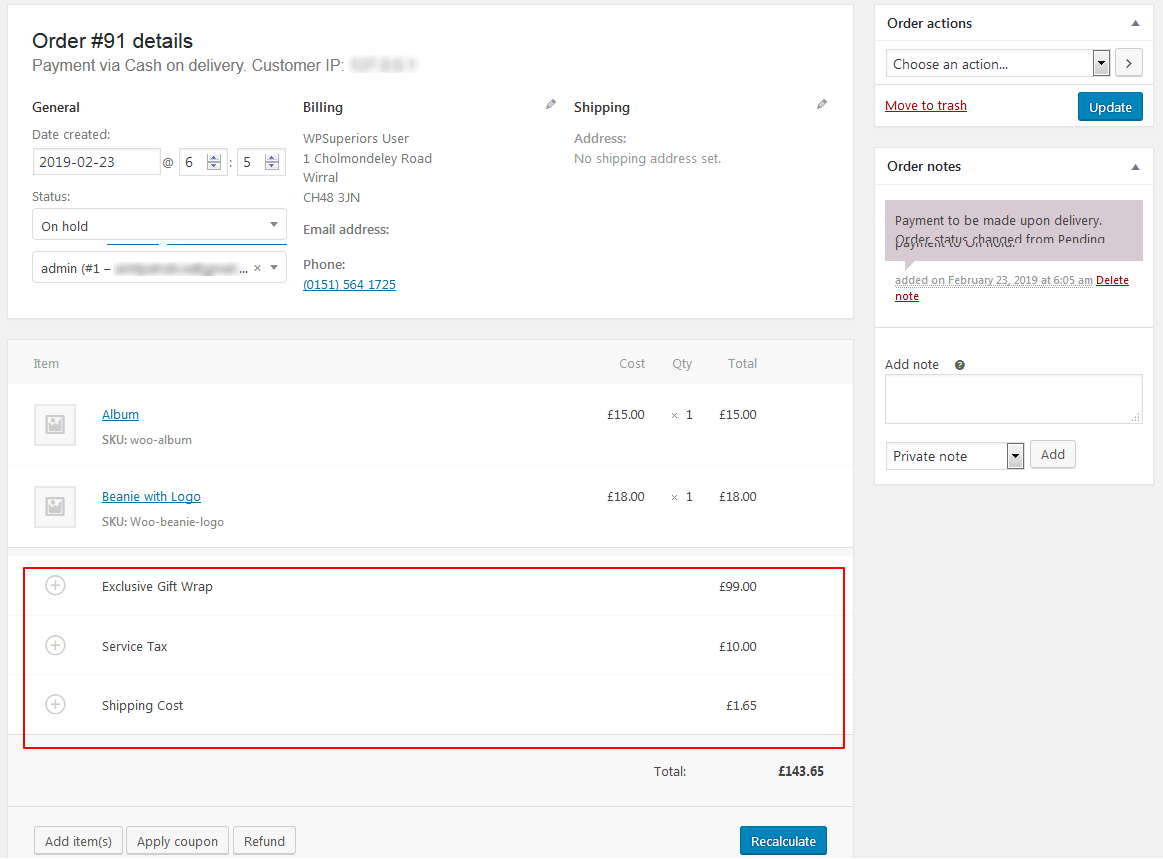
scrrenshot-9, MultipleFees Admin Order
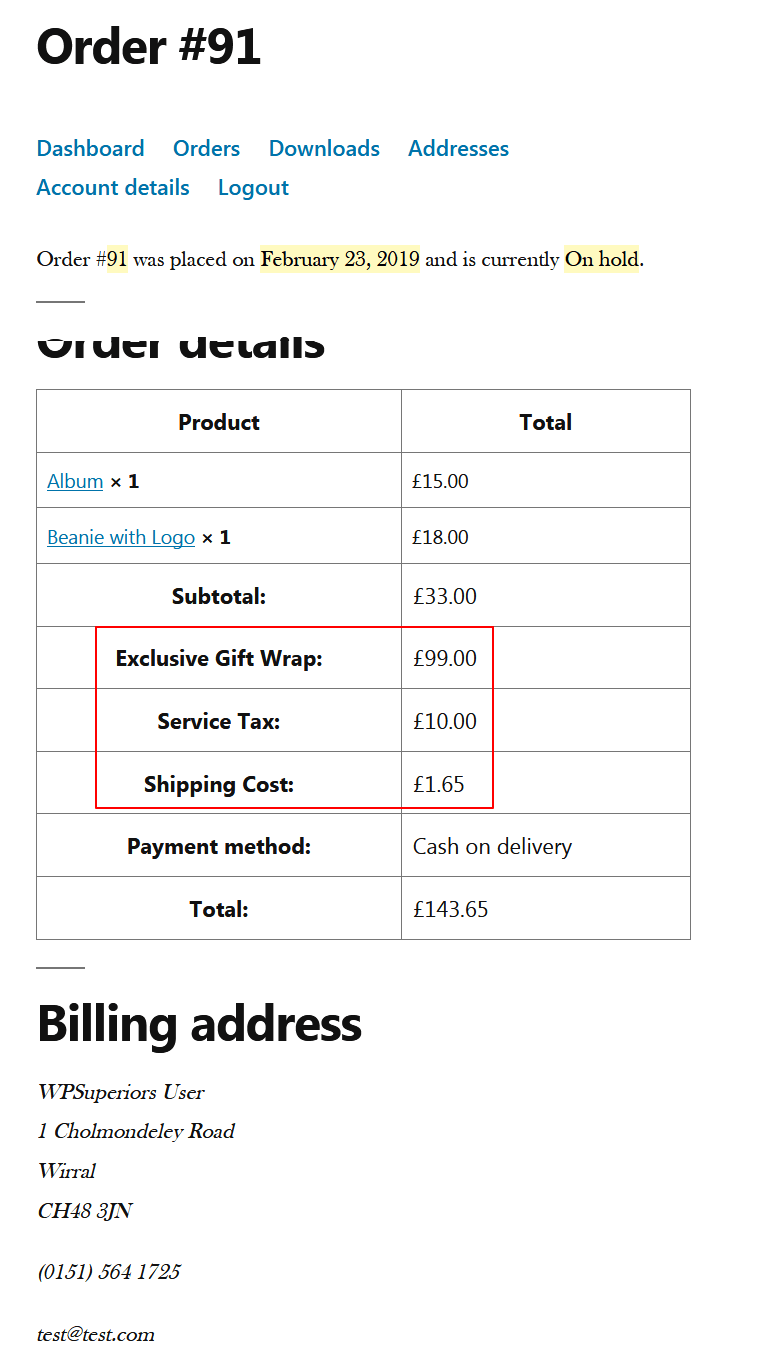
screenshot-10, MultipleFess MyAccount OrderDetails
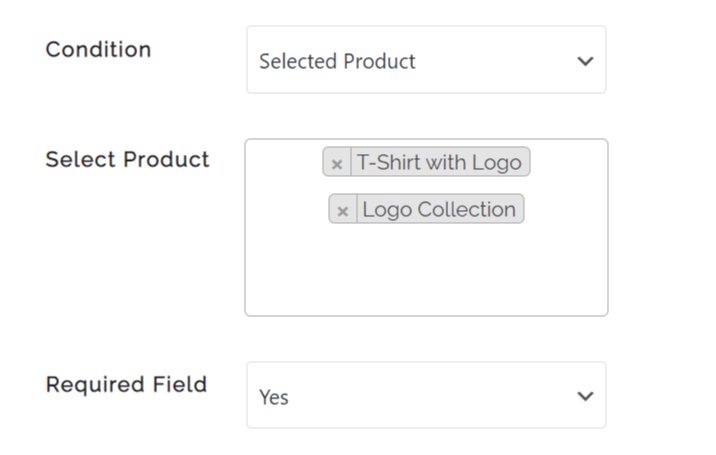
screenshot-11, Fees for individual product.
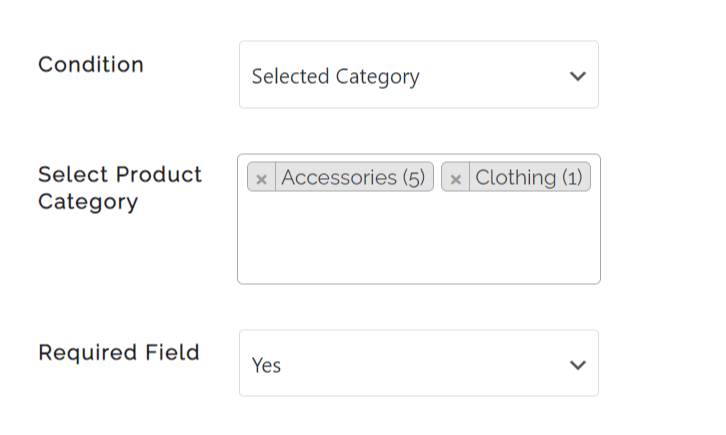
screenshot-12, Fees for product category.
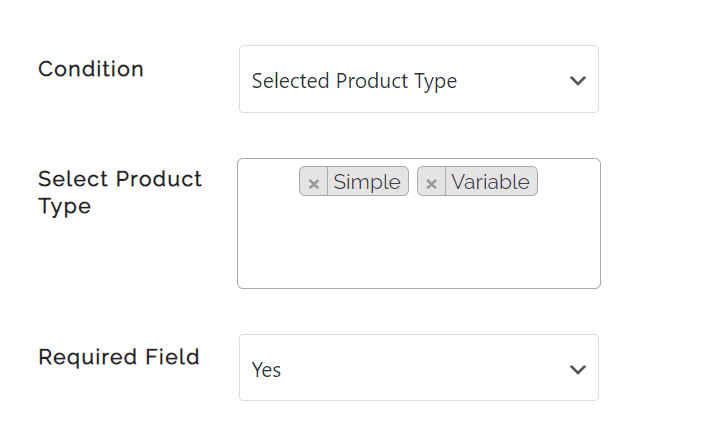
screenshot-13, Fees for product type.
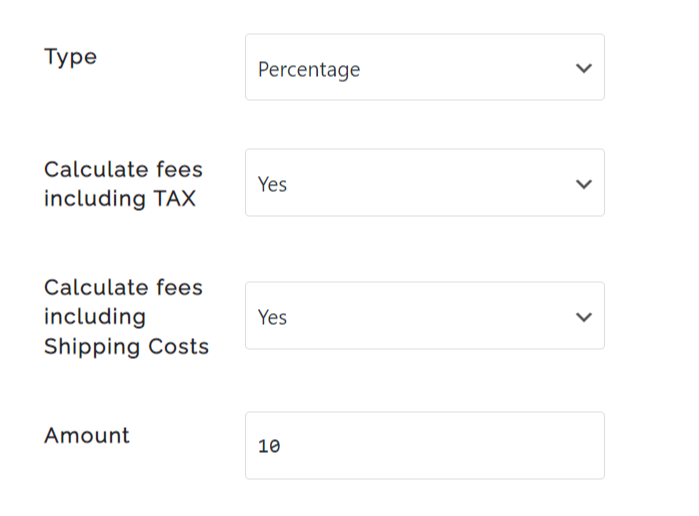
screenshot-14, Fees calculation based on tax and shipping.
Faq
For help setting up and configuring please refer to Additional Fees For WooCommerce Checkout User Guide
If you get stuck, you can ask for help in the WP Suport Forum.
Or You can email us support@wpsuperiors.com
Please go through Check Case Studies
You can email us support@wpsuperiors.com
Reviews
This plugin and company are the BOMB!
By 
I found this plugin to do what I needed - add handling fees to my orders. It's set up so you can either add a fixed dollar amount or percentage and have it calculate it on each item or the order total. I used the percentage on the order total and it worked flawlessly. However, when I installed it, the screen layout wasn't what I envisioned. I contacted Tech Support and Ricki was awesome! He not only changed the layout for me, but did it quickly and without any problems. If you need to add any type of additional fees to your WooCommerce shopping cart, I highly recommend Additional Fees on Checkout by WPSuperiors.
Not that bad
By 
The free version is usable to an extent. Great plugin if you are just looking for something really simple, for any additional settings you will need to cough up a few bucks for the premium version.
Bon plugin
By 
Worst Experience
By 
WARNING: No Refunds
By 
Great support
By 
Excellent Support
By 
Useless
By 
Free version should be called DEMO version
By 
free version is useless
By 
Changelog
1.5.1 – 02nd Nov, 2025
WooCommerce Block Checkout support
Compatibility support
1.4.9 – 30th Jan, 2025
WooCommerce & WordPress compatiability update
Template version update
1.4.7 – 20th Nov, 2024
WooCommerce & WordPress compatiability update
1.4.6 – 8th August, 2023
WooCommerce compatiability update
1.4.5 – 1st April, 2023
Features added
WooCommerce compatiability update
1.4.4 – 13th Dec, 2022
WooCommerce 7.1.1 compatibility update
1.4.3 – 3rd Nov, 2022
WooCommerce 7.0.1 compatibility update
Released most of the premium features
1.4.2 – 27th May, 2022
WooCommerce 6.5.1 compatibility update
1.4.1 – 24th July, 2021
WooCommerce 5.6.0 compatibility update
1.4.0 – 24th July, 2021
WooCommerce 5.5.2 compatibility update
1.3.9 – 30th May, 2021
WooCommerce compatibility update with minor fixing
1.3.8 – 14th March, 2021
WooCommerce compatibility upadte
1.3.7 – 28th Feb, 2021
Minor fixation in regards to the compatibility with latest WooCommerce
WordPress compatibility update
1.3.5 – 27/12/2020
Apply Condition feature released
Hide on frontend released
Latest WooCommerce 4.8.0 compatibility update
1.3.4 – 29/11/2020
WooCommer 4.7.1 compatibility update
1.3.3 – 12/09/2020
WooCommerce 4.5.1 compatibility update
1.3.2 – 06/09/2020
WooCommerce and WordPress compatibility update
1.3.1 – 12/07/2020
WooCommerce compatibility update
1.3.0 – 09/05/2020
WooCommerce 4.1.0 compatiable
Custom Label for checkout page and for order history open for free version
Fees including tax and shipping developed for premium version
Removed admin notice
1.2.9 – 15/04/2020
WordPress 5.4 comaptiability check
jQuery error fixed at backend
CSS issue fixed at settings page
1.2.8 – 22/03/2020
WooCommerce 4.0.1 compatibility issue fixed
1.2.7 – 02/02/2020
WooCommerce 3.9.1 compatibility issue fixed
Auto-checked issue fixed
1.2.6 – 29/12/2019
CSS fixation for admin
1.2.5 – 25/12/2019
UI enhancement, auto-checked option solved, WooCommerce compatibility check
1.2.4 – 17/11/2019
Compatibility test with WordPress 5.3 and WooCommerce 3.8.0
1.2.3 – 13/10/2019
WooCommerce 3.7.1 compatiability update
1.2.2 – 15/08/2019
Comaptiabilty test with WooCommerce 3.7.0
Minor bug fixation
1.2.1 – 07/06/2019
Auto Check / Auto applied feature released
Compatibility test with WooCommerce 3.6.5
1.2.0 – 11/5/2019
Update for WooCommerce 3.6.2 and WordPress 5.2
1.1.9 – 20/4/2019
Tested with WooCommerce 3.6.1
1.1.8 – 21/3/2019
Tested with WooCommerce 3.5.7
1.1.7 – 10/3/2019
Tested with WooCommerce 3.5.6
1.1.6 – 23/2/2019
Compatible with WordPress 5.1 and “Required Field” feature released.
1.1.5 – 25/1/2019
Fixed checkout page CSS issue and tested with multiple woocommerce themes
1.1.2 – 18/11/2018
Support decimal amount
1.1.1 – 11/11/2018
Multiple fees development
CSS correction
Logic correction
Tested with WooCommerce 3.5.1
1.1.0 – 19/8/2018
Tested with WooCommerce 3.4.4
1.0.9 – 11/8/2018
Responsive issue solved
Unnecessary banner removed
User experience upgradation
1.0.7 – 16/06/2018
Different bugs resolved
One premium feature introdced
Admin setting design changed
1.0.4 – 10/09/2017
https problem solved
1.0.3 – 12/08/2017
Comaptability with WordPress,4.8.1
1.0.0 – 16/06/2017
First Upload