Products Coming Soon for WooCommerce

Products Coming Soon for WooCommerce
Description
- Author: Fahad Mahmood
- Project URI: https://androidbubble.com/blog/wordpress/plugins/woo-coming-soon
Easily mark WooCommerce products as ‘Coming Soon’ directly from the product edit page. Display custom messages, control visibility, and automatically publish products when they become available.
Important!
Visit my blog and suggest good features which you wana see in this plugin.
Tags
woocommerce, products, sales, checkout, cart, shop, add to cart, loop page
Video Tutorial
New Installations
Method-A:
-
Go to your wordpress admin “yoursite.com/wp-admin”
-
Login and then access “yoursite.com/wp-admin/plugin-install.php?tab=upload
-
Upload and activate this plugin
-
Now you can see a coming soon button on product (add/edit) page
Method-B:
- Download the Coming Soon Plugin installation package and extract the files on your computer.
- Create a new directory named
Coming Soon Pluginin thewp-content/pluginsdirectory of your WordPress installation. Use an FTP or SFTP client to upload the contents of your woo-coming-soon archive to the new directory that you just created on your web host. - Log in to the WordPress Dashboard and activate the Coming Soon Plugin.
- Once the plugin is activated, you can see a coming soon button on product (add/edit) page.
License
Coming Soon Plugin is free software: you can redistribute it and/or modify it under the terms of the GNU General Public License as published by the Free Software Foundation, either version 2 of the License, or any later version. This plugin is distributed in the hope that it will be useful, but WITHOUT ANY WARRANTY; without even the implied warranty of MERCHANTABILITY or FITNESS FOR A PARTICULAR PURPOSE. See the GNU General Public License for more details. You should have received a copy of the GNU General Public License along with this plugin. If not, see http://www.gnu.org/licenses/gpl-2.0.html.
Installation
To use Coming Soon Plugin, you will need:
* an installed and configured copy of [WordPress][] (version 3.0 or later).
* FTP, SFTP or shell access to your web host
Screenshots
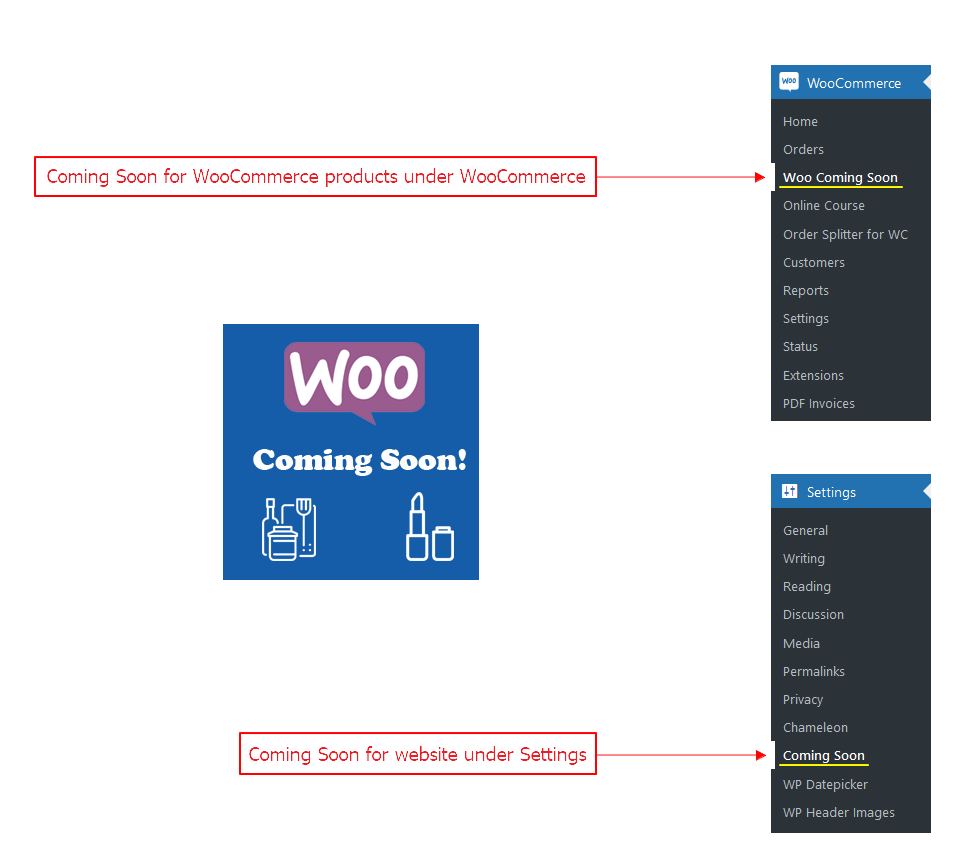
Coming Soon (WordPress & WooCommerce)

Add to cart in shop loop replaced by coming soon button
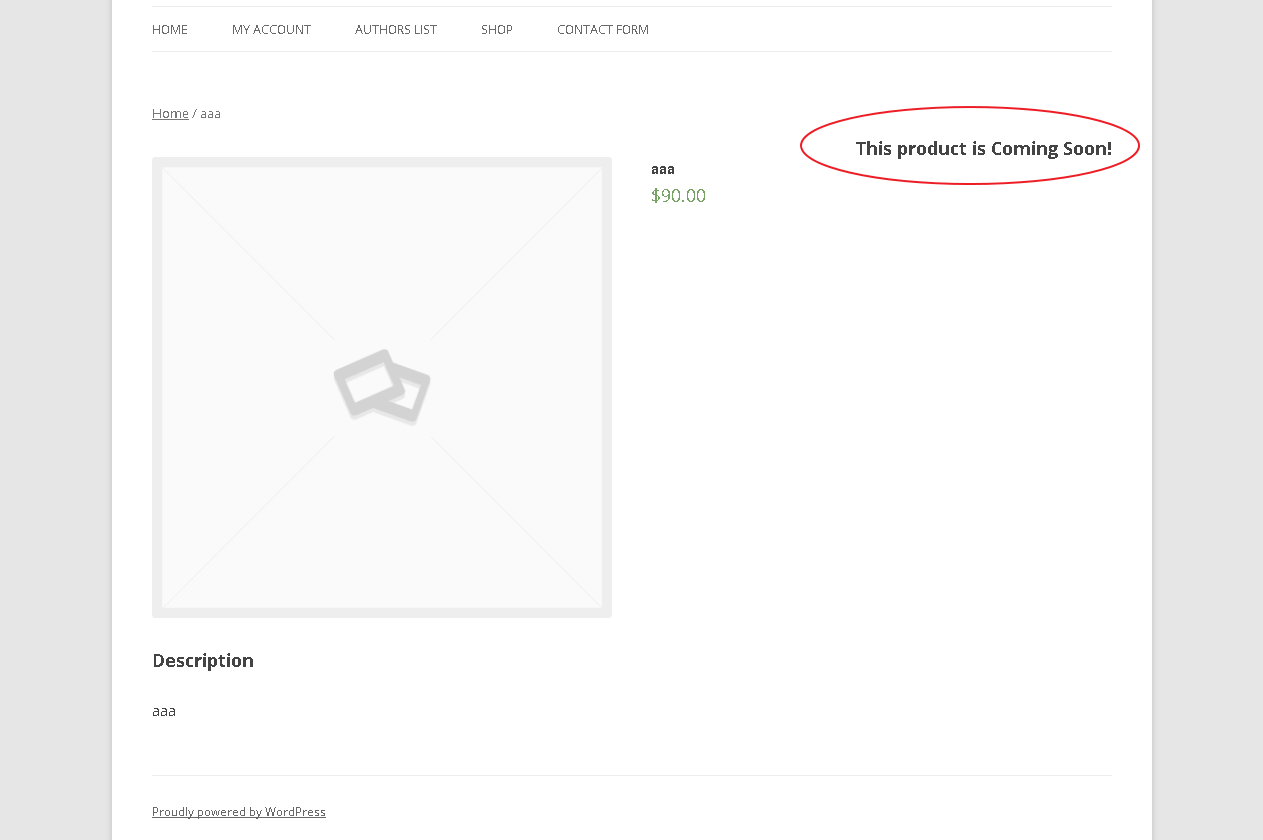
Product page > a message to inform the users, this product is not available for purchase yet

GooglePlay App - QR Code

QR Code Scan Sample

GooglePlay App - Overview

Quick Edit - Bulk Edit - Coming Soon Column

Coming Soon message will disappear on the selected date from product page.
![Single Product Page Message Position - [New Feature]](https://ps.w.org/woo-coming-soon/assets/screenshot-9.png?rev=2509016)
Single Product Page Message Position - [New Feature]

Show coming soon message on stock availability base.

Activate Chameleon to use coming soon pages

Coming Soon pages

Add custom BG image

Product page message / Product page button (Admin Panel).
Faq
This plugin helps you to display coming soon products in your store.
This option will change coming soon status based on stock availability. For example, if Stock based availability is set to 5. So, when the product stock will be 5, Coming Soon message will be displayed on product page.
There is a default style provided on the settings page. You can make changes in default style or can write your own CSS.
If your website is under construction or under maintenance, you can display a message to public users with a readymade coming soon page. Select one of the options available from dropdown. You can also apply custom background.
When Coming Soon is enabled for the WordPress website, it will show Coming Soon message to only non-admin users. Admin still have access to the site both front-end and back-end after login through wp-admin.
You will find Coming Soon button for the website under General Settings.
Reviews
Very helpful plugin with exceptional support
By 
Great Product!
By 
Changelog
1.4.6
- Fix: After updating the plugin and viewing site the hook position is displayed in the left corner. [Thanks to @djg269 and @jonasojczyk][07/05/2024]
1.4.5
- Version updated for WordPress. [Thanks to jonasojczyk][05/05/2024]
1.4.4
- current_time(‘timestamp’) used instead of time(). [Thanks to @fourjay][04/08/2023]
1.4.3
- Version updated for WordPress. [24/06/2023]
1.4.2
- Version updated for WordPress. [02/05/2023]
1.4.1
- Variable products related revision. [Thanks to denialdesign][28/04/2022]
1.4.0
- Fatal error: Uncaught Error: Call to undefined method stdClass::get_id() – Fixed. [Thanks to Christian][26/01/2022]
1.3.9
- Fatal error: Uncaught Error: Call to undefined method stdClass::get_id() – Fixed. [Thanks to johnegg, powerbuldog & Fredayy][24/01/2022]
1.3.8
- Compatibility issue resolved for Call for Price for WooCommerce plugin. [Thanks to Fredayy lo][22/01/2022]
1.3.7
- href for product links on shop page. [Thanks to Anthony Mixides][24/11/2021]
1.3.6
- Coming soon option for variations refined. [Thanks to Michael Beckett / Denial Design][13/11/2021]
- Coming soon for under construction mode refined. [Thanks to Janina Tanck][16/11/2021]
1.3.5
- Coming soon option for variations, new feature added. [Thanks to denialdesign][04/11/2021]
1.3.4
- Default CSS property position absolute reverted to relative for users convenience. [Thanks to estyedel]
1.3.3
- Assets and languages updated.
1.3.2
- Compatbility with Chameleon added. [Thanks to Team Ibulb Work]
1.3.1
- Assets updated and UI improved. [Thanks to Team GP Themes]
1.3.0
- Stock based coming soon switch revised.
1.2.9
- Stock based coming soon switch introduced. [Thanks to Team Ibulb Work]
1.2.8
- Product page notice alignment added. [Thanks to Bartosz Samitowski]
1.2.7
- Arrival date feature revised.
1.2.6
- Arrival date feature added. [Thanks to team Ibulb Work]
1.2.5
- Updated with improved features. [Thanks to team Ibulb Work]
1.2.4
- Updated bulk edit column hook CSS. [Thanks to team Ibulb.Work & Dia]
1.2.3
- Updated bulk edit columns CSS. [Thanks to team Ibulb.Work & Dia]
1.2.2
- Advanced features explained on settings page. [Thanks to Abu Usman]
1.2.1
- Bulk edit and caption update functionality added. [Thanks to Dia]
1.2.0
- Fixed a fatal error related to function get_plugin_data. [Thanks to Lobsterdm]
1.1.9
- Updated settings page with Android App badge.
1.1.8
- Adding settings page with basic features. [Thanks to Erwin Fletcher]
1.1.7
- Updating assets.
1.1.6
- Tested and refined.
1.1.5
- Tested and refined. [Thanks to dtacer & Abu Usman]
1.1.4
- Android App provided. [Thanks to team Ibulb.Work]
1.1.3
- WooCommerce functions related notices were bothering in debug mode, fixed in this version. [Thanks to scarpinoc]
1.1.2
- PHP 7.2 wp_kses related fix. [Thanks to tesscowp]
1.1.1
- Languages added. [Thanks to Abu Usman]
1.1.0
- Sanitized input and fixed direct file access issues.