Country Based Restrictions for WooCommerce

Country Based Restrictions for WooCommerce
Description
Country Based Restrictions for WooCommerce (CBR) lets you control which products customers can see and purchase based on their country. Whether you need to comply with regional regulations, limit shipping to certain destinations, or create country-specific catalogs, CBR gives you per-product control using WooCommerce’s built-in geolocation.
If a product shouldn’t be sold in a particular country — because of shipping limitations, legal requirements, licensing, or business strategy — CBR makes sure customers in that country either can’t see it or can’t buy it. No code required.
Key Features
- Hide Restricted Products Completely — Remove products from your shop, search results, and catalog for customers in restricted countries. Products become invisible as if they don’t exist.
- Hide from Catalog, Keep Direct Links — Remove products from shop pages and search, but still allow access via a direct URL. Useful for wholesale or private distribution.
- Visible but Not Purchasable — Keep products visible in your shop and search results, but disable the Add to Cart button for restricted countries. Customers can browse but not buy.
- Per-Product Include or Exclude Rules — For each product, choose whether to allow it in specific countries (include) or block it in specific countries (exclude). Flexible enough for any restriction scenario.
- Automatic Country Detection — Uses WooCommerce Geolocation (IP-based) and the customer’s shipping address to determine their country — no manual input needed from the shopper.
- Translation Ready — Fully translatable and compatible with multilingual stores.
Common Use Cases
- Legal & Regulatory Compliance — Block products that can’t legally be sold in certain countries (alcohol, supplements, electronics, age-restricted items).
- Shipping Limitations — Don’t sell products in countries your logistics provider can’t deliver to. Avoid failed deliveries and refund requests.
- Regional Licensing — Restrict digital or licensed products to territories covered by your distribution agreement.
- Country-Specific Catalogs — Show different product selections to different markets, creating a tailored shopping experience per region.
- Reduce Chargebacks & Wrong Orders — Prevent customers from ordering products that can’t be fulfilled in their location.
How Country Detection Works
CBR determines the customer’s country in this order:
- If the visitor is a logged-in customer with a shipping address on file, CBR uses that shipping country.
- If no shipping country is set (or the visitor is a guest), CBR falls back to WooCommerce Geolocation (IP-based detection).
- You can optionally force the plugin to always use geolocation only.
Upgrade to Country Based Restrictions PRO
Need to manage restrictions at scale? CBR PRO adds powerful bulk tools and advanced controls:
- Bulk Restrictions by Category, Tag, Attribute, or Shipping Class — Apply country rules to entire groups of products at once instead of editing each product individually.
- Global (All Products) Restrictions — Set a single rule that applies to your entire catalog.
- Disable Payment Methods by Country — Control which payment gateways are available based on the customer’s country.
- Hide Product Prices for Restricted Products — Instead of hiding the product entirely, hide only the price and Add to Cart button.
- Remove Single Product Rules in Bulk — Clean up individual product rules using bulk actions.
- Debug Mode — Display a front-end toolbar (visible to admins only) showing the detected country, so you can test restrictions without affecting customers.
- Country Detection Widget — Display the detected shipping country to shoppers and let them change their location while browsing.
Get Country Based Restrictions PRO
Documentation & Support
Setup guides, configuration tutorials, and developer resources are available in the CBR documentation.
Need help? Visit the support forum.
More Plugins by Zorem
- Advanced Shipment Tracking PRO — Add tracking numbers to orders and share them with customers automatically.
- SMS for WooCommerce — Send SMS order notifications to customers.
- Zorem Local Pickup Pro — Local pickup and store pickup for WooCommerce.
- Customer Email Verification for WooCommerce — Verify customer emails during registration.
- Zorem Returns — Manage product returns and RMA requests.
Explore all plugins at zorem.com.
Installation
- Go to Plugins > Add New in your WordPress admin and search for “Country Based Restrictions”.
- Click Install Now, then Activate.
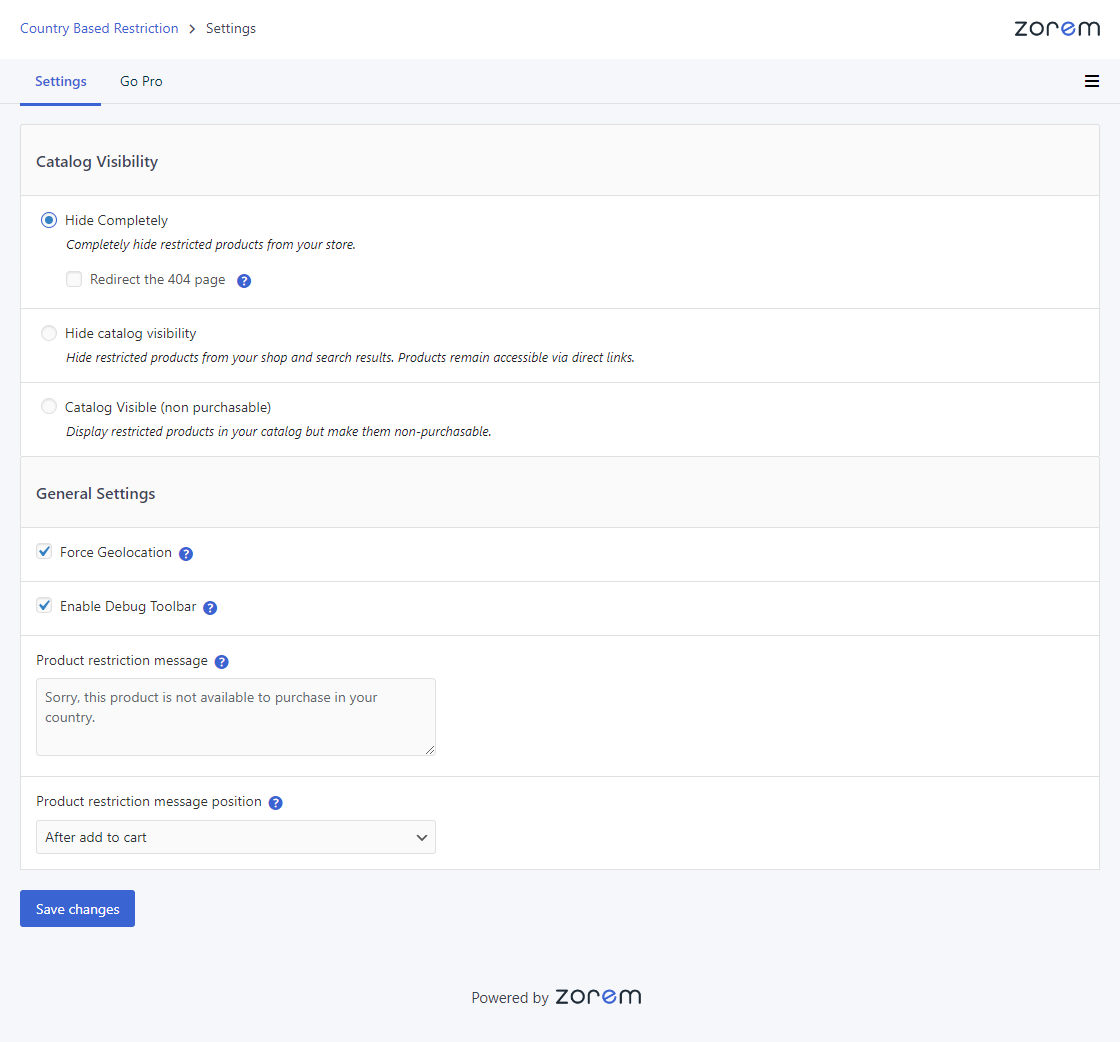
- Navigate to WooCommerce > Country Restrictions to configure your general visibility settings.
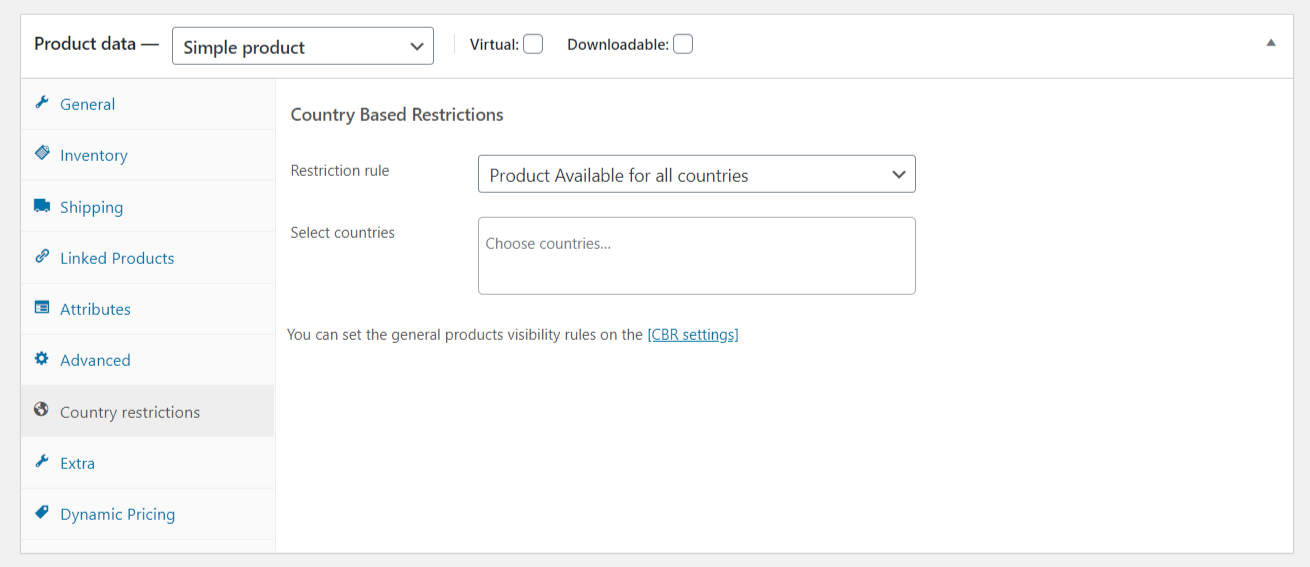
- Edit any product, scroll to the Country Restrictions section, choose Include or Exclude, and select the countries to apply the rule.
Make sure you have set up your selling and shipping countries in WooCommerce > Settings > General.
Screenshots
Plugin settings page — configure general visibility options for restricted products.
Per-product country restriction settings — choose Include or Exclude and select countries.
Faq
Edit the product, scroll to the Country Restrictions section, select “Include”, and choose the countries where the product should be available. Customers outside those countries won’t be able to purchase it (or won’t see it, depending on your visibility settings).
Edit the product, select “Exclude” in the Country Restrictions section, and choose the countries where the product should be blocked. The product will remain available everywhere else.
CBR first checks if the visitor is a logged-in customer with a shipping address. If so, it uses that shipping country. For guests or customers without a shipping address, it uses WooCommerce’s built-in geolocation (IP detection). You can also force the plugin to always use geolocation only.
If a customer changes their shipping country at checkout to a restricted country, the product cannot be purchased. The exact behavior depends on your visibility settings — the product may be removed from the cart or the checkout will be blocked.
Yes. In the plugin settings, choose “Hide completely” as your visibility option. Restricted products will be removed from your shop pages, search results, and category pages for customers in those countries.
Yes. Choose the “Visible but not purchasable” option. Products will appear in your shop and search results, but the Add to Cart button will be disabled for customers in restricted countries.
Bulk restrictions by category, tag, attribute, or shipping class are available in CBR PRO. The free version supports per-product restrictions.
Yes. You can set country restrictions on variable products, and the restrictions apply to all variations of that product.
Country-based restrictions rely on detecting the visitor’s location, which can conflict with full-page caching. If you use a caching plugin, make sure WooCommerce geolocation is set to “Geolocate (with page caching support)” in WooCommerce > Settings > General.
No. Country-based restrictions are a standard practice for international stores. The plugin controls product visibility at the application level, so search engines can still index your products normally.
Reviews
Great support
By 
Fast and reliable support, thank you.
Nice plugin
By 
I have been using this pluging for 3 years and it has been always very helpful 😀👍
helpful, great plugin!
By 
Great for shipping restriction
No proper integration with WPML
By 
Does not integrate well with WPML - you want to limit the product availability in one country and then you have to go through all the language versions and set this option for that product.
No answer for hiding products from default theme shop page
By 
I'm using Storefront by WooCommerce.
The plugin fails to hide products on the shop page. No sensible reply from the developer about why this is not working.
Great Product and Great Support
By 
I had some issues at first while configuring global country restriction rules, but I contacted the plugin support and they sent me a fixed version of the plugin, so everything is working as expected now. I had similar issues with my setup before while using another plugin, but their support couldn't help me, so I had to find another solution and it worked with this plugin. So if you need to have multiple global rules (used for example on many product variations), I recommend choosing this plugin.
Does the job very well!
By 
Restricts certain products I've chosen to certain countries, just what i wanted.
Developer site down
By 
Intermitent issues with cache
By 
Work fabulously!
By 
Changelog
3.7.7
- Dev – WP tested up to 6.9.1.
- Dev – WC Compatibility added up to 10.5.0.
- Improved – Updated PRO promotional notice on the settings page UI.
3.7.6
- Dev – WP tested up to 6.8.3.
- Dev – WC Compatibility added up to 10.3.5.
- Fix – Updated deprecated WooCommerce script handles to new handles (WC 10.3.0+).
3.7.5
- Improved – Updated the promotional notice.
- Dev – WC Compatibility added up to 10.1.2.
3.7.4
- Improved – Updated the promotional notice.
- Improved – Updated the settings page design.
- Dev – WP tested up to 6.8.2.
- Dev – WC Compatibility added up to 10.0.4.
3.7.3
- Improved – Updated the promotional notice.
- Dev – WP tested up to 6.8.1.
- Dev – WC Compatibility added up to 9.8.5.
For the full changelog of older versions, see the complete changelog.