Rede Itaú for WooCommerce — Payment PIX, Credit Card and Debit
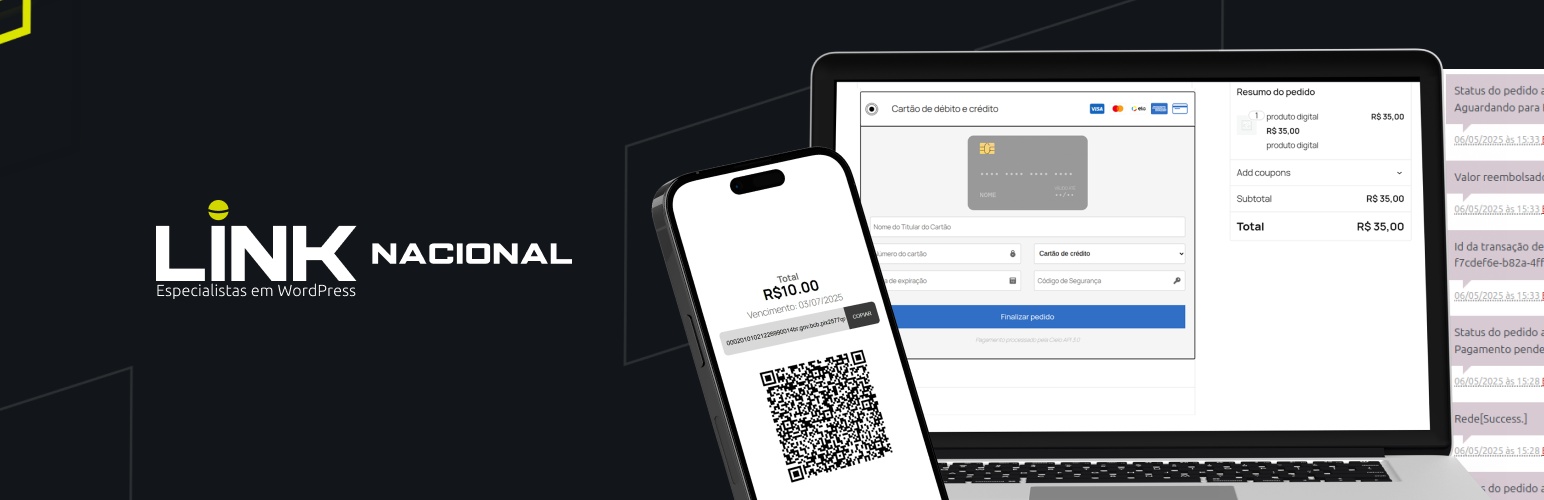
Rede Itaú for WooCommerce — Payment PIX, Credit Card and Debit
Description
Payment Gateway for Rede Itaú for WooCommerce – PIX, Credit Card and Debit Cards.
Transform Your WooCommerce Store with Seamless Payments with PIX and Debit and credit card
WordPress Integration Rede for WooCommerce plugin is the ultimate solution for enabling secure and efficient payment options in your online store with Rede and Maxipago. With support for credit cards, debit cards, and PIX payments, this plugin empowers your business to offer a seamless checkout experience. Whether you want to enable installment payments, tokenized card storage for returning customers, or 3DS authentication, this plugin has you covered.
Why Choose Integration Rede Itaú for WooCommerce — Payment PIX, Credit Card and Debit?
- Multiple Payment Options: Accept payments via credit cards, debit cards, and PIX.
- Installments: Offer flexible installment plans to your customers.
- Secure Transactions: Includes 3DS authentication and advanced fraud prevention.
- Tokenization: Save card details securely for returning customers.
- Easy Integration: Works seamlessly with WooCommerce and WordPress.
- Customizable: Configure payment settings to match your business needs.
- Sandbox Mode: Test transactions in a secure environment before going live.
Features at a Glance
- Credit and Debit Card Payments: Accept payments from major card brands like Visa, Mastercard, Elo, and more.
- PIX Payments: Enable instant bank transfers with PIX.
- Installment Plans: Allow customers to split payments into manageable installments.
- 3DS Authentication: Ensure secure transactions with strong customer authentication.
- Webhooks: Stay updated with real-time payment notifications.
- Refunds and Captures: Manage refunds and payment captures directly from your WooCommerce dashboard.
- Detailed Logs: Debug and troubleshoot with comprehensive logging.
** Recommended Plugins **
* Link Invoice Payment for WooCommerce – Integrate custom payment methods and offer invoice-based payments in your WooCommerce store.
* Shipping Calculator for Brazil – Provide accurate freight calculation for Brazilian addresses directly in your WooCommerce checkout.
Configuration
Go to WooCommerce Settings Payments.
Select Rede or Maxipago as your payment gateway and enter the required credentials:
- Rede: PV and Token
- Maxipago: Merchant ID and Merchant Key
Configure additional options like installments, 3DS authentication, and logging. Save your settings.
Note: Do not hardcode credentials in source files. Use the plugin settings or environment-safe methods.
Support
For any issues or questions, visit our support page or open a ticket on the WordPress plugin repository.
Try Integration Rede Itaú for WooCommerce — Payment PIX, Credit Card and Debit Today!
Enhance your WooCommerce store with a reliable, secure, and feature-rich payment gateway. Start accepting payments with credit cards, debit cards, and PIX today!
Installation
1. Using the WordPress Admin Dashboard (Recommended)
- Navigate to Plugins Add New.
- Click Upload Plugin and select the
integration-rede-for-woocommerce-master.zipfile. - Click Install Now and then Activate.
- Go to WooCommerce plugin Settings Payments to configure the plugin.
2. Manual Installation via FTP
- Extract the plugin ZIP file.
- Upload the extracted folder to
wp-content/plugins/. - Activate the plugin in the WordPress admin dashboard under Plugins.
3. WP-CLI Installation
- Upload the plugin folder to
wp-content/plugins/. - Run:
bash

wp plugin activate integration-rede-for-woocommerce
Screenshots

Payment methods list

Rede Credit settings page

Rede Credit front inputs page

Maxipago Credit front inputs page

Maxipago Credit summary page

Rede Credit front page (legacy) with installments

Rede Debit settings page

Rede and Maxipago payment list
Faq
Q: What is the license of the plugin?
A: This plugin is released under the GPLv3 license.
Q: What do I need to use this plugin?
A: You need to have the WooCommerce plugin installed and activated.
Q: Does the plugin support installment payments?
A: Yes, you can configure installment options directly in the plugin settings.
Q: Can I test the plugin before going live?
A: Yes — the plugin includes a Sandbox Mode for testing transactions.
Q: Is 3DS authentication supported?
A: Yes, the plugin supports 3DS authentication for secure transactions.
Q: Can I process refunds through the plugin?
A: Yes, refunds can be processed directly from the WooCommerce admin dashboard.
Q: Does the plugin support tokenization?
A: Yes, the plugin allows you to save card details securely for returning customers.
Q: What payment methods are supported?
A: Credit cards, debit cards, and PIX payments.
Q: How do I enable logging for debugging?
A: Enable logging in the plugin settings under the Advanced tab.
Q: Is the plugin compatible with the latest WordPress version?
A: Yes — tested up to WordPress 6.8.
Reviews
Layout
By 
O aplicativo está funcionando perfeitamente, porém o layout está bem bagunçado. Há alguma forma de melhora-ló?
Nem o Itaú faria Melhor!!!
By 
Excelente plugin!
By 
Parabéns, ficou ótimo
By 
Funciona perfeito.
By 
Muito bom!
By 
Excelente plugin!
By 
Muito bom!
By 
Changelog
4.1.8 – 2025/11/04
- Fixed minimum installment value.
4.1.7 – 2025/11/04
- Fix in installment select generation.
4.1.6 – 2025/11/24
- Fixed installment select when choosing a new shipping option.
- Fixed minimum installment value calculation.
4.1.5 – 2025/11/14
- Fix plugin images.
4.1.4 – 2025/11/07
- Adjustment in product installment limit.
- Adjustment in final payment installment calculation.
4.1.3 – 2025/11/05
- Fix in tax calculation for installments.
4.1.2 – 2025/10/08
- New custom configuration attributes.
4.1.1 – 2025/11/04
- Fix installment calculation in shortcode form.
4.1.0 – 2025/10/08
- New style for gateway settings.
- More detailed descriptions in the settings.
4.0.9 – 2025/10/09
- Fix in icons display.
4.0.8 – 2025/09/22
- Fix in tax calculation for installments.
4.0.7 – 2025/09/19
- Fix in version release.
4.0.6 – 2025/09/15
- Fix in the PIX route.
4.0.5 – 2025/09/15
- Fix in the PIX route.
4.0.4 – 2025/09/15
- Fix installment values update.
- Fixed payment refunds.
- Fixed the endpoint for the PIX verification route.
4.0.3 – 2025/09/12
- Fix refund function.
4.0.2 – 2025/09/05
- Update to the sales links.
- Fix in the plugin’s textdomain.
- Plugin icon in the gateway settings.
… (previous changelog entries retained) …