Show Variations as Single Products Woocommerce
Show Variations as Single Products Woocommerce
Description
WooCommerce Show Variations As Single Product On Shop & Category so Customer can be purchase product quickly. Show Single Variations for WooCommerce is using with shop page, product category and product tag page.
Demo | Pro Version | Support
How To use Plugin WooCommerce Show Single Variations Shop?
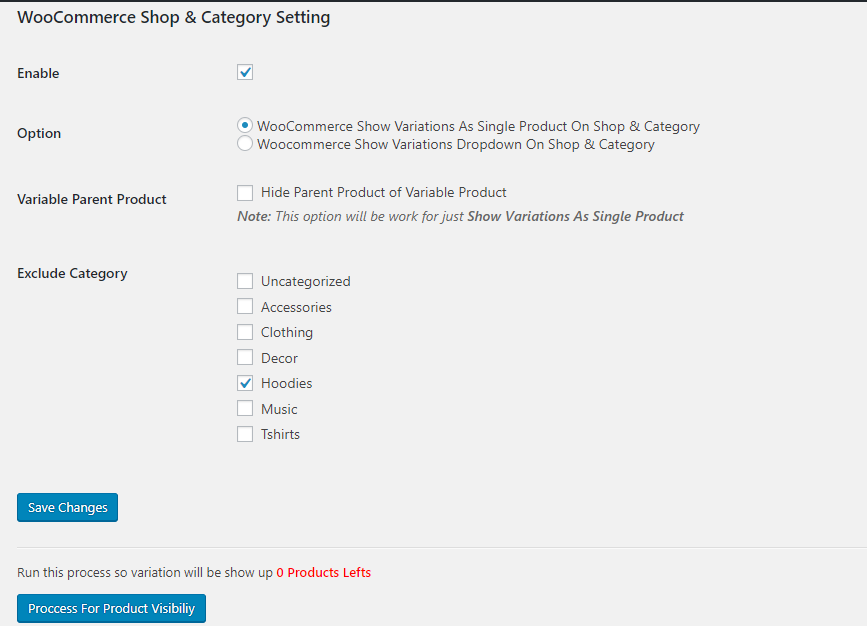
Go to admin in Settings > Woo Variation Settings just enable settings
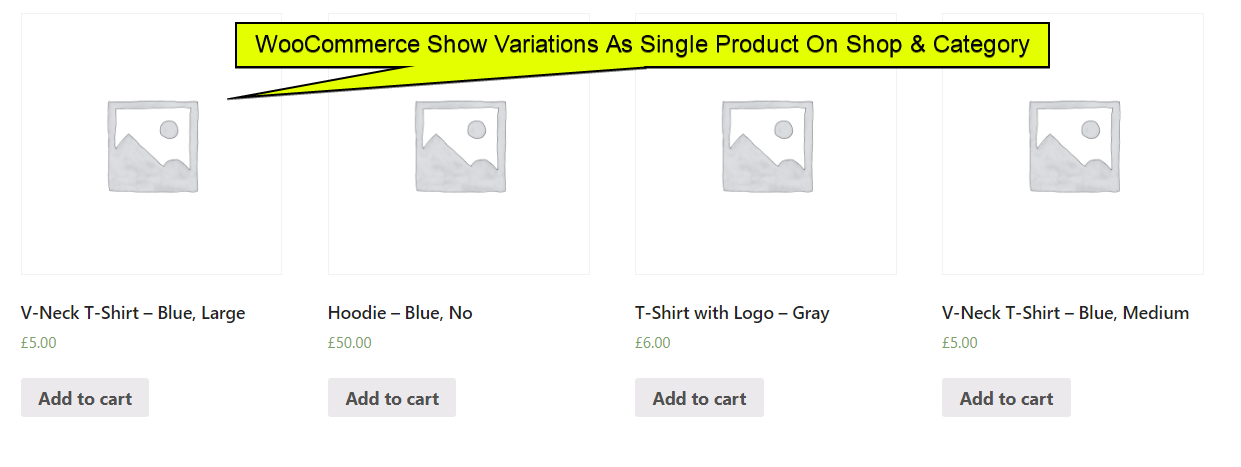
WooCommerce Show Single Variations on shop to allow this plugin show variation as single product in shop , category pase as well where you use Woocommerce default query. it indicate to product as single product. you can add to cart from shop or category pages.
Display woocommerce product variations on the shop page best for direct customer can be select option in shop and category page. woocommerce show product variations on shop page will be show on both way variation as well single product as variation.
Features
- One Click installation
- Multiple Option
- Variation Will be show on shop and category
- Variation Product Filter By attribute
- Easy to add to cart variable product
- Variation Product in Setup Category and Tag
FEATURES OF THE PRO VERSION
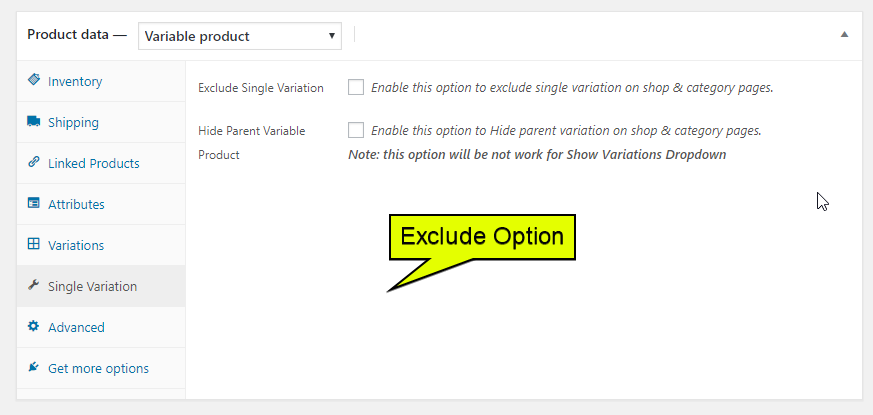
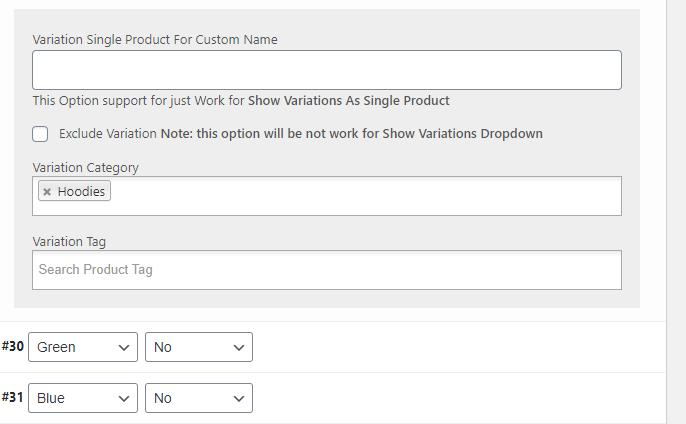
- Exclude Option for Particular Product
- Auto Hide Variable Product Instead of there will be Show Variations
- Exclude By Product Category
- Hide Parent Product of Variable Product
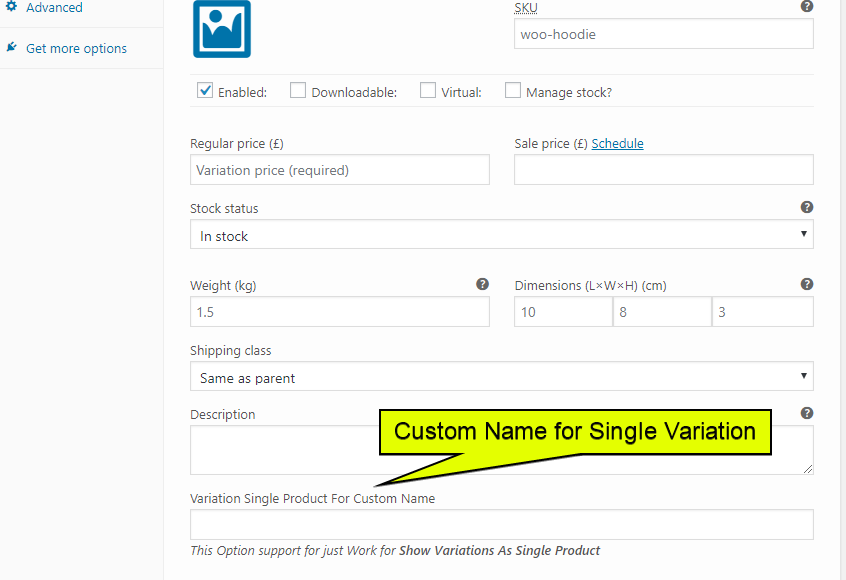
- Single Product Variation for Custom Name
- Hide Parent Product of Variable Product For Individual Product
Products By Attributes & Variations for WooCommerce using most custom want short and simple system for process to easy way to adding to cart.
Variable can be show in woocommerce search as well customer when search it will be.
Woocommerce show variations on single product page to easy way customer can be not go inner product directly purchase product.
Show variations on the shop & category pages will to increase customers can be buy exactly what they are looking for simply will increase the sale.
Our More Plugins
Short Description and Attributes Show Loop For Woocommerce To create a product loop in WooCommerce that displays a short description and selected product attributes, you can customize the WooCommerce template or use hooks.
Add to Quote For Woocommerce feature to WooCommerce with a brief, one-line product description, you can either use a plugin or manually customize the WooCommerce product loop.
Product Shortcode – Widget – Block for Woocommerce in WooCommerce for displaying products with descriptions, you can leverage the built-in WooCommerce shortcodes or customize them to suit your needs.
Show Variations On Shop & Category WooCommerce you can show product variations directly on the shop and category pages.
Variation Dropdown to Radio For Woocommerce enhancing user experience. Customers can easily see and select variations at a glance.
Product Enquiry for WooCommerce This plugin enables customers to submit inquiries directly from product pages.
PDF Catalog Woocommerce This plugin allows you to generate customizable catalogs featuring product images, descriptions, and prices.
Restrict Payment Methods For WooCommerce allows you to restrict payment methods, ensuring customers can only use suitable options at checkout.
Display Product Variations Dropdown On Shop Page For Woocommerce Enhance your shop page by displaying product variation dropdowns directly on the product listings.
Screenshots
Reviews
Great plugin and quick support
By 
I experienced a JS conflict with another plugin and the support fixed this in no time. Great.
Highly recommended.
Very responsive with support and does exactly what we needed.
By 
Very responsive with support and does exactly what we needed.
Great Plugin
By 
Pro Plugin has a lot of good features and fast support in case you need some help.
Works perfectly
By 
Delivers what it promise. I tried several plugins in order to show single variations, none works for me without crashing other functions. Congrats to the author
Worst author in history
By 
Works but poorly written
By 
Works correctly
By 
Works great for me
By 
Non-functional plugin
By 
SORTING DOESN'T WORK
By 