Ultimate Order Combination
Ultimate Order Combination
Description
- Author: Fahad Mahmood
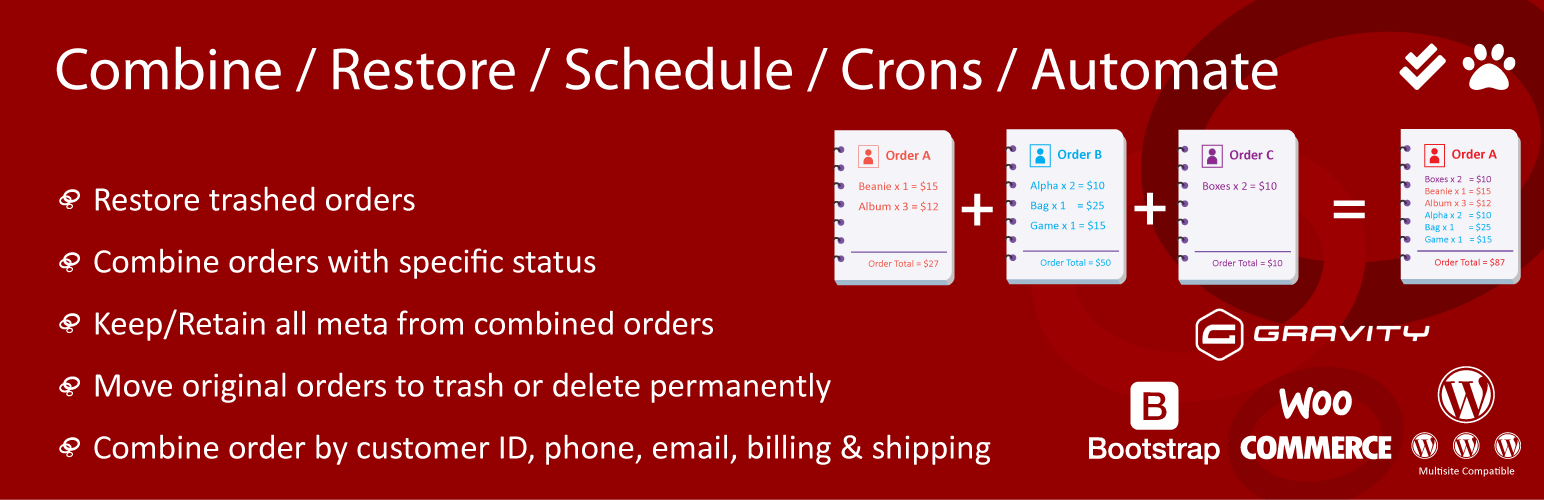
Ultimate Order Combination lets you merge multiple WooCommerce orders into a single order while preserving all metadata, customer details, and line items. You can remove all original orders related to combined order. You have the option to move orders to trash or delete orders permanently. Inventory stats will not be affected because of orders combination.
How it works?
Key Features
- Combine multiple WooCommerce orders into one
- Preserve all order metadata
- Move or delete original orders after combining
- Cron-based automation and rule-based merging
- Supports Gravity Forms product meta
- Compatible with WooCommerce HPOS
Support
For support and detailed documentation, visit the support page or check the plugin guide.
License
This WordPress plugin is free software: you can redistribute it and/or modify it under the terms of the GNU General Public License as published by the Free Software Foundation, either version 2 of the License, or any later version. This WordPress plugin is distributed in the hope that it will be useful, but WITHOUT ANY WARRANTY; without even the implied warranty of MERCHANTABILITY or FITNESS FOR A PARTICULAR PURPOSE. See the GNU General Public License for more details. You should have received a copy of the GNU General Public License along with this WordPress plugin. If not, see http://www.gnu.org/licenses/gpl-2.0.html.
Installation
- Upload the plugin files to the
/wp-content/plugins/directory, or install the plugin through the WordPress plugins screen directly. - Activate the plugin through the ‘Plugins’ screen in WordPress
- There will now be a Combine Orders option in the WooCommerce orders list page under bulk actions.
Screenshots

How can i merge orders in basic version?
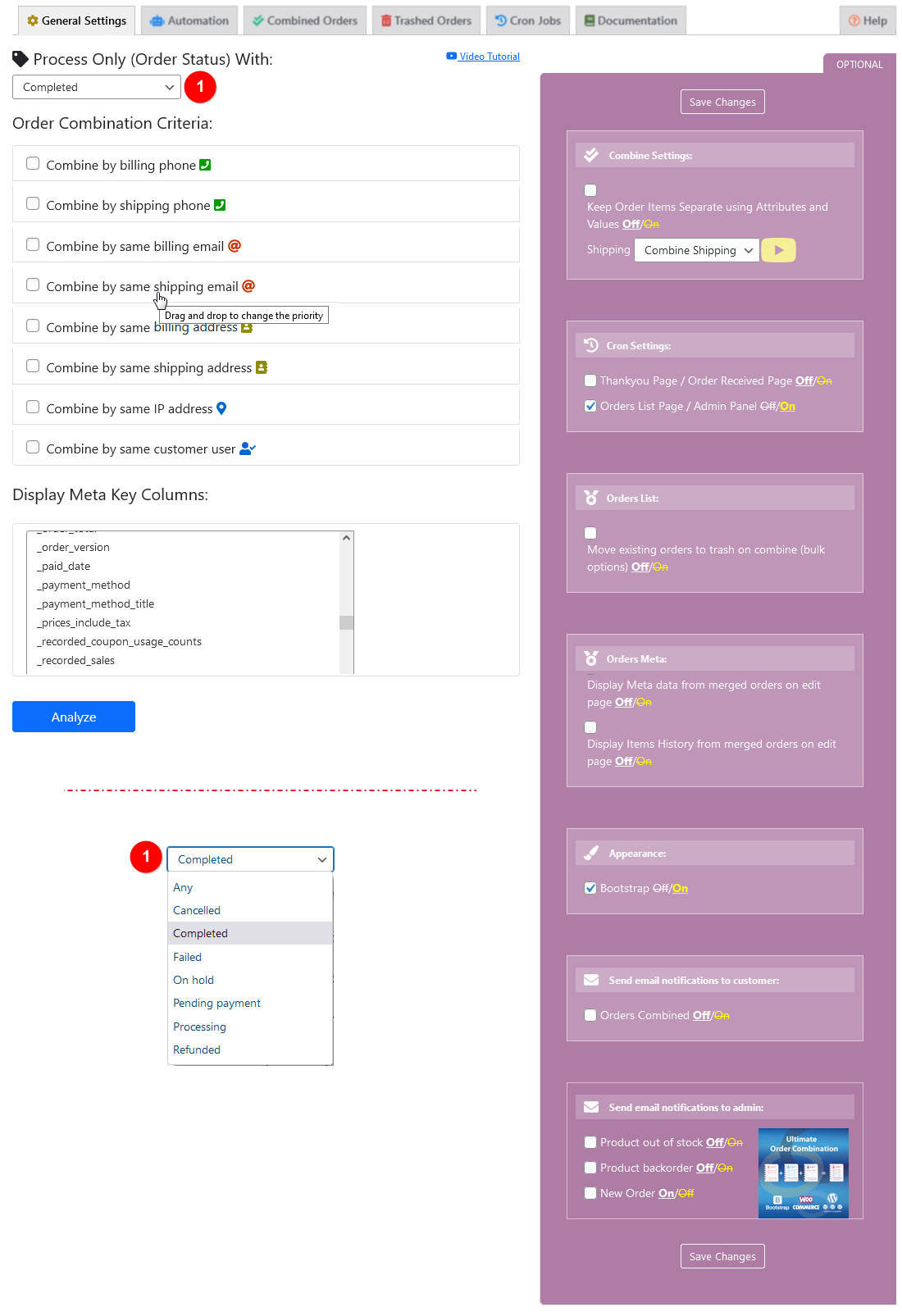
General setting.

Combined orders list.

Trashed orders > Restore/Delete permanently.

Proceed with selected status orders.

Remove original orders.

Retained meta keys from selected orders.

Automation - Settings

Automation - Rules

Combine / separate shipping.

Items with different attributes and values.

What to do with existing orders?

Order consideration and Time period

Double tick is for combined orders, Paw icon is used for sniffed/checked orders.

Combine with Gravity Form product based meta values.

Meta values selection for Gravity Forms.

Combine order related to the logged-in users only.
Faq
There are three ways to combine orders.
1) Orders list > bulk options
2) General Settings > Analyze
3) Automation Tab
All above methods allow you to optionally move to trash option.
Yes
No
Under WooCommerce Menu > Orders List. You have a dropdown for bulk actions, there you will see an option to combine orders. This is the basic feature which is provided for FREE in this plugin. Other methods or options are added or will be added later, can be premium or free. Kindly don’t misunderstand as it’s an incomplete plugin. Basic plugin was released with one basic feature to combine orders.
Yes, these settings are available in premium version.
Yes, these settings are available in premium version.
Yes, these settings are available in premium version.
Yes, these settings are available in premium version.
Yes, these settings are available in premium version.
Yes, as per choice these items can be separated. There is a checkbox “Keep Order Items Separate using Attributes and Values” in purple section on general settings tab. If this checkbox is On, the plugin will separate items with different attributes and values.
Reviews
Inutile
By 
Mi ha mandato in tilt gli ordini selezionati, creato uno nuovo con calcolo tasse errato e la versione premium ha prezzi folli, statene alla larga!!
Not Showing in Bulk Section
By 
This plugin is not working in HPOS enabled site. In order's bulk action section there is no combine order option. How can I fix this?
Excellent
By 
Excellent plug-in and after-sales service experience. Functions as intended and when issues occur, the developer is extremely helpful and prompt in assisting to resolve. Thank you Fahad for the great work!
After the merger, "Stock" does not change
By 
The plugin performs its main function - combines orders.
But there is a very serious problem in the combined order: When you try to add/remove/change the quantity in this order - "Stock" does not change!
Fahad is the best!
By 
Great Plugin - Great Support
By 
Excellent - personalized support
By 
Works great!
By 
Essential plugin for WooCommerce
By 
Changelog
2.0.4
- Added optimized combined+unknown status orders counting with transient caching, improved HPOS/classic orders screen compatibility, and fixed WooCommerce order status query handling. [18/05/2026][Thanks to Bianca Sanderson]
2.0.3
- Tested orders combination functionality with full HPOS compatibility. Fixed the combination rule for billing address including email and phone number. [11/05/2026][Thanks to Dennis Vogt from Germany]
2.0.2
- Full HPOS compatibility with wc_get_orders(), fixed date filtering, status prefix removal, removed invalid get_shipping_email(), improved meta query structure, translation loading fix for WP 6.7+. [08/05/2026][Thanks to Dennis Vogt from Germany]
2.0.1
- Fixed PHP 8.1 deprecated parameter warnings in stock filter functions. [26/10/2025][Thanks to Benjamin Belaga]
- Fixed WooCommerce Analytics fatal error (undefined get_report_customer_id) with safe try/catch handling.
- Fixed display issue showing “0 orders removed” after combination.