WooSwipe WooCommerce Gallery

WooSwipe WooCommerce Gallery
Description
WooSwipe replaces the default WooCommerce product gallery with a clean PhotoSwipe lightbox and Slick thumbnail carousel.
It works with your WooCommerce product image settings. Adjust sizes under Appearance Customize WooCommerce Product Images. Regenerate thumbnails after changing sizes (for example with AJAX Thumbnail Rebuild). If your theme registers its own image sizes, those may take priority.
Features
- Responsive and mobile-friendly
- Keyboard control and full-size lightbox images
- Optional main-image slider with navigation arrows
- White or dark icon theme, customisable icon colours
- Optional Pinterest pin button
- Option to hide thumbnails when there is only one image
- Works with variable products and variation images
- Supports the
[product_page]shortcode
Developer hooks
Actions
wooswipe_before_main— before the gallery markupwooswipe_after_thumbs— after the thumbnail stripwooswipe_after_main— after the full gallery
Filters
wooswipe_zoomed_image_size— lightbox / zoom image size (default roughly 1920×1080)wooswipe_include_attachment— returnfalseto exclude an attachment from the gallerywooswipe_is_block_gallery— returntrue/falseto force block-theme (full-width-in-column) vs classic two-column layoutwoocommerce_single_product_image_thumbnail_html— returning an empty string for an attachment also excludes it from the main image and thumbs (see FAQ)
Zoomed image size example
add_filter( 'wooswipe_zoomed_image_size', 'wooswipe_max_image_size', 10, 1 );
function wooswipe_max_image_size( $size ) {
    return 'large';
}
More info: WooSwipe on Thrive · GitHub
Installation
- Upload
/wooswipe/to the/wp-content/plugins/directory, or install from Plugins Add New. - Activate WooSwipe (WooCommerce must be active).
- Optional: configure options under WooCommerce WooSwipe.
- View a product page to see the gallery.
Screenshots
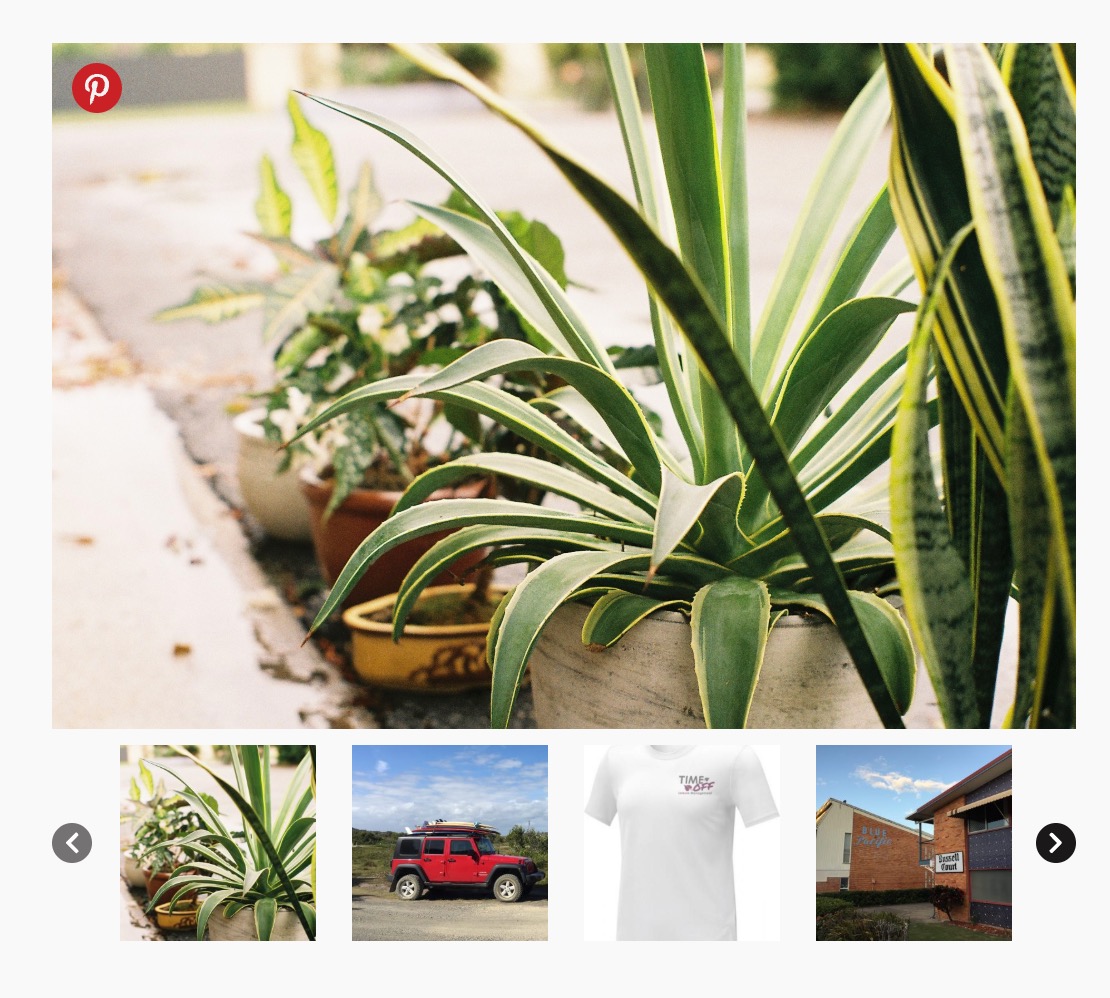
Gallery with a large main image, thumbnail strip and circular navigation arrows
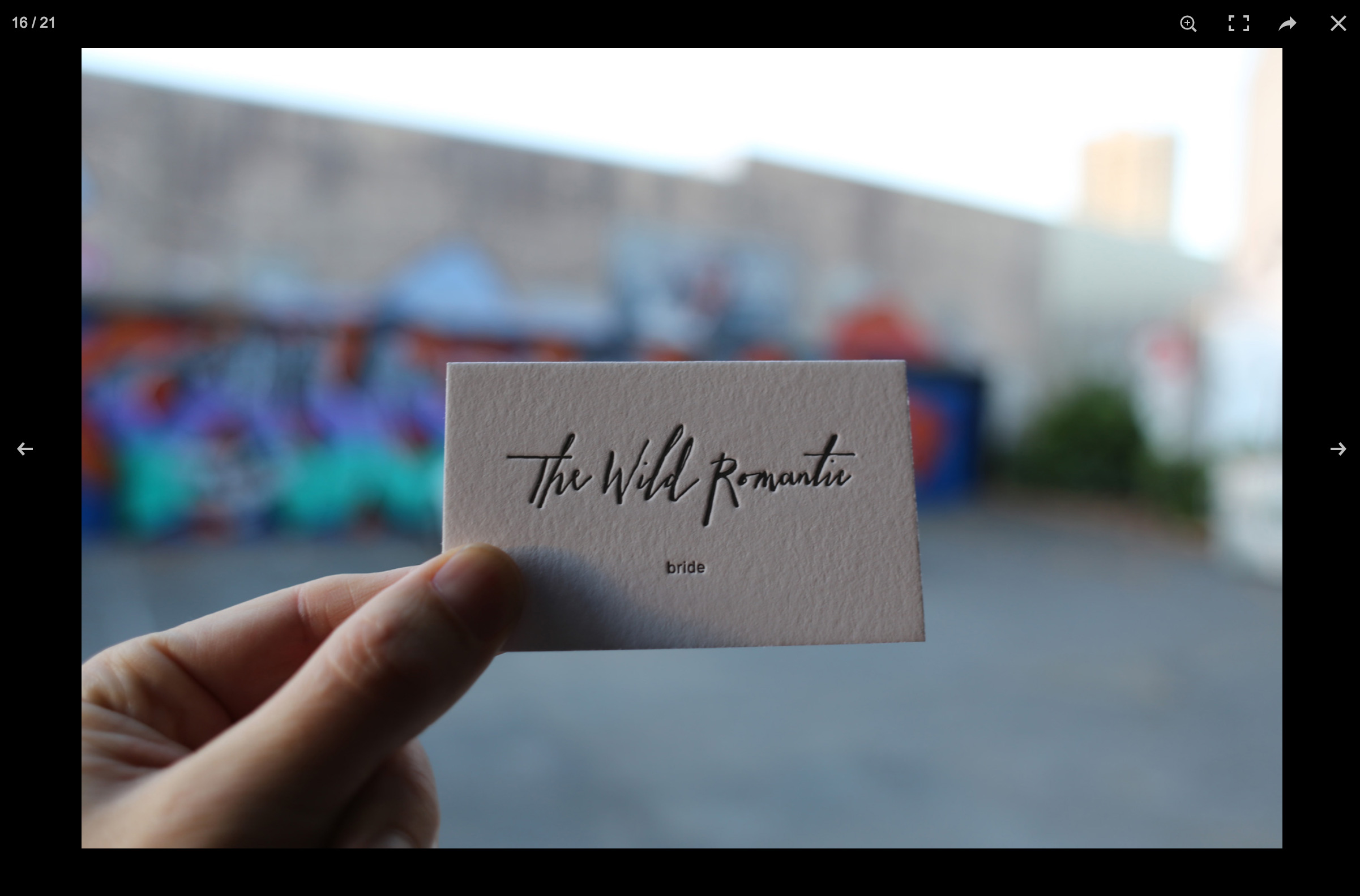
Popup / lightbox layout
Faq
Use this in your theme’s functions.php or a code-snippets plugin. WooSwipe respects it for both the main image and thumbnails (from 3.0.9):
function remove_featured_image( $html, $attachment_id ) {
    global $post;
    if ( ! $post ) {
        return $html;
    }
    $featured_image = get_post_thumbnail_id( $post->ID );
    if ( (int) $attachment_id === (int) $featured_image ) {
        $html = '';
    }
    return $html;
}
add_filter( 'woocommerce_single_product_image_thumbnail_html', 'remove_featured_image', 10, 2 );
Or use the WooSwipe-specific filter:
add_filter( 'wooswipe_include_attachment', function( $include, $attachment_id ) {
    global $post;
    if ( $post && (int) $attachment_id === (int) get_post_thumbnail_id( $post->ID ) ) {
        return false;
    }
    return $include;
}, 10, 2 );
When the featured image is excluded, WooSwipe uses the first gallery image as the main image.
This is usually a JavaScript conflict. Try:
- Disable other plugins one by one to find a conflict.
- Switch temporarily to a default theme (e.g. Twenty Twenty-Four).
- Check the browser console for script errors.
Yes. Use [product_page id="123"] with the correct product ID.
That was a 3.0.10 regression on classic (PHP) themes: WooSwipe forced #wooswipe to width: 100%. Update to 3.0.12. Block themes (Twenty Twenty-Four / Twenty Twenty-Five) still use a full-width gallery inside their column.
Reviews
Great !
By 
Great module
Installed... didnt work
By 
fine
By 
Flawless slider
By 
Best plugin
By 
It doesn't work, nothing has changed
By 
Agreed. Great plugin, horrible support
By 
Awesome, very useful
By 
Such a useful plugin! Thank you!
By 
Alt text under images Support never answered
By 
Changelog
3.0.13
- Update the WordPress.org banners to show the inline gallery with thumbnails and circular navigation arrows.
- Replace the default gallery screenshot with the current gallery reference and include screenshots in the WordPress.org assets folder.
3.0.12
- Fix: gallery no longer forced to full width on classic (non-block) themes. 3.0.10 set
#wooswipe { width:100% !important }for block-theme columns, which overrode WooCommerce’s 48%.images/.summarytwo-column layout (gallery stacked above product details). Full-width is now scoped to block themes only (body.wooswipe-block-gallery/ product-image-gallery block).
3.0.11
- Fix: gallery no longer forced to full width on classic (non-block) themes. 3.0.10 set
#wooswipe { width:100% !important }for block-theme columns, which overrode WooCommerce’s 48%.images/.summarytwo-column layout (gallery stacked above product details). Full-width is now scoped to block themes only (body.wooswipe-block-gallery/ product-image-gallery block).
3.0.10
- Fix: double gallery on block themes (Twenty Twenty-Four etc.) — replace
woocommerce/product-image-galleryblock instead of also dumping via classic hooks - Fix: gallery width on block themes (classic WC
.images { width:48% }was shrinking WooSwipe inside the column) - Fix: constrain thumbnail image sizing so thumbs don’t render full-width
- Fix: vertically center thumbnail nav arrows (
top: 35%top: 50%+ translateY)
3.0.9
- Fix: featured-image exclusion via
woocommerce_single_product_image_thumbnail_htmlnow applies to the main image as well as thumbnails - New:
wooswipe_include_attachmentfilter to include/exclude gallery attachments - Fix: PHP 8 fatals when main-slider attachments are missing image sizes
- Fix: variation image switching now matches by attachment ID (with URL fallback)
- Fix:
hide_thumbnailsoption correctly respected for simple products - Fix: PhotoSwipe item building bugs and duplicate lightbox entries
- Fix: JS no longer double-wraps main image markup
- Fix: admin settings save — nonce verification,
manage_optionscapability, sanitised colour fields - Fix: default options seeded on activation; options removed on uninstall
- Fix: frontend assets only load on product pages and
[product_page]shortcode contexts - Fix: use current WooCommerce image size names (
woocommerce_single,woocommerce_gallery_thumbnail) - Security: escape URLs and attributes in gallery markup
- Compatibility: tested with WordPress 7.0 and WooCommerce 10.9
3.0.8
- Readme update
- Tested with WP 6.7.1 + WC 7.0.0
3.0.3
- Major update to address minor security issues
- Recoded with new plugin framework
- Fixed the array_merge() fatal error for the empty featured image
- Updated the plugin’s structure with the boilerplate
- Fixed the Auth Broken Access Control Vulnerability
- Handled the multiple cases regarding empty images for (Featured image, Gallery images & Variation images)
- Updated the script for the variation change & swatches change
2.0.1
- Elementor plugin fix
- Added option for the slide navigation arrows
2.0
- Major update
- New touch slider carousel option for the main image
- New icon colour selector options
- Option to hide thumbnails
1.1.13
- Added option for hiding thumbnails when no product gallery or product variation image is available
- Remove lazy loading from main image (#40)
- Accessibility fixes
- Tested with WP 5.8.2 + WC 5.9.0
1.1.12
- Fixed wrong lightbox image when variation selected with Pinterest links
- Add
product_pageshortcode support (#20) - Tested with WP 5.7.2 + WC 5.4.0
1.1.11
- Fix Pinterest select image
1.1.10
- PHP notice fix
1.1.9
- Layout fix and image size fix
1.1.8.11
- Version bump slick.js 1.5.7 1.8.1
1.1.8.10
- Readme updated with latest way to adjust image sizes
1.1.8.9
- Revert PR38
1.1.8.8
- Compatibility for WooCommerce Variation Swatches and Photo up to v3.1.1
- Merged PR #38 — add variation id for thumbnails
1.1.8.7
- Readme and latest compatibility check
1.1.8.6
- Rollback bug fix
1.1.8.5
- SVG Pinterest image
- Meta text update
1.1.7.0
- Add Pinterest option
- Merged pull request pinit branch
1.1.6.9
- Variation image bug fix #27
- Skip repeated images from gallery and variation
- Minor restructure and tidy up
1.1.6.8
- Meta update and testing with WP v5
- Merged pull request from @matthijs166 #28
1.1.6.7
- Added alt tag to main image
1.1.6.6
- Readme
- z-index increase
1.1.6.5
- Fixed image change bug with variation selector
- Removed file
1.1.6.3
- Fixed depreciation notice of get_gallery_attachment_ids
1.1.6.2
- Readme docs update
1.1.6
- Fix Undefined variable: zoomed_image_size
1.1.4
- BJ Fixed Hooks Bug
1.1.3
- BJ Added hooks and filter
1.1.1
- Rewrite JS
- Fix image change bugs
1.0.5
- Style clear
1.0.4
- Style fix
1.0.3
- White Skin update
1.0.2
- Fix for missing srcset
1.0.1
- First version