jav's – WooCommerce and Trello integration WooTrello

jav's – WooCommerce and Trello integration WooTrello
Description
WooTrello is a Woocommerce and Trello Integration. Depending On Your Settings, It will Create a Trello Card with order information, if there is a New Order or an Order Status Changed.
HOW IT WORKS
WooTrello uses Trello API with your Trello API key. When there is a New Order or an Order Status Change WordPress Hook initiate, By using those Hook It gets the Order Information and sends it to the Trello.
Standard Features
- Easy-to-use, no unnecessary Setup Wizard for perfect configuration.
- No hidden menu or option, everything is crystal clear.
- Show trello Boards and Lists.
- one click authentication.
- Create Trello Card after every new Order or create Trello card after certain Order status Change.
Installation
This section describes how to install the plugin and get it working.
e.g.
- Upload
wootrelloto the/wp-content/plugins/directory - Activate the plugin through the ‘Plugins’ menu in WordPress.
- Get Trello access Key and Past it.
- Select a Trello Board and list Where you want to create Cards.
- Change the Settings by your Preference. enjoy
Screenshots
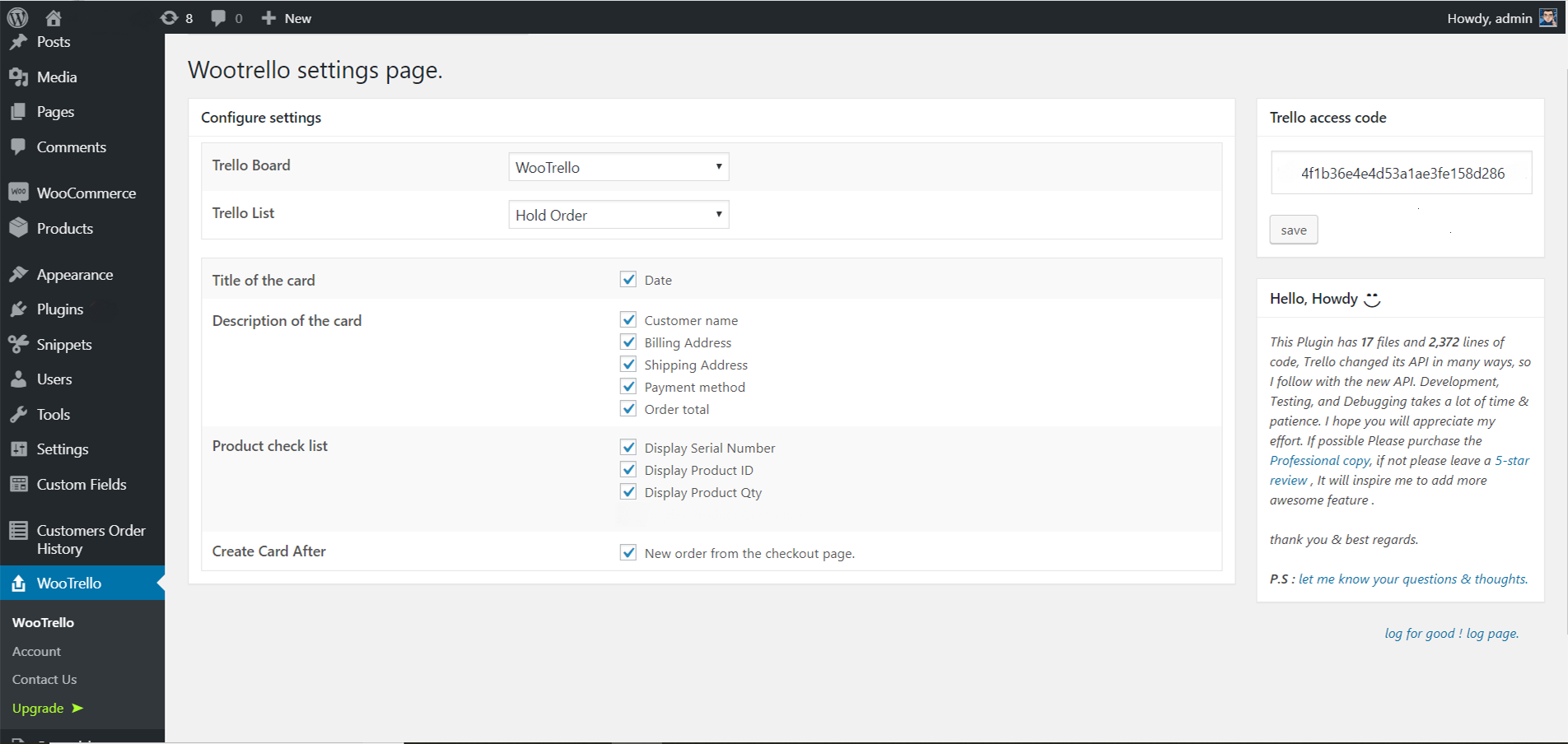
Plugin admin area.
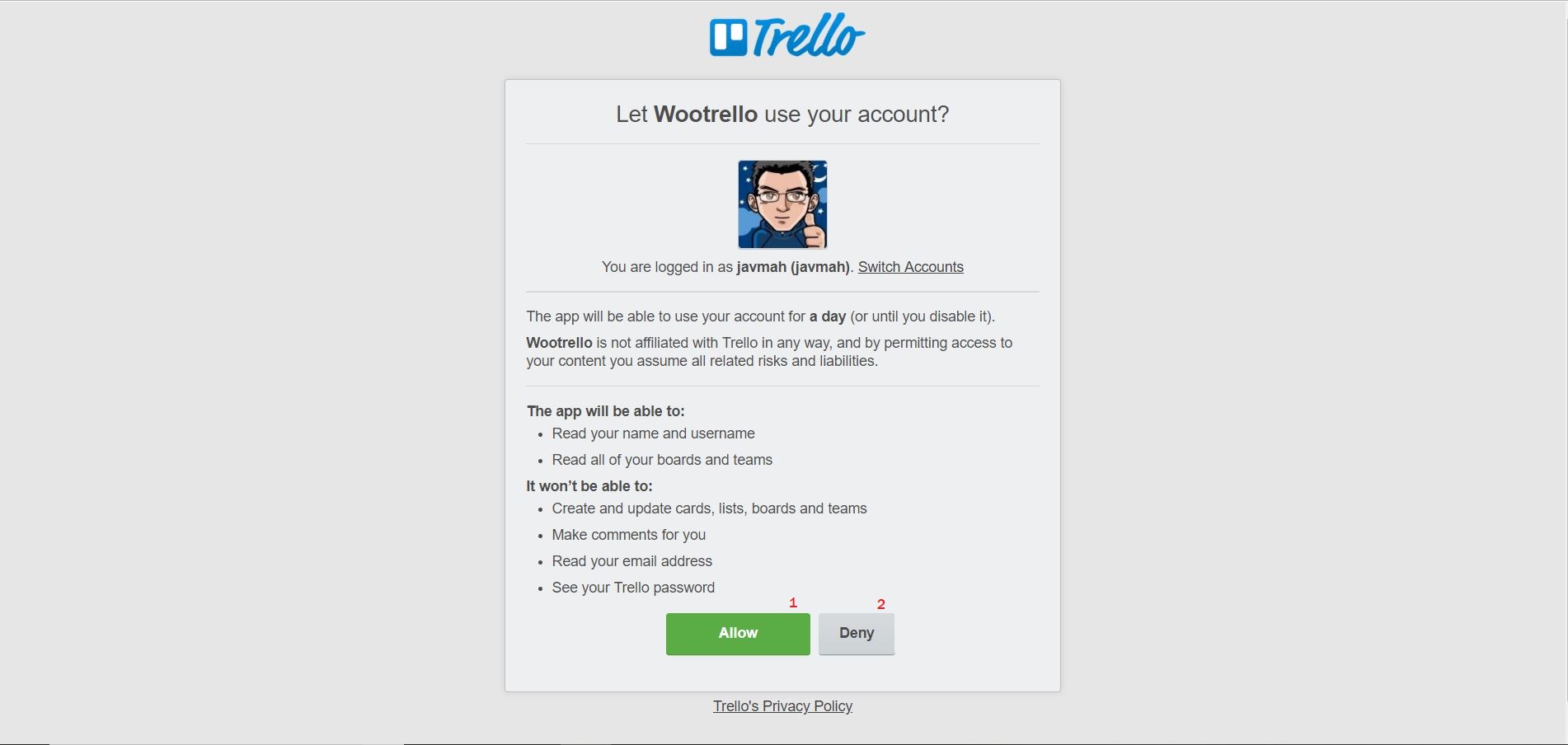
Grant Trello access.
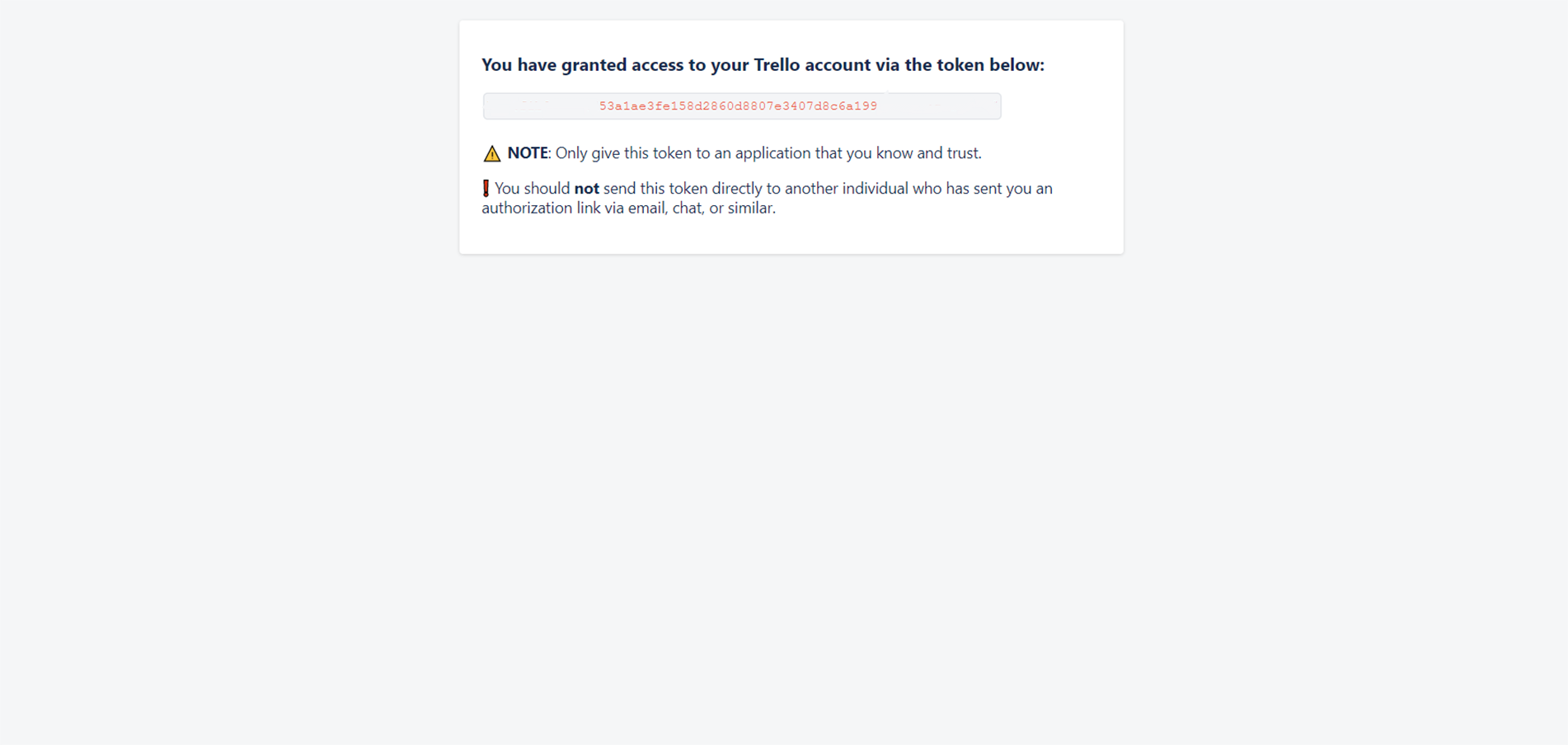
Trello access Key, copy the key and Past it to admin Trello access code input tex field.
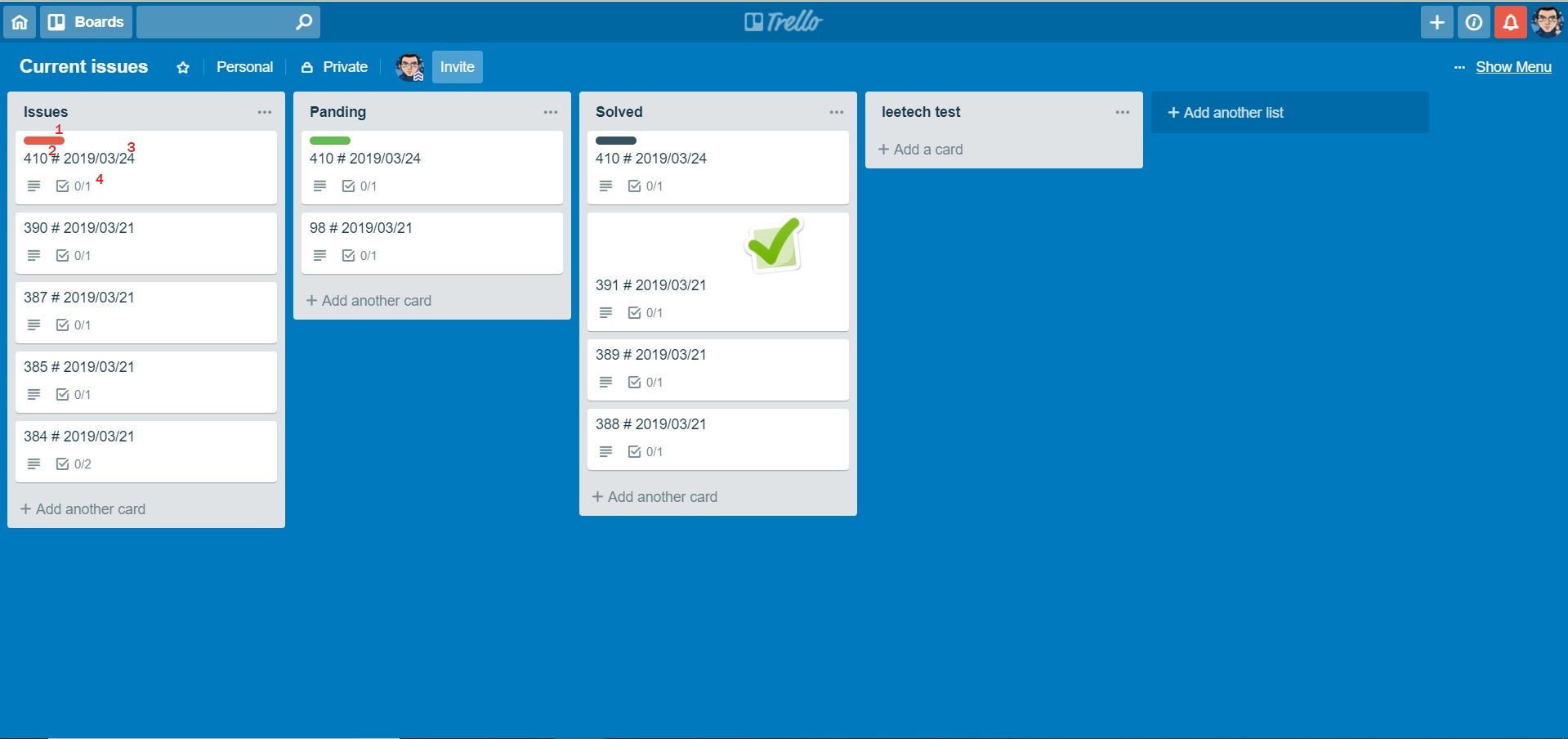
Trello Home.
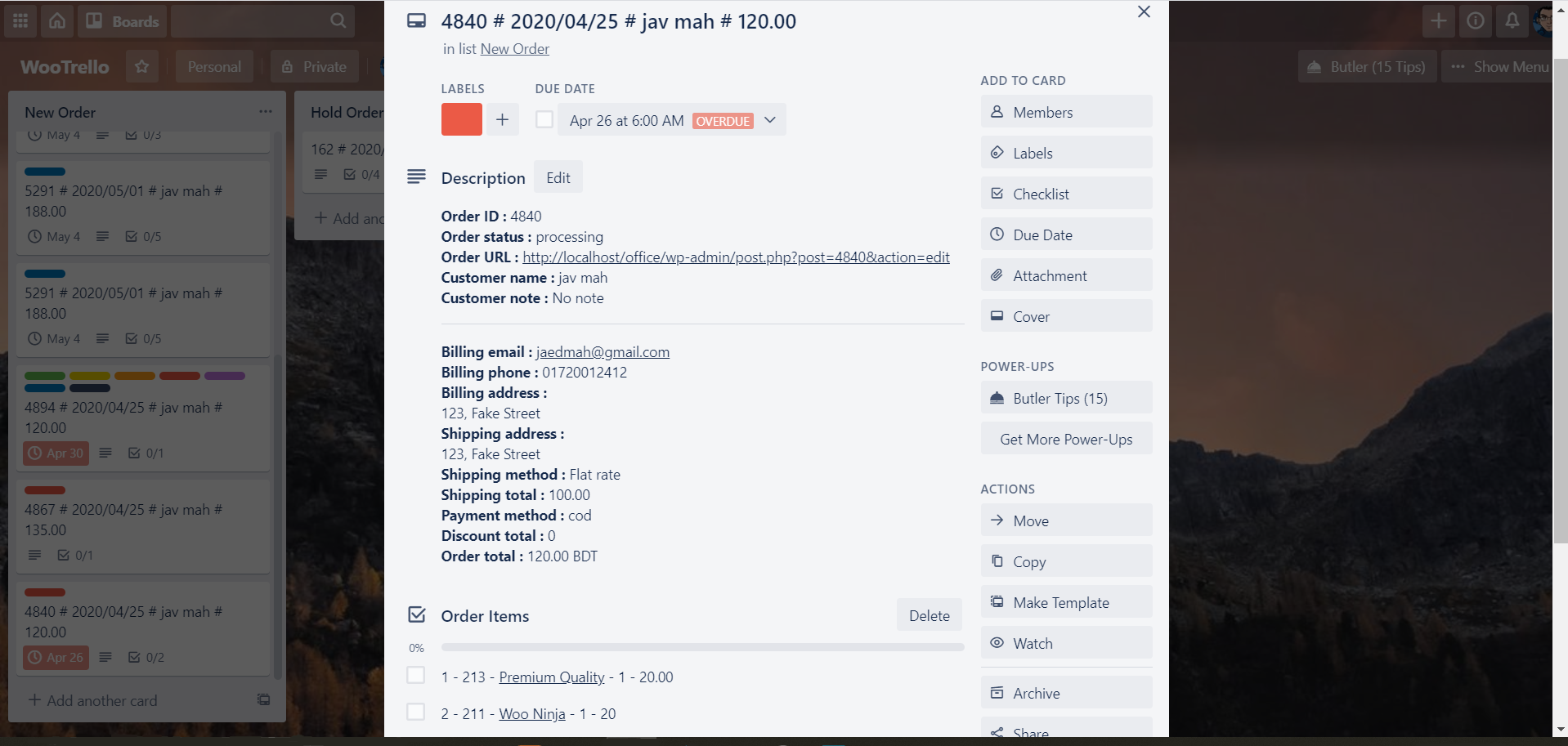
Sample Trello card with Woocommerce Order Information.
Faq
If you have any question or issue or any change request please asked me on the Forum. I will try my best to solve it as early as possible. If you liked This plugin, Please leave a review it will be Much Appreciated. Thank you.
Reviews
Works Really Well, Great Idea and Important Application
By 
This is such an important application to tie together WooCommerce and Trello in a meaningful way. I pretty much got up and running with very little effort and although my first attempt was with a manually created transaction, I soon realised that the application works when done through the front end as would be the case with a normal ecommerce store and order.
Delighted to see my WooCommerce data in my Trello board and list of choice.
Thanks very much for this application. Works well.
Great Plugin!
By 
Our company uses this for a website, it works really well, is reliable and simple to set up. Support answers quickly and is helpful when there are questions. Recommended.
Best No-code experience so far
By 
Yes! Awesome work!
By 
Works great.
By 
Excellent professional help with issue that came up during activating the plugin
By 
Great !
By 
Good Idea
By 
Simple solution to my problem
By 
Works great, good support too
By 
Changelog
3.3.1 – 2026-01-21
- Card crating filter logic added
- Product category added
- Option for adding order items to the card body added
- code is refactored and Optimized
3.3.0 – 2025-06-14
- 120 scend gap added for one card to another card in same order status.
3.2.9 – 2025-02-04
- Added WordPress Multisite support
- Added Post Meta & Order Meta in the title (Professional version)
- Added user option to customize title date format
- Made Card Title ID field selectable
- Updated Freemius SDK version
3.2.7 – 2024-06-18
- WordPress posts storage (legacy) supports
- Enable compatibility mode (synchronizes orders to the posts table).
- High-performance order storage.
3.2.6 – 2024-06-12
- Freemius SDK version changed.
- WordPress version 6.5.4 support.
- WooCommerce v8.9.3 support.
- Structural change, New code structure.
- WooCommerce new Order meta Support.
3.2.5 – 2023-07-06
- Freemius SDK version changed.
3.2.4 – 2023-05-23
- bug fix : deprecated function removed.
- bug fix :WP Version 6.2 compatible.
- Freemius SDK version changed.
3.2.3 – 2023-01-23
- bug fix : Undefined array key name
3.2.2 – 2022-09-1
- wordpress 6.0.1 compatible.
- extended log coverage.
- http request error handled.
- freemius SDK version Changed to 2.4.5
- bug fix
3.2.1 – 2022-03-2
- freemius SDK version Changed to 2.4.3
- bug fix
3.2.0 – 2021-05-27
- Trello card creation feedback.
- Trello card History.
- One-click Remove Logic.
- Enable and Disable Log.
- Manual card creation on the Professional version.
- Error handling.
3.1.0 – 2020-12-29
- WooCommerce Order Metadata send to Trello, Added to the PROFESSIONAL version.
- Order Address with City, Zip, County, State, and Division Added.
- Shipping Address with City, Zip, County, State, and Division Added.
- freemius SDK version Changed to 2.4.1
- freemius Logic Changed.
- freemius Integration Code Changed.
- Admin Page Functionality and Visual Change.
- PROFESSIONAL Version Installation Bug Fixed.
3.0.0 – 2020-07-01
- Create cards in different Trello Boards By The Order Status in PROFESSIONAL version.
- Product SKU added in PROFESSIONAL version.
- Display Product Qty * Price removed from Free Version.
- Admin Page Functionality and Visual Change.
- Bug Fixed.
2.0.1 – 2020-06-13
- Bug FIX.
- Name Change.
- Banner Change.
2.0.0 – 2020-04-29
- Customer name on the card title.
- Order total value in the card title.
- Trello New API support.
- Add user name on Trello card discretion.
- freemius added for monetization & licencing.
- Professional Feature added.
- Due date.
- Order URL.
- Shipping method.
- Shipping total.
- Discount total.
- Previous number of orders of this users.
- Trello card for all order status change.
- Trello card for custom status change.
- 3rd party plugin (certain input fields) support.
- Customer Note is removed from Free version.
- Shipping method is removed from Free version.
- Discount total, Payment method added to the PROFESSIONAL version.
1.0 – 2019-03-27
- first release.