WP Admin Todo List

WP Admin Todo List
Description
WP Admin Todo List plugin is to keep list of all the tasks you want to do. This is very handy tool for developers, administrators and users also.
Features
- Extremely Lightweight (No more space needed)
- Totally AJAX Based (No reload headache)
- Auto save, (you just worry about typing task, we will handle rest)
- Cookie based hide/show feature (No reload headache) + database based (fallback)
- Drag and Drop support for each task
- Rearrange your tasks (auto save works with this also)
- No extra database tables
- User friendly UI – Enter key to create new todo, Backspace key to remove.
- Different Todo block for each individual user
- Remove button for each todo on hover
- Cookie based Minimize/Maximize feature.
More Information
Visit the Shyammakwana.me for more plugins, hacks, snippets, support and information.
Installation
From your WordPress dashboard
- Visit ‘Plugins > Add New’
- Search for ‘WP Admin Todo List’
- Activate ‘WP Admin Todo List’ from your Plugins page.
- Todo menu will be added in admin bar.
From WordPress.org
- Download WP Admin Todo List.
- Upload the ‘wp_admin_todo_list’ directory to your ‘/wp-content/plugins/’ directory, using your favorite method (ftp, sftp, scp, etc…)
- Activate WP Admin Todo List from your Plugins page.
- Todo menu will be added in admin bar.
Once Activated
- You can see
Todonew link in admin panel. Click this will enable/disable todo list section.
Screenshots
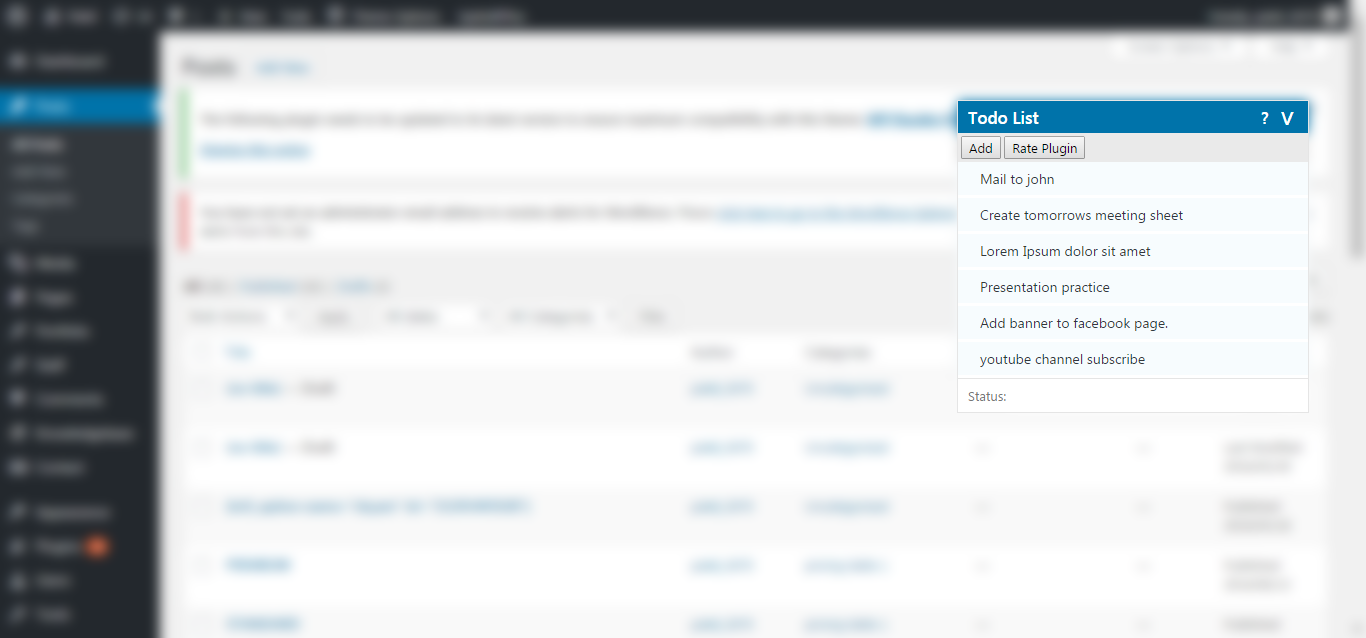
New attractive theme matching to WordPress native layout.
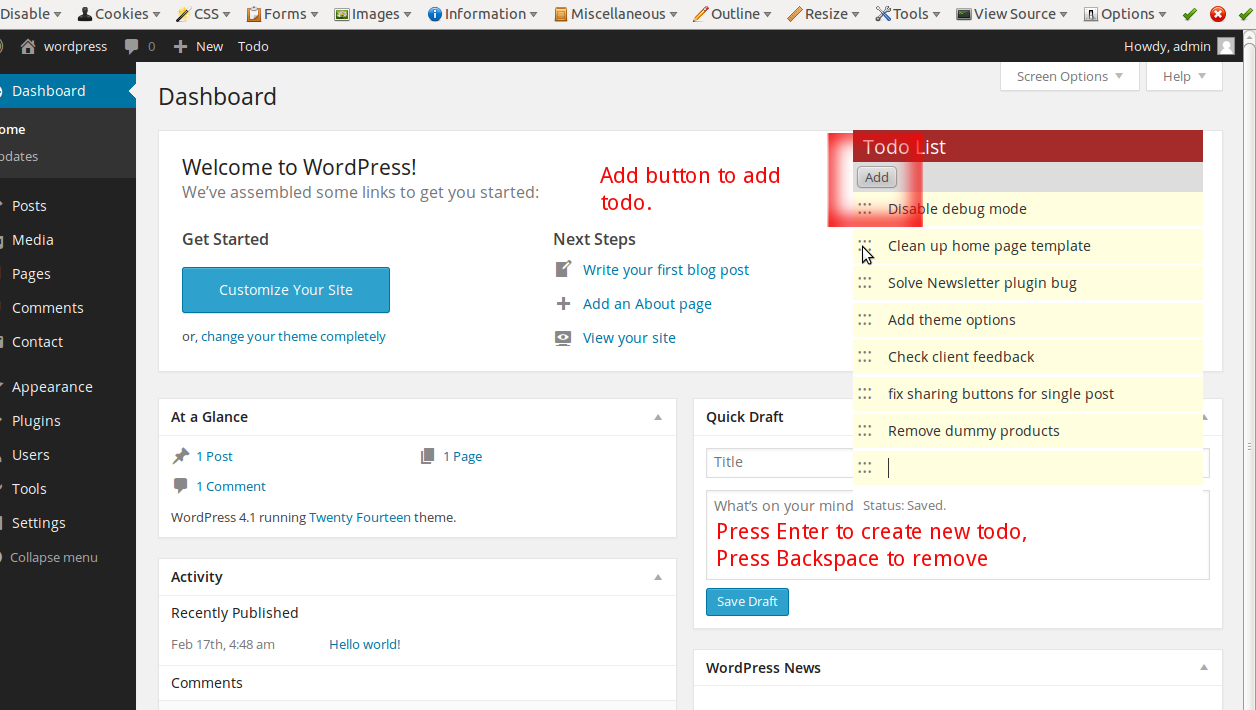
Add button given to add todo, However you can create new by Enter Key and remove by Backspace key.
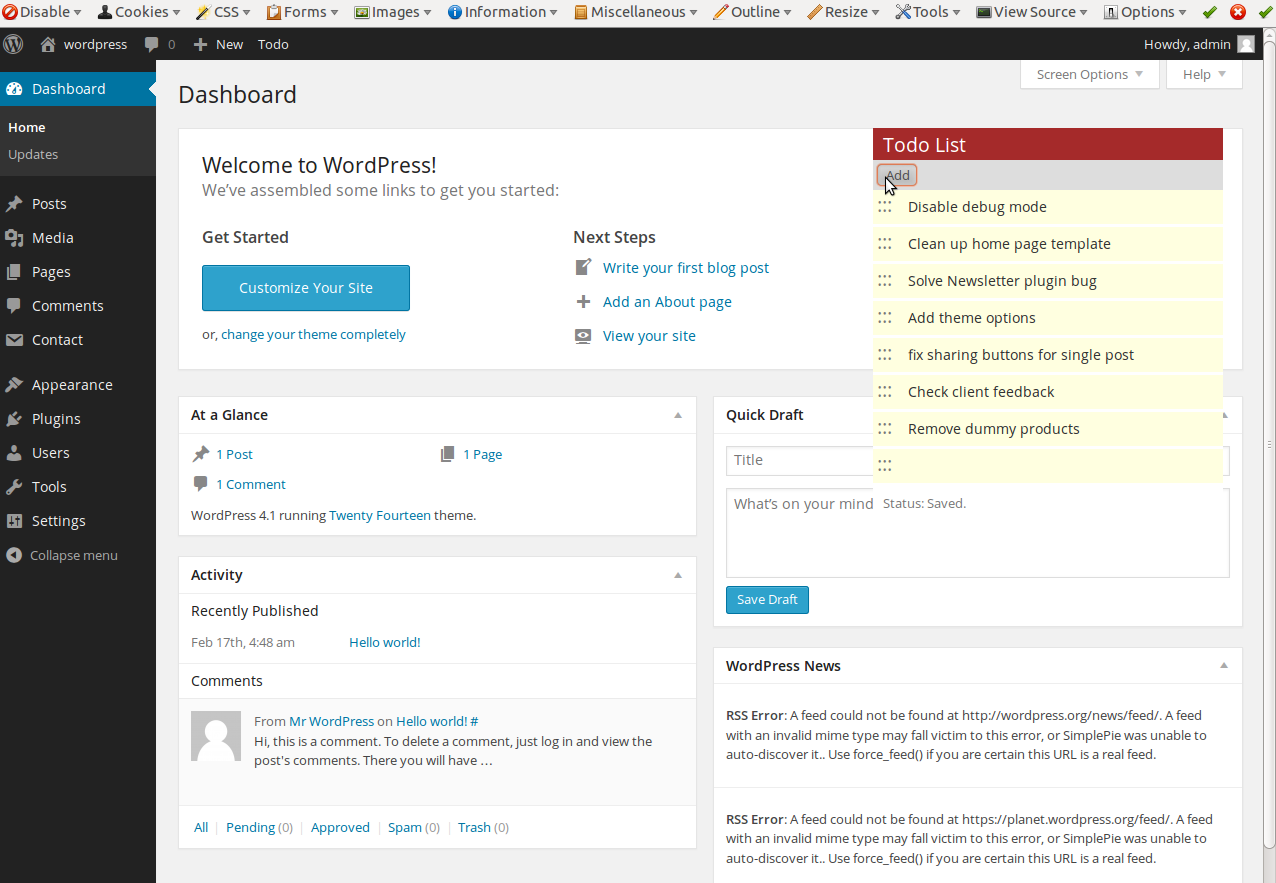
Add Button clicked.
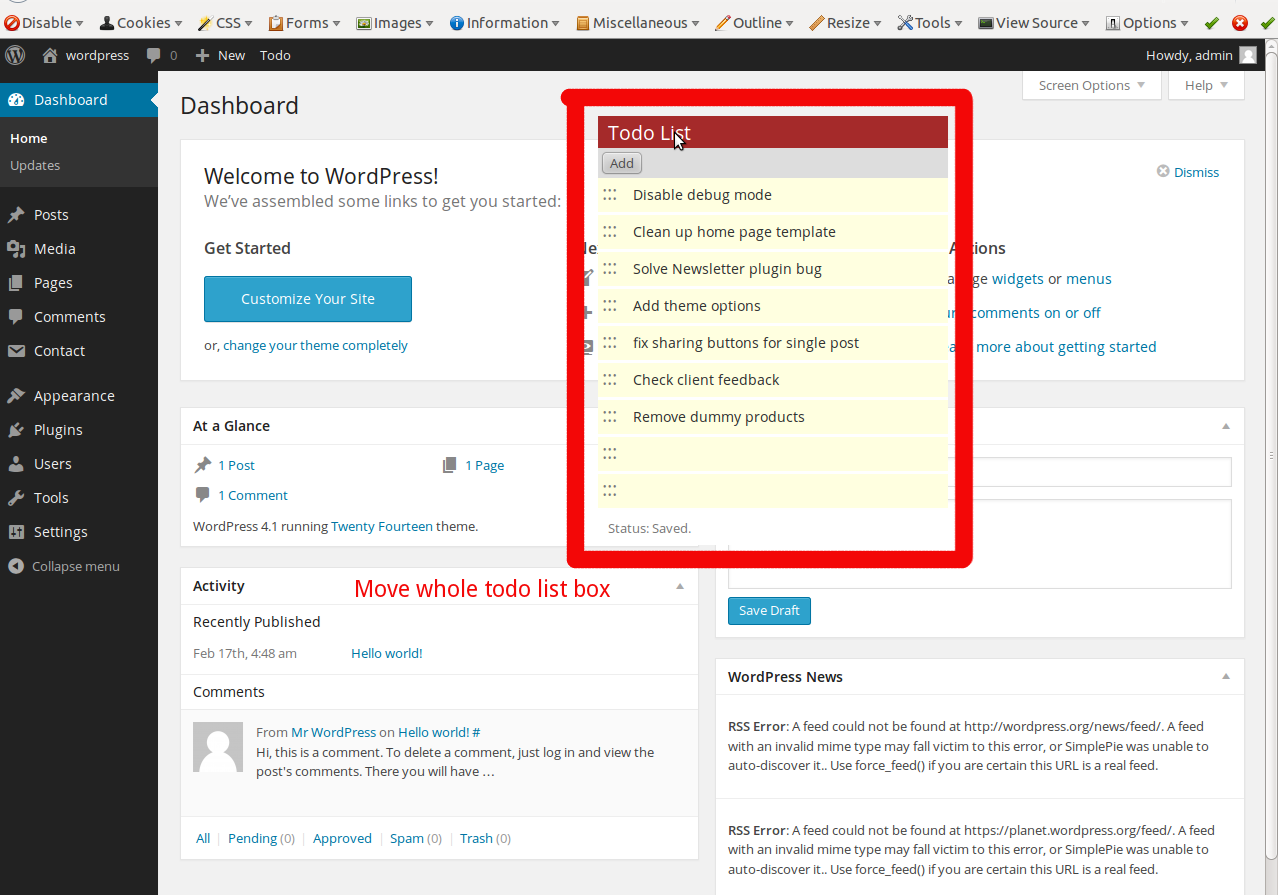
Movable todo list block.
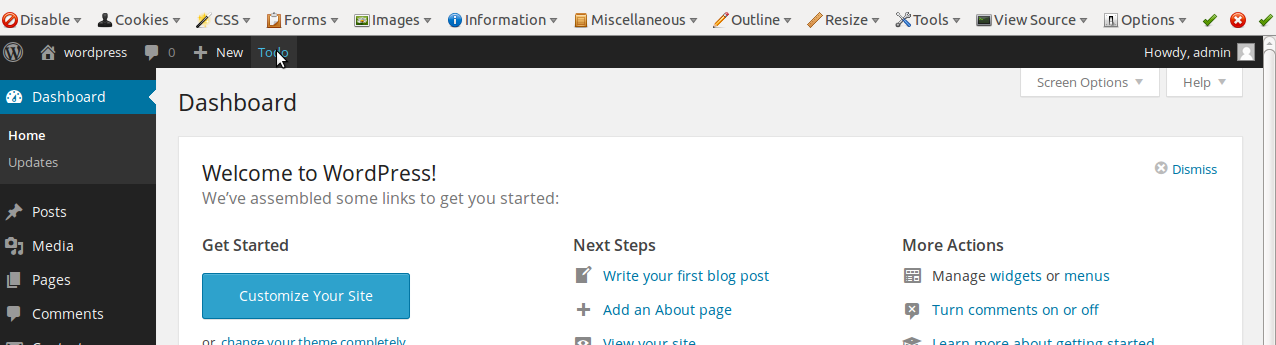
Button in admin bar, to show/hide todo section (Without reload).
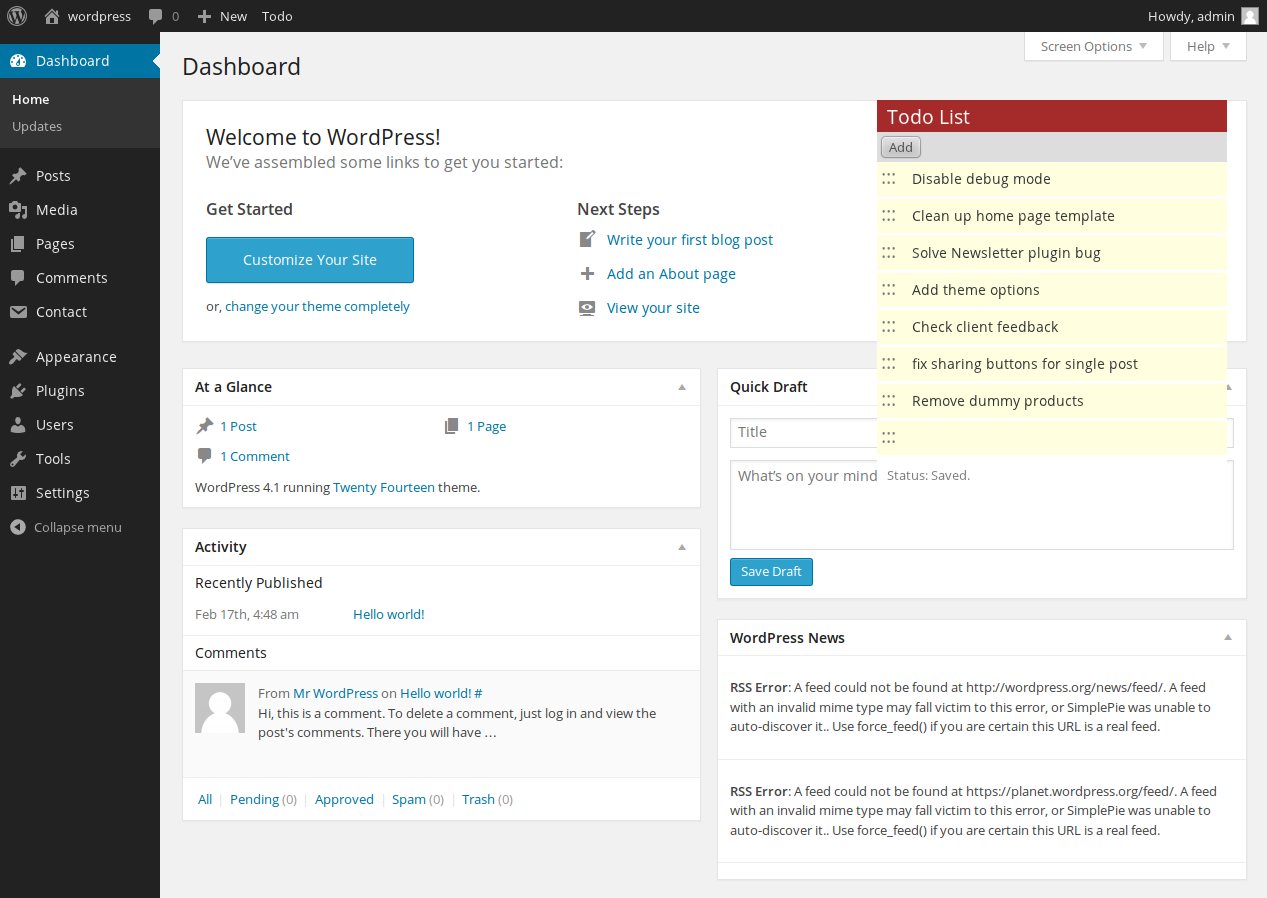
After first install.
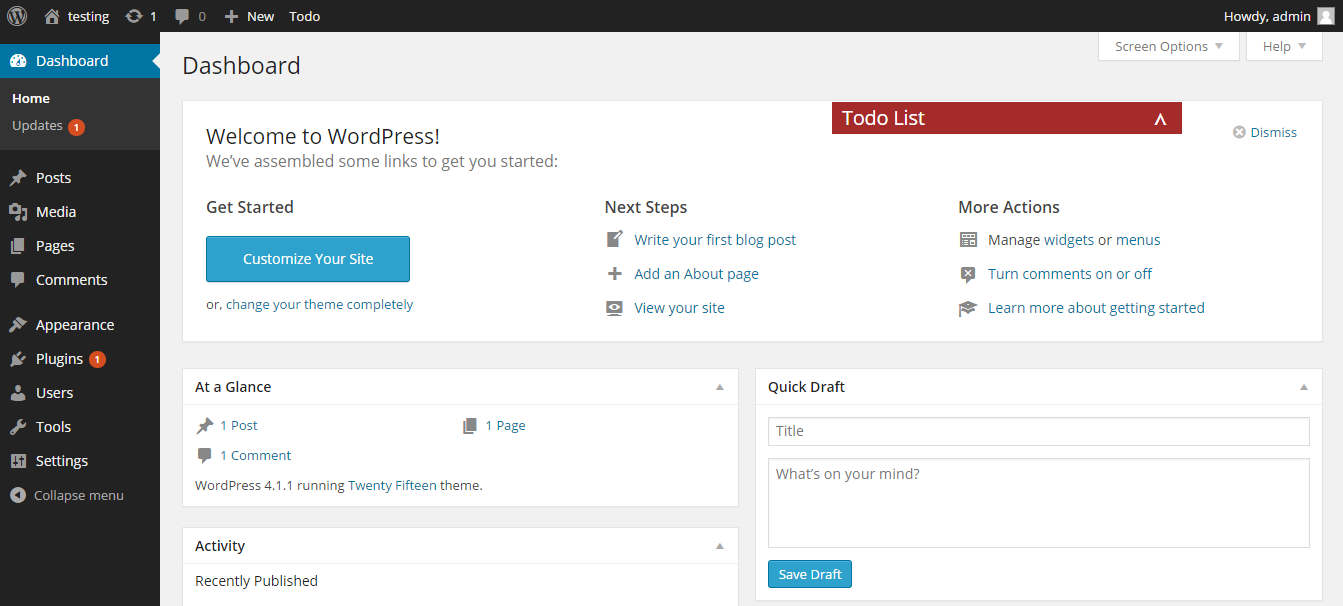
Minimized block, to free up more space of screen.
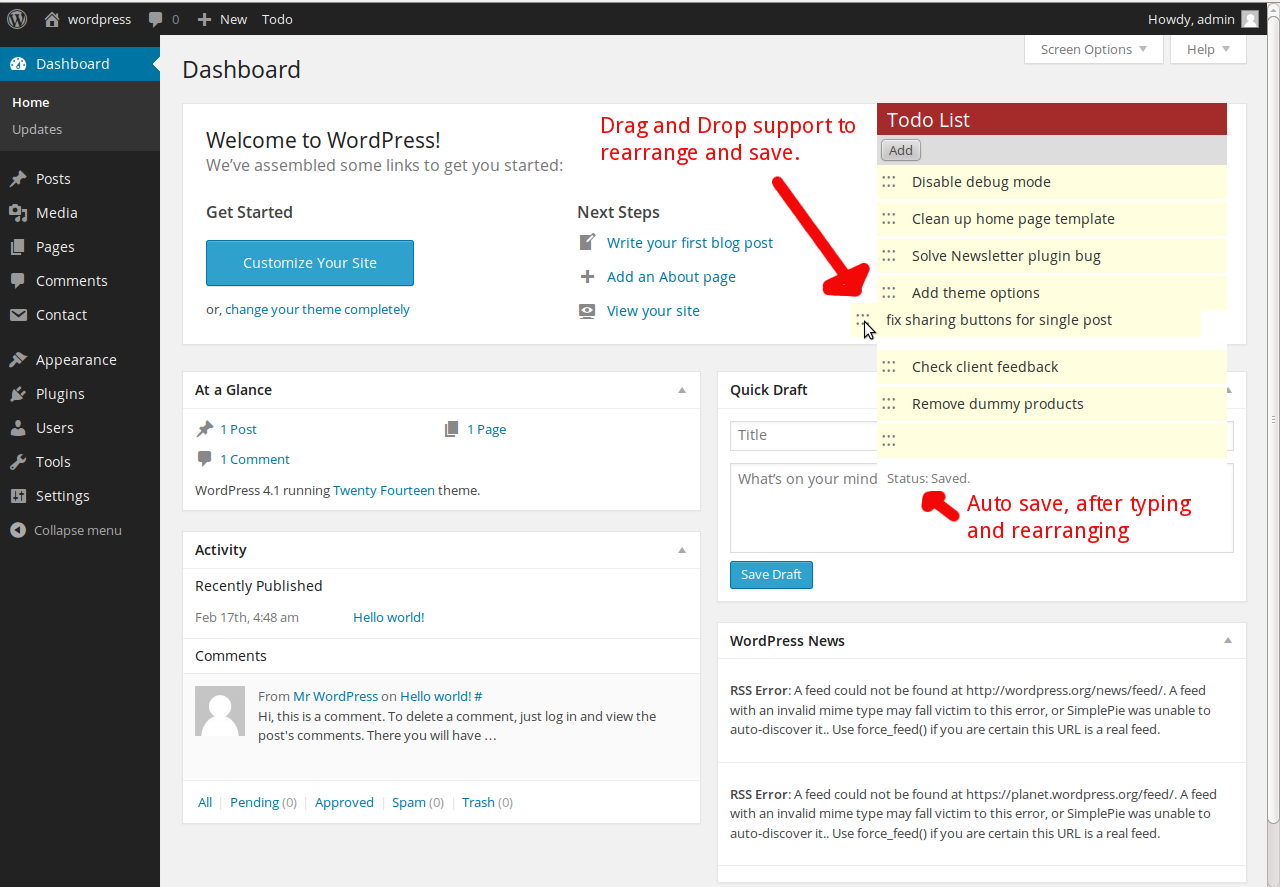
Drag and Drop support. Auto save feature.
Faq
Can I use my existing WordPress theme?
Yes! WP Admin Todo List works out-of-the-box with nearly every WordPress theme.
Will this work on WordPress multisite?
I haven’t check it yet.
Where can I get support?
What kind of support you want? You can always contact me at My Blog shyammakwana.me.
Where can I find documentation?
This is very simple plugin, doesn’t need any kind of documentation. Still you can contact me at My Blog shyammakwana.me.
Where can I report a bug?
On my blog My Blog shyammakwana.me or you can post a review and mention Bug word in title.
Who builds WP Admin Todo List?
WP Admin Todo List is free software, built by an individual PHP/WordPress developer (Who is me of course).
Reviews
Not at advertised
By 
New version works well!
By 
After fixing the bugs the new version works well!
Very handy if you repeatedly need to do certain things in the admin area and want to make sure you don't forget any steps (and do the steps in the right order).
Doesn't work on Genesis framework
By 
The box comes up, but can't be rolled up / unrolled or moved.
Awesome for me
By 
Working great...
very good plugin
By 
Thanks for the plugin. Its really amazing.
Changelog
1.4
- New : Support form added
- Bug fixed : Bug fixes
1.3.1
- New : Works with Latest WordPress 4.6
- Bug fixed : Breaks Drag and Drop todo
1.3.0
- Bug fixed : Breaks plugin and Customizer page.
1.2.7
- Bug fixed : Todo list was going outside of window.
1.2.5
- Bug fixed : Data lost after upgrading from 1.2 to 1.2.4, issue fixed, data restored.
- Bug fixed : Add new todo was not working after removing all todo’s
- Feature : Cookie based Minimize/Mazimize feature.
1.2.4
- Feature : Different Todo block for each individual user
- Feature : Display and hide block Database fallback
- Feature : Remove button for each todo on hover
1.2
- Bug fixed, todo block was not showing on refresh
1.0
- A change since the previous version.